
























Key Takeaways
- OpenClaw 2.0 is an open-source, self-hosted AI agent platform that uses a persistent Gateway to coordinate models, memory, tools, sessions, devices, and messaging channels.
- OpenClaw 2.0 works by separating AI inference, agent state, user interfaces, and execution environments, enabling persistent and distributed AI automation workflows.
- OpenClaw 2.0 offers model flexibility, multi-agent orchestration, self-hosted control, and powerful automation capabilities, but production deployments require careful security and infrastructure management.
OpenClaw 2.0 is an open-source, self-hosted AI agent platform that coordinates AI models, memory, tools, sessions, messaging channels, and connected devices through a persistent Gateway. It enables users and teams to run customizable AI agents that maintain context, automate workflows, use external tools, and operate across multiple computing environments.
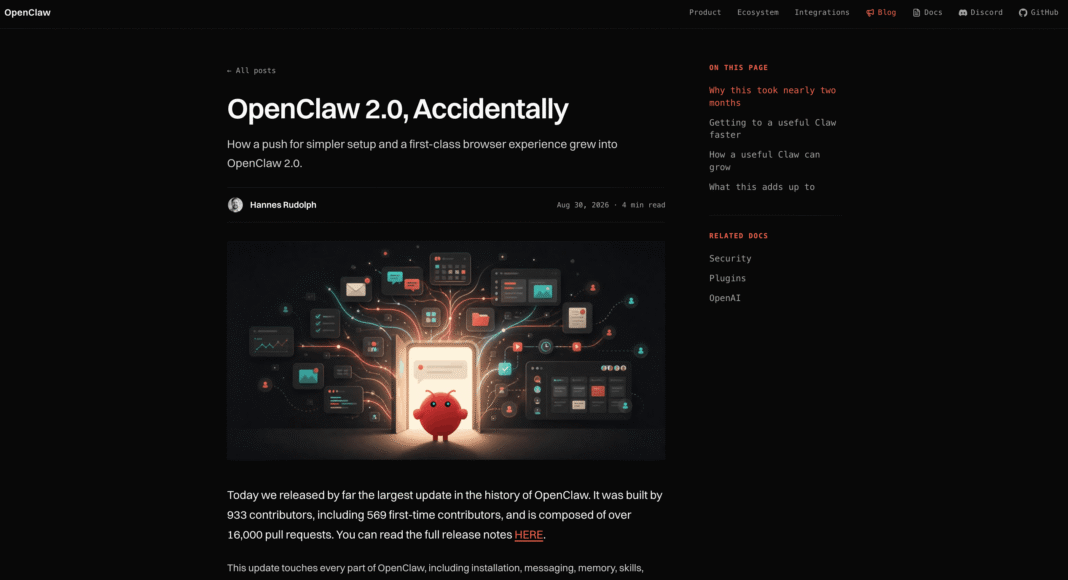
OpenClaw 2.0 is a major evolution of the open-source AI agent platform, designed to move artificial intelligence beyond isolated chatbot conversations and toward persistent, self-hosted agent infrastructure. Built around a central Gateway architecture, OpenClaw 2.0 connects AI models, memory, tools, sessions, messaging channels, automations, and computing environments within a unified system. The result is an AI agent platform capable of maintaining context, performing actions, coordinating workflows, and remaining available across multiple interfaces.
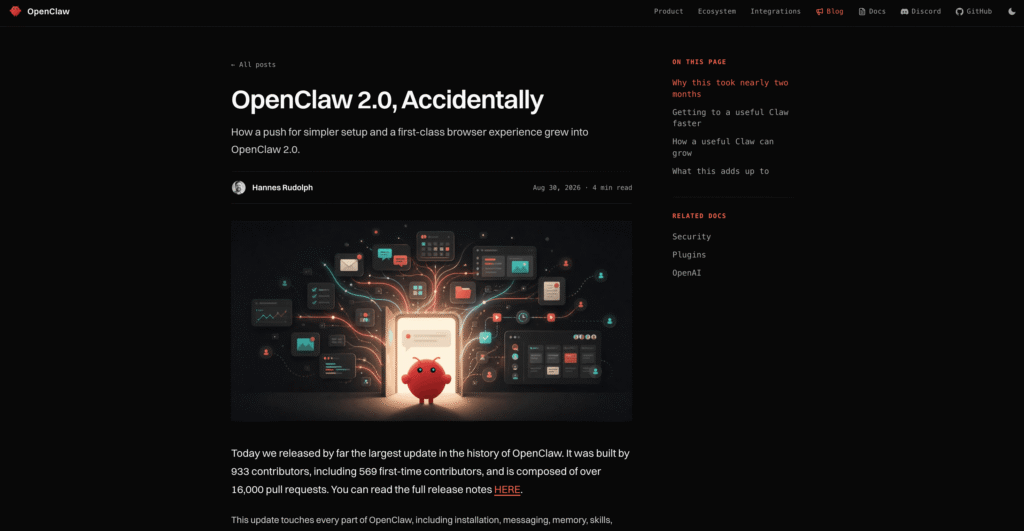
Understanding what OpenClaw 2.0 is and how it works is particularly relevant as businesses and developers increasingly explore agentic AI systems that can do more than generate text. Instead of tying an agent to one model, application, or computer, OpenClaw uses a model-independent architecture. Organizations can connect supported cloud AI providers or compatible local inference systems while retaining control over the Gateway and surrounding agent infrastructure.
At the center of OpenClaw 2.0 is the OpenClaw Gateway, which functions as the platform’s persistent coordination layer. When a user sends a request through the Control UI, command line, desktop environment, or supported messaging channel, the Gateway determines the appropriate agent and session, communicates with the selected AI model, coordinates permitted tools, and returns the resulting output. Connected nodes and isolated execution environments can further extend what agents are able to accomplish.
This architecture makes OpenClaw 2.0 fundamentally different from a conventional AI chatbot. Persistent sessions can support longer-running projects, memory systems can retrieve previously stored knowledge, sub-agents can divide complex workloads, and integrations can make agents accessible through platforms such as Telegram, Slack, Discord, WhatsApp, Signal, and other communication channels.
OpenClaw 2.0 also places greater emphasis on self-hosting, extensibility, and operational control. Developers and organizations can determine where their Gateway operates, which AI models provide inference, what tools agents can access, and how execution permissions are governed. However, this flexibility introduces additional responsibilities involving authentication, credential management, sandboxing, backups, upgrades, monitoring, and infrastructure security.
This guide explains what OpenClaw 2.0 is, how OpenClaw 2.0 works, its Gateway architecture, AI model integrations, persistent memory, multi-agent capabilities, messaging channels, distributed execution, security controls, hardware requirements, costs, and practical deployment considerations. Together, these capabilities illustrate why OpenClaw 2.0 is increasingly relevant to the broader shift from conversational AI toward persistent AI agents that can operate across real-world software, devices, and workflows.
Before we venture further into this article, we would like to share who we are and what we do.
About 9cv9
9cv9 is a business tech startup based in Singapore and Asia, with a strong presence all over the world.
With over ten years of startup and business experience, and being highly involved in connecting with thousands of companies and startups, the 9cv9 team has listed some of the top and best companies/tools in this review.
If you like to get your company listed in our top B2B software reviews, check out our world-class 9cv9 Media and PR service and pricing plans here.
What is Openclaw 2.0 and How Does It Work
- Project Evolution and Operational Scope
- Technical Architecture and System Design
- Distributed Workflows and Collaboration Framework
- Memory Persistence, State Engine, and Security Hardening
- Multi-Platform Ecosystem, Installation, and Channel Automations
- Quantitative Benchmarks, Memory Footprints, and Deployment Economics
- Commercial Product Landscape and Cost Breakdown
- Community Sentiment, Real-World Adoption, and Upgrades
- Strategic Assessment
1. Project Evolution and Operational Scope
OpenClaw 2.0 represents a major evolution of the OpenClaw open-source AI agent platform, with the current stable release line identified as 2026.8.1. Rather than functioning primarily as a locally operated AI assistant, the modern OpenClaw architecture is designed around a persistent Gateway that can coordinate AI agents, messaging channels, applications, sessions, automations and connected computing devices from a central control plane.
The project originally emerged from Peter Steinberger’s personal AI agent work and previously operated under names including Clawdbot and Moltbot. Its subsequent growth pushed OpenClaw beyond the boundaries of a conventional command-line agent, with the platform increasingly positioned as infrastructure for persistent personal assistants, coding agents and shared team deployments.
The 2.0 development cycle was unusually large. OpenClaw’s published account states that the project had previously shipped 106 releases across approximately 230 days before entering a development period of nearly seven weeks. More than 16,000 pull requests were incorporated into the resulting release, representing approximately half of the project’s historical pull requests at that stage. The release involved 933 contributors, including 569 first-time contributors.
| Release Lifecycle Parameter | OpenClaw 2.0 Development Profile |
|---|---|
| Stable Release Line | 2026.8.1 |
| Major Development Period | Nearly seven weeks |
| Previous Release Cadence | 106 releases across approximately 230 days |
| Pull Requests Incorporated | More than 16,000 |
| Share of Historical Pull Requests | Approximately 50% |
| Contributors | 933 |
| First-Time Contributors | 569 |
| Core Architectural Direction | Persistent Gateway with distributed clients and nodes |
This scale is important because OpenClaw 2.0 is better understood as a platform-level restructuring than as a conventional feature update. The changes extend across the Gateway architecture, agent runtime, sessions and memory, multi-agent routing, messaging, security, device connectivity and automation infrastructure.
From Local AI Agent to Persistent Agent Infrastructure
The defining architectural principle behind OpenClaw 2.0 is the separation of the central coordination layer from the devices and interfaces through which users interact with agents.
Traditional local AI agents frequently combine the model connection, conversation state, credentials, tools and execution environment within a single computer or application. OpenClaw uses a different architecture: a long-running Gateway acts as the central coordination point, while clients and nodes connect to that Gateway according to their respective roles.
| Traditional Local Agent | OpenClaw 2.0 Architecture |
|---|---|
| Agent tied primarily to one computer | Agent services coordinated through a Gateway |
| Local application owns most interactions | Gateway provides the central control plane |
| Tools execute mainly on the host machine | Execution can be delegated to approved nodes |
| Interface and runtime are closely coupled | Clients, Gateway and nodes have distinct roles |
| Remote operation requires separate tooling | Remote clients can connect to the Gateway |
| Device capabilities remain local | Paired devices can expose approved capabilities |
| Primarily single-device workflows | Multi-device and headless-node workflows supported |
The OpenClaw Gateway
At the center of the architecture is the OpenClaw Gateway, a long-running service responsible for coordinating channels, nodes, sessions, hooks and agent interactions.
Control-plane clients such as the command-line interface, web interface, macOS application and automations connect to the Gateway through WebSocket connections. Connected devices can separately join as nodes and declare the capabilities and commands they are authorized to provide.
The Gateway also maintains AI provider connections and emits events covering agent activity, conversations, presence, system health, heartbeats and scheduled operations.
| Gateway Responsibility | Operational Role |
|---|---|
| Agent Coordination | Routes and manages agent operations |
| Session Management | Maintains persistent working context |
| Messaging | Connects configured communication channels |
| Provider Management | Maintains connections with AI model providers |
| Node Coordination | Communicates with paired execution devices |
| Authentication | Controls access to Gateway resources |
| Device Pairing | Authorizes computers and mobile devices |
| Event Distribution | Reports agent, chat, presence and health events |
| Automation | Coordinates scheduled and recurring operations |
Distributed Nodes and Tool Execution
OpenClaw’s node architecture extends the agent beyond the machine hosting the Gateway. A node is a companion computer or device that connects to the Gateway and exposes an explicitly controlled command surface.
Supported node environments include macOS, iOS, Android and headless systems. Depending on the device and granted permissions, nodes can provide capabilities involving system commands, cameras, screens, notifications and other device-specific functions.
This allows an OpenClaw deployment to separate coordination from execution. For example, the Gateway could operate continuously on a server while approved workloads execute on a separate development machine, build server or other paired device.
| Component | Primary Responsibility | Typical Location |
|---|---|---|
| Gateway | Central coordination and state | Laptop, workstation or server |
| AI Provider | Model inference | Cloud API or supported model environment |
| Web or CLI Client | User control interface | User computer |
| Messaging Channel | User communication | External messaging platform |
| Desktop Node | Device-specific execution | Mac or other computer |
| Headless Node | Remote command execution | Server, VM, NAS or build machine |
| Mobile Node | Mobile capabilities | Smartphone or supported mobile device |
A Gateway-Centric Agent Model
The resulting architecture changes the operational model of an AI assistant. The Gateway becomes the persistent center of the system, while interfaces, models and execution environments become interchangeable components surrounding it.
A user request can enter through a messaging service, web interface or native client. The Gateway identifies the appropriate session and agent, communicates with the configured AI provider, invokes required tools and, where appropriate, dispatches approved operations to a connected node. Results then flow back through the Gateway to the originating interface.
This design is one of the most important characteristics of OpenClaw 2.0. It enables the platform to operate not merely as a chatbot or local coding assistant, but as self-hosted infrastructure for persistent AI agents capable of coordinating workflows across applications, communication channels and multiple computing environments.
2. Technical Architecture and System Design
OpenClaw 2.0 uses a Gateway-centric architecture designed to separate AI model inference, user interfaces, messaging channels and device-level execution. The platform is model-agnostic and event-driven, allowing one persistent Gateway to coordinate multiple clients, AI providers, sessions and connected nodes without requiring every device to maintain an independent agent runtime.
The Gateway serves as the primary control plane. Messaging surfaces such as Telegram, Slack, Discord, Signal, iMessage and WebChat connect through this layer, while operator clients and execution nodes communicate with it using a structured WebSocket protocol.
Gateway Topology and Runtime Environment
OpenClaw’s Gateway operates as a long-running service responsible for provider connections, messaging, agent requests, authentication, device coordination and server-generated events. By default, it binds locally at 127.0.0.1 on port 18789, with its HTTP services and WebSocket control plane sharing the same port.
Current OpenClaw installations require Node.js 22.22.3 or newer, Node.js 24.15 or newer, or Node.js 25.9 or newer. Node.js 26 is the recommended runtime because OpenClaw reports faster Gateway startup and lower memory consumption compared with Node.js 24.
| Architecture Parameter | OpenClaw 2.0 Specification |
|---|---|
| Central Runtime | Persistent OpenClaw Gateway |
| Recommended Runtime | Node.js 26 |
| Supported Node.js Lines | 22.22.3+, 24.15+, 25.9+ |
| Default Network Binding | Local loopback |
| Default Port | 18789 |
| Primary Control Transport | WebSocket |
| Message Format | Structured JSON frames |
| Browser Transport | HTTP and WebSocket |
| Node Connectivity | WebSocket with device identity |
| Remote Access | Authenticated Gateway connection |
Gateway Control Plane
The Gateway provides the common communication layer between OpenClaw’s components. Control clients such as the CLI, browser interface, macOS application and automations establish their own WebSocket connections, while macOS, iOS, Android and headless nodes connect with a dedicated node role.
The protocol distinguishes requests, responses and server-generated events. OpenClaw validates incoming frames against defined schemas and can emit events covering agent activity, chat, presence, system health, heartbeats and scheduled operations.
| Component | Connection Role | Primary Responsibility |
|---|---|---|
| Gateway | Central control plane | Coordinates agents, sessions, channels and nodes |
| Control UI | Operator client | Browser-based administration and conversations |
| CLI | Operator client | Command-line management |
| Desktop App | Operator and device interface | Native interaction and system integration |
| Mobile Node | Execution node | Exposes approved mobile capabilities |
| Headless Node | Execution node | Provides remote execution capabilities |
| Model Provider | Inference service | Generates model responses and reasoning |
| Messaging Channel | Communication surface | Receives and delivers user conversations |
Model-Independent Inference
OpenClaw is not tied to one AI model provider. Its provider architecture allows agents to use commercial cloud models as well as locally or independently hosted inference servers.
During streamlined onboarding, OpenClaw can detect existing Claude Code or Codex CLI authentication or available provider credentials. When usable AI access is discovered, it verifies that access with a real completion before saving the configuration and opening the dashboard.
This approach provides an important separation between OpenClaw itself and the model responsible for reasoning. The Gateway and agent infrastructure can remain relatively consistent while the underlying inference provider changes.
Cloud and Local Model Architecture
OpenClaw supports conventional cloud providers alongside local and OpenAI-compatible inference servers. Current documentation includes integrations for Ollama, LM Studio, MLX, vLLM, SGLang and other OpenAI-compatible proxy architectures.
| Inference Environment | Deployment Model | Typical Role |
|---|---|---|
| Commercial AI Provider | Cloud API | High-capability general inference |
| Ollama | Local or self-hosted | Simplified local model operation |
| LM Studio | Local server | Desktop local inference |
| MLX | Local HTTP backend | Apple Silicon inference |
| vLLM | Self-hosted server | High-throughput model serving |
| SGLang | Self-hosted server | High-performance inference |
| OpenAI-Compatible Proxy | Local or remote | Custom model routing |
| LiteLLM-Style Proxy | Local or remote | Multi-provider abstraction |
For advanced local deployments, OpenClaw can therefore operate as the agent layer while specialized inference software handles model serving. This architecture is particularly useful for organizations seeking greater control over model selection, hardware utilization, privacy or inference costs.
Distributed Node Architecture
OpenClaw separates control clients from execution nodes. Nodes connect to the same Gateway WebSocket infrastructure but explicitly declare themselves as nodes and advertise their permitted capabilities and commands.
Depending on the platform and permissions, these capabilities can include camera functions, screen recording, location access and other device-level operations. New devices must pass the appropriate pairing process before they can participate in the system.
| Layer | Controls | Executes |
|---|---|---|
| Gateway | Sessions, routing, authentication and coordination | Central agent operations |
| AI Provider | Model inference | Language-model computation |
| Operator Client | User interaction | Interface operations |
| Desktop Node | Approved device capabilities | Local device actions |
| Mobile Node | Approved mobile capabilities | Device-specific actions |
| Headless Node | Remote capabilities | Server-side operations |
This separation allows a Gateway running on one system to coordinate approved capabilities available elsewhere, creating a distributed agent environment without treating every connected machine as an independent OpenClaw deployment.
Rebuilt Control UI Workspace
OpenClaw 2.0’s Control UI is a Vite and Lit single-page application served directly by the Gateway. It communicates with the Gateway’s WebSocket interface on the same port, making the browser application a direct participant in the control-plane architecture rather than merely a passive monitoring dashboard.
The interface also uses lazy initialization for heavier panels. Terminal, Browser, Desktop and Home or Ask OpenClaw panels can initialize when opened instead of loading every subsystem during initial navigation.
Real-Time Session Observation
OpenClaw’s Control UI provides live information about active agent runs. The interface can display a model’s latest safe preamble as a session headline without requiring a separate utility-model call.
When a utility model is configured, OpenClaw can generate richer status digests summarizing aspects such as plan progress, elapsed execution time and ongoing activity. These observations remain separate from the durable conversation history.
| Session Observation Feature | Function |
|---|---|
| Safe Preamble Headline | Displays immediate agent status |
| Utility Model Digest | Produces richer execution summaries |
| Session Rail | Presents active run information |
| Plan Progress | Shows progress through complex work |
| Final Digest | Preserves completion or failure status |
| Read-Only Companion | Answers questions about the active session |
| Background Task Visibility | Exposes ongoing agent activity |
Speculative Session Naming
The rebuilt interface also introduces background session-name preparation. After a user enters at least 12 characters and pauses for approximately one second, OpenClaw can send part of the unsent draft to the selected agent’s utility model to prepare a descriptive session name.
The request is limited to the first 1,000 characters and excludes attachments. Importantly, the main session does not wait for this operation. If the generated name is unavailable when the user submits the prompt, normal naming occurs afterward.
This is a small but illustrative example of OpenClaw 2.0’s broader architecture: secondary AI operations can occur independently without blocking the primary agent workflow.
Side Chat and Isolated Companion Conversations
OpenClaw 2.0 also provides side conversations through commands such as /btw and /side. These allow users to ask questions about an ongoing session without adding the discussion directly to the main agent’s conversation history.
When the side conversation begins, the Gateway loads a bounded snapshot of the relevant session and provides the companion with read-only access to appropriate session and workspace information. The side thread is maintained separately and does not enter the main chat history.
| Conversation Type | Main Agent Context | Typical Purpose |
|---|---|---|
| Primary Chat | Included | Direct instructions and project work |
| Side Chat | Isolated | Questions about ongoing work |
| Session Observation | Separate | Monitoring agent progress |
| Utility Digest | Separate | Summarizing execution state |
| Session Naming | Separate | Creating descriptive conversation titles |
Security and Device Trust
Because OpenClaw can coordinate potentially consequential tools and remote devices, authentication is integrated into the Gateway architecture.
Gateway authentication is required by default and operates on a fail-closed basis when no valid authentication path is available. New device identities generally require pairing approval, after which the Gateway can issue credentials for subsequent connections. Remote and non-local deployments introduce additional authentication and transport requirements.
This produces a layered security model in which an AI model does not automatically receive unrestricted authority over every connected machine simply because that machine can communicate with the Gateway.
OpenClaw 2.0 System Flow
At a high level, an OpenClaw 2.0 interaction moves through several independently managed layers:
| Processing Stage | System Activity |
|---|---|
| User Input | Prompt enters through WebChat, CLI, app or messaging channel |
| Gateway Reception | Gateway authenticates and accepts the request |
| Session Resolution | Relevant agent and conversation state are identified |
| Agent Processing | Agent constructs the required inference operation |
| Model Inference | Configured cloud or local model processes the request |
| Tool Decision | Agent determines whether external capabilities are required |
| Node Dispatch | Approved device operations can be routed to connected nodes |
| Event Streaming | Progress and agent events stream through the Gateway |
| State Update | Session information and durable history are updated |
| Response Delivery | Result returns through the originating communication surface |
The resulting architecture makes OpenClaw 2.0 more than a wrapper around a large language model. Its Gateway, provider abstraction, authenticated node network, persistent sessions and event-driven Control UI collectively create an orchestration layer in which models, interfaces and execution environments can operate as separate but coordinated components.
3. Distributed Workflows and Collaboration Framework
OpenClaw 2.0 significantly expands how agents can coordinate work across sessions, users and execution contexts. However, some of the terminology commonly associated with the release, including “Shared Cloud Sessions,” “Multiplayer Mode,” “Place Picker” and “Crabbox,” is not supported by the current official OpenClaw documentation as described. The documented architecture instead centers on Gateway-owned sessions, persistent dashboard sessions, sub-agents, multi-agent communication, session ownership and sandboxed execution.
This distinction matters because OpenClaw’s collaboration model is real, but it operates primarily through session orchestration and Gateway-managed state rather than a generic cloud-worker marketplace.
Gateway-Owned Sessions and Persistent Workspaces
OpenClaw separates conversation state from individual user interfaces. Session state belongs to the Gateway, while interfaces such as the Control UI, terminal and connected messaging channels retrieve and interact with that Gateway-managed state.
As a result, an agent workflow does not necessarily disappear when a terminal window closes. Persistent dashboard sessions can be created and subsequently accessed through the Control UI, while child agents can perform work in separate execution contexts.
OpenClaw also records relationships between sessions, including parent sessions, child sessions, agent ownership, working directories, models and execution status.
| Collaboration Component | Operational Role |
|---|---|
| Gateway | Owns and coordinates session state |
| Main Session | Maintains the primary conversation or workflow |
| Persistent Session | Creates an independently accessible workspace |
| Child Session | Performs delegated work |
| Sub-Agent | Executes background tasks for another agent |
| Session Owner | Identifies the human or agent responsible for a session |
| Control UI | Provides access to active and persistent sessions |
| Messaging Channel | Allows sessions to interact through external communication platforms |
Persistent Agent Workspaces
OpenClaw supports persistent dashboard sessions through its session-spawning architecture. A session created with persistent visibility can appear independently in the dashboard instead of remaining a hidden background sub-agent.
These sessions can receive their own model selection, working directory and organizational category. Compatible sessions can also inherit transcript context from the requesting agent or operate with isolated context.
This architecture allows a large workflow to be divided into multiple specialized workstreams.
For example, a primary software-development agent could retain responsibility for the overall project while separate sessions investigate bugs, analyze documentation or work on individual implementation tasks.
Session Ownership and Work Handoffs
OpenClaw also provides explicit session ownership metadata. Responsibility for a session can be assigned to either a human or another configured agent.
When ownership changes, OpenClaw records the new owner and reflects that assignment in the Control UI. Importantly, ownership represents responsibility rather than authorization: assigning ownership does not automatically grant additional access permissions.
| Workflow Action | OpenClaw Mechanism |
|---|---|
| Create persistent workspace | Visible session spawn |
| Delegate background task | Sub-agent session |
| Assign responsibility | Session owner assignment |
| Separate project streams | Multiple persistent sessions |
| Organize sessions | Session categories and groups |
| Transfer responsibility | Owner reassignment |
| Inspect previous work | Session history |
| Find previous discussions | Session search |
| Communicate between sessions | Cross-session messaging |
Hierarchical Agent Orchestration
OpenClaw’s session system supports parent-child relationships between agents. A primary agent can spawn another agent to perform a background task without blocking the original session.
The child receives its own session and run identifier. Depending on configuration, it can use another model, thinking level, working directory or sandbox policy.
OpenClaw can also support deeper orchestration hierarchies. When sufficient spawn depth is configured, first-level orchestrator agents can receive session-management capabilities allowing them to create and manage their own child agents. Leaf agents remain restricted from recursively spawning additional workers.
| Agent Level | Typical Responsibility | Session Scope |
|---|---|---|
| Primary Agent | Coordinates overall objective | Main session |
| Orchestrator Agent | Manages a project workstream | Child session |
| Specialist Agent | Performs focused task | Nested child session |
| Leaf Agent | Executes bounded operation | Restricted session |
| Human Operator | Reviews or directs workflow | Control UI or connected channel |
Session Visibility and Access Boundaries
OpenClaw provides configurable session visibility controls that determine which sessions an agent can discover or interact with.
The currently documented visibility levels are self, tree, agent and all. The default is tree.
| Visibility Mode | Accessible Session Scope |
|---|---|
| self | Current session only |
| tree | Current session and permitted spawned sessions |
| agent | Sessions belonging to the current agent |
| all | All permitted sessions across agents |
Cross-agent visibility does not automatically mean unrestricted cross-agent communication. Access to another agent can additionally depend on the configured agent-to-agent policy.
Sandboxed sessions receive tighter restrictions. Under the default sandbox session-tool configuration, visibility remains constrained to the relevant spawned-session hierarchy even when broader visibility has been configured elsewhere.
Cross-Session Communication
OpenClaw agents can communicate without merging their entire conversation histories.
The session messaging system allows one authorized session to send a message to another session. The sending agent can either submit the message asynchronously or wait for a response.
OpenClaw can additionally support short reply exchanges between the participating agents, allowing specialized agents to coordinate while maintaining independent execution contexts.
This creates a useful distinction between sharing information and sharing context.
| Collaboration Method | Context Relationship | Typical Application |
|---|---|---|
| Same Session | Shared conversation | Continuous project work |
| Forked Context | Inherits bounded context | Delegated related work |
| Isolated Session | Independent context | Specialist task |
| Cross-Session Message | Selected information exchanged | Agent coordination |
| Session Search | Historical information retrieved | Previous-work discovery |
| Sub-Agent | Parent delegates objective | Parallel background work |
Sandboxed Execution
Isolation is also an important part of OpenClaw’s distributed workflow design. When creating child sessions, an orchestrating agent can require sandboxed execution.
Sandbox restrictions constrain both the environment available to the worker and the sessions that worker can inspect. This prevents a delegated agent from automatically receiving broad access to unrelated sessions merely because its parent has greater privileges.
This makes sandboxing particularly useful for untrusted operations, experimental code, external agent harnesses and tasks where the principle of least privilege is desirable.
Session Search and Cross-Conversation Memory
OpenClaw also provides session search capabilities for locating information from previous visible conversations.
Search results can identify the relevant session, timestamp, speaker and matching excerpt. An agent can subsequently retrieve surrounding conversation history when additional context is required.
Separate from session search, OpenClaw can optionally retrieve relevant information across an agent’s private conversations without merging those conversations into one transcript.
| State Mechanism | Primary Function |
|---|---|
| Current Transcript | Immediate conversation context |
| Session History | Retrieves previous session messages |
| Session Search | Finds information across visible sessions |
| Cross-Conversation Recall | Retrieves relevant private conversation context |
| Workspace Memory | Maintains persistent agent knowledge |
| Parent-Child Metadata | Tracks delegated workflow relationships |
Execution Placement: What OpenClaw Actually Documents
The proposed Gateway Local, Paired Device and Crabbox Cloud Worker model should not currently be presented as an established OpenClaw 2.0 feature set without stronger primary-source evidence.
OpenClaw does support connected nodes, sandboxed agents, external agent harnesses and distributed Gateway-controlled capabilities. These mechanisms provide substantial flexibility for separating coordination from execution.
However, current documentation does not substantiate a universal “Place Picker” that automatically routes workloads among local hardware and disposable cloud machines, nor does it document Crabbox as an official OpenClaw cloud-worker provisioner supporting AWS, Hetzner and DigitalOcean.
Similarly, claims regarding one worker slot per CPU core, automatic CPU and RAM load balancing, a default two-hour cloud suspension policy, sub-two-second warm-image restoration and an autoDevice routing option should be treated as unverified unless corresponding OpenClaw documentation or source code establishes them.
OpenClaw 2.0 Collaboration Model
| Capability | Role in Distributed Workflows |
|---|---|
| Gateway-Owned State | Separates session state from individual interfaces |
| Persistent Sessions | Maintains long-running workspaces |
| Session Ownership | Assigns responsibility to humans or agents |
| Sub-Agents | Delegates background work |
| Nested Agents | Enables hierarchical task orchestration |
| Session Messaging | Supports communication between independent agents |
| Session Search | Retrieves information from previous work |
| Visibility Policies | Restricts which sessions an agent can access |
| Agent-to-Agent Policy | Controls cross-agent interaction |
| Sandboxing | Isolates delegated execution |
| Connected Nodes | Extends Gateway-controlled capabilities to other devices |
The broader significance of this framework is that OpenClaw 2.0 does not require every AI task to exist inside one monolithic conversation. A project can instead be represented as a network of persistent sessions, specialized agents and controlled communication pathways.
That structure makes OpenClaw increasingly suitable for multi-agent software development, research, operations and long-running automation workflows. The Gateway provides continuity, while session hierarchies, ownership, visibility controls and sandboxing determine how individual pieces of work are delegated and governed.
4. Memory Persistence, State Engine, and Security Hardening
OpenClaw 2.0 substantially restructures how agent memory, session state and sensitive credentials are managed. The broader direction is toward database-backed state, built-in memory retrieval and stronger security boundaries around an agent that may have access to terminals, files, messaging services and external systems.
Several claims in earlier descriptions of the release require refinement. In particular, OpenClaw’s current documentation confirms the removal of the optional QMD memory backend, but the replacement should not be described simply as moving all memory into the Gateway binary. OpenClaw maintains durable Markdown memory files while its built-in retrieval engine uses per-agent SQLite databases for indexing and search.
Native Memory Architecture and QMD Retirement
OpenClaw’s optional QMD memory backend has been removed from the current architecture, with the built-in memory engine becoming the standard memory search system.
The built-in engine requires no separate QMD dependency and provides keyword search, vector similarity and hybrid retrieval. Full-text retrieval uses SQLite FTS5 and BM25 ranking, while semantic retrieval can use embeddings from supported providers. Optional sqlite-vec acceleration performs vector queries directly against SQLite.
| Memory Capability | OpenClaw Architecture |
|---|---|
| Default Memory Backend | Built-in memory engine |
| QMD Backend | Removed from current architecture |
| Durable Human-Readable Memory | Markdown files |
| Memory Index | Per-agent SQLite database |
| Keyword Retrieval | SQLite FTS5 with BM25 |
| Semantic Retrieval | Embedding-based vector search |
| Hybrid Retrieval | Keyword and vector retrieval combined |
| Vector Acceleration | sqlite-vec when available |
| Ranking | Relevance, recency and write-time importance |
| Diversity Optimization | MMR-supported result ordering |
How OpenClaw Memory Actually Persists
An important distinction exists between memory content and the search index.
OpenClaw’s durable agent memory remains file-oriented. The agent writes information into MEMORY.md and associated memory files within its workspace. The documentation explicitly states that there is no invisible model memory containing information that was never persisted.
SQLite then provides the retrieval infrastructure that allows OpenClaw to efficiently search these durable memory sources.
This creates a two-layer architecture:
| Persistence Layer | Function |
|---|---|
| MEMORY.md | Stores important long-term information |
| Workspace Memory Files | Store additional persistent knowledge |
| SQLite Memory Index | Indexes memory for efficient retrieval |
| FTS5 | Provides lexical and keyword search |
| Embedding Index | Provides semantic similarity search |
| sqlite-vec | Accelerates vector queries |
| Agent Context | Receives selected relevant memories during execution |
Automatic Memory Preservation
OpenClaw includes an automatic memory-flush mechanism designed to reduce information loss when conversations approach context compaction.
Before OpenClaw summarizes an oversized conversation, a silent agent turn can remind the model to save important information into durable memory. This process is enabled by default and can use a separately configured model specifically for the memory-flush operation.
This is more accurately described as pre-compaction memory preservation than a general-purpose “Dream Diary.”
| Memory Stage | System Behaviour |
|---|---|
| Active Conversation | Agent accumulates working context |
| Context Approaches Compaction | Memory-flush process can activate |
| Memory Evaluation | Important information is identified |
| Durable Write | Relevant information can be written into memory files |
| Compaction | Conversation context is summarized |
| Future Retrieval | Search engine retrieves relevant persisted memories |
The previously proposed claim that a “Dream Diary” continuously converts recent conversations into structured long-term memories should therefore not be presented as a standard OpenClaw 2.0 mechanism without further primary-source evidence.
Built-In Memory Search
OpenClaw’s built-in retrieval engine is considerably more sophisticated than a conventional file search system.
Keyword queries can use FTS5 full-text indexing and BM25 scoring. Semantic queries use embeddings, while hybrid mode combines both approaches. Current documentation also describes deterministic ranking using relevance, recency and write-time importance, with diversity-aware MMR ordering available for hybrid results.
| Search Method | Best Suited For |
|---|---|
| Keyword Search | Exact terminology, identifiers and phrases |
| BM25 Retrieval | Lexically relevant documents |
| Vector Search | Semantically related information |
| Hybrid Search | Combining semantic and lexical relevance |
| Recency Ranking | Prioritizing newer relevant memories |
| Importance Ranking | Prioritizing significant stored information |
| MMR Ordering | Reducing repetitive search results |
SQLite-Based State Architecture
SQLite has become an increasingly important component of OpenClaw’s state architecture.
Current OpenClaw security documentation identifies each agent’s openclaw-agent.sqlite database as containing runtime state including session rows and transcripts. OpenClaw also retains legacy session directories as migration sources and archives, meaning it would be inaccurate to describe the change as simply deleting JSONL storage and placing everything inside one global SQLite database.
The broader architecture is database-first, with structured OpenClaw-owned state increasingly represented through SQLite-backed records.
| State Category | Primary Storage Role |
|---|---|
| Agent Runtime State | Per-agent SQLite |
| Session Rows | SQLite |
| Canonical Transcripts | Per-agent database |
| Memory Index | SQLite |
| Exec Approval Configuration | Shared SQLite state |
| Legacy Sessions | Migration sources and archives |
| Durable Agent Memory | Markdown workspace files |
SQLite Reliability and Performance
The built-in memory engine includes safeguards intended for long-running Gateway operation. SQLite WAL sidecars are bounded through periodic and shutdown checkpoints, while memory changes trigger debounced indexing rather than requiring immediate full database reconstruction.
When the embedding provider, embedding model or chunking configuration changes, OpenClaw can automatically rebuild the relevant memory index.
Current releases have also continued to harden SQLite behavior, including avoiding WAL operation on unsuitable NFS-backed state volumes and improving recovery during full memory reindexing.
SecretRef Credential Management
OpenClaw’s SecretRef system provides a safer mechanism for handling provider credentials and other supported secrets.
Rather than requiring credentials to remain as plaintext values in OpenClaw configuration, supported fields can reference external secret providers. During activation, these references are resolved into an in-memory runtime snapshot. Runtime operations subsequently read from that snapshot.
| Secret Management Stage | Security Behaviour |
|---|---|
| Configuration | Stores SecretRef instead of plaintext credential |
| Activation | Resolves required secret |
| Validation | Invalid active references fail activation |
| Runtime | Uses active in-memory snapshot |
| Secret Rotation | Snapshot can be reloaded |
| Failed Reload | Last-known-good snapshot remains active |
| Recovery | Successful reload atomically replaces snapshot |
This architecture reduces the risk created by storing raw credentials directly inside agent-readable configuration files.
SecretRef Is Not Complete Secret Isolation
SecretRef should not be interpreted as meaning that OpenClaw can never access a credential or that a model merely receives an opaque placeholder whenever credentials are used.
The Gateway must resolve supported secrets for legitimate runtime operations. The security advantage is that credentials do not have to remain as plaintext values in ordinary configuration.
OpenClaw explicitly warns that plaintext credentials can still be readable by an agent if they remain in files the agent has permission to inspect. SecretRef therefore reduces the local credential exposure surface only after relevant credentials have actually been migrated away from plaintext storage.
Execution Approval Architecture
OpenClaw provides a dedicated execution-approval system for controlling commands executed on local, Gateway or node environments.
Current execution policy distinguishes three security modes: deny, allowlist and full. Approval behaviour can separately be configured as off, on-miss or always.
| Execution Security Mode | Behaviour |
|---|---|
| deny | Blocks execution |
| allowlist | Allows commands matching approved policy |
| full | Permits unrestricted execution under the configured policy |
| Approval Mode | Behaviour |
|---|---|
| off | No interactive approval request |
| on-miss | Requests approval when policy does not already permit execution |
| always | Requires approval for applicable executions |
Approval state is itself persisted in OpenClaw’s shared SQLite state database, reinforcing the broader move toward database-backed control-plane state.
Sandboxing and Execution Boundaries
OpenClaw’s security model also separates where tools are allowed to execute. Execution policies can target the sandbox, Gateway or connected nodes, enabling operators to determine whether an agent can interact directly with the host system or must operate within a more restricted environment.
This becomes particularly important for autonomous agents because model intelligence and execution authority are separate security concerns.
| Security Layer | Primary Purpose |
|---|---|
| Gateway Authentication | Restricts access to the OpenClaw control plane |
| SecretRef | Reduces plaintext credential exposure |
| Exec Policy | Defines permissible command execution |
| Exec Approval | Introduces human authorization when required |
| Sandbox | Restricts execution environment |
| Node Authorization | Controls remote device execution |
| Session Visibility | Limits cross-session access |
| Agent Policies | Restrict cross-agent capabilities |
Claims That Require Further Verification
Several proposed OpenClaw 2.0 features should not currently be stated as established facts.
The available primary documentation does not substantiate a standard four-tier session privilege model named read-only, guarded, workspace and full access. The documented execution security levels are instead deny, allowlist and full, combined with configurable approval behaviour.
Similarly, the claim that third-party executable plugins universally require –force installation, the specific Sharp and libheif dependency versions cited, and the described Gemini embedding failure at exactly 100 requests should not be presented as defining OpenClaw 2.0 architecture without release-specific primary evidence.
The “Autonomous Skill Synthesis” mechanism described as automatically transforming repeated successful tool sequences into candidate skills also requires stronger documentation before being characterized as a standard OpenClaw 2.0 capability.
Why the Memory and Security Changes Matter
The significance of OpenClaw 2.0’s state architecture lies in the combination of persistent agent information with controlled execution authority.
Memory files provide durable, inspectable knowledge. SQLite provides scalable indexing and structured runtime state. Hybrid retrieval determines which information should return to an agent’s context. SecretRef reduces unnecessary plaintext credential exposure, while execution policies, approvals, sandboxes and device authorization constrain what an agent can actually do.
Together, these systems create an important separation between three dimensions of an autonomous AI agent:
| Agent Dimension | OpenClaw Control Layer |
|---|---|
| What the Agent Knows | Memory and retrieval |
| What the Agent Can Access | Authentication, sessions and SecretRef |
| What the Agent Can Do | Tools, sandboxing and execution approvals |
This separation is particularly important for persistent AI agents. As an agent gains longer memory, broader tool access and the ability to operate continuously, security can no longer depend solely on whether the underlying language model follows instructions correctly. OpenClaw’s architecture instead places durable state, credentials and execution authority behind distinct control mechanisms.
5. Multi-Platform Ecosystem, Installation, and Channel Automations
OpenClaw 2.0 is designed to make an AI agent accessible beyond a single terminal or browser session. Its ecosystem combines a cross-platform Gateway, desktop applications, mobile nodes, browser-based administration and messaging-channel integrations, allowing the same agent infrastructure to operate across computers, smartphones and communication platforms.
The current OpenClaw architecture supports macOS, Windows and Linux for Gateway deployment, alongside companion experiences for macOS, Windows, iOS and Android. Linux fully supports the Gateway today, although a dedicated Linux companion application remains planned rather than generally available.
Simplified Setup and Environment Discovery
OpenClaw’s onboarding process has been redesigned around detecting usable AI access before requiring users to manually configure the rest of the platform.
During guided setup, OpenClaw searches for existing AI authentication that it can reuse. This can include an existing Claude Code or Codex CLI login as well as supported provider credentials. Candidate access is tested with an actual model completion before conversational setup is considered operational.
The broader onboarding process can subsequently configure the workspace, Gateway, background service, channels, agents, plugins and other optional functionality.
| Setup Stage | OpenClaw 2.0 Behaviour |
|---|---|
| AI Access Discovery | Looks for usable existing authentication |
| Developer CLI Detection | Can reuse Claude Code or Codex CLI access |
| Provider Authentication | Supports provider API keys and authentication flows |
| Inference Verification | Tests AI access with a real completion |
| Workspace Setup | Establishes the agent workspace |
| Gateway Configuration | Configures networking, authentication and service settings |
| Channel Setup | Adds supported messaging integrations |
| Plugin Setup | Installs optional capabilities and channel plugins |
| Background Service | Configures platform-appropriate Gateway startup |
| Health Verification | Checks the resulting OpenClaw environment |
The streamlined workflow substantially reduces the amount of configuration required when a machine already has compatible AI access.
OpenClaw Installation Options
OpenClaw provides official installation scripts for macOS, Linux and Windows. The macOS and Linux installation process uses a shell-based installer, while Windows provides a corresponding PowerShell installation path. Alternative deployment methods are also available for users who prefer package managers, containers or more specialized infrastructure.
The recommended onboarding process can additionally install the Gateway as a managed background service. The implementation differs by operating system.
| Operating System | Gateway Service Architecture | Desktop or Companion Experience |
|---|---|---|
| macOS | LaunchAgent | Native menu bar application |
| Windows | Scheduled Task with startup fallback | Windows Hub |
| Linux | systemd user service | Gateway supported; dedicated companion app planned |
| iOS | Connects to remote Gateway | Mobile node |
| Android | Connects to remote Gateway | Mobile node |
| ChromeOS | Linux-compatible deployment through Crostini | Gateway-oriented |
This service architecture allows the Gateway to remain available even when a terminal window is no longer open.
macOS Integration
On macOS, OpenClaw provides a native menu bar application alongside the command-line Gateway environment. The application acts as a companion to the underlying OpenClaw infrastructure rather than replacing the Gateway architecture.
The macOS onboarding system can also inspect installed application names and bundle identifiers to recommend potentially relevant plugins or skills. This application-discovery process is optional and can be disabled.
| macOS Component | Purpose |
|---|---|
| OpenClaw Gateway | Runs the central agent infrastructure |
| Menu Bar App | Provides native desktop interaction |
| LaunchAgent | Maintains the Gateway as a background service |
| Control UI | Provides browser-based administration |
| Application Discovery | Recommends potentially relevant integrations |
| Local Node Capabilities | Exposes permitted Mac functions to agents |
Windows Integration
Windows is supported through multiple deployment approaches. Users seeking a desktop-oriented experience can use Windows Hub, while terminal-focused installations can use native PowerShell. WSL2 remains available for deployments requiring a Linux-like Gateway environment.
For native Windows Gateway installations, OpenClaw uses a Scheduled Task, with a per-user Startup-folder mechanism available as a fallback when task creation is unavailable.
This makes the earlier characterization of OpenClaw as requiring a specific standalone executable installer too restrictive. Windows Hub, native PowerShell and WSL2 represent distinct supported deployment paths.
Linux and Server Deployments
Linux is particularly relevant for persistent and remotely hosted OpenClaw Gateways. The recommended managed-service installation uses a systemd user service.
OpenClaw documentation also covers deployments on VPS and cloud environments, including Docker-based Hetzner deployments, Google Cloud, Azure and other infrastructure providers.
| Deployment Environment | Typical OpenClaw Role |
|---|---|
| Personal Mac | Local personal AI assistant |
| Windows Workstation | Desktop agent environment |
| Linux Computer | Persistent local Gateway |
| VPS | Always-online remote Gateway |
| Cloud VM | Centrally hosted agent infrastructure |
| Mobile Device | Companion and execution node |
| Web Browser | Gateway Control UI |
iOS and Android Mobile Nodes
OpenClaw extends beyond desktop operating systems through iOS and Android nodes.
Mobile nodes pair with an existing Gateway rather than becoming independent Gateway installations. Once authorized, they can provide mobile-specific capabilities such as chat, voice interaction and supported device commands.
This distinction is important when describing OpenClaw as a multi-platform system: mobile devices primarily extend a Gateway-controlled agent environment instead of independently hosting the entire OpenClaw stack.
Cross-Channel Messaging Architecture
One of OpenClaw’s defining features is its ability to connect AI agents with existing communication platforms.
Telegram and WebChat currently ship with the core installation, while numerous additional official channels are provided through plugins. These include Discord, iMessage, Signal, Slack, WhatsApp, Microsoft Teams, Google Chat, Matrix and many others.
| Communication Channel | Integration Role | Example Agent Application |
|---|---|---|
| Telegram | Messaging channel | Alerts, commands and remote agent conversations |
| iMessage | Apple messaging integration | Personal assistant interactions |
| Messaging integration | Personal and customer communication workflows | |
| Discord | Server and direct messaging | Community and team agent interactions |
| Slack | Workspace messaging | Business and operational workflows |
| Signal | Messaging integration | Personal messaging workflows |
| Microsoft Teams | Enterprise communication | Organizational agent interaction |
| Google Chat | Workspace communication | Business automation |
| WebChat | Native OpenClaw interface | Direct Gateway conversations |
Unified Outbound Messaging
OpenClaw also provides a common messaging command architecture across supported communication services.
The same messaging interface can target Discord, Google Chat, iMessage, Matrix, Mattermost, Microsoft Teams, Signal, Slack, Telegram and WhatsApp. Each service retains its own destination conventions, but OpenClaw provides a common agent-facing messaging layer above them.
| Automation Requirement | OpenClaw Capability |
|---|---|
| Send Direct Message | Channel messaging interface |
| Send Group Message | Group-capable channel integration |
| Post to Team Channel | Slack, Discord, Teams and similar channels |
| Send Agent Alert | Outbound messaging |
| Receive User Command | Inbound channel routing |
| Restrict Unknown Users | Pairing or allowlist policies |
| Restrict Groups | Group access policies |
| Route Different Users | Multi-agent routing |
Channel Access and Security Controls
Connecting an autonomous agent to messaging platforms creates a significant security consideration because incoming messages can potentially trigger tools, file operations or other actions.
OpenClaw therefore applies access policies at the channel level. Direct messages can use pairing, allowlist, open or disabled policies. Pairing is the default behavior for unknown senders, requiring authorization before they can interact freely with the agent.
Group-capable channels receive additional controls. Groups are restricted by default, and OpenClaw can require both an approved sender and an explicit mention before activating the agent.
| Security Layer | Function |
|---|---|
| Pairing | Requires authorization for unknown users |
| Sender Allowlist | Restricts access to approved identities |
| Group Policy | Controls which groups can invoke an agent |
| Mention Gating | Requires explicit agent invocation |
| Gateway Authentication | Protects the central control plane |
| Tool Policy | Restricts actions available to the agent |
| Sandbox | Limits execution environment |
| Channel Routing | Determines which agent receives a message |
From Messaging Bot to Always-On AI Assistant
OpenClaw’s channel architecture enables considerably more than simple chatbot responses. Because communication channels connect to the same Gateway responsible for agents, tools and workflows, messages can become entry points into broader automation processes.
A message received through WhatsApp, for example, can invoke an agent that works with permitted files or tools and returns the result through WhatsApp. The same underlying Gateway can simultaneously support conversations through Telegram, Slack, WebChat or other configured channels. OpenClaw itself describes the personal-assistant pattern as an always-on AI assistant accessible through messaging.
| Traditional Messaging Bot | OpenClaw Agent |
|---|---|
| Usually tied to one channel | Can operate across many channels |
| Predetermined bot commands | Natural-language agent interaction |
| Limited application context | Can use workspace and tool context |
| Typically isolated | Connected to Gateway infrastructure |
| Basic responses | Can perform permitted actions |
| Channel-specific architecture | Common agent layer across channels |
Channel Automation and Persistent Operations
OpenClaw’s persistent Gateway also enables communication channels to function as remote interfaces for long-running agents.
A user can communicate with an agent from a phone while the Gateway continues operating elsewhere. Scheduled operations, agent workflows and heartbeat-driven activity can subsequently deliver information through configured channels.
OpenClaw’s personal-assistant configuration, for example, supports periodic heartbeats, currently defaulting to every 30 minutes. Operators can disable these while evaluating an installation or use more targeted event-driven mechanisms where appropriate.
This produces an architecture in which the messaging application is no longer the AI system itself. It is simply one interface into a persistent agent environment.
OpenClaw Multi-Platform Ecosystem
| Ecosystem Layer | Primary Function |
|---|---|
| Gateway | Central coordination and persistent operation |
| macOS App | Native desktop interaction |
| Windows Hub | Native Windows experience |
| Linux Service | Persistent server or workstation deployment |
| iOS Node | Mobile interaction and device capabilities |
| Android Node | Mobile interaction and device capabilities |
| Control UI | Browser-based administration and chat |
| Messaging Channels | Remote conversational access |
| Plugins | Extend channels and platform capabilities |
| AI Providers | Supply model inference |
| Tools and Skills | Allow agents to perform external operations |
The result is a multi-platform agent architecture in which the Gateway provides continuity while operating systems, messaging platforms and user interfaces function as interchangeable access points.
This design is central to understanding how OpenClaw differs from conventional AI applications. Rather than requiring users to visit a dedicated chatbot whenever they need an agent, OpenClaw can place the agent behind communication services and devices that users already interact with, while retaining centralized control over identity, sessions, tools and security.
6. Quantitative Benchmarks, Memory Footprints, and Deployment Economics
OpenClaw’s 2026 development cycle included a substantial effort to reduce runtime latency, memory consumption, package size and dependency overhead. Official OpenClaw performance data confirms many of the proposed optimization figures, although several hardware requirements and the proposed “ClawBench” leaderboard are not supported by current primary OpenClaw documentation and should not be presented as official benchmarks.
The most clearly documented improvements occurred between the April 2026 baseline and OpenClaw 2026.5.28, several months before the broader OpenClaw 2.0 release. These optimizations subsequently became part of the technical foundation on which later releases were built.
Performance Optimization Results
OpenClaw’s official performance sweep compared release artifacts across dozens of versions using a controlled mock-provider workload. The April 14 release provides a useful earlier baseline, while version 2026.5.28 represents the optimized May release.
Cold agent-turn latency declined from approximately 9.8 seconds to 1.9 seconds, while warm-turn latency decreased from approximately 7.5 seconds to 1.87 seconds. Peak resident memory consumption fell from 686.2 MB to 581 MB.
| Performance Metric | Earlier April Baseline | OpenClaw 2026.5.28 | Improvement |
|---|---|---|---|
| Cold Agent Turn | 9.82 seconds | 1.91 seconds | 80.6% lower; approximately 5.1x faster |
| Warm Agent Turn | 7.46 seconds | 1.87 seconds | 74.9% lower; approximately 4x faster |
| Peak Agent RSS | 686.2 MB | 581.0 MB | 15.3% reduction |
These measurements should be interpreted as controlled performance indicators rather than universal end-user latency figures. OpenClaw itself cautions that most release rows represent limited samples and are better suited to trend analysis and regression detection than absolute production-performance guarantees.
A Lighter OpenClaw Core
One of the largest improvements came from reducing the dependencies installed by default.
Capabilities including Slack, Matrix, WhatsApp, Amazon Bedrock, Anthropic Vertex and OpenShell sandbox support were moved out of the core dependency path so their dependency trees would only be installed when those plugins were required.
The number of unique installed package roots eventually declined to 300. OpenClaw’s fresh-install footprint simultaneously fell from a temporary May peak of more than 1 GB to approximately 361.7 MiB.
| Package Metric | Previous Reference Point | OpenClaw 2026.5.28 | Reduction |
|---|---|---|---|
| Installed Package Roots | 645 monthly high | 300 | 53.5% |
| Fresh Installation | 1,020.6 MiB May peak | 361.7 MiB | 64.6% |
| Nested OpenClaw Dependencies | 656.1 MiB in 2026.5.27 | 259.7 MiB | 60.4% |
| Published Tarball | 43.3 MB March peak | 17.9 MB | 58.7% |
The published package itself had reached 43.3 MB in March 2026 before falling to 17.9 MB by May 28. The reduction was achieved without simply eliminating OpenClaw functionality; much of the improvement resulted from changing where optional dependencies were installed.
Performance Across the May Release Cycle
The optimization was also visible across consecutive May releases.
| OpenClaw Release | Cold Turn | Warm Turn | Peak Agent RSS |
|---|---|---|---|
| 2026.5.2 | 3.90 s | 3.61 s | 613.7 MB |
| 2026.5.7 | 3.92 s | 3.69 s | 654.1 MB |
| 2026.5.18 | 3.30 s | 2.91 s | 630.3 MB |
| 2026.5.20 | 3.41 s | 2.95 s | 643.2 MB |
| 2026.5.22 | 4.49 s | 4.09 s | 654.3 MB |
| 2026.5.26 | 2.63 s | 2.28 s | 660.4 MB |
| 2026.5.27 | 2.23 s | 2.23 s | 649.0 MB |
| 2026.5.28 | 1.91 s | 1.87 s | 581.0 MB |
The data illustrates why individual OpenClaw releases should not be assumed to become progressively faster. Performance occasionally regressed as functionality changed, with subsequent releases addressing those regressions.
OpenClaw Installation Footprint
Package optimization also changed the economics of installing OpenClaw on smaller systems.
| Release | Installed Dependencies | Fresh Install Size |
|---|---|---|
| 2026.1.30 | 605 | 438.4 MB |
| 2026.2.26 | 645 | 575.7 MB |
| 2026.3.31 | 438 | 584.1 MB |
| 2026.4.29 | 392 | 335.0 MB |
| 2026.5.22 | 401 | 1,020.6 MB |
| 2026.5.26 | 371 | 767.5 MB |
| 2026.5.27 | 371 | 767.1 MiB |
| 2026.5.28 | 300 | 361.7 MiB |
The unusually large May 22 installation was related to package shape following the introduction of shrinkwrap, including a large nested dependency tree and multiple platform-specific canvas packages. By May 28, the nested dependency tree had been substantially reduced even though shrinkwrap itself remained.
System Memory and Hardware Requirements
OpenClaw itself does not necessarily require high-end AI hardware because the Gateway can use remotely hosted AI models. This distinction is important when estimating hardware requirements.
Official Raspberry Pi deployment guidance lists approximately 1 GB RAM, one CPU core and 500 MB of free disk space as the minimum for a lightweight Gateway. At least 2 GB RAM is recommended, with Raspberry Pi 4 and Pi 5 systems using 4 GB generally providing a more comfortable environment.
| Deployment Profile | Practical Hardware Direction | Typical Application |
|---|---|---|
| Minimal Gateway | 1 GB RAM, 1 CPU core | Lightweight cloud-model Gateway |
| Basic Always-On Gateway | 2 GB+ RAM | Personal assistant and messaging |
| Comfortable Small Server | 4 GB+ RAM | Multiple integrations and persistent operation |
| Browser/Sandbox Workloads | Additional RAM recommended | Browser automation and isolated tools |
| Local AI Inference | Model-dependent CPU/GPU/RAM | Running models locally |
| Large Local Models | Substantial RAM or VRAM | Advanced self-hosted inference |
The proposed fixed formulas of approximately 300 MB for the Gateway, 100 MB for every channel and 10 MB for every WebSocket client should not currently be treated as official OpenClaw capacity-planning specifications.
Resource consumption varies according to plugins, browser instances, sandboxes, agents, channels and the underlying operating environment.
Gateway Hardware Versus Model Hardware
Another important distinction is between running OpenClaw and running the AI model itself.
OpenClaw can operate on comparatively inexpensive hardware when inference is performed by an external AI provider. Local model deployment changes the equation because model weights, inference context and KV cache requirements can consume considerably more memory than the Gateway.
| Workload Component | Major Resource Consumer |
|---|---|
| OpenClaw Gateway | CPU and system RAM |
| Messaging Channels | RAM and network connectivity |
| Browser Automation | RAM and CPU |
| Sandboxed Execution | CPU, RAM and storage |
| Cloud AI Model | External provider infrastructure |
| Local Small Model | System RAM or GPU VRAM |
| Local Large Model | High RAM and/or GPU VRAM |
| Persistent State | Disk and SQLite activity |
Consequently, specifications such as an H100 or A100 GPU should not be described as an OpenClaw enterprise requirement. Such hardware may be relevant when an organization chooses to host a large AI model locally, but it is not inherently required by OpenClaw itself.
Raspberry Pi and Low-Cost Deployment
Official OpenClaw documentation explicitly supports Raspberry Pi deployment, demonstrating how lightweight the Gateway can be when inference occurs through cloud APIs.
The Raspberry Pi 5 with 4 GB or 8 GB RAM is described as the strongest option, while a Raspberry Pi 4 with 4 GB is considered suitable for most users. A 2 GB Raspberry Pi 4 can also operate OpenClaw, although swap may be advisable.
| Raspberry Pi | RAM | OpenClaw Assessment |
|---|---|---|
| Raspberry Pi 5 | 4-8 GB | Recommended |
| Raspberry Pi 4 | 4 GB | Good general-purpose option |
| Raspberry Pi 4 | 2 GB | Functional with swap |
| Raspberry Pi 4 | 1 GB | Constrained but possible |
| Raspberry Pi 3B+ | 1 GB | Functional but slow |
| Raspberry Pi Zero 2 W | 512 MB | Not recommended |
This makes inexpensive always-on Gateway deployments feasible without dedicated GPU hardware.
ClawBench and Fork Performance Claims
The proposed “ClawBench” leaderboard comparing OpenClaw Core with NanoClaw, MimiClaw, Nanobot, PicoClaw, IronClaw, ZeroClaw and Moltworker could not be corroborated through authoritative OpenClaw sources.
In particular, the proposed 178-test benchmark, standardized 0-100 capability score and associated memory and cold-start measurements should not be represented as an official OpenClaw benchmark without a verifiable methodology and primary dataset.
The same caution applies to hardware-specific scores such as:
| Proposed Benchmark Claim | Verification Status |
|---|---|
| Mac Mini M3 scoring 88/100 | Not established by official OpenClaw benchmark data |
| Mac Mini M1 scoring 78/100 | Not established |
| Raspberry Pi 5 Nanobot scoring 82/100 | Not established |
| Raspberry Pi Pico W MimiClaw scoring 85/100 | Not established |
| OpenClaw Core scoring 50.7/100 | Not established |
| 178 standardized ClawBench hardware tests | Not established |
These figures should therefore be omitted from an authoritative explanation of OpenClaw 2.0 unless the underlying ClawBench dataset, methodology and test environment can be independently verified.
Performance Does Not Eliminate Regression Risk
The optimization results also should not be interpreted as evidence that every workload became faster.
For example, reports around version 2026.5.28 documented isolated regressions involving the model-picker interface, package distribution and other functionality. These reports illustrate the difference between controlled benchmark improvements and application-level performance under every possible configuration.
The official benchmark documentation itself emphasizes this limitation and recommends treating its measurements as trend evidence and regression-hunting signals rather than formal release-gate statistics.
Operational Cost Model
OpenClaw’s open-source architecture also changes how deployment costs should be understood. The software can run on inexpensive local hardware, but the complete operating cost depends on where inference and execution occur.
| Cost Component | Cloud-Model Deployment | Local-Model Deployment |
|---|---|---|
| Gateway Hardware | Low | Low to moderate |
| AI Inference | Usage-based API costs | Hardware and electricity |
| GPU Requirement | Usually none locally | Model-dependent |
| Storage | Generally modest | Higher for model weights |
| Messaging Integrations | Integration-dependent | Integration-dependent |
| Browser Automation | Local/server compute | Local/server compute |
| Sandboxed Workloads | Host or cloud compute | Host infrastructure |
| Maintenance | Self-managed | Self-managed |
A small OpenClaw Gateway can therefore be inexpensive to operate, while a heavily automated environment with multiple agents, browser sessions, sandboxes and locally hosted models can require substantially more infrastructure.
What the Benchmarks Reveal About OpenClaw 2.0
The strongest quantitative evidence surrounding OpenClaw’s 2026 optimization work is not a synthetic hardware leaderboard but the project’s own release-performance sweep.
By May 2026, controlled cold agent turns had fallen from roughly 9.8 seconds to 1.9 seconds, warm turns from roughly 7.5 seconds to 1.87 seconds and peak agent memory from approximately 686 MB to 581 MB. At the same time, major reductions were achieved in package dependencies and installation footprint.
These optimizations matter because OpenClaw’s architecture is intended to remain continuously available. Lower startup latency, fewer dependencies and reduced memory overhead make it easier to deploy persistent Gateways on ordinary computers, inexpensive VPS infrastructure and small single-board systems.
The practical result is that OpenClaw does not inherently require workstation-class or enterprise AI hardware. Its infrastructure requirements remain relatively modest when model inference is delegated to external providers, while users seeking fully local AI inference can independently scale their CPU, RAM and GPU resources according to the models they intend to operate.
7. Commercial Product Landscape and Cost Breakdown
OpenClaw 2.0 itself remains free and open-source software. The official project is distributed under the MIT License, meaning individuals and businesses can install, modify and use the core platform without paying an OpenClaw software licensing or per-seat fee.
However, “free OpenClaw” should not be confused with a zero-cost OpenClaw deployment. Running an agent can create costs for AI inference, servers, storage, backups, external APIs and system administration. At the same time, an increasingly active third-party ecosystem has emerged around OpenClaw, particularly in managed hosting, deployment services, security tooling and benchmarking.
OpenClaw Core Pricing
The core OpenClaw project does not operate on the conventional SaaS model of Free, Pro and Enterprise software editions. There is no required license subscription for accessing more capable versions of the core agent platform.
| Cost Category | OpenClaw Core |
|---|---|
| Software License | $0 |
| License Type | MIT open-source license |
| Per-User Fee | None for core software |
| Per-Agent License | None for core software |
| Self-Hosting | Supported |
| Commercial Use | Permitted under MIT License |
| AI Model Costs | Paid separately where applicable |
| Server Costs | User-selected infrastructure |
| Third-Party Services | Optional and separately priced |
This makes OpenClaw’s economics fundamentally different from a conventional hosted AI assistant. The software itself can cost nothing while the infrastructure surrounding it determines the actual operating expense.
The Real Cost of Running OpenClaw
For most deployments, OpenClaw expenditure can be separated into several layers.
| Cost Layer | Required? | Cost Driver |
|---|---|---|
| OpenClaw Software | No license cost | Free open-source software |
| Gateway Hardware | Yes | Existing computer, server or VPS |
| AI Inference | Usually | Model provider and token consumption |
| Local AI Hardware | Optional | CPU, RAM and GPU requirements |
| Managed Hosting | Optional | Third-party hosting subscription |
| External APIs | Optional | Search, media and application services |
| Backups | Optional | Storage and backup infrastructure |
| Domain and Networking | Optional | Domain, proxy and network configuration |
| Administration | Variable | Maintenance and engineering time |
For a user running the Gateway on an existing computer and using inexpensive or locally available inference, incremental infrastructure expenditure can remain low. An always-on VPS deployment introduces hosting expenses, while intensive use of premium models can make inference considerably more expensive than the Gateway itself.
Self-Hosted Versus Managed OpenClaw
A growing commercial market has developed around eliminating the technical work associated with self-hosting.
Managed providers can handle infrastructure provisioning, SSL configuration, networking, updates, monitoring and Gateway availability while allowing customers to concentrate on configuring agents and workflows.
| Deployment Model | Software Cost | Infrastructure | Maintenance | Typical Audience |
|---|---|---|---|---|
| Existing Computer | $0 | User-owned | User-managed | Hobbyists and developers |
| DIY VPS | $0 | Paid VPS | User-managed | Technical users |
| Dedicated Server | $0 | Paid hardware/server | User-managed | Advanced deployments |
| Managed OpenClaw | Included | Provider-managed | Provider-managed | Non-technical users |
| Enterprise Deployment | Usually service-based | Dedicated infrastructure | Internal team or provider | Organizations |
Third-party managed hosting has already become competitive. Market comparisons identify numerous providers with entry-level pricing ranging from inexpensive VPS-like plans to significantly more expensive business and enterprise services.
Managed Hosting Market
Several commercial providers now package OpenClaw into easier-to-operate hosted services. These should be distinguished from the OpenClaw project itself because their subscriptions pay for hosting, management or additional services rather than unlocking a proprietary OpenClaw Core edition.
For example, one 2026 market comparison identified entry prices of approximately $15 per month for ClawAgora, $24 for xCloud, $30 for RunMyClaw and $39 for Kimi Claw. Other providers use different infrastructure and pricing structures.
Another commercial hosting service offers a $9 monthly base plan plus usage credits, demonstrating how inexpensive managed deployments are becoming at the entry level.
| Commercial Model | Typical Charging Mechanism | Customer Pays For |
|---|---|---|
| Managed Gateway | Monthly subscription | Hosting and administration |
| Dedicated Instance | Monthly infrastructure fee | Reserved compute |
| Usage-Based Hosting | Base fee plus usage | Compute or AI consumption |
| BYOK Hosting | Hosting subscription | Infrastructure while customer supplies AI keys |
| Enterprise Management | Higher subscription or contract | Administration, governance and support |
| Setup Service | One-time fee | Installation and security configuration |
AI Model Costs
For many active OpenClaw installations, AI inference can become the most important variable expense.
Because OpenClaw can work with different model providers, there is no universal cost per agent request. A lightweight classification or messaging workflow may use an inexpensive model, while autonomous coding, research or large-context workflows can generate substantially greater token consumption.
| Agent Workload | Relative Inference Cost |
|---|---|
| Simple Notifications | Very Low |
| Short Messaging Assistant | Low |
| Email and Calendar Automation | Low to Moderate |
| Research Agent | Moderate |
| Long-Context Analysis | Moderate to High |
| Coding Agent | Moderate to High |
| Multi-Agent Workflow | Potentially High |
| Continuous Autonomous Operation | Highly Usage-Dependent |
Organizations therefore need to evaluate total inference consumption rather than merely comparing OpenClaw hosting prices.
Local Models Versus Cloud Models
OpenClaw’s model-independent architecture also gives operators another economic choice: pay external providers for inference or purchase hardware capable of running models locally.
| Cost Factor | Cloud Models | Local Models |
|---|---|---|
| Initial Hardware | Low | Potentially High |
| Inference Billing | Usage-based | No external token fee |
| Electricity | Minimal locally | Higher |
| Maintenance | Provider-managed | User-managed |
| Model Flexibility | Provider-dependent | Hardware-dependent |
| Scaling | Easy but usage-priced | Hardware constrained |
| Data Control | Provider-dependent | Greater local control |
For occasional workloads, cloud inference may be considerably more economical. Persistent high-volume workloads can make local inference attractive, although hardware depreciation, electricity and administration must be included in the calculation.
PinchBench and OpenClaw Benchmarking
There is a genuine OpenClaw-related benchmarking project called PinchBench. It evaluates how effectively language models perform as the reasoning engine behind an OpenClaw agent.
PinchBench focuses on practical agent tasks rather than simply measuring raw model intelligence. Its tests cover areas including calendar operations, research, coding, email handling and file management. The public project currently describes 23 real-world tasks and requires a functioning OpenClaw instance for testing.
| PinchBench Dimension | What It Evaluates |
|---|---|
| Tool Usage | Whether the model chooses and invokes tools correctly |
| Multi-Step Reasoning | Ability to complete chained operations |
| Coding | Practical development operations |
| Message-related agent workflows | |
| Calendar | Scheduling and time interpretation |
| Research | Information retrieval and synthesis |
| File Management | Manipulation of files and artifacts |
| Outcome Quality | Whether the requested task was actually completed |
This makes PinchBench useful for comparing models used inside OpenClaw, rather than primarily benchmarking the hardware efficiency of competing OpenClaw implementations.
Verification of ClawAgent Pro, NanoClaw Lite and PinchBench Studio
The proposed commercial product table requires significant correction.
Current research does not provide reliable evidence for a recognized “ClawAgent Pro” OpenClaw enterprise-memory product priced at $499 per month with dynamic VRAM-to-RAM paging and multi-agent context retention.
Likewise, “PinchBench Studio” should not be described as a verified $49-per-month commercial diagnostic product based on the currently available evidence. The verifiable PinchBench project is an open-source benchmarking framework for evaluating language models operating as OpenClaw agents. Its repository is MIT licensed.
The proposed “NanoClaw Lite” entry should also not be presented as an established commercial OpenClaw product without a reliable primary source verifying the specific product name, pricing and claimed quantization functionality.
| Proposed Product | Verification Assessment |
|---|---|
| OpenClaw Core 2.0 | Verified free and open-source |
| ClawAgent Pro at $499/month | Not reliably verified |
| NanoClaw Lite | Proposed description not sufficiently verified |
| PinchBench Studio at $49/month | Not verified |
| PinchBench Benchmark | Verified open-source benchmarking project |
| Third-Party OpenClaw Hosting | Established and growing commercial category |
The Emerging OpenClaw Commercial Ecosystem
The commercial opportunity surrounding OpenClaw is therefore better characterized as an ecosystem built around open-source infrastructure rather than a collection of official premium OpenClaw editions.
The strongest commercial activity currently appears around managed hosting, deployment, infrastructure management, enterprise administration and related agent services. One market survey counted at least 14 OpenClaw hosting services by March 2026, illustrating how rapidly providers emerged around the open-source project.
| Ecosystem Segment | Commercial Opportunity |
|---|---|
| Managed Hosting | Operate OpenClaw without self-hosting complexity |
| Deployment Services | Install and configure production environments |
| Enterprise Management | Governance, monitoring and organizational controls |
| Security Services | Harden autonomous agent environments |
| Model Routing | Reduce inference cost and improve reliability |
| Benchmarking | Evaluate models and agent configurations |
| Custom Skills | Develop organization-specific automations |
| Integrations | Connect business systems to agents |
| Support | Maintain production deployments |
OpenClaw Total Cost of Ownership
The most useful way to evaluate OpenClaw pricing is therefore through total cost of ownership rather than software subscription price.
| TCO Component | Personal User | Small Business | Enterprise |
|---|---|---|---|
| Core Software | $0 | $0 | $0 |
| Gateway | Existing PC or small VPS | VPS or server | Managed infrastructure |
| AI Models | Light usage | Moderate usage | Potentially substantial |
| Local GPU | Usually unnecessary | Optional | Workload-dependent |
| Backups | Optional | Recommended | Required operationally |
| Monitoring | Basic | Recommended | Extensive |
| Security Administration | User-managed | Internal or external | Dedicated controls |
| Technical Maintenance | Personal time | Staff/provider | Engineering/IT team |
OpenClaw’s commercial economics ultimately resemble other successful open-source infrastructure ecosystems. The core software remains freely available, while businesses can pay for convenience, infrastructure, support, security, integrations and operational management.
That distinction is important when describing OpenClaw 2.0 commercially: OpenClaw itself is not a $499-per-month enterprise product. The core remains MIT-licensed software with no required license fee, while a growing independent market is monetizing the operational infrastructure and services surrounding it.
8. Community Sentiment, Real-World Adoption, and Upgrades
OpenClaw 2.0 arrived with considerable momentum from its developer community, but early reactions reveal an important tension within the project. Developers and experienced self-hosters have generally welcomed the architectural improvements, redesigned Control UI, persistent sessions and simplified onboarding, while less technical users continue to encounter a comparatively demanding installation and maintenance experience.
The release itself represents one of the largest community-driven changes in OpenClaw’s history. Version 2026.8.1 incorporated more than 16,000 pull requests from 933 contributors, including 569 first-time contributors. The scale of the update helps explain both the enthusiasm surrounding OpenClaw 2.0 and the migration issues that appeared immediately after release.
Developer Adoption and Community Response
OpenClaw’s principal attraction remains its combination of open-source development, self-hosting, model flexibility and deep system integration. Version 2.0 expands that proposition with a more polished browser experience and significantly broader session and collaboration capabilities.
Early hands-on assessments have particularly praised the redesigned onboarding process. OpenClaw can discover existing AI access, verify models and move users toward a functioning conversation with less initial configuration than earlier versions. Independent testing has nevertheless concluded that the platform still retains a noticeable developer-oriented character.
| Community Perspective | Commonly Reported View |
|---|---|
| Open-Source Developers | Strong interest in extensibility and architecture |
| Self-Hosting Enthusiasts | Value control over infrastructure and models |
| AI Power Users | Appreciate multi-model and advanced agent capabilities |
| Existing OpenClaw Users | Interested in sessions, UI and performance improvements |
| Teams | Increasingly interested in collaborative agent workflows |
| Non-Technical Users | Can still find setup and maintenance intimidating |
| Production Operators | More sensitive to upgrade regressions and migration reliability |
OpenClaw Versus Simpler Agent Platforms
One recurring theme in community discussions is the comparison between OpenClaw and more opinionated alternatives such as Hermes Agent.
A community analysis of more than 1,300 comments found that OpenClaw users frequently valued its ecosystem, integrations and configurability but complained about upgrade breakage, memory reliability and the operational burden of self-hosting. Hermes was commonly perceived as easier to configure, although it had its own concerns surrounding maturity, integrations and stability.
The distinction is largely philosophical.
| OpenClaw Approach | Simpler Packaged-Agent Approach |
|---|---|
| Extensive configuration flexibility | More opinionated defaults |
| Large integration ecosystem | Smaller integration surface |
| Strong self-hosting orientation | Emphasis on immediate usability |
| Multiple deployment options | More standardized deployment |
| Advanced Gateway architecture | Simpler operational model |
| Greater operator responsibility | More configuration handled automatically |
| Broad extensibility | Reduced setup complexity |
OpenClaw 2.0 reduces this usability gap, but it does not completely eliminate it. Users operating advanced Gateways, multiple agents, channels, plugins and remote execution environments still benefit from familiarity with system administration concepts.
Real-World Adoption
Public adoption indicators suggest that OpenClaw has moved well beyond the scale of a niche experimental agent project. Its GitHub repository currently shows tens of thousands of forks and thousands of active issues and pull requests, while the 2.0 release alone attracted hundreds of contributors.
However, GitHub stars, forks and contributors should not be interpreted as equivalent to active production installations. They measure developer attention and ecosystem activity more reliably than actual daily usage.
| Adoption Indicator | What It Demonstrates |
|---|---|
| GitHub Stars | Developer interest |
| Repository Forks | Ecosystem experimentation |
| Contributors | Active development participation |
| Pull Requests | Development velocity |
| Plugins | Ecosystem breadth |
| Community Skills | User-generated extensibility |
| Issue Activity | Active user and developer population |
| Production Gateways | Actual deployment, but difficult to measure publicly |
The Upgrade From OpenClaw 1.x
Existing installations require more care than fresh OpenClaw 2.0 deployments.
Version 2.0 changes important aspects of persisted state and configuration, making the transition closer to a major-version migration than an ordinary package update. OpenClaw’s Doctor utility plays a central role because it handles stale configuration, state migrations, health checks and recommended repairs.
OpenClaw 2026.8.2 subsequently introduced additional upgrade protections. Its release notes specifically mention preserving newer configuration, preventing incomplete session migrations from being reported as successful and improving Gateway recovery following failed updates.
| Upgrade Area | Potential Concern |
|---|---|
| Session State | Database migration may be required |
| Configuration | Legacy settings can require repair |
| Gateway Service | Existing service definitions may conflict |
| Channels | Authentication or transport should be revalidated |
| Plugins | Compatibility can change across major releases |
| Model Routes | Provider configuration may require migration |
| Memory | Indexes and persistent state require validation |
| Automations | Existing scheduled workflows should be checked after migration |
The Non-TTY Migration Problem
One particularly important OpenClaw 2026.8.1 regression was documented in issue 134036.
The report demonstrated that Doctor repair operations could silently skip 2.0 state migrations when executed without an interactive TTY. This was particularly problematic for SSH automation, deployment scripts and agent-controlled maintenance because the command could appear to have completed without performing the required migration. The reported environment subsequently experienced Gateway availability problems.
| Environment | Migration Risk in 2026.8.1 |
|---|---|
| Interactive Local Terminal | Normal repair workflow available |
| Interactive SSH | TTY-dependent behavior less problematic |
| Non-TTY SSH | Migration could be skipped |
| CI/CD Pipeline | Particularly vulnerable |
| Automated Agent Maintenance | Particularly vulnerable |
| Headless Deployment Script | Could incorrectly assume repair completed |
The issue illustrates an important lesson for autonomous infrastructure: a command designed for interactive administration cannot automatically be assumed safe for unattended automation.
OpenClaw 2026.8.2 Upgrade Hardening
OpenClaw 2026.8.2 was released shortly after 2026.8.1 and explicitly includes safer-upgrade changes. The new release prevents incomplete session migrations from claiming success and improves recovery when an update leaves the Gateway stopped.
It also introduces cleanup tooling for migration originals. Operators can preview eligible legacy migration data before deleting it, allowing rollback-related files to remain available until an administrator deliberately removes them.
However, 2026.8.2 should not be described as resolving every migration problem. New reports continue to document edge cases, including a Matrix plugin state database that Doctor did not migrate and a Windows upgrade requiring manual recovery interventions.
| Release | Upgrade Position |
|---|---|
| 2026.7.x | Pre-2.0 architecture |
| 2026.8.1 | Initial OpenClaw 2.0 release |
| 2026.8.2 | Upgrade and migration hardening |
| Later Patches | Expected to continue addressing migration edge cases |
Recommended OpenClaw 2.0 Upgrade Procedure
OpenClaw now provides first-party backup tooling, making a verified backup the appropriate starting point for a major upgrade.
The backup command can capture state, configuration, credentials, configured agent directories, sessions and workspaces. SQLite databases are captured using SQLite’s online backup mechanism and validated as part of the archive process.
| Upgrade Stage | Recommended Action |
|---|---|
| Backup | Create and verify a full OpenClaw backup |
| Update | Install the current stable release |
| Inspect | Check update and Gateway status |
| Repair | Run Doctor to perform required migrations |
| Restart | Restart the managed Gateway |
| Probe | Verify Gateway connectivity |
| Channels | Probe configured communication channels |
| Diagnose | Use Triage when problems remain |
| Monitor | Inspect logs for migration or authentication errors |
A Safer Upgrade Command Sequence
For a current OpenClaw installation, the documented operational tools support the following workflow:
openclaw backup create --output ~/Backups/openclaw --verify

openclaw update

openclaw status --all

openclaw update status --json

openclaw gateway status --deep

openclaw doctor --fix

openclaw gateway restart

openclaw gateway probe

openclaw channels status --probe
The official troubleshooting documentation specifically recommends checking status, update state, deep Gateway status, Doctor and Gateway restart when an update completes but the Gateway, channels or model authentication no longer operate correctly.
Understanding Gateway Status
One correction to the proposed procedure is important: gateway status –deep does not perform a deeper application-level health request.
Instead, the deep option expands system-level service discovery. It can identify additional LaunchDaemon, systemd or Windows Scheduled Task installations that may conflict with the expected Gateway. For actual Gateway connectivity, gateway probe is the more appropriate check.
| Diagnostic Command | Primary Purpose |
|---|---|
| openclaw status | Overall installation status |
| openclaw status –all | Expanded shareable status |
| openclaw gateway status | Gateway runtime and connectivity |
| openclaw gateway status –deep | Detects additional system-level Gateway services |
| openclaw gateway probe | Tests Gateway reachability |
| openclaw doctor | Detects configuration and state problems |
| openclaw doctor –fix | Applies recommended repairs and migrations |
| openclaw channels status –probe | Tests channel connectivity |
| openclaw logs –follow | Watches runtime errors |
| openclaw triage | Produces diagnostic and repair information |
Agent-Assisted Troubleshooting
An especially relevant addition for technical operators is OpenClaw’s Triage system.
Running openclaw triage collects sanitized diagnostics and can hand the problem directly to an installed coding agent. OpenClaw currently searches for Claude Code, Codex, OpenCode and Pi in that order, although operators can explicitly choose an available agent.
The diagnostic package can include OpenClaw and Node.js versions, Doctor findings, sanitized configuration, Gateway health information, operational logs and stability diagnostics.
| Triage Mode | Application |
|---|---|
| Standard Triage | Diagnose and potentially repair interactively |
| Agent-Specific Triage | Delegate investigation to a selected coding agent |
| JSON Triage | Produce machine-readable diagnostics |
| Non-Interactive Triage | Collect diagnostics without launching an agent |
This is particularly useful for OpenClaw’s target audience because it turns the agent ecosystem itself into part of the maintenance workflow.
Migration Problems Should Be Treated as Real Operational Risk
OpenClaw 2.0’s architecture is substantially more capable than earlier releases, but its scale means upgrades deserve production-style precautions.
A verified backup should precede the upgrade. Database and configuration migrations should complete successfully before old state is removed. Gateway connectivity should be probed afterward, and channels, models and automations should be validated independently.
The release of 2026.8.2 only a short time after 2026.8.1, together with continuing migration-related issue reports, reinforces the importance of this approach.
Community Sentiment in Perspective
OpenClaw 2.0’s reception can therefore be characterized as positive toward the project’s technical direction but more cautious regarding operational maturity.
| Area | General Early Assessment |
|---|---|
| Architecture | Major improvement |
| Control UI | Strong improvement |
| Onboarding | Significantly easier |
| Collaboration | Important expansion |
| Extensibility | Remains a major strength |
| Self-Hosting | Powerful but operationally demanding |
| Non-Technical Accessibility | Improved but not yet effortless |
| Upgrade Reliability | Requires caution |
| Migration Tooling | Improved rapidly after 2026.8.1 |
| Community Development | Exceptionally active |
The central trade-off remains largely unchanged: OpenClaw offers unusually broad control over models, agents, tools, devices and infrastructure, but that flexibility places greater responsibility on the operator than a tightly managed commercial AI application.
OpenClaw 2.0 narrows that usability gap considerably. At the same time, the migration issues surrounding its initial release demonstrate that organizations using OpenClaw for important automations should treat upgrades like infrastructure changes rather than ordinary desktop application updates.
9. Strategic Assessment
OpenClaw 2.0 represents a significant expansion of the open-source AI agent model. Rather than operating primarily as a local assistant attached to a terminal or individual application, OpenClaw now centers its architecture on a persistent Gateway that owns sessions, routing, messaging connections and agent state while allowing execution to occur across different environments.
This architecture moves OpenClaw closer to an Agent Operating System: the Gateway becomes the coordination layer, AI models provide reasoning, sessions maintain continuity, messaging platforms provide access points, and local or remote execution environments supply computational capabilities.
| Strategic Dimension | OpenClaw 2.0 Approach | Operational Significance |
|---|---|---|
| Control Plane | Persistent self-hosted Gateway | Centralizes sessions, routing and agent coordination |
| AI Inference | Model-independent | Reduces dependence on a single model provider |
| Agent State | Gateway-owned | Allows sessions to persist across interfaces |
| Collaboration | Multi-user sessions | Supports shared agent workflows |
| Execution | Gateway, paired devices or cloud workers | Separates coordination from execution hardware |
| Channels | Multi-channel Gateway | Makes agents accessible through existing communication tools |
| Security | Authentication, pairing, policies and optional sandboxing | Creates configurable execution boundaries |
| Deployment | Local, server or cloud | Supports personal and organizational use cases |
Distributed Execution Is a Defining Capability
One of the most important architectural developments is the formalization of cloud sessions and execution placement.
OpenClaw documents three execution destinations: the Gateway host, paired hardware connected through OpenClaw, and temporary cloud workers provisioned through Crabbox. Crucially, the Gateway remains responsible for the conversation, reconciled workspace, placement records and model credentials even when execution happens remotely.
| Execution Destination | Primary Advantage | Typical Application |
|---|---|---|
| Gateway Host | Simplicity and low latency | Everyday agent workloads |
| Paired Device | Uses existing hardware | Build servers, spare Macs and workstations |
| Cloud Worker | Disposable isolated compute | Long jobs, burst workloads and risky execution |
This separation means that agent identity and conversational state no longer need to be synonymous with the computer performing the work. If a cloud worker disappears, the durable session remains under Gateway control.
Hardware Capacity Is Workload-Dependent
System memory is important for OpenClaw, particularly when browser automation, sandboxes and local inference are involved. However, RAM should not be characterized as the universal primary performance bottleneck.
OpenClaw’s Gateway can operate on surprisingly modest hardware when AI inference occurs through external APIs. Official documentation lists a minimum Raspberry Pi deployment with 1 GB RAM and one CPU core, while 2 GB or more is recommended. A Raspberry Pi 4 with 4 GB is described as a suitable general-purpose configuration.
| Workload | Principal Resource Pressure |
|---|---|
| Basic Gateway | Modest CPU and RAM |
| Multiple Messaging Channels | RAM, networking and background processes |
| Browser Automation | RAM and CPU |
| Concurrent Agents | CPU, RAM and execution capacity |
| Sandboxed Workloads | Additional RAM and storage |
| Local Small Models | System RAM and/or VRAM |
| Local Large Models | Significant RAM or GPU VRAM |
| Cloud-Model Agents | External inference expenditure |
A blanket recommendation of at least 16 GB RAM for every production Gateway would therefore be excessive. Sixteen gigabytes or more can be appropriate for heavier local workloads, but it is not an OpenClaw production minimum.
Context-Preserved Collaboration
The more strategically important development is the separation of session state from individual client devices.
The Gateway owns session rows, transcript history, routing metadata and active runs. Multiple clients can therefore attach to the same session instead of maintaining independent copies of its state.
OpenClaw also explicitly supports multi-user operation. Sessions can record who created them, who currently owns them and which participants have interacted with them. Live presence provides additional visibility into who is viewing or interacting with collaborative work.
| Traditional Personal Agent | OpenClaw Collaborative Model |
|---|---|
| Conversation belongs to one interface | Session belongs to Gateway |
| Work tied to one computer | Execution can move between machines |
| Primarily one operator | Multiple trusted operators supported |
| Local transcript | Shared persistent session |
| Restart can interrupt workflow | Durable state survives execution changes |
| Agent as personal tool | Agent can become shared infrastructure |
This is an important change for organizational adoption. Agents can increasingly behave like persistent team resources rather than disposable conversations owned by individual employees.
Self-Hosted Control Versus Operational Responsibility
OpenClaw’s self-hosted architecture provides substantial control over models, infrastructure, memory, tools and data location. Organizations can select different inference providers, operate their own Gateway and determine which devices or services participate in the agent environment.
However, self-hosting does not automatically provide complete data sovereignty. Data can still leave the organization’s infrastructure when external model APIs, messaging platforms, search providers or other third-party integrations are used.
| Deployment Choice | Control Level | Operational Responsibility |
|---|---|---|
| Hosted Model + Self-Hosted Gateway | High | Moderate |
| Local Model + Self-Hosted Gateway | Very High | High |
| Multiple Cloud Providers | Flexible | Moderate to High |
| Local Paired Hardware | High | High |
| Disposable Cloud Workers | Configurable | Infrastructure-dependent |
Organizations consequently trade vendor dependence for greater operational responsibility. Gateway upgrades, credentials, backups, databases, access policies, plugins and execution environments become infrastructure that the operator must govern.
Security Must Be Deliberately Configured
OpenClaw’s flexibility also creates an important security consideration: its strongest isolation mechanisms are not automatically enabled simply because the software is self-hosted.
OpenClaw’s own security guidance states that sandboxing and execution approvals are off by default. The default environment assumes a trusted single operator, while hardened production environments require deliberate configuration.
Furthermore, one Gateway represents one trust domain. Multi-user functionality provides ownership and collaboration controls, but these should not be treated as strong isolation between mutually untrusted users. Separate trust domains require separate agents or Gateway environments.
| Security Requirement | Recommended Approach |
|---|---|
| Gateway Access | Strong authentication |
| New Devices | Explicit pairing |
| Remote Connectivity | VPN, Tailscale, SSH tunnel or secured TLS |
| Sensitive Credentials | Secret references where supported |
| Untrusted Commands | Sandboxed execution |
| Dangerous Tools | Execution approvals and restrictive policies |
| Third-Party Plugins | Treat as trusted executable code |
| Untrusted Organizations | Separate Gateway trust domains |
| Production Environment | Regular security audits |
Cloud Workers as Isolation Boundaries
For computationally intensive or less-trusted workloads, OpenClaw’s cloud-session architecture provides an attractive separation between persistent agent state and disposable execution infrastructure.
Crabbox-backed cloud workers can execute work on temporary machines while provider credentials remain at the Gateway. Completed changes are reconciled into the session’s managed workspace.
This approach can reduce the consequences of executing experimental or potentially unsafe code on the primary Gateway host. Nevertheless, cloud workers should be considered one component of a defense-in-depth strategy rather than a replacement for execution policies, authentication and sandbox configuration.
Recommended Production Architecture
A production OpenClaw environment should therefore be sized according to workload rather than an arbitrary hardware threshold.
| Deployment Requirement | Strategic Recommendation |
|---|---|
| Lightweight Personal Gateway | 2-4 GB RAM can be sufficient |
| Business Gateway | 4-8 GB+ depending on channels and workload |
| Heavy Automation | Scale RAM and CPU according to concurrent execution |
| Local AI Models | Size RAM and VRAM according to model requirements |
| Sensitive Credentials | Use supported secret-management mechanisms |
| Risky Execution | Prefer isolated or disposable execution environments |
| Team Deployment | Treat one Gateway as one trusted organizational boundary |
| Remote Nodes | Require pairing and authenticated connectivity |
| Critical Operations | Enable appropriate execution approvals |
| Recovery | Maintain tested state and configuration backups |
| Production Hardening | Run security audits and explicitly configure sandboxing |
The most important principle is separation of concerns. The Gateway should remain the trusted coordination and state layer, while potentially dangerous execution can be pushed toward more restricted environments.
Strategic Strengths and Trade-Offs
| OpenClaw 2.0 Strength | Corresponding Trade-Off |
|---|---|
| Self-hosted architecture | Infrastructure must be maintained |
| Model independence | Provider configurations require management |
| Persistent sessions | Durable state requires backup and migration planning |
| Multi-user collaboration | One Gateway remains one trust domain |
| Remote execution | Device and worker security becomes important |
| Cloud workers | Introduces external infrastructure dependencies |
| Powerful tool execution | Expands potential security impact |
| Open-source extensibility | Plugins require trust and governance |
| Local model support | Hardware requirements can increase substantially |
| Multi-channel access | Larger external integration surface |
Overall Strategic Outlook
OpenClaw 2.0’s most important innovation is not any single AI model, memory system or user interface. It is the separation of agent identity, persistent state, inference, user interaction and physical execution.
The Gateway can preserve the agent’s working environment while users connect from different interfaces and workloads execute on the Gateway, paired hardware or temporary cloud workers. Shared sessions extend the same architecture into collaborative use cases.
That architecture positions OpenClaw somewhere between an AI assistant, automation platform, distributed agent runtime and operating layer for autonomous software.
Its primary advantage is control: organizations can determine where the Gateway runs, which models provide inference, which devices execute workloads and which communication channels expose the agent. Its corresponding disadvantage is operational responsibility. The more authority given to an agent, the more important authentication, credential management, sandboxing, execution approvals, backups and infrastructure governance become.
For organizations evaluating OpenClaw 2.0, the strategic question is therefore less about whether it can replace a conventional chatbot. The more consequential question is whether persistent, infrastructure-level AI agents can become shared computing resources that operate continuously across the organization’s existing software, devices and workflows.
Conclusion
OpenClaw 2.0 represents a significant evolution in open-source AI agent technology, moving beyond the traditional concept of a chatbot or locally operated AI assistant toward a persistent, self-hosted agent infrastructure. At the center of the platform is the OpenClaw Gateway, which coordinates AI models, sessions, memory, tools, messaging channels, connected devices and execution environments through a unified control plane.
The way OpenClaw 2.0 works is fundamentally based on separation of concerns. The Gateway maintains persistent agent state and orchestrates workflows, while AI inference can come from different cloud or local models. Tasks can interact with approved tools and connected environments, while users can access agents through the Control UI, desktop and mobile experiences, command-line interfaces, or communication platforms such as Telegram, Slack, Discord, WhatsApp and Signal.
This model-independent architecture is one of OpenClaw 2.0’s strongest advantages. Organizations are not permanently tied to a single AI provider and can select models according to performance, privacy, availability and cost requirements. Self-hosting also provides greater control over agent infrastructure, although external AI providers and integrations can still introduce third-party data dependencies.
OpenClaw 2.0 also demonstrates how AI agents are evolving from isolated productivity tools into persistent computing resources. Durable sessions, multi-agent orchestration, connected nodes, memory retrieval, automation and collaborative workflows make it possible for agents to continue working across different interfaces and execution environments rather than existing solely inside individual chat conversations.
However, this flexibility introduces additional operational responsibility. Businesses deploying OpenClaw in production need to consider authentication, credential management, execution permissions, sandboxing, backups, upgrades, database migrations and infrastructure monitoring. More autonomous agents can perform more valuable work, but they also require stronger security and governance.
Ultimately, understanding what OpenClaw 2.0 is and how it works requires looking beyond the underlying large language model. OpenClaw provides the orchestration infrastructure surrounding the model: the Gateway coordinates persistent state, models supply intelligence, tools provide capabilities, channels provide communication, and connected environments provide execution.
For developers, businesses and teams exploring self-hosted AI agents in 2026, OpenClaw 2.0 provides an increasingly comprehensive framework for building persistent, model-independent and highly customizable AI automation systems. Its broader significance lies in demonstrating a possible future for agentic computing in which AI assistants are no longer confined to individual applications but operate as continuously available infrastructure across devices, software systems and organizational workflows.
If you find this article useful, why not share it with your hiring manager and C-level suite friends and also leave a nice comment below?
We, at the 9cv9 Research Team, strive to bring the latest and most meaningful data, guides, and statistics to your doorstep.
To get access to top-quality guides, click over to 9cv9 Blog.
To hire top talents using our modern AI-powered recruitment agency, find out more at 9cv9 Modern AI-Powered Recruitment Agency.
People Also Ask
What is OpenClaw 2.0?
OpenClaw 2.0 is an open-source, self-hosted AI agent platform that connects AI models with memory, tools, messaging channels, automations, sessions, and computing devices through a persistent Gateway.
How does OpenClaw 2.0 work?
OpenClaw 2.0 uses a central Gateway to coordinate user requests, AI models, agent sessions, tools, channels, and connected devices. The Gateway maintains persistent state while agents perform permitted tasks.
What is the OpenClaw Gateway?
The OpenClaw Gateway is the central control plane that manages agent sessions, model connections, messaging channels, authentication, tools, events, and connected nodes.
Is OpenClaw 2.0 free?
Yes. OpenClaw is free and open-source software distributed under the MIT License. Users may still pay for AI model APIs, servers, cloud infrastructure, storage, and third-party services.
Is OpenClaw 2.0 open source?
Yes. OpenClaw is an open-source project, allowing developers and organizations to inspect, modify, self-host, and extend the software according to its license terms.
What can OpenClaw 2.0 do?
OpenClaw can power persistent AI assistants, automate workflows, use external tools, communicate through messaging platforms, manage agent sessions, delegate work, and interact with approved computing environments.
What is OpenClaw 2.0 used for?
OpenClaw 2.0 can be used for personal AI assistants, coding workflows, research, business automation, messaging, multi-agent operations, scheduled tasks, and other tool-enabled AI workflows.
Can OpenClaw 2.0 run locally?
Yes. OpenClaw can run on local computers and self-hosted infrastructure. Users can also connect it to cloud AI providers or compatible local inference systems depending on their configuration.
Can OpenClaw 2.0 use local AI models?
Yes. OpenClaw supports local and self-hosted inference options, allowing users to connect compatible model servers instead of relying exclusively on commercial cloud AI providers.
Which AI models does OpenClaw 2.0 support?
OpenClaw is designed around a model-independent architecture. It can work with supported cloud providers and compatible local or self-hosted inference services, giving operators flexibility in model selection.
Does OpenClaw 2.0 support OpenAI models?
Yes. OpenClaw can integrate with supported OpenAI models and authentication methods, allowing an OpenAI model to provide inference while OpenClaw manages the surrounding agent infrastructure.
What operating systems support OpenClaw 2.0?
OpenClaw supports Gateway deployments across macOS, Windows, and Linux. Its broader ecosystem also includes browser interfaces and companion or node functionality for supported mobile devices.
Does OpenClaw 2.0 have a web interface?
Yes. OpenClaw provides a browser-based Control UI connected directly to the Gateway, allowing users to interact with agents, manage sessions, monitor activity, and configure parts of their environment.
Can OpenClaw 2.0 work with Telegram and WhatsApp?
Yes. OpenClaw supports messaging integrations including Telegram and WhatsApp, alongside other channels. This allows users to communicate with configured AI agents through familiar messaging applications.
Does OpenClaw 2.0 support Slack and Discord?
Yes. OpenClaw supports Slack and Discord integrations, enabling agents to participate in permitted workplace, team, community, notification, and automation workflows.
Can OpenClaw 2.0 automate tasks?
Yes. OpenClaw can combine AI reasoning with tools, scheduled operations, messaging channels, and persistent sessions to automate recurring or multi-step workflows.
Does OpenClaw 2.0 have persistent memory?
Yes. OpenClaw provides durable agent memory and retrieval capabilities. Stored information can be indexed and retrieved later using mechanisms such as keyword, semantic, and hybrid search.
How does memory work in OpenClaw 2.0?
OpenClaw stores durable agent knowledge in workspace memory files while using indexed retrieval to locate relevant information. This helps agents recall useful context without placing every historical interaction into each prompt.
What are sessions in OpenClaw 2.0?
Sessions represent persistent agent conversations and workflows managed by the Gateway. They allow OpenClaw to maintain context, organize work, delegate tasks, and support longer-running agent operations.
Does OpenClaw 2.0 support multiple AI agents?
Yes. OpenClaw supports multi-agent workflows, including sub-agents and separate sessions. Agents can perform specialized tasks while operating within configurable session and access boundaries.
Can OpenClaw 2.0 be used by teams?
Yes. OpenClaw’s session and multi-user capabilities can support collaborative workflows. Organizations should configure appropriate ownership, access, security, and trust boundaries for team deployments.
What are OpenClaw nodes?
Nodes are connected devices or computing environments that expose approved capabilities to an OpenClaw Gateway. They allow agents to interact with resources beyond the machine hosting the Gateway.
Is OpenClaw 2.0 secure?
OpenClaw provides authentication, pairing, execution policies, approvals, sandboxing, and secret-management capabilities. Security still depends heavily on how operators configure and maintain their deployment.
What is SecretRef in OpenClaw 2.0?
SecretRef is OpenClaw’s mechanism for referencing supported credentials without keeping their raw values directly in ordinary configuration fields, helping reduce unnecessary plaintext secret exposure.
Does OpenClaw 2.0 support sandboxing?
Yes. OpenClaw supports sandboxed execution for workloads that require stronger isolation. Operators should configure sandboxing and execution policies according to the risks associated with their agents and tools.
How much RAM does OpenClaw 2.0 need?
Requirements depend on the workload. Lightweight cloud-model Gateways can operate with modest RAM, while browser automation, concurrent agents, sandboxes, and locally hosted AI models can require substantially more memory.
Does OpenClaw 2.0 require a GPU?
No. A GPU is not inherently required when OpenClaw uses cloud-based AI models. GPU resources become relevant when operators choose to run compatible AI models locally.
How do you install OpenClaw 2.0?
OpenClaw provides installation and onboarding options for major desktop and server platforms. After installation, users configure the Gateway, AI provider, workspace, security settings, and desired integrations.
What is the difference between OpenClaw 2.0 and a chatbot?
A chatbot primarily handles conversations. OpenClaw 2.0 provides infrastructure for persistent agents that can maintain state, use tools, automate tasks, connect to messaging channels, and interact with approved devices.
Is OpenClaw 2.0 suitable for businesses?
Yes, particularly for organizations seeking customizable, self-hosted AI agent infrastructure. Production use requires careful planning around security, permissions, backups, upgrades, model costs, monitoring, and infrastructure.
Sources
VentureBeat XenoSpectrum CellCog Mashable Reddit India Today The Times of India OpenClaw InfoQ OpenClaw Documentation Knolli GitHub OpenClaw Roadmap Simcentric Skywork Can It Run OpenClaw 36Kr Europe