

























Key Takeaways
- Best Heatmap Software in 2026: Leading tools such as Contentsquare, Microsoft Clarity, Fullstory, LogRocket, and Mouseflow offer powerful heatmaps, session recordings, AI-powered analytics, and user behavior tracking to improve website performance.
- AI-Powered Heatmaps and Conversion Optimization: Modern heatmap software combines click tracking, scroll maps, predictive analytics, friction detection, and A/B testing to help businesses identify usability issues, optimize customer journeys, and increase conversion rates.
- Choosing the Right Heatmap Tool: Microsoft Clarity is an excellent free option, while Contentsquare and Glassbox suit enterprises, VWO Insights supports A/B testing, and Attention Insight specializes in predictive eye-tracking for pre-launch design optimization.
The best heatmap software in 2026 includes Contentsquare, Microsoft Clarity, Fullstory, LogRocket, Glassbox, Amplitude, VWO Insights, Attention Insight, Crazy Egg, and Mouseflow. These tools analyze website visitor behavior through click heatmaps, scroll maps, session recordings, and AI-powered insights to improve user experience, identify conversion barriers, and increase website performance.
Understanding how visitors interact with websites has become essential for businesses looking to improve user experience, increase engagement, and maximize conversion rates. In 2026, the best heatmap software provides more than traditional click tracking and scroll visualization. Modern heatmap tools combine AI-powered analytics, session recordings, behavioral tracking, predictive insights, and conversion rate optimization (CRO) to help businesses understand customer behavior and make smarter, data-driven decisions.
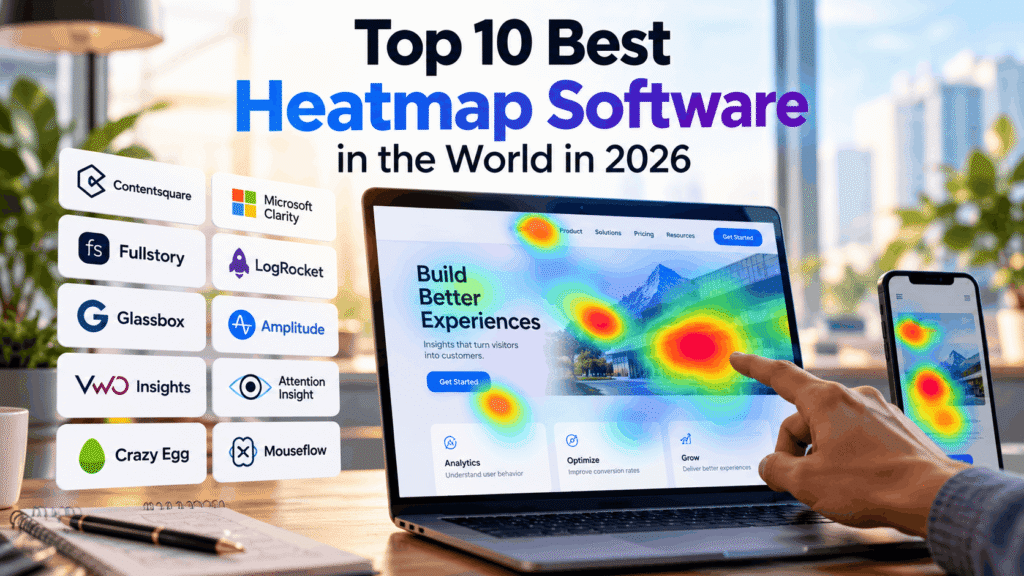
Heatmap software is a website analytics solution that visually represents user interactions through color-coded heatmaps, showing where visitors click, scroll, tap, and engage with webpage elements. These insights help businesses identify popular content, discover usability problems, evaluate calls to action, and uncover potential conversion barriers. By analyzing real visitor behavior, organizations can optimize website layouts, improve navigation, reduce friction, and create more effective digital experiences.
The demand for website heatmap tools in 2026 continues to be driven by growing expectations for seamless digital experiences, increasing competition in eCommerce and SaaS markets, and the adoption of artificial intelligence in digital analytics. Businesses increasingly require solutions that connect behavioral data with measurable outcomes, including lead generation, customer retention, online sales, and overall website performance.
One of the most important developments in modern heatmap software is the integration of AI-powered behavioral analytics and automated friction detection. Advanced platforms can help identify rage clicks, dead clicks, confusing navigation patterns, and problematic user journeys. Some solutions also offer predictive eye-tracking technology, allowing designers and marketers to estimate visual attention before publishing new landing pages, advertisements, or website designs.
The top 10 best heatmap software solutions in the world in 2026 include Contentsquare, Microsoft Clarity, Fullstory, LogRocket, Glassbox, Amplitude, VWO Insights, Attention Insight, Crazy Egg, and Mouseflow. These platforms serve different business requirements, ranging from free website heatmaps for startups and small businesses to enterprise-grade digital experience intelligence platforms with advanced customer journey analytics, session replay, and AI-assisted insights.
For example, Microsoft Clarity offers free heatmaps and session recordings, making behavioral analytics accessible to businesses with limited budgets. Contentsquare, Fullstory, and Glassbox provide sophisticated digital experience analytics for organizations managing complex websites and applications. Meanwhile, LogRocket combines behavioral insights with technical debugging, Amplitude emphasizes product analytics, and VWO Insights supports conversion optimization and experimentation. Attention Insight specializes in AI-powered predictive attention analysis, while Crazy Egg and Mouseflow offer practical tools for understanding visitor interactions and improving website usability.
However, choosing the best heatmap software in 2026 requires evaluating more than individual features. Businesses should consider pricing, ease of implementation, website traffic limits, session recording capabilities, data privacy, integrations, reporting functionality, scalability, and the availability of AI-powered insights. The ideal solution should align with an organization’s objectives, whether improving landing page conversions, optimizing eCommerce checkout processes, analyzing SaaS onboarding journeys, or enhancing overall website engagement.
This comprehensive guide explores the top 10 best heatmap software tools in the world in 2026, comparing their key features, benefits, pricing considerations, strengths, limitations, and ideal use cases. Whether a business needs free heatmap software, advanced session replay tools, predictive heatmaps, or enterprise behavioral analytics, this comparison provides the information needed to select a suitable platform and turn website visitor data into actionable improvements.
Before we venture further into this article, we would like to share who we are and what we do.
About 9cv9
9cv9 is a business tech startup based in Singapore and Asia, with a strong presence all over the world.
With over ten years of startup and business experience, and being highly involved in connecting with thousands of companies and startups, the 9cv9 team has listed some of the top and best companies/tools in this review.
If you like to get your company listed in our top B2B software reviews, check out our world-class 9cv9 Media and PR service and pricing plans here.
Top 10 Best Heatmap Software You Need To Know in 2026
- Contentsquare
- Microsoft Clarity
- Fullstory
- LogRocket
- Glassbox
- Amplitude
- VWO Insights
- Attention Insight
- Crazy Egg
- Mouseflow
1. Contentsquare
Overview of Contentsquare
Contentsquare is a leading digital experience analytics and heatmap software platform that helps businesses understand website visitor behavior, identify usability problems, and improve conversion rates. Its combination of behavioral analytics, artificial intelligence, session recordings, and customer feedback tools makes it a strong contender among the best heatmap software solutions in 2026.
Following the integration of Hotjar into the Contentsquare Group in July 2025, the company consolidated its experience analytics capabilities into a broader product ecosystem. This development allows businesses of different sizes to access heatmaps, session replays, customer journey analytics, and user feedback tools through flexible subscription plans.
Contentsquare is particularly suitable for eCommerce companies, SaaS providers, financial institutions, and large enterprises seeking to connect website engagement patterns with measurable business outcomes.
Key Features and Heatmap Analytics Capabilities
Contentsquare goes beyond traditional click and scroll heatmaps by combining visual behavioral data with AI-powered insights and conversion analysis.
| Key Feature | Functionality | Business Benefits |
|---|---|---|
| Zone-Based Heatmaps | Measures interactions with individual website elements | Identifies high-performing content and underused page sections |
| Click and Engagement Heatmaps | Visualizes visitor clicks and engagement patterns | Improves navigation and call-to-action placement |
| Session Replay | Reconstructs individual visitor journeys | Reveals usability problems and navigation difficulties |
| Sense AI | Provides AI-assisted analysis and behavioral summaries | Reduces manual analysis and accelerates decision-making |
| Journey Analysis | Examines visitor navigation across pages | Identifies conversion barriers and abandonment patterns |
| Impact Quantification | Evaluates the business impact of visitor behavior | Helps prioritize improvements with greater commercial value |
| Voice of Customer | Collects surveys and user feedback | Connects quantitative behavior with customer sentiment |
| Error and Performance Monitoring | Identifies technical issues affecting digital experiences | Supports website performance and usability improvements |
AI-Powered Behavioral Intelligence
One of Contentsquare’s major competitive advantages is Sense AI, an artificial intelligence layer designed to make digital experience analytics more accessible and actionable.
Rather than relying exclusively on manual interpretation of heatmaps and session recordings, businesses can use AI-assisted summaries and natural-language analysis to investigate visitor behavior.
Sense AI can help teams identify engagement patterns, examine problematic user journeys, and prioritize potential website improvements.
Its capabilities are especially valuable for organizations managing high-traffic websites, multiple digital properties, or complex conversion funnels.
Advanced Zone-Based Heatmap Technology
Contentsquare’s Zone-Based Heatmaps provide element-level engagement analysis rather than relying solely on visual representations of clicks.
The technology helps businesses evaluate which buttons, banners, navigation elements, and content sections attract visitor attention.
Advanced plans also support revenue-oriented analysis, allowing organizations to investigate how particular page elements contribute to commercial performance.
| Heatmap Analysis Area | Metrics and Insights | Optimization Opportunities |
|---|---|---|
| Navigation Elements | Click rates and engagement patterns | Improve website navigation |
| Product Pages | Interaction with product information and purchase controls | Increase product engagement |
| Landing Pages | Visitor attention and call-to-action interactions | Improve lead generation |
| Checkout Pages | Interaction patterns and journey friction | Reduce checkout abandonment |
| Content Sections | Engagement with page elements | Improve content hierarchy |
| Promotional Banners | Engagement and interaction rates | Optimize promotional placement |
Zone-Based Heatmaps are available from the Growth tier, while more advanced revenue-focused capabilities are associated with higher subscription levels.
Contentsquare Pricing and Subscription Plans in 2026
Contentsquare offers a modular pricing structure covering Experience Analytics, Voice of Customer, and Product Analytics.
Its Experience Analytics product includes a free subscription alongside Growth, Pro, and Enterprise options.
| Pricing Plan | Monthly Session Allowance | Starting Price | Main Features |
|---|---|---|---|
| Experience Analytics Free | Up to 200,000 | $0 | Basic heatmaps, funnels, session replays, surveys, and error monitoring |
| Experience Analytics Growth | 7,000 to 10 million | $39/month, billed annually | Zone-Based Heatmaps, journey analysis, AI summaries, and advanced segmentation |
| Experience Analytics Pro | From 1 million | Custom quotation | Advanced analytics, revenue metrics, APIs, and additional integrations |
| Experience Analytics Enterprise | From 1 million to unlimited | Custom quotation | Enterprise analytics, advanced monitoring, extensive integrations, and dedicated support |
| Voice of Customer Free | 100 survey responses | $0 | Basic surveys, feedback widgets, and AI survey summaries |
| Voice of Customer Growth | 500 to 100,000 survey responses | From $79/month | Advanced targeting, survey analysis, customization, and AI-powered feedback insights |
Prices reflect publicly advertised starting rates in October 2026. Actual subscription costs depend on usage allowances, selected modules, billing frequency, and contractual requirements.
Businesses should also distinguish between monthly analytics sessions and recorded session replays. The free Experience Analytics plan supports up to 200,000 monthly sessions but limits replay capture to 5% of sessions, with a maximum of 10,000 recordings.
Contentsquare Advantages and Limitations
Contentsquare offers extensive behavioral analytics capabilities, although its pricing structure and feature complexity may not suit every organization.
| Advantages | Limitations |
|---|---|
| Comprehensive heatmap and behavioral analytics | Advanced capabilities require paid subscriptions |
| Free plan supporting substantial monthly traffic | Free plan has restricted replay capture |
| AI-assisted insights and session summaries | Some AI capabilities remain plan-dependent |
| Advanced customer journey visualization | Enterprise functionality may require specialist training |
| Revenue impact analysis on higher tiers | Revenue-focused features are not available in every plan |
| Integrated surveys and customer feedback | Advanced Voice of Customer features may require separate subscriptions |
| Support for complex digital environments | Implementation and configuration requirements increase with complexity |
Customer Reviews and Market Reputation
Contentsquare has established a strong reputation among digital analytics professionals, particularly those working in conversion rate optimization, user experience research, and enterprise eCommerce.
As of October 2026, Contentsquare held an approximate 4.6 out of 5 rating on G2, based on more than 640 reviews.
Customer feedback frequently highlights the platform’s ability to visualize visitor behavior, identify engagement problems, and connect analytics findings with business improvements.
However, organizations evaluating Contentsquare should consider the additional costs of advanced modules, the learning curve associated with enterprise analytics, and the need to configure data collection and privacy controls appropriately.
Best Use Cases for Contentsquare
| Business Type | Recommended Application | Expected Business Value |
|---|---|---|
| Enterprise eCommerce | Product page and checkout optimization | Improved conversion performance |
| SaaS Companies | User onboarding and feature engagement analysis | Better product adoption |
| Financial Services | Digital application journey analysis | Reduced customer friction |
| Retail Brands | Promotional and merchandising analytics | More effective digital merchandising |
| Marketing Agencies | Landing page and campaign analysis | Better conversion optimization |
| Large Enterprises | Cross-channel digital experience monitoring | Improved analytics visibility and prioritization |
Final Verdict: Is Contentsquare Worth Using in 2026?
Contentsquare is one of the strongest heatmap software options in 2026 for businesses seeking advanced behavioral analytics, AI-powered insights, and enterprise-level digital experience optimization.
Its free plan provides an accessible starting point for basic heatmaps, session replays, and conversion funnel analysis. Meanwhile, its Growth and enterprise offerings provide more sophisticated tools for understanding customer journeys and prioritizing website improvements.
The platform is particularly attractive to organizations that need to connect user behavior with engagement, conversion performance, and potential revenue impact.
For smaller businesses requiring only straightforward click heatmaps, simpler alternatives may be more economical. However, for companies prioritizing comprehensive digital experience intelligence, Contentsquare remains a compelling option among the best heatmap software platforms in 2026.
2. Microsoft Clarity
Overview of Microsoft Clarity
Microsoft Clarity is a free website heatmap and user behavior analytics platform developed by Microsoft. It helps businesses understand how visitors interact with websites through click heatmaps, scroll maps, session recordings, conversion analysis, and artificial intelligence-powered behavioral insights.
Recognized as one of the best free heatmap software solutions in 2026, Microsoft Clarity provides advanced visitor tracking capabilities without subscription fees or mandatory paid upgrades.
The platform is used across more than 2 million websites and applications globally, according to Microsoft’s published figures. Its accessibility makes it particularly attractive to startups, small businesses, eCommerce retailers, SaaS companies, and digital marketing agencies.
Unlike many competing heatmap tools, Microsoft Clarity offers its core behavioral analytics features without charging according to website traffic volume.
Key Features and Heatmap Analytics Capabilities
Microsoft Clarity combines visual heatmaps, visitor session recordings, automated behavior detection, and AI-assisted analysis within a single analytics dashboard.
| Key Feature | Functionality | Business Benefits |
|---|---|---|
| Click Heatmaps | Visualizes where visitors click on website pages | Identifies popular elements and ineffective buttons |
| Scroll Heatmaps | Measures how far visitors scroll down pages | Improves content positioning and page structure |
| Area Heatmaps | Analyzes engagement with specific page regions | Evaluates the effectiveness of individual content sections |
| Conversion Heatmaps | Connects page interactions with conversion behavior | Helps identify conversion optimization opportunities |
| Session Recordings | Reconstructs visitor interactions and navigation journeys | Reveals usability problems and customer friction |
| Clarity Copilot | Generates AI-powered summaries and behavioral insights | Reduces manual analytics interpretation |
| Rage Click Detection | Identifies repeated clicks within a small area | Highlights potentially frustrating interactions |
| Dead Click Detection | Detects clicks that produce no meaningful response | Identifies misleading or unresponsive page elements |
| Smart Events and Funnels | Tracks important user actions and conversion journeys | Helps investigate abandonment patterns |
| Advanced Segmentation | Filters visitor behavior using more than 40 criteria | Supports targeted user experience analysis |
AI-Powered Behavioral Analytics with Clarity Copilot
One of Microsoft Clarity’s most valuable capabilities is Clarity Copilot, an AI-powered assistant that helps businesses interpret visitor behavior without requiring extensive analytics expertise.
Copilot analyzes session recordings, heatmaps, and behavioral data to generate natural-language summaries of user interactions.
Rather than reviewing hundreds of recordings individually, website administrators can use AI-generated insights to identify recurring usability issues and investigate problematic customer journeys.
| AI Capability | Analysis Focus | Practical Application |
|---|---|---|
| Session Insights | Individual visitor interactions | Identifies possible sources of user frustration |
| Group Session Summaries | Patterns across multiple sessions | Highlights recurring behavioral problems |
| Heatmap Insights | Click and scroll behavior across devices | Identifies engagement trends |
| Copilot Chat | Natural-language questions about analytics data | Simplifies behavioral data exploration |
| Automated Friction Detection | Rage clicks, dead clicks, and navigation issues | Helps prioritize usability improvements |
Copilot’s recommendations should be validated against underlying session and heatmap data because generative AI summaries may occasionally misinterpret behavioral patterns.
Advanced Heatmap and User Experience Analysis
Microsoft Clarity supports several types of heatmaps designed to help businesses understand how visitors interact with different website elements.
Its click heatmaps reveal frequently selected buttons, links, and navigation elements, while scroll heatmaps indicate how far users progress through a page.
Area heatmaps provide additional insight into engagement with particular page sections, helping teams evaluate content placement and visual hierarchy.
| Heatmap Type | Primary Metrics | Recommended Use Cases |
|---|---|---|
| Click Heatmaps | Click frequency and distribution | Navigation and call-to-action optimization |
| Scroll Heatmaps | Scroll depth and visitor reach | Landing page and content optimization |
| Area Heatmaps | Engagement with page regions | Content layout evaluation |
| Rage Click Heatmaps | Repeated clicks indicating potential frustration | Usability troubleshooting |
| Dead Click Heatmaps | Clicks without meaningful responses | Interface and navigation improvements |
| Conversion Heatmaps | Interactions associated with conversion behavior | Sales funnel optimization |
These capabilities make Microsoft Clarity useful for analyzing product pages, checkout processes, landing pages, blog content, and lead generation forms.
Microsoft Clarity Pricing and Usage Limits in 2026
Microsoft Clarity operates under a free pricing model, making its behavioral analytics features available without paid subscriptions.
However, unlimited website traffic tracking should not be confused with unlimited recording storage or unlimited data retention.
| Pricing and Usage Metric | Microsoft Clarity Specification |
|---|---|
| Subscription Cost | Free |
| Paid Subscription Plans | None for the core Clarity analytics service |
| Website Traffic Limits | No overall traffic limit |
| Session Recording Availability | Up to 100,000 recordings per project per day |
| Heatmap Data Limit | Up to 100,000 page views per heatmap |
| Standard Recording Retention | 30 days |
| Favorited or Labeled Recording Retention | Up to 9 months |
| Heatmap Data Retention | Up to 9 months |
| Website Projects | Unlimited |
| Heatmaps | Unlimited number of heatmaps, subject to per-heatmap limits |
| Team Members | Unlimited |
| AI-Powered Insights | Included |
| Google Analytics Integration | Supported |
These specifications reflect Microsoft’s published documentation as of October 2026.
Although Microsoft Clarity does not impose conventional traffic-based subscription limits, organizations should account for recording limits, retention periods, and individual heatmap restrictions when planning long-term analytics workflows.
Integrations and Privacy Features
Microsoft Clarity supports integration with widely used digital analytics and marketing platforms, including Google Analytics and Microsoft Advertising.
Its integration capabilities allow marketing teams to combine quantitative traffic analysis with visual behavioral insights.
The platform also provides privacy controls such as content masking and consent management support.
| Category | Capabilities | Business Relevance |
|---|---|---|
| Analytics Integration | Google Analytics integration | Connects traffic data with behavioral insights |
| Advertising Integration | Microsoft Advertising | Supports campaign performance analysis |
| Website Platforms | WordPress, Shopify, and custom websites | Enables deployment across different website environments |
| Data Privacy | Content masking and privacy controls | Helps protect sensitive visitor information |
| Consent Management | Consent-related configuration options | Supports regulatory compliance workflows |
| Device Analysis | Desktop, tablet, and mobile heatmaps | Enables cross-device usability comparisons |
| Data Segmentation | More than 40 filtering criteria | Supports detailed visitor behavior investigations |
Businesses remain responsible for configuring consent, privacy disclosures, and data collection practices according to applicable regulations, including GDPR and CCPA.
Microsoft Clarity Advantages and Limitations
Microsoft Clarity offers exceptional value for organizations seeking free heatmap software, although certain specialized analytics capabilities remain outside its primary functionality.
| Advantages | Limitations |
|---|---|
| Completely free core behavioral analytics | No built-in experimentation platform for A/B testing |
| No overall website traffic limits | Daily recording and individual heatmap limits apply |
| AI-powered session and heatmap summaries | AI-generated insights require verification |
| Multiple heatmap visualization types | Advanced form-field analytics are less comprehensive than specialized tools |
| Automated rage click and dead click detection | No comprehensive native customer survey platform |
| Unlimited website projects and team members | Standard session recordings are retained for only 30 days |
| Google Analytics integration | Some advanced enterprise analytics workflows require additional tools |
| Relatively straightforward installation | Dynamic page elements can introduce heatmap visualization limitations |
Customer Reviews and Market Reputation
Microsoft Clarity has developed a strong reputation among website owners, digital marketers, UX designers, and conversion rate optimization specialists.
Customer feedback on software review platforms generally emphasizes its free pricing, accessible interface, and ability to provide actionable behavioral insights without extensive technical configuration.
Users particularly appreciate the combination of session recordings, visual heatmaps, and automated frustration signals.
Common limitations include the absence of integrated A/B testing, limited native survey functionality, and shorter recording retention compared with certain paid enterprise analytics solutions.
Review ratings vary by platform and review date, so buyers should consult current verified customer feedback when comparing alternatives.
Best Use Cases for Microsoft Clarity
| Business Type | Recommended Application | Expected Business Value |
|---|---|---|
| Small Businesses | Website usability monitoring | Identifies website problems without additional software costs |
| eCommerce Retailers | Product page and checkout analysis | Supports conversion rate improvements |
| SaaS Companies | User onboarding and navigation analysis | Helps improve product adoption |
| Digital Marketing Agencies | Landing page and campaign optimization | Provides behavioral evidence for campaign improvements |
| Content Publishers | Scroll depth and reader engagement analysis | Supports better content positioning |
| B2B Companies | Lead generation and contact form analysis | Identifies potential conversion barriers |
| Startups | Early-stage user experience research | Provides affordable behavioral intelligence |
Final Verdict: Is Microsoft Clarity Worth Using in 2026?
Microsoft Clarity is one of the best free heatmap software platforms in 2026, particularly for organizations seeking session recordings, click tracking, scroll visualization, and AI-powered behavioral analytics without recurring subscription costs.
Its combination of accessible heatmaps, automated frustration detection, and Clarity Copilot makes it suitable for businesses that want to understand visitor behavior and improve website usability.
While specialized enterprise platforms may provide deeper revenue attribution, advanced experimentation, and comprehensive customer feedback management, Microsoft Clarity offers an unusually extensive collection of behavioral analytics features at no cost.
For startups, small businesses, marketing agencies, and growing eCommerce companies, Microsoft Clarity represents a highly competitive choice for free website heatmap and session recording software in 2026.
3. Fullstory
Overview of Fullstory
Fullstory is an enterprise digital experience intelligence platform that helps businesses analyze website visitor behavior, identify user experience problems, and improve digital conversion performance. Combining advanced heatmaps, session replay, behavioral analytics, and artificial intelligence, Fullstory is among the leading enterprise heatmap software solutions in 2026.
Unlike traditional heatmap tools that primarily visualize clicks and scrolling activity, Fullstory captures detailed interactions across websites and mobile applications. Its Fullcapture technology automatically collects behavioral information, enabling organizations to investigate user journeys without manually configuring every event in advance.
The platform is particularly suitable for enterprise eCommerce businesses, SaaS companies, financial institutions, and digital product teams seeking comprehensive insights into customer engagement and conversion barriers.
Key Features and Digital Experience Analytics Capabilities
Fullstory combines behavioral data capture, visual analytics, AI-powered investigation, and session replay within an integrated digital experience intelligence environment.
| Key Feature | Functionality | Business Benefits |
|---|---|---|
| Fullcapture Technology | Automatically captures supported user interactions | Reduces manual event tracking requirements |
| Dynamic Heatmaps | Visualizes clicks and engagement across website elements | Identifies high-performing and underused page areas |
| Session Replay | Reconstructs individual user journeys | Reveals navigation difficulties and usability problems |
| StoryAI | Uses AI to interpret behavioral data | Accelerates investigation and decision-making |
| Ask StoryAI | Enables natural-language questions about user behavior | Makes advanced analytics more accessible |
| Frustration Signals | Detects rage clicks, dead clicks, and other friction indicators | Helps identify problematic interactions |
| Conversion Funnels | Analyzes progression through defined user journeys | Identifies abandonment and conversion barriers |
| Behavioral Segmentation | Filters sessions by user attributes and actions | Supports targeted experience analysis |
| Mobile App Analytics | Captures supported interactions in native mobile applications | Enables cross-platform experience optimization |
| Integrations and Data Export | Connects behavioral insights with other business systems | Supports enterprise analytics workflows |
Fullcapture Technology and Retroactive Behavioral Analysis
One of Fullstory’s most significant advantages is its automatic behavioral data collection technology.
Fullcapture records supported user interactions through client-side instrumentation and processes captured data for analysis. This allows businesses to investigate historical interactions without requiring every relevant event to have been manually defined beforehand.
For example, an eCommerce company investigating checkout abandonment can examine previously captured sessions to understand how visitors interacted with payment forms, promotional fields, and checkout navigation.
This retroactive analysis capability can reduce the time required to identify usability problems and validate product improvement opportunities.
| Fullcapture Capability | Analysis Focus | Business Application |
|---|---|---|
| Automatic Event Capture | Supported clicks and user interactions | Reduces manual analytics configuration |
| DOM Interaction Capture | Changes in website interface states | Supports detailed user journey reconstruction |
| Retroactive Event Analysis | Previously captured behavioral information | Investigates historical usability issues |
| Session Search | Specific visitor actions and behavioral patterns | Accelerates problem identification |
| User Journey Reconstruction | Sequences of interactions across pages | Identifies conversion obstacles |
| Privacy Controls | Masking and exclusion of sensitive information | Supports responsible behavioral data collection |
Fullcapture does not guarantee that every network request, sensitive field, or application state is recorded. Actual data collection depends on instrumentation, platform support, privacy settings, and capture configuration.
StoryAI: AI-Powered Digital Experience Intelligence
Fullstory’s StoryAI capabilities help organizations transform large volumes of behavioral data into understandable insights.
The platform incorporates generative AI functionality, including natural-language analysis and automated identification of unusual behavioral patterns.
Ask StoryAI enables users to investigate customer experiences through conversational questions rather than relying exclusively on manually configured dashboards and filters.
For example, a product manager could investigate why mobile visitors abandon a particular checkout stage or identify which interactions frequently precede unsuccessful form submissions.
| AI Capability | Primary Function | Business Value |
|---|---|---|
| Ask StoryAI | Answers natural-language questions using available behavioral data | Simplifies analytics investigations |
| AI-Assisted Session Analysis | Summarizes relevant visitor interactions | Reduces manual session review |
| Opportunities | Highlights potential experience improvements | Supports product optimization priorities |
| Spiking Issues | Identifies sudden increases in problematic behavior | Accelerates issue detection |
| Friction Analysis | Examines behavioral signals associated with frustration | Helps reduce usability barriers |
| Behavioral Pattern Discovery | Identifies recurring interactions and journey problems | Supports data-driven product decisions |
AI-generated findings should be reviewed alongside actual session evidence, conversion metrics, and business context before organizations make significant product decisions.
Advanced Heatmaps and Conversion Optimization
Fullstory’s heatmap capabilities help organizations evaluate user engagement across website pages and interface elements.
Heatmaps provide visual representations of interaction patterns, allowing product teams to identify which areas attract attention and which elements may contribute to visitor frustration.
Combined with session replay and funnel analysis, these insights can support more detailed conversion rate optimization investigations.
| Heatmap Analysis Area | Key Insights | Optimization Opportunities |
|---|---|---|
| Navigation Menus | Click patterns and interaction frequency | Improve website navigation |
| Product Pages | Engagement with product details and purchase controls | Increase product engagement |
| Checkout Forms | Interaction patterns and friction indicators | Reduce checkout abandonment |
| Landing Pages | Visitor interactions with calls to action | Improve lead generation |
| Mobile Interfaces | Touch interactions and navigation behavior | Improve mobile usability |
| Promotional Elements | Engagement with banners and offers | Optimize promotional placement |
| Application Dashboards | Interaction with product features | Improve feature discoverability |
Unlike a dedicated revenue attribution platform, Fullstory does not necessarily assign a monetary value to every heatmap element automatically. Financial impact analysis generally requires appropriate conversion tracking, business data, and supporting analytics configuration.
Fullstory Pricing and Subscription Plans in 2026
Fullstory offers a permanent free plan alongside three paid subscription tiers: Business, Advanced, and Enterprise.
The company primarily uses customized pricing for paid subscriptions, with costs depending on session volume, required capabilities, integrations, and contractual arrangements.
| Pricing Plan | Monthly Session Allowance | Annual Pricing | Main Features |
|---|---|---|---|
| Fullstory Free | 30,000 sessions | Free | Session replay, heatmaps, basic analytics, 10 user seats, and 12-month retention |
| Business | Contract-based | Custom quotation | Heatmaps, session replay, behavioral analytics, and conversion analysis |
| Advanced | Contract-based | Custom quotation | Advanced product analytics, journey analysis, and StoryAI Core capabilities |
| Enterprise | Contract-based | Custom quotation | Enterprise-scale analytics, advanced integrations, data activation, and expanded intelligence capabilities |
| StoryAI Premium | Depends on subscription | Additional commercial arrangement | Ask StoryAI, Opportunities, and Spiking Issues |
The free plan also includes 5,000 server-side events per month and 12 months of product analytics retention.
StoryAI is not included in the free subscription. Core AI capabilities are available with qualifying paid plans, while premium AI features may require additional licensing.
Published annual price estimates for paid tiers should be treated cautiously because Fullstory does not provide standardized public prices for these subscriptions.
Fullstory Advantages and Limitations
Fullstory offers extensive behavioral analytics capabilities, although its enterprise-oriented feature set and pricing model may not suit every business.
| Advantages | Limitations |
|---|---|
| Automatic behavioral data capture | Advanced features require paid subscriptions |
| Retroactive analysis of captured interactions | Historical analysis is limited by retention and capture settings |
| AI-powered session summaries and behavioral insights | StoryAI is unavailable on the free plan |
| Dynamic click and scroll heatmaps | Advanced heatmap capabilities may depend on subscription level |
| Revenue and conversion impact analysis | Requires suitable conversion and transaction data |
| Advanced session replay and friction detection | Large datasets can introduce an analytics learning curve |
| Web and native mobile analytics support | Mobile analytics are not included in the free plan |
| Privacy-focused data collection architecture | Organizations must configure consent and privacy settings appropriately |
Customer Reviews and Market Reputation
Fullstory has established a strong reputation among enterprise product teams, UX researchers, and digital experience professionals.
As of October 2026, Fullstory maintains a rating of approximately 4.5 out of 5 stars on G2, based on more than 1,050 customer reviews.
Customers frequently highlight its session replay functionality, retroactive behavioral analysis, and ability to investigate customer experience problems that conventional analytics tools may overlook.
Enterprise users also appreciate its detailed behavioral segmentation and ability to connect qualitative session evidence with quantitative conversion data.
Common concerns include custom pricing, implementation complexity, and the additional expertise required to make full use of advanced analytics capabilities.
Best Use Cases for Fullstory
| Business Type | Recommended Application | Expected Business Value |
|---|---|---|
| Enterprise eCommerce | Checkout and product page optimization | Reduced conversion friction |
| SaaS Companies | Product onboarding and feature engagement analysis | Improved product adoption |
| Financial Services | Digital application and transaction journey analysis | Better customer experience |
| Digital Product Teams | Feature usability and behavioral investigation | Faster product improvement decisions |
| UX Research Teams | Session replay and behavioral pattern analysis | Stronger evidence for design decisions |
| Customer Support Teams | Investigation of reported user problems | Faster issue diagnosis |
| Large Enterprises | Cross-platform digital experience intelligence | More comprehensive behavioral visibility |
Final Verdict: Is Fullstory Worth Using in 2026?
Fullstory is one of the strongest enterprise heatmap software platforms in 2026 for organizations requiring detailed behavioral analytics, automatic interaction capture, session replay, and AI-powered digital experience intelligence.
Its Fullcapture technology differentiates it from conventional heatmap solutions by enabling businesses to investigate previously captured interactions without extensive manual event tagging.
Meanwhile, StoryAI, advanced heatmaps, and conversion analysis provide additional capabilities for identifying usability problems and prioritizing digital experience improvements.
Although its paid subscriptions may be less accessible to budget-conscious businesses, the permanent free plan offers a practical starting point for organizations exploring behavioral analytics.
For enterprise eCommerce businesses, SaaS providers, and digital product teams seeking comprehensive customer experience intelligence, Fullstory remains a competitive choice among the best heatmap software solutions in 2026.
4. LogRocket
Overview of LogRocket
LogRocket is an advanced heatmap software and digital experience analytics platform designed to help developers, product managers, and UX designers understand user behavior, diagnose technical problems, and improve website and application performance.
Recognized among the best heatmap software solutions in 2026, LogRocket combines click heatmaps, session replay, product analytics, frontend performance monitoring, and AI-powered error detection within a unified platform.
Unlike traditional heatmap tools that primarily focus on visualizing visitor clicks and scrolling activity, LogRocket connects behavioral analytics with technical debugging information, including JavaScript errors, network requests, console logs, and application performance metrics.
Its Galileo AI technology further enhances the platform by automatically identifying user experience problems, analyzing session recordings, and generating actionable insights.
LogRocket is particularly suitable for SaaS companies, software development teams, eCommerce businesses, and enterprises managing complex web and mobile applications.
Key Features and Heatmap Analytics Capabilities
LogRocket provides an integrated collection of behavioral analytics, technical monitoring, and AI-powered investigation tools.
| Key Feature | Functionality | Business Benefits |
|---|---|---|
| Click Heatmaps | Visualizes user clicks across website elements | Identifies engagement patterns and ineffective interface elements |
| Rage-Click Maps | Highlights areas associated with repeated frustrated clicking | Identifies potential usability problems |
| Session Replay | Reconstructs user interactions and navigation journeys | Helps teams understand reported problems |
| Galileo AI | Analyzes session recordings and behavioral patterns | Accelerates issue identification |
| Ask Galileo | Answers natural-language questions about user behavior | Simplifies product analytics investigations |
| Error Monitoring | Captures JavaScript errors and application failures | Supports faster technical troubleshooting |
| Network Monitoring | Records supported browser network activity | Helps diagnose failed requests and slow responses |
| Performance Monitoring | Tracks frontend performance indicators | Identifies performance-related experience problems |
| Conversion Funnels | Measures user progression through important workflows | Reveals abandonment patterns |
| MCP Integration | Connects analytics data with compatible AI development tools | Supports AI-assisted debugging and investigation |
Session Replay and Frontend Debugging Technology
One of LogRocket’s major competitive advantages is its ability to connect session recordings with technical telemetry.
The platform captures supported browser interactions, DOM changes, console activity, and network information, allowing development teams to reconstruct user experiences and investigate application problems.
For example, when a customer encounters a checkout error, developers can review the corresponding session recording alongside relevant console messages and network requests.
This approach helps teams understand not only what users experienced but also which technical events may have contributed to the problem.
| Technical Capability | Information Captured | Practical Application |
|---|---|---|
| DOM Session Replay | Supported interface changes and user interactions | Reconstructs customer experiences |
| JavaScript Error Tracking | Frontend exceptions and error events | Identifies application defects |
| Network Monitoring | Request timing, responses, and failures | Investigates API and connectivity problems |
| Console Log Capture | Browser console messages | Supports technical troubleshooting |
| Performance Monitoring | Frontend performance measurements | Identifies slow or unresponsive experiences |
| Behavioral Event Tracking | Clicks, navigation, and custom events | Connects technical issues with user behavior |
Captured information depends on application instrumentation, privacy configuration, and supported SDK functionality.
Galileo AI: Intelligent User Experience Analysis
Galileo AI is LogRocket’s artificial intelligence system for identifying important behavioral patterns, technical problems, and opportunities to improve digital experiences.
It combines machine learning and large language models to analyze session recordings, product analytics, and error information.
Rather than manually reviewing large volumes of recordings, teams can use Galileo AI to prioritize sessions associated with significant usability problems.
The system also provides natural-language summaries that help product managers and developers understand what happened during individual customer journeys.
| Galileo AI Capability | Primary Function | Business Value |
|---|---|---|
| Ask Galileo | Answers conversational questions about application behavior | Accelerates product investigations |
| AI Session Summaries | Summarizes important user interactions | Reduces manual session review |
| AI Issue Detection | Identifies recurring technical and usability problems | Improves issue prioritization |
| AI Funnel Insights | Analyzes conversion and abandonment patterns | Supports conversion optimization |
| AI Heatmap Insights | Interprets visual engagement patterns | Identifies potential interface improvements |
| AI Feedback Analysis | Examines customer feedback from connected sources | Connects user sentiment with behavioral evidence |
| AI Anomaly Detection | Highlights unusual changes in user behavior | Supports proactive monitoring |
Galileo AI can provide issue context and recommended next steps, but generated explanations and proposed fixes should be validated against application code and technical evidence.
Ask Galileo and AI Developer Tool Integration
Ask Galileo allows teams to investigate product analytics through natural-language questions.
For example, a developer could ask why users are abandoning a registration process, while a product manager could investigate which features generate the most frustration.
Depending on the query, Ask Galileo can examine relevant recordings and produce analytical outputs such as funnels, charts, session collections, and behavioral summaries.
LogRocket also supports the Model Context Protocol, enabling compatible AI development environments to access authorized analytics information.
| AI Integration Capability | Functionality | Recommended Users |
|---|---|---|
| Ask Galileo | Conversational analysis of product and session data | Product managers and UX researchers |
| MCP Server | Connects LogRocket data with compatible AI clients | Software developers |
| Claude Code Integration | Supports AI-assisted investigation of application issues | Engineering teams |
| Cursor Integration | Makes behavioral context accessible during development | AI-assisted coding teams |
| Codex Integration | Supports debugging workflows using LogRocket telemetry | Software engineers |
| Galileo Code | Connects repository context with behavioral analysis | Development and debugging teams |
| API Access | Enables custom analytics and automation workflows | Technical operations teams |
MCP connectivity does not automatically mean an AI assistant can reproduce or resolve every application defect. Results depend on permissions, available telemetry, repository access, and the capabilities of the connected development tool.
Advanced Heatmaps and Conversion Analytics
LogRocket provides clickmaps, heatmaps, and rage-click maps that help businesses evaluate user engagement across website and application interfaces.
These visualizations can be combined with session recordings and conversion funnels to investigate customer friction more effectively.
| Heatmap Analysis Area | Key Insights | Optimization Opportunities |
|---|---|---|
| Navigation Elements | Click distribution and engagement | Improve navigation structure |
| Registration Forms | User interactions and frustration indicators | Reduce signup abandonment |
| Checkout Pages | Click behavior and problematic interactions | Improve checkout completion |
| SaaS Dashboards | Engagement with interface components | Improve feature discoverability |
| Landing Pages | Interaction with calls to action | Increase lead generation |
| Mobile Interfaces | Supported touch and interaction behavior | Improve mobile usability |
| Application Errors | Frustration patterns associated with technical problems | Prioritize bug fixes |
The combination of visual heatmaps and technical debugging information differentiates LogRocket from simpler website heatmap tools.
LogRocket Pricing and Subscription Plans in 2026
LogRocket offers Core, Pro, and Enterprise subscriptions, with pricing primarily determined by captured session volume and selected capabilities.
Its public pricing structure also includes a 14-day free trial.
| Pricing Plan | Monthly Session Volume | Pricing Structure | Main Features |
|---|---|---|---|
| Free Trial | Trial allowance applies | Free for 14 days | Access to platform capabilities during evaluation |
| Core | Fewer than 100,000 sessions | Usage-based subscription | Session replay, heatmaps, unlimited analytics events, error monitoring, and funnels |
| Pro | Scalable, including volumes below 100,000 sessions | Higher-priced usage-based subscription | Core features, Galileo AI, Ask Galileo, AI heatmap insights, and advanced issue detection |
| Enterprise | Custom enterprise volume | Custom quotation | Pro features, enterprise support, unlimited seats, streaming export, and optional self-hosting |
LogRocket’s published pricing calculator displayed a starting configuration of approximately $176 per month under annual billing for a selected 25,000-session configuration. Actual costs depend on the chosen plan, session volume, seats, retention period, and add-ons.
The Pro plan includes 500 monthly API and MCP credits, while Enterprise includes 2,000 monthly credits.
Businesses should request an updated quotation rather than relying on older fixed-price estimates for individual web and mobile plans.
LogRocket Advantages and Limitations
LogRocket offers substantial advantages for technical teams requiring behavioral analytics and application debugging within the same platform.
| Advantages | Limitations |
|---|---|
| Combines heatmaps with technical debugging | More complex than basic heatmap tools |
| Detailed session replay with console and network information | Captured sessions determine subscription costs |
| AI-powered issue detection and behavioral summaries | Advanced Galileo AI capabilities require Pro or Enterprise |
| Native MCP integration for AI developer workflows | MCP and API usage allowances vary by subscription |
| Advanced conversion funnels and product analytics | May require technical expertise for full implementation |
| Frontend performance and error monitoring | Higher traffic volumes can increase costs |
| Supports web and mobile applications | SDK configuration differs across platforms |
| Enterprise deployment and integration options | Advanced enterprise requirements involve custom pricing |
Customer Reviews and Market Reputation
LogRocket has established a strong reputation among software developers, product managers, and digital product teams.
Customer feedback on software review platforms generally highlights its session replay quality, detailed technical debugging capabilities, and ability to connect application errors with real user experiences.
Its combination of browser console information, network activity, and behavioral recordings is particularly valuable for engineering teams investigating difficult-to-reproduce issues.
Common criticisms include subscription costs as captured session volumes increase, the learning curve associated with advanced functionality, and restrictions on AI features in lower subscription tiers.
Review scores vary by platform and date, but LogRocket is generally well regarded among software teams seeking integrated product analytics and frontend observability.
Best Use Cases for LogRocket
| Business Type | Recommended Application | Expected Business Value |
|---|---|---|
| SaaS Companies | Product analytics and application debugging | Improved product reliability |
| Software Development Teams | Error reproduction and technical troubleshooting | Faster defect resolution |
| eCommerce Businesses | Checkout and conversion funnel analysis | Reduced customer friction |
| Product Management Teams | Feature adoption and behavioral analytics | Better product decisions |
| UX Design Teams | Heatmap analysis and session replay | Improved interface usability |
| AI-Assisted Development Teams | MCP-enabled debugging workflows | More efficient technical investigations |
| Enterprise Software Providers | Application monitoring and customer experience analysis | Better operational visibility |
Final Verdict: Is LogRocket Worth Using in 2026?
LogRocket is one of the best heatmap software platforms in 2026 for development teams and SaaS businesses that require both user behavior analytics and advanced technical debugging capabilities.
Its combination of heatmaps, session replay, JavaScript error tracking, network monitoring, and Galileo AI provides a more comprehensive understanding of digital experiences than traditional standalone heatmap solutions.
The introduction of Ask Galileo, AI-assisted issue detection, and MCP integration further strengthens its position among modern analytics platforms designed for AI-supported software development.
Although businesses seeking only basic click and scroll heatmaps may find simpler alternatives more economical, LogRocket offers significant value to organizations managing complex digital products.
For software engineering teams, SaaS providers, and enterprises seeking to connect user experience optimization with technical application monitoring, LogRocket remains a competitive choice among the best heatmap software solutions in 2026.
5. Glassbox
Overview of Glassbox
Glassbox is an enterprise digital experience analytics and heatmap software platform designed to help businesses understand customer behavior, identify website usability problems, and optimize digital customer journeys. Its combination of session replay, interaction heatmaps, artificial intelligence, and advanced data governance makes it one of the leading enterprise heatmap software solutions in 2026.
Unlike conventional heatmap tools that primarily visualize clicks and scrolling activity, Glassbox provides detailed behavioral intelligence across websites and native mobile applications.
The platform is particularly suitable for highly regulated industries, including banking, financial services, insurance, healthcare, and telecommunications, where customer data protection, security controls, and accurate session reconstruction are essential.
According to company-reported figures, Glassbox analyzes more than 1 trillion web and mobile sessions annually, demonstrating its experience handling large-scale digital interaction datasets.
Key Features and Heatmap Analytics Capabilities
Glassbox combines behavioral analytics, AI-powered customer intelligence, session replay, and conversion optimization within an integrated enterprise platform.
| Key Feature | Functionality | Business Benefits |
|---|---|---|
| Interaction Maps and Heatmaps | Visualizes visitor clicks and engagement across digital interfaces | Identifies high-performing and problematic page elements |
| Session Replay | Reconstructs customer interactions across websites and mobile applications | Helps diagnose usability and technical problems |
| Glassbox Insights Assistant | Provides AI-powered conversational analysis and session summaries | Accelerates customer experience investigations |
| Struggle Score | Evaluates behavioral signals associated with customer frustration | Prioritizes high-friction digital experiences |
| Augmented Journey Maps | Visualizes customer journeys, conversions, and abandonment patterns | Identifies opportunities to improve conversion rates |
| Funnel Analysis | Tracks progression through important customer workflows | Reveals abandonment and conversion barriers |
| Voice of the Silent | Uses behavioral intelligence to understand customers who do not provide feedback | Expands customer experience visibility |
| Revenue Impact Analysis | Estimates the financial consequences of journey friction | Supports commercially focused optimization |
| Technical Error Monitoring | Connects application errors with customer interactions | Helps prioritize technical fixes |
| Enterprise Privacy Controls | Supports data masking, access restrictions, and deployment choices | Strengthens data governance |
Advanced Session Capture and Privacy-First Analytics
One of Glassbox’s major competitive advantages is its ability to capture detailed customer interactions while providing enterprise data protection controls.
The platform supports comprehensive web and mobile session capture, enabling businesses to reconstruct customer journeys and investigate technical or behavioral problems.
Its architecture includes configurable masking, omission, and access restriction capabilities to help organizations protect sensitive information.
For example, a financial institution can use Glassbox to investigate why customers abandon digital account applications while configuring controls to prevent sensitive personal information from appearing in session recordings.
| Session Analytics Capability | Analysis Focus | Business Application |
|---|---|---|
| Web Session Capture | Website interactions and navigation | Investigates digital customer journeys |
| Mobile Session Replay | Supported interactions within mobile applications | Improves mobile application usability |
| Behavioral Event Analysis | Clicks, navigation patterns, and interaction signals | Identifies customer experience problems |
| Technical Event Monitoring | Application errors and performance problems | Supports faster troubleshooting |
| Privacy Masking | Sensitive content and personal information | Reduces exposure of confidential data |
| Session Search | Specific behaviors and technical events | Accelerates problem investigation |
| Enterprise Access Controls | Permissions and authorized data access | Supports internal data governance |
Although Glassbox emphasizes comprehensive session capture, actual data collection depends on application instrumentation, privacy settings, deployment architecture, and contractual configurations.
Glassbox Insights Assistant: AI-Powered Customer Experience Intelligence
Glassbox Insights Assistant, commonly known as GIA, is an AI-powered analytics assistant that helps organizations interpret customer behavior through natural-language interactions.
Built using Microsoft’s Azure OpenAI Service, GIA allows business users to investigate digital experiences without relying exclusively on complex dashboards or manually constructed queries.
The assistant can summarize individual sessions, explain analytical reports, and highlight customer friction patterns.
Its conversational interface is particularly valuable for organizations seeking to make behavioral analytics accessible to product managers, customer experience teams, and business decision-makers.
| AI Capability | Primary Function | Business Value |
|---|---|---|
| Conversational Analytics | Answers natural-language questions about behavioral data | Simplifies analytics investigations |
| Session Summaries | Summarizes customer interactions and potential friction | Reduces manual session review |
| Report Summarization | Explains findings from analytical reports | Accelerates decision-making |
| Behavioral Pattern Analysis | Identifies recurring customer experience problems | Supports proactive optimization |
| Struggle Investigation | Examines interactions associated with customer frustration | Helps prioritize usability improvements |
| Business Impact Analysis | Connects experience problems with commercial outcomes | Supports investment prioritization |
GIA provides analytical assistance rather than guaranteed root-cause identification. Organizations should validate AI-generated conclusions against underlying session evidence and relevant business metrics.
AI Struggle Detection and Automated Friction Analysis
Glassbox includes automated struggle detection capabilities designed to identify interactions that may indicate customer frustration.
Its proprietary Struggle Score analyzes behavioral and technical signals to highlight problematic pages, screens, and customer journeys.
According to Glassbox, the platform can detect more than 30 types of behaviors associated with customer friction, including rage clicks, slow loading experiences, and application errors.
| Struggle Indicator | What It Detects | Optimization Opportunity |
|---|---|---|
| Rage Clicks | Repeated clicking within a small interface area | Fix unresponsive or confusing elements |
| Technical Errors | Application and server-side problems | Improve platform reliability |
| Slow Loading | Performance delays affecting interactions | Optimize application performance |
| Navigation Friction | Difficult or inefficient navigation patterns | Improve website structure |
| Form Abandonment | Customers leaving incomplete forms | Simplify form completion |
| Journey Drop-Offs | Visitors exiting important conversion paths | Reduce conversion barriers |
| High Struggle Scores | Sessions or pages showing elevated friction | Prioritize customer experience improvements |
Automated struggle detection helps enterprise teams focus on potentially significant problems rather than reviewing session recordings individually.
Augmented Journey Maps and Advanced Heatmap Analytics
Glassbox’s Augmented Journey Maps combine customer journey visualization with behavioral intelligence and business impact analysis.
The technology helps organizations understand how visitors progress through websites and applications, where they encounter difficulties, and which journey stages contribute to abandonment.
Its interaction maps and heatmaps provide additional visibility into how customers engage with specific interface elements.
| Analytics Capability | Key Insights | Optimization Opportunities |
|---|---|---|
| Click and Interaction Heatmaps | Engagement with page elements | Improve navigation and content placement |
| Exposure Analysis | Visibility and exposure of digital content | Optimize page layouts |
| Augmented Journey Maps | Customer progression across pages and screens | Improve customer journey design |
| Conversion Funnel Analysis | Completion and abandonment patterns | Reduce funnel drop-offs |
| Revenue Impact Metrics | Commercial consequences of customer friction | Prioritize high-value improvements |
| Cross-Channel Analysis | Web and mobile journey interactions | Improve consistency across digital channels |
| Behavioral Segmentation | Journey patterns across customer groups | Support targeted optimization |
These capabilities make Glassbox particularly useful for analyzing complex digital journeys, including banking applications, insurance quotations, online transactions, and customer account management.
Voice of the Silent and Customer Feedback Intelligence
Glassbox provides Voice of the Silent capabilities through its CX Listen offering.
This technology combines traditional customer feedback with behavioral analysis to estimate how customers who do not complete surveys may have experienced a digital interaction.
Rather than relying exclusively on responses from a relatively small proportion of customers, Glassbox analyzes sessions with similar behavioral characteristics to expand customer experience understanding.
| Customer Intelligence Capability | Functionality | Business Benefits |
|---|---|---|
| Voice of Customer | Collects direct customer feedback | Identifies reported satisfaction and usability problems |
| Voice of the Silent | Analyzes behavior among customers who do not submit feedback | Expands experience analysis beyond survey respondents |
| Sentiment Analysis | Connects feedback with behavioral evidence | Provides additional context for customer sentiment |
| Session-Based Investigation | Links feedback to relevant customer interactions | Helps identify potential causes of dissatisfaction |
| Customer Experience Scoring | Combines behavioral and feedback indicators | Supports experience monitoring |
| AI-Assisted Feedback Analysis | Interprets customer feedback using GIA | Accelerates customer experience investigations |
Voice of the Silent produces model-based insights rather than direct statements from customers who did not respond. These estimates should not be treated as verified individual satisfaction scores.
Glassbox Pricing and Enterprise Subscription Plans in 2026
Glassbox uses a customized enterprise pricing model rather than publishing standardized monthly subscription fees.
Its pricing depends primarily on the selected solution package, session volume, and data retention requirements.
| Pricing Dimension | Glassbox Specification |
|---|---|
| Pricing Model | Custom enterprise quotation |
| Public Starting Price | Not disclosed |
| Free Plan | No publicly advertised permanent free plan |
| Session Volume | Contract-based allowances |
| Available Solution Packages | Error resolution, conversion optimization, and product adoption |
| Session Replay Coverage | Varies by package |
| Data Retention | Configurable by subscription |
| Cloud Deployment | Available |
| On-Premises Deployment | Available |
| Hybrid Deployment | Available |
| Team Member Access | Unlimited users listed across solution packages |
| API Access | Available across listed solution packages |
| Enterprise Support | Determined by contractual agreement |
Glassbox’s published package comparison provides examples of different session and retention allowances.
| Solution Package | Listed Monthly Sessions | Session Replay Coverage | Replay Retention |
|---|---|---|---|
| Error Resolution | 2 million | 100% | 1 month |
| Conversion Optimization | 3 million | 10% | 3 months |
| Product Adoption | 3 million | 10% | 3 months |
These figures represent published package configurations rather than universal limits or guaranteed contract entitlements.
Organizations should obtain a customized quotation reflecting their traffic volumes, security requirements, retention policies, and deployment preferences.
Enterprise Security, Compliance, and Deployment Options
Glassbox emphasizes configurable security and privacy controls, making it suitable for organizations with demanding data governance requirements.
Its deployment options include cloud, on-premises, and hybrid configurations.
| Security and Governance Area | Available Capability | Business Relevance |
|---|---|---|
| Sensitive Data Protection | Data masking and omission controls | Helps protect confidential customer information |
| Access Management | Configurable access restrictions | Supports internal security policies |
| Cloud Deployment | Hosted infrastructure options | Supports scalable enterprise analytics |
| On-Premises Deployment | Customer-controlled infrastructure options | Supports strict infrastructure requirements |
| Hybrid Deployment | Combined infrastructure configurations | Provides deployment flexibility |
| Data Retention | Contract-based retention configuration | Supports organizational data policies |
| Digital Record Keeping | Session evidence and digital interaction records | Supports investigation and audit workflows |
Organizations operating under GDPR, HIPAA, or financial services regulations should verify the applicable certifications, contractual safeguards, deployment controls, and data processing terms.
Using Glassbox does not automatically establish regulatory compliance.
Glassbox Advantages and Limitations
Glassbox offers extensive enterprise analytics capabilities, although its implementation requirements and pricing model may be less suitable for smaller organizations.
| Advantages | Limitations |
|---|---|
| Comprehensive web and mobile session analytics | Enterprise-focused pricing |
| Advanced heatmaps and interaction maps | No standardized public subscription pricing |
| AI-powered conversational insights through GIA | Advanced analytics may require user training |
| Automated Struggle Score and friction detection | Large datasets can increase query complexity |
| Customer journey and revenue impact analysis | Requires appropriate business data configuration |
| Voice of the Silent customer intelligence | Model-based sentiment estimates require validation |
| Configurable privacy and access controls | Security requirements may increase implementation effort |
| Cloud, hybrid, and on-premises deployment options | Deployment choices depend on enterprise agreements |
Customer Reviews and Market Reputation
Glassbox has established a strong reputation among enterprise customer experience professionals, particularly in financial services and other regulated industries.
As of October 2026, Glassbox holds a rating of 4.9 out of 5 stars on G2, based on more than 800 customer reviews.
The company was also recognized as a Leader across 14 customer experience categories in G2’s Summer 2025 reports and ranked first in the Enterprise Session Replay Software category in that reporting period.
Customer feedback frequently highlights its detailed session replay functionality, comprehensive customer journey visibility, and ability to investigate usability problems.
Common concerns include implementation complexity, the learning curve associated with advanced analytics, and occasional performance limitations when querying large historical datasets.
Best Use Cases for Glassbox
| Business Type | Recommended Application | Expected Business Value |
|---|---|---|
| Banking and Financial Services | Digital account opening and transaction journey analysis | Reduced application friction |
| Insurance Companies | Online quotation and claims journey optimization | Improved digital completion rates |
| Healthcare Organizations | Patient portal and appointment journey analysis | Better digital accessibility and usability |
| Telecommunications | Customer onboarding and self-service optimization | Reduced customer support friction |
| Enterprise eCommerce | Checkout and conversion analysis | Improved conversion performance |
| Customer Experience Teams | Behavioral analytics and customer sentiment investigation | Better experience prioritization |
| Large Enterprises | Cross-channel digital experience monitoring | Greater visibility into complex customer journeys |
Final Verdict: Is Glassbox Worth Using in 2026?
Glassbox is one of the strongest enterprise heatmap software platforms in 2026 for organizations requiring advanced session replay, customer journey analytics, AI-powered behavioral intelligence, and configurable data governance.
Its combination of interaction heatmaps, Glassbox Insights Assistant, automated Struggle Scores, and Augmented Journey Maps provides more comprehensive customer experience analysis than conventional standalone heatmap tools.
The platform is particularly attractive to financial institutions, insurance providers, healthcare organizations, and large enterprises that need to investigate complex digital interactions while maintaining strong privacy and security controls.
Although its customized pricing and enterprise implementation requirements may be excessive for smaller businesses, Glassbox offers substantial value to organizations prioritizing detailed customer intelligence and digital experience optimization.
For enterprises seeking a sophisticated heatmap and session replay platform with AI-assisted analysis and flexible deployment options, Glassbox remains a competitive choice among the best heatmap software solutions in 2026.
6. Amplitude
Overview of Amplitude
Amplitude is a comprehensive digital analytics and product intelligence platform that combines website heatmaps, session replay, behavioral analytics, conversion funnels, and artificial intelligence-powered insights. Recognized among the best heatmap software solutions in 2026, Amplitude helps businesses understand how users interact with digital products and identify opportunities to improve engagement, retention, and conversion rates.
Unlike traditional standalone heatmap tools, Amplitude integrates visual interaction data directly with event-based product analytics. This allows organizations to connect website clicks, scrolling behavior, and individual session recordings with broader customer journeys and measurable business outcomes.
The platform is particularly suitable for SaaS companies, eCommerce businesses, product-led growth organizations, and enterprises seeking to consolidate product analytics and user experience optimization within a single system.
Key Features and Heatmap Analytics Capabilities
Amplitude provides an integrated suite of behavioral analytics, visual heatmapping, session recording, and AI-powered product intelligence tools.
| Key Feature | Functionality | Business Benefits |
|---|---|---|
| Click Heatmaps | Visualizes where users click on website elements | Identifies engagement patterns and ineffective interface elements |
| Scroll Heatmaps | Measures how far visitors scroll through pages | Improves content placement and page structure |
| Selector Maps | Analyzes interactions with specific website elements | Supports detailed interface optimization |
| Session Replay | Reconstructs individual user journeys | Reveals usability problems and customer friction |
| Amplitude AI | Provides AI-assisted analysis and natural-language insights | Simplifies complex behavioral investigations |
| Conversion Funnels | Tracks progression through important customer workflows | Identifies abandonment and conversion barriers |
| Behavioral Cohorts | Groups users according to actions and engagement patterns | Supports targeted customer analysis |
| Predictive Analytics | Estimates potential future behavioral outcomes | Helps investigate retention and churn risks |
| Experimentation | Tests product and website changes | Supports data-driven optimization |
| Journey Analysis | Examines navigation and interaction sequences | Improves customer experience understanding |
Integrated Product Analytics and Behavioral Intelligence
One of Amplitude’s strongest advantages is its ability to connect quantitative product analytics with visual user behavior analysis.
Traditional heatmap software typically focuses on showing where visitors click or scroll. Amplitude extends this approach by linking those interactions to events, user segments, conversion funnels, and retention metrics.
For example, a SaaS company investigating declining registration conversions can identify the affected user segment, examine the relevant funnel stage, and review session recordings associated with unsuccessful registrations.
This integrated workflow helps product teams understand both the scale of a problem and the behavioral context surrounding it.
| Analytics Capability | Primary Focus | Practical Application |
|---|---|---|
| Event-Based Tracking | User actions and product interactions | Measures feature engagement |
| Funnel Analysis | Conversion progression and abandonment | Identifies conversion barriers |
| Session Replay | Individual customer experiences | Investigates usability problems |
| Heatmap Analysis | Clicks, scrolling, and interface engagement | Optimizes website layouts |
| Behavioral Segmentation | User groups with shared characteristics | Supports targeted analysis |
| Retention Analysis | Repeat engagement and customer activity | Investigates customer loyalty |
| Journey Analysis | Sequences of user interactions | Improves product navigation |
Amplitude AI: Automated Product Intelligence
Amplitude AI helps organizations interpret complex behavioral datasets through natural-language analysis, automated insights, and specialized AI agents.
The platform enables users to investigate product performance without relying exclusively on manually constructed queries or dashboards.
Its AI capabilities can identify meaningful metric changes, investigate potential causes of conversion problems, and recommend areas for further analysis.
| AI Capability | Primary Function | Business Value |
|---|---|---|
| Natural-Language Analytics | Answers questions about product performance | Makes analytics more accessible |
| AI Chart Generation | Creates analytical visualizations from user questions | Accelerates reporting |
| Dashboard Agent | Monitors dashboards for meaningful changes | Supports proactive performance analysis |
| Session Replay Agent | Analyzes recorded sessions for friction and behavioral patterns | Reduces manual session review |
| Website Conversion Agent | Investigates conversion flows and abandonment | Identifies optimization opportunities |
| Customer Feedback Agent | Analyzes feedback and customer sentiment | Connects qualitative insights with product behavior |
| Predictive Analysis | Examines patterns associated with future outcomes | Supports retention and growth strategies |
Amplitude’s AI agents can also perform recurring investigations and surface findings through configured reporting channels.
AI-generated conclusions should be validated against underlying data, particularly when evaluating revenue impact or making major product decisions.
Advanced Heatmaps and Session Replay Integration
Amplitude’s heatmap capabilities allow businesses to visualize user interactions across websites and web applications.
The platform supports clickmaps, scrollmaps, and selectormaps, providing different perspectives on how visitors engage with digital interfaces.
A major advantage is the ability to connect heatmap interactions with the underlying events, session recordings, and behavioral cohorts.
| Heatmap Type | Key Insights | Optimization Opportunities |
|---|---|---|
| Clickmaps | Click distribution across website elements | Improve navigation and calls to action |
| Scrollmaps | Visitor scroll depth and content visibility | Optimize content positioning |
| Selectormaps | Interaction with specific interface elements | Improve button and form usability |
| Segmented Heatmaps | Engagement differences between user groups | Personalize website experiences |
| Device-Based Heatmaps | Interaction patterns across screen sizes | Improve responsive design |
| Funnel-Linked Analysis | Behavioral evidence associated with conversion stages | Investigate abandonment |
Heatmaps are available on qualifying Plus, Growth, and Enterprise subscriptions.
As of October 2026, Amplitude’s heatmaps support websites and mobile web experiences, but not native mobile application heatmaps. Session Replay itself supports both web and native mobile applications.
Conversion Funnel and Customer Journey Optimization
Amplitude combines behavioral analytics with conversion funnels, enabling businesses to investigate why users fail to complete important actions.
For example, an eCommerce company can analyze the percentage of visitors progressing from product views to checkout completion, then examine recordings associated with customers who abandoned their purchases.
| Conversion Analysis Area | Key Metrics | Optimization Opportunities |
|---|---|---|
| User Registration | Signup completion and abandonment | Simplify registration |
| Product Onboarding | Activation and feature adoption | Improve onboarding experiences |
| eCommerce Checkout | Cart abandonment and purchase completion | Reduce checkout friction |
| Subscription Conversion | Trial-to-paid conversion | Improve subscription journeys |
| Feature Engagement | Feature usage and repeat interactions | Increase product adoption |
| Customer Retention | Returning users and engagement frequency | Reduce churn |
| Marketing Landing Pages | Visitor engagement and conversion rates | Improve lead generation |
These capabilities make Amplitude especially useful for organizations that need to connect user experience analysis with product growth and commercial performance.
Amplitude Pricing and Subscription Plans in 2026
Amplitude offers four primary subscription tiers: Free, Plus, Growth, and Enterprise.
Its current pricing structure emphasizes monthly event volume, with custom quotations for larger organizations.
| Pricing Plan | Monthly Event Allowance | Starting Price | Session Replay Allowance |
|---|---|---|---|
| Free | 2 million events | $0/month | 10,000 monthly replays |
| Plus | First 2 million events free; scales up to 70 million | Starts at $0, with usage-based charges | 10,000 monthly replays |
| Growth | Custom event-based allowance | Custom quotation | 20,000 monthly replays |
| Enterprise | Custom event-based allowance | Custom quotation | 50,000 monthly replays |
Amplitude’s Plus plan includes heatmaps, behavioral cohorts, custom events, and two-year analytics data retention.
Growth adds advanced behavioral exploration, monitoring, single sign-on, and additional session replay capacity.
Enterprise provides expanded governance, role-based access controls, portfolio management, and advanced administration capabilities.
Plan Features and Heatmap Availability
| Feature | Free | Plus | Growth | Enterprise |
|---|---|---|---|---|
| Product Analytics | Included | Included | Included | Included |
| Session Replay | 10,000/month | 10,000/month | 20,000/month | 50,000/month |
| Heatmaps | Not included | Included | Included | Included |
| Behavioral Cohorts | Limited | 20 | Advanced | Advanced |
| AI-Powered Analytics | Included | Included | Included | Included |
| Advanced Behavioral Exploration | Limited | Limited | Included | Included |
| Role-Based Access Controls | Limited | Limited | Expanded | Advanced |
| Replay Retention | 1 month | 1 month | 1 month, expandable | 1 month, expandable |
| Enterprise Support | Not standard | Not standard | Contract-based | Contract-based |
The platform also offers additional session replay capacity and retention through qualifying add-ons.
Businesses should distinguish between product analytics retention and session replay retention because the two are governed by different limits.
Amplitude Advantages and Limitations
Amplitude provides extensive product analytics capabilities, although its advanced functionality and usage-based pricing require careful evaluation.
| Advantages | Limitations |
|---|---|
| Integrates heatmaps with product analytics | Heatmaps are unavailable on the Free plan |
| Connects session replay with conversion funnels | Session replay allowances vary by subscription |
| AI-powered behavioral investigations | Advanced AI capabilities may require additional configuration |
| Advanced customer segmentation and cohort analysis | Learning curve for inexperienced analytics users |
| Built-in experimentation capabilities | Experimentation allowances depend on subscription |
| Supports web and native mobile session replay | Native mobile heatmaps are not currently supported |
| Comprehensive retention and conversion analysis | Costs can increase with event volume |
| Enterprise governance and administration | Advanced enterprise features require custom pricing |
Customer Reviews and Market Reputation
Amplitude has established a strong reputation among product managers, data analysts, growth teams, and SaaS companies.
Customer reviews frequently highlight its powerful behavioral analytics, flexible funnel analysis, and ability to investigate user engagement across complex digital products.
Its integrated session replay and heatmap capabilities are particularly valuable for organizations seeking to reduce dependence on separate analytics tools.
Common criticisms include the learning curve associated with advanced product analytics, event instrumentation requirements, and potentially increasing subscription costs as data volume grows.
Amplitude’s overall rating on G2 is approximately 4.5 out of 5 stars, although ratings and review counts change over time.
Best Use Cases for Amplitude
| Business Type | Recommended Application | Expected Business Value |
|---|---|---|
| SaaS Companies | Product onboarding and feature engagement analysis | Improved activation and retention |
| eCommerce Businesses | Checkout and conversion funnel optimization | Increased purchase completion |
| Product-Led Growth Companies | Behavioral cohort and retention analysis | Better growth decisions |
| Digital Product Teams | Heatmaps and session replay investigation | Improved product usability |
| Marketing Teams | Landing page and conversion analysis | Better campaign performance |
| Subscription Businesses | Trial conversion and churn analysis | Improved customer lifetime value |
| Large Enterprises | Cross-product analytics and governance | Stronger product intelligence |
Final Verdict: Is Amplitude Worth Using in 2026?
Amplitude is one of the best heatmap software platforms in 2026 for businesses seeking to combine visual behavioral analytics with comprehensive product intelligence.
Its integration of clickmaps, scrollmaps, selectormaps, session replay, conversion funnels, and AI-powered analysis provides a more complete understanding of customer behavior than standalone heatmap solutions.
The platform is particularly valuable for SaaS businesses, eCommerce companies, and product-led organizations that need to connect user interactions with activation, engagement, retention, and revenue outcomes.
Although its advanced features and usage-based pricing may be excessive for businesses requiring only basic heatmaps, Amplitude offers significant value to organizations prioritizing data-driven product growth.
For companies seeking a unified platform for heatmap analysis, product analytics, experimentation, and customer journey optimization, Amplitude remains a strong contender among the best heatmap software solutions in 2026.
7. VWO Insights
Overview of VWO Insights
VWO Insights is a behavioral analytics and heatmap software solution developed by Wingify as part of the broader VWO Experience Optimization Platform. It helps businesses understand visitor interactions, identify usability problems, and improve website conversion rates through heatmaps, session recordings, form analytics, and customer feedback tools.
Recognized among the best heatmap software solutions in 2026, VWO Insights differentiates itself by connecting behavioral analytics with A/B testing, personalization, and experimentation capabilities available across the VWO product ecosystem.
Unlike standalone heatmap tools that primarily visualize clicks and scrolling activity, VWO enables businesses to use behavioral insights to develop hypotheses, test website changes, and evaluate their effects on conversion performance.
The platform is particularly suitable for eCommerce companies, SaaS businesses, digital marketing agencies, and conversion rate optimization teams seeking an integrated approach to website analytics and experimentation.
Key Features and Heatmap Analytics Capabilities
VWO Insights provides a comprehensive collection of visual analytics, visitor behavior tracking, and conversion optimization tools.
| Key Feature | Functionality | Business Benefits |
|---|---|---|
| Click Heatmaps | Visualizes where visitors click on website elements | Identifies popular and underperforming interface elements |
| Scrollmaps | Measures how far visitors scroll through pages | Improves content positioning and page structure |
| Session Recordings | Reconstructs individual visitor interactions | Reveals usability problems and navigation difficulties |
| Form Analytics | Tracks interactions and abandonment across form fields | Helps improve form completion rates |
| Surveys | Collects direct visitor feedback | Identifies customer concerns and usability issues |
| Variation Heatmaps | Compares engagement across experiment variations | Supports A/B test interpretation |
| VWO Copilot | Provides AI-assisted insights and experimentation support | Accelerates optimization workflows |
| Funnel Analysis | Examines visitor progression through conversion paths | Identifies abandonment patterns |
| Behavioral Segmentation | Filters visitors according to actions and attributes | Supports targeted experience analysis |
| VWO Testing Integration | Connects behavioral findings with experimentation | Helps validate website improvements |
Heatmap Technology and Visitor Behavior Analysis
One of VWO Insights’ primary strengths is its ability to visualize visitor behavior across different website elements.
Its heatmaps show how visitors interact with buttons, navigation menus, product information, promotional banners, and calls to action.
Scrollmaps provide additional insight into content visibility, helping businesses determine whether important information appears in areas visitors typically reach.
For example, an eCommerce retailer can use heatmaps to identify whether visitors interact with product descriptions, shipping information, and purchase buttons before abandoning a product page.
| Heatmap Analysis Type | Key Metrics | Optimization Opportunities |
|---|---|---|
| Click Heatmaps | Click frequency and distribution | Improve navigation and calls to action |
| Scrollmaps | Scroll depth and page visibility | Optimize content placement |
| Element Analysis | Interactions with specific interface elements | Improve usability |
| Variation Heatmaps | Engagement differences between tested designs | Evaluate A/B test variations |
| Device-Based Analysis | Engagement across different screen sizes | Improve responsive layouts |
| Segmented Heatmaps | Behavioral differences among visitor groups | Support audience-specific optimization |
These visualizations help businesses prioritize interface improvements based on observed customer behavior rather than assumptions.
VWO Copilot: AI-Powered Experience Optimization
VWO Copilot introduces artificial intelligence into the platform’s optimization workflow, helping teams analyze data, generate experimentation ideas, and streamline selected testing activities.
The broader VWO ecosystem includes AI-assisted capabilities for developing hypotheses, generating content variations, and supporting experimentation decisions.
These capabilities can help marketers and product teams move more efficiently from behavioral analysis to practical website improvements.
| AI Capability | Primary Function | Business Value |
|---|---|---|
| AI-Assisted Insights | Helps interpret behavioral and experimentation data | Reduces manual analysis |
| Hypothesis Generation | Suggests potential website improvement ideas | Accelerates experimentation planning |
| Content Variation Assistance | Supports the creation of alternative copy | Simplifies test preparation |
| Experimentation Support | Assists selected test configuration workflows | Improves optimization efficiency |
| Behavioral Investigation | Supports analysis of visitor interactions | Helps identify possible conversion barriers |
| Optimization Recommendations | Suggests areas for further investigation | Supports data-informed decisions |
VWO Copilot capabilities vary across product modules and subscription plans. Not every AI feature is necessarily included in a standalone VWO Insights subscription.
AI-generated hypotheses should also be validated through properly designed experiments rather than treated as confirmed improvements.
Integrated A/B Testing and Variation Heatmaps
A major advantage of VWO is the connection between behavioral analytics and experimentation.
Businesses can identify potential usability problems through VWO Insights and use VWO Testing to evaluate alternative website designs.
For example, a marketing team may discover that visitors rarely interact with a landing page’s primary call-to-action button.
The team can then create an experiment comparing alternative button placements, copy, or visual designs.
Variation Heatmaps help evaluate how visitor interactions differ between experiment variations.
| Optimization Stage | VWO Capability | Business Outcome |
|---|---|---|
| Identify Problems | Heatmaps and session recordings | Reveals potential usability issues |
| Investigate Causes | Form analytics and behavioral segmentation | Provides context for conversion barriers |
| Develop Hypotheses | Analytics findings and AI-assisted suggestions | Establishes testable improvement ideas |
| Create Experiments | VWO Testing and visual editor | Enables controlled website experiments |
| Compare Variations | Variation Heatmaps and test reporting | Evaluates engagement differences |
| Measure Results | Conversion and statistical analysis | Determines whether changes improve outcomes |
This integrated workflow is especially valuable for conversion rate optimization teams that regularly conduct website experiments.
VWO Testing is a separate product module, and access to its experimentation capabilities depends on the selected subscription or bundle.
Advanced Form Analytics and Conversion Funnel Optimization
VWO Insights includes form analytics designed to help businesses understand why visitors abandon registration forms, checkout forms, and lead generation workflows.
The platform provides field-level information that helps teams investigate hesitation, repeated interactions, and incomplete submissions.
| Form Analytics Metric | What It Measures | Optimization Opportunity |
|---|---|---|
| Form Completion Rate | Percentage of visitors completing a form | Improve overall conversion |
| Field Drop-Off | Fields associated with abandonment | Simplify difficult questions |
| Field Interaction | Visitor engagement with individual fields | Improve form design |
| Hesitation Time | Time spent on particular fields | Clarify confusing instructions |
| Repeated Corrections | Fields requiring multiple attempts | Improve validation and usability |
| Submission Abandonment | Visitors leaving before submission | Reduce unnecessary friction |
These capabilities are particularly useful for B2B lead generation, SaaS registration, eCommerce checkout, and financial service application forms.
VWO Insights Pricing and Subscription Plans in 2026
VWO Insights offers Growth, Pro, and Enterprise subscription tiers, with pricing primarily determined by monthly tracked users and selected capabilities.
Published starting prices are available through software review platforms, although actual quotations may vary according to visitor volume, billing frequency, and contract terms.
| Pricing Plan | Monthly Tracked Users | Published Starting Price | Main Features |
|---|---|---|---|
| Free or Trial Access | Limited usage, subject to availability | Free | Basic behavioral analytics and evaluation features |
| Growth | Usage-based | From $139/month | Heatmaps, session recordings, form analytics, and basic reporting |
| Pro | Usage-based | From $328/month | Advanced heatmaps, reporting, targeting, and surveys |
| Enterprise | Custom volume | From $775/month | Advanced reporting, API access, single sign-on, and enterprise controls |
The listed paid prices represent advertised starting rates rather than guaranteed quotations for a specific traffic volume.
VWO has also advertised a 30-day trial and limited free access in certain product offerings. Businesses should confirm current eligibility and allowances before purchasing.
Plan Features and Data Retention
| Feature | Growth | Pro | Enterprise |
|---|---|---|---|
| Heatmaps | Included | Included | Included |
| Session Recordings | Included | Included | Included |
| Form Analytics | Included | Included | Included |
| Scrollmaps and Zonal Maps | Limited | Included | Included |
| Advanced Reporting | Basic | Expanded | Comprehensive |
| Visitor Segmentation | Standard | Advanced | Advanced |
| Data Retention | 1 month | 2 months | 3 months |
| API Access | Limited | Limited | Included |
| Single Sign-On | Not standard | Not standard | Included |
| Enterprise Administration | Basic | Expanded | Advanced |
Businesses should distinguish VWO Insights pricing from VWO Testing, VWO Personalize, and other modules. Combining multiple products may increase the overall subscription cost.
VWO Insights Advantages and Limitations
VWO Insights provides an extensive behavioral analytics toolkit, although organizations should evaluate the cost of combining its different optimization modules.
| Advantages | Limitations |
|---|---|
| Comprehensive heatmaps and visitor behavior analysis | Paid subscriptions can be expensive for smaller businesses |
| Integration with A/B testing workflows | VWO Testing may require a separate subscription |
| Advanced form analytics and conversion insights | Advanced features depend on subscription tier |
| AI-assisted analysis through VWO Copilot | AI capabilities vary across modules |
| Session recordings and behavioral segmentation | Data retention is relatively short |
| Variation Heatmaps for experiment analysis | Some experimentation features require additional licensing |
| Surveys and direct visitor feedback | Advanced customization may require higher tiers |
| Enterprise security and integration capabilities | API access and single sign-on are concentrated in Enterprise |
Customer Reviews and Market Reputation
VWO has established a strong reputation among digital marketers, conversion rate optimization specialists, and website experimentation teams.
Its broader A/B testing product has received approximately 4.4 out of 5 stars on G2, while the separate VWO Insights listing has received approximately 4.2 out of 5 stars.
Customer reviews frequently highlight its heatmaps, session recordings, form analytics, and ability to support data-driven website improvements.
Users also appreciate the integration between behavioral investigation and experimentation, which can reduce the need to switch between unrelated optimization tools.
Common criticisms include subscription complexity, higher-tier feature restrictions, and the additional costs associated with purchasing multiple VWO modules.
Best Use Cases for VWO Insights
| Business Type | Recommended Application | Expected Business Value |
|---|---|---|
| eCommerce Businesses | Product page and checkout optimization | Improved conversion performance |
| SaaS Companies | Registration and onboarding analysis | Increased product activation |
| Digital Marketing Agencies | Landing page and campaign optimization | Better marketing performance |
| Conversion Rate Optimization Teams | Heatmap analysis and A/B experimentation | More effective optimization decisions |
| B2B Companies | Lead generation form analysis | Improved lead conversion |
| UX Research Teams | Session recordings and usability investigation | Better interface design |
| Large Enterprises | Behavioral analytics and experimentation management | Scalable digital experience optimization |
Final Verdict: Is VWO Insights Worth Using in 2026?
VWO Insights is one of the best heatmap software solutions in 2026 for businesses seeking to connect visitor behavior analysis with conversion rate optimization and website experimentation.
Its combination of heatmaps, session recordings, form analytics, surveys, and AI-assisted insights provides a comprehensive understanding of how visitors interact with digital experiences.
The broader VWO ecosystem is particularly attractive to organizations that regularly conduct A/B tests and want to use behavioral evidence to guide experimentation decisions.
Although its modular pricing can increase costs when multiple products are required, VWO Insights remains a compelling choice for eCommerce companies, SaaS businesses, marketing agencies, and conversion optimization teams.
For organizations seeking an integrated approach to heatmap analytics, user experience research, and A/B testing, VWO Insights is a strong contender among the best heatmap software platforms in 2026.
8. Attention Insight
Overview of Attention Insight
Attention Insight is an AI-powered predictive eye-tracking and heatmap software platform that helps designers, marketers, and businesses evaluate visual attention before launching websites, advertisements, and digital products.
Recognized among the best heatmap software solutions in 2026, Attention Insight differentiates itself from conventional behavioral analytics tools by predicting where users are likely to look rather than recording how visitors interact with an existing website.
The platform uses deep learning algorithms trained on millions of real eye-tracking observations to generate predictive attention heatmaps, Focus Scores, Clarity Scores, and visual engagement estimates.
This approach allows organizations to evaluate landing pages, website prototypes, advertisements, product images, and marketing creatives without recruiting participants for traditional eye-tracking studies.
Attention Insight is particularly suitable for UX designers, conversion rate optimization specialists, digital marketing agencies, eCommerce businesses, and creative teams seeking to improve visual hierarchy and design effectiveness before publication.
Key Features and Predictive Heatmap Capabilities
Attention Insight combines artificial intelligence, predictive visual attention modeling, and quantitative design evaluation tools.
| Key Feature | Functionality | Business Benefits |
|---|---|---|
| Predictive Attention Heatmaps | Estimates where viewers are most likely to look | Identifies visually prominent design elements |
| Focus Maps | Highlights areas likely to receive attention within the first few seconds | Improves visual hierarchy |
| Focus Score | Measures how concentrated visual attention is within a design | Identifies distracting or unfocused layouts |
| Clarity Score | Evaluates visual clarity on a scale of 1 to 100 | Helps reduce visual clutter |
| Percentage of Attention | Estimates attention allocated to selected areas | Evaluates headlines, buttons, and product imagery |
| Areas of Interest Analysis | Measures predicted attention for specific design elements | Supports targeted design improvements |
| Contrast Maps | Evaluates contrast between visual elements | Identifies potential visibility problems |
| AI Recommendations | Suggests improvements to layout, color, and visual hierarchy | Accelerates design optimization |
| Design Comparison | Compares predictive attention across alternative designs | Supports creative decision-making |
| Video Attention Testing | Analyzes predicted attention across video frames | Improves advertising and video content |
AI-Powered Predictive Eye-Tracking Technology
One of Attention Insight’s strongest advantages is its ability to estimate human visual attention without requiring live website traffic or physical eye-tracking equipment.
The platform uses a convolutional neural network trained on approximately 5.5 million eye-tracking fixations and more than 550 million gaze points collected from eye-tracking research.
Its predictive engine analyzes visual characteristics such as layout, contrast, color, imagery, and the relative prominence of design elements.
According to the company’s published validation results, its heatmaps achieved approximately 92.5% accuracy on general images in an external saliency benchmark, with reported accuracy reaching up to 96% across supported design categories.
These figures describe similarity to reference eye-tracking patterns, not the probability that an individual visitor will look at a particular element.
| Technology Metric | Reported Specification | Practical Significance |
|---|---|---|
| AI Technology | Convolutional neural network | Predicts visual attention patterns |
| Training Dataset | More than 5.5 million eye fixations | Provides historical eye-tracking observations |
| Gaze Data | More than 550 million gaze points | Supports predictive attention modeling |
| Benchmark Accuracy | Approximately 92.5% for general images | Indicates similarity to measured eye-tracking results |
| Maximum Reported Accuracy | Up to 96% | Demonstrates performance under evaluated conditions |
| Analysis Speed | Typically within 60 seconds | Enables rapid design evaluation |
| Research Participants Required | None for individual predictive analyses | Reduces testing time and costs |
| Primary Attention Window | Approximately the first 4 to 5 seconds | Focuses on initial visual impressions |
Predictive Heatmaps and Visual Attention Analysis
Attention Insight generates color-coded heatmaps that estimate which areas of a design are most likely to attract viewers’ attention.
Warmer colors represent areas with higher predicted attention, while cooler colors indicate regions expected to receive less visual focus.
For example, an eCommerce business can upload a product landing page and evaluate whether visitors are likely to notice the product image, headline, price, and purchase button.
| Analysis Area | Key Insights | Optimization Opportunities |
|---|---|---|
| Website Headlines | Predicted visual prominence | Improve headline positioning |
| Call-to-Action Buttons | Estimated attention share | Increase button visibility |
| Product Images | Visual engagement concentration | Improve product presentation |
| Navigation Menus | Relative visual prominence | Simplify navigation hierarchy |
| Advertising Creatives | Predicted attention distribution | Improve advertising layouts |
| Landing Pages | Attention concentration and visual clarity | Reduce distracting elements |
| Mobile Designs | Predicted attention on smaller screens | Improve responsive layouts |
| Video Advertisements | Attention changes across frames | Optimize visual storytelling |
Unlike traditional click heatmaps, these visualizations do not measure actual clicks, scrolling behavior, or conversion events.
Focus Score, Clarity Score, and Areas of Interest
Attention Insight provides quantitative metrics that help teams evaluate visual design effectiveness beyond heatmap colors.
The Focus Score measures whether predicted attention is concentrated in a limited area or dispersed across the design.
The Clarity Score evaluates visual cleanliness, taking into account factors such as text density, contrast, imagery, and layout complexity.
Areas of Interest analysis estimates the percentage of total predicted attention allocated to selected elements.
| Metric | Measurement Focus | Interpretation |
|---|---|---|
| Focus Score | Concentration of predicted visual attention | Higher scores indicate more concentrated attention |
| Clarity Score | Visual cleanliness and complexity | Higher scores indicate a clearer, less cluttered design |
| Percentage of Attention | Estimated attention received by selected elements | Helps compare the prominence of important objects |
| Focus Map | Elements likely to be noticed initially | Identifies overlooked content |
| Contrast Map | Visual contrast between elements | Highlights potential visibility concerns |
| Design Comparison | Differences between alternative layouts | Supports design selection |
A high Focus Score does not automatically indicate an effective design. Attention may be concentrated on an irrelevant image rather than the intended call-to-action button.
Similarly, Clarity Scores provide visual design estimates rather than direct measurements of cognitive load or accessibility compliance.
AI Recommendations and Design Optimization
Attention Insight includes AI-powered design recommendations that help teams interpret heatmaps and identify potential improvements.
Its recommendation system uses a vision-capable language model to evaluate layout, attention distribution, color, contrast, and visual hierarchy.
Users can also request recommendations for specific Areas of Interest, such as a headline, product image, or call-to-action button.
| AI Capability | Primary Function | Business Value |
|---|---|---|
| Visual Layout Recommendations | Suggests improvements to design structure | Supports clearer visual hierarchy |
| Attention Optimization | Identifies elements receiving insufficient predicted attention | Improves important content visibility |
| Color and Contrast Suggestions | Evaluates visual differentiation | Helps strengthen element prominence |
| Area-Specific Recommendations | Provides suggestions for selected design objects | Enables targeted improvements |
| Design Comparison Insights | Evaluates differences between alternatives | Supports creative decision-making |
| AI-Generated Reports | Summarizes predictive analysis findings | Simplifies stakeholder communication |
These recommendations can support design decisions but should not replace usability testing, accessibility audits, or controlled conversion experiments.
Video Attention Heatmaps and Creative Testing
Attention Insight also supports predictive attention analysis for video advertisements and other short-form video content.
Its video testing feature examines individual frames and estimates how viewer attention changes throughout a sequence.
This allows marketing teams to evaluate whether important brand messages, product visuals, and promotional information are likely to attract attention.
| Video Analysis Capability | Key Insights | Recommended Applications |
|---|---|---|
| Frame-by-Frame Heatmaps | Predicted attention across video frames | Advertising creative optimization |
| Focus Score Tracking | Changes in attention concentration | Improve visual storytelling |
| Percentage of Attention | Estimated attention toward selected objects | Evaluate product and brand visibility |
| Timeline Analysis | Moments with stronger or weaker attention concentration | Identify opportunities to revise scenes |
| Video Design Comparison | Differences between creative approaches | Support campaign development |
Video testing is available on qualifying subscription plans, with usage governed by credit allowances and fair-use restrictions.
Attention Insight Pricing and Subscription Plans in 2026
Attention Insight uses a credit-based pricing model in which businesses pay according to their expected design analysis volume.
The platform offers Basic, Pro, Hero, and custom Enterprise options.
| Pricing Plan | Monthly Credits | Monthly Price | Main Features |
|---|---|---|---|
| Basic | 40 credits | $31 | Predictive heatmaps, Clarity Score, Focus Score, image and website analysis |
| Pro | 200 credits | $129 | Advanced reports, AI recommendations, video testing, API access, and collaboration |
| Hero | Unlimited, subject to fair use | $324 | Extended video testing, expert design feedback, onboarding, and single sign-on |
| Enterprise | Custom allowance | Custom quotation | Enterprise integrations, dedicated support, and customized usage |
| Free Trial | Limited trial credits | Free for 14 days | Evaluation access to core platform capabilities |
These are publicly listed monthly prices in US dollars. Annual subscriptions may qualify for a discount of approximately 20%, while actual charges can vary by currency, taxes, and billing arrangements.
Credit Consumption and Usage Allowances
| Activity | Credit Consumption |
|---|---|
| Single Image Analysis | 1 credit |
| Website URL Analysis | 1 credit for up to 3 viewports |
| Additional Website Sections | Additional credits |
| AI Recommendation Request | 1 credit |
| Video Analysis | 1 credit per second |
| API Transactions | 1 credit per 4 transactions |
| Desktop and Mobile Analysis | Separate credits for each analysis |
The Pro plan includes approximately 200 credits, equivalent to up to 200 individual image analyses or approximately 200 seconds of video analysis if all credits are allocated to that activity.
Hero subscriptions provide unlimited credits subject to fair-use restrictions, including published allowances for video testing and API transactions.
Attention Insight Advantages and Limitations
Attention Insight provides significant benefits for pre-launch design evaluation, although its predictive approach differs fundamentally from behavioral analytics based on real users.
| Advantages | Limitations |
|---|---|
| Predicts visual attention before website launch | Does not measure actual visitor behavior |
| AI-powered heatmaps generated within seconds | Cannot directly predict clicks or conversions |
| No live traffic or research participants required | Predictions depend on model accuracy and design context |
| Quantitative Focus and Clarity Scores | Scores do not guarantee better business outcomes |
| Supports images, websites, prototypes, and videos | Video testing requires qualifying plans |
| AI-generated design recommendations | Recommendations require human validation |
| Integrates with design workflows and Figma | Credit limits apply to lower subscription tiers |
| Enables rapid comparison of design alternatives | Does not replace live A/B testing or session replay |
Customer Reviews and Market Reputation
Attention Insight has developed a positive reputation among UX designers, creative agencies, marketers, and conversion rate optimization professionals.
The platform holds an approximate 4.8 out of 5 rating on G2, reflecting favorable feedback about its predictive heatmaps, ease of use, and rapid design evaluation capabilities.
Users particularly appreciate the ability to test visual concepts before launching campaigns or websites.
Its integration with design tools also makes it useful for creative teams seeking quantitative evidence when comparing alternative layouts.
The primary limitation is that predicted visual attention does not necessarily translate into actual clicks, engagement, or conversions.
Organizations should therefore combine Attention Insight with real-user analytics when evaluating live website performance.
Best Use Cases for Attention Insight
| Business Type | Recommended Application | Expected Business Value |
|---|---|---|
| UX Design Agencies | Prototype and interface evaluation | Improved design decisions |
| Digital Marketing Agencies | Advertising and landing page analysis | More effective creative optimization |
| eCommerce Businesses | Product page and promotional design testing | Improved visual presentation |
| SaaS Companies | Dashboard and onboarding interface evaluation | Better feature visibility |
| Advertising Teams | Static and video creative analysis | Improved brand message prominence |
| Website Designers | Visual hierarchy and layout testing | Reduced design revision cycles |
| Conversion Optimization Teams | Pre-launch design comparison | Better-informed experimentation hypotheses |
Final Verdict: Is Attention Insight Worth Using in 2026?
Attention Insight is one of the best AI-powered predictive heatmap software platforms in 2026 for businesses seeking to evaluate visual attention before launching websites, advertisements, and digital products.
Its combination of predictive eye-tracking technology, attention heatmaps, Focus Scores, Clarity Scores, and AI-powered design recommendations provides a practical alternative to traditional eye-tracking research for early-stage design evaluation.
The platform is particularly valuable for UX designers, digital marketing agencies, eCommerce companies, and creative teams that need to assess visual hierarchy without waiting for live website traffic.
However, Attention Insight should be viewed as a predictive design optimization tool rather than a direct replacement for session recording or behavioral analytics software.
For organizations seeking to improve visual clarity, strengthen call-to-action visibility, and evaluate creative alternatives before publication, Attention Insight remains a compelling choice among the best heatmap software solutions in 2026.
9. Crazy Egg
Overview of Crazy Egg
Crazy Egg is a website heatmap and behavioral analytics platform founded in 2006 by Neil Patel and Hiten Shah. It helps businesses understand visitor interactions, identify usability problems, and improve website conversion rates through visual heatmaps, session recordings, A/B testing, and artificial intelligence-powered insights.
Recognized among the best heatmap software solutions in 2026, Crazy Egg combines five distinct heatmap visualization methods with conversion analytics, customer surveys, and experimentation tools.
According to company-reported figures, Crazy Egg is trusted by more than 449,000 websites worldwide, making it an established provider in the website behavior analytics market.
Unlike enterprise-focused digital experience platforms that require complex implementation, Crazy Egg emphasizes straightforward installation, accessible reporting, and practical conversion rate optimization capabilities.
The platform is particularly suitable for small and medium-sized businesses, eCommerce retailers, digital marketing agencies, SaaS companies, and website owners seeking actionable behavioral insights without extensive technical expertise.
Key Features and Heatmap Analytics Capabilities
Crazy Egg combines visual behavior tracking, AI-assisted analysis, session recordings, and website experimentation within a single platform.
| Key Feature | Functionality | Business Benefits |
|---|---|---|
| Click Maps | Visualizes where visitors click on website pages | Identifies popular and underperforming elements |
| Scroll Maps | Measures how far visitors scroll through content | Improves content positioning and page structure |
| Confetti Maps | Displays individual clicks segmented by visitor characteristics | Reveals differences in audience behavior |
| Overlay Maps | Shows click metrics for specific website elements | Evaluates button and navigation performance |
| List Reports | Provides numerical click data for page elements | Supports detailed engagement analysis |
| Session Recordings | Reconstructs individual visitor interactions | Identifies usability problems |
| AI Analysis | Generates automated behavioral insights and recommendations | Reduces manual analysis |
| A/B Testing | Compares alternative website designs and content | Supports conversion optimization |
| Conversion Funnels | Tracks visitor progression through conversion journeys | Identifies abandonment patterns |
| Customer Surveys | Collects direct visitor feedback | Helps understand customer preferences |
Five Types of Crazy Egg Heatmaps
One of Crazy Egg’s most distinctive advantages is its collection of five heatmap visualization formats.
Each visualization provides a different perspective on website engagement, helping marketers and designers investigate how visitors interact with content, navigation elements, and calls to action.
| Heatmap Type | Primary Metrics | Recommended Applications |
|---|---|---|
| Click Maps | Click frequency and distribution | Identify high-engagement page elements |
| Scroll Maps | Visitor scroll depth | Optimize landing page structure |
| Confetti Maps | Individual clicks segmented by audience attributes | Compare visitor behavior across traffic sources |
| Overlay Maps | Click activity on individual interface elements | Evaluate calls to action and navigation |
| List Reports | Numerical click counts for page elements | Conduct detailed engagement comparisons |
Crazy Egg’s heatmaps can also be filtered using more than 20 audience attributes, including device type, traffic source, campaign parameters, and conversion status.
This segmentation helps businesses distinguish between different visitor groups rather than relying exclusively on aggregate engagement data.
Confetti Maps and Advanced Visitor Segmentation
Confetti Maps are among Crazy Egg’s most recognizable features.
Unlike traditional heatmaps that display aggregated click intensity, Confetti Maps represent individual clicks as colored dots.
These dots can be categorized according to visitor attributes, allowing businesses to examine how different audience segments interact with the same website.
For example, an eCommerce retailer can compare click behavior between visitors arriving through paid advertising campaigns and those arriving through organic search.
| Segmentation Dimension | Analysis Focus | Business Application |
|---|---|---|
| Traffic Source | Engagement by visitor acquisition channel | Optimize marketing campaigns |
| Device Type | Desktop, tablet, and mobile interactions | Improve responsive design |
| Operating System | Differences across operating systems | Investigate compatibility issues |
| Campaign Parameters | Click behavior by marketing campaign | Evaluate promotional performance |
| New vs. Returning Visitors | Differences in engagement patterns | Improve visitor journeys |
| Conversion Status | Behavior of converting and non-converting visitors | Identify conversion opportunities |
| Custom Variables | Business-specific audience characteristics | Support targeted analysis |
Confetti Maps are especially valuable for marketing teams that need to understand whether visitor acquisition channels produce different engagement patterns.
AI-Powered Heatmap Analysis and Behavioral Insights
Crazy Egg includes AI Analysis capabilities that automatically interpret behavioral information and generate recommendations in plain English.
The platform analyzes heatmap data and session recordings to identify engagement patterns, potential usability problems, and opportunities to improve website performance.
Rather than requiring users to interpret every heatmap manually, AI Analysis highlights findings that may deserve further investigation.
| AI Capability | Primary Function | Business Value |
|---|---|---|
| AI Heatmap Analysis | Identifies engagement patterns across website elements | Accelerates usability investigations |
| AI Session Analysis | Interprets recorded visitor interactions | Reduces manual session review |
| Behavioral Pattern Detection | Highlights unusual or recurring interaction patterns | Identifies potential friction |
| Optimization Recommendations | Suggests possible page improvements | Supports conversion rate optimization |
| AI-Compatible Data Export | Prepares heatmap and recording data for external AI tools | Enables additional analytical workflows |
| Natural-Language Insights | Explains behavioral findings in accessible language | Simplifies reporting |
Crazy Egg also supports exporting heatmap information in AI-compatible formats for analysis using external generative AI tools.
However, AI-compatible exports should not be confused with universal native Model Context Protocol connectivity. Organizations requiring automated AI integrations should verify the available connectors and integration options.
Integrated A/B Testing and Website Experimentation
Crazy Egg provides built-in A/B testing capabilities that allow businesses to compare alternative website designs, headlines, images, and calls to action.
Its visual editor enables marketers to create website variations without requiring extensive programming knowledge.
Businesses can also use heatmaps and session recordings to investigate why particular experiment variations perform differently.
| Experimentation Capability | Functionality | Business Benefits |
|---|---|---|
| Visual Page Editor | Modifies text, images, and page elements | Simplifies experiment creation |
| A/B Testing | Compares website variations | Identifies effective design changes |
| Split URL Testing | Compares different page destinations | Supports landing page experiments |
| Audience Targeting | Restricts experiments to selected visitor segments | Improves testing relevance |
| Conversion Tracking | Measures predefined conversion events | Evaluates experiment outcomes |
| Variation Heatmaps | Analyzes engagement across experiment versions | Explains behavioral differences |
| Google Analytics Integration | Sends experiment variation events to Google Analytics 4 | Supports additional reporting |
A/B testing is available from the Plus subscription tier onward.
The platform supports unlimited experiments and page variations on qualifying plans, subject to monthly tracked pageview allowances.
Session Recordings and Conversion Funnel Analysis
Crazy Egg’s session recording functionality allows businesses to observe how visitors navigate websites, interact with page elements, and encounter potential usability problems.
Session recordings can be combined with conversion funnels to investigate why visitors abandon important actions.
For example, a SaaS company can review recordings of visitors who leave during registration and compare their interactions with those who complete the signup process.
| Analytics Capability | Key Insights | Optimization Opportunities |
|---|---|---|
| Session Recordings | Individual visitor journeys | Identify usability problems |
| Conversion Funnels | Progression through conversion stages | Reduce abandonment |
| Rage Click Analysis | Repeated clicks associated with frustration | Fix confusing interface elements |
| Conversion Tracking | Completed purchases, signups, and other goals | Improve conversion performance |
| Audience Segmentation | Behavior across visitor groups | Support targeted optimization |
| Customer Surveys | Direct visitor feedback | Understand customer concerns |
Crazy Egg also provides conversion analytics and survey capabilities across its subscription plans.
Crazy Egg Pricing and Subscription Plans in 2026
Crazy Egg offers a free plan alongside four primary paid subscription tiers: Starter, Plus, Pro, and Enterprise.
Its paid subscriptions are primarily priced according to monthly tracked pageviews, heatmap report allowances, and session recording limits.
| Pricing Plan | Monthly Tracked Pageviews | Monthly Price, Billed Annually | Heatmap Reports | Monthly Recordings |
|---|---|---|---|---|
| Free | Limited free access | $0 | Instant heatmaps | Not specified |
| Starter | 5,000 | $29 | 5 | 50 |
| Plus | 150,000 | $99 | 75 | 1,000 |
| Pro | 500,000 | $249 | 100 | 5,000 |
| Enterprise | 1,000,000 | $599 | 200 | 10,000 |
These prices reflect Crazy Egg’s publicly advertised subscription rates in October 2026.
All paid plans are billed annually, and new customers can access a 30-day free trial.
Crazy Egg does not automatically charge overage fees. Instead, tracking pauses when the applicable monthly limits are reached and resumes at the beginning of the next billing period.
Subscription Features and Data Retention
| Feature | Starter | Plus | Pro | Enterprise |
|---|---|---|---|---|
| Heatmap Reports | 5 | 75 | 100 | 200 |
| Monthly Recordings | 50 | 1,000 | 5,000 | 10,000 |
| Recording Retention | 6 months | 2 years | 2 years | 2 years |
| AI Heatmap Analysis | Included | Included | Included | Included |
| A/B Testing | Not included | Included | Included | Included |
| Conversion Funnels | Included | Included | Included | Included |
| Customer Surveys | Included | Included | Included | Included |
| AI-Compatible Exports | Add-on availability | Add-on availability | Included | Included |
| Advanced Experiment Targeting | Not included | Limited | Included | Included |
| Single Sign-On | Not included | Not included | Not included | Included |
| Unlimited Website Domains | Included | Included | Included | Included |
| Unlimited Team Members | Included | Included | Included | Included |
Businesses should consider their monthly traffic volumes carefully because recording and heatmap allowances differ substantially between subscription tiers.
Crazy Egg Advantages and Limitations
Crazy Egg offers an accessible combination of heatmaps, behavioral analytics, and experimentation, although some advanced capabilities require higher subscription levels.
| Advantages | Limitations |
|---|---|
| Five distinct heatmap visualization formats | Starter plan has restrictive recording allowances |
| AI-powered behavioral insights | Advanced AI exports may require higher tiers or add-ons |
| Built-in A/B testing and visual editor | A/B testing is unavailable on Starter |
| Confetti Maps with detailed audience segmentation | Less comprehensive than enterprise product analytics platforms |
| Integrated session recordings and conversion funnels | Recording limits depend on subscription |
| Unlimited website domains and team members | Paid plans require annual billing |
| No automatic overage charges | Tracking pauses when monthly limits are reached |
| Straightforward installation and interface | Advanced form analytics are less extensive than specialized platforms |
Customer Reviews and Market Reputation
Crazy Egg has established a strong reputation among website owners, digital marketers, and conversion rate optimization specialists.
As of October 2026, Crazy Egg holds a rating of approximately 4.2 out of 5 stars on G2, based on 128 reviews, and 4.4 out of 5 stars on Capterra, based on 87 reviews.
Customers frequently praise its straightforward installation, visual reporting capabilities, and ability to identify website elements that attract or fail to attract visitor engagement.
Confetti Maps and the integrated A/B testing functionality are particularly useful for marketing teams seeking practical conversion optimization insights.
Common criticisms include the limited session recording allowances on entry-level plans, annual billing requirements, and the absence of some advanced analytics capabilities available in larger enterprise platforms.
Best Use Cases for Crazy Egg
| Business Type | Recommended Application | Expected Business Value |
|---|---|---|
| Small Businesses | Website heatmaps and usability monitoring | Identifies opportunities to improve website performance |
| eCommerce Retailers | Product page and checkout optimization | Supports higher purchase completion rates |
| Digital Marketing Agencies | Landing page analysis and A/B testing | Improves campaign optimization |
| SaaS Companies | Registration and onboarding analysis | Helps improve product activation |
| Content Publishers | Scroll depth and content engagement analysis | Improves content placement |
| B2B Companies | Lead generation and conversion funnel analysis | Identifies potential lead conversion barriers |
| Conversion Optimization Teams | Heatmap analysis and website experimentation | Supports evidence-based design improvements |
Final Verdict: Is Crazy Egg Worth Using in 2026?
Crazy Egg is one of the best heatmap software platforms in 2026 for businesses seeking an accessible combination of visual behavioral analytics, AI-powered insights, session recordings, and A/B testing.
Its five heatmap visualization formats, particularly Confetti Maps, provide detailed insight into how different visitor groups interact with website elements.
The addition of AI Analysis and AI-compatible exports further strengthens its usefulness for businesses seeking faster interpretation of behavioral data.
Although the Starter plan has relatively limited recording capacity and advanced experimentation requires higher subscriptions, Crazy Egg offers a practical solution for small and medium-sized businesses.
For eCommerce retailers, SaaS companies, digital marketing agencies, and website owners seeking to improve conversion rates without implementing a complex enterprise analytics platform, Crazy Egg remains a competitive choice among the best heatmap software solutions in 2026.
10. Mouseflow
Overview of Mouseflow
Mouseflow is a website heatmap and behavioral analytics platform that helps businesses understand visitor interactions, identify usability problems, and improve conversion rates. Founded in 2010 and headquartered in Copenhagen, Denmark, Mouseflow has established itself as one of the leading heatmap software solutions in 2026.
The platform combines session recordings, click heatmaps, scroll maps, automated friction detection, form analytics, conversion funnels, and AI-powered behavioral insights.
Unlike traditional website analytics tools that primarily measure traffic and conversions, Mouseflow focuses on understanding why visitors encounter difficulties, abandon forms, or leave websites without completing important actions.
Its privacy-focused architecture and European data hosting options make it particularly attractive to eCommerce businesses, SaaS companies, digital marketing agencies, and organizations operating under European data protection requirements.
Mouseflow reports serving more than 190,000 customers worldwide, demonstrating its established presence in the behavioral analytics market.
Key Features and Heatmap Analytics Capabilities
Mouseflow combines visual behavioral analytics with automated friction detection and conversion optimization tools.
| Key Feature | Functionality | Business Benefits |
|---|---|---|
| Click Heatmaps | Visualizes where visitors click on website elements | Identifies popular and ineffective interface elements |
| Scroll Heatmaps | Measures visitor scroll depth | Improves content positioning and page structure |
| Movement Heatmaps | Tracks cursor movement patterns | Reveals potential engagement areas |
| Attention Heatmaps | Estimates attention using visitor activity and engagement | Helps evaluate content visibility |
| Geographic Heatmaps | Displays visitor activity by geographic location | Supports regional audience analysis |
| Friction Heatmaps | Highlights website areas associated with frustrating interactions | Identifies usability problems |
| Session Recordings | Reconstructs individual visitor journeys | Helps investigate customer difficulties |
| Friction Detection | Identifies behavioral signals associated with frustration | Prioritizes problematic sessions |
| Form Analytics | Analyzes form interactions and abandonment | Improves form completion rates |
| Conversion Funnels | Tracks progression through conversion journeys | Identifies drop-off points |
| Mina AI | Provides AI-assisted behavioral analysis | Accelerates insight discovery |
| Customer Surveys | Collects direct visitor feedback | Connects customer opinions with behavior |
Advanced Heatmap Technology and Visitor Behavior Analysis
One of Mouseflow’s major competitive advantages is its extensive collection of heatmap visualization tools.
The platform provides click, scroll, geographic, movement, attention, and friction heatmaps, allowing businesses to investigate different aspects of visitor engagement.
Its interactive heatmaps also support analysis of dynamic website elements, including menus and interactive components.
| Heatmap Type | Primary Metrics | Optimization Opportunities |
|---|---|---|
| Click Heatmaps | Click frequency and distribution | Improve navigation and calls to action |
| Scroll Heatmaps | Scroll depth and page reach | Optimize content positioning |
| Movement Heatmaps | Cursor movement patterns | Investigate interface engagement |
| Attention Heatmaps | Engagement and attention estimates | Improve visual hierarchy |
| Geographic Heatmaps | Visitor activity by location | Support regional optimization |
| Friction Heatmaps | Frustration signals across page elements | Identify problematic interactions |
| Interactive Heatmaps | Engagement with dynamic page elements | Improve interactive usability |
Mouseflow also supports heatmap comparisons, allowing teams to evaluate differences between pages, visitor segments, and device types.
These capabilities are particularly valuable for organizations managing complex landing pages, product pages, and lead generation workflows.
Automated Friction Detection and Behavioral Scoring
Mouseflow includes automated friction detection technology designed to identify visitor interactions that may indicate frustration or usability problems.
Its behavioral analytics engine examines signals such as rage clicks, click errors, rapid scrolling, and unusual interaction patterns.
Sessions and website elements associated with elevated friction can then be prioritized for investigation.
| Friction Indicator | What It Detects | Recommended Optimization |
|---|---|---|
| Rage Clicks | Repeated clicking within a small area | Fix confusing or unresponsive elements |
| Click Errors | Interactions associated with unsuccessful actions | Improve interface functionality |
| Rapid Scrolling | Unusually fast movement through content | Investigate content relevance |
| Technical Errors | JavaScript or website errors | Improve technical reliability |
| Form Abandonment | Visitors leaving incomplete forms | Simplify form completion |
| Navigation Friction | Inefficient or problematic navigation patterns | Improve website structure |
| High-Friction Sessions | Multiple behavioral signals suggesting difficulty | Prioritize usability investigations |
Mouseflow’s friction analytics help businesses distinguish between ordinary visitor behavior and interactions that warrant closer examination.
Advanced friction insights, friction heatmaps, and comparative analysis are available on qualifying higher-tier subscriptions.
Mina AI: AI-Powered Behavioral Analytics
Mouseflow includes Mina AI, an artificial intelligence assistant designed to help businesses interpret behavioral data and identify opportunities for website optimization.
Mina AI can assist with analyzing visitor behavior, investigating conversion problems, and understanding patterns across recorded sessions.
This reduces the need for marketers and UX researchers to manually inspect large volumes of behavioral data.
| AI Capability | Primary Function | Business Value |
|---|---|---|
| AI-Assisted Behavioral Analysis | Interprets website interaction data | Simplifies analytics investigations |
| Session Investigation | Helps examine relevant visitor recordings | Reduces manual review |
| Friction Analysis | Highlights potential usability problems | Supports issue prioritization |
| Conversion Insights | Investigates customer journey difficulties | Helps improve conversion rates |
| Natural-Language Analysis | Makes behavioral information easier to interpret | Improves analytics accessibility |
| AI Tool Integration | Connects authorized analytics data with compatible AI assistants | Supports advanced analytical workflows |
Mouseflow also provides Model Context Protocol connectivity on qualifying subscriptions, allowing compatible AI tools to access authorized behavioral analytics data.
AI-generated insights should be validated against session recordings and conversion metrics before implementing major website changes.
Advanced Form Analytics and Field-Level Conversion Optimization
Mouseflow is particularly well suited to businesses that rely on online forms for lead generation, registration, purchases, and customer onboarding.
Its form analytics capabilities provide detailed information about how visitors interact with individual form fields.
The platform can identify fields associated with hesitation, repeated corrections, submission failures, and abandonment.
| Form Analytics Metric | What It Measures | Optimization Opportunity |
|---|---|---|
| Form Completion Rate | Percentage of visitors completing a form | Improve overall conversion |
| Field Drop-Off | Fields associated with abandonment | Remove unnecessary complexity |
| Refilled Fields | Fields requiring repeated input | Improve field instructions |
| Blank Submissions | Fields left empty during submission attempts | Clarify required information |
| Field Interaction Time | Time spent interacting with individual fields | Reduce confusing questions |
| Submission Failures | Unsuccessful form submission attempts | Improve validation and technical reliability |
| Form Abandonment | Visitors leaving before completion | Simplify the conversion process |
These capabilities make Mouseflow especially useful for B2B lead generation, SaaS registration, eCommerce checkout, and online application workflows.
Advanced form analytics are available on the Premium subscription tier and qualifying enterprise arrangements.
Conversion Funnel and Customer Journey Analytics
Mouseflow provides conversion funnel analytics that help businesses understand how visitors progress through important website journeys.
Teams can identify where users abandon conversion processes and review recordings of visitors who completed or failed to complete specific actions.
| Conversion Analysis Area | Key Metrics | Optimization Opportunities |
|---|---|---|
| Lead Generation | Form completion and abandonment | Improve lead conversion |
| eCommerce Checkout | Checkout progression and purchase completion | Reduce cart abandonment |
| SaaS Registration | Signup completion and activation | Simplify onboarding |
| Subscription Funnels | Trial and subscription conversion | Improve subscription journeys |
| Product Pages | Engagement and navigation behavior | Increase product interactions |
| Customer Support Journeys | Self-service completion and navigation | Reduce customer frustration |
Mouseflow also provides journey analytics on qualifying enterprise subscriptions, supporting more comprehensive analysis of navigation paths and customer experiences.
Mouseflow Pricing and Subscription Plans in 2026
Mouseflow offers five primary subscription options: Free, Essential, Advanced, Premium, and Enterprise.
Its pricing is primarily based on the number of recorded sessions per month, with higher plans providing additional projects, conversion funnels, longer data retention, and more advanced analytics capabilities.
| Pricing Plan | Monthly Recorded Sessions | Starting Price | Website Projects | Data Retention |
|---|---|---|---|---|
| Free | 500 | Free | 1 | 1 month |
| Essential | 5,000 | €25/month | 1 | 3 months |
| Advanced | 25,000 | €109/month | 2 | 6 months |
| Premium | 100,000 | €319/month | 5 | 12 months |
| Enterprise | Custom | Custom quotation | Custom | Custom |
These are publicly advertised starting prices as of October 2026. Actual subscription costs may vary according to billing frequency, currency, session volume, and contractual arrangements.
Mouseflow also offers a 14-day free trial with access to advanced capabilities and an allowance of 2,000 recorded sessions.
Subscription Features and Capabilities
| Feature | Free | Essential | Advanced | Premium | Enterprise |
|---|---|---|---|---|---|
| Session Recordings | Included | Included | Included | Included | Included |
| Click and Scroll Heatmaps | Included | Included | Included | Included | Included |
| Friction Detection | Included | Included | Included | Included | Included |
| Conversion Funnels | 1 | 1 | 5 | 10 | Custom |
| Attention and Movement Heatmaps | Limited | Limited | Included | Included | Included |
| Advanced Friction Insights | Not standard | Not standard | Included | Included | Included |
| Customer Surveys | Limited | Limited | Included | Included | Included |
| Advanced Form Analytics | Not standard | Not standard | Not standard | Included | Included |
| API Access | Not standard | Not standard | Not standard | Included | Included |
| Single Sign-On | Not standard | Not standard | Not standard | Not standard | Included |
| Unlimited Team Members | Included | Included | Included | Included | Included |
The distinction between basic friction detection and advanced friction analytics is important when comparing subscription plans.
European Data Hosting and Privacy Compliance
Mouseflow emphasizes privacy-focused behavioral analytics, with configurable data protection controls and regional hosting options.
The company operates data infrastructure in both the European Union and the United States.
According to its published privacy documentation, European customer data is hosted in Belgium, while United States infrastructure is located in Iowa.
| Security and Privacy Feature | Available Capability | Business Relevance |
|---|---|---|
| European Data Hosting | EU-based infrastructure in Belgium | Supports European data residency requirements |
| United States Hosting | US-based infrastructure in Iowa | Supports regional hosting preferences |
| GDPR Support | Privacy controls and data processing agreements | Helps organizations meet data protection obligations |
| CCPA and CPRA Support | Privacy rights and data processing controls | Supports United States privacy requirements |
| Sensitive Data Masking | Masking of IP addresses and keystrokes by default | Reduces exposure of personal information |
| Encryption | Protection of data in transit and at rest | Strengthens information security |
| Access Controls | Configurable account permissions | Restricts unauthorized access |
| Single Sign-On | Enterprise authentication capability | Supports centralized identity management |
Mouseflow’s privacy features can support regulatory compliance, but businesses remain responsible for implementing appropriate consent management, privacy notices, and data collection configurations.
Mouseflow Advantages and Limitations
Mouseflow offers extensive behavioral analytics and conversion optimization capabilities, although some specialized features require higher subscription tiers.
| Advantages | Limitations |
|---|---|
| Multiple heatmap visualization types | Advanced heatmaps require higher plans |
| Automated friction detection | Detailed friction insights are plan-dependent |
| Comprehensive form analytics | Advanced form analytics require Premium or Enterprise |
| Session recordings and conversion funnels | Monthly session limits apply |
| AI-assisted behavioral insights | Some AI and integration capabilities require paid plans |
| European and United States data hosting | Data residency must be configured appropriately |
| Free plan for small websites | Free plan is limited to 500 monthly sessions |
| Unlimited team members | Lower plans restrict website projects and retention |
| Strong privacy and masking controls | No comprehensive native A/B testing platform |
Customer Reviews and Market Reputation
Mouseflow has established a strong reputation among UX researchers, digital marketers, conversion rate optimization specialists, and eCommerce businesses.
As of October 2026, Mouseflow holds a rating of approximately 4.6 out of 5 stars on G2, based on more than 690 customer reviews.
Customer feedback frequently highlights its intuitive interface, detailed session recordings, conversion funnel analysis, and ability to identify website friction.
Its heatmaps and form analytics are particularly valued by organizations seeking to understand why visitors abandon important conversion processes.
Common limitations include the session allowances on lower-priced subscriptions, restricted data retention, and the additional costs associated with advanced analytics features.
Best Use Cases for Mouseflow
| Business Type | Recommended Application | Expected Business Value |
|---|---|---|
| eCommerce Businesses | Checkout and product page friction analysis | Improved purchase completion |
| SaaS Companies | Registration and onboarding optimization | Better product activation |
| B2B Companies | Lead generation form analytics | Higher lead conversion potential |
| Digital Marketing Agencies | Landing page and campaign analysis | Better campaign optimization |
| UX Research Teams | Heatmaps and session recording investigations | Improved interface usability |
| European Businesses | Privacy-focused behavioral analytics | Stronger data governance |
| Mid-Market Enterprises | Conversion funnels and friction monitoring | More efficient digital experience optimization |
Final Verdict: Is Mouseflow Worth Using in 2026?
Mouseflow is one of the best heatmap software platforms in 2026 for businesses seeking detailed conversion friction analysis, session recordings, form analytics, and privacy-focused behavioral intelligence.
Its combination of click, scroll, movement, attention, geographic, and friction heatmaps provides a comprehensive understanding of how visitors interact with websites.
The platform’s automated friction detection, advanced form analytics, and Mina AI capabilities make it particularly useful for identifying usability problems and investigating conversion abandonment.
Although some advanced features require Premium or Enterprise subscriptions, Mouseflow offers a practical entry point through its free plan and relatively accessible Essential subscription.
For eCommerce businesses, SaaS companies, B2B lead generation teams, and organizations prioritizing European data protection requirements, Mouseflow remains a competitive choice among the best heatmap software solutions in 2026.
Conclusion
The best heatmap software in 2026 has evolved beyond traditional click tracking and scroll visualization, offering businesses powerful tools to understand user behavior, identify website usability issues, and improve conversion rates. With advancements in artificial intelligence, predictive analytics, session recordings, and automated friction detection, modern heatmap tools are becoming essential for organizations seeking to optimize their digital experiences and make data-driven decisions.
Among the top 10 best heatmap software solutions in 2026, Contentsquare stands out for enterprise digital experience analytics, while Microsoft Clarity provides an excellent free solution for businesses seeking comprehensive visitor behavior insights without subscription costs. Fullstory and Glassbox offer sophisticated behavioral intelligence and session replay capabilities for large enterprises, whereas LogRocket combines heatmaps with technical debugging and AI-powered application monitoring.
For businesses focused on product analytics and conversion optimization, Amplitude delivers integrated behavioral intelligence, while VWO Insights connects heatmap analysis with A/B testing and experimentation. Attention Insight offers a distinctive approach through AI-powered predictive eye-tracking, enabling designers to evaluate visual attention before launching websites or marketing campaigns. Meanwhile, Crazy Egg provides accessible heatmap visualizations and website experimentation tools, and Mouseflow excels in automated friction detection and detailed form analytics.
Choosing the right heatmap software ultimately depends on an organization’s website traffic, business objectives, technical requirements, and available budget. Small businesses and startups may prioritize affordability and ease of implementation, while SaaS companies, eCommerce retailers, and large enterprises may require advanced segmentation, customer journey analytics, AI-powered insights, and integration with existing marketing or product analytics platforms.
As digital competition intensifies in 2026, businesses that effectively leverage website heatmaps, session replay software, and behavioral analytics will be better positioned to understand customer expectations, eliminate conversion barriers, and deliver more intuitive online experiences. However, heatmap findings should be combined with conversion metrics, customer feedback, and controlled testing to distinguish meaningful usability problems from ordinary browsing behavior.
Ultimately, investing in the best heatmap software in 2026 is not simply about tracking where visitors click. It is about transforming behavioral data into actionable insights that improve user experience, strengthen customer engagement, increase conversion rates, and support sustainable business growth.
If you find this article useful, why not share it with your hiring manager and C-level suite friends and also leave a nice comment below?
We, at the 9cv9 Research Team, strive to bring the latest and most meaningful data, guides, and statistics to your doorstep.
To get access to top-quality guides, click over to 9cv9 Blog.
To hire top talents using our modern AI-powered recruitment agency, find out more at 9cv9 Modern AI-Powered Recruitment Agency.
People Also Ask
What is the best heatmap software in 2026?
The best heatmap software in 2026 includes Contentsquare, Microsoft Clarity, Fullstory, LogRocket, Glassbox, Amplitude, VWO Insights, Attention Insight, Crazy Egg, and Mouseflow. The ideal choice depends on business size, budget, analytics requirements, and conversion optimization goals.
What is heatmap software?
Heatmap software is a website analytics tool that visually represents how visitors interact with webpages. It highlights clicks, scrolling activity, and engagement patterns, helping businesses identify usability issues, improve website design, and optimize conversion rates.
What are the top 10 best heatmap software tools in 2026?
The top 10 heatmap software tools in 2026 are Contentsquare, Microsoft Clarity, Fullstory, LogRocket, Glassbox, Amplitude, VWO Insights, Attention Insight, Crazy Egg, and Mouseflow. Each offers different capabilities for website analytics and user experience optimization.
What is the best free heatmap software in 2026?
Microsoft Clarity is one of the best free heatmap software solutions in 2026. It provides click and scroll heatmaps, session recordings, and behavioral insights without a traditional paid subscription, making it suitable for startups, small businesses, and website owners.
How does heatmap software work?
Heatmap software collects visitor interaction data, such as clicks, scrolling, and pointer movements, and displays aggregated activity using visual overlays. These insights help website owners understand engagement patterns and identify areas that may need improvement.
Why is heatmap software important for websites?
Heatmap software helps businesses understand how visitors interact with website content, navigation menus, forms, and calls to action. These insights support better website usability, improved customer experiences, and data-driven conversion optimization decisions.
Which heatmap software is best for small businesses?
Microsoft Clarity, Crazy Egg, and Mouseflow are strong options for small businesses. They offer accessible behavioral analytics and visual insights that help website owners identify usability problems without requiring extensive technical expertise.
Which heatmap software is best for enterprise businesses?
Contentsquare, Fullstory, and Glassbox are strong enterprise heatmap software options. They provide advanced behavioral analytics, session replay, customer journey insights, and capabilities designed for organizations managing complex digital experiences.
What is the best AI-powered heatmap software in 2026?
Contentsquare, Fullstory, and Attention Insight are notable AI-powered analytics solutions. Contentsquare and Fullstory use AI-assisted behavioral analysis, while Attention Insight predicts visual attention to help teams evaluate design effectiveness.
Can heatmap software improve website conversion rates?
Yes. Heatmap software can reveal overlooked calls to action, confusing navigation, and poorly positioned content. Businesses can use these findings to develop and test website improvements that may increase conversions, engagement, and customer satisfaction.
What is the difference between heatmaps and session recordings?
Heatmaps summarize aggregated visitor interactions through visual patterns, while session recordings replay individual browsing sessions. Heatmaps reveal broader engagement trends, whereas session recordings provide detailed context about specific user experiences.
Which heatmap software is best for eCommerce websites?
Contentsquare, Mouseflow, Crazy Egg, and VWO Insights are useful for eCommerce websites. Their behavioral analytics capabilities can help retailers evaluate product pages, shopping journeys, checkout interactions, and opportunities to reduce purchase friction.
What is the best heatmap software for SaaS companies?
LogRocket, Fullstory, Amplitude, and Contentsquare are strong options for SaaS businesses. They support product behavior analysis, user journey investigation, and the identification of usability issues that can affect onboarding, engagement, and retention.
How much does heatmap software cost in 2026?
Heatmap software pricing varies by provider, website traffic, recorded sessions, features, and contract terms. Microsoft Clarity offers free access, while other platforms provide paid subscriptions, usage-based pricing, or customized enterprise quotations.
Can heatmap software track mobile website visitors?
Yes. Many heatmap platforms support mobile website analytics, including tap activity, scrolling behavior, and session recordings. Mobile heatmaps help businesses understand touchscreen interactions and improve responsive website layouts.
What is the difference between click maps and scroll maps?
Click maps show where visitors click or tap on a webpage, while scroll maps indicate how far visitors scroll. Together, they help businesses understand which elements attract interaction and whether important content receives sufficient visibility.
Which heatmap software offers session replay?
Microsoft Clarity, Contentsquare, Fullstory, LogRocket, Glassbox, Mouseflow, and Crazy Egg offer session replay or recording capabilities. Availability and recording limits vary by product and subscription, so businesses should review current plan details.
Can heatmap software identify rage clicks?
Yes. Tools such as Microsoft Clarity, Fullstory, and Contentsquare can help identify repeated or frustrated clicking behavior. Rage-click insights may reveal broken elements, confusing interfaces, slow responses, or other sources of user frustration.
What is predictive heatmap software?
Predictive heatmap software uses AI models to estimate where users are likely to focus their visual attention. Unlike traditional heatmaps, predictive tools such as Attention Insight can evaluate design layouts without requiring actual website visitor recordings.
Which heatmap software is best for A/B testing?
VWO Insights and Crazy Egg are useful choices for businesses combining behavioral analysis with website experimentation. Heatmap findings can help teams develop testing hypotheses and evaluate whether design changes improve visitor engagement and conversions.
Is Microsoft Clarity better than Hotjar alternatives in 2026?
Microsoft Clarity is a compelling free alternative for basic heatmaps and session recordings. However, platforms with additional research, feedback, experimentation, or advanced analytics capabilities may be more suitable for businesses with specialized requirements.
Can heatmap software integrate with Google Analytics?
Some heatmap platforms support integrations with Google Analytics or related analytics workflows. These connections help businesses combine quantitative traffic and conversion data with visual behavioral insights for more comprehensive website analysis.
Does heatmap software affect website loading speed?
Heatmap software typically requires a tracking script, which may introduce additional network requests and processing. The performance impact depends on implementation and the provider. Businesses should monitor Core Web Vitals after installation.
Is heatmap software GDPR compliant?
Heatmap software can be used within a GDPR-compliant setup, but compliance depends on data collection, consent requirements, configuration, and processing agreements. Businesses should review privacy settings, data masking, and applicable regulations before deployment.
Can heatmap software track form abandonment?
Yes. Heatmap tools with form analytics, such as Mouseflow, can help businesses investigate form interactions and abandonment patterns. These insights may reveal confusing fields, excessive form length, and usability problems that discourage submissions.
What is the difference between heatmap software and Google Analytics?
Google Analytics primarily measures traffic, events, and conversions, while heatmap software visualizes how visitors interact with individual webpages. Using both can help businesses understand not only what users do but also where interaction problems occur.
How accurate is AI-powered heatmap software?
AI-powered predictive heatmaps provide estimates based on trained models rather than actual visitor behavior. Their accuracy varies by design and model. Businesses should validate important decisions using real-user analytics, usability testing, and conversion data.
How can heatmap software improve landing page performance?
Heatmap software reveals which landing page sections attract attention, where visitors stop scrolling, and whether calls to action receive clicks. Marketers can use these insights to refine page layouts, messaging, and conversion paths through controlled testing.
What features should businesses look for in heatmap software?
Important features include click and scroll heatmaps, session recordings, behavioral segmentation, privacy controls, form analytics, AI-assisted insights, integrations, reporting capabilities, and transparent pricing. The right combination depends on business objectives.
How do businesses choose the best heatmap software in 2026?
Businesses should compare heatmap software based on website traffic, analytics depth, ease of use, AI capabilities, integrations, privacy requirements, scalability, and total cost. Testing shortlisted platforms against specific usability and conversion goals helps identify the best fit.
Sources
DevOpsSchool
Userpilot
Landy AI
LogRocket
Fullstory
Fortune Business Insights
Market Growth Reports
Zoho
The Insight Partners
Business Research Insights
Grand Research Store
Market.us
CleverX
Rocketium
Digidop
Attention Insight
G2
Gartner
Software Advice
Capterra
PipeRocket Digital
Glassbox
SalesHive
Personizely
Contentsquare
My Codeless Website
Tamer Marketing
Amplitude
Converto
Spike AI
Lister AI
TechnologyChecker
Uxia
Varify
Work Management
DigiJaws
Product Analytics Tools
The Marketing Agency
WiserNotify
TechZeeno
FullSession
CUX
Worknet AI
UXCam
Hackceleration
Mitzu
Pretty Insights
DRIP Agency
Mida
UXtweak
Brainsight
Labvanced
ContentMation
Crazy Egg
Alivoi
Offerseye
UserInsight
Failory
UXArmy