

























Key Takeaways
- OpenClaw transforms AI into a powerful personal assistant, enabling natural language computer control, persistent memory, messaging integrations, and intelligent task automation across multiple platforms.
- Its extensible Skills, Plugins, and self-hosted architecture allow users and businesses to build secure, customizable AI workflows while choosing between local and cloud AI models.
- From WhatsApp and Slack integration to private AI deployment and workflow automation, OpenClaw stands out as one of the most versatile open-source AI agent platforms for productivity and innovation in 2026.
OpenClaw is an open-source AI agent platform that helps users automate everyday tasks, control their computers with natural language, chat across messaging apps, and build private AI assistants. In 2026, its powerful Skills, Plugins, and self-hosted architecture make it one of the most flexible solutions for boosting productivity, automation, and privacy.
Artificial intelligence has evolved far beyond answering questions and generating text. In 2026, AI agents are rapidly becoming capable digital assistants that can communicate, remember, automate, and complete complex tasks on behalf of users. Among the most exciting developments in this space is OpenClaw, an open-source AI agent platform that is redefining what personal AI assistants can accomplish. Rather than existing as another chatbot confined to a browser window, OpenClaw functions as an always-available AI companion that can operate across messaging platforms, automate workflows, interact with external applications, and even execute real-world actions while maintaining long-term memory and context.
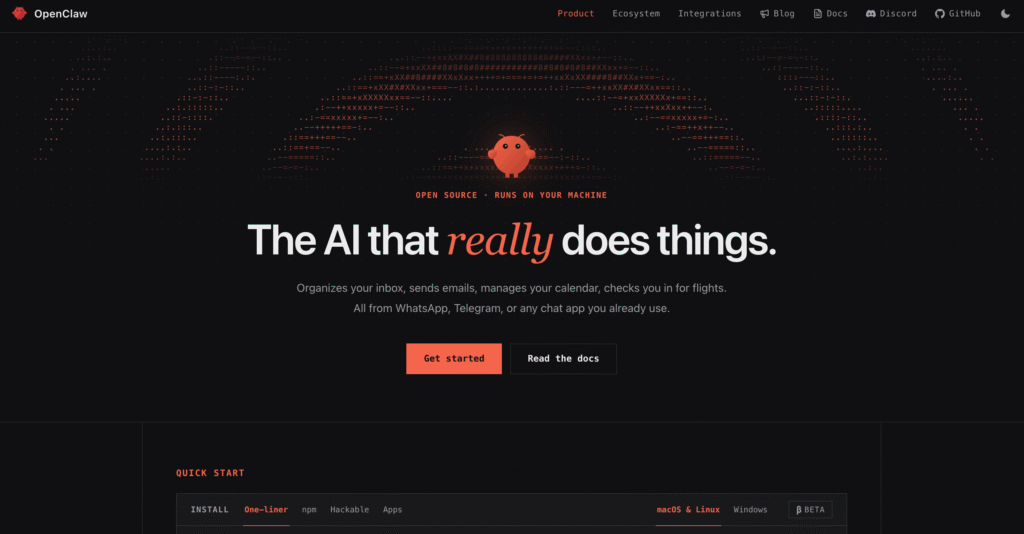
The rapid rise of OpenClaw reflects a broader shift in the AI industry from conversational assistants toward autonomous AI agents. Instead of requiring users to manually switch between multiple applications, copy and paste information, or repeatedly provide context, OpenClaw enables AI to work continuously behind the scenes. Whether managing calendars, responding to messages, performing web research, controlling local applications, or coordinating multiple AI agents, OpenClaw represents a new generation of intelligent software designed to enhance productivity rather than simply answer questions. Its growing popularity has also been fueled by its open-source philosophy, allowing developers and enthusiasts worldwide to customize, extend, and self-host the platform according to their own needs.
One of OpenClaw’s biggest strengths is its flexibility. Unlike many proprietary AI services that operate exclusively through cloud-based interfaces, OpenClaw can run on Windows, macOS, or Linux while supporting both local AI models and leading cloud providers such as OpenAI, Anthropic, Google, and many others. Users can choose the level of privacy, performance, and cost that best fits their requirements. For privacy-conscious individuals and businesses, this means sensitive data can remain on their own hardware instead of being permanently stored on third-party servers. Meanwhile, developers gain complete control over integrations, workflows, and custom AI capabilities.
Another reason OpenClaw has captured so much attention in 2026 is its impressive ecosystem of communication channels and integrations. Rather than forcing users into a single application, OpenClaw allows conversations to continue across popular platforms including WhatsApp, Telegram, Slack, Discord, Signal, Microsoft Teams, iMessage, Google Chat, and many more. This means users can interact with the same AI assistant wherever they already spend their time, while preserving memory, ongoing conversations, and context across every connected platform. For professionals who rely on multiple communication tools throughout the day, this unified experience dramatically improves convenience and efficiency.
Beyond messaging, OpenClaw is increasingly being recognized as a powerful automation platform. It supports browser automation, scheduled tasks, workflow pipelines, plugin-based extensions, web search, document processing, voice interactions, and execution of external tools. Instead of merely suggesting actions, OpenClaw can actually perform them—sending emails, organizing calendars, browsing websites, searching documentation, processing files, and coordinating complex workflows across multiple services. These capabilities transform it from a conversational assistant into a practical digital worker capable of saving users countless hours every week.
What truly distinguishes OpenClaw from traditional AI assistants is its persistent memory system. Rather than forgetting previous conversations once a session ends, OpenClaw can continuously build knowledge about projects, preferences, recurring tasks, and long-term goals. Over time, it becomes increasingly personalized, enabling more relevant recommendations, smarter automation, and richer context during every interaction. This persistent knowledge graph significantly reduces repetitive prompting and allows users to collaborate with AI more naturally over extended periods.
The platform’s extensibility has also contributed to its rapid adoption among developers. Through its growing ecosystem of Skills, plugins, workflows, and official extensions, OpenClaw can be customized for virtually any use case—from software development and cybersecurity research to content creation, business operations, smart home automation, personal knowledge management, and enterprise productivity. Recent updates have also strengthened security around Skills by introducing standardized Skill Cards and automated scanning to improve transparency and reduce risks associated with third-party extensions.
As OpenClaw continues to mature, its community has expanded at an impressive pace. The launch of the OpenClaw Foundation has reinforced the project’s commitment to remaining open, community-driven, and independent, ensuring that no single company controls its future. At the same time, frequent releases continue to improve onboarding, user interfaces, mobile applications, provider compatibility, and automation capabilities, making OpenClaw increasingly accessible to both technical users and complete beginners.
This article explores five of the coolest things you can do with OpenClaw in 2026, showcasing practical examples that demonstrate why it has become one of the most talked-about AI agent platforms in the world. Whether you are a developer looking to automate coding workflows, a business professional seeking a personal executive assistant, a productivity enthusiast wanting AI-powered task automation, or simply someone curious about the future of autonomous AI, these real-world use cases will help you understand why OpenClaw is transforming the way people interact with artificial intelligence. By the end of this guide, you will discover how OpenClaw goes far beyond traditional chatbots, offering a glimpse into a future where AI agents actively work alongside humans to simplify everyday life, increase productivity, and unlock entirely new possibilities for personal and professional automation.
Before we venture further into this article, we would like to share who we are and what we do.
About 9cv9
9cv9 is a business tech startup based in Singapore and Asia, with a strong presence all over the world.
With over ten years of startup and business experience, and being highly involved in connecting with thousands of companies and startups, the 9cv9 team has listed some important and crucial software tools in this review.
If you like to get your company listed in our top B2B software reviews, check out our world-class 9cv9 Media and PR service and pricing plans here.
Top 5 Cool Stuffs You Can Do with Openclaw in 2026
- Build a Personal Executive Assistant
- Control Your Computer Using Natural Language
- Chat with AI Through Messaging Apps
- Build AI Automations with Skills and Plugins
- Build a Private AI on Your Own Machine
1. Build a Personal Executive Assistant
Artificial intelligence is rapidly evolving from a passive chatbot into an active digital assistant capable of handling real-world work. OpenClaw exemplifies this shift by acting as a self-hosted AI gateway that connects to messaging platforms, AI models, automation tools, and external applications, allowing users to interact with a persistent assistant from virtually anywhere. Unlike conventional chatbots that simply answer questions, OpenClaw is designed to maintain long-running sessions, remember context, invoke tools, automate workflows, and execute tasks on behalf of the user.
For professionals, entrepreneurs, software developers, students, executives, and content creators, this means OpenClaw can function much like a human executive assistant—organizing schedules, managing information, conducting research, drafting communications, coordinating workflows, and maintaining institutional knowledge without requiring constant supervision.
What Makes OpenClaw Suitable as an Executive Assistant?
Traditional digital assistants are typically limited to voice commands or isolated tasks. OpenClaw is fundamentally different because it combines several advanced capabilities into one continuously available assistant.
Persistent Memory
Instead of forgetting conversations after each session, OpenClaw can retain long-term knowledge through its workspace and memory system. Important facts, user preferences, ongoing projects, and recurring workflows can be stored and recalled when relevant, allowing the assistant to become increasingly personalized over time.
Examples include:
- Remembering preferred writing styles
- Tracking long-term business projects
- Remembering frequently contacted clients
- Storing company SOPs
- Maintaining personal productivity habits
- Remembering preferred meeting formats
Multi-Channel Availability
One OpenClaw Gateway can connect multiple messaging platforms simultaneously, enabling users to communicate with the same assistant regardless of the device or application being used. Supported channels include:
- Telegram
- Slack
- Discord
- Microsoft Teams
- Google Chat
- Signal
- iMessage
- Matrix
- Zalo
- Web Chat
This means a user could begin a conversation on Slack during office hours and continue it later from WhatsApp or Telegram without losing context.
Tool-Based Automation
Unlike conventional AI chatbots, OpenClaw can invoke tools and Skills that perform actions rather than merely providing suggestions.
Typical capabilities include:
- Web searching
- Calendar management
- File operations
- Browser automation
- Document summarization
- Workflow execution
- Scheduled tasks
- Webhooks
- Multi-agent routing
These capabilities allow OpenClaw to become an operational assistant instead of simply a conversational AI.
Core Executive Assistant Responsibilities OpenClaw Can Perform
| Executive Assistant Function | How OpenClaw Helps | Typical Benefit |
|---|---|---|
| Calendar organization | Creates and manages schedules | Saves planning time |
| Email drafting | Generates professional emails | Faster communication |
| Meeting preparation | Summarizes agendas and documents | Better productivity |
| Research | Searches and consolidates information | Reduces manual effort |
| Task management | Maintains project context | Improves organization |
| Reminder management | Stores recurring reminders | Prevents missed deadlines |
| Documentation | Organizes knowledge into memory | Long-term continuity |
| Daily planning | Generates personalized schedules | Better time management |
Managing Your Daily Schedule
A major responsibility of any executive assistant is ensuring that every day is organized efficiently.
OpenClaw can help users plan:
- Morning priorities
- Meeting schedules
- Lunch appointments
- Client follow-ups
- Deep work sessions
- Personal reminders
- Evening reviews
Example Prompt
“Review my calendar, identify scheduling conflicts, and prepare a prioritized agenda for today.”
Possible output:
| Time | Suggested Activity |
|---|---|
| 8:00 AM | Review overnight emails |
| 9:00 AM | Weekly sales meeting |
| 11:00 AM | Product roadmap discussion |
| 1:30 PM | Customer follow-up |
| 3:00 PM | Focus work session |
| 5:00 PM | Daily review and planning |
Acting as Your Email Assistant
Many professionals spend several hours every week processing emails.
OpenClaw can assist by:
- Drafting replies
- Summarizing lengthy email threads
- Prioritizing important messages
- Preparing follow-up emails
- Creating professional responses
- Maintaining communication history
Example Workflow
Incoming Email
↓
OpenClaw summarizes the conversation
↓
Suggests three reply options
↓
User edits if necessary
↓
Assistant prepares final draft
↓
User sends
This significantly reduces repetitive writing while maintaining human oversight.
Managing Long-Term Projects
Persistent memory allows OpenClaw to remember ongoing projects across weeks or months.
Example project memory:
Project Alpha
- Budget approved
- Client prefers weekly updates
- Delivery deadline: September
- Marketing campaign pending
- Engineering team assigned
Instead of re-explaining these details every session, OpenClaw can automatically retrieve relevant project context before responding.
Organizing Personal Knowledge
Professionals accumulate thousands of documents, notes, ideas, and references every year.
OpenClaw can become a centralized knowledge assistant by helping organize:
- Meeting notes
- Research papers
- Company documentation
- Standard operating procedures
- Personal journals
- Business ideas
- Technical references
- Frequently used prompts
Its workspace-based architecture supports user-editable files such as AGENTS.md, USER.md, TOOLS.md, and optional long-term MEMORY.md, enabling durable personalization and knowledge retention.
Helping During Meetings
Before meetings, OpenClaw can prepare:
- Agenda summaries
- Participant information
- Previous discussion history
- Action items
- Talking points
- Research materials
After meetings it can:
- Produce summaries
- Generate follow-up emails
- Extract decisions
- Create task lists
- Track unresolved issues
Example
Meeting:
Quarterly Sales Review
OpenClaw prepares:
| Before Meeting | After Meeting |
|---|---|
| Agenda | Meeting summary |
| Sales KPIs | Action items |
| Previous decisions | Assigned responsibilities |
| Customer feedback | Follow-up reminders |
Creating Personalized Daily Briefings
Many executives begin their mornings by reviewing several sources of information.
OpenClaw can generate personalized daily briefings including:
- Calendar overview
- Pending tasks
- Important deadlines
- Weather
- Industry news
- AI news
- Project updates
- Recent messages
Example Morning Brief:
- 3 meetings today
- 2 client follow-ups overdue
- New GitHub pull requests
- Marketing campaign launches tomorrow
- Product roadmap review Friday
Research Assistant for Busy Professionals
Executive assistants often gather information before important decisions.
OpenClaw can assist by:
- Comparing products
- Summarizing reports
- Collecting market intelligence
- Researching competitors
- Preparing briefing documents
- Organizing citations
Example request:
“Research the latest AI agent platforms and prepare a one-page comparison.”
Instead of manually visiting dozens of websites, OpenClaw can coordinate research workflows and consolidate findings into structured summaries using its integrated tools and Skills.
Automation Matrix
| Task | Manual Process | OpenClaw-Assisted Process |
|---|---|---|
| Daily planning | 20–30 minutes | Automated summary in minutes |
| Meeting preparation | Gather notes manually | Consolidated automatically |
| Email drafting | Write from scratch | AI-generated first draft |
| Research | Visit multiple websites | Aggregated results |
| Project tracking | Manual updates | Persistent memory |
| Documentation | Manual organization | Structured knowledge storage |
| Reminders | Calendar only | Context-aware reminders |
| Knowledge retrieval | Search folders manually | Memory-assisted recall |
Example Executive Assistant Workflow
Morning

↓

Generate daily briefing

↓

Review calendar

↓

Summarize overnight emails

↓

Prioritize tasks

↓

Attend meetings

↓

Summarize meeting notes

↓

Draft follow-up emails

↓

Update project memory

↓

Prepare tomorrow's agenda
Benefits for Different Types of Users
| User | Primary Benefits |
|---|---|
| Entrepreneurs | Business organization, scheduling, research |
| Executives | Calendar management, meeting preparation |
| Software Developers | Project tracking, documentation, coding support |
| Marketing Teams | Campaign planning, content research |
| Students | Research organization, study planning |
| Consultants | Client notes, meeting summaries, proposal drafting |
| Small Businesses | Administrative automation without hiring additional staff |
Best Practices for Using OpenClaw as an Executive Assistant
To maximize productivity:
- Maintain a consistent workspace so memory persists across sessions.
- Store durable information in long-term memory files and update project context regularly.
- Enable only the tools and Skills required for your workflows.
- Review AI-generated emails or automation outputs before executing external actions.
- Periodically clean and organize stored memories to keep retrieval accurate.
- Apply the principle of least privilege by limiting access to sensitive systems and approving high-impact actions manually. OpenClaw’s documentation also recommends careful configuration of tools, policies, and workspaces for secure deployments.
Why OpenClaw Excels as a Personal Executive Assistant
The combination of persistent memory, multi-channel communication, extensible Skills, automation tools, and self-hosted deployment makes OpenClaw one of the most capable open-source AI assistant platforms available in 2026. Rather than serving as a simple conversational interface, it evolves into a personalized digital executive assistant that learns from ongoing interactions, coordinates complex workflows, and helps professionals manage information, communication, and daily operations more efficiently. As organizations increasingly adopt AI agents to augment knowledge work, OpenClaw demonstrates how an open, customizable, and privacy-conscious platform can significantly reduce administrative overhead while keeping users firmly in control of their data and automation workflows.
2. Control Your Computer Using Natural Language
One of the most transformative capabilities of OpenClaw in 2026 is its ability to control a computer through plain natural language. Rather than memorizing keyboard shortcuts, navigating complex menus, or manually switching between dozens of applications, users can simply describe what they want to accomplish in everyday language. OpenClaw interprets the request, selects the appropriate tools, and performs the required actions while maintaining awareness of context and user intent. This shifts human-computer interaction from traditional graphical interfaces toward AI-driven task orchestration.
Unlike conventional voice assistants that primarily launch applications or answer factual questions, OpenClaw is designed as an AI agent capable of interacting with browsers, files, tools, messaging platforms, and external services. Its dedicated browser automation capabilities, extensible Skills ecosystem, and tool-based architecture enable it to execute complex multi-step workflows rather than isolated commands.
What Natural Language Computer Control Means
Natural language computer control allows users to express intentions rather than procedures.
Instead of saying:
- Open Chrome
- Navigate to LinkedIn
- Search for a company
- Copy information
- Open Excel
- Paste data
A user simply says:
“Find the latest hiring information for Microsoft, summarize it, and save everything into today’s research folder.”
OpenClaw determines:
- Which applications to use
- Which websites to visit
- Which browser tabs to open
- Which files to create
- Which actions should be executed
- When additional clarification is required
This dramatically reduces the cognitive overhead associated with multitasking.
How OpenClaw Controls Your Computer
OpenClaw uses a modular tool architecture that allows AI models to invoke specialized capabilities securely.
Its computer control ecosystem includes:
- Browser automation
- File operations
- Tool execution
- Skills
- Plugins
- Multi-agent routing
- Mobile nodes
- Remote gateways
- Workflow orchestration
Rather than hardcoding every possible task, OpenClaw dynamically selects the appropriate tools based on user intent.
Dedicated Browser Automation
One of OpenClaw’s most powerful features is its managed browser environment.
Instead of controlling your personal browser directly, OpenClaw launches an isolated Chrome-, Chromium-, Edge-, or Brave-based browser profile dedicated to AI automation.
Capabilities include:
- Opening websites
- Reading webpages
- Clicking buttons
- Filling forms
- Typing into fields
- Selecting dropdown menus
- Taking screenshots
- Capturing page snapshots
- Downloading files
- Generating PDFs
- Managing multiple browser tabs
This isolation minimizes interference with your personal browsing sessions while improving security and reproducibility.
Common Computer Tasks You Can Automate
| Task | Traditional Workflow | OpenClaw Workflow |
|---|---|---|
| Open applications | Manual clicks | Natural language command |
| Browse websites | Manual navigation | AI-guided navigation |
| Complete online forms | Manual typing | Automated completion |
| Download reports | Multiple clicks | One request |
| Organize folders | Manual drag-and-drop | AI-managed |
| Rename files | Individual edits | Bulk automation |
| Research topics | Multiple searches | Consolidated workflow |
| Create summaries | Read manually | AI-generated |
Opening and Managing Applications
Instead of navigating through menus or search bars, users can instruct OpenClaw conversationally.
Example requests include:
- “Open my accounting software.”
- “Launch Visual Studio Code.”
- “Start Spotify and play my productivity playlist.”
- “Open today’s project folder.”
- “Bring my CRM to the front.”
The AI determines the required application and executes the appropriate action using configured tools and Skills.
Managing Browser Sessions
Web browsers are where many professionals spend most of their working hours.
OpenClaw’s browser automation supports deterministic control over tabs and browsing workflows.
Example tasks include:
- Opening multiple research tabs
- Closing duplicate tabs
- Searching documentation
- Logging into approved websites
- Filling registration forms
- Downloading invoices
- Saving screenshots
- Generating PDFs
Example prompt:
“Open the latest OpenAI, Anthropic, and Google AI announcements in separate tabs, summarize each, and export the comparison as a PDF.”
OpenClaw’s browser plugin provides controlled actions such as opening, focusing, navigating, snapshotting, screenshot capture, and tab management within an isolated browser profile.
Automating Repetitive Office Tasks
Many office activities involve repetitive mouse clicks and keyboard input.
Examples include:
- Downloading monthly reports
- Exporting spreadsheets
- Checking analytics dashboards
- Updating CRM records
- Reviewing project boards
- Uploading documents
- Organizing invoices
Rather than repeating identical workflows every week, OpenClaw can automate much of the process.
Example workflow:
Monthly Sales Report
↓
Login
↓
Navigate dashboard
↓
Export CSV
↓
Rename file
↓
Move to archive
↓
Notify user
File Management Through Natural Language
Managing files is another area where OpenClaw excels.
Example commands:
- “Move all PDFs into the Finance folder.”
- “Delete duplicate screenshots.”
- “Rename today’s meeting files.”
- “Create a new project directory.”
- “Archive completed proposals.”
Instead of manually searching through folders, users can describe the desired outcome.
Research Without Manual Browsing
Research traditionally requires:
- Opening search engines
- Visiting multiple websites
- Reading articles
- Comparing information
- Taking notes
OpenClaw compresses these activities into one workflow.
Example request:
“Research the latest enterprise AI agent platforms, compare pricing, summarize key differences, and save everything into my Research workspace.”
The AI performs web searches, consolidates findings, and produces a structured output using available tools and Skills.
Multi-Step Workflow Execution
Natural language becomes especially valuable when coordinating several applications simultaneously.
Example workflow:
User Request

↓

Open Gmail

↓

Review new emails

↓

Extract meeting invitations

↓

Update calendar

↓

Generate meeting agenda

↓

Store notes in project workspace

↓

Notify user
Instead of issuing six or seven separate commands, the user expresses only the final objective.
Software Development Assistance
Developers can leverage OpenClaw to automate many routine engineering tasks.
Examples include:
- Opening repositories
- Reviewing documentation
- Searching APIs
- Running development environments
- Executing terminal commands
- Summarizing GitHub issues
- Organizing project documentation
- Preparing pull request summaries
Because OpenClaw supports configurable tools and Skills, developers can create workflows tailored to their own development environments.
Content Creation Workflows
Content creators often switch between numerous applications.
OpenClaw can coordinate activities across:
- Writing software
- Research sources
- Image repositories
- Browser tabs
- File storage
- Publishing tools
Example prompt:
“Research today’s AI news, draft a blog outline, save it to my content folder, and prepare a LinkedIn summary.”
Productivity Matrix
| Productivity Area | Manual Approach | OpenClaw-Assisted Approach |
|---|---|---|
| File organization | Individual actions | Batch automation |
| Research | Multiple browser tabs | AI-driven synthesis |
| Browser navigation | Manual clicking | Automated workflows |
| Documentation | Manual formatting | AI-generated output |
| Downloads | User initiated | Automated retrieval |
| Meeting preparation | Multiple applications | Unified workflow |
| Daily administration | High effort | Natural language requests |
Example Real-World Scenarios
Entrepreneur
Commands:
- Check customer emails
- Update CRM
- Review invoices
- Schedule meetings
- Generate daily business summary
Result:
One assistant coordinates multiple business systems.
Marketing Manager
Commands:
- Download campaign reports
- Compare analytics
- Generate executive summary
- Prepare presentation notes
Result:
Hours of administrative work condensed into one conversational request.
Software Engineer
Commands:
- Open project
- Review documentation
- Search API references
- Summarize new GitHub issues
- Prepare coding checklist
Result:
Development begins with an organized workspace instead of manual preparation.
Student
Commands:
- Organize lecture notes
- Summarize research papers
- Build study schedule
- Generate revision checklist
Result:
More time dedicated to learning rather than administrative organization.
Security Considerations
Because OpenClaw can perform privileged operations on behalf of users, responsible deployment is essential.
Recommended practices include:
- Use isolated browser profiles instead of personal browser sessions.
- Enable only the tools and Skills required for your workflows.
- Restrict access through authentication tokens, allowlists, and policy controls.
- Require manual approval for sensitive or irreversible actions.
- Regularly review installed third-party Skills and plugins before granting elevated permissions.
Recent academic studies also emphasize that as AI agents gain access to browsers, files, credentials, and external services, their attack surface expands. Research has shown measurable reductions in compromise probability when policy gating, execution filtering, and privilege controls are applied, reinforcing the importance of least-privilege deployment and careful tool management.
Why Natural Language Computer Control Represents the Future
OpenClaw demonstrates a fundamental shift in how humans interact with computers. Instead of mastering increasingly complex software interfaces, users communicate desired outcomes while the AI determines the most efficient sequence of actions. Its combination of browser automation, file management, workflow orchestration, Skills, and extensible tool integration transforms natural language into a universal interface for productivity. As AI agents continue to mature throughout 2026, this outcome-oriented approach is poised to replace many repetitive point-and-click workflows, enabling professionals to focus more on strategic thinking and creative problem-solving while delegating routine computer operations to intelligent assistants.
3. Chat with AI Through Messaging Apps
One of OpenClaw’s most compelling capabilities in 2026 is that it brings your AI assistant directly into the messaging applications you already use every day. Instead of opening a browser, launching a dedicated AI application, or switching between multiple chat interfaces, OpenClaw allows you to communicate with the same persistent AI assistant through familiar platforms such as WhatsApp, Telegram, Slack, Discord, Microsoft Teams, Google Chat, Signal, iMessage, Matrix, Zalo, and many others. At the center of this experience is the OpenClaw Gateway—a self-hosted service that routes messages between your preferred communication channels and your chosen AI models while maintaining context, memory, and automation capabilities.
Unlike conventional AI chatbots that operate inside a single website or application, OpenClaw transforms messaging apps into universal interfaces for interacting with AI. Whether you are traveling, attending meetings, commuting, or working remotely, your AI assistant remains accessible through the messaging platform that best fits the situation.
Why Messaging Platforms Are the Ideal Interface for AI
Messaging applications have become the primary communication channel for billions of people worldwide. Rather than asking users to adopt yet another application, OpenClaw integrates directly into communication platforms that individuals and businesses already rely upon.
Advantages include:
- No additional learning curve
- Accessible from smartphones, tablets, and desktops
- Familiar conversation interface
- Continuous availability
- Real-time notifications
- Cross-device synchronization
- Persistent conversations
- Easy file and media sharing
Instead of adapting to AI software, users simply continue using the messaging apps they already know.
The OpenClaw Gateway Architecture
OpenClaw operates as a centralized Gateway connecting multiple messaging channels to one AI assistant.
Example architecture:
WhatsApp
        \
Telegram \
Slack     \
Discord     \
Teams        \
Google Chat   \
Signal         → OpenClaw Gateway → AI Models → Tools → Memory → Skills
iMessage      /
Matrix       /
Web Chat    /
Rather than maintaining separate AI assistants for every platform, OpenClaw routes every conversation through a unified backend while preserving channel-specific sessions and configurable routing policies.
Supported Messaging Platforms
The OpenClaw ecosystem continues to expand, with support delivered either through the core installation or official plugins.
| Platform | Availability | Typical Use Cases |
|---|---|---|
| Telegram | Core | Personal AI assistant, automation, research |
| Official plugin | Daily conversations, business communication | |
| Slack | Official plugin | Team collaboration, workplace productivity |
| Discord | Official plugin | Developer communities, project discussions |
| Microsoft Teams | Official plugin | Enterprise collaboration |
| Google Chat | Official plugin | Google Workspace users |
| Signal | Official plugin | Privacy-focused communication |
| iMessage | Core (macOS) | Apple ecosystem integration |
| Matrix | Official plugin | Open-source collaboration |
| Zalo | Official/Bundled | Vietnam-based communication |
| WebChat | Core | Browser-based AI access |
OpenClaw also supports additional integrations through plugins, including IRC, Mattermost, LINE, Twitch, SMS, Nextcloud Talk, and others.
One AI Assistant Across Every Device
Perhaps the biggest advantage of OpenClaw is that users no longer need separate AI conversations on different devices.
For example:
Morning
- Ask AI from Slack at work
Afternoon
- Continue conversation on Telegram
Evening
- Review project from WhatsApp
Night
- Access the same context through the Web Dashboard
Throughout the day:
- Memory remains intact
- Project context is preserved
- Previous conversations remain accessible
- Ongoing workflows continue seamlessly
The assistant effectively follows the user rather than remaining tied to a single application.
WhatsApp as Your AI Assistant
WhatsApp remains one of the world’s largest messaging platforms, making it an ideal environment for interacting with AI.
Example requests:
- “Summarize today’s meetings.”
- “Draft a professional email.”
- “Research today’s AI news.”
- “Remind me to call the client tomorrow.”
- “Generate a weekly sales report.”
Example workflow:
User sends message
↓
OpenClaw receives request
↓
AI performs research
↓
Retrieves memory
↓
Uses tools
↓
Replies directly inside WhatsApp
Instead of switching to a browser, every interaction occurs naturally inside the chat interface. OpenClaw supports WhatsApp through an official plugin architecture with configurable pairing, allowlists, and group policies.
Telegram for Power Users
Telegram is widely regarded as one of the fastest and simplest messaging platforms to configure with OpenClaw.
Benefits include:
- Quick bot setup
- Stable Bot API
- Excellent Markdown rendering
- Group support
- Media sharing
- Fast response times
- Cross-platform synchronization
Example automation:
Morning message:
“Prepare today’s work summary.”
OpenClaw responds with:
- Calendar overview
- Important emails
- Priority tasks
- Market news
- AI updates
- Weather
- Project status
Official documentation identifies Telegram as one of the fastest channels to configure during onboarding.
Slack for Workplace Productivity
Slack integration transforms OpenClaw into an intelligent workplace assistant.
Example capabilities:
- Summarize discussion threads
- Answer technical questions
- Generate meeting notes
- Draft project updates
- Monitor channels
- Retrieve documentation
- Prepare sprint summaries
Example prompt:
“Summarize everything discussed today in the Engineering channel.”
Possible output:
- 12 major discussions
- 4 pull requests opened
- 2 production incidents
- 3 action items
- Sprint progress update
Slack conversations can also maintain separate AI sessions depending on channels and group policies.
Discord for Developers and Communities
Discord is particularly valuable for:
- Software development
- Gaming communities
- AI communities
- Startup teams
- Open-source collaboration
Example uses:
- Debugging code
- Reviewing pull requests
- Researching APIs
- Summarizing documentation
- Monitoring project channels
Developers can communicate with OpenClaw without leaving their Discord workspace.
Enterprise Collaboration Through Microsoft Teams
Many organizations standardize on Microsoft Teams.
OpenClaw enables:
- AI meeting assistants
- Internal knowledge retrieval
- Team Q&A
- Project summaries
- Workflow automation
- Task tracking
This allows employees to access AI without introducing another collaboration platform.
Group Chat Intelligence
Unlike traditional AI chatbots that operate only in direct conversations, OpenClaw also supports intelligent participation within group chats.
Example group:
Marketing Team
Members:
- Marketing Manager
- Designer
- Copywriter
- OpenClaw
Example interaction:
Manager:
“OpenClaw, summarize this week’s campaign.”
AI replies:
- Campaign performance
- CTR improvements
- Budget utilization
- Recommended optimizations
- Pending tasks
Group conversations can be configured to require mentions before the AI responds, reducing unnecessary interruptions.
Rich Media Support
Modern messaging extends beyond plain text.
OpenClaw supports various forms of media depending on the selected messaging platform.
Examples include:
- Images
- Documents
- PDFs
- Audio
- Screenshots
- Attachments
Example request:
“Summarize the PDF I just uploaded.”
Instead of downloading the file manually, users simply send it directly within the chat.
Cross-Platform Conversation Continuity
One of OpenClaw’s defining features is session persistence.
Example:
Monday
Research begins on Slack.
Tuesday
Continue discussion from Telegram.
Wednesday
Review results using Web Dashboard.
Thursday
Receive reminders on WhatsApp.
Friday
Finalize report through Discord.
The AI remembers:
- Previous questions
- Files
- Decisions
- Research
- Preferences
- Project history
This continuity eliminates the need to repeatedly explain the same context.
Example Daily Workflow
8:00 AM

Telegram

↓

Morning briefing

↓

Slack

↓

Meeting summaries

↓

Discord

↓

Development discussions

↓

WhatsApp

↓

Client follow-up

↓

Teams

↓

Project review

↓

Web Dashboard

↓

End-of-day planning
Messaging Productivity Matrix
| Activity | Traditional Workflow | OpenClaw Messaging Workflow |
|---|---|---|
| Ask AI questions | Open browser | Send chat message |
| Research | Multiple websites | One conversation |
| File summaries | Download and upload | Send directly in chat |
| Team collaboration | Multiple applications | Unified messaging |
| Project tracking | Separate dashboards | AI remembers context |
| Daily planning | Calendar + notes | AI-generated briefing |
| Knowledge retrieval | Search documents | Ask AI naturally |
| Follow-up reminders | Manual scheduling | AI-managed reminders |
Real-World Use Cases
Entrepreneurs
Typical requests:
- Review overnight customer inquiries
- Draft investor updates
- Summarize business metrics
- Schedule meetings
- Generate proposals
Preferred platforms:
- Telegram
Software Developers
Typical requests:
- Review documentation
- Explain code
- Summarize GitHub issues
- Research APIs
- Debug problems
Preferred platforms:
- Discord
- Slack
Marketing Teams
Typical requests:
- Summarize campaigns
- Draft social media posts
- Research competitors
- Generate content ideas
- Monitor industry trends
Preferred platforms:
- Slack
- Microsoft Teams
Students
Typical requests:
- Summarize lecture notes
- Explain concepts
- Organize study schedules
- Review assignments
- Generate flashcards
Preferred platforms:
- Telegram
Security and Access Controls
Because messaging platforms often contain sensitive conversations, OpenClaw includes configurable security features for channel access.
Administrators can configure:
- Pairing-based authentication
- Allowlists for approved users
- Group-specific permissions
- Mention-only responses
- Separate policies for direct messages and group chats
- Per-channel configuration
These controls help ensure that AI access is restricted to authorized users and conversations.
Best Practices for Multi-Channel AI Usage
Organizations and individual users can maximize productivity by following several recommendations:
- Choose one messaging platform as the primary AI interface.
- Enable additional channels only where necessary.
- Separate personal and work conversations with different channel policies.
- Configure mention requirements for busy group chats.
- Use persistent memory to maintain long-term project context.
- Periodically review connected plugins and permissions to maintain security.
Industry guidance also recommends favoring official or well-maintained integrations, limiting privileges granted to messaging bots, and isolating sensitive workflows to reduce security risks associated with third-party Skills or plugins.
Why Multi-Channel AI Is a Game Changer
OpenClaw fundamentally changes how people interact with artificial intelligence by embedding a persistent AI assistant into the communication platforms they already use throughout the day. Instead of treating AI as a separate destination, OpenClaw transforms WhatsApp, Telegram, Slack, Discord, Microsoft Teams, and many other messaging services into intelligent workspaces where users can research information, automate tasks, retrieve knowledge, summarize documents, and collaborate with colleagues—all without leaving the conversation. This seamless, cross-platform experience makes AI more accessible, more contextual, and significantly more practical for both personal productivity and enterprise collaboration, positioning OpenClaw as one of the most versatile messaging-based AI platforms available in 2026.
4. Build AI Automations with Skills and Plugins
One of the biggest reasons OpenClaw has become one of the most versatile AI agent platforms in 2026 is its extensibility. Rather than limiting users to a fixed set of built-in capabilities, OpenClaw allows virtually every aspect of the AI assistant to be expanded through Skills, Plugins, and Tools. Together, these components transform OpenClaw from a conversational AI into a highly customizable automation platform capable of handling complex workflows across productivity, software development, business operations, research, communication, and countless other domains.
Unlike traditional AI assistants that rely solely on prompts, OpenClaw separates intelligence from execution. Large language models provide reasoning and planning, while Skills teach repeatable workflows, Tools perform concrete actions, and Plugins introduce entirely new runtime capabilities such as messaging channels, browser automation, speech processing, web search, media generation, and external integrations. This modular architecture enables users to continuously evolve their AI assistant without modifying the core platform.
Understanding the OpenClaw Automation Stack
OpenClaw’s automation architecture consists of three complementary layers.
| Component | Primary Purpose | Examples |
|---|---|---|
| Tools | Execute actions | Browser automation, file operations, web search, shell execution |
| Skills | Teach workflows and best practices | Research assistant, documentation writer, browser automation guide |
| Plugins | Add new runtime capabilities | WhatsApp integration, model providers, speech, image generation |
Rather than competing with one another, these layers work together.
Example:
User Request
↓
Skill determines workflow
↓
Tool performs actions
↓
Plugin provides external integration
↓
AI generates final response
This layered design allows OpenClaw to solve both simple and highly sophisticated automation scenarios.
What Are OpenClaw Skills?
Skills are reusable instruction packages that teach OpenClaw how to perform particular categories of work more effectively.
Unlike plugins, Skills generally do not introduce new executable code. Instead, they provide structured operating knowledge that guides the AI toward consistent workflows, review procedures, decision frameworks, and tool usage patterns.
Each Skill is organized around a SKILL.md file containing metadata and detailed instructions that the AI loads dynamically when appropriate. Skills can exist at the workspace level, project level, personal level, or as bundled components shipped with plugins.
Examples include:
- Browser automation
- Software debugging
- Documentation writing
- Code review
- Market research
- Email management
- Knowledge management
- Financial analysis
- Project planning
- Data organization
What Are Plugins?
Plugins extend OpenClaw’s runtime capabilities.
Unlike Skills, plugins contain executable functionality and may introduce entirely new capabilities into the platform.
Examples include:
- Messaging channels
- AI providers
- Browser engines
- Speech recognition
- Image generation
- Voice assistants
- Media understanding
- Web search
- Calendar integrations
- External APIs
Plugins can be installed from official repositories, Git repositories, npm packages, local directories, or ClawHub, OpenClaw’s plugin marketplace.
Skills vs Plugins
| Feature | Skills | Plugins |
|---|---|---|
| Purpose | Teach AI workflows | Add runtime functionality |
| Contains executable code | Usually no | Yes |
| Custom instructions | Yes | Optional |
| Adds new tools | No | Yes |
| Extends AI knowledge | Yes | Sometimes |
| Requires installation | Simple | More involved |
| Best suited for | Workflow optimization | Feature expansion |
Understanding this distinction allows users to build automation systems that remain organized, maintainable, and scalable.
How Skills Improve AI Performance
Without Skills, AI agents often solve similar problems from scratch every time.
Skills enable OpenClaw to:
- Reuse successful workflows
- Follow standardized operating procedures
- Apply organization-specific policies
- Reduce repetitive prompting
- Improve consistency
- Execute multi-step plans more reliably
For example, a software engineering team can develop a “Code Review” Skill that always instructs the AI to:
- Analyze architecture
- Review security
- Check performance
- Validate coding standards
- Generate improvement recommendations
Every developer in the organization can then reuse the same process automatically.
Workspace-Specific Skills
One of OpenClaw’s most powerful capabilities is its support for workspace-specific Skills.
This means different projects can have entirely different AI behavior.
Example:
| Workspace | Specialized Skills |
|---|---|
| Marketing | SEO writing, keyword research, content planning |
| Engineering | Debugging, testing, API documentation |
| HR | Resume review, interview preparation |
| Finance | Budget analysis, forecasting |
| Legal | Contract summarization, compliance review |
The AI automatically loads the Skills relevant to the active workspace, ensuring context-specific assistance without requiring manual prompt engineering.
Installing Community Skills
The OpenClaw ecosystem includes a growing Skills marketplace known as ClawHub.
Community Skills cover numerous domains including:
- Productivity
- Software development
- Cybersecurity
- Cloud infrastructure
- DevOps
- Data science
- SEO
- Research
- Content creation
- Home automation
Recent reports indicate that ClawHub hosts more than 5,400 community-contributed Skills, reflecting rapid ecosystem growth.
Creating Your Own Skills
Organizations can create proprietary Skills tailored to internal workflows.
Examples include:
Customer Support Skill
- Brand tone
- Refund policy
- Escalation workflow
- FAQ handling
Sales Skill
- Proposal generation
- CRM workflow
- Follow-up scheduling
- Lead qualification
Recruitment Skill
- Resume evaluation
- Interview questions
- Candidate scoring
- Offer preparation
Because Skills are human-readable Markdown files with metadata, they are relatively easy to version, review, and maintain alongside project documentation.
Automating Business Operations
Businesses can combine multiple Skills with plugins to automate routine work.
Example workflow:
Customer Inquiry

↓

Email arrives

↓

Customer Support Skill

↓

Knowledge Base Search

↓

Generate Draft Response

↓

Manager Review

↓

Send Email

↓

Update CRM

↓

Archive Conversation
Instead of manually coordinating several applications, OpenClaw manages the workflow from beginning to end while allowing human approval where necessary.
AI-Powered Research Automation
Research often requires repetitive activities:
- Searching websites
- Reading documentation
- Comparing products
- Extracting data
- Creating summaries
With Skills, OpenClaw can standardize this process.
Example prompt:
“Research the latest AI coding assistants, compare pricing, summarize features, and prepare a presentation.”
The Research Skill may automatically:
- Perform web searches
- Compare documentation
- Remove duplicate information
- Generate tables
- Store references
- Create executive summaries
Software Development Automation
Software engineers represent one of OpenClaw’s largest user communities.
Automation examples include:
- Repository analysis
- Documentation generation
- Pull request reviews
- Code explanations
- Test planning
- Dependency analysis
- Bug triage
- API documentation
Example engineering workflow:
GitHub Repository

↓

Analyze Project

↓

Review Code

↓

Generate Documentation

↓

Run Testing Checklist

↓

Prepare Pull Request Summary
Marketing Workflow Automation
Marketing teams can significantly reduce repetitive work.
Example automation:
Campaign Planning
↓
↓
Keyword Analysis
↓
Content Brief
↓
Blog Outline
↓
Social Media Posts
↓
Email Campaign
↓
Performance Summary
Instead of managing multiple specialized tools independently, OpenClaw coordinates the workflow through a combination of Skills and plugins.
Popular Categories of Skills
| Category | Typical Automations |
|---|---|
| Research | Market analysis, competitor monitoring |
| Development | Code review, testing, documentation |
| Content | SEO writing, blogging, social media |
| Productivity | Scheduling, reminders, organization |
| Communication | Email drafting, meeting summaries |
| Data Analysis | Reporting, dashboards, forecasting |
| DevOps | Deployment, monitoring, diagnostics |
| Finance | Budget tracking, invoice processing |
| Education | Study planning, note summarization |
| Personal Knowledge | Note organization, memory management |
Automation Capability Matrix
| Automation Area | Skills | Plugins | Tools |
|---|---|---|---|
| Browser automation | Yes | Yes | Yes |
| Email workflows | Yes | Yes | Yes |
| Calendar integration | Yes | Yes | Yes |
| Web research | Yes | Yes | Yes |
| Coding workflows | Yes | Yes | Yes |
| Voice assistants | Limited | Yes | Yes |
| Messaging platforms | Limited | Yes | Yes |
| AI providers | No | Yes | Yes |
| Image generation | No | Yes | Yes |
| Custom APIs | Yes | Yes | Yes |
Multi-Step Business Automation Example
Imagine a consulting firm receiving a new client request.
OpenClaw can orchestrate the following sequence:
Client Message

↓

CRM Lookup

↓

Project History

↓

Research Industry

↓

Generate Proposal

↓

Estimate Timeline

↓

Prepare Meeting Agenda

↓

Schedule Meeting

↓

Create Project Workspace

↓

Notify Team
Rather than requiring employees to coordinate numerous systems manually, OpenClaw automates much of the administrative workflow.
Benefits for Different Users
| User Type | Automation Benefits |
|---|---|
| Entrepreneurs | Administrative automation, proposal generation |
| Developers | Coding workflows, debugging, documentation |
| Marketing Teams | Campaign planning, SEO automation |
| Researchers | Literature reviews, market intelligence |
| Students | Study organization, summarization |
| Consultants | Client preparation, report generation |
| Small Businesses | Affordable workflow automation |
| Enterprises | Department-specific AI workflows |
Security Considerations
Because plugins can introduce executable code and external integrations, organizations should implement strong governance before deploying third-party extensions.
Recommended practices include:
- Install plugins only from trusted sources.
- Review plugin permissions before enabling them.
- Audit community Skills before production use.
- Prefer sandboxed execution for high-risk workflows.
- Pin plugin versions where possible.
- Limit tool access using least-privilege principles.
- Separate development and production environments.
The OpenClaw documentation emphasizes that plugins can extend tools, channels, providers, and runtime behavior, so they should be managed as trusted software components with appropriate lifecycle controls.
Independent security researchers have also highlighted the importance of carefully vetting third-party Skills. Reports documented hundreds of malicious Skill submissions to public marketplaces in early 2026, leading the OpenClaw project to introduce additional safeguards such as stronger publisher verification and improved reporting mechanisms.
Best Practices for Building AI Automations
To maximize long-term reliability:
- Design each Skill around a single, well-defined responsibility.
- Keep Skills reusable across multiple projects whenever possible.
- Use plugins only when new runtime functionality is required.
- Store project-specific Skills within individual workspaces.
- Regularly review installed Skills and plugins for updates and security.
- Test automations in non-production environments before deployment.
- Require human approval for sensitive operations such as financial transactions or infrastructure changes.
Why Skills and Plugins Make OpenClaw Exceptionally Powerful
The combination of Skills, Plugins, and Tools is what elevates OpenClaw beyond a conventional chatbot. Skills capture organizational knowledge and repeatable workflows, Tools execute concrete actions, and Plugins continuously expand the platform’s capabilities through new integrations, communication channels, AI providers, and runtime features. This modular architecture enables individuals, startups, and enterprises to build AI automations tailored to their exact requirements while remaining flexible enough to evolve as business needs change. As the OpenClaw ecosystem continues to grow, organizations can progressively transform routine knowledge work into intelligent, reusable workflows that increase productivity, reduce manual effort, and unlock new possibilities for AI-assisted operations.
5. Build a Private AI on Your Own Machine
As organizations and individuals become increasingly concerned about data privacy, regulatory compliance, vendor lock-in, and rising AI subscription costs, self-hosted AI has emerged as one of the most significant technology trends of 2026. OpenClaw addresses these concerns by enabling users to deploy a fully private AI assistant that runs on their own hardware, whether that is a laptop, desktop workstation, home server, or private virtual private server (VPS). Instead of relying exclusively on cloud-hosted AI platforms, OpenClaw gives users complete control over where their data is stored, how their AI is configured, and which external services—if any—it communicates with.
Unlike many AI services that require users to work entirely within vendor-controlled cloud environments, OpenClaw functions as a self-hosted gateway. The gateway manages conversations, memory, automation workflows, messaging integrations, and AI tools while allowing users to choose between cloud-based large language models, locally hosted models, or a hybrid deployment that combines both approaches. This flexibility makes OpenClaw attractive to developers, businesses, researchers, and privacy-conscious users who want the benefits of AI without surrendering ownership of their data.
What Does “Running AI on Your Own Machine” Mean?
A self-hosted AI assistant means that the software responsible for coordinating conversations, memory, automation, and workflows operates on hardware that you control.
Depending on your deployment, this could include:
- Personal laptop
- Desktop workstation
- Mac mini
- Linux server
- Home NAS
- Dedicated AI workstation
- Private VPS
- Enterprise server
Instead of logging into a third-party website every day, users operate their own AI infrastructure.
Typical architecture:
User

↓

OpenClaw Gateway

↓

Memory

↓

Skills

↓

Automation Tools

↓

Local AI Models or Cloud AI Models

↓

Local Files and Applications
The Gateway becomes the central control plane for all AI interactions while remaining under the user’s administrative control.
Why Self-Hosted AI Is Becoming Popular
Several technology trends have accelerated interest in private AI deployments.
Major drivers include:
- Growing privacy concerns
- Corporate AI governance
- Rising API costs
- Data residency requirements
- Intellectual property protection
- Regulatory compliance
- Offline AI capabilities
- Greater customization
Organizations increasingly want AI assistants that operate within their own security boundaries instead of depending entirely on external SaaS platforms.
Your Data Remains Under Your Control
One of OpenClaw’s primary value propositions is data ownership.
Instead of storing conversations inside a hosted AI platform, OpenClaw stores its own:
- Configuration
- Session history
- Memory
- Workspace files
- Automation settings
- Local logs
on infrastructure controlled by the user.
This allows organizations to:
- Maintain internal knowledge
- Protect proprietary information
- Control retention policies
- Manage backups
- Apply internal security controls
However, it is important to understand the distinction between the OpenClaw gateway and the language model itself. If you choose a cloud AI provider such as OpenAI or Anthropic, prompts sent to those providers will still leave your machine. To keep prompts local, users should deploy local models such as Ollama, llama.cpp, or compatible inference servers.
Local Models vs Cloud Models
OpenClaw allows users to select whichever deployment strategy best fits their requirements.
| Deployment Model | AI Processing Location | Internet Required | Typical Use Cases |
|---|---|---|---|
| Local-only | Your computer | No | Maximum privacy |
| Cloud-only | AI provider | Yes | Highest model quality |
| Hybrid | Local + Cloud | Optional | Balance of privacy and performance |
This flexibility allows users to optimize for:
- Performance
- Cost
- Privacy
- Speed
- Compliance
- Reliability
Running Completely Offline
One of OpenClaw’s most compelling capabilities is its support for fully offline AI when paired with compatible local models.
Benefits include:
- No internet dependency
- Air-gapped environments
- Remote field deployments
- Military research
- Industrial facilities
- Laboratory environments
Example workflow:
Laptop

↓

OpenClaw Gateway

↓

Ollama

↓

Local Llama Model

↓

Memory

↓

Files

↓

Browser Automation

↓

No Internet Required
This architecture enables sensitive workloads to remain entirely within a private environment.
Bring Your Own AI Provider
OpenClaw is model-agnostic.
Supported options include:
- OpenAI
- Anthropic
- OpenRouter
- Ollama
- llama.cpp
- LM Studio
- vLLM
- Mistral-compatible providers
- Other OpenAI-compatible APIs
Users are free to switch providers without changing the rest of their automation workflows.
Hybrid AI: The Best of Both Worlds
Many organizations choose a hybrid deployment.
Example routing strategy:
| Task | AI Model |
|---|---|
| Internal documentation | Local model |
| HR records | Local model |
| Financial planning | Local model |
| Brainstorming | GPT-5.5 |
| Marketing copy | Claude |
| Coding | GPT-5.5 |
| General research | Gemini |
Sensitive information remains local, while demanding reasoning tasks can leverage frontier cloud models.
Private Memory and Knowledge Storage
OpenClaw’s memory system is another major advantage.
Instead of relying solely on temporary chat history, it maintains:
- Workspace memory
- User preferences
- Project documentation
- Long-term notes
- Organizational knowledge
- Automation history
Example knowledge base:
Engineering
- Coding standards
- API documentation
- Infrastructure notes
Marketing
- Brand voice
- Campaign history
- SEO guidelines
Sales
- Customer preferences
- Proposal templates
- CRM notes
Unlike cloud chat histories that are typically tied to a vendor account, these memory assets remain under your operational control.
Cost Advantages of Self-Hosting
Cloud AI subscriptions can become expensive as usage increases.
A self-hosted deployment offers several economic benefits.
| Expense Category | Cloud AI | Self-Hosted OpenClaw |
|---|---|---|
| Monthly subscriptions | Ongoing | Optional |
| Storage | Vendor-managed | Local |
| Memory | Vendor-managed | Local |
| Automation | Often limited | Unlimited by platform |
| Multiple assistants | Additional subscriptions | Single gateway |
| Custom workflows | Limited | Fully customizable |
Although local hardware requires an upfront investment, long-term operating costs may be lower for heavy users.
Hardware Recommendations
Hardware requirements vary depending on workload.
| User Type | Suggested Hardware |
|---|---|
| Casual users | Modern laptop |
| Students | Mid-range desktop |
| Developers | 16–32 GB RAM workstation |
| Power users | High-performance desktop |
| Small businesses | Dedicated mini server |
| Enterprises | Multiple Linux servers |
For users running only the OpenClaw gateway while relying on cloud AI models, modest hardware is often sufficient. Running large local language models requires substantially more CPU, GPU, and memory resources depending on model size.
Industry deployment guides commonly recommend at least 2 vCPUs and 4 GB RAM for development deployments and 4 vCPUs with 8 GB RAM for production gateway installations, excluding the additional resources required for local AI inference.
Example Personal AI Workstation
A freelancer could configure:
- OpenClaw Gateway
- Ollama
- Local Llama model
- Browser automation
- Telegram integration
- File management
- Calendar synchronization
Daily workflow:
Morning

↓

Receive Telegram message

↓

Generate daily agenda

↓

Research client

↓

Draft proposal

↓

Organize files

↓

Schedule meetings

↓

Summarize completed work

↓

Store project memory
Everything except optional cloud model requests can remain inside the user’s own computing environment.
Enterprise Deployment Example
Many organizations require internal AI systems that comply with security policies.
Example deployment:
Employees

↓

Corporate Network

↓

Private OpenClaw Gateway

↓

Internal Knowledge Base

↓

Private AI Models

↓

Company File Servers

↓

Internal APIs
Potential applications include:
- Internal documentation search
- Policy assistance
- Meeting summaries
- Knowledge management
- Software development
- Customer support
Because the gateway is self-hosted, organizations can integrate it with existing infrastructure while maintaining operational oversight.
Privacy Comparison
| Feature | Typical Cloud AI | Self-Hosted OpenClaw |
|---|---|---|
| Gateway location | Vendor cloud | Your hardware |
| Session storage | Vendor-managed | Local |
| Memory | Vendor-managed | Local |
| Configuration | Vendor-managed | Local |
| Open source | Usually no | Yes |
| Local model support | Limited | Yes |
| Offline operation | Rare | Yes (with local models) |
| Custom integrations | Limited | Extensive |
It is worth noting that when cloud AI providers are selected, prompts and responses are still transmitted to those providers. Complete data locality requires pairing OpenClaw with locally hosted language models.
Security Considerations
Self-hosting improves control, but it also places greater operational responsibility on the user.
OpenClaw’s official documentation recommends:
- One trusted operator per gateway.
- Separate gateways for different trust boundaries.
- Restrict access using authentication and channel allowlists.
- Enable only required tools and plugins.
- Regularly update the gateway and installed plugins.
- Carefully review Skills before installing them.
- Limit privileged tool execution wherever possible.
OpenClaw is designed primarily as a personal assistant platform rather than a multi-tenant security boundary, so enterprises should isolate deployments when multiple trust domains are involved.
Recent academic research has also highlighted that self-hosted AI agents introduce new attack surfaces through persistent memory, tool invocation, browser automation, and plugin ecosystems. Researchers recommend policy enforcement, execution filtering, least-privilege design, and careful governance to reduce risks associated with autonomous actions.
Best Practices for Building a Private AI Environment
Organizations and individual users can maximize security and performance by following these recommendations:
- Deploy OpenClaw on hardware dedicated to a single trusted operator or team.
- Use local language models for sensitive workloads whenever practical.
- Separate development, testing, and production gateways.
- Encrypt backups and regularly review stored memory.
- Install only trusted plugins and verified Skills.
- Keep operating systems, dependencies, and AI models updated.
- Require human approval for high-impact or irreversible actions.
- Periodically audit automation workflows to ensure they remain aligned with organizational policies.
Why Building a Private AI Matters
OpenClaw demonstrates that powerful AI assistants no longer need to depend entirely on vendor-controlled cloud platforms. By allowing users to host the gateway, manage their own memory, integrate local or cloud models, and automate workflows on infrastructure they control, OpenClaw delivers a level of flexibility and ownership that traditional AI services rarely provide. Whether deployed on a personal laptop, a home server, or enterprise infrastructure, a private OpenClaw installation enables users to build an intelligent assistant tailored to their specific needs while maintaining greater control over privacy, customization, and long-term operational costs. At the same time, responsible deployment—including careful security configuration, plugin governance, and appropriate model selection—remains essential for realizing the full benefits of self-hosted AI.
Conclusion
OpenClaw represents far more than another AI chatbot or productivity application. It marks a significant evolution in how people interact with artificial intelligence by transforming AI from a passive conversational tool into an active, always-available digital assistant capable of understanding context, executing complex workflows, remembering long-term information, and integrating seamlessly with the software and messaging platforms people already use every day. By combining a self-hosted gateway, persistent memory, powerful automation capabilities, extensible Skills and Plugins, and support for both cloud and local AI models, OpenClaw has established itself as one of the most innovative open-source AI agent platforms available in 2026.
The five use cases explored throughout this guide demonstrate that OpenClaw is not designed merely to answer questions—it is built to perform meaningful work. Whether acting as a personal executive assistant that organizes schedules and drafts emails, controlling a computer through natural language, communicating through WhatsApp, Telegram, Slack, Discord, Microsoft Teams, and numerous other messaging platforms, automating sophisticated workflows with reusable Skills and Plugins, or operating entirely on privately owned hardware, OpenClaw offers a level of flexibility that traditional AI assistants have struggled to match. Its architecture separates intelligence from execution, allowing users to customize every aspect of their AI environment according to their personal or organizational requirements.
One of OpenClaw’s greatest strengths lies in its philosophy of openness and user ownership. Unlike proprietary AI ecosystems that require users to remain within a single vendor’s infrastructure, OpenClaw allows individuals and businesses to decide where their AI runs, which language models it uses, which tools it can access, and how their data is managed. This model-agnostic and self-hosted approach provides organizations with significantly greater flexibility, enabling them to balance privacy, performance, regulatory compliance, and operational costs according to their specific needs. Whether users prefer state-of-the-art cloud models for advanced reasoning or locally hosted models for maximum privacy, OpenClaw supports both approaches without locking users into a single provider.
Another factor contributing to OpenClaw’s rapid rise is its growing ecosystem. The establishment of the OpenClaw Foundation, continued expansion of ClawHub, ongoing improvements to Skill security, and regular feature releases demonstrate an active community that continues to push the platform forward. New Skills, Plugins, messaging integrations, automation capabilities, and developer tools are continually extending what the platform can accomplish, ensuring that OpenClaw remains adaptable as AI technology evolves. This community-driven development model also encourages organizations to build reusable workflows, contribute improvements, and share best practices, accelerating innovation across the broader AI ecosystem.
However, the same capabilities that make OpenClaw exceptionally powerful also require thoughtful deployment. An AI agent with access to browsers, files, messaging applications, shell commands, APIs, and long-term memory naturally possesses greater operational authority than a conventional chatbot. As researchers and security experts have noted, autonomous AI systems introduce new categories of risks, including prompt injection, malicious Skills, excessive permissions, and supply-chain vulnerabilities. Fortunately, OpenClaw’s documentation and recent platform enhancements emphasize secure deployment practices such as least-privilege access, plugin verification, isolated environments, human approval for high-impact actions, and careful governance of third-party extensions. Users who follow these recommendations can significantly reduce operational risk while benefiting from advanced AI automation.
Looking ahead, the future of AI appears to be shifting toward intelligent agents that actively collaborate with humans rather than simply responding to prompts. Instead of opening separate applications for calendars, emails, browsers, documentation, research, and messaging, users are increasingly interacting with a unified AI assistant capable of orchestrating all of these services through natural language. OpenClaw exemplifies this transition by serving as the connective layer between modern AI models and the digital tools people rely upon every day. As agentic AI continues to mature, platforms like OpenClaw are likely to become central components of personal productivity, enterprise operations, software development, research, education, and countless other industries.
For developers, OpenClaw offers an extensible platform for creating sophisticated AI-powered workflows. For businesses, it provides opportunities to automate repetitive administrative processes, improve internal knowledge management, and enhance collaboration across teams. For individuals, it delivers a highly personalized assistant capable of learning preferences, managing daily tasks, and remaining accessible across virtually every major messaging platform. Few open-source AI projects today combine such a broad range of capabilities into a single, cohesive platform.
Ultimately, the coolest aspect of OpenClaw is not any individual feature discussed in this article—it is the platform’s ability to unify them into a single intelligent system that continuously evolves alongside its user. As the ecosystem expands with new Skills, Plugins, integrations, and increasingly capable AI models, OpenClaw is well positioned to remain at the forefront of the personal AI revolution. Whether your goal is to automate repetitive work, build a private AI infrastructure, streamline business operations, or simply explore the next generation of AI assistants, OpenClaw provides one of the most powerful, flexible, and future-ready foundations available in 2026. Its combination of openness, extensibility, automation, and user control makes it a compelling choice for anyone looking to unlock the full potential of agentic artificial intelligence in the years ahead.
If you find this article useful, why not share it with your hiring manager and C-level suite friends and also leave a nice comment below?
We, at the 9cv9 Research Team, strive to bring the latest and most meaningful data, guides, and statistics to your doorstep.
To get access to top-quality guides, click over to 9cv9 Blog.
To hire top talents using our modern AI-powered recruitment agency, find out more at 9cv9 Modern AI-Powered Recruitment Agency.
People Also Ask
What is OpenClaw?
OpenClaw is an open-source AI agent platform that lets you build a customizable AI assistant capable of automating tasks, using tools, remembering context, and integrating with messaging apps, local AI models, and cloud AI providers.
What can you do with OpenClaw in 2026?
You can automate workflows, control your computer with natural language, chat through messaging apps, build a private AI assistant, connect external tools, and create custom AI Skills and Plugins for specialized tasks.
Is OpenClaw free to use?
OpenClaw is open source, allowing anyone to self-host and customize it. However, costs may apply if you use paid AI models, cloud infrastructure, or premium third-party services.
Can OpenClaw run on my own computer?
Yes. OpenClaw can run on Windows, macOS, or Linux, enabling users to host their AI assistant locally while maintaining full control over data, memory, and automation workflows.
Does OpenClaw support local AI models?
Yes. OpenClaw works with local AI solutions such as Ollama and other OpenAI-compatible inference servers, allowing users to keep AI processing entirely on their own hardware.
Can OpenClaw work without the internet?
Yes. If paired with locally hosted AI models and local tools, OpenClaw can operate offline for many tasks, making it suitable for privacy-focused and air-gapped environments.
Which AI models are compatible with OpenClaw?
OpenClaw supports multiple AI providers, including OpenAI, Anthropic, Google, OpenRouter, Ollama, llama.cpp, LM Studio, and other OpenAI-compatible APIs.
What are OpenClaw Skills?
Skills are reusable instruction packages that teach OpenClaw how to perform specific workflows consistently, such as research, coding, documentation, marketing, or project management.
What are OpenClaw Plugins?
Plugins extend OpenClaw by adding new runtime capabilities, including browser automation, messaging integrations, AI providers, speech processing, image generation, and external APIs.
Can OpenClaw automate repetitive tasks?
Yes. OpenClaw can automate browser actions, file organization, research, document creation, meeting preparation, messaging, and many other repetitive workflows using natural language.
Can OpenClaw control my computer?
Yes. With appropriate tools enabled, OpenClaw can open applications, browse websites, manage files, automate browser tasks, and execute workflows using natural language instructions.
Can OpenClaw browse the web automatically?
Yes. OpenClaw includes browser automation capabilities that allow it to open webpages, fill forms, click buttons, capture screenshots, download files, and summarize online content.
Can OpenClaw manage emails?
Yes. OpenClaw can draft emails, summarize long conversations, prepare replies, organize communications, and assist with email-related workflows when integrated with supported tools.
Can OpenClaw organize my calendar?
Yes. OpenClaw can help schedule meetings, prepare daily agendas, manage reminders, summarize appointments, and coordinate calendar-related workflows through compatible integrations.
Which messaging apps work with OpenClaw?
OpenClaw supports platforms including WhatsApp, Telegram, Slack, Discord, Microsoft Teams, Google Chat, Signal, Matrix, Zalo, iMessage, and browser-based chat interfaces.
Can I use OpenClaw on WhatsApp?
Yes. With the appropriate plugin and configuration, OpenClaw can receive requests and respond directly within WhatsApp while maintaining memory and automation capabilities.
Can OpenClaw remember previous conversations?
Yes. OpenClaw supports persistent memory, allowing it to remember user preferences, project information, workflows, and long-term context across multiple conversations.
Is OpenClaw suitable for businesses?
Yes. Businesses can use OpenClaw for internal knowledge management, workflow automation, customer support, research, software development, documentation, and productivity improvements.
Can developers customize OpenClaw?
Yes. Developers can create custom Skills, Plugins, tools, workflows, and integrations to tailor OpenClaw for specific applications, projects, and organizational requirements.
Is OpenClaw secure?
OpenClaw offers strong security when deployed properly. Users should follow best practices such as least-privilege access, plugin verification, authentication, and regular software updates.
Can OpenClaw replace a virtual assistant?
For many repetitive administrative tasks, OpenClaw can function as a digital executive assistant by organizing schedules, drafting emails, summarizing meetings, and automating workflows.
Does OpenClaw support businesses with sensitive data?
Yes. Organizations can deploy OpenClaw on private infrastructure and combine it with local AI models to keep sensitive information within their own security environment.
What industries can benefit from OpenClaw?
Industries including software development, marketing, education, healthcare, finance, consulting, research, customer support, and legal services can all benefit from OpenClaw automation.
Can OpenClaw help with coding?
Yes. Developers can use OpenClaw for code explanations, documentation, debugging assistance, repository analysis, API research, workflow automation, and project organization.
How does OpenClaw differ from ChatGPT?
OpenClaw is an AI agent platform focused on automation, integrations, persistent memory, and self-hosting, while ChatGPT primarily provides conversational AI through a cloud-based interface.
Can OpenClaw generate content?
Yes. OpenClaw can assist with blog writing, reports, documentation, research summaries, marketing content, emails, proposals, and many other forms of written content.
Who should use OpenClaw?
OpenClaw is ideal for developers, entrepreneurs, businesses, researchers, students, content creators, and anyone looking to automate tasks and build a highly customizable AI assistant.
Do you need programming knowledge to use OpenClaw?
Basic users can use many OpenClaw features without programming, while advanced users can create custom Skills, Plugins, and automations using development tools and APIs.
Why is OpenClaw becoming popular in 2026?
Its combination of open-source flexibility, self-hosting, AI automation, persistent memory, messaging integrations, and support for local and cloud models has made OpenClaw increasingly popular.
Is OpenClaw worth trying in 2026?
Yes. OpenClaw is one of the most capable open-source AI agent platforms available, offering extensive customization, privacy options, automation features, and support for both individuals and organizations.
Sources
OpenClaw OpenClaw Docs OpenClaw FAQ OpenClaw Reference OpenClaw Help Center OpenClaw Channels Documentation OpenClaw Skills Documentation OpenClaw Plugins Documentation OpenClaw Tools Documentation OpenClaw Gateway Documentation OpenClaw Models Documentation OpenClaw Security Documentation OpenClaw Web Search Documentation OpenClaw Token Use and Costs Documentation OpenClaw Foundation ClawHub GitHub TechRadar The Verge arXiv OpenClaw Community Docs (ClawDocs)