

























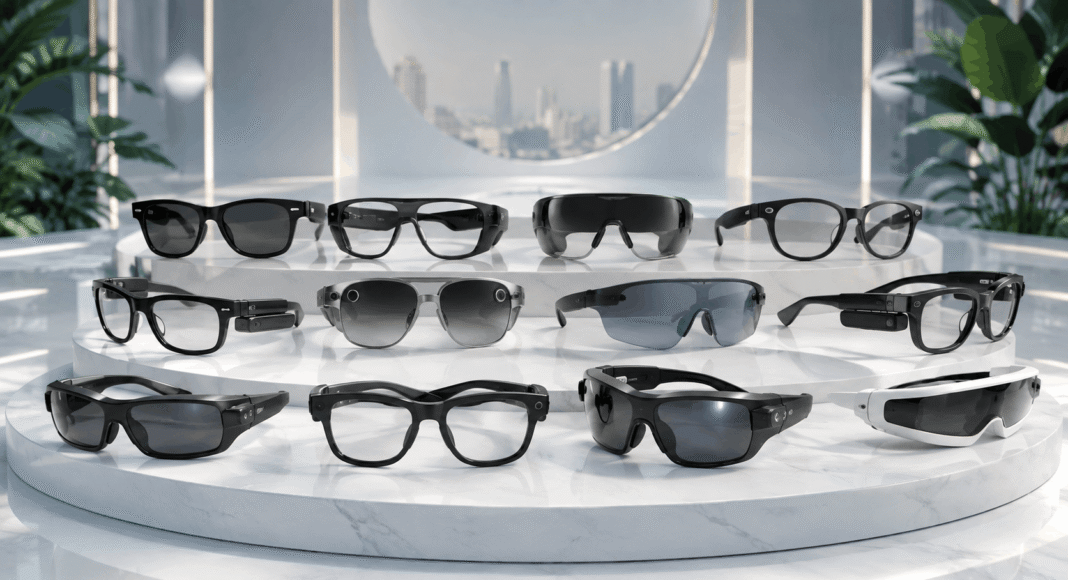

Key Takeaways
- The best smart glasses in 2026 combine AI assistants, AR displays, cameras, open-ear audio, translation, navigation, and hands-free computing.
- Leading smart glasses from Meta, Oakley, VITURE, XREAL, RayNeo, Rokid, and Even Realities serve different needs, including gaming, productivity, travel, sports, and content creation.
- Choosing the right smart glasses depends on display quality, AI capabilities, battery life, comfort, camera performance, prescription support, compatibility, price, and intended use.
Ray-Ban Meta Gen 2 leads the top smart glasses to buy in 2026 by combining Meta AI, hands-free photography, 3K video, open-ear audio, and improved battery life in everyday eyewear. Other leading smart glasses focus on AR displays, gaming, productivity, sports, translation, travel, and content creation.
The smart glasses market has entered a new stage of development in 2026, with wearable eyewear evolving beyond experimental augmented reality concepts into practical devices for artificial intelligence, entertainment, productivity, content creation, communication, and sports. The top smart glasses to buy in 2026 now range from discreet AI-powered eyewear with cameras and voice assistants to sophisticated AR glasses capable of transforming a laptop, smartphone, or gaming handheld into a massive virtual display.
Rapid advances in artificial intelligence, Micro-OLED and Micro-LED displays, waveguide optics, spatial computing, battery efficiency, cameras, and open-ear audio are expanding what consumers can expect from smart eyewear. Some models emphasize everyday AI assistance, allowing wearers to ask questions, identify objects, translate conversations, capture first-person videos, make calls, and listen to music without constantly reaching for a smartphone. Others concentrate on immersive entertainment and productivity by projecting large virtual screens for movies, gaming, coding, and multi-monitor workflows.
This diversification means that there is no single pair of smart glasses that is best for every consumer. Ray-Ban Meta Gen 2 targets mainstream users looking for everyday AI and hands-free content capture, while products such as VITURE Beast and XREAL One Pro focus heavily on premium wearable displays and spatial computing. Even Realities G2 takes a more discreet approach with glanceable heads-up information, while Oakley Meta Vanguard is engineered around running, cycling, outdoor activities, and fitness-focused content capture.
Price has also become an important competitive factor. Consumers can now find capable smart glasses around the $300 range, while more sophisticated display and heads-up models can cost $500, $600, or considerably more. The buying decision therefore depends on more than simply choosing the device with the longest specification sheet. Display quality, AI capabilities, camera performance, field of view, battery life, weight, prescription compatibility, device connectivity, privacy, software support, and intended use all need to be considered.
This guide to the Top 10 Smart Glasses To Buy in 2026 compares leading options across AI eyewear, AR display glasses, sports smart glasses, portable gaming displays, and productivity-focused wearable technology. It examines Ray-Ban Meta Gen 2, VITURE Beast, Meta Ray-Ban Display, VITURE Pro 2, Oakley Meta HSTN, XREAL One Pro, Even Realities G2, RayNeo Air 4 Pro, Rokid AI Glasses Style, and Oakley Meta Vanguard.
Whether the priority is finding the best AI smart glasses for everyday use, the best AR glasses for gaming, smart glasses for travel and translation, wearable displays for productivity, or performance eyewear for sports, understanding the differences between these products is essential. As smart glasses become lighter, more capable, and increasingly integrated with AI, 2026 is shaping up to be an important year for consumers considering wearable computing as part of their daily lives.
Before we venture further into this article, we would like to share who we are and what we do.
About 9cv9
9cv9 is a business tech startup based in Singapore and Asia, with a strong presence all over the world.
With over ten years of startup and business experience, and being highly involved in connecting with thousands of companies and startups, the 9cv9 team has listed some of the top and best companies/tools in this review.
If you like to get your company listed in our top B2B software reviews, check out our world-class 9cv9 Media and PR service and pricing plans here.
Top 10 Smart Glasses To Buy in 2026
- Ray-Ban Meta Gen 2
- VITURE Beast
- Meta Ray-Ban Display
- VITURE Pro 2
- Oakley Meta HSTN
- XREAL One Pro
- Even Realities G2
- RayNeo Air 4 Pro
- Rokid AI Glasses Style
- Oakley Meta Vanguard
1. Ray-Ban Meta Gen 2
Ray-Ban Meta Gen 2 stands among the strongest all-round smart glasses choices for consumers in 2026. Developed through the collaboration between Meta and EssilorLuxottica, the second-generation model combines the appearance of conventional premium eyewear with hands-free photography, video recording, open-ear audio, calling, and Meta AI functionality.
Rather than competing directly with augmented-reality glasses that place graphics in front of the wearer, Ray-Ban Meta Gen 2 focuses on making artificial intelligence, cameras, and audio accessible through an unobtrusive everyday frame. Its combination of recognizable Ray-Ban styling, improved battery endurance, 3K video capture, prescription-lens compatibility, and a comparatively accessible starting price makes it particularly attractive to first-time smart-glasses buyers in 2026.
Key Specifications
| Feature / Metric | Specification Detail |
|---|---|
| Product Category | AI-powered camera and audio smart glasses |
| Starting Price | $379 |
| Camera | 12MP ultrawide |
| Maximum Video Resolution | Up to 3K |
| Audio System | Open-ear speakers |
| Microphone System | Five-microphone array |
| AI Assistant | Meta AI |
| Battery Life | Up to 8 hours with moderate use |
| Charging Case | Up to 48 additional hours of charging |
| Frame Options | Wayfarer, Headliner and Skyler |
| Prescription Lenses | Supported |
| Visual Display | None |
| Primary Use Cases | AI assistance, photography, video, calls, music and hands-free content capture |
Design and Everyday Wearability
One of the greatest strengths of Ray-Ban Meta Gen 2 is that it does not immediately resemble a conventional technology wearable. The electronics, camera, speakers, microphones, battery, and controls are integrated into familiar Ray-Ban frame designs.
Wayfarer, Headliner and Skyler configurations give buyers substantially more aesthetic flexibility than many competing smart glasses. Various lens configurations are also available, including prescription options.
This conventional-eyewear approach is strategically important. Smart glasses intended for everyday use must compete not only on computing capabilities but also on comfort, appearance, and social acceptability. Ray-Ban Meta Gen 2 performs particularly well in this area because users can obtain many smart functions without wearing a conspicuous headset or display.
Camera and Hands-Free Content Creation
The integrated 12MP ultrawide camera is one of the defining features of Ray-Ban Meta Gen 2. The second generation increases maximum video capture to 3K, representing a meaningful improvement for users who regularly record point-of-view footage.
Hands-free recording is particularly useful for travel, events, cooking, outdoor activities, social content, and situations where holding a smartphone would interrupt the experience.
However, these glasses should not be regarded as a complete smartphone-camera replacement. The fixed first-person perspective and absence of conventional camera controls such as optical zoom limit their versatility when subjects are far away or precise composition is required.
Camera Capability Matrix
| Camera Function | Ray-Ban Meta Gen 2 Capability | Practical Value |
|---|---|---|
| Photography | 12MP ultrawide camera | Strong for spontaneous first-person images |
| Video | Up to 3K recording | Suitable for higher-quality POV content |
| Hands-Free Capture | Supported | Excellent for travel and activities |
| First-Person Perspective | Native | Useful for immersive social content |
| Optical Zoom | Not available | Limits distant-subject photography |
| Precise Framing | Limited | Smartphone remains better for composed photography |
Meta AI and Smart Features
Meta AI transforms the glasses from a wearable camera into a hands-free AI assistant. Users can interact through voice commands and use the camera as contextual input, allowing the system to interpret elements within the wearer’s surroundings.
This creates practical applications ranging from asking questions about objects to translation and general information retrieval. The ability to interact with AI without continuously looking at a smartphone represents one of the most compelling arguments for AI glasses as a new computing category.
The experience nevertheless remains fundamentally audio-first. Unlike display-equipped smart glasses, Ray-Ban Meta Gen 2 cannot place directions, messages, images, subtitles, or other digital information directly within the wearer’s field of view.
AI and Interface Matrix
| Capability | Availability | User Experience |
|---|---|---|
| Voice AI Assistant | Yes | Strong |
| Camera-Based AI Queries | Yes | Strong |
| Translation Features | Yes | Useful for travel and communication |
| Hands-Free Questions | Yes | Excellent |
| Calls and Messaging Integration | Yes | Strong |
| Visual Heads-Up Display | No | Major limitation |
| AR Graphics | No | Not designed as full AR eyewear |
| Screen-Based Navigation | No | Display-equipped competitors are stronger |
Audio and Communications
Open-ear speakers built into the temples allow users to listen to music, podcasts, calls, and AI responses while maintaining greater awareness of their surroundings than conventional in-ear headphones.
A five-microphone array supports calls, voice commands, and audio capture. This makes the glasses particularly useful for users who frequently make calls or interact with AI while walking or performing other activities.
The open-ear architecture naturally introduces compromises. Very noisy environments can overwhelm the speakers, while higher listening volumes may provide less privacy than sealed earbuds or headphones.
Battery Life and Charging
Battery endurance is one of the most significant improvements over the previous generation. Meta specifies up to eight hours of moderate use, approximately twice the moderate-use figure associated with the earlier generation.
The charging case extends practical endurance substantially, providing up to 48 hours of additional charging capacity. This makes Gen 2 considerably more suitable for full-day usage, travel, and regular content creation.
| Battery Metric | Gen 2 | Practical Impact |
|---|---|---|
| Moderate-Use Battery | Up to 8 hours | Suitable for substantially longer daily wear |
| Charging Case Capacity | Up to 48 hours | Reduces dependence on wall charging |
| Generation Improvement | Approximately double the previous moderate-use endurance | Major reason to choose Gen 2 |
| Best Application | Daily commuting, travel and intermittent recording | Strong |
Performance and Critical Reception
Ray-Ban Meta Gen 2 has generally been regarded as an evolutionary rather than revolutionary upgrade. The most meaningful improvements center on battery endurance and video quality rather than an entirely new interaction model.
Tom’s Guide concluded that the second-generation model remained one of the strongest smart-glasses options for most buyers, emphasizing its accessible design, improved camera, and longer battery life. Longer-term reviews have similarly identified battery endurance as one of the most important reasons to choose Gen 2 over its predecessor.
The broader commercial momentum behind Meta’s eyewear platform is also substantial. EssilorLuxottica reported that sales of Ray-Ban Meta increased by more than 200 percent during the first half of 2025. For the full year, the company subsequently reported more than seven million AI-glasses units sold across Ray-Ban Meta and Oakley Meta products combined. This scale gives the ecosystem an important advantage in a smart-glasses market still populated by many relatively niche products.
Advantages and Limitations
| Advantages | Limitations |
|---|---|
| Familiar Ray-Ban appearance | No integrated visual display |
| Strong hands-free camera experience | Cannot provide conventional visual AR |
| Up to 3K video recording | Limited camera framing flexibility |
| Up to eight-hour moderate-use battery | Heavy recording and AI use reduce endurance |
| Meta AI integration | Many functions remain dependent on Meta’s ecosystem |
| Five-microphone audio system | Open-ear audio is less private at higher volumes |
| Prescription-lens support | More expensive than standard premium sunglasses |
| Mature consumer ecosystem | Privacy remains an important consideration |
Who Should Buy Ray-Ban Meta Gen 2?
Ray-Ban Meta Gen 2 is best suited to consumers who want smart glasses that can realistically function as everyday eyewear rather than as a specialized augmented-reality headset.
| Buyer Type | Suitability | Reason |
|---|---|---|
| First-Time Smart Glasses Buyer | Excellent | Balanced combination of design, AI and camera features |
| Content Creator | Excellent | Convenient hands-free POV photography and video |
| Traveler | Very Good | Camera, AI and translation capabilities |
| Commuter | Very Good | Calls, audio and AI without constantly using a phone |
| Prescription Glasses User | Very Good | Prescription configurations available |
| Fitness User | Good | Useful hands-free features, although sports-focused alternatives may be better |
| AR Enthusiast | Limited | No visual display |
| Productivity Display User | Limited | Cannot replace a monitor or heads-up display |
| Existing Gen 1 Owner | Moderate | Improvements are meaningful but primarily evolutionary |
Verdict
For buyers researching the top smart glasses to buy in the world in 2026, Ray-Ban Meta Gen 2 represents one of the safest mainstream choices. Its greatest achievement is not delivering the most advanced augmented-reality technology, but integrating useful AI, photography, video, communications, and audio capabilities into eyewear that remains practical enough for ordinary daily use.
The improved eight-hour moderate-use battery life and 3K video capability address two important weaknesses of the previous generation, while Meta AI gives the glasses a growing range of hands-free contextual functions. Buyers seeking holographic displays or sophisticated visual AR should consider display-equipped alternatives, but consumers prioritizing wearable AI, discreet design, hands-free content creation, and everyday usability will find Ray-Ban Meta Gen 2 particularly competitive in 2026.
2. VITURE Beast
The VITURE Beast is a premium pair of XR display glasses designed for consumers who prioritize gaming, entertainment, and portable large-screen computing in 2026. Unlike AI-focused smart glasses built around cameras and voice assistants, the Beast functions primarily as a wearable private display, projecting content from compatible smartphones, laptops, handheld gaming systems, and other USB-C video sources.
With dual Sony Micro-OLED displays, 1920 x 1200 resolution per eye, a 58-degree field of view, up to 120Hz refresh rate, built-in 3DoF tracking, and a claimed 174-inch virtual display, the Beast occupies the high-performance end of the consumer XR glasses market. Its $549 starting price reflects its positioning as VITURE’s flagship display-focused eyewear.
Key Specifications
| Feature / Metric | Specification Detail |
|---|---|
| Product Category | Premium XR display glasses |
| Starting Price | $549 |
| Display Technology | Dual Sony Micro-OLED |
| Resolution | 1920 x 1200 per eye |
| Combined Resolution | 3840 x 1200 |
| Virtual Display Size | Up to 174 inches |
| Field of View | 58 degrees |
| Maximum Refresh Rate | 120Hz |
| Peak Perceived Brightness | 1,250 nits |
| Contrast Ratio | At least 100,000:1 |
| Color Coverage | 108% sRGB |
| Spatial Tracking | Built-in 3DoF |
| Lens Dimming | Nine-level electrochromic tint |
| Audio | HARMAN AudioEFX spatial sound |
| Weight | 88 grams |
| Connection | USB-C |
| Internal Battery | None |
| Myopia Adjustment | None |
| Prescription Solution | Prescription lens frame included |
Display Architecture and Image Quality
The display system is the central attraction of the VITURE Beast. Two Sony Micro-OLED panels provide 1920 x 1200 pixels per eye, accompanied by a 58-degree field of view and refresh rates reaching 120Hz. VITURE markets the resulting image as equivalent to viewing a virtual screen measuring up to 174 inches.
These specifications make the Beast particularly compelling for movies, console gaming, PC gaming, and situations where carrying a physical monitor would be impractical.
The displays provide a claimed contrast ratio of at least 100,000:1 and 108% sRGB color coverage. Peak perceived brightness reaches 1,250 nits, rather than the 1,500-nit figure sometimes associated with promotional or early product information.
Display Performance Matrix
| Display Attribute | VITURE Beast Capability | Practical Benefit |
|---|---|---|
| Panel Technology | Sony Micro-OLED | High contrast and strong image clarity |
| Resolution | 1920 x 1200 per eye | Detailed text, games and video |
| Maximum Refresh Rate | 120Hz | Smoother gaming and motion |
| Field of View | 58 degrees | Greater visual immersion |
| Virtual Screen | Up to 174 inches | Cinema-like portable viewing |
| Peak Perceived Brightness | 1,250 nits | Strong visibility across varied environments |
| Contrast Ratio | At least 100,000:1 | Deep blacks and high image separation |
| Color Coverage | 108% sRGB | Vivid presentation |
| 3D Support | Yes | Supports immersive stereoscopic content |
Spatial Computing and 3DoF Tracking
An important differentiator is the Beast’s built-in VisionPair 3DoF functionality. Three-degrees-of-freedom tracking detects rotational head movements and allows virtual displays to behave more like screens positioned within the user’s environment rather than images permanently attached to the center of vision.
The system supports functions including screen pinning, positioning, resizing, ultrawide viewing, and side-view configurations. Compatible software can expand this further into multi-monitor productivity environments.
However, the distinction between 3DoF and full spatial tracking remains important. The Beast tracks head rotation rather than providing the complete positional tracking associated with sophisticated 6DoF mixed-reality headsets.
Spatial Capability Matrix
| Capability | Availability | Best Application |
|---|---|---|
| Native 3DoF Tracking | Yes | Anchored virtual displays |
| Screen Pinning | Yes | Movies and productivity |
| Screen Resizing | Yes | Personalized viewing |
| Ultrawide Mode | Yes | Desktop productivity |
| Multi-Screen Support | Software dependent | Laptop workstation replacement |
| 2D-to-3D Features | Supported | Entertainment and gaming |
| Full 6DoF Tracking | No | Not designed for room-scale AR |
| Standalone Computing | No | Requires a connected source device |
Gaming and Entertainment
Gaming is one of the strongest use cases for the VITURE Beast. Its combination of 120Hz refresh capability, large perceived display size, Micro-OLED panels, and USB-C connectivity makes it particularly well suited to portable gaming systems and compatible consoles.
The glasses can operate with handheld gaming devices and other compatible video sources, while VITURE offers additional docks and adapters to broaden connectivity. The Mobile Dock Mini, for example, supports 1920 x 1200 2D output at up to 120Hz and 3840 x 1200 side-by-side 3D at up to 60Hz.
| Usage Scenario | Suitability | Key Advantage |
|---|---|---|
| Handheld Gaming | Excellent | Large private display without carrying a monitor |
| PC Gaming | Excellent | 120Hz and Micro-OLED image quality |
| Movies and Streaming | Excellent | 174-inch-equivalent virtual screen |
| Air Travel | Excellent | Large display within a compact wearable |
| Laptop Productivity | Very Good | Ultrawide and multi-screen capabilities |
| Smartphone Entertainment | Very Good | Portable USB-C display |
| Outdoor AR Navigation | Limited | Not designed as transparent full AR eyewear |
| Standalone XR Gaming | Limited | Requires external computing hardware |
Electrochromic Dimming
The Beast incorporates nine levels of dynamic electrochromic tint control. VITURE specifies optical transmittance ranging from approximately 0.5% to 40%, allowing the glasses to alter how much environmental light reaches the wearer.
This is particularly useful because environmental lighting has a major influence on perceived image quality in display glasses. Darkening the background can increase immersion during movies and games, while greater transparency helps users maintain awareness of their surroundings.
The Auto Transparency function adds another layer of convenience by dynamically managing transparency as users shift their attention.
Audio Experience
VITURE integrates HARMAN AudioEFX technology with built-in spatial sound. The open-ear architecture provides audio without requiring conventional headphones, helping the Beast operate as a self-contained personal entertainment display once connected to a source device.
Open-ear speakers nevertheless have predictable limitations. Dedicated headphones remain preferable when maximum bass response, isolation, or privacy is required.
Design, Weight and Comfort
At 88 grams, the Beast is substantially heavier than ordinary prescription glasses or sunglasses. Its aluminum-magnesium construction accommodates the displays, optics, electronics, speakers, and tracking hardware while maintaining a relatively conventional eyewear format.
VITURE offers Regular and Large configurations to accommodate different interpupillary distances. Multiple nose pads are included for additional fitting flexibility.
Importantly, the Beast does not contain an internal battery. It receives power through its USB-C connection, avoiding the weight and heat associated with an onboard battery but making the cable an unavoidable part of normal operation.
Vision Correction
One notable omission is adjustable myopia correction. VITURE officially lists diopter adjustment as unavailable. Instead, the package includes a prescription lens frame for users requiring vision correction.
| Vision Feature | Support |
|---|---|
| Built-In Diopter Adjustment | No |
| Prescription Lens Frame | Included |
| Regular IPD Configuration | 64.0 plus or minus 6.0 mm |
| Large IPD Configuration | 68.0 plus or minus 6.0 mm |
| Multiple Nose Pads | Four included |
Critical Reception
The VITURE Beast has received particularly strong reviews for image quality and entertainment performance. Tom’s Guide awarded it an Editor’s Choice designation and described it as its preferred all-round AR glasses option after extended testing, highlighting its sharp Micro-OLED displays, 120Hz refresh rate, wide field of view, electrochromic system, and premium construction.
VITURE’s product documentation also records a 4.5-out-of-5 “Outstanding” Editors’ Choice assessment from PCMag, while highlighting recognition from CNET and WIRED.
The reception has not been universally without criticism. Tom’s Guide identified slight chromatic aberration around image edges and fewer configuration options than some XREAL alternatives. The publication also considered competing XREAL hardware more appropriate for certain productivity and color-sensitive workloads.
Advantages and Limitations
| Advantages | Limitations |
|---|---|
| Sharp Sony Micro-OLED displays | Premium $549 starting price |
| 1920 x 1200 resolution per eye | Requires a wired connection |
| Wide 58-degree field of view | No internal battery or standalone computing |
| Smooth 120Hz refresh rate | No built-in diopter adjustment |
| 1,250-nit peak perceived brightness | Prescription users may require inserts |
| Native 3DoF tracking | 3DoF rather than full 6DoF tracking |
| Nine-level electrochromic tint | Some edge aberration may be visible |
| Large 174-inch-equivalent display | 88-gram weight is noticeable |
| Strong gaming capabilities | Productivity configuration can depend on software |
| HARMAN spatial audio | Open-ear audio provides limited isolation |
Who Should Buy the VITURE Beast?
| Buyer Type | Suitability | Reason |
|---|---|---|
| Portable Gamer | Excellent | 120Hz display and large virtual screen |
| Steam Deck-Type Handheld User | Excellent | Strong portable gaming experience |
| Frequent Traveler | Excellent | Replaces a large physical entertainment display |
| Movie Enthusiast | Excellent | Micro-OLED contrast and 174-inch virtual screen |
| Laptop Power User | Very Good | Ultrawide and multi-screen possibilities |
| Remote Worker | Very Good | Portable private workstation potential |
| Prescription User | Good | Prescription frame available, but no diopter adjustment |
| Everyday AI Glasses Buyer | Limited | Not primarily an AI assistant |
| Full AR User | Limited | Does not provide advanced 6DoF mixed reality |
| Cable-Free Wearable Buyer | Poor | USB-C tether remains necessary |
Verdict
For buyers researching the top smart glasses to buy in the world in 2026, the VITURE Beast is one of the strongest choices for gaming, movies, travel, and portable virtual-screen computing.
Its principal advantages are display-oriented rather than AI-oriented. The combination of 1920 x 1200 resolution per eye, Sony Micro-OLED technology, a 58-degree field of view, 120Hz refresh rate, 1,250-nit peak perceived brightness, native 3DoF tracking, and nine-level electrochromic dimming creates one of the more technically capable wearable-display packages available in 2026.
The Beast is therefore better understood as a premium monitor that can be worn on the face than as a replacement for camera-equipped AI glasses. Consumers wanting hands-free photography and conversational AI may be better served by products such as Ray-Ban Meta, while buyers who primarily want an immersive private screen for gaming, streaming, travel, and productivity are much closer to the VITURE Beast’s intended audience.
3. Meta Ray-Ban Display
The Meta Ray-Ban Display represents one of the most significant steps toward practical display-equipped AI glasses available to consumers in 2026. Developed by Meta in partnership with EssilorLuxottica and Ray-Ban, the product expands beyond the camera, microphone, speaker, and AI capabilities of conventional Ray-Ban Meta glasses by integrating a private full-color display directly into the right lens.
Starting at $799 with the Meta Neural Band included, these glasses occupy the premium end of the consumer AI eyewear market. Their primary appeal is not immersive augmented reality, but quick visual interactions such as messages, walking directions, live captions, translations, camera previews, music information, and visual responses from Meta AI.
Key Specifications
| Feature / Metric | Specification Detail |
|---|---|
| Product Category | AI smart glasses with integrated visual display |
| Starting Price | $799 including Meta Neural Band |
| Display | Full-color monocular in-lens display |
| Display Resolution | 600 x 600 pixels |
| Display Position | Right lens |
| Field of View | 20 degrees diagonal |
| Maximum Brightness | Up to 5,000 nits |
| Camera | 12MP ultrawide |
| Photo Resolution | 3024 x 4032 |
| Video Resolution | 1440 x 1920 at 30fps |
| Audio | Dual open-ear speakers |
| Microphones | Five-microphone array plus contact microphone |
| Main Controls | Neural Band, voice and touch |
| Glasses Weight | Approximately 68 to 70 grams |
| Glasses Battery | Up to 6 hours per charge |
| Neural Band Battery | Up to 18 hours |
| Storage | 32GB |
| Connectivity | Wi-Fi 6 and Bluetooth 5.3 |
| Lens Type | Transitions Gen8 |
| Prescription Support | Available |
Display Architecture and Visual Experience
The defining technology of Meta Ray-Ban Display is its 600 x 600-pixel, full-color monocular display integrated into the right lens. Its approximately 20-degree diagonal field of view is considerably smaller than the expansive virtual screens offered by entertainment-oriented XR glasses, but that limitation reflects a fundamentally different product philosophy.
Rather than filling the user’s vision with a virtual cinema or desktop, the display occupies a relatively compact portion of the visual field. It is intended for short, contextual interactions while allowing the wearer to remain aware of the physical environment.
Independent technical testing reports approximately 42 pixels per degree and peak brightness of 5,000 nits. This unusually high brightness helps the display remain visible outdoors, including under daylight conditions.
Display Capability Matrix
| Display Attribute | Meta Ray-Ban Display | Practical Benefit |
|---|---|---|
| Display Type | Full-color in-lens display | Richer information than audio-only glasses |
| Resolution | 600 x 600 | Sharp interface for compact information |
| Field of View | 20 degrees diagonal | Suitable for notifications and navigation |
| Peak Brightness | Up to 5,000 nits | Strong outdoor visibility |
| Display Configuration | Monocular | Reduces complexity and bulk |
| Position | Right lens | Keeps information within quick-glance range |
| Transparency | Optical see-through | Maintains awareness of surroundings |
| Immersive AR | Limited | Not intended as a mixed-reality headset |
Meta Neural Band and EMG Controls
One of the most technically distinctive components is not located inside the glasses at all. Every pair comes with the Meta Neural Band, an electromyography-based wristband that detects electrical signals generated by muscle activity.
Subtle finger and hand movements can consequently become interface commands without requiring the wearer to hold a physical controller or perform large gestures in front of a camera. Meta positions the technology as an alternative to repeatedly touching the glasses or removing a smartphone.
The Neural Band also provides haptic feedback and has a claimed battery life of up to 18 hours.
Control System Matrix
| Input Method | Supported | Primary Application |
|---|---|---|
| EMG Neural Band | Yes | Menu navigation and discreet gestures |
| Finger Gestures | Yes | Selecting and controlling interface elements |
| Voice Commands | Yes | Meta AI and hands-free commands |
| Temple Touch Controls | Yes | Direct physical interaction |
| Smartphone Companion App | Yes | Configuration and ecosystem management |
| Conventional Controller | Not normally required | Neural Band replaces many controller functions |
| Eye Tracking | No | Not the primary interface |
Meta AI and Everyday Applications
The addition of a display substantially changes how Meta AI can communicate with the wearer. Traditional Ray-Ban Meta glasses primarily return information through audio, whereas Meta Ray-Ban Display can supplement voice interaction with visual information.
Users can view walking directions, translations, captions, messages, camera previews and other contextual information without repeatedly checking a smartphone.
Meta has continued expanding the software after launch. By July 2026, the company had introduced additional connectivity features and an updated version of Meta AI for Display users, illustrating how software updates can progressively expand the capabilities of the hardware platform.
AI and Productivity Matrix
| Capability | Availability | Practical Value |
|---|---|---|
| Meta AI | Yes | Hands-free contextual assistance |
| Visual AI Responses | Yes | Information can appear directly in the lens |
| Walking Navigation | Yes | Visual turn-by-turn guidance |
| Live Captions | Yes | Improves conversational accessibility |
| Live Translation | Yes | Translated speech can appear as captions |
| Message Viewing | Yes | Reduces smartphone checking |
| Photo Preview | Yes | Helps frame and review captured content |
| Music Information | Yes | Displays album and media information |
| Third-Party Notifications | Limited | Important ecosystem restriction |
Camera, Audio and Communications
A 12MP ultrawide camera complements the display. Official specifications list 3024 x 4032-pixel photography and video recording at 1440 x 1920 pixels and 30 frames per second.
This camera has an additional advantage over display-free smart glasses: users can preview photographs within the lens before sharing them.
Audio comes through two open-ear speakers, while voice capture uses a five-microphone array supplemented by a contact microphone positioned around the nose bridge. This combination supports calls, AI conversations, media playback and voice commands while preserving environmental awareness.
Messaging and Connectivity
Communication is another major focus. The glasses can display and respond to supported messages without requiring the user to remove a smartphone.
However, ecosystem limitations remain one of the product’s most significant weaknesses. Independent testing has criticized its dependence on Meta’s services. Support for Messenger, Instagram and WhatsApp is considerably stronger than generalized third-party application notifications.
| Communication Function | Support Level |
|---|---|
| Strong | |
| Messenger | Strong |
| Strong | |
| Phone Calls | Supported |
| Standard Phone Messages | Supported |
| General Third-Party Notifications | Limited |
| Visual Message Reading | Supported |
| Hands-Free Replies | Supported |
Battery Life and Portability
Official specifications rate the glasses for up to six hours of operation from a single charge. The charging case extends practical usage beyond the glasses’ internal battery capacity, although actual endurance will naturally depend on display, camera, AI and communications usage.
The Meta Neural Band lasts substantially longer, with up to 18 hours of battery life.
At approximately 68 grams for the standard configuration and 70 grams for the large version, Meta Ray-Ban Display is heavier than conventional glasses and standard Ray-Ban Meta models. The additional mass reflects the integrated display and associated electronics.
Critical Reception
The Meta Ray-Ban Display has received substantial recognition for its engineering while attracting more mixed assessments regarding software freedom and overall value.
PCMag’s 2026 evaluation awarded the product 3.0 out of 5. Its assessment praised the sharp full-color display, Neural Band controls and navigation capabilities but considered Meta’s restrictive ecosystem a significant obstacle. The publication ultimately categorized the glasses as the most advanced waveguide display glasses in its 2026 smart-glasses roundup while recommending alternatives for consumers prioritizing broader software functionality.
This distinction is important. The hardware demonstrates what compact display-equipped AI glasses can accomplish, but the software ecosystem determines how frequently those capabilities become useful in everyday life.
Advantages and Limitations
| Advantages | Limitations |
|---|---|
| Full-color display integrated into everyday eyewear | High $799 starting price |
| Extremely bright display reaching 5,000 nits | Small 20-degree field of view |
| Innovative EMG Neural Band controls | Display appears only in one lens |
| 600 x 600 display resolution | Limited immersive AR capabilities |
| Visual navigation | Restricted third-party notification support |
| Live captions and translations | Strong dependence on Meta ecosystem |
| Meta AI integration | Heavier than conventional Ray-Ban Meta glasses |
| Built-in 12MP camera | Approximately six-hour glasses battery |
| Photo preview through the display | First-generation display platform |
| Prescription configurations available | Less useful for users outside Meta services |
Who Should Buy Meta Ray-Ban Display?
| Buyer Type | Suitability | Reason |
|---|---|---|
| AI Technology Enthusiast | Excellent | One of the most advanced consumer AI eyewear platforms |
| Early Adopter | Excellent | Combines display, AI and EMG interaction |
| Frequent Meta App User | Excellent | Strong WhatsApp, Messenger and Instagram integration |
| Content Creator | Very Good | Camera preview and hands-free capture |
| Urban Traveler | Very Good | Visual walking navigation and translation |
| Busy Professional | Very Good | Messages and contextual information without checking a phone |
| Prescription User | Good | Prescription configurations are available |
| General Smartphone User | Good | Useful features but ecosystem limitations remain |
| Immersive AR Gamer | Poor | Small monocular display is not designed for immersive gaming |
| Virtual Monitor User | Poor | XR display glasses provide much larger virtual screens |
Meta Ray-Ban Display vs Traditional AI Glasses
| Category | Meta Ray-Ban Display | Typical Display-Free AI Glasses |
|---|---|---|
| Voice AI | Yes | Yes |
| Camera | Yes | Usually |
| Open-Ear Audio | Yes | Usually |
| Visual Display | Yes | No |
| Visual Navigation | Yes | No |
| Live Visual Captions | Yes | No |
| Visual Message Reading | Yes | No |
| Photo Preview | Yes | No |
| Gesture Interface | Neural Band EMG | Usually touch and voice |
| Weight | Approximately 68 to 70 grams | Generally lighter |
| Starting Price | $799 | Generally substantially cheaper |
Verdict
For consumers researching the top smart glasses to buy in the world in 2026, Meta Ray-Ban Display represents one of the clearest bridges between today’s AI glasses and the more ambitious augmented-reality eyewear expected in the future.
Its 600 x 600 full-color monocular display, 5,000-nit peak brightness, 20-degree field of view, 12MP camera, open-ear audio and innovative Meta Neural Band establish an unusually sophisticated hardware platform within a relatively conventional eyewear form factor.
The product should not, however, be mistaken for immersive AR glasses. Its compact display is optimized for glanceable information rather than virtual objects filling the wearer’s surroundings. The $799 price and limitations surrounding third-party notifications also reduce its appeal for mainstream consumers.
For buyers deeply invested in Meta’s ecosystem who want visual AI assistance, discreet messaging, navigation, live captions and camera functionality without constantly reaching for a smartphone, Meta Ray-Ban Display is nevertheless one of the most technically important smart-glasses options available in 2026.
4. VITURE Pro 2
The VITURE Pro 2 is one of the most compelling affordable XR display glasses for buyers in 2026, combining premium Sony Micro-OLED panels with a $299 starting price. Positioned below the flagship VITURE Beast, the Pro 2 concentrates on the features most important for gaming, movies, travel, and portable screen replacement rather than advanced spatial computing.
Its key strengths include a 146-inch-equivalent virtual display, 1920 x 1080 resolution per eye, up to 1,600 nits of perceived brightness, a 120Hz refresh rate, 50-degree field of view, and built-in myopia adjustment. At only 63 grams, it is also approximately 20% lighter than its predecessor, making comfort a central part of the Pro 2 proposition.
Key Specifications
| Feature / Metric | Specification Detail |
|---|---|
| Product Category | Affordable XR display glasses |
| Starting Price | $299 |
| Display Technology | Dual Sony Micro-OLED |
| Resolution | 1920 x 1080 per eye |
| Combined Resolution | 3840 x 1080 |
| Virtual Display Size | 146 inches |
| Field of View | 50 degrees |
| Maximum Refresh Rate | 120Hz |
| Perceived Brightness | Up to 1,600 nits |
| Contrast Ratio | At least 100,000:1 |
| Color Coverage | 108% sRGB |
| Myopia Adjustment | 0 to -5.0D |
| Weight | 63 grams |
| Connectivity | USB-C |
| Internal Battery | No |
| Lens Shade | Included |
| Primary Uses | Gaming, movies, travel and portable computing |
Display Architecture and Image Quality
VITURE Pro 2 uses Sony Micro-OLED panels with a native resolution of 1920 x 1080 pixels for each eye. Together, the two displays provide a combined 3840 x 1080 resolution, while the optical system produces the perception of viewing a screen measuring approximately 146 inches.
The display reaches up to 1,600 nits of perceived brightness and supports refresh rates as high as 120Hz. A 50-degree field of view provides greater immersion than the previous Pro generation while remaining substantially more compact than a conventional VR headset.
VITURE also specifies at least a 100,000:1 contrast ratio and 108% sRGB color coverage, helping the Micro-OLED panels produce deep blacks and vibrant colors during movies and games.
Display Performance Matrix
| Display Attribute | VITURE Pro 2 Capability | Practical Benefit |
|---|---|---|
| Panel Technology | Sony Micro-OLED | Excellent contrast and compact dimensions |
| Resolution | 1920 x 1080 per eye | Sharp Full HD content |
| Virtual Screen | 146 inches | Large-screen viewing without a monitor |
| Field of View | 50 degrees | Strong immersion for compact XR glasses |
| Refresh Rate | Up to 120Hz | Smooth gaming and motion |
| Perceived Brightness | Up to 1,600 nits | Strong image visibility |
| Contrast Ratio | At least 100,000:1 | Deep blacks and strong image separation |
| Color Coverage | 108% sRGB | Vivid colors |
| 3D Support | Yes | Supports stereoscopic content |
UltraClarity 3.0 Optics
A significant component of the Pro 2 upgrade is VITURE’s UltraClarity 3.0 optical system. The company has focused on improving edge-to-edge clarity so that details and text remain readable beyond the central portion of the image.
This is particularly relevant for productivity. Virtual display glasses can appear impressive when watching movies while still struggling with small desktop text around the edges. VITURE’s latest optical architecture attempts to reduce this problem while maintaining the compact birdbath-optics design.
| Optical Feature | Purpose |
|---|---|
| UltraClarity 3.0 | Improves image sharpness across the viewing area |
| Birdbath Optics | Produces a large virtual image from compact displays |
| 50-Degree FOV | Expands perceived viewing area |
| High Contrast Micro-OLED | Improves blacks and image definition |
| SGS A+ Certification | Addresses eye-strain considerations |
| Adjustable Diopters | Helps myopic users obtain a sharp image |
Built-In Myopia Adjustment
One of the VITURE Pro 2’s most useful advantages is its integrated vision adjustment system.
Twin diopter controls allow independent adjustment between 0 and -5.0D. Many users with myopia can therefore sharpen the virtual image without purchasing separate prescription inserts.
This makes the Pro 2 especially attractive for households where different people may use the glasses. Each eye can be adjusted independently before viewing.
Users whose prescriptions exceed the built-in correction range, or who require correction for conditions such as significant astigmatism, can still use dedicated prescription lens frames.
Vision Adjustment Matrix
| Vision Requirement | VITURE Pro 2 Solution |
|---|---|
| Normal Vision | No adjustment required |
| Mild Myopia | Built-in adjustment |
| Moderate Myopia | Built-in adjustment up to -5.0D |
| Different Prescription Per Eye | Independent adjustment supported |
| Myopia Beyond -5.0D | Prescription insert may be required |
| Significant Astigmatism | Prescription lens solution recommended |
| Shared Household Use | Diopters can be readjusted between users |
Gaming Performance
Gaming represents one of the strongest reasons to consider VITURE Pro 2. The 120Hz refresh rate makes fast-moving games considerably smoother than conventional 60Hz wearable displays, while the 146-inch-equivalent screen creates a significantly more immersive experience than the integrated display of a handheld gaming system.
Compatible USB-C devices can connect directly to the glasses. VITURE specifically promotes compatibility with handheld gaming hardware such as Steam Deck and ROG Ally, while docks and adapters extend support to additional systems.
| Gaming Scenario | Suitability | Primary Advantage |
|---|---|---|
| Handheld PC Gaming | Excellent | Large 120Hz virtual screen |
| Steam Deck Gaming | Excellent | Direct portable display experience |
| ROG Ally Gaming | Excellent | Large private gaming screen |
| Smartphone Gaming | Very Good | Lightweight large-screen experience |
| Console Gaming | Very Good | Additional hardware may enable connectivity |
| Travel Gaming | Excellent | Much easier to carry than a monitor |
| Immersive VR Gaming | Poor | Not a VR headset |
| Room-Scale AR Gaming | Poor | No native positional tracking |
Entertainment and Travel
The Pro 2 is particularly attractive as a portable cinema. A traveler can obtain a 146-inch-equivalent private screen without carrying a tablet, portable monitor, or large laptop.
This use case is especially relevant on airplanes and trains or in hotels where display size and privacy are limited. A recent Tom’s Guide experiment using the VITURE Pro 2 and another pair of display glasses found this category particularly convincing for movies and gaming, although less successful as a complete replacement for conventional screens during an entire working day.
Comfort and Weight
VITURE has made comfort a major design priority for this generation. The Pro 2 weighs approximately 63 grams, or about 2.2 ounces. According to VITURE, this makes it approximately 20% lighter than the previous design, while the frame itself is around 16% thinner.
Multiple nose-pad configurations further improve fit. These changes are important because even relatively small reductions in weight can become noticeable when glasses are worn continuously for several hours.
| Comfort Metric | VITURE Pro 2 |
|---|---|
| Weight | 63 grams |
| Weight Reduction | Approximately 20% |
| Frame Reduction | Approximately 16% thinner |
| Nose Adjustment | Multiple configurations |
| Vision Adjustment | Independent diopter controls |
| Recommended Wearing Time | Approximately 3 to 4 hours |
| Eye-Care Certification | SGS A+ |
Connectivity and Power
The VITURE Pro 2 operates primarily as a wearable external display rather than an independent computer. It connects through USB-C and receives its video signal and power from the connected device.
Eliminating an internal battery helps reduce weight and prevents users from having another battery-powered device requiring regular charging. However, this architecture means a cable generally remains attached during operation.
The host device must also provide compatible video output, or an appropriate adapter or dock must be introduced.
Spatial Computing Limitations
The affordable price requires compromises compared with VITURE’s higher-end products.
The Pro 2 should primarily be considered a wearable display rather than advanced AR eyewear. Users seeking sophisticated spatial tracking and screen anchoring should consider models such as the VITURE Beast or other dedicated spatial-computing glasses.
VITURE’s SpaceWalker software can add productivity and multi-screen functionality on supported platforms, but the Pro 2’s core hardware proposition remains centered on displaying content rather than independently mapping and understanding physical environments.
VITURE Pro 2 vs VITURE Beast
| Category | VITURE Pro 2 | VITURE Beast |
|---|---|---|
| Starting Price | $299 | $549 |
| Resolution Per Eye | 1920 x 1080 | 1920 x 1200 |
| Virtual Display | 146 inches | Up to 174 inches |
| Field of View | 50 degrees | 58 degrees |
| Refresh Rate | Up to 120Hz | Up to 120Hz |
| Myopia Adjustment | 0 to -5.0D | Prescription solution required |
| Native 3DoF | No | Yes |
| Primary Strength | Value and comfort | Premium spatial display |
| Best Buyer | Mainstream gamer and traveler | XR enthusiast and power user |
Critical Reception
Early reviews have been highly favorable. Tom’s Guide awarded the VITURE Pro 2 an Editor’s Choice distinction, praising its combination of $299 pricing, 146-inch virtual display, 1,600-nit perceived brightness, 120Hz performance, improved comfort, and adjustable myopia correction. The publication described it as potentially its new favorite pair of smart glasses after testing.
The favorable reception illustrates the Pro 2’s most important competitive advantage: it does not attempt to outperform significantly more expensive spatial-computing hardware in every category. Instead, it concentrates on delivering high-quality Micro-OLED display technology and comfort at a relatively accessible price.
Advantages and Limitations
| Advantages | Limitations |
|---|---|
| Competitive $299 starting price | Requires USB-C tethering |
| Sony Micro-OLED panels | No standalone computing |
| 1920 x 1080 resolution per eye | No native 3DoF spatial tracking |
| Bright 1,600-nit perceived display | Full HD rather than 1200p resolution |
| Smooth 120Hz refresh rate | Less suitable for advanced spatial productivity |
| Large 146-inch virtual screen | Requires compatible host hardware |
| Useful 50-degree field of view | Not designed for immersive AR |
| Built-in 0 to -5.0D myopia adjustment | Some prescriptions still require inserts |
| Lightweight 63-gram chassis | Open-ear audio cannot replace premium headphones |
| $250 cheaper than VITURE Beast | Fewer advanced features than flagship models |
Who Should Buy the VITURE Pro 2?
| Buyer Type | Suitability | Reason |
|---|---|---|
| Budget-Conscious XR Buyer | Excellent | Strong display technology for $299 |
| Handheld Gamer | Excellent | 120Hz 146-inch virtual screen |
| Frequent Traveler | Excellent | Lightweight alternative to carrying a monitor |
| Movie Enthusiast | Excellent | Large Micro-OLED cinema experience |
| Myopic User | Excellent | Built-in adjustment to -5.0D |
| Steam Deck User | Excellent | Well suited to portable gaming |
| Laptop User | Very Good | Useful as a private portable display |
| Remote Worker | Good | Suitable for lighter productivity workloads |
| Spatial Computing Enthusiast | Limited | Lacks native advanced tracking |
| Full AR User | Poor | Not intended for environment-aware AR applications |
Verdict
For consumers comparing the top smart glasses to buy in the world in 2026, the VITURE Pro 2 stands out as one of the strongest value-oriented XR display glasses.
The $299 price is particularly significant because it still provides dual Sony Micro-OLED panels, 1920 x 1080 resolution per eye, a 146-inch virtual display, 50-degree field of view, up to 1,600 nits of perceived brightness, 120Hz refresh rate, and integrated myopia adjustment from 0 to -5.0D.
The main trade-off is straightforward: buyers sacrifice some of the spatial functionality and premium hardware available in models such as the VITURE Beast in exchange for substantially lower cost, lighter weight, and built-in focus adjustment.
For gaming, streaming, travel, and personal big-screen entertainment, that compromise makes considerable sense. Buyers who primarily want a sharp, comfortable virtual display rather than sophisticated augmented reality may find the VITURE Pro 2 one of the most balanced smart-glasses purchases available in 2026.
5. Oakley Meta HSTN
The Oakley Meta HSTN is a sport-inspired pair of AI smart glasses designed for active users, outdoor enthusiasts, travelers, and hands-free content creators. Developed through the collaboration between Meta and EssilorLuxottica’s Oakley brand, the HSTN combines Oakley’s performance-oriented eyewear design and Prizm lens technology with Meta’s camera, open-ear audio, microphones, and conversational AI platform.
Starting at $399, with premium configurations reaching approximately $499, the HSTN occupies a position between everyday lifestyle AI glasses and more specialized sports wearables. Its combination of 3K video recording, up to eight hours of typical battery life, IPX4 water resistance, and Oakley optics makes it particularly attractive to consumers researching the best smart glasses for outdoor and active use in 2026.
Key Specifications
| Feature / Metric | Specification Detail |
|---|---|
| Product Category | Active lifestyle AI smart glasses |
| Starting Price | $399 |
| Premium Configuration | Approximately $499 |
| Lens Technology | Oakley Prizm options available |
| Camera | 12MP ultrawide |
| Maximum Video Resolution | Up to 3K |
| AI Platform | Meta AI |
| Audio | Open-ear speakers |
| Typical Battery Life | Up to 8 hours |
| Charging Case | Up to 48 hours total usage |
| Fast Charging | Approximately 50% in 20 minutes |
| Water Resistance | IPX4 |
| Visual Display | None |
| Primary Uses | AI assistance, outdoor activities, music, calls and POV capture |
Design and Active-Lifestyle Positioning
Oakley Meta HSTN takes a different approach from the more fashion-oriented Ray-Ban Meta family. Its design is based on Oakley’s recognizable HSTN eyewear, giving the glasses a sportier aesthetic intended to work particularly well for outdoor activities and high-mobility lifestyles.
This positioning does not make the HSTN a dedicated professional sports wearable. The glasses remain lifestyle-oriented eyewear rather than specialized cycling or running equipment. For more intensive sports applications, Meta and Oakley’s newer Vanguard line offers additional performance-oriented capabilities.
For hiking, walking, travel, casual cycling, sightseeing, outdoor content creation, and everyday exercise, however, the HSTN offers an appealing balance between conventional sunglasses and wearable technology.
Use-Case Matrix
| Activity | Suitability | Primary Advantage |
|---|---|---|
| Outdoor Walking | Excellent | AI, music and hands-free camera |
| Travel | Excellent | POV capture and AI assistance |
| Hiking | Very Good | Open-ear audio preserves environmental awareness |
| Casual Running | Very Good | Hands-free audio and recording |
| Cycling | Good | Useful camera and audio functionality |
| Gym Training | Good | Music and AI without earbuds |
| Professional Sports | Moderate | More specialized alternatives are available |
| Swimming | Poor | IPX4 is not suitable for immersion |
| AR Navigation | Poor | No integrated visual display |
Oakley Prizm Optics
A major differentiator from conventional technology-first smart glasses is Oakley’s optical heritage. Available Prizm lens configurations are designed to manipulate light transmission and improve contrast in different environments.
This makes the HSTN particularly appealing to buyers who would already consider purchasing premium Oakley sunglasses. Instead of adding electronics to generic eyewear, the product combines established sunglass optics with Meta’s wearable computing platform.
Tom’s Guide specifically highlighted the polarized Prizm lenses as one of the HSTN’s strengths for outdoor use.
| Optical Feature | Practical Benefit |
|---|---|
| Oakley Prizm Options | Enhanced contrast for outdoor viewing |
| Polarized Configurations | Helps reduce glare |
| Performance Sunglass Design | Suitable for bright outdoor environments |
| Multiple Lens Styles | Allows buyers to prioritize different conditions |
| Conventional Transparent Display | Maintains unobstructed natural vision |
| Electronic HUD | Not available |
Camera and 3K Video
The HSTN integrates a 12MP ultrawide camera capable of recording video at resolutions reaching 3K. This represents one of the product’s strongest practical features and makes it particularly useful for first-person content creation.
Because the camera follows the wearer’s head position, users can record activities without holding a smartphone or action camera. Travel experiences, outdoor activities, family moments, and social-media clips can therefore be captured from a natural first-person perspective.
The architecture does introduce limitations. Precise framing is more difficult than with a smartphone because the glasses do not contain a visual viewfinder. Users must learn how their head position translates into the camera’s field of view.
Camera Capability Matrix
| Camera Function | Oakley Meta HSTN Capability | Practical Value |
|---|---|---|
| Photography | 12MP camera | Strong for spontaneous POV photography |
| Video | Up to 3K | High-quality wearable recording |
| Hands-Free Capture | Yes | Excellent for outdoor activities |
| First-Person Perspective | Yes | Natural immersive footage |
| Voice-Activated Capture | Yes | Convenient during activities |
| Visual Viewfinder | No | Framing requires experience |
| Optical Zoom | No | Limited for distant subjects |
| Action-Camera Replacement | Partial | Convenient but less specialized |
Meta AI Integration
Meta AI provides the intelligence layer behind the HSTN. Users can ask questions, interact through voice commands, capture media, communicate, and use camera-assisted AI features without continuously reaching for a smartphone.
The glasses can use their camera to provide visual context to Meta AI. This creates applications such as identifying objects, answering questions about the wearer’s surroundings, and providing contextual assistance.
However, all responses are primarily audio-based because the HSTN contains no visual display.
| AI Capability | Availability |
|---|---|
| Meta AI Voice Assistant | Yes |
| Camera-Based Visual AI | Yes |
| Object Recognition | Yes |
| Contextual Questions | Yes |
| Voice-Controlled Photography | Yes |
| Calls and Messaging | Yes |
| Visual AI Answers | No |
| Heads-Up Display | No |
| AR Graphics | No |
Audio and Communications
Open-ear speakers integrated into the frame allow music, podcasts, calls, and Meta AI responses to be heard without blocking the ear canal.
This approach has particular advantages outdoors because users can retain greater awareness of traffic, pedestrians, and environmental sounds than they might with sealed headphones.
The system also incorporates multiple microphones to capture voice commands and calls. Wind and background noise inevitably remain challenges for open wearable audio systems, particularly during faster outdoor activities.
Audio Experience Matrix
| Audio Function | Performance Profile |
|---|---|
| Music | Very Good for open-ear eyewear |
| Podcasts | Very Good |
| Phone Calls | Very Good |
| Meta AI Responses | Excellent |
| Environmental Awareness | Excellent |
| Bass Response | Moderate |
| Sound Isolation | Low |
| Maximum Privacy | Moderate |
| High-Wind Performance | More challenging |
Battery Life and Charging
Battery endurance was one of the most important improvements introduced with the Oakley Meta HSTN platform.
The glasses are rated for up to eight hours of typical operation, while the charging case extends practical endurance to approximately 48 hours. The glasses can also reach roughly 50% charge in around 20 minutes.
This longer endurance substantially improves the viability of smart glasses for day-long outings. Earlier generations of consumer AI glasses could require considerably more battery management, particularly when photography, music, calls, and AI were used heavily.
| Battery Metric | Oakley Meta HSTN |
|---|---|
| Typical Battery | Up to 8 hours |
| Total With Case | Up to 48 hours |
| Fast Charging | Around 50% in 20 minutes |
| All-Day Intermittent Use | Very Good |
| Heavy Camera Use | Reduces runtime |
| Charging Method | Dedicated charging case |
Durability and Water Resistance
The HSTN carries an IPX4 rating, providing protection against splashes and light rain. This is useful for exercise and outdoor activities but should not be confused with full waterproofing.
Users seeking substantially greater environmental protection should consider Oakley’s more sport-specific Meta Vanguard, which carries an IP67 rating.
| Environmental Scenario | HSTN Suitability |
|---|---|
| Sweat | Good |
| Light Rain | Good |
| Everyday Splashes | Good |
| Heavy Rain | Caution Recommended |
| Showering | Not Recommended |
| Swimming | Not Suitable |
| Water Immersion | Not Suitable |
Oakley Meta HSTN vs Ray-Ban Meta Gen 2
The introduction of Ray-Ban Meta Gen 2 narrowed the technical difference between the two families considerably. Both now offer 3K video and approximately eight-hour typical battery endurance.
Consequently, the buying decision in 2026 increasingly depends on styling, lenses, fit, and intended activities rather than dramatic differences in computing capability.
| Category | Oakley Meta HSTN | Ray-Ban Meta Gen 2 |
|---|---|---|
| Primary Positioning | Active lifestyle | Everyday lifestyle |
| Starting Price | $399 | $379 |
| Camera | 12MP | 12MP |
| Maximum Video | 3K | 3K |
| Typical Battery | Up to 8 hours | Up to 8 hours |
| Meta AI | Yes | Yes |
| Open-Ear Audio | Yes | Yes |
| Visual Display | No | No |
| Lens Strength | Oakley Prizm options | Broad Ray-Ban lens selection |
| Styling | Sportier | More traditional |
| Best For | Outdoor and active users | General everyday users |
Critical Reception
Independent reviewers have generally regarded the Oakley Meta HSTN as a meaningful evolution of Meta’s display-free smart-glasses platform.
Tom’s Guide praised the combination of sharper 3K video, polarized Prizm lenses, Meta AI visual intelligence, and improved battery endurance, concluding that the glasses are particularly well suited to active and outdoor users. The publication nevertheless identified the relatively high price and limited styling flexibility as drawbacks compared with Ray-Ban alternatives.
The broader Meta smart-glasses lineup has since expanded, meaning the HSTN no longer occupies every sports-oriented niche. The Oakley Meta Vanguard, for example, targets more intensive fitness users with IP67 protection, longer battery endurance, louder audio, and deeper fitness integrations.
Advantages and Limitations
| Advantages | Limitations |
|---|---|
| Oakley Prizm lens options | No visual display |
| Strong outdoor-oriented design | Higher starting price than Ray-Ban Meta Gen 2 |
| 12MP hands-free camera | Camera framing requires practice |
| Up to 3K video | Cannot provide visual navigation |
| Up to eight-hour typical battery | IPX4 rather than full waterproofing |
| 48-hour charging-case endurance | Heavy recording reduces battery life |
| Meta AI visual intelligence | Open-ear audio offers limited isolation |
| Hands-free calls and messaging | Styling is less versatile than Ray-Ban |
| Good environmental awareness | Specialized athletes may prefer Vanguard |
Who Should Buy Oakley Meta HSTN?
| Buyer Type | Suitability | Reason |
|---|---|---|
| Outdoor Enthusiast | Excellent | Combines Prizm optics, camera and AI |
| Traveler | Excellent | Hands-free capture and AI assistance |
| Casual Athlete | Excellent | Sportier fit with open-ear audio |
| Content Creator | Very Good | Convenient 3K POV recording |
| Music Listener | Very Good | Integrated open-ear speakers |
| Commuter | Very Good | Calls, music and AI in one wearable |
| Existing Oakley User | Excellent | Familiar styling combined with smart functionality |
| Serious Endurance Athlete | Good | Vanguard offers more specialized capabilities |
| AR Enthusiast | Poor | No visual display |
| Virtual-Monitor User | Poor | No display system |
Verdict
For consumers researching the top smart glasses to buy in the world in 2026, the Oakley Meta HSTN is one of the strongest choices for outdoor-oriented AI eyewear. It successfully combines Oakley’s performance-lifestyle design and Prizm optics with Meta AI, hands-free photography, 3K video, communications, and open-ear audio.
Its greatest strength is integration. Instead of asking users to wear a conspicuous headset or dedicated action camera, the HSTN places useful computing capabilities inside sunglasses that can realistically accompany travel, exercise, and everyday outdoor activities.
The market has nevertheless evolved since its introduction. Ray-Ban Meta Gen 2 now offers similar 3K recording and eight-hour battery endurance at a slightly lower starting price, while Oakley Meta Vanguard provides more specialized features for serious sports users.
That leaves the Oakley Meta HSTN occupying a useful middle ground: sportier and more outdoor-focused than Ray-Ban Meta, but less specialized than the Vanguard. For buyers who prioritize Oakley styling, Prizm optics, Meta AI, hands-free 3K capture, and everyday active wear, it remains one of the most balanced AI smart glasses available in 2026.
6. XREAL One Pro
The XREAL One Pro is a premium pair of AR display glasses designed for spatial computing, gaming, entertainment, travel, and portable desktop use. Its defining feature is the integrated X1 spatial-computing chip, which processes display stabilization and 3DoF tracking directly on the glasses instead of depending entirely on software running on the connected device.
For buyers comparing the best smart glasses in 2026, the One Pro occupies an important middle ground between simple wearable monitors and considerably larger mixed-reality headsets. Its Sony Micro-OLED displays, 57-degree field of view, native spatial screen anchoring, 120Hz refresh rate, and extensive XREAL development ecosystem make it particularly attractive to power users and developers.
Key Specifications
| Feature / Metric | Specification Detail |
|---|---|
| Product Category | Premium AR display and spatial-computing glasses |
| Display Technology | Dual Sony 0.55-inch Micro-OLED |
| Resolution | 1920 x 1080 per eye |
| Field of View | 57 degrees |
| Maximum Virtual Screen | Approximately 171 inches in standard viewing |
| Maximum Refresh Rate | 120Hz |
| Motion-to-Photon Latency | Approximately 3ms |
| Spatial Processor | XREAL X1 chip |
| Native Tracking | 3DoF |
| Maximum Perceived Brightness | 700 nits |
| Color Accuracy | Delta E below 3 |
| Lens Dimming | Three electrochromic modes |
| Audio | Sound by Bose |
| Weight | Approximately 87 grams |
| Connection | USB-C DisplayPort |
| Primary Uses | Gaming, entertainment, spatial displays and productivity |
The verified specifications differ from some earlier figures circulated for the product. XREAL currently specifies an 87-gram weight and approximately 3ms motion-to-photon latency, rather than roughly 79 grams and merely “sub-10ms.”
Display Architecture and X Prism Optics
The One Pro uses XREAL’s X Prism optical architecture alongside 0.55-inch Sony Micro-OLED displays. Each eye receives a 1920 x 1080 image, while the optical system expands the field of view to 57 degrees.
XREAL claims a virtual screen equivalent of approximately 171 inches at a viewing distance of around four meters. This substantially increases perceived screen size while retaining an eyewear-style form factor.
| Display Attribute | XREAL One Pro | Practical Benefit |
|---|---|---|
| Panel Technology | Sony Micro-OLED | Strong contrast and compact display hardware |
| Resolution | 1920 x 1080 per eye | Sharp Full HD content |
| Field of View | 57 degrees | Expansive wearable display |
| Virtual Screen | Up to approximately 171 inches | Cinema-scale personal viewing |
| Refresh Rate | Up to 120Hz | Smooth gaming and motion |
| Perceived Brightness | Up to 700 nits | Strong indoor and travel visibility |
| Color Accuracy | Delta E below 3 | More accurate color reproduction |
| Optical Architecture | X Prism | Wider image within a relatively compact frame |
X1 Spatial Computing Chip
The X1 chip is arguably more important to the One Pro’s positioning than its raw display resolution.
Instead of requiring the connected smartphone, computer, or application to perform all spatial-display processing, the X1 handles important display functions directly inside the glasses. XREAL specifies approximately 3ms motion-to-photon latency for this architecture.
This allows native 3DoF spatial functionality to operate when the glasses are connected to compatible USB-C devices without requiring additional software for basic screen anchoring.
| X1 Capability | Practical Effect |
|---|---|
| Native 3DoF Processing | Spatial functionality runs directly through the glasses |
| Approximately 3ms M2P Latency | Reduces perceived delay during head movement |
| Screen Anchoring | Virtual screen can remain positioned in space |
| Follow Mode | Display follows the wearer’s viewing direction |
| Side View | Places a smaller display away from the central view |
| Ultrawide Mode | Creates a substantially wider virtual workspace |
| Frame Interpolation | Supports output reaching 120fps |
Spatial Display Modes
The One Pro offers several modes designed for different computing scenarios.
Anchor mode keeps the virtual screen positioned within the wearer’s environment. Follow mode causes the screen to move with the user’s gaze. Side View shrinks and positions the display toward the edge of vision, while Ultrawide Mode creates a much larger curved workspace.
XREAL advertises Ultrawide Mode as producing a virtual display reaching approximately 310 inches under its specified viewing conditions.
| Display Mode | Best Application |
|---|---|
| Anchor | Movies, gaming and focused desktop work |
| Follow | Travel and general entertainment |
| Side View | Multitasking while maintaining environmental awareness |
| Ultrawide | Productivity and desktop applications |
| Standard Display | Gaming, video and everyday screen mirroring |
Gaming Performance
The combination of 120Hz refresh capability, low-latency X1 processing and a 57-degree field of view makes gaming one of the strongest applications for the One Pro.
Compatible USB-C DisplayPort devices can output directly to the glasses. XREAL lists compatibility scenarios involving smartphones, computers and handheld gaming hardware, including Steam Deck and ROG Ally.
The absence of an integrated battery also means the glasses are fundamentally dependent on their host hardware for power and content.
| Gaming Scenario | Suitability | Primary Advantage |
|---|---|---|
| Handheld PC Gaming | Excellent | Large 120Hz personal display |
| Steam Deck | Excellent | Portable big-screen experience |
| ROG Ally | Excellent | USB-C display compatibility |
| Laptop Gaming | Excellent | Large spatial screen |
| Travel Gaming | Excellent | Far smaller than carrying a monitor |
| Console Gaming | Very Good | May require appropriate adapters |
| VR Gaming | Limited | Not a conventional VR headset |
| Room-Scale AR | Limited | Additional tracking hardware is required |
Productivity and Ultrawide Computing
The One Pro is particularly interesting for users attempting to replace portable monitors.
Its Ultrawide functionality allows a connected computer to drive a significantly expanded virtual workspace. Because spatial processing occurs on the glasses, users can access core screen-positioning capabilities without depending entirely on proprietary desktop applications.
This makes the One Pro useful for travelers, developers, remote workers, and professionals who want a large private display without carrying multiple monitors.
| Productivity Task | Suitability |
|---|---|
| General Office Work | Excellent |
| Coding | Very Good |
| Large Spreadsheets | Very Good |
| Multitasking | Very Good |
| Video Playback | Excellent |
| Portable Workstation | Excellent |
| Color-Sensitive Editing | Good to Very Good |
| All-Day Desktop Replacement | User dependent |
XREAL Developer Ecosystem
The developer ecosystem represents an important advantage for buyers interested in building applications rather than simply consuming content.
XREAL SDK has transitioned from the company’s older proprietary NRSDK architecture toward integration with Unity’s XR ecosystem. The current SDK works with Unity XR Plugin architecture, XR Interaction Toolkit, and AR Foundation.
The SDK has also expanded to support 6DoF tracking for One-series devices when paired with XREAL Eye and compatible hardware. This makes the One Pro more extensible than its built-in 3DoF specification might initially suggest.
| Development Capability | Support |
|---|---|
| XREAL SDK | Yes |
| Unity Integration | Yes |
| Unity XR Plugin Architecture | Yes |
| XR Interaction Toolkit | Yes |
| AR Foundation | Yes |
| OpenXR-Aligned Hand Tracking | Yes |
| Native 3DoF | Yes |
| Optional 6DoF | Yes, with additional compatible hardware |
| Spatial Application Development | Yes |
Audio
The One Pro incorporates an open-ear audio system tuned by Bose. This allows users to consume movies, games, music, and calls without requiring separate headphones.
Open-ear architecture also preserves greater awareness of the surrounding environment. However, dedicated headphones remain preferable when users require stronger bass, isolation, or privacy.
Electrochromic Dimming
Three electrochromic transparency modes allow users to alter the amount of environmental light visible through the lenses.
The ability to darken the lenses is particularly valuable when watching movies or playing games because environmental objects behind the projected display can otherwise reduce perceived contrast.
| Dimming Mode | Typical Application |
|---|---|
| Clear | Environmental awareness |
| Shade | Mixed display and environmental viewing |
| Theatre | Maximum entertainment immersion |
IPD and Visual Fit
Optical alignment is particularly important for wearable displays because an incorrect interpupillary distance can produce blurred edges or portions of the image being cut off.
XREAL sells the One Pro in different IPD configurations and supplements this with software adjustment. Official specifications indicate coverage extending approximately from 57mm to 75mm across the available versions.
This is an important consideration when purchasing because users should determine their IPD before choosing the appropriate configuration.
XREAL One Pro vs VITURE Beast
| Category | XREAL One Pro | VITURE Beast |
|---|---|---|
| Resolution Per Eye | 1920 x 1080 | 1920 x 1200 |
| Field of View | 57 degrees | 58 degrees |
| Maximum Refresh Rate | 120Hz | 120Hz |
| Native Spatial Tracking | 3DoF | 3DoF |
| Dedicated Spatial Chip | X1 | Integrated spatial processing |
| M2P Latency | Approximately 3ms | Platform dependent |
| Developer SDK | Strong | More consumer-oriented |
| Audio | Bose-tuned | Harman-tuned |
| Primary Strength | Spatial computing ecosystem | Premium display experience |
| Best Buyer | Developers and spatial-display power users | Entertainment and display-focused users |
Advantages and Limitations
| Advantages | Limitations |
|---|---|
| Dedicated X1 spatial-computing processor | Requires a wired host connection |
| Approximately 3ms M2P latency | No standalone computing |
| Wide 57-degree field of view | 1080p rather than 1200p resolution per eye |
| Native 3DoF screen anchoring | Approximately 87-gram weight is noticeable |
| Smooth 120Hz refresh rate | No integrated conversational AI assistant |
| Sony Micro-OLED displays | Not a complete mixed-reality headset |
| Three-level electrochromic dimming | Advanced 6DoF requires additional hardware |
| Strong Unity/XR development ecosystem | Prescription users may require inserts |
| Bose-tuned audio | Premium positioning relative to entry-level XR glasses |
| Optional XREAL Eye expansion | USB-C tether remains part of normal use |
Who Should Buy the XREAL One Pro?
| Buyer Type | Suitability | Reason |
|---|---|---|
| Spatial Computing Enthusiast | Excellent | X1 processing and native 3DoF |
| Software Developer | Excellent | Strong Unity and XR development ecosystem |
| Remote Worker | Excellent | Ultrawide spatial workspace |
| Frequent Traveler | Excellent | Large private display in a compact package |
| Handheld Gamer | Excellent | 120Hz portable display |
| Movie Enthusiast | Excellent | Large Micro-OLED viewing experience |
| Programmer | Very Good | Portable ultrawide workspace |
| Early AR Adopter | Very Good | Expandable spatial capabilities |
| AI Glasses Buyer | Limited | No integrated AI assistant experience |
| Full VR User | Limited | Does not replace an immersive VR headset |
Verdict
For consumers researching the top smart glasses to buy in the world in 2026, the XREAL One Pro is one of the strongest options for spatial displays, gaming, portable productivity, and AR development.
Its greatest differentiator is the X1 chip. Instead of functioning merely as a pair of external displays strapped to the user’s face, the glasses can perform native 3DoF stabilization and screen anchoring directly through their onboard spatial processor. XREAL’s official specifications list a 57-degree field of view, 120Hz maximum refresh rate, 700-nit perceived brightness, 1920 x 1080 resolution per eye, and approximately 3ms motion-to-photon latency.
Its growing developer platform further strengthens that positioning. XREAL’s transition toward Unity XR Plugin, XR Interaction Toolkit, AR Foundation, and optional 6DoF functionality gives developers considerably more room to experiment than they would have with a simple wearable monitor.
The One Pro is therefore best viewed not as an AI assistant like Ray-Ban Meta, but as a portable spatial-computing display. For developers, gamers, travelers, and professionals who want a large virtual workspace with low-latency native spatial anchoring, it remains one of the most capable AR glasses choices in 2026.
7. Even Realities G2
The Even Realities G2 takes a distinctly different approach to smart glasses in 2026. Rather than integrating cameras, speakers, large virtual displays, or immersive augmented-reality graphics, the G2 focuses on delivering useful information through a discreet heads-up display that resembles conventional prescription eyewear.
Starting at $599, the G2 is designed around what Even Realities describes as a quieter form of wearable computing. Its dual Micro-LED waveguide displays provide navigation, notifications, translation, teleprompter functionality, AI assistance, and contextual information while allowing the wearer to remain engaged with the physical environment. Independent reviewers have particularly praised its understated appearance and two-day typical battery life.
Key Specifications
| Feature / Metric | Specification Detail |
|---|---|
| Product Category | Discreet AI and AR heads-up display glasses |
| Starting Price | $599 |
| Display Technology | Micro-LED waveguide display |
| Virtual Resolution | 640 x 200 |
| Field of View | 25 degrees |
| Perceived Brightness | Approximately 1,000 nits in reviewed specifications |
| Refresh Rate | 20Hz |
| Display Appearance | Minimalist green information interface |
| Camera | None |
| Speakers | None |
| Typical Battery Life | Up to 2 days |
| Charging Case | Approximately 7 full additional charges |
| Weight | Approximately 36 grams |
| Prescription Range | Approximately -12D to +12D |
| Optional Controller | Even R1 smart ring |
| Primary Uses | Navigation, translation, notifications, teleprompting and AI assistance |
Several specifications in the original description require correction. Independent testing lists the G2 at approximately 36 grams rather than 42 grams, with a 640 x 200 virtual display and 25-degree field of view. The two-day figure also refers to typical usage rather than literally 48 hours of continuously active display operation.
Design and Everyday Wearability
The G2’s greatest differentiator is arguably not its display but how little it looks like a technology product.
Even Realities deliberately removed cameras and speakers, allowing the electronics to fit inside comparatively slim eyewear. The G2 uses a magnesium-alloy frame combined with flexible aerospace-grade titanium temples, helping reduce the overall weight to approximately 36 grams.
This architecture addresses one of the largest obstacles facing smart glasses: consumers must be comfortable wearing them for many hours, including in offices, restaurants, meetings, and other social environments.
| Design Attribute | Practical Benefit |
|---|---|
| Approximately 36g Weight | Excellent for extended wear |
| Conventional Eyewear Appearance | Less conspicuous than many smart glasses |
| No Camera | Better suited to privacy-sensitive environments |
| No Speakers | Reduces visible hardware requirements |
| Titanium Temples | Lightweight and flexible construction |
| Prescription Support | Suitable for everyday corrective eyewear |
| No External Cable | More natural daily wearing experience |
Micro-LED Waveguide Display
The G2 uses Even HAO 2.0 optical technology, combining miniature Micro-LED projectors, waveguides, and prescription-compatible lenses to create information overlays within the wearer’s view.
Unlike VITURE or XREAL display glasses, the G2 is not attempting to create a 150-inch virtual television. Its display is designed for text, directions, prompts, notifications, and other glanceable information.
Tom’s Guide lists a 640 x 200 virtual display, approximately 1,000 nits of perceived brightness, 20Hz refresh rate, and a 25-degree field of view. Review testing found the interface remained readable in outdoor conditions.
Display Capability Matrix
| Display Attribute | Even Realities G2 | Practical Benefit |
|---|---|---|
| Technology | Micro-LED waveguide | Compact HUD integration |
| Virtual Resolution | 640 x 200 | Appropriate for text and simple graphics |
| Field of View | 25 degrees | Sufficient for glanceable information |
| Perceived Brightness | Approximately 1,000 nits | Strong outdoor readability |
| Refresh Rate | 20Hz | Adequate for information rather than video |
| Full-Color Video | No | Not intended for entertainment |
| Virtual Cinema | No | Keeps hardware compact |
| Text-Based HUD | Yes | Core strength |
| Prescription Integration | Yes | Supports everyday eyewear use |
Navigation
Navigation is one of the most practical applications for the G2.
Directions can appear within the user’s field of view, reducing the need to repeatedly retrieve a smartphone while walking. Even Realities states that its navigation functionality draws map data from Google Maps.
The approach is particularly appropriate for pedestrians and travelers because the glasses can provide directional information while keeping the user’s head up.
| Navigation Capability | G2 Experience |
|---|---|
| Walking Directions | Supported |
| Visual Instructions | Displayed through HUD |
| Map Data | Google Maps |
| Smartphone Required | Yes |
| Bluetooth Connection | Required |
| Internet Connection | Required |
| Full 3D AR Mapping | No |
| Driving HUD Replacement | Not its primary purpose |
Translation
Translation represents another important use case for the G2. Spoken language can be converted into text and presented through the display, effectively creating wearable subtitles.
This architecture demonstrates why even a relatively simple text-based display can be valuable. Translation does not necessarily require sophisticated 3D graphics; presenting readable text in the wearer’s field of view can be enough to create a meaningful hands-free experience.
The translation system is particularly relevant for travelers, international business professionals, conferences, and multilingual conversations.
Teleprompter
Teleprompt is one of the G2’s standout professional capabilities.
Prepared text can appear inside the wearer’s field of view while giving an audience the impression that the speaker is maintaining relatively natural eye contact. Tom’s Guide specifically identified the synchronized Teleprompt feature as one of the G2’s useful everyday tools.
| Professional Scenario | Potential Value |
|---|---|
| Business Presentation | Excellent |
| Public Speaking | Excellent |
| Sales Presentation | Excellent |
| Video Recording | Very Good |
| Interview Preparation | Very Good |
| Conference Speech | Excellent |
| Lecture Delivery | Very Good |
| Reading Long Documents | Moderate |
Conversate and Even AI
The G2 goes beyond static notifications through Even AI and its Conversate functionality.
Conversate can transcribe conversations and provide contextual information, summaries, and possible follow-up prompts. Instead of functioning as a conventional chatbot displayed on a smartphone, the information appears within the wearer’s visual field.
Tom’s Guide’s 2026 AI Awards highlighted Conversate as one of the G2’s most distinctive features, alongside live translation and the expanding Even Hub software ecosystem.
| AI Function | Availability |
|---|---|
| Even AI | Yes |
| Conversational Assistance | Yes |
| Conversation Transcription | Yes |
| Contextual Prompts | Yes |
| Conversation Summaries | Yes |
| Live Translation | Yes |
| Visual AI Camera Analysis | No |
| Photography | No |
| Video Recording | No |
Privacy-First Architecture
Privacy is arguably one of the strongest reasons to choose the G2 over camera-equipped alternatives.
There is no camera integrated into the glasses. There are also no speakers. Even Realities has deliberately positioned this architecture as an alternative to AI glasses that continuously place cameras within the user’s environment.
This can make the G2 considerably less socially intrusive in offices, meetings, restaurants, healthcare environments, and other situations where camera-equipped glasses may make people uncomfortable.
Privacy Matrix
| Privacy Consideration | Even Realities G2 |
|---|---|
| Camera | None |
| Photo Capture | None |
| Video Recording | None |
| Built-In Speakers | None |
| Visual Information | Primarily private HUD |
| Suitable for Meetings | Strong |
| Socially Discreet Design | Excellent |
| Environmental Camera AI | Not possible |
| Dependence on Smartphone | Yes |
| Internet Required for Functions | Yes |
The privacy advantage should nevertheless be described carefully. Camera-free does not mean completely offline or data-independent. Even Realities states that current G2 functionality requires Bluetooth and an internet connection.
Even R1 Smart Ring
Users can control the G2 through its temple controls, but Even Realities also offers the optional R1 smart ring.
The ring provides a more discreet method for navigating menus through subtle finger movements. Tom’s Guide found the combination particularly effective because users could scroll and select interface elements without obvious hand gestures or repeated interaction with the glasses.
However, the R1 costs an additional $249, significantly increasing the overall cost of the ecosystem.
| Control Method | Availability |
|---|---|
| Temple Controls | Yes |
| Look-Up Activation | Yes |
| Even R1 Ring | Optional |
| Discreet Ring Scrolling | Yes |
| Smartphone Application | Yes |
| Large Hand Gestures | Generally unnecessary |
| Voice-First Interface | Not the central interaction model |
Battery Life
Battery endurance is one of the G2’s strongest competitive advantages.
Even Realities rates the glasses for approximately two days under typical usage scenarios involving intermittent information checks, notifications, and navigation. The 2,000mAh charging case can recharge the glasses approximately seven times.
This is substantially different from display-heavy XR glasses or camera-equipped AI glasses, where higher processing, imaging, audio, and display requirements can significantly increase energy consumption.
| Battery Metric | Even Realities G2 |
|---|---|
| Typical Glasses Runtime | Up to 2 days |
| Glasses Battery | 192mAh |
| Charging Case | 2,000mAh |
| Case Recharges | Approximately 7 |
| Typical Travel Endurance | Potentially several weeks with case |
| Tethered Power Cable During Use | No |
Even Hub Software Ecosystem
One of the most important developments for the G2 during 2026 has been the expansion of Even Hub.
The platform provides an application ecosystem for the glasses, expanding their capabilities beyond the relatively limited software available around launch. Tom’s Guide testing in March 2026 described Even Hub as an important step toward making the glasses a broader ambient-computing platform.
More recent long-term testing similarly found that the combination of firmware updates and the Even Hub platform had substantially improved the G2’s software proposition.
Even Realities G2 vs Meta Ray-Ban Display
| Category | Even Realities G2 | Meta Ray-Ban Display |
|---|---|---|
| Starting Price | $599 | $799 |
| Display Philosophy | Minimal information HUD | Richer full-color HUD |
| Camera | No | Yes |
| Speakers | No | Yes |
| Primary Interface | Text and contextual information | AI, media and visual information |
| Typical Battery | Up to 2 days | Approximately 6 hours |
| Weight | Approximately 36g | Approximately 68-70g |
| Privacy Focus | Very High | Moderate |
| Navigation | Yes | Yes |
| Translation | Yes | Yes |
| Photography | No | Yes |
| Best Application | Everyday ambient computing | Feature-rich AI eyewear |
Advantages and Limitations
| Advantages | Limitations |
|---|---|
| Extremely discreet appearance | Expensive $599 starting price |
| Approximately 36-gram construction | No camera |
| Two-day typical battery life | No built-in speakers |
| Camera-free privacy-oriented design | Cannot capture photos or video |
| Useful heads-up information | Monochrome-style interface rather than rich full-color media |
| Strong teleprompter functionality | Cannot display movies or immersive content |
| Live translation capabilities | Smartphone and internet connectivity required |
| Navigation within the wearer’s view | Some reviewers report connectivity issues |
| Strong prescription support | R1 smart ring costs extra |
| Growing Even Hub ecosystem | Software remains less mature than smartphone ecosystems |
Who Should Buy the Even Realities G2?
| Buyer Type | Suitability | Reason |
|---|---|---|
| Business Professional | Excellent | Discreet HUD and teleprompter |
| Executive | Excellent | Conventional appearance and privacy-oriented design |
| Prescription Glasses User | Excellent | Designed around everyday corrective eyewear |
| Public Speaker | Excellent | Strong Teleprompt functionality |
| International Traveler | Excellent | Translation and navigation |
| Privacy-Conscious Buyer | Excellent | No integrated camera |
| Office Worker | Very Good | Notifications and contextual information |
| Early Adopter | Very Good | Distinctive ambient-computing approach |
| Content Creator | Poor | No camera |
| Movie Enthusiast | Poor | No video-oriented display |
| Gamer | Poor | Not designed as a virtual gaming monitor |
| Music Listener | Poor | No integrated speakers |
Critical Reception
The G2 has received particularly strong praise for taking a restrained approach to wearable computing. Tom’s Guide’s full review described it as the first pair of AR glasses its reviewer would genuinely consider purchasing for regular wear, emphasizing the discreet styling, improved AI, intuitive controls, and two-day battery life.
The publication subsequently selected the G2 and R1 combination for its 2026 AI Awards and continues to list the G2 among its leading smart-glasses recommendations for buyers prioritizing natural everyday wearability.
The criticism centers primarily on price and software maturity. Reviewers have reported occasional wireless connectivity problems, while the optional $249 R1 ring pushes the complete ecosystem considerably above the G2’s already premium $599 starting price.
Verdict
For consumers researching the top smart glasses to buy in the world in 2026, the Even Realities G2 is one of the strongest choices for discreet everyday heads-up computing.
Its approximately 36-gram design, Micro-LED waveguide display, 25-degree field of view, two-day typical battery endurance, prescription support, navigation, translation, Teleprompt, Conversate, and growing Even Hub ecosystem create a fundamentally different proposition from camera-centric AI glasses or entertainment-focused XR displays.
Its limitations are equally deliberate. There is no camera, speaker, immersive video system, or cinema-sized virtual monitor. Buyers wanting photography should look toward camera-equipped AI glasses, while gamers and movie enthusiasts will obtain far more value from dedicated XR display glasses.
For professionals, frequent travelers, prescription-glasses wearers, public speakers, and privacy-conscious consumers, however, those omissions can become advantages rather than weaknesses. The G2 demonstrates that useful smart glasses do not necessarily need to place more cameras and screens between users and the world; sometimes a lightweight, glanceable display containing the right information is enough.
8. RayNeo Air 4 Pro
The RayNeo Air 4 Pro is a value-focused pair of AR display glasses designed primarily for portable gaming, movies, streaming, and personal big-screen entertainment. Rather than competing with camera-equipped AI glasses, the Air 4 Pro functions as a wearable external display that connects to compatible smartphones, laptops, handheld gaming systems, and consoles.
Its headline features include HDR10 support, 1080p Micro-OLED displays, 120Hz refresh capability, 1,200-nit peak brightness, a 201-inch-equivalent virtual screen, and a four-speaker audio system tuned by Bang & Olufsen. With standard pricing around $299, it represents one of the more aggressively priced entertainment-focused AR glasses options in 2026.
Key Specifications
| Feature / Metric | Specification Detail |
|---|---|
| Product Category | AR display glasses for gaming and entertainment |
| Standard Price | Around $299 |
| Display Technology | Dual Micro-OLED |
| Resolution | 1920 x 1080 in 2D |
| 3D Resolution | 3840 x 1080 side-by-side |
| Virtual Display | Up to 201 inches |
| Field of View | Approximately 46 to 47 degrees |
| Maximum Refresh Rate | 120Hz |
| Peak Brightness | 1,200 nits |
| HDR | HDR10 |
| Contrast Ratio | 200,000:1 |
| DCI-P3 Coverage | 98% |
| Color Accuracy | Delta E below 2 |
| Audio | Quad-speaker system tuned by Bang & Olufsen |
| Weight | 76 grams |
| Connection | USB-C with additional HDMI options |
| Internal Battery | No |
| Primary Uses | Gaming, movies, streaming and portable displays |
Display Architecture and HDR10
The Air 4 Pro’s strongest selling point is its display system. RayNeo positions it as the first HDR10 AR display glasses, combining Micro-OLED panels with dedicated image processing designed to improve contrast, highlights, shadows, and overall dynamic range.
The display provides Full HD resolution with refresh rates reaching 120Hz and a peak brightness rating of 1,200 nits. RayNeo specifies a 200,000:1 contrast ratio, 98% DCI-P3 coverage, 145% sRGB coverage, and Delta E below 2.
These specifications make the Air 4 Pro particularly attractive for entertainment. HDR support has greater practical value when viewing movies and visually rich games than when performing ordinary office work.
Display Performance Matrix
| Display Attribute | RayNeo Air 4 Pro | Practical Benefit |
|---|---|---|
| Panel Technology | Micro-OLED | High contrast and deep blacks |
| 2D Resolution | 1920 x 1080 | Sharp Full HD content |
| 3D Resolution | 3840 x 1080 | Stereoscopic viewing support |
| Virtual Screen | Up to 201 inches | Large personal cinema experience |
| Field of View | Approximately 46 degrees | Good immersion for the price |
| Refresh Rate | Up to 120Hz | Smooth gaming |
| Peak Brightness | 1,200 nits | Strong image visibility |
| HDR | HDR10 | Better highlight and shadow reproduction |
| Contrast Ratio | 200,000:1 | Excellent black-level separation |
| DCI-P3 | 98% | Wide color reproduction |
| Color Accuracy | Delta E below 2 | Accurate image presentation |
Vision 4000 Image Processing
The Air 4 Pro incorporates RayNeo’s Vision 4000 processing system, developed with Pixelworks technology. One of its principal functions is real-time SDR-to-HDR conversion, allowing conventional content to receive enhanced dynamic-range processing rather than restricting HDR functionality exclusively to native HDR media.
The glasses also provide multiple image modes covering gaming, movies, eye comfort, professional viewing, and other scenarios.
| Image Feature | Purpose |
|---|---|
| Native HDR10 | Displays compatible high-dynamic-range content |
| SDR-to-HDR Processing | Enhances conventional video sources |
| Movie Mode | Optimizes entertainment presentation |
| Game Mode | Prioritizes gaming visuals |
| Professional Mode | Targets more accurate presentation |
| Eye-Protection Mode | Reduces visual intensity for extended viewing |
| Vision Boost | Enhances image visibility |
| 20 Brightness Levels | Provides granular display adjustment |
Gaming Performance
Gaming is one of the most convincing applications for the RayNeo Air 4 Pro.
The 120Hz refresh rate is particularly useful for handheld gaming PCs and other devices capable of producing high-frame-rate output. Instead of looking at a relatively small handheld screen, players can experience their games through a substantially larger perceived display.
RayNeo lists compatibility with a broad range of devices through USB-C and optional adapters, including computers, smartphones, Nintendo Switch hardware, and PlayStation 5 configurations.
Gaming Suitability Matrix
| Gaming Platform | Suitability | Consideration |
|---|---|---|
| Handheld Gaming PC | Excellent | Large 120Hz portable display |
| Steam Deck-Type Device | Excellent | Strong use case for wearable displays |
| Gaming Laptop | Excellent | Private big-screen gaming |
| Smartphone | Very Good | Requires compatible video output |
| Switch | Very Good | Additional connectivity hardware may be required |
| PlayStation 5 | Very Good | HDMI adapter required |
| Travel Gaming | Excellent | Much easier to carry than a monitor |
| VR Gaming | Poor | Not a VR headset |
| Room-Scale AR | Poor | No positional spatial tracking |
Bang & Olufsen Audio
Audio represents another area where the Air 4 Pro differentiates itself from inexpensive wearable displays.
The glasses contain four speakers tuned in collaboration with Bang & Olufsen. RayNeo combines these with spatial audio processing and Whisper Mode, which attempts to reduce sound leakage around the wearer.
Independent testing found the quad-speaker implementation to be an improvement over earlier RayNeo glasses, with the surround mode producing a more immersive presentation. However, performance becomes less convincing in noisy environments, where external sounds can overwhelm the open-ear speakers.
Audio Capability Matrix
| Audio Feature | RayNeo Air 4 Pro |
|---|---|
| Speaker Configuration | Quad-speaker |
| Audio Tuning | Bang & Olufsen |
| Spatial Audio | Supported |
| Whisper Mode | Supported |
| Environmental Awareness | High |
| Dedicated Headphones Required | No |
| Noise Isolation | Limited |
| Performance in Quiet Rooms | Strong |
| Performance in Loud Environments | More limited |
Movies and Portable Cinema
RayNeo promotes a 201-inch-equivalent display viewed from approximately six meters. Although this should be understood as perceived angular screen size rather than a literal physical 201-inch television, it illustrates the primary appeal of wearable display glasses.
Movies can appear substantially larger than when viewed on a laptop, tablet, or handheld console while maintaining privacy from surrounding passengers or people in the same room.
HDR10, Micro-OLED contrast, 3D support, and Bang & Olufsen-tuned audio further reinforce the Air 4 Pro’s entertainment-oriented positioning.
| Entertainment Scenario | Suitability |
|---|---|
| Movies | Excellent |
| Streaming | Excellent |
| Air Travel | Excellent |
| Hotel Entertainment | Excellent |
| 3D Content | Very Good |
| YouTube | Excellent |
| Portable TV Replacement | Very Good |
| Shared Family Viewing | Poor |
| Large Group Viewing | Poor |
3D Capabilities
The Air 4 Pro supports native stereoscopic 3D content alongside software-assisted conversion of conventional 2D material.
RayNeo’s companion software can convert supported 2D photos and video into simulated 3D presentations. However, independent testing has characterized this conversion feature as less compelling than the core 2D display experience.
Consequently, buyers should regard 3D conversion as an additional feature rather than the primary reason to purchase the glasses.
Comfort and Ergonomics
At approximately 76 grams without nose pads, the Air 4 Pro is substantially heavier than conventional sunglasses but considerably lighter and less cumbersome than a VR headset.
RayNeo uses adjustable nose pads and flexible temples to accommodate different head shapes. Its nine-point adjustment system is designed to help users correctly position the displays relative to their eyes.
Long-term comfort remains subjective. Recent extended testing of the Air 4 Pro and competing display glasses found wearable screens excellent for gaming and entertainment but less convincing as replacements for conventional displays throughout an entire working day.
Connectivity and Power
The Air 4 Pro is not a standalone computer. It requires a connected source device and receives both content and power through its wired connection.
USB-C devices supporting compatible DisplayPort video output provide the simplest configuration. HDMI equipment can also be connected through appropriate adapters.
| Connectivity Requirement | Support |
|---|---|
| USB-C Video | Yes |
| DisplayPort-Compatible Devices | Yes |
| HDMI | Via adapter |
| Smartphones | Compatible models |
| Laptops | Yes |
| Gaming Handhelds | Yes |
| Consoles | With appropriate connection hardware |
| Internal Battery | No |
| Standalone Applications | No |
| Wireless Display | Requires additional hardware |
Prescription Support
The Air 4 Pro does not offer the integrated mechanical diopter controls found on some competitors. Users requiring vision correction can instead use prescription lens inserts.
RayNeo explicitly supports prescription inserts through compatible lens frames and prescription partners.
| Vision Requirement | Solution |
|---|---|
| Normal Vision | Standard use |
| Built-In Focus Adjustment | No |
| Myopia Dial | No |
| Prescription Lens Insert | Supported |
| Custom Prescription | Supported through compatible inserts |
| Shared Use Between Different Prescriptions | Less convenient |
Spatial Computing Limitations
Despite being marketed within the AR-glasses category, the Air 4 Pro is better understood as a wearable display than as a sophisticated spatial-computing platform.
It does not provide the native screen anchoring available from competitors with dedicated spatial-processing hardware. Independent reviewers specifically identified the absence of screen anchoring as a weakness compared with products such as XREAL One Pro.
This distinction matters for productivity. A fixed virtual monitor that moves naturally with the user’s head can be excellent for movies and games, but developers and professional users may prefer glasses capable of anchoring displays within physical space.
RayNeo Air 4 Pro vs VITURE Pro 2
| Category | RayNeo Air 4 Pro | VITURE Pro 2 |
|---|---|---|
| Approximate Price | $299 | $299 |
| Resolution | 1080p | 1080p |
| Refresh Rate | 120Hz | 120Hz |
| Peak Perceived Brightness | 1,200 nits | Up to 1,600 nits |
| HDR10 | Yes | Different display emphasis |
| Field of View | Approximately 46 degrees | Approximately 50 degrees |
| Built-In Myopia Adjustment | No | Yes, up to -5.0D |
| Audio | Bang & Olufsen-tuned quad speakers | Integrated open-ear audio |
| Primary Strength | HDR entertainment and audio | Brightness, comfort and vision adjustment |
| Best Buyer | Movie and gaming enthusiast | General value-focused XR buyer |
Advantages and Limitations
| Advantages | Limitations |
|---|---|
| Competitive approximately $299 pricing | No built-in myopia adjustment |
| HDR10 display processing | Prescription users need inserts |
| Bright 1,200-nit display | Smaller FOV than premium competitors |
| Smooth 120Hz refresh rate | No native spatial screen anchoring |
| 200,000:1 contrast ratio | No standalone computing |
| Strong 98% DCI-P3 coverage | Requires wired connection |
| Bang & Olufsen-tuned quad speakers | Open-ear audio struggles in noisy environments |
| 201-inch-equivalent virtual screen | No electrochromic lens dimming |
| 2D-to-3D conversion | 3D conversion has limited practical appeal |
| Broad device compatibility | Not designed for advanced AR applications |
Who Should Buy the RayNeo Air 4 Pro?
| Buyer Type | Suitability | Reason |
|---|---|---|
| Budget AR Display Buyer | Excellent | Strong specifications around the $299 level |
| Movie Enthusiast | Excellent | HDR10 and Micro-OLED contrast |
| Handheld Gamer | Excellent | 120Hz large-screen gaming |
| Frequent Traveler | Excellent | Portable personal cinema |
| Console Gamer | Very Good | Large display with appropriate adapter |
| Audio-Focused Buyer | Very Good | Bang & Olufsen-tuned four-speaker system |
| 3D Media Enthusiast | Very Good | Native and converted 3D support |
| Prescription User | Good | Inserts supported but no diopter controls |
| Remote Worker | Moderate | Usable display but lacks native anchoring |
| Spatial Computing Developer | Limited | More advanced platforms offer stronger tracking |
| AI Glasses Buyer | Poor | No integrated conversational AI platform |
Verdict
For consumers researching the top smart glasses to buy in the world in 2026, the RayNeo Air 4 Pro is particularly compelling as a value-oriented entertainment display.
Its combination of 1080p Micro-OLED technology, HDR10 support, 1,200-nit peak brightness, 120Hz refresh rate, approximately 46-degree field of view, 200,000:1 contrast ratio, and Bang & Olufsen-tuned quad-speaker audio gives it an unusually comprehensive entertainment package around the $299 price level.
Its limitations become clearer when the glasses are evaluated as a productivity or spatial-computing device. There is no built-in myopia adjustment, native screen anchoring, standalone computing, or sophisticated positional tracking. Buyers wanting those capabilities may obtain more value from VITURE or XREAL alternatives.
For movies, handheld gaming, streaming, flights, hotel entertainment, and other scenarios where a large private screen matters more than advanced spatial computing, however, the RayNeo Air 4 Pro stands out as one of the stronger price-to-performance smart display glasses available in 2026.
9. Rokid AI Glasses Style
The Rokid AI Glasses Style is a lightweight, display-free pair of AI smart glasses aimed at consumers who want hands-free photography, video recording, calls, music, translation, and conversational AI without paying for a visual heads-up display.
Introduced at a $299 launch price, the Style competes directly with Ray-Ban Meta and other camera-equipped AI glasses. Its strongest differentiators are its exceptionally light 38.5-gram frame, 12MP Sony camera, recording clips of up to 10 minutes, broad prescription-lens support, and relatively open approach to AI assistants. Independent reviews in 2026 have generally praised its value, comfort, camera capabilities, and battery endurance while identifying build quality, low-light photography, and software polish as its principal weaknesses.
Key Specifications
| Feature / Metric | Specification Detail |
|---|---|
| Product Category | Display-free AI camera glasses |
| Launch Price | $299 |
| Current Regular Pricing | Approximately $349 depending on market and promotion |
| Camera | 12MP Sony IMX681 |
| Photo Resolution | 3024 x 4032 |
| Maximum Video Resolution | Up to 3K at 30fps |
| Maximum Recording Length | Up to 10 minutes per clip |
| Camera Field of View | 109 degrees |
| Processor | Snapdragon AR1 Gen 1 |
| Memory | 2GB RAM |
| Storage | 32GB |
| Audio | Dual directional open-ear speakers |
| Microphones | Four-microphone directional array |
| Frame Weight | 38.5 grams without prescription lenses |
| Water Resistance | IPX4 |
| Visual Display | None |
| Primary Uses | AI assistance, POV recording, travel, calls and translation |
The official specifications confirm the 38.5-gram frame, Sony IMX681 camera, 3K recording, and 10-minute recording limit. However, the product should not be described as offering 4K video: its still photographs are 3024 x 4032 pixels, while video reaches 3K at 30fps.
Lightweight Architecture and Everyday Wear
Weight is one of the clearest advantages of the Rokid AI Glasses Style. At just 38.5 grams without prescription lenses, the frame is substantially lighter than many competing camera-equipped smart glasses.
Tom’s Guide found the difference particularly noticeable compared with Ray-Ban Meta models weighing approximately 48 to 53 grams. The reviewer also highlighted the wider fit and nose-pad design as advantages during extended use.
The frame uses TR90 material with titanium-alloy hinges. This keeps weight down but introduces a trade-off: multiple reviewers found that the construction feels less premium and rigid than Ray-Ban Meta eyewear.
| Design Attribute | Rokid AI Glasses Style | Practical Effect |
|---|---|---|
| Frame Weight | 38.5 grams | Excellent everyday wearability |
| Frame Material | TR90 | Lightweight and flexible |
| Hinges | Titanium alloy | Adds structural reinforcement |
| Water Resistance | IPX4 | Suitable for sweat and light splashes |
| Prescription Support | Extensive | Strong option for corrective-lens users |
| Camera | Integrated | Enables hands-free content capture |
| Display | None | Reduces weight and power consumption |
| Overall Build | Lightweight rather than luxurious | Less premium than Ray-Ban alternatives |
Sony IMX681 Camera
Content capture is central to the Style’s proposition. Rokid integrates a 12MP Sony IMX681 point-of-view camera with a 109-degree field of view and f/2.25 aperture.
Official specifications list still-image resolution at 3024 x 4032 pixels. Video reaches 3K at 30fps, with additional 2.5K and 2K recording modes available in different aspect ratios.
Independent testing has generally found image quality respectable under favorable lighting. Digital Camera World reported vibrant photographs with natural colors and good-looking video reaching 3K resolution. Notebookcheck similarly found daylight image quality adequate but observed deterioration when lighting conditions became more difficult.
Camera Capability Matrix
| Camera Function | Capability | Practical Value |
|---|---|---|
| Sensor | Sony IMX681 | Established mobile imaging hardware |
| Resolution | 12MP | Good everyday photography |
| Maximum Video | 3K at 30fps | Strong POV recording |
| Maximum Clip | 10 minutes | Useful for longer activities |
| Field of View | 109 degrees | Captures broad first-person scenes |
| Vertical Video | Supported | Useful for social content |
| 4:3 Capture | Supported | Flexible content creation |
| Low-Light Performance | Moderate | Noticeable quality degradation |
| Visual Viewfinder | No | Framing requires practice |
Extended 10-Minute Video Recording
One of the most useful features for content creators is the ability to record clips lasting up to 10 minutes.
This makes the Style particularly interesting for walking tours, travel videos, demonstrations, field work, events, and other situations where very short recording limits would interrupt the experience.
| Recording Scenario | Suitability |
|---|---|
| Short Social Clips | Excellent |
| Travel POV Video | Excellent |
| Walking Tours | Very Good |
| Product Demonstrations | Very Good |
| Outdoor Activities | Very Good |
| Long Continuous Vlogging | Good |
| Professional Filmmaking | Limited |
| Night Recording | Moderate |
AI Platform
The Style supports hands-free conversational AI rather than tying its entire value proposition to photography.
ChatGPT integration is one of the best documented aspects of the platform, and Tom’s Guide specifically praised its hands-free ChatGPT functionality. More recent testing also reports support for Google’s Gemini, giving the product greater AI-provider flexibility than a strictly single-model architecture.
The original claim that the glasses dynamically route queries between ChatGPT, DeepSeek, and Qwen should therefore be treated cautiously. Available independent 2026 testing provides stronger evidence for ChatGPT and Gemini than for automatic multi-model routing among those three named systems.
AI Capability Matrix
| AI Function | Availability |
|---|---|
| Conversational AI | Yes |
| ChatGPT Integration | Yes |
| Gemini Support | Reported in 2026 testing |
| Voice Activation | Yes |
| Camera-Assisted AI | Yes |
| Translation | Yes |
| Transcription | Yes |
| Meeting-Oriented Assistance | Supported through software features |
| Visual HUD Responses | No |
| On-Lens AI Display | No |
Audio and Calls
The Style incorporates two directional open-ear speakers alongside a four-microphone directional array with noise reduction.
Open-ear audio allows users to hear calls, music, podcasts, and AI responses without blocking their ears. This is particularly useful when walking or traveling because users retain greater environmental awareness.
Audio quality is functional rather than class-leading. TechRadar found the speakers adequate but not a standout feature, while other reviewers similarly position audio behind Meta’s more mature implementation.
| Audio Function | Performance Profile |
|---|---|
| AI Responses | Very Good |
| Podcasts | Good |
| Calls | Good |
| Music | Good |
| Environmental Awareness | Excellent |
| Bass Reproduction | Limited |
| Noise Isolation | Low |
| Private Listening | Moderate |
Battery Life
Battery endurance is another area where the Rokid AI Glasses Style performs well, but the claimed “12 hours active battery life” requires context.
The glasses contain a relatively small 210mAh battery, and real-world endurance varies significantly depending on camera use, calls, audio playback, and AI activity. Notebookcheck characterized battery life as respectable rather than universally delivering 12 hours of intensive operation.
Tom’s Guide was particularly impressed with everyday endurance, describing battery performance as one of the product’s strongest characteristics.
Users should therefore interpret the headline endurance as an all-day mixed-use proposition rather than 12 hours of continuous camera or AI operation.
Prescription-First Approach
Prescription support is one of the Style’s most underrated competitive advantages.
Rokid officially supports custom lenses ranging approximately from -15.00D to +15.00D, including options for myopia, astigmatism, presbyopia, and progressive prescriptions. Lens availability varies by prescription and region.
| Vision Requirement | Support |
|---|---|
| Standard Prescription | Yes |
| Myopia | Yes |
| Hyperopia | Yes |
| Astigmatism | Yes |
| Progressive Lenses | Yes |
| Presbyopia | Yes |
| Photochromic Options | Available |
| Polarized Options | Available |
| Approximate Prescription Range | -15.00D to +15.00D |
This makes the Style particularly attractive to users who need smart glasses to function as their primary everyday prescription eyewear rather than as an occasional technology accessory.
Privacy Considerations
Like other camera-equipped smart glasses, the Style introduces unavoidable privacy considerations.
Rokid includes a visible recording indicator light to signal when the camera is operating.
However, Digital Camera World raised significant concerns regarding the overall privacy implementation during testing. Buyers planning to use camera glasses in workplaces, meetings, schools, or other privacy-sensitive environments should therefore consider both local rules and social expectations surrounding wearable recording.
Rokid AI Glasses Style vs Ray-Ban Meta Gen 2
| Category | Rokid AI Glasses Style | Ray-Ban Meta Gen 2 |
|---|---|---|
| Primary Focus | Value-oriented AI camera glasses | Premium mainstream AI glasses |
| Launch Price | $299 | $379 |
| Camera | 12MP Sony IMX681 | 12MP ultrawide |
| Maximum Video | 3K | 3K |
| Maximum Rokid Clip | Up to 10 minutes | Platform-dependent recording limits |
| Frame Weight | 38.5g without lenses | Approximately 48-53g |
| AI | Multiple AI integrations | Meta AI |
| Open-Ear Audio | Yes | Yes |
| Prescription Support | Extensive | Yes |
| Display | No | No |
| Build Quality | Functional and lightweight | More premium |
| Ecosystem Maturity | Developing | More mature |
| Best Advantage | Weight, value and flexibility | Polish, styling and ecosystem |
Critical Reception
The Rokid AI Glasses Style has received generally positive but qualified reviews during 2026.
Tom’s Guide recommended the glasses and praised their low weight, 12MP camera, multiple capture aspect ratios, ChatGPT integration, battery endurance, and prescription-first approach. Its main complaints concerned the proprietary charging system, absence of a standard battery case, slightly flimsy construction, and lack of video-call camera support.
Notebookcheck reached a similar conclusion, describing the Style as good value with comfortable construction, useful AI features, extensive lens choices, and respectable battery performance. It found low-light camera performance, off-center framing, software inconsistencies, and the companion application less convincing.
TechRadar was more critical, particularly regarding aesthetics and perceived build quality, while still recognizing the usefulness of its ChatGPT tools and first-person camera.
Advantages and Limitations
| Advantages | Limitations |
|---|---|
| Very light 38.5g frame | Build feels less premium than Ray-Ban Meta |
| Competitive launch price | Regular pricing can be higher than $299 |
| 12MP Sony IMX681 camera | Low-light camera performance is weaker |
| Up to 3K video | No visual display |
| Up to 10-minute recordings | Camera positioning can complicate framing |
| Multiple video aspect ratios | Companion software needs further refinement |
| Hands-free conversational AI | AI performance can occasionally be inconsistent |
| Broad prescription support | Proprietary charging system |
| Open-ear audio | Audio quality is functional rather than exceptional |
| IPX4 protection | Not designed for immersion or extreme weather |
Who Should Buy the Rokid AI Glasses Style?
| Buyer Type | Suitability | Reason |
|---|---|---|
| Budget AI Glasses Buyer | Excellent | Strong feature set at comparatively low pricing |
| Traveler | Excellent | Camera, translation and AI assistance |
| Content Creator | Very Good | 3K POV video and longer recording clips |
| Prescription User | Excellent | Exceptionally broad lens support |
| All-Day Wearer | Excellent | Very lightweight frame |
| Vlogger | Very Good | Hands-free extended recording |
| AI Enthusiast | Very Good | More flexible AI ecosystem |
| Commuter | Very Good | Calls, audio and AI assistance |
| Fashion-Focused Buyer | Moderate | Styling and materials divide reviewers |
| Night Content Creator | Moderate | Low-light imaging is weaker |
| AR Enthusiast | Poor | No visual display |
| Virtual-Monitor User | Poor | No display system |
Verdict
For consumers researching the top smart glasses to buy in the world in 2026, the Rokid AI Glasses Style is a compelling alternative to the more established Ray-Ban Meta ecosystem.
Its strongest attributes are tangible rather than experimental: a remarkably light 38.5-gram frame, 12MP Sony IMX681 camera, up to 3K video at 30fps, 10-minute recording capability, open-ear audio, extensive prescription support, and hands-free AI functionality.
The trade-offs primarily involve refinement. Independent reviews consistently indicate that construction, low-light photography, camera framing, charging, and software polish do not yet match the strongest aspects of Meta’s more mature ecosystem.
For buyers who prioritize low weight, longer POV recordings, prescription flexibility, AI choice, and value over luxury eyewear styling, however, the Rokid AI Glasses Style deserves serious consideration as one of the more competitive display-free AI smart glasses available in 2026.
10. Oakley Meta Vanguard
The Oakley Meta Vanguard is Meta and Oakley’s performance-focused AI eyewear designed specifically for running, cycling, skiing, hiking, and other outdoor sports. Priced at $499, the Vanguard takes the camera, audio, and Meta AI foundations of the broader Meta smart-glasses ecosystem and packages them in a wraparound Oakley frame optimized for movement.
Its standout features include a centrally positioned 12MP camera with a wide 122-degree field of view, 3K video recording with stabilization, up to nine hours of typical battery life, IP67 environmental protection, louder open-ear speakers, and direct integrations with Garmin and Strava. In 2026, Tom’s Guide ranks it as its best smart glasses for sports.
Key Specifications
| Feature / Metric | Specification Detail |
|---|---|
| Product Category | Performance AI sports glasses |
| Starting Price | $499 |
| Camera | 12MP ultrawide |
| Camera Field of View | 122 degrees |
| Maximum Video Resolution | Up to 3K |
| Video Stabilization | Supported |
| AI Platform | Meta AI |
| Audio | Open-ear sports-oriented speakers |
| Typical Battery Life | Up to 9 hours |
| Charging Case | Up to 36 hours total |
| Water and Dust Resistance | IP67 |
| Fitness Integrations | Garmin and Strava |
| Lens Technology | Oakley Prizm |
| Visual Display | None |
| Primary Uses | Running, cycling, skiing, outdoor training and POV capture |
One important correction to the original specifications is the environmental rating. The Vanguard carries an IP67 rating, not IPX4. Oakley describes it as resistant to sweat, dust, and water, making it considerably more rugged than lifestyle-oriented Meta smart glasses.
Performance-Oriented Design
Unlike the Oakley Meta HSTN, which combines sports styling with relatively conventional everyday eyewear, the Vanguard is unapologetically designed around athletics.
Its wraparound shield construction provides greater coverage from sunlight and environmental distractions, while Oakley Prizm lenses are designed to optimize visual contrast across different outdoor conditions. The frame is engineered to remain secure during intense movement.
| Design Attribute | Practical Benefit |
|---|---|
| Wraparound Geometry | Better coverage during high-speed activities |
| Oakley Prizm Lenses | Improved outdoor contrast |
| Athletic Fit | Helps maintain position during movement |
| Central Camera | More natural first-person framing |
| IP67 Protection | Better resistance to sweat, dust and water |
| Replaceable Lenses | Greater versatility across conditions |
| Sports Controls | Easier operation while exercising |
12MP Ultrawide Sports Camera
The Vanguard’s camera architecture is one of its biggest improvements over lifestyle-focused Meta glasses.
A centrally mounted 12MP camera provides a 122-degree field of view. This positioning helps capture a more natural forward-facing perspective and reduces some of the framing problems associated with cameras positioned toward one side of conventional smart glasses.
Video can be recorded at resolutions reaching 3K, with motion stabilization specifically useful during running, cycling, skiing, and other high-motion activities.
Camera Performance Matrix
| Camera Capability | Oakley Meta Vanguard | Practical Benefit |
|---|---|---|
| Camera Resolution | 12MP | Detailed everyday photography |
| Field of View | 122 degrees | Broad action perspective |
| Maximum Video | 3K | High-quality POV recording |
| Camera Position | Central | More intuitive framing |
| Motion Stabilization | Yes | Smoother sports footage |
| Standard Video | Yes | Everyday action capture |
| Slow Motion | Yes | Sports and movement sequences |
| Hyperlapse | Yes | Creative activity footage |
| Landscape Recording | No | Limitation for conventional video production |
Real-world testing has been particularly favorable toward stabilization. Tom’s Guide found running footage impressively stable despite some residual bouncing, while skiing tests demonstrated that the Vanguard can serve as a convenient alternative to carrying a separate action camera for casual footage.
Sports and Fitness Integration
The Vanguard’s greatest differentiation may actually come from software rather than hardware.
Integration with Garmin and Strava allows workout information to become part of the smart-glasses experience. Users can obtain information about their performance during supported activities and combine recorded footage with fitness statistics.
For example, Garmin workout data can be used to generate videos incorporating statistics such as pace and distance. This makes the glasses particularly interesting for athletes who already use Garmin watches or Strava.
| Fitness Capability | Support |
|---|---|
| Garmin Integration | Yes |
| Strava Integration | Yes |
| Workout Metrics | Supported |
| Pace Information | Supported |
| Performance Audio Prompts | Supported |
| Activity Video Overlays | Supported |
| Automatic Highlight Creation | Supported for compatible activities |
| Smartphone Connection | Required for some functionality |
Tom’s Guide considers these integrations one of the primary reasons the Vanguard currently stands out among sports smart glasses.
Meta AI for Athletes
Meta AI provides hands-free intelligence throughout the Vanguard experience.
Users can ask questions, control media, initiate recordings, and access supported workout information through voice commands. This is particularly valuable during exercise because interacting with a smartphone or touchscreen can interrupt an activity.
| AI Function | Practical Application |
|---|---|
| Voice Assistant | Hands-free control |
| Workout Queries | Ask about supported fitness metrics |
| Camera Control | Start photography and video |
| Music Control | Manage playlists while exercising |
| General Questions | Access Meta AI |
| Visual AI | Camera-assisted contextual questions |
| Workout Motivation | Audio-based assistance |
| Visual HUD | Not available |
The absence of a display remains important. Workout information is delivered primarily through audio rather than being projected into the athlete’s field of view.
Action Button and Physical Controls
Physical controls are particularly valuable on sports eyewear because touchscreens and smartphones become difficult to operate while running, cycling, or wearing gloves.
The Vanguard incorporates customizable physical controls alongside touch and voice interaction. This gives athletes multiple ways to operate the glasses depending on environmental conditions and activity.
| Control Method | Availability | Best Use |
|---|---|---|
| Voice | Yes | Hands-free interaction |
| Physical Action Control | Yes | Quick sports functions |
| Touch Control | Yes | Media and everyday operation |
| Smartphone | Yes | Configuration and detailed settings |
| Garmin Integration | Yes | Fitness information |
| Strava Integration | Yes | Activity sharing and statistics |
Open-Ear Sports Audio
Audio hardware has also been optimized for outdoor activity.
Tom’s Guide reports that the Vanguard speakers can reach approximately 82.1dB, around 6dB louder than Meta’s Ray-Ban glasses. The system is designed to remain usable in windy conditions, with Meta and Oakley promoting operation at speeds reaching approximately 30mph.
This makes the glasses potentially useful as a replacement for separate open-ear running headphones during some workouts.
Audio Performance Matrix
| Audio Scenario | Suitability |
|---|---|
| Running | Excellent |
| Cycling | Very Good |
| Hiking | Excellent |
| Podcasts | Very Good |
| Meta AI Responses | Excellent |
| Workout Prompts | Excellent |
| Environmental Awareness | Excellent |
| Loud Wind | Good |
| Audiophile Music | Moderate |
| Complete Noise Isolation | Poor |
The open-ear design deliberately preserves environmental awareness. This is useful for outdoor sports, although users wanting powerful bass or isolation will still obtain better results from dedicated headphones.
Battery Endurance
Battery performance is another Vanguard strength. Meta rates the glasses for up to nine hours of typical use, while the charging case extends overall endurance to approximately 36 hours.
Oakley separately specifies approximately six hours of continuous music listening, demonstrating why the nine-hour figure should be understood as typical mixed use rather than nine hours of uninterrupted maximum-load operation.
| Battery Scenario | Rated Performance |
|---|---|
| Typical Use | Up to 9 hours |
| Continuous Music | Approximately 6 hours |
| Charging Case | Up to 36 hours total |
| Day-Long Training | Very Good |
| Multi-Day Travel | Good with charging case |
| Heavy Continuous Recording | Shorter than typical-use rating |
IP67 Durability
Durability represents a substantial advantage over less rugged AI glasses.
The Vanguard carries an IP67 rating for protection against dust and water. Oakley explicitly describes the product as designed to withstand sweat, dust, and water during intense activities.
| Environment | Suitability |
|---|---|
| Sweat | Excellent |
| Dust | Excellent |
| Light Rain | Excellent |
| Running in Poor Weather | Very Good |
| Muddy Outdoor Activities | Very Good |
| Snow Sports | Very Good |
| Swimming | Not its intended use |
| Diving | Not Suitable |
Although IP67 is considerably stronger than IPX4, buyers should not interpret the rating as making the glasses dedicated swimming or diving equipment.
Running
Running is arguably the Vanguard’s strongest use case.
The glasses combine sunglasses, open-ear headphones, AI assistance, fitness information, and a first-person camera within one wearable. A runner can therefore leave several separate accessories behind.
Tom’s Guide’s extended running test praised the convenience, stabilization, sound quality, and straightforward transfer of recorded clips to a smartphone.
| Running Requirement | Vanguard Performance |
|---|---|
| Secure Fit | Excellent |
| POV Recording | Excellent |
| Video Stabilization | Very Good |
| Music | Very Good |
| Environmental Awareness | Excellent |
| Garmin Integration | Excellent |
| Strava Integration | Excellent |
| Battery Endurance | Excellent |
| Weather Protection | Very Good |
Cycling and High-Speed Sports
The 122-degree camera, louder speakers, wraparound lens geometry, and environmental protection also make the Vanguard particularly relevant for cycling.
Audio is designed to remain audible in stronger wind conditions, while the wide camera captures more of the athlete’s surroundings.
The principal limitation is that these remain glasses rather than a dedicated action-camera platform. Serious filmmakers will obtain more sophisticated stabilization, mounting options, resolution choices, and framing control from specialized action cameras.
Vanguard vs Action Camera
| Category | Oakley Meta Vanguard | Dedicated Action Camera |
|---|---|---|
| Hands-Free Convenience | Excellent | Requires mounting |
| Sunglasses Integration | Yes | No |
| 3K Recording | Yes | Usually higher options available |
| Voice Control | Yes | Usually |
| AI Assistant | Yes | Usually limited |
| Garmin Integration | Strong | Device dependent |
| POV Convenience | Excellent | Excellent |
| Advanced Stabilization | Good | Usually superior |
| Framing Flexibility | Limited | Superior |
| Landscape Video | Limited | Excellent |
| Professional Video | Moderate | Superior |
Tom’s Guide concluded after skiing with the Vanguard that it could replace an action camera for many casual recording situations, while still acknowledging areas where dedicated cameras remain superior.
Oakley Meta Vanguard vs Oakley Meta HSTN
| Category | Oakley Meta Vanguard | Oakley Meta HSTN |
|---|---|---|
| Primary Audience | Athletes and sports enthusiasts | Active lifestyle users |
| Starting Price | $499 | $399 |
| Camera | 12MP central ultrawide | 12MP ultrawide |
| Camera FOV | 122 degrees | Narrower |
| Maximum Video | 3K | 3K |
| Stabilization Focus | Sports-oriented | General capture |
| Battery | Up to 9 hours | Up to 8 hours |
| Water and Dust Rating | IP67 | IPX4 |
| Garmin Integration | Strong | More limited |
| Strava Integration | Strong | More limited |
| Styling | Aggressive wraparound | Lifestyle sport |
| Best Application | Running, cycling and outdoor sports | Everyday active use |
Critical Reception
The Vanguard has emerged as one of the more positively regarded sports-specific smart glasses.
Tom’s Guide currently identifies it as the best smart glasses for sports in its 2026 buying guide, praising its stabilized camera, Garmin and Strava integration, comfort, and long battery life. Its main criticisms include the relatively high $499 price and bulky charging case.
The publication’s longer-term testing has been similarly favorable. One reviewer who had tested Meta’s broader smart-glasses range selected the Vanguard as the Meta model he would personally purchase, citing its focused sports functionality, wider camera, stronger audio, battery endurance, and fitness integrations.
Advantages and Limitations
| Advantages | Limitations |
|---|---|
| Wide 122-degree central camera | High $499 price |
| Up to 3K video | No visual display |
| Effective motion stabilization | Cannot provide visual workout metrics |
| Up to nine-hour typical battery | Aggressive styling limits casual versatility |
| IP67 protection | Charging case is relatively bulky |
| Garmin integration | Phone required for some connected functionality |
| Strava integration | Not a complete action-camera replacement |
| Oakley Prizm lenses | Landscape recording limitations |
| Louder sports-oriented speakers | Open-ear audio cannot provide full isolation |
| Customizable physical controls | More specialized than general-purpose smart glasses |
Who Should Buy the Oakley Meta Vanguard?
| Buyer Type | Suitability | Reason |
|---|---|---|
| Runner | Excellent | Camera, audio and Garmin integration |
| Cyclist | Excellent | Wide camera and wind-oriented audio |
| Outdoor Athlete | Excellent | IP67 construction and sports fit |
| Skier | Excellent | Convenient hands-free action capture |
| Garmin User | Excellent | Strong workout integration |
| Strava User | Excellent | Activity and video integration |
| Fitness Content Creator | Excellent | Stabilized POV recording |
| Traveler | Very Good | Camera, audio and Meta AI |
| Casual Everyday User | Moderate | Sport styling may be excessive |
| Business Professional | Limited | Design is optimized for athletics |
| AR Enthusiast | Poor | No HUD or visual display |
| Professional Videographer | Moderate | Dedicated action cameras remain more capable |
Verdict
For consumers researching the top smart glasses to buy in the world in 2026, the Oakley Meta Vanguard is one of the strongest choices specifically for sports and outdoor activity.
Its combination of a centrally positioned 12MP camera with a 122-degree field of view, stabilized 3K recording, up to nine hours of typical battery life, IP67 protection, louder open-ear audio, Oakley Prizm optics, Meta AI, and Garmin and Strava integration creates a considerably more specialized sports package than conventional AI glasses.
The Vanguard is therefore not necessarily the best Meta glasses for everyone. Its $499 price, wraparound styling, and sports-oriented architecture make little sense for buyers primarily interested in office use or discreet everyday eyewear.
For runners, cyclists, skiers, hikers, fitness creators, and outdoor athletes, however, those same characteristics become its biggest strengths. Rather than simply adapting lifestyle smart glasses to exercise, the Oakley Meta Vanguard is built around the specific requirements of movement, environmental exposure, fitness data, and hands-free action capture.
Conclusion
The best smart glasses to buy in 2026 demonstrate how rapidly wearable technology is evolving from experimental hardware into practical everyday devices. From AI-powered assistants and hands-free cameras to augmented reality displays, virtual monitors, real-time translation, navigation, gaming, and sports tracking, today’s smart glasses address increasingly diverse consumer needs.
The top 10 smart glasses in 2026 include Ray-Ban Meta Gen 2, VITURE Beast, Meta Ray-Ban Display, VITURE Pro 2, Oakley Meta HSTN, XREAL One Pro, Even Realities G2, RayNeo Air 4 Pro, Rokid AI Glasses Style, and Oakley Meta Vanguard. Each takes a different approach to wearable computing, making the best choice highly dependent on how the glasses will actually be used.
Consumers seeking everyday AI assistance and hands-free content capture may prefer Ray-Ban Meta Gen 2 or Rokid AI Glasses Style, while athletes and outdoor users have compelling alternatives in Oakley Meta HSTN and Oakley Meta Vanguard. Buyers interested in portable entertainment, gaming, and virtual displays can instead consider VITURE Beast, VITURE Pro 2, XREAL One Pro, or RayNeo Air 4 Pro. Even Realities G2 stands out for discreet heads-up information, while Meta Ray-Ban Display represents the emerging convergence of AI assistance and integrated visual interfaces.
Price, comfort, battery life, display quality, camera performance, prescription support, privacy, device compatibility, and software ecosystems should all be considered before purchasing. Smart glasses remain a developing product category, and there is still no single model that is objectively best for every buyer.
What is increasingly clear in 2026 is that smart glasses are moving beyond novelty. As AI models improve, displays become smaller and brighter, batteries last longer, and eyewear designs become more natural, smart glasses are becoming a credible new interface for personal computing.
For buyers choosing among the best smart glasses in 2026, the most valuable product will ultimately be the one that fits naturally into their daily routine. Whether the priority is AI assistance, AR productivity, gaming, travel, content creation, professional presentations, or outdoor sports, the expanding smart glasses market now offers compelling options across a much broader range of needs and budgets.
If you find this article useful, why not share it with your hiring manager and C-level suite friends and also leave a nice comment below?
We, at the 9cv9 Research Team, strive to bring the latest and most meaningful data, guides, and statistics to your doorstep.
To get access to top-quality guides, click over to 9cv9 Blog.
To hire top talents using our modern AI-powered recruitment agency, find out more at 9cv9 Modern AI-Powered Recruitment Agency.
People Also Ask
What are the best smart glasses to buy in 2026?
The best smart glasses in 2026 include Ray-Ban Meta Gen 2, VITURE Beast, Meta Ray-Ban Display, VITURE Pro 2, Oakley Meta HSTN, XREAL One Pro, Even Realities G2, RayNeo Air 4 Pro, Rokid AI Glasses Style, and Oakley Meta Vanguard.
What are smart glasses?
Smart glasses are wearable devices that combine traditional eyewear with technology such as AI assistants, cameras, microphones, speakers, AR displays, navigation, translation, notifications, or virtual screens.
Which smart glasses are best for everyday use in 2026?
Ray-Ban Meta Gen 2 is a strong everyday option because it combines conventional eyewear styling with Meta AI, a hands-free camera, open-ear audio, calls, messaging, and 3K video recording.
Which smart glasses are best for AI in 2026?
Ray-Ban Meta Gen 2 is among the strongest AI smart glasses for mainstream users, while Rokid AI Glasses Style offers an alternative for buyers interested in broader AI functionality and lightweight eyewear.
Which smart glasses are best for augmented reality in 2026?
XREAL One Pro and VITURE Beast are leading choices for AR display experiences. They provide large Micro-OLED virtual screens, high refresh rates, and spatial functionality for entertainment and productivity.
What are the best smart glasses for gaming in 2026?
VITURE Beast, XREAL One Pro, VITURE Pro 2, and RayNeo Air 4 Pro are strong gaming options because they provide large virtual displays, Micro-OLED technology, and refresh rates reaching 120Hz.
What are the best affordable smart glasses in 2026?
VITURE Pro 2, RayNeo Air 4 Pro, and Rokid AI Glasses Style are compelling value options around the lower end of the premium smart-glasses market, depending on whether the buyer wants a display or AI camera features.
How much do smart glasses cost in 2026?
Leading consumer smart glasses generally range from around $299 to $799. Prices vary significantly depending on whether the glasses include cameras, AI capabilities, Micro-OLED displays, waveguide technology, or spatial computing.
Are smart glasses worth buying in 2026?
Smart glasses can be worth buying for users who regularly need hands-free AI, POV recording, private virtual displays, gaming, navigation, translation, sports tracking, or portable productivity.
Can smart glasses replace a smartphone?
Most smart glasses cannot fully replace a smartphone in 2026. Many rely on a connected phone for internet access, applications, processing, configuration, communications, or content, although they can reduce how often users need to look at their phones.
Can smart glasses replace a computer monitor?
Display glasses such as XREAL One Pro and VITURE Beast can function as large virtual monitors for compatible computers. They are especially useful while traveling, although comfort and visual requirements may prevent them from replacing physical monitors for everyone.
Which smart glasses are best for productivity?
XREAL One Pro is particularly compelling for portable productivity because of its X1 spatial-processing chip and virtual display capabilities. VITURE Beast is another strong choice for users wanting a large wearable workspace.
Which smart glasses are best for watching movies?
VITURE Beast, VITURE Pro 2, XREAL One Pro, and RayNeo Air 4 Pro are excellent choices for movies because their Micro-OLED displays can create large private virtual screens without requiring a television or portable monitor.
Which smart glasses are best for traveling?
Even Realities G2 is useful for navigation and translation, while Ray-Ban Meta Gen 2 and Rokid AI Glasses Style provide AI and hands-free cameras. Display glasses such as VITURE Pro 2 are excellent for in-flight entertainment.
Which smart glasses are best for running?
Oakley Meta Vanguard is one of the strongest smart glasses for running because it combines sports-oriented eyewear, Meta AI, stabilized POV recording, open-ear audio, long battery life, and fitness integrations.
Which smart glasses are best for cycling?
Oakley Meta Vanguard is designed for active sports such as cycling, offering a wide camera field of view, open-ear audio, Oakley Prizm optics, fitness integrations, and stronger environmental protection than lifestyle-oriented smart glasses.
Which smart glasses are best for content creators?
Ray-Ban Meta Gen 2, Oakley Meta Vanguard, and Rokid AI Glasses Style are strong choices for creators who want hands-free first-person photography and video without holding a smartphone or action camera.
Which smart glasses have the best battery life?
Battery life depends heavily on functionality. Even Realities G2 offers particularly long typical endurance because its minimalist HUD architecture eliminates power-intensive cameras and speakers, while camera-based glasses generally require more frequent charging.
Which smart glasses have a built-in display?
Meta Ray-Ban Display and Even Realities G2 integrate visual information into eyewear, while VITURE, XREAL, and RayNeo models provide larger wearable displays primarily intended for entertainment, gaming, and computing.
Which smart glasses do not have a camera?
Even Realities G2 is a notable camera-free option. Its design focuses on discreet heads-up information, navigation, translation, teleprompting, and notifications rather than photography or video recording.
What are the best smart glasses for privacy?
Even Realities G2 is particularly attractive to privacy-conscious users because it does not include a camera. This makes it less intrusive in meetings and other environments where camera-equipped eyewear may raise concerns.
Which smart glasses support prescription lenses?
Several leading smart glasses support prescription solutions, including Ray-Ban Meta Gen 2, Oakley Meta models, Even Realities G2, Rokid AI Glasses Style, VITURE models, XREAL One Pro, and RayNeo Air 4 Pro.
Can smart glasses translate languages in real time?
Yes. Some AI and HUD smart glasses can provide translation features using connected smartphones and cloud services. Even Realities G2 is particularly notable because translated speech can appear as text within the wearer’s field of view.
Can smart glasses take photos and videos?
Camera-equipped models such as Ray-Ban Meta Gen 2, Oakley Meta HSTN, Oakley Meta Vanguard, and Rokid AI Glasses Style can capture hands-free photos and videos from the wearer’s perspective.
Do smart glasses need a smartphone?
Many smart glasses still depend on smartphones for setup, connectivity, applications, AI services, or content. AR display glasses may instead connect directly to laptops, handheld gaming systems, tablets, or compatible smartphones through USB-C.
Can smart glasses connect to a Steam Deck?
Compatible AR display glasses such as VITURE Beast, VITURE Pro 2, XREAL One Pro, and RayNeo Air 4 Pro can work with handheld gaming devices such as Steam Deck when the required USB-C video-output standards are supported.
Are smart glasses good for watching movies on airplanes?
Yes. AR display glasses can create a large private virtual screen while occupying very little luggage space. This makes models from VITURE, XREAL, and RayNeo particularly useful for movies and gaming during flights.
What is the difference between AI glasses and AR glasses?
AI glasses primarily provide assistants, cameras, microphones, and audio-based intelligence. AR glasses add visual information or virtual displays to the wearer’s field of view. Some emerging products increasingly combine both approaches.
What should buyers look for when choosing smart glasses?
Buyers should compare price, comfort, weight, battery life, display quality, camera performance, AI capabilities, prescription support, device compatibility, privacy, audio quality, durability, and their intended use.
What is the future of smart glasses after 2026?
Smart glasses are expected to become lighter, more powerful, and more integrated with AI. Improvements in Micro-LED displays, batteries, cameras, spatial computing, contextual AI, and optical technology could gradually make smart eyewear a more important personal computing platform.
Sources
Dymesty IDC Grand View Research Treeview Studio Frame Sixty Companies History Fastio Counterpoint Research New Market Pitch Maximize Market Research PCMag VITURE CNET Tom’s Guide