

























Key Takeaways
- The best help desk software in 2026 includes Zendesk, ServiceNow, Freshservice, Jira Service Management, Intercom, and other leading platforms offering AI-powered ticket management, omnichannel support, and workflow automation.
- AI-powered help desk software is transforming customer service through autonomous AI agents, intelligent ticket routing, automated resolutions, and predictive analytics, helping businesses improve efficiency and reduce support costs.
- Choosing the right help desk software depends on business size, pricing, scalability, integrations, and support requirements, with solutions available for startups, small businesses, growing companies, and large enterprises.
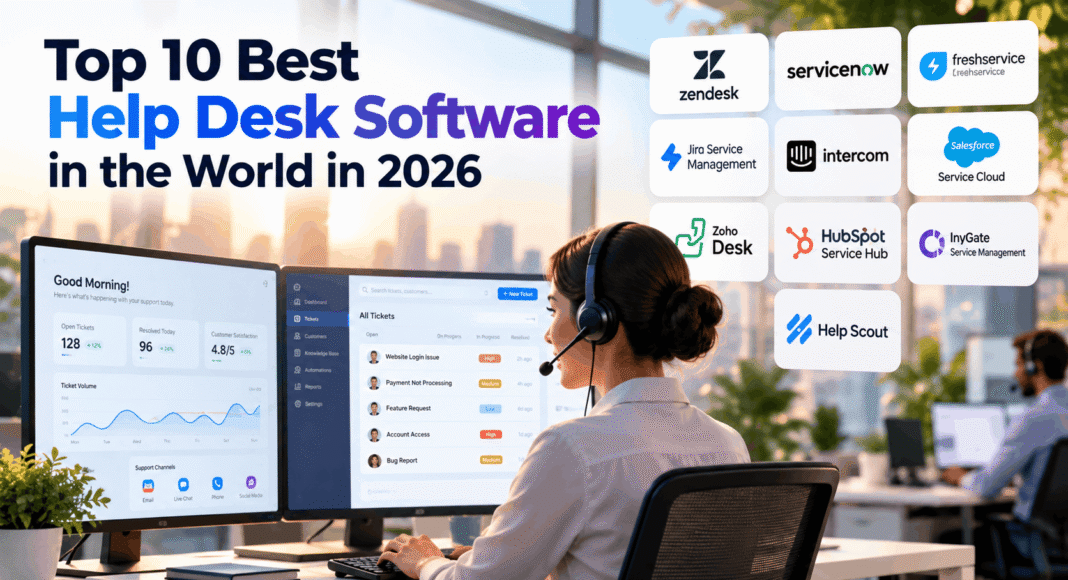
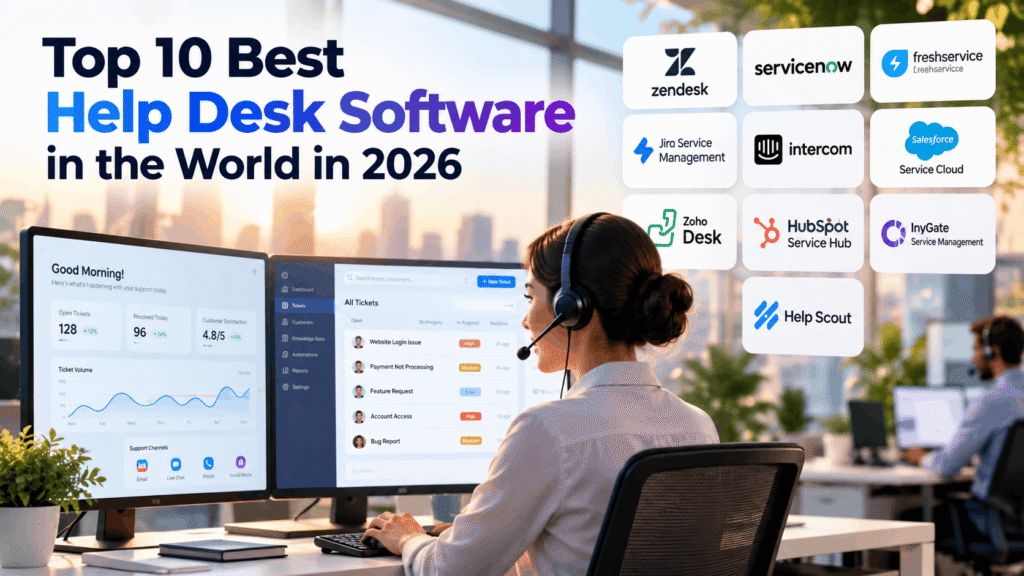
Zendesk leads the best help desk software in 2026 for businesses seeking AI-powered customer support, automated ticket management, and omnichannel communication. Other top solutions include ServiceNow, Freshservice, Jira Service Management, Intercom, Salesforce Service Cloud, Zoho Desk, HubSpot Service Hub, InvGate Service Management, and Help Scout, covering businesses of all sizes.
The best help desk software in 2026 helps businesses streamline customer support, automate ticket management, improve response times, and deliver consistent service experiences across multiple communication channels. Leading platforms such as Zendesk, ServiceNow, Freshservice, Jira Service Management, and Intercom combine artificial intelligence (AI), workflow automation, and advanced analytics to support businesses of all sizes.
As customer expectations continue to evolve, organizations face increasing pressure to provide faster, more personalized, and reliable customer service. Traditional email-based support systems and manual ticket tracking are no longer sufficient for many growing businesses, particularly those managing high volumes of customer inquiries, technical incidents, and internal employee requests.
Modern help desk software addresses these challenges by centralizing customer conversations, automating repetitive tasks, prioritizing urgent issues, and providing support teams with real-time access to relevant information. Features such as omnichannel ticketing, service level agreement (SLA) management, knowledge bases, self-service portals, and customer relationship management (CRM) integrations have become essential components of effective support operations.
One of the most significant help desk software trends in 2026 is the growing adoption of AI-powered customer support and autonomous AI agents. Unlike traditional chatbots that primarily answer frequently asked questions, advanced AI help desk solutions can classify incoming tickets, generate contextual responses, retrieve information from connected business systems, and resolve eligible customer requests without human intervention. These capabilities can reduce operational costs, improve agent productivity, and enable organizations to provide round-the-clock assistance.
However, not all help desk platforms serve the same purpose. Enterprise solutions such as ServiceNow and Salesforce Service Cloud offer sophisticated service management, governance, and automation capabilities, while platforms such as Zoho Desk and Help Scout emphasize affordability, simplicity, and ease of implementation. Other solutions, including HubSpot Service Hub, InvGate Service Management, and Jira Service Management, provide specialized advantages in CRM integration, IT service management, and technical workflow automation.
Selecting the right help desk software therefore requires careful consideration of business size, support volume, pricing, AI capabilities, integration requirements, security, scalability, and total cost of ownership. Organizations must also evaluate whether a platform is primarily designed for external customer support, internal IT service management, or a combination of both.
This comprehensive guide explores the top 10 best help desk software in the world in 2026, comparing their key features, AI automation capabilities, subscription pricing, advantages, limitations, and ideal business use cases. Whether an organization is searching for affordable help desk software for a small business, AI-powered customer support software, or an enterprise IT ticketing system, this comparison provides practical insights to help identify the most suitable solution for its operational needs and long-term growth.
Before we venture further into this article, we would like to share who we are and what we do.
About 9cv9
9cv9 is a business tech startup based in Singapore and Asia, with a strong presence all over the world.
With over ten years of startup and business experience, and being highly involved in connecting with thousands of companies and startups, the 9cv9 team has listed some of the top and best companies/tools in this review.
If you like to get your company listed in our top B2B software reviews, check out our world-class 9cv9 Media and PR service and pricing plans here.
Top 10 Best Help Desk Software To Know in 2026
- Zendesk
- ServiceNow
- Freshservice
- Jira Service Management
- Intercom
- Salesforce Service Cloud
- Zoho Desk
- HubSpot Service Hub
- InvGate Service Management
- Help Scout
1. Zendesk
Overview of Zendesk Help Desk Software
Zendesk is one of the most established help desk software platforms in 2026, particularly suited to enterprises, multinational organizations, and growing businesses managing high volumes of customer support requests.
The cloud-based platform consolidates customer interactions from email, live chat, telephone, SMS, social messaging, and web forms into a centralized agent workspace. This unified approach enables support teams to manage customer inquiries, monitor service performance, automate repetitive tasks, and maintain consistent communication across multiple channels.
Zendesk differentiates itself through its extensive integration ecosystem, advanced ticket management capabilities, enterprise reporting, and increasingly sophisticated artificial intelligence tools.
Key Features and Capabilities
| Feature | Functionality | Business Benefits |
|---|---|---|
| Omnichannel Ticketing | Centralizes support requests across multiple communication channels | Improves response consistency and customer visibility |
| AI-Powered Automation | Classifies, routes, and resolves eligible customer inquiries | Reduces repetitive workloads |
| Agent Copilot | Provides ticket summaries, suggested responses, and workflow guidance | Improves agent productivity |
| Autonomous AI Agents | Handles customer requests through automated conversations and integrated workflows | Enables round-the-clock support |
| Knowledge Management | Provides customer-facing help centers and internal knowledge resources | Encourages self-service |
| SLA Management | Tracks response and resolution commitments | Supports service accountability |
| Advanced Analytics | Measures ticket volumes, resolution times, and support performance | Enables data-driven improvements |
| Enterprise Integrations | Connects with CRM, ecommerce, collaboration, and business applications | Reduces fragmented workflows |
Zendesk AI and Intelligent Customer Support Automation
Artificial intelligence is a major component of Zendesk’s help desk software offering in 2026. Its AI capabilities support three complementary functions: intelligent ticket classification, human agent assistance, and autonomous customer service.
Intelligent triage automatically analyzes incoming requests to identify their topics, language, sentiment, and relevant entities. These classifications help organizations prioritize inquiries and direct tickets toward appropriate support teams.
Zendesk Copilot assists human agents by generating conversation summaries, recommending responses, identifying related tickets, and providing contextual troubleshooting guidance. More advanced capabilities can recommend actions and support agents during live customer interactions.
Zendesk AI Agents extend automation beyond basic chatbots by independently handling eligible customer inquiries. Depending on their configuration, these agents can retrieve knowledge, ask follow-up questions, execute predefined procedures, and interact with external business systems through integrations.
| AI Capability | Primary Function | Operational Impact |
|---|---|---|
| Intelligent Triage | Identifies customer intent, language, and sentiment | Faster ticket classification |
| AI Copilot | Assists agents with responses, summaries, and recommendations | Reduced manual effort |
| AI Agents | Resolves eligible customer inquiries autonomously | Lower dependence on human intervention |
| AI Knowledge Retrieval | Retrieves relevant support information | More consistent answers |
| Automated Workflows | Executes configured actions and routing processes | Improved operational efficiency |
| AI Analytics | Identifies automation opportunities and service trends | Better resource allocation |
Zendesk Pricing and Subscription Plans in 2026
Zendesk uses a subscription-based pricing structure with additional charges for selected AI capabilities, premium features, and automated resolutions.
Its entry-level Support Team plan starts at $19 per agent per month with annual billing, while the Zendesk Suite packages provide broader omnichannel functionality.
| Zendesk Plan | Starting Monthly Price | Primary Features | Suitable For |
|---|---|---|---|
| Support Team | $19 per agent | Core ticketing and support management | Small support teams |
| Suite Team | $55 per agent | Omnichannel support, messaging, and help center | Growing businesses |
| Suite Growth | Approximately $89 per agent | Expanded self-service and routing capabilities | Scaling support operations |
| Suite Professional | $115 per agent | SLA management, advanced reporting, and collaboration | Mid-sized and large organizations |
| Suite Enterprise | Custom or higher-tier pricing | Enterprise customization, permissions, and advanced administration | Large enterprises |
| AI Copilot | Additional subscription fee | Advanced AI assistance and intelligent workflows | AI-enabled support teams |
Prices represent indicative annual-billing rates in USD. Final pricing depends on contract terms, regional availability, selected features, and additional services.
Zendesk also charges for certain AI-powered automated resolutions. Published pricing includes approximately $1.50 per committed automated resolution and $2.00 for pay-as-you-go usage under applicable arrangements. Zendesk introduced newer resolution-tier arrangements in 2026, making contract-specific verification important.
Zendesk Performance and Return on Investment
Zendesk’s enterprise value proposition centers on reducing support costs, improving agent productivity, and expanding service capacity without proportional increases in staffing.
A Forrester Consulting Total Economic Impact study commissioned by Zendesk reported a projected 301% return on investment over three years for a modeled composite organization. The study also estimated $23.2 million in net present value and a payback period of less than six months.
These findings represent modeled financial outcomes rather than guaranteed results for individual businesses.
| Performance Indicator | Reported Finding | Business Significance |
|---|---|---|
| Three-Year ROI | 301% | Potential long-term financial returns |
| Net Present Value | $23.2 million | Estimated economic value for the modeled organization |
| Payback Period | Less than 6 months | Potentially rapid investment recovery |
| AI Automation | 30% of inquiries in the study scenario | Reduced manual support requirements |
| Agent Onboarding | 67% reduction in onboarding time in the study scenario | Faster workforce productivity |
Actual performance depends on ticket complexity, customer inquiry volume, knowledge base quality, automation configuration, and implementation maturity.
Advantages and Limitations of Zendesk
| Advantages | Limitations |
|---|---|
| Comprehensive omnichannel customer support | Premium plans can become expensive |
| Sophisticated AI automation capabilities | Advanced AI features may require additional purchases |
| Extensive third-party integration ecosystem | Complex implementations may require technical expertise |
| Advanced reporting and SLA management | Feature availability varies across subscription tiers |
| Scalable architecture for enterprise operations | Usage-based AI charges can increase operating costs |
| Strong knowledge management capabilities | Smaller teams may not need the full feature set |
Who Should Use Zendesk?
Zendesk is particularly appropriate for enterprises managing complex customer service operations, ecommerce companies handling large transaction volumes, SaaS providers requiring structured technical support, and international businesses supporting customers across multiple communication channels.
Organizations with established knowledge bases and clearly defined support procedures are especially well-positioned to benefit from Zendesk’s AI automation capabilities.
However, small businesses with limited ticket volumes or straightforward email-based support requirements may find more affordable help desk software sufficient.
Overall Assessment
Zendesk remains a strong contender among the best help desk software platforms in the world in 2026, combining enterprise-grade ticket management, omnichannel communications, AI-powered automation, and advanced customer service analytics.
Its greatest strengths lie in scalability, automation sophistication, and integration flexibility. Nevertheless, organizations should carefully evaluate subscription costs, AI consumption charges, implementation requirements, and total cost of ownership before selecting the platform.
For medium-sized and large businesses prioritizing automated customer support and operational scalability, Zendesk represents a comprehensive help desk software solution.
2. ServiceNow
Overview of ServiceNow Help Desk Software
ServiceNow is a leading enterprise IT service management (ITSM) and workflow automation platform in 2026. It is particularly suited to large corporations, multinational enterprises, financial institutions, government agencies, and organizations managing complex IT infrastructures.
Built on the Now Platform, ServiceNow provides an integrated environment for managing IT incidents, service requests, technical problems, infrastructure changes, and enterprise assets. Unlike conventional help desk software focused primarily on customer support tickets, ServiceNow extends service management across IT operations, human resources, customer service, security, and other business departments.
A central component of its architecture is the Configuration Management Database (CMDB), which maintains information about technology assets, infrastructure components, and their relationships. This enables IT teams to understand service dependencies, investigate incidents, assess operational risks, and coordinate infrastructure changes more effectively.
ServiceNow distinguishes itself through enterprise governance, configurable workflows, sophisticated automation, and AI-powered service management capabilities.
Key Features and Capabilities
| Feature | Functionality | Business Benefits |
|---|---|---|
| Incident Management | Tracks, prioritizes, and resolves IT service disruptions | Reduces operational downtime |
| Problem Management | Identifies recurring incidents and underlying technical causes | Prevents repeated service failures |
| Change Management | Coordinates infrastructure and application changes | Minimizes implementation risks |
| Asset Management | Tracks technology assets throughout their lifecycle | Improves asset visibility and cost control |
| Configuration Management Database | Maps IT assets, services, and infrastructure dependencies | Supports impact analysis and troubleshooting |
| Service Catalog | Centralizes employee service requests | Standardizes internal service delivery |
| Now Assist | Provides generative AI assistance across supported workflows | Improves technician productivity |
| AI Agents | Automates eligible multistep service management tasks | Reduces repetitive technical work |
| Enterprise Analytics | Monitors service performance, incidents, and operational metrics | Supports continuous improvement |
| Cross-Department Workflows | Connects IT, HR, customer service, and other business functions | Improves organizational coordination |
ServiceNow AI and Agentic Workflow Automation
Artificial intelligence has become a central component of ServiceNow’s enterprise service management strategy in 2026.
The platform combines Now Assist, ServiceNow Otto, and AI Agents to automate technical support activities, accelerate incident resolution, and coordinate workflows across enterprise applications.
ServiceNow Otto, introduced in May 2026, brings together conversational AI, enterprise search, and workflow execution. It allows employees to initiate service requests through natural language while the platform coordinates approved actions across connected systems.
Unlike traditional help desk chatbots, ServiceNow AI Agents can perform multistep technical workflows, including incident investigation, change request preparation, service request processing, and automated troubleshooting.
| AI Capability | Primary Function | Business Impact |
|---|---|---|
| Now Assist | Generates summaries, recommendations, and service responses | Reduces administrative workloads |
| ServiceNow Otto | Provides a unified conversational interface for enterprise services | Simplifies employee support |
| AI Agents | Executes multistep IT service management workflows | Accelerates technical operations |
| Intelligent Incident Triage | Categorizes and prioritizes incoming incidents | Improves response efficiency |
| Automated Resolution | Investigates and resolves eligible technical incidents | Reduces manual intervention |
| AI-Powered Change Management | Assesses change requests and recommends actions | Improves change governance |
| Workflow Data Fabric | Connects enterprise data and systems | Supports cross-platform automation |
| AI Governance | Monitors permissions, execution, and compliance | Strengthens operational control |
ServiceNow’s AI capabilities are particularly valuable in complex enterprise environments where technical support requires coordination between multiple departments, infrastructure systems, and approval processes.
ServiceNow Pricing and Licensing in 2026
ServiceNow follows a customized enterprise pricing model rather than publishing fixed subscription prices.
Licensing costs depend on the number of authorized service technicians, selected modules, automation capabilities, implementation requirements, and enterprise contract terms.
In 2026, ServiceNow introduced three principal ITSM packages: Foundation, Advanced, and Prime.
| ServiceNow Package | Pricing Model | Key Capabilities | Suitable For |
|---|---|---|---|
| ITSM Foundation | Custom Quote | Incident management, service catalog, CMDB, foundational AI | Organizations modernizing IT support |
| ITSM Advanced | Custom Quote | Advanced ITSM workflows, change management, problem management, analytics | Large IT departments |
| ITSM Prime | Custom Quote | Advanced AI specialists and autonomous workflows | Enterprises pursuing extensive automation |
| Customer Service Management | Custom Quote | Customer case management and service workflows | Enterprise customer service teams |
| Enterprise AI Capabilities | Contract-dependent | AI agents, generative AI, and specialized automation | AI-enabled enterprises |
| Implementation Services | Project-based | Platform configuration, integration, migration, and training | Complex deployments |
Third-party licensing benchmarks suggest that traditional ServiceNow ITSM fulfiller licenses have historically ranged from approximately $38 to $200 per user per month, depending on license edition and purchasing volume.
These estimates relate primarily to legacy licensing arrangements and should not be interpreted as official prices for the newer Foundation, Advanced, and Prime packages.
Enterprise Contract Value and Total Cost of Ownership
ServiceNow typically requires a larger financial commitment than conventional help desk software because of its enterprise functionality, configuration requirements, and integration complexity.
Procurement data reported by Vendr provides useful context for evaluating potential subscription costs.
| Cost Indicator | Reported Benchmark | Interpretation |
|---|---|---|
| Median Annual Contract Value | $129,871 | Median across sampled ServiceNow purchases |
| Lower Observed Contract Value | $43,245 annually | Lower end of the reported contract sample |
| Upper Observed Contract Value | $702,488 annually | Higher end of the reported contract sample |
| Legacy Fulfiller Licensing | Approximately $38 to $200 monthly | Indicative third-party licensing benchmark |
| Implementation Costs | Highly variable | Depends on integrations, migration, and customization |
| AI Consumption | Contract-dependent | Influenced by AI entitlements and workflow usage |
These figures represent third-party market observations rather than official ServiceNow quotations. The contract benchmarks also cover ServiceNow purchases more broadly, rather than exclusively ITSM deployments.
Organizations should assess the total cost of ownership, including software licensing, consulting, implementation, integrations, administration, training, and ongoing platform optimization.
ServiceNow Performance and Operational Benefits
ServiceNow is designed to improve enterprise IT efficiency through standardized workflows, intelligent automation, and centralized service management.
Its primary operational advantages include faster incident handling, reduced manual ticket processing, stronger change management controls, and improved visibility into infrastructure dependencies.
Although individual customer case studies report substantial productivity improvements, outcomes vary according to organizational complexity, workflow maturity, and AI implementation quality.
| Performance Area | Potential Improvement | Measurement Indicator |
|---|---|---|
| Incident Resolution | Faster diagnosis and resolution | Mean Time to Resolve |
| Service Automation | Fewer manually handled requests | Automated Resolution Rate |
| Employee Self-Service | Reduced service desk demand | Ticket Deflection Rate |
| Change Management | Improved change success | Change Failure Rate |
| IT Productivity | Less repetitive administrative work | Technician Hours Saved |
| Service Reliability | Reduced infrastructure disruptions | System Availability |
| Operational Governance | Greater visibility into service activities | SLA Compliance Rate |
ServiceNow’s AI capabilities can deliver significant productivity benefits when supported by accurate configuration data, reliable knowledge resources, and well-designed automation processes.
However, specific claims of 40% to 70% ticket deflection or 35% to 45% reductions in resolution times should not be treated as universal ServiceNow performance benchmarks without supporting deployment-specific evidence.
Advantages and Limitations of ServiceNow
| Advantages | Limitations |
|---|---|
| Comprehensive enterprise IT service management | Higher costs than many conventional help desk platforms |
| Advanced AI agents and workflow automation | Requires specialized implementation expertise |
| Centralized CMDB and infrastructure visibility | Initial deployment can be complex |
| Strong governance and compliance capabilities | Customization increases maintenance requirements |
| Extensive enterprise integration capabilities | Smaller organizations may find the platform excessive |
| Cross-departmental service orchestration | Licensing structures can be difficult to evaluate |
| Scalable architecture for global enterprises | Full implementation can require substantial time and resources |
Who Should Use ServiceNow?
ServiceNow is particularly suitable for large enterprises with extensive IT infrastructures, regulated organizations requiring detailed operational governance, and multinational businesses coordinating service delivery across numerous departments.
It is also well-suited to organizations pursuing enterprise-wide digital transformation, IT workflow standardization, and AI-powered service automation.
Businesses with mature IT service management processes can benefit from its CMDB architecture, change management capabilities, and integration ecosystem.
However, small businesses and startups requiring basic ticketing, shared inboxes, or straightforward customer support functionality may find ServiceNow unnecessarily complex and expensive.
Overall Assessment
ServiceNow ranks among the most comprehensive enterprise help desk software and IT service management platforms available in 2026.
Its strengths extend beyond conventional ticket management into infrastructure governance, intelligent incident resolution, enterprise automation, and cross-departmental workflow orchestration.
The introduction of ServiceNow Otto and expanded agentic AI capabilities further strengthens its position among organizations seeking to automate complex service operations.
Nevertheless, its enterprise pricing, implementation complexity, and ongoing administration requirements make it more appropriate for large organizations than smaller support teams.
For enterprises prioritizing IT service management, operational governance, AI-driven automation, and scalable digital workflows, ServiceNow remains a leading software solution in 2026.
3. Freshservice
Overview of Freshservice Help Desk Software
Freshservice, developed by Freshworks, is a leading cloud-based IT help desk software and IT service management (ITSM) platform in 2026. Designed for mid-sized businesses, growing enterprises, and large IT departments, it combines incident management, IT asset tracking, workflow automation, and artificial intelligence within a unified service management environment.
Built around ITIL-aligned service management practices, Freshservice enables organizations to manage technical support tickets, service requests, infrastructure changes, IT assets, and employee support operations without the implementation complexity associated with some traditional enterprise ITSM platforms.
The software supports enterprise service management beyond IT, allowing departments such as human resources, finance, and facilities to manage internal requests through centralized workflows.
Freshservice was recognized as a Leader in the 2026 Gartner Magic Quadrant for IT Service Management Platforms, reflecting its growing position in the enterprise ITSM market.
Key Features and Capabilities
| Feature | Functionality | Business Benefits |
|---|---|---|
| Incident Management | Centralizes IT incidents and technical support tickets | Accelerates issue resolution |
| Service Request Management | Automates employee requests through service catalogs | Reduces administrative workloads |
| IT Asset Management | Tracks hardware, software, and technology assets | Improves asset visibility |
| Configuration Management Database | Maps infrastructure components and dependencies | Supports troubleshooting and impact analysis |
| Problem Management | Identifies recurring technical issues and root causes | Reduces repeated incidents |
| Change Management | Coordinates infrastructure and application changes | Minimizes operational disruptions |
| Freddy AI | Provides intelligent automation and technician assistance | Improves IT productivity |
| Workflow Automation | Automates approvals, assignments, and repetitive tasks | Streamlines service delivery |
| Enterprise Service Management | Extends service workflows across business departments | Improves internal collaboration |
| Analytics and Reporting | Monitors resolution times, SLA performance, and service trends | Supports operational improvements |
Freshservice AI and Intelligent IT Support Automation
Freshservice incorporates Freddy AI, an artificial intelligence framework designed to improve service desk efficiency, reduce manual ticket processing, and accelerate technical issue resolution.
Its AI functionality includes Freddy AI Agent, Freddy AI Copilot, and Freddy AI Insights.
Freddy AI Agent provides conversational self-service by identifying employee requests, retrieving relevant knowledge, and resolving eligible IT inquiries without requiring human intervention.
Freddy AI Copilot supports technicians through automated ticket summaries, response suggestions, contextual recommendations, and intelligent troubleshooting assistance.
Freddy AI Insights helps organizations identify operational patterns, understand service performance, and uncover opportunities for process improvements.
Freshservice also introduced AI Agent Studio in 2026, enabling organizations to configure specialized AI agents for business workflows.
| AI Capability | Primary Function | Operational Impact |
|---|---|---|
| Freddy AI Agent | Resolves routine employee inquiries autonomously | Reduces ticket volumes |
| Freddy AI Copilot | Assists technicians with summaries and recommendations | Accelerates ticket resolution |
| Freddy AI Insights | Analyzes service performance and operational patterns | Improves decision-making |
| AI Agent Studio | Supports configurable AI agents and workflows | Expands automation capabilities |
| Intelligent Ticket Classification | Categorizes and prioritizes support requests | Improves ticket routing |
| Knowledge-Based Automation | Retrieves information from internal knowledge resources | Strengthens employee self-service |
| AI-Powered Analytics | Identifies recurring issues and service trends | Supports proactive IT management |
Freshservice Pricing and Subscription Plans in 2026
Freshservice uses a subscription-based pricing structure, with charges primarily determined by the number of licensed service agents, selected subscription tiers, and additional AI capabilities.
Its published annual-billing prices begin at $19 per agent per month, making it accessible to smaller IT teams while offering advanced packages for larger enterprises.
| Freshservice Plan | Starting Monthly Price | Key Features | Suitable For |
|---|---|---|---|
| Starter | $19 per agent | Incident management, knowledge base, basic automation, SLA management | Small IT departments |
| Growth | $49 per agent | Service catalog, asset management, purchase orders, advanced workflows | Growing businesses |
| Pro | $99 per agent | Problem management, change management, project management, advanced analytics | Mid-sized and large enterprises |
| Enterprise | Custom Quote | Enterprise governance, advanced AI capabilities, audit logs, sandbox | Large organizations |
| Freddy AI Copilot | $29 per agent add-on | AI-assisted ticket resolution and technician productivity tools | Pro and Enterprise customers |
| Freddy AI Agent | Usage or entitlement-based | Autonomous conversational support | Organizations implementing AI self-service |
Prices are expressed in USD and generally reflect annual billing. Additional charges may apply for asset management capacity, orchestration transactions, AI consumption, and other optional features.
Freddy AI Agent Usage and Additional Costs
Freshservice offers different AI usage entitlements depending on the selected product and subscription arrangement.
Its Enterprise plan includes an allowance of 1,200 Freddy AI Agent sessions per license annually under the applicable offering.
Freshworks also provides session-based AI pricing for certain Freddy AI products, including packs of 100 sessions priced at $49. However, these session packs should not automatically be assumed to apply identically across every Freshservice AI product.
Freshservice AI Agent Studio is available as a promotional offering for eligible Growth, Pro, and Enterprise customers through December 31, 2026.
| AI Pricing Component | Indicative Cost or Allowance | Important Consideration |
|---|---|---|
| Freddy AI Copilot | $29 per agent/month | Additional subscription cost |
| Enterprise AI Agent Allowance | 1,200 sessions per license/year | Subject to product entitlements |
| Selected Freddy AI Session Packs | $49 per 100 sessions | Product-specific usage pricing |
| AI Agent Studio | Promotional availability through December 2026 | Future pricing may change |
| Additional Automation Capacity | Contract-dependent | Depends on workflow requirements |
Organizations should verify the applicable AI entitlements and billing arrangements before estimating long-term automation costs.
Freshservice Performance and Industry Benchmarks
Freshworks’ 2025 Benchmark Report provides insight into the operational performance of its service management ecosystem.
The report analyzed more than 187 million support tickets across 10,743 organizations operating in 118 countries. The underlying dataset covered January through December 2024, making it a historical benchmark rather than a measurement of 2026 performance.
The findings highlighted significant productivity improvements associated with AI-assisted service management.
| Performance Indicator | Reported Benchmark | Business Significance |
|---|---|---|
| Tickets Analyzed | Over 187 million | Large-scale operational dataset |
| Organizations Analyzed | 10,743 | Broad organizational representation |
| Geographic Coverage | 118 countries | International benchmarking |
| Freddy AI Agent Ticket Deflection | Up to 65.7% | Reduced human support requirements |
| AI Copilot Resolution Improvement | 76.6% faster resolution reported | Improved technician productivity |
| AI Copilot Response Improvement | 41.1% faster responses reported | Shorter employee waiting times |
| First Contact Resolution | Approximately 75% in reported customer benchmarks | Improved initial support effectiveness |
| Customer Satisfaction | Approximately 97.8% in reported customer benchmarks | Strong service satisfaction performance |
These figures are based on Freshworks-reported customer benchmarks and should not be interpreted as guaranteed results for every deployment.
Actual performance depends on the complexity of technical requests, quality of knowledge resources, automation configuration, and organizational adoption.
Freshservice Advantages and Limitations
| Advantages | Limitations |
|---|---|
| Relatively straightforward cloud deployment | Advanced capabilities require higher subscription tiers |
| Strong ITIL-aligned service management features | AI functionality can increase total subscription costs |
| Integrated IT asset and configuration management | Complex asset environments may require additional capacity |
| AI-powered self-service and technician assistance | Automation quality depends on knowledge base maturity |
| Scalable workflows for growing IT departments | Extensive customization may require technical expertise |
| Enterprise service management capabilities | Some enterprise features are unavailable on lower plans |
| Competitive entry-level pricing | Larger deployments can incur substantial recurring costs |
| Extensive reporting and analytics | Advanced analytics require appropriate subscriptions |
Who Should Use Freshservice?
Freshservice is particularly suitable for mid-sized organizations seeking a modern IT help desk platform with integrated automation, asset management, and service management capabilities.
It is also appropriate for growing enterprises that need to standardize IT operations, improve employee self-service, and reduce the administrative burden on technical support teams.
Organizations transitioning from spreadsheets, email-based ticketing, or fragmented legacy systems may benefit from Freshservice’s cloud-native architecture and configurable workflows.
Larger enterprises can also use Freshservice to coordinate service management across IT, human resources, finance, and other departments.
However, organizations requiring highly specialized infrastructure management or extensive custom enterprise workflows should carefully evaluate its integration capabilities and advanced subscription requirements.
Overall Assessment
Freshservice is among the leading IT help desk software solutions in 2026, offering a combination of ITIL-aligned service management, intelligent automation, asset tracking, and AI-powered employee support.
Its principal strengths include accessible cloud deployment, structured IT workflows, Freddy AI capabilities, and scalable service management functionality.
Compared with more complex enterprise ITSM platforms, Freshservice provides an attractive option for organizations seeking advanced capabilities without unnecessarily extensive implementation requirements.
Nevertheless, businesses should assess subscription tiers, AI usage entitlements, asset management limits, and ongoing licensing costs before committing.
For mid-sized businesses and growing enterprises prioritizing efficient IT support, AI-driven ticket resolution, and streamlined service management, Freshservice represents a competitive help desk software solution in 2026.
4. Jira Service Management
Overview of Jira Service Management Help Desk Software
Jira Service Management (JSM), developed by Atlassian, is a leading cloud-based IT help desk software and IT service management (ITSM) platform in 2026. It is particularly suitable for software development companies, DevOps teams, IT departments, and enterprises seeking to integrate technical support with software engineering workflows.
Built on the Jira platform, Jira Service Management connects incident management, service requests, infrastructure changes, asset management, and operational support within a unified environment.
Its primary competitive advantage is its integration with Jira, Confluence, and the broader Atlassian ecosystem. This enables IT support teams to collaborate directly with software developers, track technical incidents alongside development tasks, and coordinate service delivery throughout the software lifecycle.
In 2026, Jira Service Management also incorporates Atlassian Intelligence and Rovo AI capabilities, providing intelligent automation, conversational support, and AI-assisted incident management.
Key Features and Capabilities
| Feature | Functionality | Business Benefits |
|---|---|---|
| Incident Management | Tracks and resolves IT incidents and service disruptions | Reduces operational downtime |
| Service Request Management | Centralizes employee and customer support requests | Improves service delivery |
| Problem Management | Identifies recurring incidents and underlying causes | Prevents repeated technical failures |
| Change Management | Coordinates software releases and infrastructure changes | Reduces deployment risks |
| Asset Management | Tracks hardware, software, and configuration items | Improves IT asset visibility |
| Configuration Management | Maps technology assets and service dependencies | Supports incident investigation |
| Rovo AI Agents | Assists with technical workflows and information retrieval | Improves support productivity |
| Virtual Service Agent | Provides automated conversational support | Reduces repetitive tickets |
| DevOps Integration | Connects service requests with software development activities | Strengthens IT and engineering collaboration |
| SLA Management | Monitors response and resolution commitments | Improves service accountability |
| Automation Rules | Automates assignments, notifications, and workflow actions | Reduces manual administration |
Atlassian Intelligence and Rovo AI Automation
Artificial intelligence plays an increasingly important role in Jira Service Management’s capabilities in 2026.
The platform combines Atlassian Intelligence, Rovo AI Agents, and a virtual service agent to improve ticket handling, employee self-service, and technical incident resolution.
The virtual service agent can operate through supported communication channels, including Slack and Microsoft Teams. It interprets natural-language requests, retrieves relevant knowledge, and guides employees through predefined service workflows.
Rovo AI Agents provide additional assistance by summarizing incidents, searching connected knowledge repositories, and supporting technical investigations.
For organizations using Jira and Confluence, these capabilities help connect support tickets with software development activities, technical documentation, and operational context.
| AI Capability | Primary Function | Operational Impact |
|---|---|---|
| Atlassian Intelligence | Summarizes tickets and generates contextual information | Reduces administrative workloads |
| Rovo AI Agents | Supports intelligent search and workflow execution | Improves technician efficiency |
| Virtual Service Agent | Handles routine support inquiries through conversations | Reduces manual ticket handling |
| AI Knowledge Retrieval | Searches connected documentation and knowledge bases | Accelerates troubleshooting |
| Intelligent Incident Summaries | Condenses technical discussions and incident histories | Improves escalation efficiency |
| AI-Assisted Incident Management | Supports investigations and incident reviews | Accelerates technical response |
| Automated Request Routing | Directs requests through configured workflows | Improves service consistency |
| AI-Powered Collaboration | Connects information across Atlassian applications | Strengthens cross-team coordination |
Jira Service Management Pricing and Subscription Plans in 2026
Jira Service Management uses a subscription-based pricing model that primarily charges organizations for licensed service agents.
Customers and employees submitting support requests generally do not require paid agent licenses, making the platform attractive for organizations supporting large internal user populations.
Atlassian offers Free, Standard, Premium, and Enterprise subscription tiers through its Service Collection offering.
| Subscription Plan | Monthly Price | Key Features | Suitable For |
|---|---|---|---|
| Free | $0 for up to 3 agents | Basic ticketing, service requests, incident management | Startups and small IT teams |
| Standard | Approximately $20 to $25 per agent | SLA management, automation, knowledge management, Rovo capabilities | Growing IT departments |
| Premium | Approximately $51 to $55 per agent | Advanced asset management, virtual service agent, advanced incident management | Mid-sized and large organizations |
| Enterprise | Custom Quote | Enterprise administration, advanced security, scalability, and governance | Large multinational enterprises |
Prices are indicative USD rates. Atlassian’s published Premium pricing has varied between $51.42 and $55.28 per agent per month across pricing updates. Final costs depend on billing frequency, agent count, and applicable subscription terms.
Rovo AI Credits and Virtual Service Agent Pricing
Atlassian includes Rovo AI credit allowances with paid Service Collection subscriptions.
These allowances are pooled at the organizational level, allowing businesses to distribute AI usage across different employees and supported workflows.
| AI Pricing Component | Standard | Premium | Enterprise |
|---|---|---|---|
| Rovo Credits | 250 per user/month | 700 per user/month | 1,500 per user/month |
| Rovo Search and Chat | Included | Included | Included |
| Rovo AI Agents | Included with applicable limits | Included with expanded limits | Included with enterprise allowances |
| Virtual Service Agent | Not included | Included | Included |
| Assisted Conversation Allowance | Not applicable | 1,000 monthly | 1,000 monthly |
| Additional Assisted Conversations | Not applicable | From $0.30 each | From $0.30 each |
Rovo credits and virtual service agent conversations are measured separately.
Additional Rovo usage is priced at approximately $0.01 per credit under applicable pay-as-you-go arrangements. Organizations can configure spending limits and manage additional usage through Atlassian’s administration tools.
Jira Service Management Performance and Operational Benefits
Jira Service Management is designed to improve service desk efficiency by connecting technical support, software engineering, and enterprise knowledge management.
Its strongest operational advantages arise when organizations already use Jira for development management and Confluence for documentation.
The platform reduces the need to transfer information manually between IT support and engineering teams, helping organizations coordinate incident investigations, software changes, and service requests.
| Performance Area | Expected Operational Benefit | Relevant KPI |
|---|---|---|
| Ticket Resolution | Faster coordination between IT and engineering | Mean Time to Resolve |
| Employee Self-Service | Reduced dependence on human support agents | Ticket Deflection Rate |
| Incident Management | Improved technical incident coordination | Incident Resolution Time |
| Change Management | Better visibility into software and infrastructure changes | Change Failure Rate |
| Automation | Fewer repetitive administrative tasks | Automated Workflow Volume |
| Knowledge Management | Faster access to technical documentation | First Contact Resolution |
| Service Reliability | Improved monitoring and incident response | SLA Compliance |
| Team Productivity | Reduced duplication between support and development | Technician Hours Saved |
While individual implementations may report significant improvements, a universal 14.2% virtual agent deflection rate or 12-day deployment benchmark cannot be established as representative of all Jira Service Management customers.
Actual performance depends on workflow complexity, knowledge base maturity, automation configuration, and integration requirements.
Advantages and Limitations of Jira Service Management
| Advantages | Limitations |
|---|---|
| Strong integration with Jira and Confluence | Learning curve for non-technical users |
| Free subscription for small teams | Advanced capabilities require Premium or Enterprise |
| Unlimited unlicensed service requesters | AI and automation usage may generate additional charges |
| Advanced incident and change management | Complex workflows require configuration |
| Built-in AI assistance through Rovo | AI effectiveness depends on connected knowledge |
| Extensive automation capabilities | Advanced asset management has usage limits |
| Strong DevOps collaboration | Organizations outside the Atlassian ecosystem may face integration work |
| Scalable enterprise service management | Administrative complexity increases with customization |
Who Should Use Jira Service Management?
Jira Service Management is particularly suitable for software development companies, SaaS providers, DevOps organizations, IT operations teams, and enterprises that already rely on Atlassian products.
Organizations managing frequent software releases, technical incidents, infrastructure changes, and internal IT requests can benefit from its integration between service management and engineering workflows.
Its free subscription also makes it accessible to startups and smaller IT departments with limited support staffing.
However, businesses seeking straightforward customer support ticketing without technical workflows may find simpler help desk software easier to implement.
Overall Assessment
Jira Service Management ranks among the best help desk software platforms in 2026 for organizations requiring close collaboration between IT support, software engineering, and enterprise operations.
Its strongest differentiators include native Atlassian ecosystem integration, ITIL-aligned service management, configurable automation, and expanding AI capabilities through Rovo.
The availability of free requester accounts, flexible subscription tiers, and included AI allowances further strengthens its value proposition.
Nevertheless, organizations should evaluate implementation complexity, advanced feature requirements, AI consumption limits, and total subscription costs before selecting the platform.
For technology-driven businesses prioritizing DevOps integration, intelligent incident management, and scalable IT service delivery, Jira Service Management represents a highly competitive help desk software solution in 2026.
5. Intercom
Overview of Intercom Help Desk Software
Intercom is a leading AI-powered customer support and help desk software platform in 2026, designed for SaaS companies, ecommerce businesses, technology startups, and organizations prioritizing conversational customer engagement.
Unlike traditional help desk systems that primarily focus on ticket management, Intercom combines real-time messaging, customer support automation, AI agents, and proactive customer communication within a unified platform.
Its flagship product, Fin AI Agent, enables businesses to automate customer conversations, resolve routine inquiries, and execute supported workflows without continuous human intervention.
Intercom also provides shared inboxes, ticket management, customer knowledge bases, workflow automation, and reporting capabilities. Its AI-first approach makes it particularly attractive to companies seeking to reduce support costs while maintaining responsive customer service.
Key Features and Capabilities
| Feature | Functionality | Business Benefits |
|---|---|---|
| Omnichannel Messaging | Manages customer conversations across chat, email, and supported messaging channels | Centralizes customer communication |
| Fin AI Agent | Resolves customer inquiries using artificial intelligence | Reduces repetitive support workloads |
| Fin Copilot | Assists human agents with responses and contextual information | Improves agent productivity |
| Shared Inbox | Organizes customer conversations across support teams | Strengthens collaboration |
| Automated Workflows | Routes conversations and executes configured processes | Reduces manual administration |
| Knowledge Management | Provides customer-facing help centers and support resources | Encourages self-service |
| Fin Voice | Delivers conversational AI support through telephone channels | Expands automated support availability |
| Image Understanding | Analyzes screenshots and other customer-submitted images | Improves technical troubleshooting |
| Customer Engagement | Supports targeted messages and in-app communication | Improves customer retention |
| Analytics and Reporting | Tracks resolution rates, support volume, and team performance | Supports operational improvements |
Fin AI Agent and Autonomous Customer Support
Fin AI Agent is the central component of Intercom’s artificial intelligence capabilities in 2026.
The platform uses its Apex family of AI models, developed specifically for customer service applications, to interpret customer requests, retrieve relevant information, and generate contextual responses.
Fin supports multiple communication channels, including website messaging, email, WhatsApp, SMS, and selected social messaging integrations.
Through configured procedures and business system integrations, Fin can also execute transactional workflows such as updating account information, retrieving order details, and processing eligible service requests.
Its image understanding capabilities allow customers to submit screenshots, receipts, and other visual information for automated interpretation.
Fin Voice extends conversational automation to telephone support, although availability remains subject to customer eligibility and deployment arrangements.
| AI Capability | Primary Function | Operational Impact |
|---|---|---|
| Fin AI Agent | Resolves customer inquiries autonomously | Reduces human support requirements |
| Fin Copilot | Assists agents with answers and conversation context | Accelerates ticket handling |
| Fin Voice | Handles supported telephone inquiries through conversational AI | Expands automated service coverage |
| Image Understanding | Interprets screenshots, error messages, and visual content | Improves troubleshooting |
| AI Procedures | Executes configured multistep workflows | Automates routine transactions |
| Knowledge Retrieval | Searches connected support documentation | Improves response consistency |
| Intelligent Escalation | Transfers unresolved issues to human agents | Maintains service continuity |
| AI Performance Analytics | Measures automation and resolution performance | Identifies improvement opportunities |
Intercom Pricing and Subscription Plans in 2026
Intercom uses a hybrid pricing structure combining subscription fees for human support agents with usage-based charges for AI-generated outcomes.
Its three primary subscription plans are Essential, Advanced, and Expert.
| Subscription Plan | Starting Monthly Price | Key Features | Suitable For |
|---|---|---|---|
| Essential | $29 per seat | Shared inbox, ticketing, live chat, public help center, Fin AI Agent | Startups and small businesses |
| Advanced | $85 per seat | Workflow automation, multiple team inboxes, advanced routing, multilingual knowledge base | Growing support teams |
| Expert | $132 per seat | SSO, advanced security, SLA management, multibrand support | Large organizations |
| Fin AI Agent | From $0.99 per outcome | Autonomous customer support and workflow execution | Businesses seeking AI automation |
| Fin Copilot | $29 per agent annually billed | AI-assisted responses and agent productivity features | Human support teams |
| Pro Add-On | From $100 monthly | Advanced AI analysis and customer operations automation | AI-intensive support operations |
Prices are expressed in USD and reflect published starting rates under applicable billing arrangements. Monthly billing, additional messaging channels, and premium features may increase total costs.
Fin AI Agent Outcome-Based Pricing
Intercom differentiates itself through outcome-based AI pricing rather than charging solely for conversations or messages.
Fin AI Agent generally costs $0.99 for a successful resolution or qualifying workflow outcome. However, not every billable outcome represents a fully resolved customer support ticket.
Certain completed procedures, routing activities, and sales-related outcomes may also generate charges.
| AI Outcome Type | Published Price | Billing Condition |
|---|---|---|
| Customer Support Resolution | $0.99 | Customer confirms resolution or does not request further assistance |
| Procedure Handoff | $0.99 | Fin successfully completes a configured handoff procedure |
| Customer Disqualification | $0.99 | Fin determines that a prospect does not meet qualification criteria |
| Self-Service Routing | $0.99 | Fin completes an eligible self-service routing outcome |
| Sales Qualification | $9.99 | Fin qualifies and routes a prospect according to configured criteria |
| Unresolved Escalation | No standard resolution charge | Fin cannot resolve the issue and escalates without completing another billable outcome |
For standalone Fin deployments integrated with an existing help desk, minimum commitments may apply, including arrangements based on 50 monthly outcomes.
Organizations should distinguish between AI resolution rates, billable outcomes, and overall ticket automation when estimating costs.
Intercom AI Performance and Customer Support Benchmarks
Intercom reports strong AI automation performance across its customer base.
According to the company’s published figures, Fin AI Agent achieves an average resolution rate of approximately 76% across conversations in which it participates.
The company also reports more than 12,000 customers using Fin and over two million AI resolutions per week.
These are vendor-reported platform figures rather than independently verified performance guarantees.
| Performance Indicator | Reported Benchmark | Business Significance |
|---|---|---|
| Average Fin Resolution Rate | 76% | Indicates substantial AI-assisted resolution capability |
| Fin Customer Base | More than 12,000 customers | Demonstrates commercial adoption |
| Weekly AI Resolutions | More than 2 million | Reflects large-scale automated support activity |
| High-Performing Deployments | Above 90% resolution reported | Illustrates potential with optimized knowledge and workflows |
| Standard AI Resolution Price | $0.99 | Supports predictable per-outcome calculations |
| Human Support Cost | Varies by organization | Determines actual automation savings |
Importantly, Fin’s resolution rate measures the percentage of conversations resolved when Fin is involved. It is not necessarily equivalent to the percentage of all incoming support conversations resolved autonomously.
The overall automation rate also depends on how frequently Fin participates in eligible conversations.
Illustrative Monthly Intercom Cost Comparison
The following examples demonstrate how Intercom’s hybrid pricing model affects monthly support costs.
| Support Scenario | Human Agent Subscription | Fin AI Outcomes | AI Outcome Cost | Estimated Monthly Total |
|---|---|---|---|---|
| Small Startup | 3 Essential seats: $87 | 500 | $495 | $582 |
| Growing SaaS Company | 10 Advanced seats: $850 | 2,000 | $1,980 | $2,830 |
| Mid-Sized Ecommerce Business | 20 Advanced seats: $1,700 | 5,000 | $4,950 | $6,650 |
| Enterprise Support Team | 50 Expert seats: $6,600 | 10,000 | $9,900 | $16,500 |
These calculations assume annual-billing seat rates and standard $0.99 AI outcomes. They exclude optional add-ons, taxes, channel usage charges, discounts, and other consumption fees.
Advantages and Limitations of Intercom
| Advantages | Limitations |
|---|---|
| Advanced AI-powered customer support | AI outcome charges can increase with usage |
| Strong conversational messaging capabilities | Premium subscriptions may be expensive for small teams |
| Autonomous workflow execution | Automation depends on knowledge and integration quality |
| Omnichannel customer engagement | Some communication channels incur additional fees |
| Integrated AI Copilot for human agents | Copilot requires an additional subscription |
| Extensive business application integrations | Complex workflows may require technical configuration |
| Strong suitability for SaaS and ecommerce | Less specialized for traditional enterprise ITSM |
| Scalable customer support automation | AI performance requires continuous monitoring |
Who Should Use Intercom?
Intercom is particularly suitable for SaaS companies, ecommerce businesses, subscription-based platforms, and technology organizations managing substantial volumes of customer inquiries.
Businesses prioritizing instant customer responses, automated onboarding, account assistance, and conversational engagement can benefit from its integrated AI capabilities.
Its outcome-based pricing may also appeal to organizations seeking to connect AI expenditure directly with measurable support activities.
However, businesses requiring extensive IT asset management, configuration databases, or formal infrastructure change management may find dedicated ITSM platforms more appropriate.
Overall Assessment
Intercom ranks among the leading AI-powered help desk software solutions in 2026, particularly for businesses prioritizing automated customer support and conversational engagement.
Its strongest advantages include Fin AI Agent, intelligent workflow execution, omnichannel messaging, and close integration between human agents and AI automation.
The platform’s outcome-based pricing provides a transparent starting point for evaluating AI support costs, although businesses must carefully assess billable outcome definitions and expected usage volumes.
For SaaS companies, ecommerce brands, and growing digital businesses seeking scalable customer service automation, Intercom represents a competitive help desk software solution in 2026.
6. Salesforce Service Cloud
Overview of Salesforce Service Cloud Help Desk Software
Salesforce Service Cloud is a leading enterprise customer service and help desk software platform in 2026, combining customer relationship management (CRM), omnichannel support, case management, and artificial intelligence within the Salesforce ecosystem.
Designed for medium-sized businesses, multinational corporations, and customer-centric enterprises, Service Cloud enables organizations to manage customer inquiries, track service histories, automate support workflows, and deliver personalized assistance across multiple communication channels.
Its principal advantage is its native integration with Salesforce CRM, allowing customer service teams to access customer profiles, purchasing histories, account relationships, and previous interactions without switching between disconnected applications.
In 2026, Salesforce continues to expand its Agentforce AI capabilities, enabling organizations to automate customer service activities through autonomous agents that interact with CRM records, enterprise data, and business workflows.
Key Features and Capabilities
| Feature | Functionality | Business Benefits |
|---|---|---|
| Case Management | Tracks customer inquiries, complaints, and service requests | Improves resolution efficiency |
| Omnichannel Support | Coordinates interactions across supported digital and voice channels | Provides consistent customer experiences |
| Salesforce CRM Integration | Connects service operations with customer and sales records | Enables personalized support |
| Agentforce AI | Automates eligible customer service workflows | Reduces repetitive workloads |
| Service Console | Centralizes customer information and support activities | Improves agent productivity |
| Knowledge Management | Organizes support documentation and self-service resources | Reduces routine inquiries |
| Intelligent Routing | Assigns cases based on configured priorities and availability | Improves response times |
| Service Contracts | Tracks customer entitlements and contractual obligations | Strengthens service compliance |
| Workflow Automation | Executes business processes using Salesforce Flow | Reduces manual administration |
| Analytics and Reporting | Monitors customer satisfaction and operational performance | Supports data-driven decisions |
Agentforce AI and Autonomous Customer Support
Agentforce is Salesforce’s AI agent platform, designed to execute customer service activities using enterprise data, business rules, and approved workflows.
Unlike conventional chatbots that primarily generate conversational responses, Agentforce agents can perform actions such as updating customer records, retrieving order information, creating support cases, and initiating approved service processes.
The platform integrates with Salesforce Data Cloud, now known as Data 360, to provide contextual information from connected customer and enterprise data sources.
Agentforce can also execute configured Salesforce Flow and Apex actions, allowing businesses to automate more complex service operations while maintaining permissions and governance controls.
| AI Capability | Primary Function | Operational Impact |
|---|---|---|
| Agentforce for Service | Handles customer inquiries and service workflows | Reduces human intervention |
| Agentforce Help Agent | Resolves eligible self-service inquiries | Improves support automation |
| Service Rep Assistant | Provides contextual recommendations to human agents | Accelerates case resolution |
| AI Case Summaries | Generates concise summaries of customer interactions | Reduces administrative work |
| Intelligent Case Classification | Identifies case topics and service requirements | Improves ticket routing |
| AI Knowledge Retrieval | Retrieves relevant support information | Strengthens response accuracy |
| Salesforce Flow Integration | Executes predefined business actions | Automates repetitive processes |
| Data 360 Integration | Connects customer and enterprise information | Enables contextual customer support |
Salesforce Service Cloud Pricing and Subscription Plans in 2026
Salesforce uses a tiered subscription model combining per-user licensing with optional AI capabilities and usage-based charges.
Its current published Service Cloud pricing includes Starter Suite, Pro Suite, Core, Advanced, and Max editions.
| Salesforce Plan | Starting Monthly Price | Key Features | Suitable For |
|---|---|---|---|
| Starter Suite | $25 per user | Basic CRM, customer management, and service capabilities | Small businesses |
| Pro Suite | $100 per user | Enhanced customization, automation, and customer engagement | Growing businesses |
| Service Cloud Core | $195 per user | Case management, service console, and self-service support | Established support teams |
| Service Cloud Advanced | $395 per user | Expanded AI capabilities, security, and advanced service functionality | Large enterprises |
| Service Cloud Max | $550 per user | Comprehensive Agentforce capabilities, advanced service tools, and included AI credits | AI-driven enterprises |
Most advanced editions require annual billing. Additional charges may apply for premium integrations, digital communication channels, AI consumption, and specialized functionality.
The newer Core, Advanced, and Max packages supersede older pricing references commonly associated with Enterprise, Unlimited, and Agentforce 1 Service editions.
Agentforce AI Pricing and Consumption Models
Salesforce provides several Agentforce pricing arrangements, including consumption-based Flex Credits, conversation-based billing, and per-user AI subscriptions.
Flex Credits allow organizations to pay for individual AI actions, such as updating customer records, executing workflows, or generating responses.
The standard published rate is $500 per 100,000 Flex Credits, equivalent to $0.005 per credit.
A standard Agentforce action consumes 20 credits, producing an indicative cost of $0.10 per action.
| Agentforce Pricing Model | Published Price | Billing Structure |
|---|---|---|
| Flex Credits | $500 per 100,000 credits | Consumption-based |
| Standard AI Action | $0.10 | 20 Flex Credits per action |
| Agentforce Voice Action | $0.15 | 30 Flex Credits per action |
| Conversation-Based Pricing | $2 per conversation | Usage-based |
| Agentforce Add-On | $125 per user/month | Employee-facing AI subscription |
| Agentforce User License | $5 per user/month | Requires separate Flex Credits |
| Agentforce Coworker | $50 per user/month | Dedicated employee AI assistant |
| Service Cloud Max | $550 per user/month | Includes AI capabilities and allocated credits |
Salesforce also offers outcome-based pricing for qualifying Agentforce Help Agent resolutions, charging only when the interaction meets its defined resolution criteria.
Actual AI expenditure depends on the number of actions executed, conversation volumes, selected licensing arrangements, and applicable contract terms.
Salesforce Service Cloud Performance and AI Benchmarks
Salesforce has reported substantial automation improvements from its internal Agentforce deployment, known as Customer Zero.
Its published results indicate that Agentforce has resolved more than one million support requests, with approximately 85% of customer queries handled without human intervention.
Salesforce also reports a 65% reduction in response time for 90% of users in its internal deployment.
These figures illustrate the potential of AI-powered customer support but should not be interpreted as universal results across all Salesforce customers.
| Performance Indicator | Salesforce-Reported Benchmark | Business Significance |
|---|---|---|
| Automated Support Requests | More than 1 million | Demonstrates large-scale AI deployment |
| Autonomous Resolution Rate | Approximately 85% | Indicates substantial self-service automation |
| Response Time Reduction | 65% for 90% of users | Suggests faster customer assistance |
| Standard AI Action Cost | $0.10 | Supports granular automation cost tracking |
| Conversation Pricing | $2 per conversation | Provides an alternative usage-based model |
| AI Credit Pricing | $500 per 100,000 credits | Enables consumption forecasting |
Actual results depend on customer inquiry complexity, data quality, automation design, and the maturity of an organization’s CRM implementation.
Illustrative Salesforce Service Cloud Cost Comparison
The following scenarios demonstrate potential monthly subscription expenditure before additional AI consumption and implementation expenses.
| Business Scenario | Subscription Plan | Licensed Users | Estimated Monthly Cost |
|---|---|---|---|
| Small Business | Starter Suite | 5 | $125 |
| Growing Business | Pro Suite | 10 | $1,000 |
| Mid-Sized Support Team | Service Cloud Core | 25 | $4,875 |
| Large Enterprise | Service Cloud Advanced | 50 | $19,750 |
| AI-Driven Enterprise | Service Cloud Max | 100 | $55,000 |
These examples use published per-user rates and exclude taxes, optional add-ons, implementation services, and additional consumption charges.
Advantages and Limitations of Salesforce Service Cloud
| Advantages | Limitations |
|---|---|
| Deep integration with Salesforce CRM | Higher subscription costs for advanced editions |
| Sophisticated Agentforce AI capabilities | AI consumption can increase operating expenses |
| Comprehensive omnichannel service management | Implementation may require specialized expertise |
| Extensive workflow automation | Complex configurations can increase maintenance requirements |
| Strong enterprise reporting and analytics | Advanced features are concentrated in premium plans |
| Access to unified customer information | Data integration may require additional services |
| Scalable enterprise architecture | Smaller businesses may find the platform excessive |
| Extensive application and integration ecosystem | Licensing and usage models require careful evaluation |
Who Should Use Salesforce Service Cloud?
Salesforce Service Cloud is particularly suitable for medium-sized and large enterprises that require integrated customer service and CRM capabilities.
Organizations already using Salesforce Sales Cloud, Data 360, or other Salesforce applications can benefit from shared customer information and coordinated business workflows.
The platform is especially relevant for financial services, telecommunications, retail, healthcare, technology, and other industries managing complex customer relationships and service requirements.
Businesses seeking AI-powered customer service automation can also benefit from Agentforce’s ability to execute approved workflows and access contextual enterprise information.
However, smaller organizations requiring only basic ticket management or shared inbox functionality may find more affordable help desk platforms easier to implement.
Overall Assessment
Salesforce Service Cloud ranks among the leading enterprise help desk software platforms in 2026, particularly for organizations prioritizing CRM integration, personalized customer service, and AI-powered automation.
Its primary strengths include comprehensive customer data integration, advanced case management, omnichannel communication, and autonomous workflow execution through Agentforce.
The introduction of updated Service Cloud editions and flexible Agentforce pricing models provides organizations with multiple options for scaling customer service operations.
Nevertheless, businesses should carefully assess subscription costs, AI consumption, implementation complexity, and long-term administration requirements.
For enterprises seeking to unify customer relationship management, customer support, and intelligent automation, Salesforce Service Cloud represents a comprehensive help desk software solution in 2026.
7. Zoho Desk
Overview of Zoho Desk Help Desk Software
Zoho Desk is a cloud-based customer support and help desk software platform designed for small businesses, growing companies, and mid-sized organizations seeking affordable ticket management, omnichannel communication, and AI-powered customer service.
Developed by Zoho Corporation, the platform centralizes customer inquiries from email, live chat, social media, messaging applications, and web forms into a unified support environment.
Its primary competitive advantages include affordable subscription pricing, flexible workflow automation, integrated customer relationship management, and access to Zia AI capabilities.
Zoho Desk is particularly attractive to organizations already using Zoho CRM, Zoho Analytics, Zoho Books, or other applications within the Zoho ecosystem.
Key Features and Capabilities
| Feature | Functionality | Business Benefits |
|---|---|---|
| Omnichannel Ticketing | Centralizes customer inquiries across multiple communication channels | Improves support efficiency |
| Zia AI | Provides intelligent ticket analysis and automation | Reduces repetitive workloads |
| Sentiment Analysis | Identifies positive, neutral, and negative customer sentiment | Helps prevent escalations |
| SLA Management | Tracks response and resolution commitments | Improves service accountability |
| Knowledge Base | Provides self-service articles and troubleshooting resources | Reduces routine support requests |
| Guided Conversations | Creates structured conversational workflows | Automates customer interactions |
| Blueprint Automation | Standardizes multistep support processes | Improves workflow consistency |
| Zoho CRM Integration | Connects customer support with sales and account information | Enables personalized service |
| Multi-Department Support | Organizes tickets across different business teams | Improves internal coordination |
| Reporting and Analytics | Monitors ticket volumes, agent performance, and customer satisfaction | Supports data-driven improvements |
Zia AI and Intelligent Customer Support Automation
Zoho Desk incorporates Zia, an artificial intelligence assistant designed to improve ticket classification, customer sentiment analysis, response generation, and support team productivity.
Zia analyzes incoming customer messages to identify emotional sentiment, automatically assign relevant tags, and highlight important conversation topics.
Its Answer Bot retrieves information from approved knowledge base articles to help customers resolve common questions without contacting human agents.
Zia also supports ticket summarization, writing assistance, field prediction, and anomaly detection, helping support managers identify unusual ticket patterns and operational issues.
A significant development in July 2026 expanded several Zia AI capabilities beyond the Enterprise subscription, making intelligent customer support more accessible to smaller businesses.
| AI Capability | Primary Function | Minimum Eligible Plan |
|---|---|---|
| Sentiment Analysis | Identifies customer sentiment and potential escalation risks | Standard |
| Automatic Ticket Tagging | Categorizes incoming support requests | Standard |
| Zia Answer Bot | Retrieves answers from knowledge base content | Standard |
| Anomaly Detection | Identifies unusual ticket volume patterns | Professional |
| Field Prediction | Recommends ticket field values | Professional |
| Native Zia Generative AI | Generates summaries and response suggestions | Professional |
| AI Writing Assistance | Improves customer support responses | Depends on AI configuration |
| Zia Actions | Executes configured workflow actions | Enterprise |
| Deluge Assistant | Assists with workflow scripting and automation | Enterprise |
AI availability may vary by data center, selected model, and subscription configuration.
Zoho Desk Pricing and Subscription Plans in 2026
Zoho Desk offers one of the more accessible pricing structures among established help desk software platforms.
Its subscription plans range from a free version supporting three agents to an Enterprise edition costing $40 per agent per month with annual billing.
| Subscription Plan | Monthly Price per Agent | Key Features | Suitable For |
|---|---|---|---|
| Free | $0 | Basic email ticketing, web forms, up to 3 agents | Startups and very small teams |
| Express | $7 | Basic automation, social channels, assignment rules | Small businesses |
| Standard | $14 | SLA management, knowledge base, messaging, Zia Answer Bot | Growing support teams |
| Professional | $23 | Multi-department support, Blueprint automation, advanced AI | Mid-sized businesses |
| Enterprise | $40 | Advanced AI workflows, multibrand support, sandbox, advanced governance | Larger organizations |
Prices are expressed in USD and reflect annual billing. Monthly subscriptions cost approximately $9, $20, $35, and $50 per agent for Express, Standard, Professional, and Enterprise, respectively.
Zoho Desk AI Pricing and Cost Considerations
Unlike some competing help desk platforms that charge for each automated ticket resolution, Zoho Desk includes several Zia capabilities within eligible subscription plans.
However, not all AI usage is necessarily free.
Organizations using external language models through a bring-your-own-key configuration may incur separate API charges. Zoho’s newer AI agent capabilities may also involve token-based consumption fees.
| AI Cost Component | Pricing Structure | Business Consideration |
|---|---|---|
| Zia Sentiment Analysis | Included in eligible plans | No separate per-ticket resolution fee |
| Zia Answer Bot | Included from Standard | Requires suitable knowledge resources |
| Native Zia Generative AI | Included from Professional | Subject to availability and usage policies |
| External AI Models | Separate API consumption charges | Depends on provider and usage |
| Zia Agents | Token-based model consumption | Usage allowances and overages may apply |
| Enterprise AI Workflows | Included features with applicable limits | Requires Enterprise subscription |
This structure can make Zoho Desk attractive to cost-conscious businesses seeking AI assistance without adopting a fully outcome-based billing model.
Illustrative Zoho Desk Subscription Costs
The following comparison demonstrates the affordability of Zoho Desk across different support team sizes.
| Business Scenario | Subscription Plan | Number of Agents | Estimated Monthly Cost |
|---|---|---|---|
| Small Startup | Free | 3 | $0 |
| Small Business | Express | 5 | $35 |
| Growing Business | Standard | 10 | $140 |
| Mid-Sized Company | Professional | 25 | $575 |
| Larger Enterprise | Enterprise | 50 | $2,000 |
These calculations assume annual billing and exclude taxes, additional integrations, optional services, and external AI consumption charges.
Zoho Desk Performance and Customer Support Benefits
Zoho Desk is designed to improve customer service productivity through centralized ticket management, intelligent automation, and integrated knowledge resources.
Its AI capabilities can help support teams prioritize urgent inquiries, reduce repetitive ticket handling, and improve response consistency.
However, the claimed median first response time of 7.4 minutes and AI deflection rate of 19.3% from a 2,500-ticket benchmark cannot be established as representative platform-wide performance figures.
Organizations should evaluate Zoho Desk using their own operational metrics.
| Performance Indicator | Measurement Focus | Business Significance |
|---|---|---|
| First Response Time | Time before the first agent response | Measures support responsiveness |
| Average Resolution Time | Time required to resolve tickets | Evaluates operational efficiency |
| First Contact Resolution | Percentage resolved during initial interaction | Measures support effectiveness |
| AI Deflection Rate | Percentage resolved without human intervention | Evaluates self-service performance |
| SLA Compliance | Percentage of tickets meeting service commitments | Measures service reliability |
| Customer Satisfaction | Customer feedback after support interactions | Evaluates service quality |
| Agent Productivity | Tickets handled per agent | Measures workforce efficiency |
Zoho Desk also maintains a generally positive reputation across software review platforms, with users frequently highlighting affordability, customization, and integration with other Zoho applications.
Advantages and Limitations of Zoho Desk
| Advantages | Limitations |
|---|---|
| Affordable subscription pricing | Advanced capabilities require higher plans |
| Free plan for up to three agents | Free edition has limited functionality |
| Integrated Zia AI capabilities | AI availability varies by plan and region |
| Strong Zoho CRM integration | Some external integrations require additional configuration |
| Comprehensive ticket automation | Complex workflows may require technical expertise |
| Omnichannel customer support | Channel availability differs across plans |
| Flexible knowledge management | AI accuracy depends on knowledge base quality |
| Scalable subscription structure | Large deployments may require additional administration |
Who Should Use Zoho Desk?
Zoho Desk is particularly suitable for startups, small businesses, ecommerce companies, professional service providers, and growing organizations seeking affordable customer support software.
Companies already using Zoho CRM and other Zoho applications can benefit from tighter integration between customer service, sales, and business operations.
The Standard and Professional plans are especially relevant for businesses seeking AI-assisted ticket management and workflow automation without substantial enterprise software expenditure.
Larger organizations can also benefit from the Enterprise edition’s advanced governance, multibrand support, and automation capabilities.
However, enterprises requiring highly specialized IT service management, extensive infrastructure asset tracking, or complex autonomous AI workflows may prefer dedicated enterprise platforms.
Overall Assessment
Zoho Desk ranks among the best affordable help desk software solutions in 2026, offering a strong combination of omnichannel ticketing, AI-powered assistance, workflow automation, and CRM integration.
Its greatest strengths include competitive pricing, flexible subscription tiers, and increasingly accessible Zia AI capabilities.
The expansion of AI features across additional subscription plans in July 2026 further improves its appeal to small and medium-sized businesses.
Although organizations should evaluate advanced feature limitations, integration requirements, and potential AI consumption costs, Zoho Desk offers a compelling balance between functionality and affordability.
For businesses prioritizing cost-effective customer support, intelligent ticket management, and seamless integration with the Zoho ecosystem, Zoho Desk represents a competitive help desk software platform in 2026.
8. HubSpot Service Hub
Overview of HubSpot Service Hub Help Desk Software
HubSpot Service Hub is a cloud-based customer service and help desk software platform designed for businesses seeking to unify customer support, sales, marketing, and customer relationship management (CRM) within a single ecosystem.
Built on HubSpot Smart CRM, Service Hub enables organizations to manage customer inquiries, track support tickets, automate service workflows, and monitor customer satisfaction using shared customer information.
Unlike standalone help desk software, HubSpot Service Hub connects customer service interactions with marketing campaigns, sales opportunities, account histories, and customer retention activities.
Its primary competitive advantages include native CRM integration, accessible support tools, workflow automation, customer success management, and AI-powered assistance through HubSpot Breeze.
In 2026, HubSpot continues to expand Breeze Customer Agent and its outcome-based AI pricing model, making automated customer support increasingly accessible to growing businesses.
Key Features and Capabilities
| Feature | Functionality | Business Benefits |
|---|---|---|
| Help Desk Workspace | Centralizes customer tickets and support conversations | Improves support efficiency |
| HubSpot Smart CRM | Connects support activities with customer and sales records | Provides unified customer visibility |
| Breeze Customer Agent | Resolves eligible customer inquiries automatically | Reduces repetitive workloads |
| Breeze Assistant | Assists employees with writing, research, and customer context | Improves productivity |
| Omnichannel Support | Manages interactions across supported messaging channels | Creates consistent customer experiences |
| Knowledge Base | Provides self-service support articles | Reduces routine inquiries |
| SLA Management | Tracks service response and resolution commitments | Improves accountability |
| Customer Portal | Allows customers to monitor support requests | Improves service transparency |
| Workflow Automation | Automates ticket routing and service processes | Reduces manual administration |
| Customer Success Workspace | Tracks customer health and retention activities | Supports customer relationships |
| Analytics and Reporting | Measures support performance and satisfaction | Enables data-driven improvements |
Breeze AI and Intelligent Customer Support Automation
HubSpot Service Hub incorporates Breeze AI, an artificial intelligence framework that supports automated customer conversations, contextual assistance, and service workflow optimization.
Breeze Customer Agent uses approved knowledge sources, CRM information, and configured actions to respond to customer inquiries across supported channels, including website chat, email, WhatsApp, and Facebook Messenger.
The agent can answer frequently asked questions, retrieve relevant support documentation, qualify leads, and escalate complex issues to human representatives when necessary.
Breeze Assistant complements autonomous automation by helping support employees summarize information, draft customer responses, and retrieve relevant CRM context.
| AI Capability | Primary Function | Operational Impact |
|---|---|---|
| Breeze Customer Agent | Resolves eligible customer inquiries autonomously | Reduces manual ticket handling |
| Breeze Assistant | Provides contextual writing and research assistance | Improves agent productivity |
| AI Ticket Summaries | Summarizes customer conversations and service histories | Accelerates case reviews |
| Knowledge Retrieval | Searches approved support documentation | Improves response consistency |
| Automated Lead Qualification | Evaluates incoming customer and prospect inquiries | Supports sales and service alignment |
| Intelligent Escalation | Transfers unresolved requests to human agents | Maintains service continuity |
| AI Workflow Actions | Executes configured customer service processes | Reduces repetitive tasks |
| AI Performance Analytics | Measures resolution rates and automation outcomes | Supports continuous improvement |
HubSpot Service Hub Pricing and Subscription Plans in 2026
HubSpot offers Free, Starter, Professional, and Enterprise subscription options.
Paid plans combine seat-based licensing with monthly HubSpot Credits for eligible AI and automation features.
| Subscription Plan | Starting Monthly Price | Key Features | Suitable For |
|---|---|---|---|
| Free | $0 | Basic ticketing, shared inbox, CRM, limited live chat | Startups and small teams |
| Starter | From $7 per seat | Ticket management, conversation routing, email templates, basic automation | Small businesses |
| Professional | $90 per seat | Advanced help desk, knowledge base, customer portal, workflows, customer feedback | Growing support teams |
| Enterprise | $150 per seat | Advanced routing, conditional SLAs, enterprise governance, customer journey analytics | Large organizations |
Prices are expressed in USD. Starter promotional pricing and billing arrangements may vary, while Professional and Enterprise pricing generally requires annual commitments.
Professional also carries a mandatory one-time onboarding fee of $1,500, while Enterprise requires a $3,500 onboarding fee.
Breeze Customer Agent Pricing and HubSpot Credits
HubSpot introduced outcome-based pricing for Breeze Customer Agent in April 2026.
Under this model, businesses pay $0.50 for each qualifying resolved conversation, equivalent to 50 HubSpot Credits at $0.01 per credit.
A conversation generally qualifies as resolved when the agent provides an eligible response or performs an action without a qualifying customer-requested human handoff within 72 hours.
Lead qualification can also count as a qualifying resolution under HubSpot’s measurement rules.
| AI Pricing Component | Published Price or Allowance | Business Consideration |
|---|---|---|
| Customer Agent Resolution | $0.50 | Charged per qualifying resolution |
| Credits per Resolution | 50 credits | Standard resolution consumption |
| Additional HubSpot Credits | $0.01 per credit | Usage-based pricing |
| Starter Credit Allowance | 500 credits/month | Shared account-level allowance |
| Professional Credit Allowance | 3,000 credits/month | Equivalent to 60 resolutions if used exclusively for Customer Agent |
| Enterprise Credit Allowance | 5,000 credits/month | Equivalent to 100 resolutions if used exclusively for Customer Agent |
| Additional Credit Packs | $10 per 1,000 credits | Supports additional AI usage |
Included credits are allocated at the account level rather than multiplied by the number of licensed seats. They may also be consumed by other eligible HubSpot AI features.
Unused monthly credits do not roll over, and organizations should configure consumption limits to control additional expenditure.
HubSpot Service Hub Performance and AI Benchmarks
HubSpot reports substantial customer service automation improvements among organizations adopting Breeze Customer Agent.
In April 2026, HubSpot reported that Customer Agent resolved approximately 65% of conversations across more than 8,000 activated customer accounts, while reducing ticket resolution times by 39%.
Subsequent product information highlights automated resolution rates exceeding 70% across eligible conversations.
These figures are vendor-reported performance indicators rather than independently verified results for every implementation.
| Performance Indicator | Reported Benchmark | Business Significance |
|---|---|---|
| AI Resolution Rate | Approximately 65% in April 2026 | Demonstrates automated support capability |
| Updated AI Resolution Performance | More than 70% reported | Indicates continued automation improvements |
| Ticket Resolution Improvement | 39% faster | Suggests improved support efficiency |
| Customer Agent Adoption | More than 8,000 activated accounts in April 2026 | Demonstrates commercial adoption |
| AI Resolution Cost | $0.50 | Enables outcome-based cost forecasting |
| Included Professional Credits | 3,000 monthly | Supports initial AI automation usage |
| Included Enterprise Credits | 5,000 monthly | Provides additional AI capacity |
Actual resolution rates depend on customer inquiry complexity, knowledge base quality, channel configuration, and the proportion of conversations handled by AI.
Illustrative HubSpot Service Hub Subscription Costs
The following scenarios demonstrate estimated monthly subscription expenditure before additional AI consumption.
| Business Scenario | Subscription Plan | Licensed Seats | Monthly Subscription Cost |
|---|---|---|---|
| Small Startup | Free | 2 | $0 |
| Small Business | Starter | 5 | $35 |
| Growing SaaS Company | Professional | 10 | $900 |
| Mid-Sized Service Team | Professional | 25 | $2,250 |
| Large Enterprise | Enterprise | 50 | $7,500 |
These calculations use published starting annual-billing rates and exclude onboarding fees, taxes, additional credits, and optional integrations.
Advantages and Limitations of HubSpot Service Hub
| Advantages | Limitations |
|---|---|
| Native integration with HubSpot CRM | Advanced plans can be expensive |
| Unified sales, marketing, and service data | Professional and Enterprise require onboarding fees |
| AI-powered customer support automation | AI consumption can generate additional charges |
| User-friendly customer service interface | Advanced features require higher subscription tiers |
| Integrated knowledge base and customer portal | Complex workflows may require configuration |
| Customer success and retention capabilities | Some integrations depend on additional HubSpot products |
| Transparent AI resolution pricing | Monthly credits expire if unused |
| Scalable subscription structure | Less specialized for enterprise IT asset management |
Who Should Use HubSpot Service Hub?
HubSpot Service Hub is particularly suitable for SaaS companies, B2B service providers, ecommerce businesses, professional services firms, and organizations already using HubSpot CRM.
Businesses seeking closer collaboration between customer support, marketing, and sales teams can benefit from its shared customer records and integrated workflows.
The Professional plan is especially relevant for growing companies requiring structured ticket management, knowledge bases, customer portals, and AI-powered support.
Enterprise organizations can benefit from advanced routing, governance, and customer journey analytics.
However, companies requiring extensive infrastructure management, configuration databases, or specialized IT service management may prefer dedicated ITSM software.
Overall Assessment
HubSpot Service Hub ranks among the leading CRM-integrated help desk software platforms in 2026, combining customer service management, marketing and sales alignment, and AI-powered automation.
Its greatest strengths include native HubSpot CRM integration, centralized customer information, Breeze Customer Agent, and accessible outcome-based AI pricing.
The introduction of $0.50 AI resolutions in April 2026 strengthens its appeal to businesses seeking measurable customer support automation without adopting expensive enterprise-only AI platforms.
Nevertheless, organizations should consider subscription costs, mandatory onboarding fees, credit consumption, and advanced feature requirements.
For growing businesses and enterprises seeking to connect customer support with sales, marketing, and customer retention, HubSpot Service Hub represents a comprehensive help desk software solution in 2026.
[Web search](chatgpt-system-hint://search)
9. InvGate Service Management
Overview of InvGate Service Management Help Desk Software
InvGate Service Management is a cloud-based IT help desk software and enterprise service management (ESM) platform designed for businesses seeking streamlined IT operations, intelligent automation, and predictable subscription pricing.
Developed by InvGate, the platform combines incident management, service request processing, workflow automation, knowledge management, and AI-powered support within a unified environment.
Unlike traditional enterprise IT service management platforms that often require extensive technical configuration, InvGate emphasizes no-code customization, accessible administration, and rapid deployment.
The software supports ITIL-aligned service management practices and extends beyond IT departments to accommodate human resources, facilities, finance, and other internal service teams.
In 2026, InvGate differentiates itself through its embedded AI Hub, Virtual Service Agent, transparent pricing, and integrated analytics for measuring AI-assisted support performance.
Key Features and Capabilities
| Feature | Functionality | Business Benefits |
|---|---|---|
| Incident Management | Tracks and resolves IT incidents and service disruptions | Reduces operational downtime |
| Service Request Management | Centralizes employee support requests | Improves service efficiency |
| No-Code Workflow Builder | Creates automated processes through visual configuration | Reduces technical development requirements |
| AI Hub | Provides intelligent ticket analysis and automation | Improves technician productivity |
| Virtual Service Agent | Resolves routine inquiries through conversational AI | Reduces repetitive tickets |
| Knowledge Management | Organizes troubleshooting articles and support resources | Encourages employee self-service |
| SLA Management | Tracks service commitments and resolution deadlines | Improves accountability |
| Problem Management | Identifies recurring technical issues | Supports root-cause investigation |
| Enterprise Service Management | Extends service workflows across business departments | Improves internal collaboration |
| AI Analytics Reports | Measures AI adoption and operational performance | Supports automation investment decisions |
InvGate AI Hub and Intelligent Service Desk Automation
InvGate incorporates AI Hub, an embedded artificial intelligence framework designed to automate repetitive service desk activities while keeping technicians in control of important operational decisions.
AI Hub provides automated ticket summaries, intelligent categorization, solution recommendations, sentiment analysis, and incident pattern detection.
Its Virtual Service Agent supports conversational self-service through Microsoft Teams, WhatsApp, Slack, and the employee service portal, subject to subscription and integration availability.
Employees can use natural-language requests to retrieve information, submit service tickets, check request status, and complete supported approval activities.
The Virtual Service Agent is available with Pro and Enterprise subscriptions, while core AI Hub functionality is included across all plans.
| AI Capability | Primary Function | Operational Impact |
|---|---|---|
| AI Ticket Summarization | Condenses lengthy ticket histories | Reduces administrative workloads |
| Intelligent Categorization | Classifies incoming service requests | Improves routing accuracy |
| Solution Recommendations | Suggests relevant troubleshooting procedures | Accelerates incident resolution |
| Virtual Service Agent | Handles routine employee inquiries | Reduces manual support requirements |
| Sentiment Analysis | Identifies emotional context in support requests | Supports escalation prioritization |
| Problem Detection | Identifies recurring incident patterns | Improves root-cause investigation |
| Smart Request Escalation | Identifies requests at risk of SLA breaches | Improves service reliability |
| AI Knowledge Discovery | Extracts useful information from resolved incidents | Strengthens knowledge management |
| AI Analytics Reports | Measures automation adoption and outcomes | Supports performance optimization |
InvGate Service Management Pricing and Subscription Plans in 2026
InvGate offers a relatively transparent pricing structure compared with many enterprise ITSM providers.
Its subscription model is based on licensed service agents, while end users and approvers are generally unlimited across all plans.
The platform offers Starter, Pro, and Enterprise subscriptions, with annual pricing beginning at $1,499 for five agents.
| Subscription Plan | Annual Price | Included Agents | Key Features |
|---|---|---|---|
| Starter | $1,499 | 5 agents | Ticket management, self-service portal, SSO, AI Hub |
| Pro | From $2,500 | 5 to 50 agents | No-code workflows, Virtual Service Agent, Microsoft Teams and WhatsApp |
| Enterprise | From $12,000 | Custom | Enterprise customization, concurrent licensing options, on-premise deployment |
The Starter subscription represents an effective cost of approximately $24.98 per agent per month when all five included licenses are used.
Pro costs $500 per agent annually, equivalent to approximately $41.67 per agent per month, subject to a five-agent minimum.
Enterprise pricing varies according to deployment requirements, infrastructure preferences, and contractual arrangements.
AI Hub Pricing and Cost Considerations
One of InvGate’s distinguishing characteristics is its inclusion of core AI Hub capabilities within standard subscription plans.
Unlike help desk platforms that charge separately for every automated ticket resolution, InvGate does not advertise a standard per-resolution surcharge for its embedded AI Hub features.
However, the Virtual Service Agent requires Pro or Enterprise licensing.
| AI Pricing Component | Starter | Pro | Enterprise |
|---|---|---|---|
| Core AI Hub | Included | Included | Included |
| Ticket Summarization | Included | Included | Included |
| Intelligent Categorization | Included | Included | Included |
| Solution Recommendations | Included | Included | Included |
| AI Analytics Reports | Included | Included | Included |
| Virtual Service Agent | Not Included | Included | Included |
| Standard Per-Resolution AI Fee | Not Advertised | Not Advertised | Not Advertised |
Organizations should verify contractual usage policies, integration requirements, and any applicable third-party costs before estimating total expenditure.
AI Analytics and Performance Measurement
InvGate provides dedicated AI Hub Analytics Reports to help organizations evaluate the operational impact of artificial intelligence.
These reports include a Virtual Service Agent dashboard that tracks ticket deflection, conversation volumes, user adoption, and knowledge coverage gaps.
Another reporting component measures how frequently technicians use AI features and whether those tools contribute to improved service performance.
The platform also provides a With AI / Without AI comparison filter, allowing managers to compare resolution times and SLA compliance between AI-assisted and non-assisted tickets.
| Performance Metric | Measurement Focus | Business Significance |
|---|---|---|
| Ticket Deflection Rate | Requests resolved without human intervention | Measures automation effectiveness |
| Average Resolution Time | Time required to resolve incidents | Evaluates support efficiency |
| SLA Compliance | Percentage of requests meeting service commitments | Measures service reliability |
| AI Adoption Rate | Percentage of agents using AI tools | Evaluates implementation success |
| AI Engagement | Frequency of continued AI feature usage | Measures sustained adoption |
| Knowledge Coverage | Topics supported by existing knowledge resources | Identifies self-service gaps |
| Ticket Handling Time | Time spent processing support requests | Measures technician productivity |
| Automated Request Volume | Number of requests handled through automation | Quantifies operational capacity |
InvGate reports that AI-assisted workflows can reduce certain ticket-handling activities by up to 75%.
However, this figure should be treated as a vendor-reported potential improvement rather than a guaranteed reduction across all support operations.
Actual results depend on ticket complexity, automation configuration, knowledge quality, and employee adoption.
Customer Reviews and Market Reputation
InvGate Service Management receives positive feedback across established software review platforms, particularly for ease of use, workflow flexibility, and implementation accessibility.
| Review Platform | Reported Rating | Commonly Highlighted Strengths |
|---|---|---|
| G2 | Approximately 4.6/5 | Ease of use, customization, customer support |
| Gartner Peer Insights | 4.9/5 | Service management capabilities, usability, implementation experience |
Ratings represent reported review-platform scores and may change as additional reviews are submitted.
Advantages and Limitations of InvGate Service Management
| Advantages | Limitations |
|---|---|
| Transparent annual subscription pricing | Starter requires a five-agent commitment |
| Embedded AI Hub capabilities | Virtual Service Agent requires Pro or Enterprise |
| No-code workflow automation | Advanced workflows may require configuration |
| Unlimited end users and approvers | Enterprise features require custom quotations |
| Strong ITIL-aligned service management | Smaller integration ecosystem than some major competitors |
| Integrated AI performance analytics | AI outcomes depend on knowledge and workflow maturity |
| Cross-departmental service management | Complex enterprise environments may require additional implementation work |
| Flexible cloud and enterprise deployment options | Advanced deployment arrangements may increase costs |
Who Should Use InvGate Service Management?
InvGate Service Management is particularly suitable for small and medium-sized IT departments, growing enterprises, managed service organizations, and businesses seeking to modernize internal support operations.
Organizations looking to replace email-based support, spreadsheets, or outdated ticketing systems can benefit from its centralized service management environment.
Its no-code workflow capabilities also make it attractive to companies without large software development teams.
Businesses seeking to expand service management into human resources, facilities, finance, and other departments can use InvGate to standardize internal service delivery.
However, organizations requiring highly specialized infrastructure orchestration or extensive custom enterprise integrations should evaluate its capabilities against their existing technology environment.
Overall Assessment
InvGate Service Management ranks among the competitive IT help desk software platforms in 2026, particularly for organizations prioritizing usability, transparent pricing, and no-code automation.
Its principal strengths include embedded AI Hub functionality, intelligent service desk workflows, flexible enterprise service management, and dedicated AI performance reporting.
The inclusion of AI Hub capabilities within standard subscriptions offers an attractive alternative to platforms with extensive AI add-on charges or consumption-based pricing.
Nevertheless, organizations should consider the five-agent minimum, Virtual Service Agent subscription requirements, and potential implementation costs.
For businesses seeking an affordable, scalable, and AI-enabled IT service management platform without excessive administrative complexity, InvGate Service Management represents a compelling help desk software solution in 2026.
10. Help Scout
Overview of Help Scout Help Desk Software
Help Scout is a cloud-based customer service and help desk software platform designed for small and medium-sized businesses, startups, SaaS companies, and organizations prioritizing personalized customer support.
Unlike complex enterprise help desk systems, Help Scout emphasizes simplicity, team collaboration, and efficient communication through shared inboxes, live chat, knowledge bases, and lightweight automation.
Its unified workspace allows support teams to manage customer inquiries across email, website messaging, and supported social channels while maintaining complete conversation histories and customer context.
In 2026, Help Scout combines its human-centered customer service approach with artificial intelligence capabilities, including AI Answers, AI Drafts, AI Summarize, and its evolving Scout AI agent.
The platform is particularly attractive to businesses seeking straightforward implementation, predictable subscription pricing, and AI-assisted customer support without extensive technical configuration.
Key Features and Capabilities
| Feature | Functionality | Business Benefits |
|---|---|---|
| Shared Inbox | Centralizes customer emails and conversations | Improves team collaboration |
| Live Chat | Provides real-time customer communication | Accelerates customer assistance |
| Beacon Widget | Embeds support messaging and self-service resources into websites | Improves support accessibility |
| AI Answers | Automatically responds to eligible customer questions | Reduces repetitive support requests |
| AI Drafts | Generates editable customer response suggestions | Improves agent productivity |
| AI Summarize | Condenses lengthy customer conversations | Reduces case review time |
| Knowledge Base | Publishes searchable customer support documentation | Encourages self-service |
| Workflow Automation | Automates conversation assignments and routine processes | Reduces administrative work |
| Customer Profiles | Displays customer histories and relevant information | Enables personalized support |
| Reporting and Analytics | Tracks support volume, response times, and satisfaction | Supports performance improvements |
Help Scout AI and Intelligent Customer Support Automation
Help Scout integrates artificial intelligence into both autonomous customer support and human-assisted service workflows.
AI Answers provides automated responses through the Beacon support widget by retrieving relevant information from approved knowledge sources.
Help Scout’s newer Scout AI agent extends this approach by supporting autonomous resolution across Beacon and email. Scout can adapt its responses using configured roles, knowledge sources, and instructions.
For human support representatives, AI Drafts generates suggested replies using previous conversations and available support documentation.
AI Summarize condenses lengthy conversation histories into concise summaries, allowing agents to understand customer issues without reviewing every previous message.
| AI Capability | Primary Function | Operational Impact |
|---|---|---|
| AI Answers | Resolves eligible customer questions automatically | Reduces routine support volume |
| Scout AI Agent | Provides autonomous assistance across supported channels | Expands automated support |
| AI Drafts | Generates contextual response suggestions | Reduces response preparation time |
| AI Summarize | Summarizes customer conversation histories | Accelerates case reviews |
| AI Assist | Improves writing, tone, grammar, and message clarity | Enhances communication quality |
| Knowledge Retrieval | Searches approved support documentation | Improves answer consistency |
| Intelligent Escalation | Transfers unresolved conversations to human agents | Maintains personalized service |
| AI Performance Reporting | Measures automated resolutions and AI usage | Supports continuous improvement |
Help Scout Pricing and Subscription Plans in 2026
Help Scout offers Free, Standard, Plus, and Pro subscription plans, with paid subscriptions generally billed per user.
Its pricing structure allows businesses to begin with basic shared inbox functionality and upgrade as support requirements become more complex.
| Subscription Plan | Monthly Price | Key Features | Suitable For |
|---|---|---|---|
| Free | $0 | Up to 5 users, 1 shared inbox, 1 knowledge base | Startups and small teams |
| Standard | $25 per user | Multiple inboxes, live chat, basic workflows, SLA policy, AI inbox assistance | Growing businesses |
| Plus | $45 per user | Advanced workflows, unlimited AI Drafts, round-robin routing, customer portal | Mid-sized support teams |
| Pro | $75 per user | Unlimited workflows, advanced routing, SSO/SAML, HIPAA compliance | Larger organizations |
| AI Answers | $0.75 per resolution | Autonomous customer support through AI | Businesses implementing AI self-service |
Prices are expressed in USD and reflect published annual-billing rates.
Standard supports up to 25 users, Plus supports up to 50 users, and Pro supports larger teams with a minimum commitment of 10 users.
AI Answers Pricing and Resolution-Based Billing
Help Scout uses a usage-based pricing model for autonomous AI customer support.
AI Answers costs $0.75 per qualifying resolution, with a three-month free trial available to new Help Scout customers.
A resolution occurs when the AI provides an answer and the customer does not request additional human assistance during that session.
Businesses are charged once per resolved session, even when multiple customer questions are answered within the same interaction.
| AI Pricing Component | Published Cost | Billing Condition |
|---|---|---|
| AI Answers Resolution | $0.75 | Successfully resolved AI session |
| New Customer Trial | 3 months free | Available to eligible new customers |
| Multiple Questions in One Session | One resolution charge | Session qualifies as resolved |
| Unresolved Customer Inquiry | No resolution charge | Customer requests additional assistance |
| AI Drafts | Included in Plus and Pro | No separate per-draft charge advertised |
| AI Summarize | Included in eligible paid plans | Subject to plan entitlements |
| Additional AI Resolutions | $0.75 each | Monthly usage-based billing |
Help Scout also allows administrators to establish monthly AI spending limits, helping businesses manage automation expenditure.
Illustrative Help Scout Subscription and AI Costs
The following examples demonstrate how subscription fees and autonomous AI usage can affect monthly operating costs.
| Business Scenario | Subscription Plan | Users | AI Resolutions | Estimated Monthly Cost |
|---|---|---|---|---|
| Small Startup | Free | 5 | 0 | $0 |
| Small Business | Standard | 5 | 200 | $275 |
| Growing SaaS Company | Plus | 10 | 500 | $825 |
| Mid-Sized Support Team | Plus | 25 | 1,000 | $1,875 |
| Large Support Team | Pro | 50 | 3,000 | $6,000 |
These estimates assume annual-billing subscription rates and standard AI resolution pricing. They exclude taxes, optional integrations, additional inbox charges, and applicable discounts.
Help Scout Performance and Customer Support Benchmarks
Help Scout emphasizes operational efficiency, faster customer responses, and improved agent productivity.
According to company-reported performance figures, organizations using Help Scout can support approximately 52% more customers, while teams adopting its AI capabilities may experience an additional 36% productivity improvement.
Help Scout also reports an average AI Answers resolution rate of approximately 73%.
These figures represent vendor-reported outcomes and should not be interpreted as guaranteed results for every organization.
| Performance Indicator | Reported Benchmark | Business Significance |
|---|---|---|
| AI Answers Resolution Rate | Approximately 73% | Indicates potential self-service effectiveness |
| Customer Support Capacity | Up to 52% more customers supported | Suggests improved operational scalability |
| AI Productivity Improvement | Additional 36% reported | Indicates potential efficiency gains |
| Customer Satisfaction | 25% higher than industry average, according to Help Scout | Suggests strong service experience |
| Self-Service Support Reduction | Up to 30% reported | Demonstrates potential ticket deflection |
| G2 Customer Rating | Approximately 4.4/5 | Reflects generally positive user feedback |
The originally cited median first response time of 6.2 minutes and baseline self-service deflection rate of 18.5% should not be treated as verified platform-wide benchmarks without a documented methodology.
Actual performance depends on staffing levels, ticket complexity, knowledge base quality, automation configuration, and customer inquiry volumes.
Advantages and Limitations of Help Scout
| Advantages | Limitations |
|---|---|
| Simple and intuitive user interface | Fewer advanced enterprise ITSM capabilities |
| Free plan supporting up to five users | Free plan has limited inbox capacity |
| Strong shared inbox collaboration | Advanced automation requires higher subscriptions |
| AI-assisted customer support | Autonomous AI incurs per-resolution charges |
| Integrated knowledge base and live chat | Less specialized for complex technical service management |
| Fast onboarding and straightforward configuration | Advanced reporting varies by plan |
| Personalized customer communication | Larger teams may face increasing subscription costs |
| Flexible customer service workflows | Enterprise customization is less extensive than some competitors |
Who Should Use Help Scout?
Help Scout is particularly suitable for small businesses, SaaS startups, ecommerce companies, professional service providers, and customer support teams seeking straightforward communication management.
Organizations prioritizing personalized email support, collaborative inboxes, and self-service knowledge resources can benefit from its simplified interface.
Its Free and Standard plans are especially relevant for businesses establishing structured customer support operations for the first time.
Growing companies can use Plus and Pro to introduce advanced automation, stronger security, and more sophisticated routing capabilities.
However, organizations requiring extensive IT asset management, configuration databases, infrastructure monitoring, or complex enterprise workflow orchestration may find dedicated ITSM platforms more appropriate.
Overall Assessment
Help Scout ranks among the best help desk software solutions for small and medium-sized businesses in 2026, combining shared inbox management, customer communication, knowledge resources, and accessible AI capabilities.
Its principal strengths include ease of use, rapid onboarding, personalized customer service, and relatively straightforward subscription pricing.
The addition of AI Answers, AI Drafts, AI Summarize, and Scout AI strengthens its ability to automate routine inquiries while preserving human involvement in complex customer interactions.
Nevertheless, organizations should evaluate subscription limits, AI resolution charges, and advanced feature requirements before selecting the platform.
For startups, growing SaaS businesses, and customer-centric organizations prioritizing simplicity, collaboration, and efficient customer support, Help Scout represents a competitive help desk software platform in 2026.
Conclusion
The best help desk software in 2026 goes beyond traditional ticket management, offering businesses intelligent automation, omnichannel customer support, advanced analytics, and seamless integration with existing business systems. As customer expectations continue to rise, organizations increasingly require help desk solutions that improve response times, reduce operational costs, and deliver consistent service experiences across multiple communication channels.
The top 10 help desk software platforms reviewed in this guide—Zendesk, ServiceNow, Freshservice, Jira Service Management, Intercom, Salesforce Service Cloud, Zoho Desk, HubSpot Service Hub, InvGate Service Management, and Help Scout—serve different business needs, budgets, and operational environments.
Zendesk and Salesforce Service Cloud are strong choices for enterprises requiring comprehensive customer service management and advanced AI capabilities. ServiceNow, Freshservice, and Jira Service Management are particularly suitable for IT service management, technical support, and complex internal workflows. Meanwhile, Intercom stands out for conversational AI and automated customer engagement, while HubSpot Service Hub offers advantages for businesses seeking closer integration between customer support, sales, and marketing.
For small and medium-sized businesses, Zoho Desk and Help Scout provide accessible customer support solutions with competitive pricing and straightforward implementation. InvGate Service Management offers an attractive alternative for organizations prioritizing no-code automation and enterprise service management.
Artificial intelligence is one of the most significant help desk software trends in 2026. AI-powered ticket routing, autonomous support agents, intelligent knowledge retrieval, predictive analytics, and automated workflows are transforming how businesses manage customer inquiries and internal service requests. However, organizations should evaluate AI resolution accuracy, escalation capabilities, data security, and consumption-based pricing rather than relying exclusively on advertised automation rates.
When comparing the best help desk software, businesses should consider essential factors such as scalability, ease of use, integration capabilities, SLA management, reporting functionality, customer support channels, and total cost of ownership. Selecting the most expensive or feature-rich platform does not necessarily deliver the greatest business value.
Ultimately, the right help desk software depends on an organization’s size, industry, support complexity, available budget, and long-term growth objectives. Businesses that prioritize the right combination of automation, human support, and operational efficiency will be better positioned to improve customer satisfaction, increase employee productivity, and build scalable service operations in 2026 and beyond.
If you find this article useful, why not share it with your hiring manager and C-level suite friends and also leave a nice comment below?
We, at the 9cv9 Research Team, strive to bring the latest and most meaningful data, guides, and statistics to your doorstep.
To get access to top-quality guides, click over to 9cv9 Blog.
To hire top talents using our modern AI-powered recruitment agency, find out more at 9cv9 Modern AI-Powered Recruitment Agency.
People Also Ask
What is the best help desk software in 2026?
Zendesk is a leading help desk software platform in 2026, offering AI-powered ticketing, omnichannel customer support, workflow automation, and advanced analytics. Other top options include ServiceNow, Freshservice, Jira Service Management, and Intercom.
What are the top 10 best help desk software platforms in 2026?
The top 10 platforms are Zendesk, ServiceNow, Freshservice, Jira Service Management, Intercom, Salesforce Service Cloud, Zoho Desk, HubSpot Service Hub, InvGate Service Management, and Help Scout.
What is help desk software, and how does it work?
Help desk software centralizes customer inquiries and IT support requests into a ticketing system. It helps support teams organize, prioritize, assign, track, and resolve issues through automated workflows, knowledge bases, and communication tools.
What is the best AI-powered help desk software in 2026?
Zendesk, Intercom, ServiceNow, and Salesforce Service Cloud are leading AI-powered help desk solutions. They offer capabilities such as AI agents, automated ticket routing, intelligent recommendations, conversational support, and workflow automation.
Which help desk software is best for small businesses?
Zoho Desk, Help Scout, Freshdesk, and HubSpot Service Hub are popular choices for small businesses. They offer accessible interfaces, scalable support features, and pricing options suited to smaller teams.
What is the best enterprise help desk software in 2026?
ServiceNow and Salesforce Service Cloud are strong enterprise help desk solutions. They support complex workflows, extensive integrations, enterprise governance, advanced automation, and large-scale service operations.
What is the best free help desk software available in 2026?
Zoho Desk, HubSpot Service Hub, and Freshdesk are worth evaluating for free or entry-level help desk capabilities. Free-plan availability, user limits, automation features, and ticketing restrictions should be verified before implementation.
How much does help desk software cost in 2026?
Help desk software pricing varies by provider, agent count, and features. Entry-level plans may cost under $30 per agent monthly, while enterprise platforms can require substantially higher subscriptions, AI usage charges, and implementation fees.
What features should the best help desk software include?
Essential features include ticket management, automated routing, omnichannel communication, SLA tracking, knowledge bases, self-service portals, reporting dashboards, AI assistance, integrations, and role-based access controls.
What is the difference between help desk software and service desk software?
Help desk software primarily focuses on resolving support issues and customer inquiries. Service desk software generally covers broader IT service management processes, including incident management, service requests, change management, and asset management.
Which help desk software offers the best ticket management system?
Zendesk, Freshservice, Jira Service Management, and Zoho Desk provide comprehensive ticket management capabilities, including ticket categorization, automated assignments, prioritization, escalation rules, and performance tracking.
Can AI help desk software replace human customer support agents?
AI help desk software can automate routine inquiries, suggest responses, and resolve certain requests independently. However, human agents remain important for complex troubleshooting, sensitive complaints, relationship management, and exceptional cases.
What is the best help desk software for IT support teams?
ServiceNow, Freshservice, Jira Service Management, and InvGate Service Management are strong options for IT support teams. They provide IT-focused workflows, incident management, service catalogs, automation, and ITSM capabilities.
Which help desk software is best for startups?
Help Scout, Zoho Desk, and HubSpot Service Hub are suitable options for startups seeking manageable costs and straightforward implementation. The best choice depends on support volume, required integrations, and anticipated growth.
What is omnichannel help desk software?
Omnichannel help desk software manages customer interactions across email, live chat, messaging, social media, and other supported channels. It consolidates conversations and customer information so agents can deliver more consistent support.
Which help desk software integrates with CRM systems?
Salesforce Service Cloud and HubSpot Service Hub provide native CRM capabilities. Zendesk, Zoho Desk, and other help desk platforms also support CRM integrations, allowing teams to access customer records alongside support conversations.
What is the best help desk software for ecommerce businesses?
Zendesk, Intercom, and Zoho Desk are useful options for ecommerce customer support. They can help manage order inquiries, returns, delivery questions, customer conversations, and integrations with supported ecommerce platforms.
How does help desk automation improve customer service?
Help desk automation reduces repetitive administrative work through ticket classification, automatic assignments, response templates, escalation rules, and AI assistance. This can improve response consistency and free agents to handle complex issues.
What is the difference between Zendesk and Freshservice?
Zendesk primarily focuses on customer service and omnichannel support, while Freshservice specializes in IT service management and internal employee support. The better choice depends on whether an organization prioritizes customer experience or IT operations.
Is ServiceNow better than Jira Service Management?
ServiceNow is often suited to large enterprises requiring extensive ITSM processes and governance. Jira Service Management is particularly attractive to organizations using Atlassian products and seeking close collaboration between IT and development teams.
What is the best help desk software for remote support teams?
Zendesk, Help Scout, Freshservice, and HubSpot Service Hub offer cloud-based support environments suitable for distributed teams. Features such as shared inboxes, collaboration tools, automated assignments, and reporting support remote operations.
Which help desk software offers the best chatbot capabilities?
Intercom, Zendesk, and Salesforce Service Cloud offer advanced conversational AI and chatbot capabilities. Businesses should compare resolution quality, knowledge integrations, human handoffs, supported channels, and AI usage costs.
What is an SLA in help desk software?
A service level agreement (SLA) defines expected support standards, such as response and resolution times. Help desk software can monitor SLA deadlines, prioritize tickets, trigger escalations, and report on service performance.
Can help desk software improve customer satisfaction?
Yes. Help desk software can improve customer satisfaction by reducing response delays, maintaining conversation history, providing self-service resources, and helping agents resolve issues consistently. Results depend on implementation and support quality.
What is the best cloud-based help desk software in 2026?
Zendesk, Freshservice, Zoho Desk, Help Scout, and HubSpot Service Hub are established cloud-based help desk platforms. They provide web-accessible support tools, centralized ticket management, and integrations without requiring traditional on-premises deployment.
How do businesses choose the right help desk software?
Businesses should compare ticket volume, team size, support channels, AI capabilities, integrations, security requirements, pricing, scalability, and ease of use. Testing shortlisted platforms through trials or demonstrations can help validate suitability.
What is the difference between help desk software and CRM software?
Help desk software focuses on managing and resolving support requests. CRM software manages broader customer relationships, including sales, marketing, and account information. Platforms such as Salesforce Service Cloud and HubSpot combine elements of both.
Which help desk software is best for managing multiple support channels?
Zendesk, Salesforce Service Cloud, and Intercom are strong options for multichannel customer support. They help teams coordinate conversations across supported channels while maintaining customer context and centralized service workflows.
What are the biggest help desk software trends in 2026?
Major trends include autonomous AI agents, intelligent ticket routing, conversational support, predictive analytics, automated knowledge management, omnichannel experiences, and deeper integrations with CRM and IT service management systems.
Is investing in help desk software worth it for businesses in 2026?
Help desk software can deliver value by improving support efficiency, reducing manual workloads, strengthening customer satisfaction, and providing measurable service performance. Return on investment depends on subscription costs, adoption, automation effectiveness, and support volume.
Sources
ITC Group
Research and Markets
Motadata
FernDesk
SkyQuest
Reed Intelligence
Market Research Future
Business Research Insights
EverHelp
HelpDeskFocus
The Business Research Company
Alloy Software
Zendesk
eesel AI
Intercom
Kayako
Fin AI
NoimosAI
InvGate
BlueTweak
Enjo AI
Macha
Hack’celeration
Hiver
Pluno AI
Lumay AI
Rework
Xillent Technologies
Freshworks
HelpDesk
Guideflow
Digital Minds BPO
GetOmnichannel
Agents AI
Builts AI
Omago AI
Brilo AI
Cloud Science Labs
Welcome AI
HappyFox
My AskAI
HubSpot
AI CX Stack
RFP Wiki
Gartner
SolarWinds
Servia
ClonePartner
Jitbit
Console
Scale Me AI
Salesforce
Manureva Solutions
VE3
Atera
MagicSuite
Help Scout
Chatsy
Spike
The Guardian
Gorgias
Service Desk Agents