

























Key Takeaways
- The best food costing software in 2026 combines recipe costing, inventory management, purchasing, waste tracking, and profitability analysis to improve food cost control.
- Restaurant365, MarginEdge, MarketMan, meez, WISK AI, Crunchtime, and other leading platforms serve different restaurant, hospitality, and food production needs.
- Choosing the right food costing software can help restaurants and food businesses monitor ingredient costs, reduce waste, optimize purchasing, and protect profit margins.
Restaurant365 leads the best food costing software in 2026 for businesses seeking an integrated platform for recipe costing, inventory, purchasing, accounting, and food cost analysis. The best choice ultimately depends on operational needs, with specialized alternatives available for invoice automation, culinary management, beverage inventory, enterprise restaurants, and food manufacturing.
Food costs can make or break the profitability of a restaurant, catering business, commercial kitchen, or food manufacturing operation. With ingredient prices changing frequently and margins remaining under pressure, businesses need accurate information about what every recipe, portion, and menu item actually costs. This is where the best food costing software has become increasingly valuable in 2026.
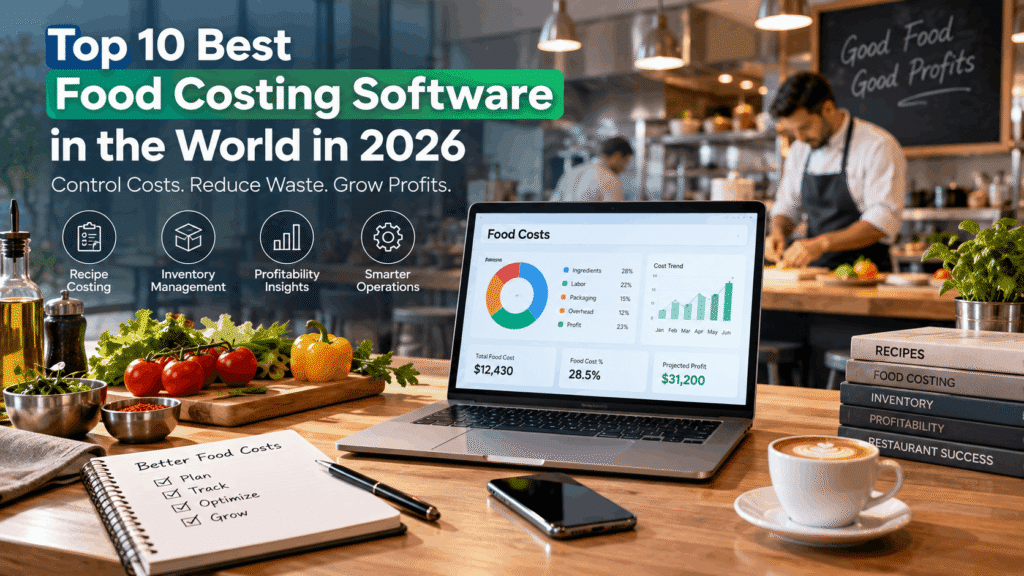
Food costing software helps businesses calculate recipe costs, monitor ingredient prices, manage inventory, track purchasing, measure food waste, analyze cost of goods sold (COGS), and understand menu profitability. More advanced platforms can connect supplier invoices, recipes, inventory counts, purchasing data, POS sales, and accounting systems to provide a more complete picture of food costs.
One particularly valuable capability is actual versus theoretical food cost analysis. Theoretical food cost estimates what a restaurant should have consumed based on recipes and sales, while actual food cost reflects what was really used. Comparing the two can help operators identify waste, over-portioning, spoilage, inaccurate recipes, inventory discrepancies, and other sources of margin loss.
The food costing software market in 2026 also extends far beyond basic recipe calculators. Restaurant groups can use platforms that combine food costing with accounting and multi-location management, while chefs may prefer culinary-focused recipe management systems. Bars can adopt specialized beverage inventory tools, and food manufacturers can use production-oriented systems with bills of materials, batch costing, expiry management, and lot traceability.
Leading solutions such as Restaurant365, MarginEdge, MarketMan, LineNow, meez, WISK AI, Crunchtime, Toast xtraCHEF, Galley Solutions, and MRPeasy approach food cost management from different perspectives. Some specialize in restaurant inventory and purchasing, while others focus on recipe costing, invoice automation, enterprise restaurant operations, culinary resource planning, or food production.
Choosing the best food costing software therefore depends on more than price. Businesses should consider recipe costing capabilities, inventory management, supplier and purchasing workflows, POS and accounting integrations, actual versus theoretical reporting, multi-location support, ease of use, scalability, and the type of food operation being managed.
In this guide to the Top 10 Best Food Costing Software in the World in 2026, we compare leading food costing platforms, their key features, pricing approaches, ideal use cases, advantages, and limitations. Whether you operate a single restaurant, a growing restaurant group, a bar, a commercial kitchen, or a food manufacturing business, this comparison will help you identify the food costing software that best fits your operational and profitability goals.
Before we venture further into this article, we would like to share who we are and what we do.
About 9cv9
9cv9 is a business tech startup based in Singapore and Asia, with a strong presence all over the world.
With over ten years of startup and business experience, and being highly involved in connecting with thousands of companies and startups, the 9cv9 team has listed some of the top and best companies/tools in this review.
If you like to get your company listed in our top B2B software reviews, check out our world-class 9cv9 Media and PR service and pricing plans here.
Top 10 Best Food Costing Software To Know in 2026
- Restaurant365
- MarginEdge
- MarketMan
- LineNow
- meez
- WISK AI
- Crunchtime
- Toast xtraCHEF
- Galley Solutions
- MRPeasy
1. Restaurant365
Restaurant365 is a comprehensive restaurant management and food costing platform designed for operators that need to connect ingredient costs, inventory, purchasing, sales, and financial performance within a single system. Rather than functioning as a standalone recipe calculator, Restaurant365 operates as a broader restaurant back-office platform, making it particularly relevant to multi-location groups, growing chains, franchise operators, and organizations seeking centralized control over food costs.
The platform combines restaurant-specific accounting with inventory and purchasing, recipe costing, scheduling, workforce tools, reporting, and POS connectivity. This integrated approach allows restaurant operators to move beyond periodic food-cost calculations and monitor how purchasing prices, inventory movements, recipes, waste, and sales affect margins.
Restaurant365 Food Costing Capabilities
Restaurant365 calculates item costs at the location level, which is important for restaurant groups where ingredient prices can vary significantly between markets and suppliers. Its costing framework can use purchasing and inventory transactions to maintain ingredient costs, while recipes can be mapped to menu items imported from connected POS systems.
As vendor prices change, operators can therefore evaluate how those changes affect recipe economics and menu profitability. Restaurant365 also provides average, minimum, and maximum item-cost comparisons across locations, giving multi-unit operators another way to identify unusual purchasing costs.
| Food Costing Capability | Restaurant365 Approach |
|---|---|
| Ingredient costing | Maintains item costs at individual restaurant locations |
| Recipe costing | Connects purchased ingredients with recipes and menu items |
| Menu item mapping | Maps recipes to menu items imported from POS systems |
| Actual vs. theoretical analysis | Compares expected ingredient consumption with actual usage |
| Vendor price monitoring | Helps identify changes and increases in purchased-item costs |
| Inventory costing | Connects inventory transactions and counts with food-cost calculations |
| Waste monitoring | Records waste as part of inventory and cost-control workflows |
| Multi-location analysis | Compares costs and performance across restaurant locations |
| Purchasing | Connects procurement activity with inventory and financial information |
| Financial reporting | Integrates restaurant operating costs with accounting and reporting |
Actual vs. Theoretical Food Cost Analysis
One of Restaurant365’s strongest capabilities for food-cost management is its actual-versus-theoretical analysis.
Theoretical food cost estimates what a restaurant should have consumed based on its POS sales mix, recipes, ingredient quantities, and associated costs. Actual food cost reflects what the operation consumed based on inventory and purchasing information.
Restaurant365 can compare these figures at both quantity and monetary levels. Large discrepancies can help operators investigate potential waste, over-portioning, inaccurate recipes, purchasing problems, inventory errors, or other operational inefficiencies.
| Cost Metric | What It Helps Measure |
|---|---|
| Theoretical food cost | Expected cost based on recipes and items sold |
| Actual food cost | Cost indicated by purchasing and inventory activity |
| Food cost variance | Difference between expected and actual consumption |
| Recipe cost | Ingredient cost required to produce a menu item |
| Item cost | Current cost associated with an individual inventory item |
| Location comparison | Cost differences among restaurants within the same group |
Restaurant365 notes that its actual-versus-theoretical report is intended primarily for identifying significant variances rather than serving as an exact reconciliation with financial statements. This distinction is important when evaluating the platform specifically as food costing software.
Inventory and Purchasing Integration
Restaurant365’s food-costing functionality becomes more valuable when combined with its inventory and purchasing tools. Inventory counts can be performed using mobile devices, while purchasing, transfers, waste, recipes, and vendor information can be managed within the broader operational environment.
This creates a connected data flow between purchasing and food-cost analysis.
Vendor price change -> Updated item cost -> Updated recipe economics -> Food-cost analysis -> Management action
For restaurant groups with multiple locations, this structure can provide substantially greater visibility than maintaining separate spreadsheets for inventory, recipes, purchasing, and accounting.
POS and Accounting Integration
Restaurant365 integrates restaurant POS information directly into its operational and accounting environment. POS integrations can import daily sales, labor, payment, and menu information that is subsequently used throughout reporting and analysis.
Restaurant365 documentation in 2026 indicates support for integrations with more than 90 POS systems. This makes POS compatibility an important consideration for prospective buyers, since individual integrations can use different connection methods and capabilities.
The platform also connects inventory and purchasing activity with restaurant-specific accounting. This is a major differentiator from lightweight food costing applications because restaurant operators can analyze food cost alongside cost of goods sold, accounts payable, sales, and broader financial performance.
Best Fit for Restaurant365
| Restaurant Type | Suitability | Primary Reason |
|---|---|---|
| Independent restaurant | Moderate | Powerful feature set may exceed basic costing requirements |
| Growing restaurant group | High | Centralized inventory, costing and financial management |
| Multi-location chain | Very High | Strong location-level reporting and consolidated controls |
| Franchise operator | Very High | Scalable reporting and standardized operational processes |
| Enterprise restaurant group | Very High | Broad accounting, operations and integration capabilities |
| Small cafe or food truck | Low to Moderate | Simpler food-costing software may be more economical |
Restaurant365 Pricing
Restaurant365 has moved toward custom quotation for many configurations, so older fixed package figures should not automatically be treated as current 2026 pricing.
Publicly displayed Restaurant365 product pages have listed its Professional package at approximately $489 per location per month when billed annually, or approximately $539 per location per month when billed quarterly. The package combines Restaurant365 Accounting with Store Operations capabilities including inventory, scheduling, and POS connectivity, while certain workforce products are available separately.
| Pricing Consideration | 2026 Position |
|---|---|
| Pricing model | Primarily location-based and customized |
| Public Professional pricing | About $489 per location/month with annual billing |
| Quarterly equivalent | About $539 per location/month |
| Inventory and purchasing | Available within Restaurant365’s broader product ecosystem |
| Accounting | Integrated restaurant-specific accounting available |
| Workforce and HR | Additional products and add-ons available |
| Enterprise deployment | Custom quotation generally required |
Restaurant groups should obtain a current quotation based on location count and required modules rather than relying on historical pricing, particularly when comparing Restaurant365 with dedicated food costing applications.
Restaurant365 Reviews and Market Position
Restaurant365 maintains a strong reputation among restaurant management platforms. In 2026, G2 lists Restaurant365 at approximately 4.6 out of 5 based on more than 300 reviews.
User feedback frequently highlights the breadth of the platform, restaurant-specific functionality, integrations, inventory capabilities, and ability to consolidate operational processes. At the same time, some reviewers identify implementation complexity, training requirements, reporting limitations, and the effort required to configure a comprehensive restaurant management environment.
Restaurant365 Advantages and Limitations
| Advantages | Potential Limitations |
|---|---|
| Comprehensive food-cost visibility | More complex than basic recipe-costing software |
| Actual vs. theoretical analysis | Implementation can require significant setup |
| Location-specific ingredient costing | May be excessive for very small restaurants |
| Integrated recipe and inventory management | Full value depends on accurate operational data |
| Purchasing and vendor integration | Costs increase as locations and requirements grow |
| Restaurant-specific accounting | Learning curve can be higher than lightweight tools |
| Multi-location reporting | Some organizations may require additional training |
| Broad POS connectivity | Compatibility should be confirmed before purchase |
Food Cost Reduction Potential
Restaurant365 positions food-cost control as one of the principal financial benefits of its inventory and purchasing platform. The company reports that restaurants using its technology can reduce food costs by up to 5 percent, while published customer case studies include examples of restaurant operators achieving measurable reductions in food costs.
The more important value proposition, however, is continuous visibility. By connecting invoices, inventory, recipes, purchasing, waste, and POS sales, Restaurant365 gives management teams the information needed to identify margin problems earlier instead of waiting until financial statements reveal them.
Overall Assessment
| Evaluation Area | Assessment |
|---|---|
| Food costing depth | Excellent |
| Recipe costing | Excellent |
| Inventory management | Excellent |
| Actual vs. theoretical analysis | Excellent |
| Purchasing management | Excellent |
| Multi-location capabilities | Excellent |
| Accounting integration | Excellent |
| POS integration | Excellent |
| Ease for very small operators | Moderate |
| Enterprise scalability | Excellent |
| Overall positioning | Comprehensive restaurant operations and food costing platform |
Restaurant365 is particularly compelling for the 2026 food costing software market because food costing is embedded within a much larger restaurant financial and operational ecosystem. Ingredient prices, recipes, purchasing, inventory counts, POS sales, waste, and accounting data can all contribute to the restaurant’s understanding of cost performance.
For independent restaurants requiring only a simple recipe calculator, Restaurant365 may offer more functionality than necessary. For multi-location restaurant groups, franchisees, and expanding hospitality businesses, however, its ability to connect theoretical food costs with real-world purchasing, inventory, sales, and financial data makes Restaurant365 one of the more comprehensive food cost management platforms available in 2026.
2. MarginEdge
MarginEdge is a restaurant management and food costing platform focused on converting purchasing, invoice, POS, inventory, and recipe data into actionable cost information. Its particular strength lies in reducing the administrative work associated with restaurant invoices while giving operators substantially more frequent visibility into food costs, purchasing trends, recipe profitability, and controllable expenses.
Rather than positioning itself solely as recipe costing software, MarginEdge combines invoice processing, accounts payable, inventory management, recipe costing, menu analysis, purchasing, and restaurant performance reporting. This makes it particularly suitable for independent restaurants and multi-location hospitality operators seeking food-cost intelligence without implementing a larger restaurant ERP system.
MarginEdge Food Costing Capabilities
MarginEdge’s food costing workflow begins with invoices. Restaurants can photograph invoices through the application, email digital invoices, or submit them through supported electronic integrations. The system then converts invoice information into structured purchasing data.
This information feeds MarginEdge’s product, recipe, inventory, and reporting tools, allowing operators to monitor changes in ingredient prices and understand their effect on menu profitability.
| Food Costing Capability | MarginEdge Approach |
|---|---|
| Invoice processing | Digitizes restaurant invoices and line-item purchasing data |
| Ingredient cost tracking | Uses purchasing data to monitor product costs |
| Recipe costing | Calculates recipe costs using ingredient purchasing information |
| Menu analysis | Evaluates menu items using recipe and sales information |
| Price monitoring | Highlights significant product price movements |
| Inventory management | Connects inventory counts with purchasing and food-cost data |
| Theoretical usage | Estimates expected ingredient consumption from sales |
| Actual usage | Uses purchasing and inventory information to evaluate consumption |
| Food usage reporting | Identifies differences between expected and actual usage |
| Daily P&L | Provides frequent visibility into controllable restaurant costs |
Invoice Processing and Cost Automation
Invoice automation is one of MarginEdge’s defining features. Restaurant employees can submit photographs of paper invoices rather than manually entering individual products, quantities, prices, taxes, and accounting categories.
MarginEdge processes invoice information down to individual purchased products, allowing the resulting data to support food costing, vendor analysis, accounting, and accounts payable workflows.
The process can be summarized as:
Restaurant invoice -> Invoice digitization -> Product-level purchasing data -> Ingredient costs -> Recipe costs -> Food-cost reporting -> Accounting
This workflow can be particularly valuable for restaurants receiving large numbers of invoices every week because the same purchasing information can support several operational and financial functions without repeatedly entering the data.
Recipe Costing and Menu Analysis
MarginEdge includes digital recipe management and menu analysis capabilities. As purchasing information changes, operators can evaluate the impact of ingredient prices on recipe economics.
For example, if the cost of proteins, cooking oil, dairy products, or produce increases, restaurant managers can identify how those movements affect individual recipes and menu margins. This provides a more responsive alternative to maintaining static recipe-cost spreadsheets that may become outdated as supplier prices change.
| Costing Question | MarginEdge Capability |
|---|---|
| How much does a recipe currently cost? | Recipe costing |
| Which ingredients have become more expensive? | Product price monitoring |
| How are ingredient changes affecting margins? | Menu and recipe analysis |
| How much food should have been consumed? | Theoretical usage |
| How much food was actually consumed? | Actual usage analysis |
| Where are significant variances occurring? | Food usage reporting |
| How are controllable costs trending? | Daily controllable P&L |
Actual vs. Theoretical Usage
MarginEdge also provides theoretical-versus-actual usage analysis.
Theoretical usage estimates the quantity of ingredients that should have been consumed based on menu items sold and their associated recipes. Actual usage incorporates inventory and purchasing activity to show what appears to have been consumed.
Comparing these figures can expose operational problems that would otherwise remain hidden within an overall food-cost percentage.
Potential causes of variance can include over-portioning, food waste, incorrect recipes, inaccurate inventory counts, complimentary items, preparation mistakes, theft, or incorrect POS-to-recipe mappings.
POS and Accounting Integrations
MarginEdge supports more than 50 POS and restaurant systems. POS connectivity provides the sales information required for functions including daily reporting, recipe analysis, theoretical usage, and controllable P&L reporting.
The platform also integrates with widely used restaurant accounting environments. Supported accounting integrations include systems such as QuickBooks, Xero, NetSuite, Sage Intacct, Restaurant365, Microsoft Dynamics GP, and several restaurant-focused accounting platforms.
This creates a connected operational structure:
| Data Source | Information Provided | Operational Use |
|---|---|---|
| Supplier invoices | Product quantities and prices | Ingredient and purchasing costs |
| POS | Sales and menu-item data | Sales mix and theoretical usage |
| Recipes | Ingredient requirements | Recipe and menu costing |
| Inventory | Stock quantities | Actual usage calculations |
| Labor systems | Labor expenditure | Prime-cost monitoring |
| Accounting | Financial classifications | P&L and bookkeeping workflows |
MarginEdge Pricing in 2026
MarginEdge’s current published pricing is $350 per restaurant location per month. This is an important update from older materials that reference a $330 monthly price.
Annual billing provides a 10% discount, bringing the effective subscription cost to approximately $315 per location per month. MarginEdge states that it does not charge a traditional setup fee, although optional paid onboarding and professional-service packages are available.
| Plan | Published 2026 Price | Primary Purpose |
|---|---|---|
| MarginEdge | $350 per location/month | Restaurant management and food-cost platform |
| MarginEdge annual billing | Approx. $315/month equivalent | 10% annual billing discount |
| MarginEdge + Freepour | $500 per location/month | Restaurant management plus liquor inventory |
| Freepour incremental cost | $150 per location/month | Smart-scale beverage inventory functionality |
The standard subscription includes capabilities such as invoice processing, bill payments for eligible US customers, inventory tools, recipe costing, POS integrations, price monitoring, reporting, and support.
The flat-rate structure can be attractive to restaurants processing substantial invoice volumes because the core subscription includes unlimited invoice processing rather than charging according to the number of invoices processed.
Best Fit for MarginEdge
| Restaurant Profile | Suitability | Reason |
|---|---|---|
| Independent full-service restaurant | Excellent | Strong invoice and food-cost automation |
| Fast-casual restaurant | Excellent | Frequent purchasing and margin monitoring |
| Small restaurant group | Excellent | Centralized purchasing and cost visibility |
| Multi-location hospitality group | Excellent | Location-level operational reporting |
| Restaurant with large invoice volume | Excellent | Unlimited invoice processing |
| Restaurant with substantial bar program | Excellent | Freepour integration available |
| Very small cafe | Moderate | Subscription may exceed basic costing requirements |
| Large enterprise chain | Moderate to High | Broader ERP requirements may require additional systems |
Customer Reviews
MarginEdge maintains strong customer satisfaction across major software-review platforms. G2 lists the platform at approximately 4.6 out of 5 in 2026. Capterra is also cited by MarginEdge at approximately 4.5 out of 5.
Customer feedback frequently emphasizes time savings from invoice processing, visibility into real-time food costs, recipe costing, restaurant-specific functionality, and reduced dependence on manual administrative processes.
Some users also note that the amount of available data and functionality introduces an initial learning curve, particularly for restaurants transitioning from spreadsheets or simpler accounting processes.
MarginEdge Advantages and Limitations
| Advantages | Potential Limitations |
|---|---|
| Automated invoice processing | More expensive than basic recipe-cost calculators |
| Product-level purchasing information | May be excessive for very small food businesses |
| Dynamic recipe costing | Accurate analysis depends on good recipe and POS mappings |
| Actual vs. theoretical usage | Inventory procedures still need operational discipline |
| Daily controllable P&L visibility | Initial configuration can require learning and setup |
| Unlimited invoice processing | Pricing applies separately to each location |
| Transparent flat-rate subscription | Optional onboarding services can add costs |
| More than 50 POS and system integrations | Integration capabilities vary between systems |
| Accounting integrations | Not intended to replace every enterprise ERP function |
| Optional beverage inventory technology | Freepour increases the monthly subscription |
Standout Differentiator
MarginEdge’s strongest differentiator in the food costing software market is the connection between invoice automation and restaurant cost intelligence.
Instead of requiring restaurant teams to manually maintain ingredient prices before calculating recipe costs, purchasing information captured from invoices becomes part of the underlying cost-management environment. This creates a continuous feedback loop between supplier pricing, recipes, inventory, menu performance, and financial reporting.
Invoice -> Ingredient price -> Recipe cost -> Menu margin -> Usage variance -> Daily P&L
For restaurants experiencing frequent supplier price fluctuations, this approach can make food costing significantly more actionable than maintaining periodically updated spreadsheets.
Overall Assessment
| Evaluation Area | Assessment |
|---|---|
| Invoice automation | Excellent |
| Ingredient cost tracking | Excellent |
| Recipe costing | Excellent |
| Actual vs. theoretical analysis | Excellent |
| Inventory management | Very Good |
| Menu analysis | Excellent |
| Purchasing visibility | Excellent |
| POS connectivity | Excellent |
| Accounting connectivity | Excellent |
| Multi-location suitability | Excellent |
| Small-business affordability | Moderate |
| Pricing transparency | Excellent |
| Overall positioning | Excellent restaurant food-cost and back-office platform |
MarginEdge is therefore a strong contender among the best food costing software platforms in 2026, particularly for restaurants where food-cost management is closely tied to invoice processing and purchasing.
Its combination of flat-rate pricing, unlimited invoice processing, ingredient-level cost information, recipe costing, theoretical-versus-actual analysis, inventory management, POS connectivity, and accounting integration provides a practical bridge between kitchen operations and financial management. For independent restaurants and growing multi-unit groups seeking better food-cost control without adopting a full enterprise restaurant ERP, MarginEdge represents a particularly compelling option.
3. MarketMan
MarketMan is a cloud-based restaurant inventory management and food costing platform built around inventory control, purchasing, recipe profitability, supplier management, and cost-of-goods visibility. The platform is particularly relevant to restaurants that want food costing to operate as part of a broader procurement and inventory workflow rather than as a standalone recipe calculator.
Used by more than 15,000 restaurants globally, MarketMan connects purchasing, receiving, invoices, recipes, inventory counts, waste, POS sales, and accounting information. This gives operators a centralized system for understanding where food costs originate and identifying operational issues that can erode restaurant margins.
MarketMan Food Costing Capabilities
MarketMan’s inventory-first architecture differentiates it from accounting-led restaurant management platforms. Ingredient purchasing and inventory movements form the foundation of its food-cost calculations, while recipes and POS sales provide the information needed to calculate theoretical consumption and menu profitability.
| Food Costing Capability | MarketMan Approach |
|---|---|
| Real-time recipe costing | Updates menu-item costs using current ingredient information |
| Ingredient cost tracking | Monitors individual product costs and supplier pricing |
| Actual vs. theoretical | Compares expected consumption against actual inventory usage |
| COGS reporting | Calculates and analyzes restaurant cost of goods sold |
| Menu profitability | Identifies higher- and lower-margin menu items |
| Inventory management | Tracks quantities and inventory values |
| Waste management | Records waste and its impact on restaurant costs |
| Price monitoring | Detects supplier and ingredient price changes |
| Purchasing | Centralizes purchase orders and supplier activity |
| Receiving | Reconciles deliveries against orders and invoices |
Invoice Scanning and Price Monitoring
MarketMan allows restaurant teams to photograph, scan, upload, or electronically submit supplier invoices. Its invoice-processing technology extracts information including individual line items, quantities, and prices, turning invoices into usable purchasing and cost data.
The system can subsequently monitor purchasing patterns and alert operators when product prices change.
Invoice -> Product-level data -> Ingredient cost -> Recipe cost -> COGS -> Menu profitability
This workflow reduces reliance on manually updated spreadsheets and can make food-cost information more responsive to changes in supplier pricing.
MarketMan also matches invoices against purchase orders, helping restaurants identify shortages, substitutions, credits, pricing discrepancies, and other receiving irregularities.
Purchasing and Vendor Management
Purchasing is another major MarketMan strength. Restaurants can manage suppliers, create purchase orders, establish par levels, define budgets, configure price limits, and control employee purchasing permissions from a centralized platform.
Its Smart Ordering capabilities use historical information and predictive analytics to help forecast demand and recommend purchasing quantities.
| Purchasing Function | Business Benefit |
|---|---|
| Par levels | Helps maintain appropriate inventory quantities |
| Smart Ordering | Supports data-driven purchasing recommendations |
| Price limits | Helps prevent unexpectedly expensive purchases |
| Vendor price tracking | Identifies changes in supplier pricing |
| Purchasing budgets | Provides additional expenditure control |
| Purchase orders | Standardizes ordering processes |
| Receiving reconciliation | Identifies discrepancies between orders and deliveries |
| User permissions | Controls who can make purchasing decisions |
This combination makes MarketMan particularly relevant for restaurant groups where decentralized purchasing can create inconsistent ingredient prices and food costs between locations.
Inventory and Waste Management
MarketMan provides mobile inventory counting that allows restaurant employees to conduct stock counts using phones or tablets. Inventory quantities and values can then contribute to COGS, variance, and actual-versus-theoretical reporting.
Waste can also be recorded and analyzed separately.
| Inventory Metric | Management Purpose |
|---|---|
| Inventory quantity | Understand current stock availability |
| Inventory value | Measure capital held in food inventory |
| Waste | Identify products and processes causing losses |
| COGS | Measure the cost associated with restaurant sales |
| Actual usage | Determine ingredients actually consumed |
| Theoretical usage | Estimate expected consumption from POS sales |
| Variance | Detect discrepancies between expected and actual usage |
| Gross profit | Evaluate profitability after product costs |
Recipe Costing and Menu Profitability
MarketMan provides a centralized recipe database containing ingredients, quantities, portions, preparation instructions, and associated costs.
Because recipes connect with ingredient and purchasing data, restaurant operators can monitor the cost of producing individual dishes and identify menu items whose margins have deteriorated.
This becomes especially useful during periods of ingredient-price volatility. A substantial increase in the price of meat, seafood, dairy products, produce, or cooking oils can quickly change the economics of menu items that previously generated attractive margins.
MarketMan’s menu-costing reports therefore help operators make decisions about menu pricing, portions, recipe substitutions, supplier negotiations, and menu engineering.
Actual vs. Theoretical Food Cost
MarketMan also supports actual-versus-theoretical reporting.
Theoretical consumption represents the ingredients that should have been consumed based on recipes and POS sales. Actual consumption reflects inventory movement and purchasing information. The difference can expose operational inefficiencies.
Potential variance sources include:
| Variance Source | Potential Food-Cost Impact |
|---|---|
| Over-portioning | Higher ingredient consumption |
| Food waste | Increased COGS without corresponding sales |
| Theft | Unexplained inventory depletion |
| Incorrect recipes | Distorted theoretical consumption |
| Receiving errors | Incorrect inventory quantities or costs |
| Supplier discrepancies | Unexpected purchasing costs |
| Inventory-count errors | Misleading actual consumption |
| Unrecorded complimentary items | Consumption without corresponding revenue |
MarketMan Pricing in 2026
MarketMan’s pricing requires particular attention because multiple online listings still show older $199 and $249 price points. The company’s current primary pricing page lists higher 2026 pricing.
| Plan | Current Published Monthly Price | Intended User |
|---|---|---|
| Starter | $249 per month | Independent restaurant operators |
| Growth | $299 per month | Restaurants seeking additional automation |
| Enterprise | From $449 per month | Established chains and franchises |
The current Starter package includes real-time recipe costing, actual-versus-theoretical reporting, waste management, one vendor EDI integration, and 50 AI-powered invoice scans per month.
Growth adds capabilities including Smart Ordering, ordering by recipe, AI-assisted recipe optimization, two vendor EDI integrations, and unlimited invoice scanning.
Enterprise adds more sophisticated capabilities including advanced reporting, unlimited vendor EDI integrations, email invoice scanning, and API access.
Older pricing information citing Starter at $199 and Growth at $249 remains visible on some MarketMan pages and third-party software directories. Prospective buyers should therefore verify the latest quotation directly with MarketMan rather than assuming historical pricing remains applicable.
Best Fit for MarketMan
| Restaurant Type | Suitability | Primary Reason |
|---|---|---|
| Independent restaurant | High | Strong inventory and recipe-cost controls |
| Fast-casual restaurant | Excellent | Purchasing, inventory and COGS automation |
| Quick-service restaurant | Excellent | High-volume inventory and ordering workflows |
| Multi-location restaurant group | Excellent | Centralized reporting and standardized processes |
| Franchise operation | Excellent | Enterprise multi-location functionality |
| Commissary-based operation | Excellent | Inter-location and production capabilities |
| Small cafe | Moderate | Feature depth may exceed simple costing needs |
| Large restaurant chain | Excellent | Enterprise purchasing and inventory controls |
Restaurant groups can also centralize recipe libraries, transfer inventory between locations, operate commissary workflows, and compare performance across restaurants through MarketMan’s enterprise capabilities.
Review Ratings and Market Reputation
MarketMan maintains strong ratings across restaurant software review platforms. G2 currently lists MarketMan at approximately 4.3 out of 5 from more than 50 reviews.
Capterra lists MarketMan at approximately 4.7 out of 5 from more than 100 reviews. These ratings support its position as an established restaurant inventory and food-cost management platform.
MarketMan Advantages and Limitations
| Advantages | Potential Limitations |
|---|---|
| Strong inventory management | Higher cost than basic food-cost calculators |
| Real-time recipe costing | Starter plan limits invoice scans |
| Actual vs. theoretical reporting | Advanced functionality requires higher plans |
| Supplier price monitoring | Implementation requires accurate inventory setup |
| Automated invoice processing | Historical pricing online can create confusion |
| Smart purchasing capabilities | Full benefits depend on operational discipline |
| Waste management | Smaller restaurants may not require its full feature set |
| Multi-location reporting | Enterprise capabilities increase subscription cost |
| POS and accounting integrations | Individual integration capabilities can vary |
| Commissary functionality | More complex operations require greater configuration |
Food Cost Reduction Potential
MarketMan positions measurable food-cost reduction as one of the core outcomes of its inventory and purchasing platform. The company states that restaurants typically achieve approximately 3% to 5% reductions in food costs by using real-time inventory tracking, waste monitoring, ordering controls, COGS reporting, and data-driven purchasing.
MarketMan also publishes customer examples showing larger improvements in particular restaurant groups, although such case-study results should not be interpreted as guaranteed outcomes for every operator.
The operational mechanism behind potential savings is straightforward:
Better inventory data -> More accurate ordering -> Lower overstocking -> Reduced waste -> Better supplier control -> Lower COGS
Standout Differentiator
MarketMan’s strongest differentiator is the depth of its inventory-to-procurement workflow.
Rather than treating food costing as an isolated accounting calculation, MarketMan connects ingredient costs with purchasing, receiving, inventory, waste, recipes, menu sales, and suppliers. This makes the platform especially useful for restaurant operators seeking to understand not simply what their food-cost percentage is, but why it is changing.
Overall Assessment
| Evaluation Area | Assessment |
|---|---|
| Inventory management | Excellent |
| Recipe costing | Excellent |
| Menu profitability | Excellent |
| Actual vs. theoretical | Excellent |
| Waste management | Excellent |
| Purchasing automation | Excellent |
| Vendor management | Excellent |
| Invoice processing | Excellent |
| COGS reporting | Excellent |
| Multi-location management | Excellent |
| Small restaurant affordability | Moderate |
| Enterprise scalability | Excellent |
| Overall positioning | Inventory-first restaurant cost management platform |
MarketMan deserves consideration among the best food costing software platforms in 2026 because it combines recipe costing with the operational processes that ultimately determine food costs.
Its strengths in inventory management, purchasing, vendor price tracking, invoice automation, waste monitoring, actual-versus-theoretical reporting, and multi-location management make it particularly well suited to growing restaurant groups, franchises, quick-service businesses, and complex hospitality operations seeking tighter control over COGS and menu profitability.
4. LineNow
LineNow is a procurement, inventory replenishment, and food costing platform designed to connect restaurant purchasing decisions with supplier execution, receiving, physical inventory, and accounting. Its central concept is a closed-loop purchasing workflow: determining what needs to be purchased, creating supplier purchase orders, tracking supplier responses, verifying deliveries, updating inventory, and passing finalized purchasing information to downstream financial systems.
For restaurants, cafes, bakeries, bars, catering businesses, commissaries, and multi-location food-service groups, LineNow provides an alternative to larger restaurant ERP platforms by concentrating on the purchasing and inventory processes that directly influence food costs.
LineNow Food Costing and Inventory Capabilities
LineNow combines purchasing data with stock levels, recipes, supplier prices, sales activity, open orders, and physical counts. This allows restaurant operators to use operational demand signals when deciding what and how much to purchase.
| Food Costing Capability | LineNow Approach |
|---|---|
| Ingredient costing | Tracks supplier prices and pack sizes for purchased ingredients |
| Recipe costing | Links ingredient quantities with recipes for dish-level estimates |
| Inventory management | Maintains stock information by business unit and location |
| Replenishment | Uses stock, sales, recipes and open orders to recommend purchases |
| PAR management | Supports ingredient-level PAR levels for replenishment |
| Supplier price tracking | Records supplier prices and identifies price movements |
| Purchase orders | Creates supplier-specific POs from inventory requirements |
| Receiving | Records full and partial deliveries against purchase orders |
| Physical counts | Supports mobile and checklist-based inventory counts |
| Multi-location management | Maintains location-specific inventory and supplier relationships |
| Accounting handoff | Connects finalized purchasing records with accounting systems |
Closed-Loop Restaurant Procurement
LineNow’s strongest differentiator is its emphasis on maintaining a continuous purchasing record from the initial buying decision through delivery.
Instead of treating a purchase order as the end of the procurement process, LineNow keeps subsequent supplier activity connected to that order.
Purchase requirement -> Purchase order -> Supplier confirmation -> Changes and shortages -> Delivery -> Receiving -> Inventory update -> Accounting
Supplier confirmations, substitutions, estimated delivery times, backorders, shortages, and price changes can remain associated with the corresponding order. This gives the employee receiving the delivery greater visibility into what was originally requested and what the supplier subsequently confirmed.
Supplier Order and Receiving Management
Restaurant purchasing frequently involves discrepancies between what was ordered and what eventually arrives. LineNow addresses this problem by connecting supplier communications with receiving.
| Procurement Stage | LineNow Function |
|---|---|
| Demand planning | Reviews stock, usage, recipes and sales signals |
| Order recommendation | Determines products requiring replenishment |
| PO creation | Groups purchasing requirements by supplier |
| Supplier communication | Sends and tracks supplier orders |
| Confirmation | Records supplier responses against the PO |
| Order changes | Tracks substitutions, shortages and price changes |
| Receiving | Compares delivered quantities with the active order |
| Partial delivery | Maintains outstanding quantities still due |
| Documentation | Attaches invoices, packing slips and delivery evidence |
| Inventory update | Updates stock based on receiving information |
| Accounting handoff | Sends reviewed purchasing information downstream |
LineNow also provides QR-based mobile receiving for supported workflows. Employees can open receiving checklists on a phone, enter delivered quantities, record partial deliveries, and attach supporting documents.
Inventory Replenishment
LineNow uses inventory and demand information to help determine purchasing requirements. Restaurants can establish PAR levels for ingredients while the system incorporates available stock, sales, recipe usage, pack sizes, supplier information, and open purchase orders when recommending replenishment.
This creates a more data-driven ordering process than simply purchasing the same quantity every week.
| Replenishment Input | Purchasing Role |
|---|---|
| Current stock | Determines available inventory |
| PAR levels | Establishes desired stock thresholds |
| POS sales | Provides demand information |
| Recipe usage | Connects menu sales with ingredient requirements |
| Open orders | Prevents incoming inventory from being ignored |
| Supplier pack sizes | Converts requirements into purchasable quantities |
| Supplier prices | Provides cost information before ordering |
| Physical counts | Reconciles system estimates with actual stock |
Physical counts remain important. LineNow explicitly notes that estimated inventory based on sales and recipes cannot independently determine spoilage, portioning differences, or unrecorded consumption.
Recipe and Ingredient Costing
LineNow includes recipe costing within its restaurant purchasing workflow. Ingredient quantities can be linked to recipes, while supplier prices and pack sizes provide the purchasing-cost information required to estimate dish costs.
The emphasis is therefore less on standalone menu engineering and more on connecting recipe economics with the ingredients that restaurants actually purchase.
Supplier price -> Ingredient cost -> Recipe cost -> Purchasing requirement -> Purchase order -> Receiving
Restaurants can also examine supplier price history and compare vendors for the same ingredients, helping purchasing teams identify unexpected price increases and potential sourcing opportunities.
POS and Sales Integrations
LineNow currently supports connections with several major sales and commerce systems, including Square, Toast, Clover, Lightspeed, Shopify, Amazon, and Faire.
For restaurants, POS information can provide demand signals used alongside recipes and inventory when determining replenishment requirements.
| Integration Category | Examples of Supported Systems |
|---|---|
| Restaurant POS | Toast, Square, Clover |
| Retail POS | Lightspeed |
| Commerce | Shopify |
| Marketplace | Amazon, Faire |
| Accounting | QuickBooks Online, Xero |
| Supplier communication | Email and supported messaging channels |
LineNow does not position itself as a replacement for a restaurant’s POS, ERP, or accounting platform. Instead, it operates as a procurement layer connecting those systems with supplier purchasing and receiving activity.
LineNow Pricing in 2026
LineNow has one of the simpler pricing structures among restaurant procurement and food costing platforms reviewed for 2026.
The company currently advertises a 90-day free trial with no credit card requirement, followed by a flat subscription of $100 per month for each business unit.
| Pricing Element | 2026 Offering |
|---|---|
| Standard subscription | $100 per month per business unit |
| Free trial | 90 days |
| Credit card for trial | Not required |
| Multi-location support | Included, billed by business unit |
| Ingredients | Unlimited during full trial |
| Suppliers | Unlimited during full trial |
| Recipe costing | Included |
| POS synchronization | Included |
| AI functionality | Included |
| Reporting | Included |
This straightforward pricing model differentiates LineNow from restaurant management platforms that divide inventory, accounting, purchasing, analytics, and advanced automation into multiple subscription tiers.
Best Fit for LineNow
| Business Type | Suitability | Primary Reason |
|---|---|---|
| Independent restaurant | Excellent | Affordable purchasing and inventory controls |
| Cafe or bakery | Excellent | Ingredient purchasing and replenishment |
| Catering operation | High | Supplier and inventory coordination |
| Ghost kitchen | High | Inventory-driven procurement workflows |
| Multi-location restaurant | Excellent | Location-specific inventory and purchasing |
| Commissary operation | Excellent | Central purchasing and replenishment workflows |
| Food manufacturer | High | Raw-material and supplier procurement |
| Hybrid food and retail business | Excellent | Supports restaurant and retail demand signals |
| Large franchise enterprise | Moderate to High | Procurement is strong, but broader ERP functions may be required |
AI-Assisted Supplier Management
LineNow also applies AI to parts of the procurement process. Its system can help generate purchasing recommendations and interpret supplier communications, converting information from supplier replies into reviewable order updates.
This is particularly useful after a purchase order has been sent.
A supplier may confirm only part of an order, substitute another product, change a price, report a backorder, or provide a revised delivery date. LineNow keeps these developments connected to the underlying purchase order rather than leaving the information isolated in email or messaging threads.
LineNow Advantages and Limitations
| Advantages | Potential Limitations |
|---|---|
| Low flat monthly subscription | Less comprehensive than full restaurant ERP platforms |
| 90-day free trial | Primarily focused on procurement and inventory |
| Recipe costing included | Advanced menu engineering may require other tools |
| Supplier price tracking | Physical inventory counts remain necessary |
| Demand-based purchasing recommendations | Integration coverage is smaller than some established platforms |
| Purchase order automation | Accurate recommendations depend on good operational data |
| Supplier response tracking | Broader workforce functions are outside its core scope |
| Mobile receiving workflows | Not designed to replace accounting software |
| Multi-location support | Enterprise franchise controls may require additional systems |
| QuickBooks and Xero connectivity | Broader accounting requirements may need an ERP |
Standout Differentiator
LineNow’s primary differentiator is the combination of affordable pricing and closed-loop procurement.
Many restaurant food costing systems concentrate on identifying ingredient costs after purchases have already occurred. LineNow places greater emphasis on controlling the purchasing process itself, from identifying replenishment requirements through supplier confirmation and final receiving.
What should be purchased -> What was ordered -> What the supplier confirmed -> What actually arrived -> What remains in inventory -> What should be purchased next
This approach can be particularly useful for perishable food operations because inaccurate purchasing, supplier substitutions, unrecorded shortages, price changes, and receiving discrepancies can all contribute to margin leakage.
Overall Assessment
| Evaluation Area | Assessment |
|---|---|
| Ingredient cost tracking | Very Good |
| Recipe costing | Very Good |
| Inventory management | Excellent |
| Purchasing automation | Excellent |
| Supplier management | Excellent |
| Replenishment planning | Excellent |
| Receiving controls | Excellent |
| Supplier price monitoring | Excellent |
| Multi-location management | Excellent |
| POS connectivity | Very Good |
| Accounting connectivity | Very Good |
| Pricing transparency | Excellent |
| Affordability | Excellent |
| Enterprise ERP breadth | Moderate |
| Overall positioning | Procurement-first food cost management |
LineNow represents an interesting option among the best food costing software platforms in 2026 because it approaches food-cost control primarily through procurement execution and inventory accuracy.
At $100 per business unit per month following a 90-day free trial, it is considerably more accessible than many full restaurant management platforms. Its combination of recipe costing, inventory replenishment, supplier price monitoring, purchase-order management, receiving controls, physical counts, multi-location support, and accounting connectivity makes it especially attractive to restaurants and food businesses seeking tighter purchasing control without adopting a complex enterprise restaurant ERP.
5. meez
meez is a culinary-first recipe management and food costing platform designed around the way professional chefs develop, document, cost, scale, and execute recipes. Instead of approaching food cost primarily through accounting, procurement, or inventory control, meez treats structured recipe data as the foundation for understanding restaurant margins.
This positioning distinguishes meez from broader restaurant back-office platforms. The system acts as a culinary layer connecting recipes, ingredients, yields, supplier costs, menu prices, training materials, nutrition information, allergens, and menu-performance data.
The platform is used by more than 35,000 culinary professionals and supports operations ranging from individual chefs and independent restaurants to multi-location restaurant groups and food-service organizations.
meez Food Costing Capabilities
At the center of meez is a structured recipe database. Ingredients, sub-recipes, yields, conversions, portions, preparation instructions, costs, and selling prices can be connected so that changes flow through the recipe hierarchy.
| Food Costing Capability | meez Approach |
|---|---|
| Ingredient costing | Uses manual costs, invoices or connected purchasing data |
| Recipe costing | Calculates costs from structured ingredient information |
| Yield calculations | Accounts for preparation yields and ingredient losses |
| Portion costing | Calculates cost for individual servings |
| Food cost percentage | Compares recipe cost against selling price |
| Gross profit | Calculates profitability at recipe and menu-item level |
| Sub-recipe costing | Rolls component costs into parent recipes |
| Live cost updates | Updates affected recipes when ingredient costs change |
| Menu engineering | Connects recipe costs with price, sales and profitability |
| Scenario modeling | Tests ingredient, portion and selling-price changes |
Yield-Adjusted Recipe Costing
Yield management is one of meez’s most important food-costing capabilities.
Raw ingredient quantities do not always translate directly into usable recipe quantities. Trimming, peeling, fabrication, cooking, evaporation, and other preparation processes can reduce usable yield.
meez incorporates yields and unit conversions into its costing calculations, helping chefs calculate the effective cost of usable ingredients rather than simply dividing supplier prices by purchased quantities.
| Costing Element | Why It Matters |
|---|---|
| Purchase cost | Establishes the starting ingredient price |
| Purchase quantity | Defines the quantity originally purchased |
| Prep yield | Accounts for trimming and preparation losses |
| Recipe yield | Determines how much finished product is produced |
| Portion size | Determines cost per serving |
| Unit conversion | Standardizes different purchasing and recipe units |
| Sub-recipes | Distributes component costs across finished dishes |
The platform also provides a database containing more than 3,000 ingredients with built-in conversions and yield information, reducing the amount of kitchen mathematics required when building recipes.
Dynamic Ingredient and Recipe Costs
Ingredient prices can be entered manually or imported from invoices and connected restaurant back-office systems. Once an ingredient price changes, recipes using that ingredient can be recalculated automatically.
Ingredient price change -> Updated ingredient cost -> Updated sub-recipe -> Updated finished recipe -> Updated food cost percentage -> Updated margin
This can be particularly useful for culinary teams dealing with volatile food prices. Instead of periodically rebuilding costing spreadsheets, chefs can see how supplier-price changes affect recipes and menu profitability.
Menu Engineering
meez extends recipe costing into menu engineering by combining food costs with selling prices, sales performance, revenue, and profit information.
Operators can evaluate individual menu items and model potential changes before implementing them.
| Menu Decision | meez Analysis |
|---|---|
| Increase menu price | Models impact on food cost percentage and margin |
| Change an ingredient | Recalculates recipe cost and profitability |
| Change portion size | Shows resulting cost implications |
| Replace a supplier item | Updates ingredient and recipe economics |
| Introduce a new dish | Estimates profitability before launch |
| Re-engineer existing menu | Identifies margin and revenue opportunities |
| Analyze menu mix | Connects sales volume with item profitability |
Enterprise capabilities expand this functionality with menu engineering analytics and meez Intelligence, which can analyze recipe, ingredient, cost, sales-mix, and menu-performance information to identify profitability opportunities.
Recipe Management and Kitchen Standardization
Food costing is only one part of the meez proposition. Recipes can also become standardized digital operating documents for kitchen teams.
Photos, videos, preparation steps, ingredients, yields, and instructions can be stored alongside recipes. Teams can therefore use the same platform for costing and kitchen execution.
| Recipe Management Function | Operational Benefit |
|---|---|
| Central recipe library | Creates one source of culinary information |
| Recipe scaling | Adjusts quantities for different production volumes |
| Unit conversion | Reduces manual conversion calculations |
| Images and videos | Supports visual kitchen training |
| Preparation steps | Standardizes production methods |
| Recipe books | Organizes dishes by menu, concept or purpose |
| Multi-location publishing | Distributes updates across kitchens |
| Version consistency | Helps locations use current recipes |
| AI recipe importing | Converts existing recipe documents into structured records |
This makes meez particularly useful for restaurant groups attempting to maintain consistency while expanding into additional locations.
Nutrition and Allergen Management
meez also connects recipe information with nutrition and allergen data.
Its higher-level capabilities can automatically identify major allergens based on ingredients and generate nutrition information from structured recipes. Enterprise functionality includes USDA nutrition labels and automated allergen tagging.
| Culinary Data | Potential Application |
|---|---|
| Ingredients | Recipe formulation and costing |
| Yields | Accurate production and portion costing |
| Nutrition | Nutritional analysis and labeling |
| Allergens | Menu and operational allergen management |
| Preparation data | Kitchen execution and training |
| Supplier costs | Dynamic recipe costing |
| Sales information | Menu engineering and profitability analysis |
meez Pricing in 2026
Current official pricing confirms that meez offers three primary paid tiers plus a custom Enterprise plan. Importantly, current pricing information does not show the previously referenced free permanent plan as one of the primary packages; the entry-level Starter plan can instead be tried before purchase.
| Plan | Annual-Billing Price | Best Suited For |
|---|---|---|
| Starter | $19 per month | Individual chefs and basic food costing |
| Pro | $89 per month | Single-kitchen teams needing broader operations tools |
| Premium | $179 per month | Teams requiring real-time costing and integrations |
| Enterprise | Custom pricing | Multi-location and sophisticated food-service groups |
Starter includes unlimited recipes and recipe books, AI-assisted recipe importing, recipe scaling, basic recipe costing, automated yield calculations, built-in prep yields, unit conversions, margin calculations, and order lists.
Pro expands the platform with inventory management and additional operational functionality.
Premium adds invoice processing and connectivity with back-office systems, allowing ingredient costs to be updated from purchasing information.
Enterprise adds advanced capabilities such as menu engineering and analytics, nutrition labeling, allergen automation, POS integration, purchasing reporting, custom integrations, data synchronization, and enterprise support.
Premium customers can also purchase additional recipe-viewer locations and costing feeds.
Best Fit for meez
| Restaurant Profile | Suitability | Primary Reason |
|---|---|---|
| Independent chef | Excellent | Affordable professional recipe costing |
| Independent restaurant | Excellent | Recipe, yield and margin management |
| Chef-driven restaurant | Excellent | Culinary-first workflow |
| Hotel culinary department | Excellent | Recipe standardization and training |
| Multi-concept restaurant group | Excellent | Central recipe source of truth |
| Multi-location restaurant group | Excellent | Recipe distribution and standardized execution |
| Catering operation | Excellent | Scaling, costing and production calculations |
| Beverage program | High | Recipe and margin costing |
| Accounting-focused operation | Moderate | Designed to complement rather than replace accounting |
| Large restaurant enterprise | Excellent | Enterprise integrations and menu analytics |
Integrations and Back-Office Connectivity
meez is deliberately positioned as complementary to restaurant accounting and back-office systems rather than as their replacement.
The platform can connect with systems including Restaurant365, MarketMan, MarginEdge and other restaurant technology providers. These integrations allow purchasing and ingredient-cost information to feed into meez while structured recipe information supports broader restaurant reporting.
Back-office purchasing data -> meez ingredient costs -> Yield-adjusted recipes -> Menu economics -> Restaurant reporting
This architecture can be particularly valuable for restaurant groups that already have accounting and inventory infrastructure but need a stronger culinary data layer.
Customer Reviews
meez maintains strong user sentiment among restaurant software buyers. As of August 2026, Capterra lists meez at approximately 4.7 out of 5 based on 44 reviews, including approximately 4.5 for ease of use and 4.7 for customer service.
Reviews commonly praise its recipe-costing functionality, automatic cost adjustments, recipe sharing, and usefulness to chefs and culinary teams. However, user experiences are not universally positive, with some reviewers reporting usability or ingredient-management difficulties. This makes workflow testing during the trial period worthwhile for prospective buyers.
meez Advantages and Limitations
| Advantages | Potential Limitations |
|---|---|
| Culinary-first user experience | Not a complete restaurant accounting platform |
| Detailed recipe costing | Advanced capabilities require higher plans |
| Yield-adjusted ingredient calculations | Premium integration features increase cost |
| Automatic ingredient-cost updates | Purchasing depth is lower than procurement-first systems |
| Sub-recipe costing | Enterprise functionality requires custom pricing |
| Menu engineering | Full analytics are concentrated in higher tiers |
| Recipe scaling and conversions | Accurate output depends on well-maintained recipe data |
| Visual kitchen training | Not intended to replace full restaurant ERP systems |
| Nutrition and allergen capabilities | Some advanced compliance features are Enterprise-oriented |
| Multi-location standardization | Additional locations or cost feeds may carry extra charges |
Food Cost Reduction Potential
meez reports that restaurants using its food-costing capabilities achieve an average 3% to 5% reduction in COGS through more accurate recipe costing and real-time ingredient-price updates.
The underlying mechanism centers on giving culinary teams better information before costs appear on a restaurant’s financial statements.
Accurate yields -> Accurate recipe costs -> Current ingredient prices -> Better menu decisions -> Improved margins
This represents an important distinction between meez and financially oriented restaurant systems. Accounting software can explain what a restaurant spent, whereas meez is designed to help culinary teams understand what recipes should cost and how operational decisions can change those costs.
Standout Differentiator
The strongest differentiator for meez is its recipe-first culinary architecture.
Instead of adding recipe costing as another feature within accounting or inventory software, meez makes recipes the central source of structured operational information. Cost, yield, portions, preparation, nutrition, allergens, training, menu performance, and profitability can all originate from the same recipe data.
This approach makes the platform especially compelling for chef-driven businesses where accurate recipes influence not only food costs but also consistency, training, menu development, compliance, and customer experience.
Overall Assessment
| Evaluation Area | Assessment |
|---|---|
| Recipe management | Excellent |
| Recipe costing | Excellent |
| Yield calculations | Excellent |
| Portion costing | Excellent |
| Menu engineering | Excellent |
| Ingredient cost monitoring | Excellent |
| Recipe scaling | Excellent |
| Kitchen training | Excellent |
| Nutrition and allergens | Excellent |
| Inventory management | Very Good |
| Purchasing management | Good |
| Accounting functionality | Limited |
| Multi-location standardization | Excellent |
| Entry-level affordability | Excellent |
| Enterprise scalability | Excellent |
| Overall positioning | Culinary-first recipe and food costing platform |
meez stands out among the best food costing software in 2026 for organizations that consider the recipe, rather than the accounting ledger, to be the foundation of food-cost control.
Its combination of yield-aware costing, real-time ingredient prices, recipe scaling, sub-recipes, margin calculations, menu engineering, visual training, nutrition and allergen management, and multi-location recipe standardization makes it particularly suitable for chefs, culinary directors, restaurant groups, hotels, and other food-service businesses seeking to transform recipes into measurable operational and financial data.
6. WISK AI
WISK AI is a restaurant, bar, and hospitality inventory management and food costing platform designed to provide detailed control over ingredients, beverages, recipes, purchasing, invoices, and inventory variance. Although the platform supports complete food inventory operations, it is particularly differentiated by its sophisticated beverage inventory capabilities, including barcode scanning and Bluetooth-connected scales for measuring partially used bottles.
For restaurants with substantial beverage programs, hotels with multiple food-and-beverage outlets, bars, nightclubs, resorts, and hospitality groups, WISK combines physical inventory technology with POS sales data to identify where food and beverage margins are being lost.
WISK AI Food Costing Capabilities
WISK connects physical inventory with invoices, recipes, POS sales, purchasing, and supplier information. Ingredient costs captured from invoices can update recipes automatically, allowing operators to monitor changing COGS and menu profitability.
| Food Costing Capability | WISK AI Approach |
|---|---|
| Ingredient costing | Tracks current product and ingredient costs |
| Recipe costing | Calculates dish and beverage costs from inventory ingredients |
| Batch recipes | Supports prep recipes, batches and cocktail components |
| Food cost monitoring | Tracks food costs and cost ratios |
| Beverage costing | Calculates pour costs using current ingredient prices |
| Actual vs. theoretical | Compares expected consumption with actual inventory usage |
| Yield management | Tracks preparation yields and portion quantities |
| Variance analysis | Identifies discrepancies between sales and inventory usage |
| Invoice processing | Extracts purchasing information and updates costs |
| Purchasing | Creates purchase orders using PAR and sales information |
| Stock alerts | Identifies overstocking and understocking |
High-Precision Beverage Inventory
Beverage inventory remains one of WISK’s strongest differentiators. The platform maintains a database of more than 200,000 beverage products and allows employees to scan barcodes rather than manually creating every product.
Partially used bottles can be measured visually or with supported Bluetooth scales. The scale calculates the remaining quantity based on bottle-weight information, allowing restaurants and bars to achieve considerably greater precision than simply estimating that a bottle is one-quarter, one-half, or three-quarters full.
| Beverage Inventory Method | Primary Application |
|---|---|
| Barcode scanning | Identifying bottles and recording inventory |
| Bluetooth scale | Precisely measuring partially consumed bottles |
| Visual measurement | Quickly estimating remaining bottle volume |
| Unit entry | Counting complete bottles |
| Case entry | Recording unopened cases efficiently |
| Batch management | Tracking premixed cocktails and house batches |
| Offline inventory | Counting in cellars or areas without connectivity |
This capability makes WISK particularly attractive to businesses where liquor inventory represents a substantial percentage of COGS.
Food Inventory Management
WISK is not limited to beverages. Its restaurant inventory functionality includes barcode-based food inventory, ingredient management, real-time synchronization, prep and yield management, recipe costing, purchasing, invoice processing, and variance reporting.
Its current product database contains approximately 1.5 million items, helping restaurants create standardized inventory records without manually entering every ingredient from scratch.
For food operations, the workflow can be summarized as:
Invoice -> Ingredient cost -> Inventory -> Recipe cost -> POS sale -> Theoretical consumption -> Physical count -> Actual consumption -> Variance
This gives operators a more complete explanation of food-cost movements than an overall monthly COGS percentage alone.
Recipe and Menu Costing
WISK allows restaurant operators to map POS menu items to recipes and the inventory ingredients used to produce them. Ingredient costs can then determine the current cost of individual dishes, cocktails, batches, and other menu products.
Invoice prices can also update product costs, which subsequently keeps recipe costs more closely aligned with current purchasing conditions.
| Recipe Costing Function | Operational Benefit |
|---|---|
| Ingredient mapping | Connects purchased products with menu recipes |
| Sub-recipes | Supports sauces, prep items and component recipes |
| Batch recipes | Supports cocktails and bulk preparations |
| Current ingredient costs | Keeps recipe economics aligned with purchasing |
| Yield management | Improves food production cost accuracy |
| Portion tracking | Supports consistent recipe quantities |
| Margin analysis | Shows profitability of menu products |
| Cost alerts | Identifies unfavorable cost movements |
Actual vs. Theoretical Analysis
WISK combines POS sales with recipes and physical inventory to calculate actual-versus-theoretical usage.
Theoretical usage represents what should have been consumed based on items sold and recipe quantities. Actual usage reflects changes observed through inventory activity.
The resulting variance can help management identify operational problems.
| Variance Cause | Potential Impact |
|---|---|
| Overpouring | Higher beverage cost |
| Over-portioning | Higher food cost |
| Spillage | Inventory loss without corresponding revenue |
| Waste | Higher COGS |
| Theft | Unexplained inventory depletion |
| Incorrect recipes | Distorted theoretical usage |
| Unrecorded complimentary items | Consumption without recorded revenue |
| Inventory-count errors | Incorrect actual usage |
| Incorrect invoice costs | Distorted ingredient and recipe costs |
For bar-focused businesses, this level of variance analysis can be particularly valuable because relatively small differences in liquor pours can accumulate into significant monthly losses.
Purchasing and Invoice Automation
WISK supports purchasing workflows alongside inventory management. Purchase orders can be generated using PAR levels or sales information and sent to suppliers.
The platform also provides AI-assisted invoice processing. Uploaded invoices can be converted into product-level purchasing information, helping update inventory and costs while reducing manual data entry.
| Purchasing Capability | Function |
|---|---|
| PAR-based ordering | Generates orders according to target stock levels |
| Sales-based ordering | Uses demand information to support purchasing |
| Suggested ordering | Recommends replenishment quantities on supported plans |
| Purchase orders | Creates and sends supplier orders |
| Receiving | Records delivered inventory |
| AI invoice processing | Extracts purchasing information from invoices |
| Price monitoring | Tracks changes in supplier costs |
| Cost alerts | Identifies potentially important cost movements |
POS Integration and Analytics
WISK currently supports more than 60 POS integrations. Sales information can synchronize with inventory and recipes to support theoretical usage, variance analysis, sales reporting, and profitability calculations.
WISK also provides reports covering pricing, inventory, consumption, overstock, understock, sales, and variance.
This combination enables operators to move from simply counting inventory toward understanding the relationship between stock and revenue.
WISK AI Pricing in 2026
WISK’s current pricing structure has changed substantially from older Essentials, Professional, and Premium packages. The latest published pricing organizes subscriptions around the type of inventory being managed and the number of outlets.
| 2026 Plan | Beverage | Food | Food & Beverage |
|---|---|---|---|
| Single Venue | $249/month | $249/month | $399/month |
| Multi-Outlet, 2-3 outlets | $499/month | $499/month | $799/month |
| Multi-Outlet, 4-7 outlets | $899/month | $899/month | $1,499/month |
| Multi-Outlet, 8-10 outlets | $1,250/month | $1,250/month | $1,999/month |
| Enterprise, 11+ outlets | Custom | Custom | Custom |
These prices reflect annual billing. WISK states that annual subscriptions save approximately 17% compared with quarterly billing.
The older figures of $189 for Essentials, $249 for Professional, and $499 for Premium should therefore not be presented as WISK’s current 2026 pricing structure.
Implementation Costs
WISK also publishes separate implementation charges.
| Deployment | Food or Beverage | Food & Beverage |
|---|---|---|
| Single Venue | $750 | $1,250 |
| 2-3 outlets | $1,500 | $2,250 |
| 4-7 outlets | $2,500 | $3,500 |
| 8-10 outlets | $3,500 | $4,500 |
| Enterprise | From $7,500 | From $9,500 |
Implementation includes onboarding, POS integration, product or ingredient catalog setup, and guidance through the initial inventory process.
Best Fit for WISK AI
| Hospitality Business | Suitability | Primary Reason |
|---|---|---|
| Cocktail bar | Excellent | Precision bottle inventory and pour-cost analysis |
| Nightclub | Excellent | High-volume beverage variance control |
| Full-service restaurant | Excellent | Combined food and beverage inventory |
| Hotel | Excellent | Multi-outlet F&B management |
| Resort | Excellent | Centralized control across multiple outlets |
| Casino | Excellent | Complex multi-outlet inventory requirements |
| Restaurant group | Excellent | Centralized inventory and reporting |
| Quick-service restaurant | High | Food inventory and recipe costing |
| Small cafe | Moderate | Feature depth and pricing may exceed requirements |
| Beverage-focused venue | Excellent | Specialized liquor and bottle-counting technology |
Hotel and Multi-Outlet Operations
WISK has developed particularly strong functionality for hotels and complex hospitality properties.
Multiple restaurants, bars, rooftops, banquet operations, room service departments, minibars, and other revenue centers can be managed within the same broader inventory environment.
| Hotel Requirement | WISK Capability |
|---|---|
| Multiple restaurants and bars | Outlet-specific inventory |
| Central purchasing | Property-wide purchasing visibility |
| Inter-outlet movements | Inventory transfer tracking |
| Banquets and events | Pre- and post-event inventory analysis |
| Room service | Separate consumption and transfer tracking |
| Minibars | Room-level stock management capabilities |
| Recipe costing | Food and beverage recipe economics |
| Corporate management | Property and enterprise reporting |
Review Ratings
WISK maintains strong customer sentiment, although review volume should be considered when interpreting individual ratings.
G2 currently lists WISK at 5.0 out of 5, but this rating is based on only two reviews. The small sample means the score should not be interpreted as broadly representative as ratings based on hundreds or thousands of customers.
This context is important when comparing WISK against more widely reviewed restaurant management platforms.
WISK AI Advantages and Limitations
| Advantages | Potential Limitations |
|---|---|
| Excellent beverage inventory capabilities | Higher cost than basic food-costing applications |
| Bluetooth scale integration | Implementation fee required |
| Barcode-based inventory | Single-venue SKU limits apply |
| 1.5 million-item database | AI invoice limits apply to some plans |
| Real-time recipe costing | Quarterly billing costs more than annual billing |
| Actual vs. theoretical reporting | Advanced multi-outlet functionality requires higher tiers |
| Food and beverage management | May be excessive for small cafes |
| AI-assisted invoice processing | Physical counts remain necessary |
| More than 60 POS integrations | Integration functionality varies by POS |
| Multi-outlet hotel capabilities | Enterprise pricing requires quotation |
Standout Differentiator
WISK’s clearest competitive advantage is its ability to combine traditional restaurant food-cost management with unusually precise beverage inventory control.
Many restaurant costing systems can calculate how much a cocktail should cost. WISK extends this analysis to what actually remains inside partially consumed bottles.
POS sales -> Theoretical pours -> Precise physical bottle measurement -> Actual consumption -> Variance -> Corrective action
For bar-led businesses, this can expose overpouring, spills, unrecorded drinks, recipe inconsistencies, and other forms of beverage-cost leakage that conventional inventory systems may struggle to measure accurately.
Overall Assessment
| Evaluation Area | Assessment |
|---|---|
| Food inventory | Excellent |
| Beverage inventory | Excellent |
| Recipe costing | Excellent |
| Beverage costing | Excellent |
| Actual vs. theoretical | Excellent |
| Variance management | Excellent |
| Barcode inventory | Excellent |
| Partial bottle measurement | Excellent |
| Purchasing automation | Excellent |
| Invoice processing | Excellent |
| POS connectivity | Excellent |
| Multi-outlet management | Excellent |
| Hotel F&B management | Excellent |
| Entry-level affordability | Moderate |
| Overall positioning | Advanced food and beverage inventory platform |
WISK AI is a strong contender among the best food costing software platforms in 2026, particularly for hospitality businesses where beverage inventory is as financially important as kitchen inventory.
Its combination of recipe costing, real-time ingredient prices, barcode scanning, Bluetooth bottle weighing, AI invoice processing, purchasing automation, actual-versus-theoretical analysis, POS connectivity, and multi-outlet reporting makes it particularly well suited to bars, restaurants, hotels, resorts, casinos, and hospitality groups seeking granular control over food and beverage COGS.
7. Crunchtime
Crunchtime is an enterprise restaurant operations and food cost management platform designed primarily for multi-unit restaurant brands, franchises, quick-service chains, and large foodservice organizations. Its food costing capabilities sit within a much broader operations suite encompassing inventory, purchasing, AI forecasting, labor scheduling, kitchen execution, operational intelligence, and restaurant task management.
The scale of the platform is notable. As of 2026, Crunchtime reports powering more than 850 restaurant brands across more than 150,000 locations. This enterprise footprint makes it particularly relevant to restaurant organizations seeking standardized food-cost controls across large networks rather than a lightweight costing application for an individual kitchen.
Crunchtime Food Costing Capabilities
Crunchtime approaches food costing through continuous inventory and operational data. Purchasing, receiving, recipes, POS sales, inventory depletion, waste, production, and physical counts contribute to determining what food should have cost versus what was actually consumed.
| Food Costing Capability | Crunchtime Approach |
|---|---|
| Actual vs. theoretical costing | Measures expected versus actual ingredient consumption |
| Ingredient-level variance | Identifies discrepancies at individual product level |
| Recipe costing | Calculates menu costs from underlying raw ingredients |
| Menu profitability | Calculates contribution margins for menu items |
| Inventory costing | Maintains current inventory quantities and values |
| Waste tracking | Records spoilage, preparation losses and other waste |
| Purchasing | Automates ordering using inventory and demand forecasts |
| Receiving | Reconciles delivered products and supplier invoices |
| Production management | Converts raw ingredients into prepared inventory |
| Enterprise reporting | Compares food-cost KPIs across stores, districts and regions |
Actual vs. Theoretical Food Cost Management
Actual-versus-theoretical analysis is one of Crunchtime’s strongest food-cost control capabilities.
Theoretical food cost represents what ingredients should have been consumed based on menu sales, recipes, portions, and current ingredient costs. Actual food cost measures what was consumed after accounting for inventory activity, waste, shrinkage, and other operational factors.
The difference becomes the actual-versus-theoretical variance.
| Metric | Management Purpose |
|---|---|
| Theoretical food cost | Establishes expected ingredient consumption |
| Actual food cost | Determines actual ingredient usage |
| AvT variance | Quantifies the gap between expected and actual costs |
| Product-level variance | Identifies problematic individual ingredients |
| Food cost percentage | Measures ingredient costs relative to revenue |
| Menu contribution margin | Measures profitability of individual menu products |
A large variance can direct management toward potential over-portioning, waste, spoilage, theft, preparation errors, incorrect recipes, inventory inaccuracies, or receiving discrepancies.
Rather than limiting this analysis to store-level food cost percentages, Crunchtime can drill into individual ingredients and products, making the platform especially useful for enterprise restaurant operators managing thousands of inventory items across large store networks.
Real-Time Inventory Management
Crunchtime maintains perpetual inventory information by connecting purchases, receiving, production, recipes, sales, transfers, waste, and inventory counts.
When prepared products are produced, for example, the platform can automatically consume their underlying raw ingredients and move the resulting prepared product into finished inventory.
Purchase -> Receive -> Inventory -> Prep -> Finished product -> Sale -> Ingredient depletion -> Variance analysis
This provides restaurant operators with substantially more granular visibility than periodic spreadsheet-based food costing.
AI-Powered Restaurant Forecasting
Crunchtime has expanded its forecasting capabilities substantially with proprietary AI forecasting technology.
The forecasting engine analyzes restaurant historical information to predict future sales, guest counts, and transaction volumes. Forecasts can subsequently influence ordering, kitchen preparation, and labor scheduling.
Crunchtime reports that customers using its AI forecasting capabilities have achieved approximately 98% to 99% forecasting accuracy in certain deployments, while earlier testing showed improvements in forecast accuracy of up to 27%.
| Forecasting Input | Potential Operational Application |
|---|---|
| Historical sales | Establishes baseline demand |
| Previous-year sales | Identifies comparable trading patterns |
| Guest counts | Estimates expected customer traffic |
| Transaction counts | Supports operational volume forecasting |
| Revenue center | Separates dine-in, takeaway and other demand |
| Holidays and events | Adjusts unusual demand expectations |
| Weather information | Accounts for weather-related demand changes |
| Promotional activity | Supports anticipated demand adjustments |
Weather-Driven Demand Forecasting
Crunchtime added weather information to its AI forecasting capabilities to improve restaurant demand planning.
Weather can significantly influence customer traffic, particularly for restaurants with outdoor dining, delivery operations, tourist locations, shopping centers, and weather-sensitive dayparts.
The system can therefore incorporate weather conditions alongside historical operational information when forecasting demand.
Demand forecast -> Inventory requirement -> Suggested order -> Suggested preparation -> Labor requirement
This creates an important connection between forecasting and food-cost control because more accurate forecasts can reduce both over-ordering and excessive kitchen preparation.
Suggested Ordering
Crunchtime converts forecasting information into purchasing recommendations.
Its suggested-order calculation considers how much inventory the restaurant requires compared with inventory already available and incoming stock. Required quantities can incorporate forecasts, PAR levels, and historical consumption.
| Ordering Variable | Purpose |
|---|---|
| Current on-hand inventory | Determines available stock |
| Dynamic PAR | Establishes required inventory |
| Forecasted sales | Predicts future consumption |
| Historical usage | Identifies normal consumption patterns |
| Pending orders | Accounts for inventory already incoming |
| Delivery schedules | Determines when replenishment is required |
| Pack quantities | Converts requirements into supplier units |
This can help enterprise restaurants reduce both stockouts and unnecessary inventory holdings.
Suggested Prep and Production
Forecasting also feeds Crunchtime’s production recommendations.
POS information can refresh throughout the operating day, allowing suggested preparation requirements to reflect changing demand. Forecasts can operate at granular intervals, including 15-minute periods.
For high-volume quick-service restaurants, this creates a connection between predicted customer demand and kitchen preparation.
Sales forecast -> Expected menu mix -> Required ingredients -> Prep quantities -> Kitchen production
Better alignment between preparation and actual demand can reduce expired prepared products, overproduction, stockouts, and unnecessary food waste.
Purchasing and Receiving
Crunchtime manages the purchasing lifecycle from suggested orders through receiving.
Managers can receive vendor shipments using mobile tools and reconcile delivered products against expected quantities. Once approved, received products become part of inventory.
| Procurement Stage | Crunchtime Function |
|---|---|
| Demand forecasting | Predicts restaurant requirements |
| Suggested ordering | Determines replenishment quantities |
| Purchase ordering | Creates vendor orders |
| Receiving | Records delivered inventory |
| Invoice reconciliation | Identifies delivery or invoice discrepancies |
| Inventory update | Adds approved goods to available inventory |
| Cost update | Maintains current product costs |
| Reporting | Measures purchasing and food-cost performance |
Menu Engineering and Profitability
Crunchtime also connects raw ingredient costs with individual menu products.
The platform calculates the combined ingredient cost associated with a menu item and compares this against sales to determine contribution margin or gross profit.
Menu Engineering Analysis then helps restaurant organizations understand which menu products combine strong popularity with attractive profitability.
| Menu Metric | Decision Supported |
|---|---|
| Recipe ingredient cost | Determines production cost |
| Selling price | Establishes menu revenue |
| Contribution margin | Measures menu-item profitability |
| Sales volume | Identifies popular products |
| Ingredient price changes | Reveals margin pressure |
| Menu engineering analysis | Supports pricing and assortment decisions |
Enterprise and Multi-Location Management
Crunchtime’s greatest advantage over many smaller food costing applications is its enterprise architecture.
Authorized corporate users can analyze performance across individual restaurants, districts, regions, and broader restaurant networks.
| Organizational Level | Potential Analysis |
|---|---|
| Restaurant | Inventory, food costs and variance |
| District | Compare stores and identify exceptions |
| Region | Analyze regional operational performance |
| Franchise group | Standardize food-cost controls |
| Corporate headquarters | Monitor network-wide KPIs |
| International organization | Establish consistent operational processes |
Crunchtime Pricing in 2026
Crunchtime does not publicly publish standardized subscription prices for its enterprise platform. Pricing is quotation-based and depends on organizational requirements, modules, integrations, deployment complexity, and restaurant footprint.
| Pricing Element | 2026 Position |
|---|---|
| Standard public price | Not published |
| Pricing model | Custom enterprise quotation |
| Inventory module | Configured according to requirements |
| Labor management | Available within broader suite |
| Operations execution | Available as part of modular platform |
| Kitchen management | Additional platform capability |
| Operational intelligence | Available for enterprise analytics |
| Large deployments | Custom implementation and commercial structure |
Third-party estimates sometimes cite monthly per-location prices around $150 to $200 or higher. However, these figures should not be presented as verified current Crunchtime pricing because the vendor does not publicly confirm them.
Organizations considering Crunchtime should therefore request a quotation based on their number of locations and required modules.
Best Fit for Crunchtime
| Restaurant Profile | Suitability | Primary Reason |
|---|---|---|
| Independent restaurant | Low to Moderate | Enterprise capabilities may exceed requirements |
| Small restaurant group | Moderate | Powerful but potentially more complex than necessary |
| Growing multi-unit chain | Excellent | Centralized inventory and forecasting |
| Quick-service chain | Excellent | High-volume demand, prep and inventory management |
| National restaurant brand | Excellent | Enterprise operational standardization |
| Franchise network | Excellent | Central controls with location-level execution |
| International restaurant group | Excellent | Large-scale operational architecture |
| Institutional foodservice | Excellent | Inventory and production management |
| 100+ location organization | Excellent | Designed for complex enterprise deployment |
Review Metrics
Crunchtime maintains a strong presence among enterprise restaurant operations platforms. G2 currently reports an average implementation period of approximately seven months.
This implementation timeline is worth considering because Crunchtime is fundamentally different from lightweight recipe costing applications that can be configured within hours or days. Enterprise implementations can involve POS connectivity, inventory databases, recipes, suppliers, reporting hierarchies, operating procedures, labor configurations, and integrations across substantial restaurant networks.
Claims that implementations consistently produce full payback in exactly 21 months or average contract discounts of approximately 9% should be treated cautiously unless supported by organization-specific evidence. These figures are not reliable universal benchmarks for evaluating the platform.
Food Cost Reduction Potential
Crunchtime states that its predictive AI-powered inventory technology can help restaurants reduce food costs by approximately 3% to 5%.
The platform attempts to generate these improvements through several interconnected mechanisms.
Accurate forecasts -> Better ordering -> Appropriate inventory -> Better preparation -> Lower waste -> Lower AvT variance -> Reduced food cost
This integrated approach is particularly significant at enterprise scale. Even a relatively small percentage reduction in food costs can translate into substantial financial impact when applied across hundreds or thousands of restaurants.
Crunchtime Advantages and Limitations
| Advantages | Potential Limitations |
|---|---|
| Enterprise-grade inventory management | Pricing is not publicly transparent |
| Ingredient-level AvT analysis | Longer implementation than lightweight tools |
| AI-powered demand forecasting | Can be excessive for independent restaurants |
| Weather-driven forecasting | Requires extensive operational data |
| Suggested ordering | Configuration can be complex |
| Suggested kitchen preparation | Enterprise deployment requires organizational alignment |
| Menu profitability analysis | Broader functionality increases implementation scope |
| Waste management | Accurate results depend on disciplined store execution |
| Labor and operations integration | No standardized public subscription pricing |
| Extensive multi-location reporting | Smaller operators may prefer simpler platforms |
| Large enterprise footprint | Training and change management may be necessary |
Standout Differentiator
Crunchtime’s principal differentiator is the scale at which it connects food-cost management with restaurant demand forecasting and operational execution.
A traditional food costing application can tell a chef what a recipe costs. Crunchtime extends the process across the operating lifecycle:
Forecast demand -> Purchase ingredients -> Receive inventory -> Prepare food -> Sell menu items -> Deplete inventory -> Measure waste -> Calculate AvT variance -> Optimize the next forecast
The result is a continuous enterprise cost-control system rather than an isolated food-cost calculator.
Overall Assessment
| Evaluation Area | Assessment |
|---|---|
| Food costing | Excellent |
| Actual vs. theoretical analysis | Excellent |
| Ingredient-level variance | Excellent |
| Inventory management | Excellent |
| AI forecasting | Excellent |
| Suggested ordering | Excellent |
| Production planning | Excellent |
| Waste management | Excellent |
| Menu profitability | Excellent |
| Labor integration | Excellent |
| Multi-location management | Excellent |
| Enterprise scalability | Excellent |
| Small-business suitability | Low to Moderate |
| Pricing transparency | Limited |
| Overall positioning | Enterprise restaurant operations and food-cost platform |
Crunchtime is one of the strongest enterprise-oriented contenders among the best food costing software platforms in 2026. Its value is greatest for organizations that need to control food costs not across one kitchen, but across dozens, hundreds, or potentially thousands of restaurant locations.
With more than 850 restaurant brands and 150,000 locations using its broader technology ecosystem, Crunchtime brings substantial enterprise scale to food-cost management. Its combination of perpetual inventory, ingredient-level actual-versus-theoretical analysis, AI forecasting, weather-driven demand planning, suggested ordering, automated preparation recommendations, purchasing, receiving, menu profitability, and network-wide analytics makes it particularly well suited to major restaurant chains and franchise organizations.
8. Toast xtraCHEF
Toast xtraCHEF is a restaurant back-office, invoice automation, food costing, and inventory management platform designed to connect purchasing information with restaurant sales and accounting workflows. As part of the Toast restaurant technology ecosystem, xtraCHEF is particularly compelling for operators already using Toast POS because purchasing, recipe, inventory, and sales information can contribute to a more unified view of restaurant profitability.
Rather than functioning simply as an invoice scanner, xtraCHEF converts supplier invoice line items into structured purchasing information that supports ingredient price tracking, COGS reporting, recipe costing, vendor analysis, inventory management, and actual-versus-theoretical analysis.
Toast xtraCHEF Food Costing Capabilities
xtraCHEF’s food-costing workflow begins with supplier invoices. As restaurants upload invoices and receipts, the system extracts purchasing information at the line-item level. Those products can subsequently become ingredients used for recipes, inventory counts, and advanced food-cost reporting.
| Food Costing Capability | xtraCHEF Approach |
|---|---|
| Invoice automation | Digitizes supplier invoices and extracts line-item purchases |
| Ingredient price tracking | Monitors ingredient prices as new invoices are processed |
| Food cost reporting | Tracks purchasing costs, trends and restaurant margins |
| Recipe costing | Calculates plate costs from ingredient information |
| Gross margin analysis | Compares recipe costs with menu selling prices |
| Inventory management | Tracks restaurant ingredients and stock quantities |
| COGS reporting | Combines purchasing and sales information for cost analysis |
| Actual vs. theoretical | Compares expected ingredient usage against inventory activity |
| Vendor price comparison | Compares purchasing costs between suppliers |
| Waste analysis | Helps identify waste, shrinkage and inventory discrepancies |
Invoice Automation
Invoice processing remains one of xtraCHEF’s core strengths.
Restaurants can digitize invoices rather than manually entering individual purchases into accounting systems. xtraCHEF extracts invoice details and categorizes purchasing information, creating structured records that can subsequently feed reporting, accounting, recipe costing, and inventory processes.
Invoice -> Line-item extraction -> Product mapping -> Ingredient cost -> Recipe cost -> COGS -> Margin analysis
The system can also automatically code invoice information and synchronize relevant financial information with supported accounting systems.
This makes xtraCHEF useful not only to culinary teams but also to restaurant finance and bookkeeping departments seeking to reduce manual accounts-payable administration.
Ingredient Price Tracking
Every processed purchasing document creates additional information about what the restaurant is paying suppliers.
xtraCHEF’s Price Tracker allows restaurant operators to examine how invoice-item prices change over time. Contracted Price Variance reporting can also identify differences between contracted prices and what suppliers actually charged.
| Purchasing Analysis | Management Purpose |
|---|---|
| Price Tracker | Monitors ingredient-price changes over time |
| Price fluctuation comparison | Identifies increases or decreases between periods |
| Vendor price comparison | Compares supplier pricing |
| Contracted price variance | Identifies deviations from negotiated pricing |
| Purchased items | Provides detailed purchasing history |
| Spending by vendor | Measures expenditure by supplier |
| Spending by category | Identifies where purchasing budgets are consumed |
For restaurants facing volatile food prices, this provides substantially more visibility than relying on static recipe-cost spreadsheets.
Recipe Costing
Recipe costing is available through xtraCHEF Pro.
Restaurant teams can create recipes using products generated from purchasing information. As ingredient costs change through newly processed invoices, the restaurant can evaluate how those changes affect plate costs and margins.
| Recipe Metric | Operational Application |
|---|---|
| Ingredient cost | Determines individual component expense |
| Recipe cost | Calculates total cost to produce the dish |
| Labor component | Can contribute labor cost to recipe economics |
| Menu price | Establishes revenue per item |
| Gross margin | Measures profitability |
| Ingredient substitution | Models alternative recipe components |
| Cost movement | Identifies margin changes as supplier prices change |
This creates a useful connection between accounts payable and culinary decision-making.
Supplier invoice -> Ingredient price -> Recipe cost -> Plate cost -> Gross margin -> Menu decision
Inventory Management
xtraCHEF Pro also includes inventory management.
Restaurants can establish products, inventory areas, and count lists before conducting physical inventory counts. Inventory information can subsequently support COGS calculations, variance analysis, depletion reporting, and purchasing decisions.
| Inventory Report | Purpose |
|---|---|
| Inventory Summary | Provides an overview of inventory position |
| Inventory by COGS | Analyzes inventory according to cost categories |
| Inventory by GL | Connects inventory with accounting classifications |
| Depleting Inventory | Tracks inventory consumption |
| Inventory Variance | Identifies discrepancies |
| Actual vs. Theoretical | Compares expected and actual usage |
xtraCHEF requires sufficient operational setup before its more sophisticated inventory reports become meaningful. Products, units of measure, categories, inventory areas, counts, and mappings need to be configured correctly.
Actual vs. Theoretical Analysis
xtraCHEF supports actual-versus-theoretical analysis for restaurants using its advanced recipe and inventory functionality.
Theoretical consumption estimates what should have been used according to Toast sales and mapped recipes. Actual consumption reflects inventory movement.
The difference can help operators identify food-cost leakage.
| Potential Variance Source | Financial Effect |
|---|---|
| Over-portioning | Higher ingredient consumption |
| Food waste | Increased COGS without revenue |
| Theft | Unexplained inventory depletion |
| Breakage | Product loss |
| Incorrect recipes | Inaccurate theoretical consumption |
| Inventory errors | Distorted actual consumption |
| Supplier discrepancies | Unexpected purchasing costs |
| Unrecorded meals | Consumption without corresponding sales |
Toast POS Integration
Integration with Toast is arguably xtraCHEF’s most important competitive advantage.
Toast sales information can feed xtraCHEF reporting, while menu items can be connected with recipes. Purchasing information from xtraCHEF can therefore be analyzed against actual restaurant sales without requiring an entirely separate data environment.
| Toast Ecosystem Data | xtraCHEF Application |
|---|---|
| POS sales | Revenue and food-cost analysis |
| Menu products | Recipe mapping |
| Sales mix | Theoretical ingredient consumption |
| Purchasing invoices | Ingredient and COGS information |
| Payroll information | Prime-cost analysis |
| Recipes | Plate-cost and margin calculations |
| Inventory | Usage and variance analysis |
| Accounting data | Financial reporting workflows |
For restaurants already standardized on Toast, this reduces the number of disconnected systems required to analyze restaurant profitability.
Cost Management Reporting
xtraCHEF provides a substantial reporting environment beyond recipe costing.
Its Operating Summary can present revenue, prime cost, and net profit information, while COGS reports combine purchasing and sales information to evaluate restaurant margins.
Restaurants can also analyze costs according to vendor, category, GL classification, location, and reporting period.
This makes xtraCHEF relevant to finance teams as well as kitchen managers.
Toast xtraCHEF Pricing in 2026
Current Toast documentation shows two primary xtraCHEF subscription tiers. This differs from older pricing information that may still appear in software directories.
| Plan | Current Price | Main Capabilities |
|---|---|---|
| Essentials | $179 per month/location | Invoice automation, accounting sync and cost reporting |
| Pro | $279 per month/location | Essentials plus recipe costing and inventory management |
Essentials includes invoice automation, accounting-system synchronization, food-cost reporting, ingredient price tracking, and vendor and order management.
Pro adds the functionality most relevant to restaurants seeking comprehensive food costing: recipe costing and inventory management.
Older references to a free starter plan or Pro pricing around $200 per month should therefore not automatically be treated as current 2026 pricing. Toast’s current documentation lists Essentials at $179 and Pro at $279 per month per location.
Best Fit for Toast xtraCHEF
| Restaurant Profile | Suitability | Primary Reason |
|---|---|---|
| Existing Toast POS restaurant | Excellent | Tight integration with Toast ecosystem |
| Independent restaurant | Excellent | Invoice and food-cost automation |
| Fast-casual restaurant | Excellent | Ingredient and inventory tracking |
| Full-service restaurant | Excellent | Recipe, purchasing and margin analysis |
| Small restaurant group | Excellent | Location-level cost visibility |
| Growing multi-unit chain | High | Centralized purchasing and cost management |
| Non-Toast restaurant | Moderate | Primary ecosystem advantage is reduced |
| International restaurant | Low | xtraCHEF is currently US-only |
Geographic Availability
An important consideration in 2026 is that xtraCHEF is currently available exclusively to US customers.
Toast specifically states that xtraCHEF is not available to customers in Australia, Canada, Ireland, or the United Kingdom.
For an international comparison of the best food costing software, this limitation should be considered carefully because otherwise comparable platforms may support a much broader geographic footprint.
Customer Reviews
Review ratings for xtraCHEF require an important correction compared with older descriptions.
Current G2 information lists xtraCHEF at approximately 2.4 out of 5 based on 12 reviews, rather than the 4.6 out of 5 rating sometimes attributed to the product.
The review volume is small, so this rating should also be interpreted cautiously. Nevertheless, using the latest available rating is more appropriate than presenting an outdated or incorrectly attributed 4.6 score.
Operational Impact
Toast provides a notable xtraCHEF customer case involving Underbelly Hospitality Group. According to Toast, the restaurant group reduced costs by approximately 3% across its locations, representing more than $330,000 in annual savings.
This should be treated as a customer-specific case study rather than an expected result for every restaurant.
The broader cost-control mechanism can be summarized as:
Automated invoices -> Current ingredient prices -> Accurate recipes -> Better inventory visibility -> Variance identification -> Purchasing and menu decisions -> Lower controllable costs
Toast xtraCHEF Advantages and Limitations
| Advantages | Potential Limitations |
|---|---|
| Deep integration with Toast POS | Currently limited to US customers |
| Automated invoice processing | Recipe costing requires Pro |
| Ingredient-level price tracking | Inventory management requires Pro |
| Recipe and plate costing | Pro costs $279 per location/month |
| COGS reporting | Setup and product mapping require operational effort |
| Actual vs. theoretical analysis | Physical inventory counts remain necessary |
| Vendor price comparisons | Greatest value comes within Toast ecosystem |
| Accounting synchronization | Less compelling for organizations using another POS |
| Waste and shrinkage analysis | Review sentiment is currently mixed |
| Strong restaurant-specific reporting | Not a complete enterprise ERP replacement |
Standout Differentiator
xtraCHEF’s strongest differentiator is the direct relationship between Toast POS sales and restaurant purchasing information.
Many food-cost platforms require restaurants to connect separate POS, invoice, recipe, inventory, and accounting systems. xtraCHEF reduces that fragmentation for Toast customers.
Vendor invoice -> xtraCHEF purchasing data -> Ingredient cost -> Recipe -> Toast menu sale -> Inventory depletion -> COGS and variance analysis
For restaurants already operating within Toast’s ecosystem, this integration can make xtraCHEF significantly more practical than implementing an independent food-costing application.
Overall Assessment
| Evaluation Area | Assessment |
|---|---|
| Invoice automation | Excellent |
| Ingredient price tracking | Excellent |
| Food cost reporting | Excellent |
| Recipe costing | Excellent |
| COGS analysis | Excellent |
| Actual vs. theoretical | Excellent |
| Inventory management | Very Good |
| Vendor analysis | Excellent |
| Toast POS integration | Excellent |
| Accounting integration | Excellent |
| Multi-location capabilities | Very Good |
| International availability | Limited |
| Pricing transparency | Excellent |
| Overall positioning | Toast-integrated food cost and AP platform |
Toast xtraCHEF remains a strong contender among the best food costing software platforms in 2026, especially for US restaurants already using Toast POS.
Its combination of automated invoice processing, ingredient price tracking, recipe costing, inventory management, actual-versus-theoretical reporting, COGS analysis, vendor comparisons, and native access to Toast sales information creates a connected approach to restaurant profitability. Its value proposition is considerably more compelling inside the Toast ecosystem than outside it, making existing Toast customers the clearest target market for xtraCHEF.
9. Galley Solutions
Galley Solutions is an enterprise Culinary Resource Planning platform designed to connect recipe management, food costing, menu planning, nutrition, production, inventory, and procurement through a common culinary data structure. Rather than treating recipes, purchasing, and kitchen production as separate processes, Galley establishes structured food data as the operational foundation for the entire foodservice workflow.
The platform is particularly well suited to high-volume and operationally complex foodservice environments. Galley reports that more than 6,000 kitchens use its technology, with more than one million meals planned and produced through the platform each month. Its customer base includes contract dining organizations, healthcare foodservice, commissaries, catering operations, meal-production businesses, and multi-unit restaurant groups.
Galley Food Costing Capabilities
Galley’s food costing engine calculates recipe and plate costs from ingredients, sub-recipes, preparation processes, yields, and current vendor prices. When the underlying price of an ingredient changes, recipes and menus containing that ingredient can automatically be recalculated.
| Food Costing Capability | Galley Approach |
|---|---|
| Ingredient costing | Uses current vendor and invoice pricing |
| Recipe costing | Calculates costs from ingredients and sub-recipes |
| Yield-adjusted costing | Accounts for trim, shrinkage and usable yield |
| Plate costing | Calculates cost at individual serving level |
| Batch costing | Calculates costs for high-volume production |
| Food cost percentage | Compares production cost against selling price |
| Margin analysis | Measures recipe and menu profitability |
| Multi-location costing | Maintains location and regional cost differences |
| Menu costing | Calculates combined COGS for planned menus |
| Automatic re-costing | Recalculates dependent recipes when costs change |
Structured Culinary Data
A major differentiator for Galley is its structured approach to culinary information. Ingredients, sub-recipes, finished recipes, menus, production plans, inventory, purchasing requirements, nutrition, and allergens are interconnected rather than maintained as independent records.
Ingredient -> Sub-recipe -> Recipe -> Menu -> Production plan -> Inventory requirement -> Purchase order
A single ingredient change can therefore propagate through multiple downstream calculations. This is particularly valuable for organizations operating hundreds or thousands of recipes where manually updating spreadsheets would become impractical.
Real-Time Recipe Costing
Galley uses vendor pricing to maintain live recipe costs. Vendor information can enter the system through integrations including EDI and invoice processing.
When the price of an ingredient changes, dependent sub-recipes and finished recipes are automatically recalculated. The updated cost can then flow through menus and locations using those recipes.
| Costing Variable | Operational Importance |
|---|---|
| Vendor price | Establishes current ingredient cost |
| Ingredient quantity | Determines recipe consumption |
| Yield percentage | Accounts for unusable product |
| Trim percentage | Incorporates preparation loss |
| Sub-recipe cost | Rolls component costs into finished dishes |
| Portion size | Determines plate-level cost |
| Selling price | Establishes revenue |
| Food cost percentage | Measures cost efficiency |
| Margin | Measures gross profitability |
Yield, Trim and Shrink Management
Galley accounts for yield and preparation losses when determining ingredient economics.
This is important because the purchase cost of an ingredient does not necessarily represent its usable cost. Meat fabrication, vegetable trimming, cooking shrinkage, peeling, and other production processes can substantially change the effective cost per usable unit.
The platform allows yield and trim percentages to be incorporated into costing calculations so recipe costs reflect usable quantities rather than simply purchased weight.
Menu Planning and Profitability
Galley connects recipes with menus so foodservice operators can evaluate production costs, sales values, and gross margins before executing a menu.
Menus can represent a particular production period, event, customer, account, or operating cycle. Production volumes can then determine total food requirements and COGS.
| Menu Metric | Management Purpose |
|---|---|
| Recipe cost | Determines individual item economics |
| Production volume | Determines total required production |
| Menu food cost | Calculates combined production expenditure |
| Sales value | Measures expected menu revenue |
| Food cost percentage | Evaluates cost efficiency |
| Gross margin | Measures expected profitability |
| Location | Applies relevant local ingredient costs |
| Production period | Connects menu planning with kitchen execution |
Production Planning
Production planning is another area where Galley differs significantly from conventional recipe costing software.
Menus and expected production volumes can be converted into structured production requirements. Galley can create demand-based production lists and assign kitchen tasks while finished products subsequently flow into inventory.
Menu demand -> Recipes -> Required quantities -> Batch production -> Prep tasks -> Finished goods -> Inventory
This capability is particularly relevant for commissaries, contract dining, healthcare kitchens, catering businesses, and meal-production facilities where producing the correct quantity can be as important to food cost as negotiating lower ingredient prices.
Procurement and Demand-Based Ordering
Galley’s procurement capabilities connect purchasing directly with planned production.
Instead of determining purchasing requirements independently from kitchen production, the system can calculate what needs to be purchased from recipe demand, planned menus, inventory availability, and production requirements.
| Procurement Stage | Galley Function |
|---|---|
| Menu planning | Determines what will be produced |
| Production volume | Establishes required quantities |
| Recipe explosion | Converts dishes into ingredient requirements |
| Inventory analysis | Determines ingredients already available |
| Procurement planning | Calculates purchasing requirements |
| Purchase orders | Creates demand-based supplier orders |
| EDI connectivity | Connects with major distributors |
| Invoice processing | Updates purchasing prices |
| Recipe re-costing | Propagates new prices through recipes |
This closed connection between production and procurement can reduce over-ordering, shortages, unnecessary inventory, and food waste.
Inventory Management
Galley includes inventory management within the same culinary data environment.
Operators can perform inventory counts, monitor theoretical and actual quantities, work across locations, and conduct offline counts that synchronize when connectivity becomes available.
Because inventory uses the same underlying ingredients and recipes as production and purchasing, organizations can avoid maintaining separate definitions of the same food products across multiple systems.
Nutrition and Allergen Management
Galley extends structured recipe information into nutrition and allergen management.
Nutrition calculations can use USDA-backed nutritional information, while allergen and dietary information propagates through recipes containing affected ingredients. Nutrition panels and labeling information can also update when recipes change.
| Culinary Data | Downstream Application |
|---|---|
| Ingredients | Recipe formulation |
| Vendor costs | Food costing |
| Yield | Usable ingredient costing |
| Nutrition | Nutrition analysis and labels |
| Allergens | Dietary and allergen identification |
| Recipes | Menus and production |
| Production volumes | Prep requirements |
| Inventory | Purchasing requirements |
| Vendor information | Procurement |
AI-Assisted Recipe Digitization
Galley has also introduced Galley Assist to accelerate the conversion of existing culinary information into structured recipes.
Recipes can be imported from documents, photographs, existing digital sources, and other formats. The system can identify nested components and sub-recipes rather than requiring culinary teams to manually reconstruct every recipe.
Galley reports that this approach can reduce manual recipe-entry work by approximately 75%.
Galley Solutions Pricing in 2026
Galley does not publish standardized monthly subscription prices. Pricing scales according to the size of the foodservice organization, number of locations, operational requirements, and deployment scope.
| Pricing Element | 2026 Position |
|---|---|
| Public subscription price | Not published |
| Pricing model | Custom quotation |
| Number of locations | Influences pricing |
| Operational volume | Considered during commercial scoping |
| Modules and requirements | Depend on deployment |
| Enterprise implementation | Customized |
| Demonstration | Available before purchasing |
Third-party estimates of approximately $100 to $300 per site per month should therefore not be treated as verified current pricing. Organizations should obtain a direct quotation based on their required modules, kitchens, and operational scale.
Best Fit for Galley Solutions
| Foodservice Operation | Suitability | Primary Reason |
|---|---|---|
| Independent restaurant | Moderate | Platform may exceed basic costing requirements |
| Multi-unit restaurant group | Excellent | Central recipe and cost standardization |
| Contract dining | Excellent | High-volume menu and production planning |
| Corporate dining | Excellent | Menu, nutrition and production management |
| Healthcare foodservice | Excellent | Structured recipes, nutrition and production |
| University or campus dining | Excellent | Large-scale menu and production requirements |
| Central commissary | Excellent | Batch and demand-driven production |
| Catering company | Excellent | Event-based costing and production planning |
| Meal-kit operation | Excellent | Recipe standardization and high-volume production |
| Large foodservice enterprise | Excellent | Enterprise culinary data infrastructure |
Operational Efficiency
Galley publishes several notable customer outcomes.
Its HHS contract dining case reports more than $375,000 in annual labor savings across a culinary organization involving more than 100 chefs and dietitians and more than 2,000 standardized recipes. Galley also reports more than five hours saved per chef per week across its broader costing materials.
Purple Carrot reportedly eliminated more than 20 hours of manual recipe work per week, producing approximately $90,000 in annual savings for one team. Galley also reports that operators commonly achieve approximately 3% to 5% lower operating costs after digitizing and standardizing recipes. These figures represent vendor-reported customer outcomes rather than guaranteed results for every implementation.
Enterprise Scale and Retention
Galley reports a customer retention rate exceeding 98%, alongside more than 6,000 kitchens using the platform and more than one million meals being planned and produced monthly. Its CRP platform also reports 99.99% service uptime.
These operational indicators are more informative for evaluating Galley’s enterprise adoption than isolated review-platform scores, particularly because enterprise foodservice technology frequently has a smaller public review footprint than mainstream SMB restaurant software.
Galley Solutions Advantages and Limitations
| Advantages | Potential Limitations |
|---|---|
| Advanced recipe costing | No transparent public pricing |
| Live vendor-based food costs | May exceed requirements of small restaurants |
| Yield and trim calculations | Enterprise implementation requires configuration |
| Demand-driven production planning | More complex than standalone recipe calculators |
| Procurement integration | Value increases with operational scale |
| Inventory management | Accurate results depend on structured source data |
| Nutrition and allergen management | Full deployment may involve multiple integrations |
| Multi-location standardization | Smaller operators may prefer simpler software |
| Enterprise culinary data architecture | Requires organizational process standardization |
| Strong commissary capabilities | Not primarily designed as accounting software |
Standout Differentiator
Galley’s strongest differentiator is its Culinary Resource Planning architecture.
Most food costing platforms begin with either accounting, inventory, or recipes. Galley extends recipe-level information across virtually the entire culinary production lifecycle.
Ingredient -> Recipe -> Menu -> Forecasted volume -> Production -> Inventory -> Procurement -> Updated ingredient price -> Re-costed recipe
Because each stage uses the same underlying food data, organizations can reduce duplicated data entry and inconsistencies between culinary, purchasing, production, nutrition, and finance teams.
This architecture becomes increasingly valuable as foodservice operations become larger and more complex.
Overall Assessment
| Evaluation Area | Assessment |
|---|---|
| Recipe management | Excellent |
| Recipe costing | Excellent |
| Yield-adjusted costing | Excellent |
| Menu costing | Excellent |
| Production planning | Excellent |
| Batch production | Excellent |
| Procurement | Excellent |
| Inventory management | Excellent |
| Nutrition management | Excellent |
| Allergen management | Excellent |
| Multi-location management | Excellent |
| Commissary operations | Excellent |
| Contract foodservice | Excellent |
| Small restaurant suitability | Moderate |
| Pricing transparency | Limited |
| Enterprise scalability | Excellent |
| Overall positioning | Enterprise Culinary Resource Planning platform |
Galley Solutions is a particularly strong contender among the best food costing software platforms in 2026 for organizations where food costing cannot be separated from menu planning, kitchen production, nutrition, inventory, and procurement.
Its combination of live vendor-based recipe costing, yield calculations, menu profitability, structured recipe data, demand-driven production, inventory management, procurement automation, nutrition analysis, and multi-location standardization makes it particularly well suited to contract dining providers, commissaries, catering companies, healthcare systems, institutional kitchens, meal-production businesses, and large restaurant groups.
10. MRPeasy
MRPeasy is a cloud-based manufacturing ERP and material requirements planning platform designed for small and midsize manufacturers. Within the food costing software market, it occupies a different position from restaurant-focused platforms such as MarginEdge, meez, or MarketMan. MRPeasy is primarily designed for businesses that manufacture food products rather than restaurants that simply prepare dishes for immediate service.
This makes the platform particularly relevant to commercial bakeries, food manufacturers, beverage producers, central production kitchens, commissaries, packaged-food companies, and other operations where food costing must incorporate raw materials, production batches, labor, overhead, inventory valuation, and traceability.
MRPeasy Food Costing Capabilities
MRPeasy approaches food costing through manufacturing orders and Bills of Materials. A food product can be represented by a BOM containing its ingredients and quantities, while production operations can incorporate labor, equipment, and overhead.
The platform can then compare estimated manufacturing costs with actual production costs.
| Food Costing Capability | MRPeasy Approach |
|---|---|
| Ingredient costing | Tracks raw-material purchasing and inventory costs |
| BOM costing | Calculates product costs from component ingredients |
| Multi-level BOM | Supports ingredients, intermediates and finished products |
| Production costing | Combines materials, labor and manufacturing overhead |
| Actual costing | Records costs generated during production |
| Estimated costing | Calculates expected cost before manufacturing |
| Batch costing | Tracks production through manufacturing orders and stock lots |
| Inventory valuation | Connects material consumption with inventory value |
| Waste and yield | Records actual material consumption and production output |
| COGS | Connects finished-product costs with accounting transactions |
| Profitability | Compares manufacturing costs with sales revenue |
Food Manufacturing Workflow
MRPeasy is particularly valuable when producing food involves multiple manufacturing stages.
A bakery, for example, may transform flour and other raw ingredients into dough, dough into individual products, and those products into packaged finished goods.
Raw materials -> Intermediate product -> Production batch -> Finished product -> Packaged inventory -> Customer order -> COGS
Multi-level BOM functionality allows these production relationships to be represented inside a single system.
This provides considerably greater manufacturing depth than conventional restaurant recipe-costing software.
BOM and Recipe Management
In food-production terminology, MRPeasy’s BOM effectively performs many of the functions associated with a recipe.
Each manufactured product can contain the ingredients and quantities required for production. Multi-level BOMs allow manufactured intermediate products to become ingredients within subsequent production processes.
| Food Production Structure | Example Application |
|---|---|
| Raw material | Flour, sugar, milk, fruit or packaging |
| BOM | Product formulation or manufacturing recipe |
| Subassembly | Sauce, dough, filling or premix |
| Manufacturing order | Scheduled production batch |
| Routing | Sequence of production operations |
| Finished product | Packaged food or beverage |
| Stock lot | Traceable production batch |
Professional plans also introduce co-product, disassembly, and configurable Matrix BOM capabilities, expanding the system’s usefulness for more sophisticated manufacturing processes.
Production Planning
MRPeasy includes MRP and production scheduling capabilities that determine what materials are required to fulfill production demand.
Customer demand -> Required finished products -> Manufacturing orders -> BOM requirements -> Raw-material requirements -> Purchasing
The system can account for materials already in inventory, materials committed elsewhere, incoming purchases, and manufacturing requirements.
| Planning Capability | Operational Benefit |
|---|---|
| Material requirements planning | Calculates ingredient requirements |
| Production scheduling | Determines when products should be manufactured |
| Capacity planning | Balances production against available resources |
| Manufacturing orders | Controls individual production runs |
| Shop-floor reporting | Captures production progress |
| Drag-and-drop scheduling | Allows production plans to be rearranged |
| Reorder notifications | Identifies materials requiring replenishment |
| Purchase orders | Supports procurement of required ingredients |
Inventory and Reorder Management
MRPeasy integrates production planning with warehouse and purchasing information.
The system shows inventory that is on hand, available, committed, or expected. Low-stock and reorder-point notifications can then help purchasing teams replenish ingredients before production shortages occur.
This is particularly important for food manufacturers that need to balance ingredient availability against excessive perishable inventory.
Lot and Batch Traceability
Traceability is one of MRPeasy’s strongest differentiators for food businesses.
All inventory can be managed through stock lots, while its tracing functionality can follow batches from supplier receipt through manufacturing and eventual customer delivery.
| Traceability Stage | Information That Can Be Connected |
|---|---|
| Raw-material receipt | Supplier and incoming stock lot |
| Storage | Warehouse location and lot |
| Production | Materials consumed in manufacturing order |
| Intermediate production | Batch relationships |
| Finished product | Resulting manufactured lot |
| Shipment | Customer receiving finished batch |
| Investigation | Backward tracing to ingredients and suppliers |
| Recall | Identification of affected production and customers |
This allows manufacturers to investigate a problematic finished-food batch and trace its ingredients back through production to relevant incoming material lots.
Expiry Date and Shelf-Life Management
Food manufacturers also benefit from MRPeasy’s expiry-date functionality, available from the Professional tier upward.
Shelf life can be established for inventory items, and expiry dates can then be calculated for individual stock lots.
The platform supports FEFO inventory allocation when expiry-date management is enabled. Products approaching expiration can also be identified through dashboard reporting.
| Expiry Function | Food Manufacturing Application |
|---|---|
| Shelf-life definition | Establishes expected ingredient life |
| Lot expiry date | Tracks expiration by individual batch |
| FEFO allocation | Prioritizes inventory expiring first |
| Expiration alerts | Identifies stock nearing expiry |
| Finished-product expiry | Tracks manufactured food shelf life |
| Transfer preservation | Maintains expiry information across locations |
This makes MRPeasy considerably better suited to perishable food production than generic inventory systems without lot-level expiry controls.
Quality and Compliance
Professional and higher plans include quality-control functionality, while process-manufacturing capabilities include electronic batch records and detailed traceability.
These tools can help manufacturers document production activity and investigate quality issues.
It is important, however, not to describe MRPeasy as automatically ensuring complete food-safety regulatory compliance. Software can provide traceability, quality-control, expiry, and documentation capabilities, but compliance ultimately depends on how an organization configures and operates its processes.
Manufacturing Cost Analysis
MRPeasy can calculate both estimated and actual manufacturing costs.
Unlike basic food costing applications that primarily calculate ingredient cost, manufacturing costing can incorporate multiple cost components.
| Cost Component | Manufacturing Relevance |
|---|---|
| Raw materials | Ingredients consumed |
| Packaging | Bottles, cartons, labels and containers |
| Direct labor | Employees performing production |
| Workstation cost | Equipment or production-resource expense |
| Manufacturing overhead | Additional production costs |
| Additional purchasing fees | Freight, customs and related procurement costs |
| Finished inventory | Manufactured product valuation |
| COGS | Cost recognized when finished goods are sold |
This makes MRPeasy particularly useful when determining the true cost of producing commercially manufactured food products.
Accounting Integration
MRPeasy includes standard accounting functionality while also providing native integrations with QuickBooks Online and Xero.
Inventory transactions can create corresponding financial transactions as materials move through purchasing, inventory, production, and sales.
Purchase raw materials -> Receive inventory -> Consume materials -> Manufacture product -> Hold finished inventory -> Sell product -> Recognize COGS
For growing food manufacturers, this connection reduces the need to reconcile production information manually with separate accounting records.
MRPeasy Pricing in 2026
MRPeasy has transparent per-user pricing. Current pricing confirms four primary plans rather than three.
| Plan | 2026 Monthly Price | Important Capabilities |
|---|---|---|
| Starter | $49 per user/month | BOM, production, inventory, lot tracing, purchasing |
| Professional | $69 per user/month | Expiry dates, quality control, Matrix BOM, serial numbers |
| Enterprise | $99 per user/month | Barcode system, multiple sites, MPS, forecasting |
| Unlimited | $149 per user/month | Enterprise capabilities plus API and expanded limits |
For organizations with more than ten users, MRPeasy changes its pricing structure. The first ten users remain priced at the selected plan’s normal per-user rate, while additional capacity is sold in ten-user bundles for $79 per month.
Annual billing currently provides approximately one month free rather than a separate permanent free software tier.
A free trial is available, but Capterra currently confirms that MRPeasy does not provide a permanent free version.
Best Fit for MRPeasy
| Food Business | Suitability | Primary Reason |
|---|---|---|
| Traditional restaurant | Low | Manufacturing functionality exceeds requirements |
| Central restaurant commissary | Excellent | Batch production and ingredient planning |
| Commercial bakery | Excellent | BOM, production and lot tracking |
| Craft beverage producer | Excellent | Batch manufacturing and traceability |
| Packaged food manufacturer | Excellent | Production costing and inventory control |
| Meal-production facility | Excellent | Batch and material planning |
| Wholesale food producer | Excellent | Manufacturing, sales and traceability |
| Consumer packaged goods brand | Excellent | Inventory-to-production workflow |
| Catering kitchen | Moderate to High | Useful when operating centralized batch production |
| Small food factory | Excellent | Affordable manufacturing ERP capabilities |
Customer Reviews
MRPeasy maintains strong customer sentiment in 2026.
Capterra currently gives MRPeasy an overall rating of approximately 4.5 out of 5 based on 169 reviews. Ease of use is rated approximately 4.4, while customer service is approximately 4.5.
Importantly for this comparison, the review database includes verified users working specifically in food production. User feedback generally highlights the combination of production planning, inventory management, functionality, and comparatively accessible pricing.
Some reviewers report a learning curve, interface limitations, or important functionality being restricted to higher subscription tiers.
MRPeasy Advantages and Limitations
| Advantages | Potential Limitations |
|---|---|
| Strong manufacturing costing | Not designed primarily for restaurants |
| Multi-level BOM management | Lacks restaurant-specific menu engineering |
| Lot and batch traceability | More complex than recipe-cost calculators |
| Expiry and shelf-life management | Expiry functionality requires Professional or higher |
| FEFO inventory allocation | Advanced functions require higher plans |
| Production scheduling | Shop-floor interface receives mixed feedback |
| Material requirements planning | Per-user costs can accumulate for larger teams |
| Quality-control functionality | Requires disciplined production data entry |
| QuickBooks and Xero integration | Does not replace food-safety operating procedures |
| Multi-site manufacturing | Multi-site functionality requires Enterprise or higher |
| Transparent pricing | Permanent free version is not available |
Standout Differentiator
MRPeasy’s primary differentiator in a food costing comparison is its manufacturing depth.
Restaurant-focused food costing software usually follows a relatively simple structure:
Ingredient -> Recipe -> Menu item -> Sale
MRPeasy can model a considerably more complex production chain:
Raw material -> Intermediate BOM -> Production operation -> Batch -> Finished product -> Packaging -> Inventory -> Customer shipment -> COGS
It can simultaneously preserve lot relationships across these stages.
This makes MRPeasy significantly more appropriate for food businesses that manufacture products for storage, wholesale, distribution, or subsequent processing.
Overall Assessment
| Evaluation Area | Assessment |
|---|---|
| Ingredient costing | Excellent |
| Manufacturing costing | Excellent |
| BOM management | Excellent |
| Batch production | Excellent |
| Production scheduling | Excellent |
| Lot traceability | Excellent |
| Expiry management | Excellent |
| Inventory management | Excellent |
| Material planning | Excellent |
| Purchasing | Excellent |
| Quality management | Very Good |
| Accounting integration | Excellent |
| Restaurant menu engineering | Limited |
| Restaurant POS integration | Limited |
| Food manufacturing suitability | Excellent |
| Pricing transparency | Excellent |
| Overall positioning | Manufacturing ERP for food production |
MRPeasy earns a distinctive position among the best food costing software platforms in 2026. It is not the strongest choice for a conventional restaurant seeking recipe cards, menu engineering, and POS-driven food-cost percentages. Instead, it becomes considerably more compelling when food production resembles manufacturing.
For commercial bakeries, beverage producers, commissaries, packaged-food companies, central kitchens, and other food manufacturers, its combination of multi-level BOMs, production costing, lot traceability, expiry management, FEFO inventory allocation, MRP, purchasing, shop-floor reporting, and accounting integration provides a level of production control that conventional restaurant food costing platforms generally do not offer.
Conclusion
The best food costing software in 2026 is no longer simply a digital replacement for recipe costing spreadsheets. Modern platforms combine ingredient pricing, recipe management, inventory control, purchasing, supplier data, waste tracking, actual-versus-theoretical analysis, production planning, and profitability reporting to give food businesses a clearer understanding of where margins are gained or lost.
The ten platforms covered in this guide demonstrate how different food costing solutions serve different operational requirements. Restaurant365 provides extensive restaurant financial and back-office capabilities, while MarginEdge emphasizes invoice automation and daily cost visibility. MarketMan offers an inventory-first approach, whereas LineNow focuses on procurement and replenishment. meez stands out for culinary-first recipe engineering, and WISK AI provides particularly strong food and beverage inventory controls.
For large restaurant organizations, Crunchtime delivers enterprise-scale inventory, forecasting, and operational management. Toast xtraCHEF is particularly relevant to restaurants already operating within the Toast ecosystem. Galley Solutions extends food costing into Culinary Resource Planning for complex foodservice operations, while MRPeasy provides manufacturing-oriented costing, production planning, and traceability for commercial food producers.
| Business Requirement | Software Worth Considering |
|---|---|
| Restaurant ERP and financial management | Restaurant365 |
| Invoice automation and cost control | MarginEdge |
| Inventory and purchasing management | MarketMan |
| Procurement and replenishment | LineNow |
| Recipe costing and culinary management | meez |
| Food and beverage inventory | WISK AI |
| Enterprise restaurant operations | Crunchtime |
| Toast-integrated food costing | Toast xtraCHEF |
| Culinary Resource Planning | Galley Solutions |
| Food manufacturing and production costing | MRPeasy |
Ultimately, there is no single best food costing software for every business. The right platform depends on restaurant size, number of locations, purchasing complexity, inventory requirements, existing POS and accounting systems, production model, and the level of food cost analysis required.
Restaurants should prioritize software that can accurately connect ingredient costs with recipes, inventory, purchasing, sales, and waste. Food manufacturers and commissaries should place greater emphasis on batch costing, production planning, yields, traceability, and material requirements.
As ingredient prices, labor expenses, and operating costs continue to put pressure on foodservice margins in 2026, accurate food costing has become increasingly important. Businesses that can identify cost changes quickly, understand actual-versus-theoretical variance, reduce waste, optimize purchasing, and protect menu profitability are better positioned to maintain sustainable margins. The best food costing software provides the data and operational visibility needed to make those decisions consistently.
If you find this article useful, why not share it with your hiring manager and C-level suite friends and also leave a nice comment below?
We, at the 9cv9 Research Team, strive to bring the latest and most meaningful data, guides, and statistics to your doorstep.
To get access to top-quality guides, click over to 9cv9 Blog.
To hire top talents using our modern AI-powered recruitment agency, find out more at 9cv9 Modern AI-Powered Recruitment Agency.
People Also Ask
What is the best food costing software in 2026?
Restaurant365 is one of the best food costing software platforms in 2026 for integrated accounting, inventory, purchasing, recipe costing, and multi-location restaurant management.
What is food costing software?
Food costing software calculates ingredient, recipe, portion, and menu costs while helping restaurants monitor inventory, purchasing, waste, COGS, and profitability.
Why should restaurants use food costing software?
Food costing software helps restaurants understand ingredient costs, identify waste, control purchasing, price menu items accurately, and protect profit margins.
What are the top food costing software tools in 2026?
Leading options include Restaurant365, MarginEdge, MarketMan, LineNow, meez, WISK AI, Crunchtime, Toast xtraCHEF, Galley Solutions, and MRPeasy.
How does food costing software calculate recipe costs?
Food costing software combines ingredient prices, quantities, units, yields, portions, and sub-recipes to determine the cost of producing a recipe or individual serving.
What is the best food costing software for restaurants?
Restaurant365, MarginEdge, MarketMan, and meez are strong choices for restaurants, depending on whether the priority is accounting, invoices, inventory, purchasing, or recipe management.
What is the best food costing software for small restaurants?
Small restaurants can consider meez, LineNow, MarketMan, or MarginEdge based on their budget and whether they prioritize recipe costing, procurement, inventory, or invoice automation.
What is the best food costing software for multi-location restaurants?
Restaurant365, Crunchtime, MarketMan, WISK AI, and Galley Solutions provide strong multi-location capabilities for centralized food cost, inventory, purchasing, and operational management.
What is the best food costing software for chefs?
meez is particularly suitable for chefs because it emphasizes recipes, yields, ingredient costs, scaling, culinary documentation, menu profitability, nutrition, and kitchen standardization.
What is the best food costing software for bars?
WISK AI is a strong choice for bars because it combines beverage costing, barcode inventory, bottle measurement, POS integration, purchasing, and actual-versus-theoretical variance analysis.
What is the best food costing software for food manufacturers?
MRPeasy is well suited to food manufacturers requiring BOM costing, batch production, inventory planning, lot traceability, expiry management, production scheduling, and COGS calculations.
What is the best food costing software for enterprise restaurant chains?
Crunchtime is designed for large restaurant chains and franchises requiring enterprise inventory management, food cost analysis, demand forecasting, purchasing, production planning, and operational controls.
What is the best food costing software for Toast restaurants?
Toast xtraCHEF is particularly relevant to US restaurants using Toast POS because it connects invoices, ingredient costs, recipes, inventory, COGS, and sales information within the Toast ecosystem.
Can food costing software track ingredient prices?
Yes. Many food costing platforms capture supplier prices from invoices and purchasing records, allowing restaurants to monitor ingredient price changes and their impact on recipe margins.
Can food costing software calculate food cost percentage?
Yes. Food costing software can compare recipe or ingredient costs against menu selling prices or sales revenue to calculate food cost percentages and monitor profitability.
Can food costing software reduce restaurant food costs?
Food costing software can help reduce costs by identifying waste, price increases, purchasing inefficiencies, over-portioning, inventory variance, and low-margin menu items.
Can food costing software help reduce food waste?
Yes. Inventory and variance tools can identify excessive consumption, spoilage, overproduction, inaccurate portions, and other sources of food waste that increase restaurant COGS.
What is actual vs. theoretical food cost?
Theoretical food cost estimates what ingredients should have been consumed based on recipes and sales. Actual food cost reflects real inventory usage. The difference helps reveal operational variance.
What is recipe costing software?
Recipe costing software calculates how much a dish costs to produce using ingredient prices, quantities, yields, portions, and sub-recipes. Advanced platforms update costs as supplier prices change.
What is menu costing software?
Menu costing software analyzes the production cost and profitability of menu items. It helps restaurants determine food cost percentages, contribution margins, and appropriate selling prices.
What features should the best food costing software have?
Important features include recipe costing, ingredient price tracking, inventory management, purchasing, waste tracking, invoice processing, POS integration, COGS reporting, and margin analysis.
Does food costing software integrate with POS systems?
Many leading platforms integrate with restaurant POS systems so sales data can be connected with recipes, inventory consumption, theoretical food costs, and profitability reporting.
Does food costing software integrate with accounting software?
Many platforms integrate with accounting systems such as QuickBooks and Xero, helping restaurants connect invoices, purchases, inventory, COGS, and other financial information.
How much does food costing software cost in 2026?
Pricing varies considerably. Entry-level tools can start below $50 monthly, while restaurant platforms often cost hundreds per location each month. Enterprise systems generally use custom pricing.
Is there affordable food costing software for small businesses?
Yes. Platforms such as meez and LineNow offer comparatively affordable entry points, while the best choice depends on required features, restaurant size, integrations, and operational complexity.
Can food costing software automatically update recipe costs?
Yes. Advanced platforms can use current supplier or invoice prices to update ingredient costs, which can automatically recalculate affected recipes, portions, and menu margins.
Can food costing software manage restaurant inventory?
Yes. Many food costing platforms include inventory counting, stock valuation, transfers, waste tracking, purchasing, receiving, depletion analysis, and actual-versus-theoretical reporting.
How does food costing software improve menu profitability?
Food costing software shows the true cost and margin of menu items, helping operators adjust prices, portions, ingredients, recipes, suppliers, and menu composition to improve profitability.
What is the difference between food costing software and restaurant accounting software?
Food costing software focuses on ingredients, recipes, inventory, COGS, and menu margins. Restaurant accounting software focuses more broadly on financial transactions, accounts, reporting, and the general ledger.
How do you choose the best food costing software in 2026?
Compare recipe costing, inventory, purchasing, POS and accounting integrations, multi-location support, reporting, ease of use, scalability, and total cost against the restaurant’s operational requirements.
Sources
Alibaba Technavio Business Wire Restroworks LineNow meez Grand View Research Strategic Market Research GlobeNewswire The Research Insights US Tech Automations Restaurant Velocity StockCount Restaurant365 Vellin Crunchtime WISK AI Guideflow Xenia The Retail Exec Restaurant Inventory Management Software CheckThat Operandio Research.com FoodDocs PourIQ ToolNavigate Remote OK G2 Tako Solutions Galley Solutions Capterra Software Advice