


























Key Takeaways
- The best fire department software in 2026 combines Fire RMS, NERIS reporting, CAD, EMS, analytics, mobile response, and operational management capabilities.
- Leading platforms such as First Due, ESO Fire RMS, ImageTrend Elite, and EPR FireWorks provide comprehensive solutions for modern Fire and EMS agencies.
- Fire departments should compare NERIS readiness, integrations, mobile usability, pricing, scalability, cybersecurity, and operational requirements before selecting software.
First Due leads the best fire department software options in 2026 for agencies seeking an integrated platform for NERIS reporting, Fire RMS, EMS documentation, incident response, prevention, scheduling, assets, training, and analytics. The best choice ultimately depends on department size, operational requirements, existing systems, integrations, and budget.
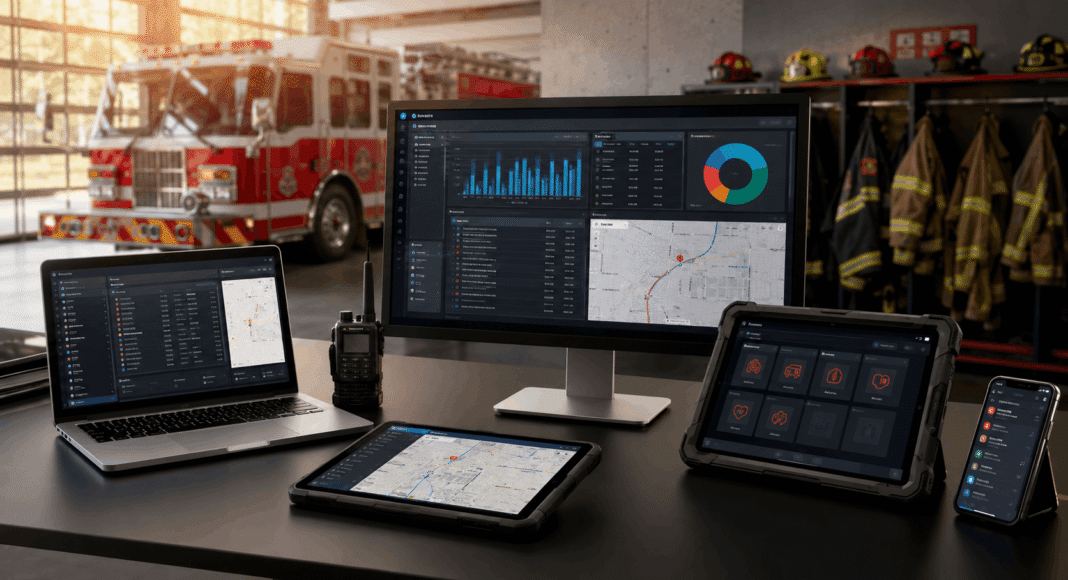
Fire departments in 2026 rely on software for far more than basic incident reporting. Modern fire department software can connect records management, emergency dispatch, NERIS reporting, EMS documentation, pre-incident planning, inspections, firefighter training, scheduling, apparatus management, equipment readiness, station alerting, analytics, and mobile response into a more coordinated operational environment.
The transition from the National Fire Incident Reporting System to the National Emergency Response Information System has made technology selection particularly important for U.S. fire departments. At the same time, cloud infrastructure, mobile applications, artificial intelligence, real-time mapping, CAD integrations, and automated station systems are changing how firefighters receive information and document incidents.
Choosing the best fire department software in 2026 therefore depends heavily on the department’s operational model. A large metropolitan Fire and EMS agency may need an enterprise platform capable of managing thousands of personnel and integrating with multiple public safety systems. A volunteer fire department may instead prioritize affordability, straightforward reporting, mobile accessibility, and minimal training. Other agencies may already have a capable Fire RMS but need specialized software for apparatus checks, incident command, station alerting, or mobile dispatch.
The leading solutions also differ significantly in their areas of specialization. First Due, ESO Fire RMS, ImageTrend Elite, and EPR FireWorks provide broad Fire and EMS management capabilities. Responserack focuses on volunteer departments, while PSTrax specializes in equipment and operational readiness. Mark43 targets integrated public safety operations, Tablet Command emphasizes fireground incident command, Bryx focuses on responder and station alerting, and StreetWise CADlink provides mobile CAD, mapping, AVL, and tactical response capabilities.
This guide examines the top 10 best fire department software platforms in the world in 2026, comparing their core capabilities, ideal use cases, strengths, limitations, integrations, pricing considerations, and available user feedback. The objective is to help fire chiefs, administrators, procurement teams, and emergency-service leaders identify which solutions best match their department’s operational requirements, technology infrastructure, and budget.
Before we venture further into this article, we would like to share who we are and what we do.
About 9cv9
9cv9 is a business tech startup based in Singapore and Asia, with a strong presence all over the world.
With over ten years of startup and business experience, and being highly involved in connecting with thousands of companies and startups, the 9cv9 team has listed some important and crucial software tools in this review.
If you like to get your company listed in our top B2B software reviews, check out our world-class 9cv9 Media and PR service and pricing plans here.
Top 10 Best Fire Department Software To Know in 2026
- First Due
- ESO Fire RMS
- ImageTrend Elite
- PSTrax
- Responserack
- Mark43
- EPR FireWorks
- Tablet Command
- Bryx
- StreetWise CADlink
1. First Due
First Due is a cloud-native Fire and EMS software platform designed to bring emergency response, records management, workforce administration, prevention, training, asset management, and clinical documentation into one connected environment. For fire departments evaluating the best fire department software in 2026, First Due stands out primarily for the breadth of its platform and its strategy of replacing multiple specialized applications with a unified operational system.
The platform covers major Fire and EMS workflows including NERIS incident documentation, ePCR, pre-incident planning, hydrant management, fire prevention, inspections, investigations, scheduling and personnel management, training, health and wellness, assets and inventory, community engagement, mobile response, incident command, and operational analytics. This breadth makes First Due particularly relevant to departments seeking to reduce duplicate data entry and the administrative complexity associated with maintaining several independent software vendors.
First Due also holds FedRAMP authorization in partnership with E-9 Corporation. This expands its suitability beyond municipal departments to federal agencies, Department of Defense environments, and federal contractors requiring more stringent cloud-security controls.
First Due at a Glance
| Category | First Due Capability |
|---|---|
| Software Type | Cloud-native Fire and EMS management platform |
| Primary Users | Fire departments, EMS agencies and government agencies |
| Fire Reporting | NERIS incident documentation |
| EMS Documentation | Electronic patient care reporting |
| Emergency Response | Mobile response, mapping and incident information |
| Pre-Incident Planning | Building information, mapping and pre-plans |
| Workforce Management | Scheduling, personnel, overtime and leave management |
| Fire Prevention | Inspections, permits and prevention workflows |
| Asset Management | Apparatus, equipment, inventory and maintenance tracking |
| Training | Training and learning management |
| Analytics | Operational reporting and advanced data insights |
| Artificial Intelligence | Reporting, QA/QI, scheduling and data-analysis assistance |
| Federal Deployment | FedRAMP-authorized solution available |
| Deployment Model | Cloud-based |
| Best Suited For | Agencies seeking an integrated Fire and EMS ecosystem |
AI-Powered Fire and EMS Operations
Artificial intelligence has become an increasingly important differentiator within First Due. Rather than offering AI as an isolated feature, the platform is progressively incorporating AI assistance into documentation, scheduling, quality assurance and operational analysis.
For incident documentation, AI can help transform responder narratives into structured reporting information, reducing repetitive manual entry. First Due has also introduced AI-powered NERIS documentation designed to make the transition to the newer national incident reporting framework easier for departments.
Within EMS operations, AI-assisted QA/QI capabilities can examine patient care reports for potential inconsistencies, missing documentation and other issues that warrant human review. The objective is not to replace clinical oversight, but to allow reviewers to examine a larger proportion of reports while concentrating their attention on cases requiring intervention.
| AI Capability | Operational Application | Potential Department Benefit |
|---|---|---|
| AI Documentation | Fire and EMS report preparation | Less repetitive manual data entry |
| AI QA/QI | Patient care report analysis | Faster identification of documentation gaps |
| Scheduling Intelligence | Vacancy and assignment recommendations | Reduced administrative scheduling workload |
| Compliance Assistance | Staffing rules and qualification checks | More consistent staffing decisions |
| Data Analysis | Historical and real-time operational data | Faster management insights |
| AI Support | Knowledge-base assistance | Faster access to platform guidance |
Fireground and Mobile Response Capabilities
First Due is also designed to extend operational information beyond administrative offices and into emergency response workflows. Responders can access incident notifications, routing information, hydrant locations, building information, pre-plans, maps and other situational data from connected devices.
For incident commanders and responding crews, this can provide a more complete operational picture before arrival. Pre-incident planning information can connect building layouts, hazards, water supplies and property information with the department’s response workflow.
The strategic advantage is data continuity. Information created during inspections, prevention activities and pre-planning can subsequently become useful during emergency response rather than remaining isolated within separate departmental databases.
Core Fire Department Workflow Matrix
| Department Workflow | First Due Support | Operational Importance |
|---|---|---|
| Incident Reporting | Strong | Centralized national reporting workflows |
| EMS Documentation | Strong | Integrated clinical documentation |
| Pre-Incident Planning | Strong | Provides responders with property intelligence |
| Hydrant Management | Strong | Improves water-source visibility |
| Inspections | Strong | Digitizes prevention workflows |
| Scheduling | Strong | Centralizes staffing and shift management |
| Personnel Management | Strong | Connects personnel information with operations |
| Assets and Inventory | Strong | Tracks equipment and apparatus |
| Training | Strong | Consolidates training administration |
| Incident Command | Strong | Supports command and crew accountability |
| Mobile Response | Strong | Delivers operational information to responders |
| Data Analytics | Strong | Supports performance and planning analysis |
NERIS Readiness
NERIS readiness is another important consideration for United States fire departments selecting software in 2026. The transition away from the legacy NFIRS environment has increased the importance of modern records-management platforms capable of supporting the newer national reporting framework.
First Due provides dedicated NERIS incident documentation and has integrated AI-assisted documentation into this workflow. The company reported in late 2025 that more than 42% of NERIS submissions recorded at that point had originated through First Due.
Consequently, departments replacing legacy RMS products may consider First Due not simply as an administrative modernization project but as part of their broader NERIS transition strategy.
Independent User Review Indicators
Independent software-review platforms generally show strong satisfaction with the overall First Due platform, although mobile-app feedback is noticeably more mixed.
| Review Metric | 2026 Observed Indicator |
|---|---|
| Capterra Overall Rating | 4.6 / 5 from 58 reviews |
| Capterra Ease of Use | 4.5 / 5 |
| Capterra Customer Service | 4.6 / 5 |
| G2 Overall Rating | 4.5 / 5 from 44 reviews |
| G2 Reported Implementation | Approximately 4 months |
| G2 Reported ROI | Approximately 7 months |
| iOS Mobile Rating | 2.9 / 5 from more than 770 ratings |
The contrast between First Due’s strong overall software ratings and substantially lower iOS application rating is an important procurement consideration. Departments planning extensive smartphone-based field operations should therefore evaluate the mobile workflows independently rather than assuming that satisfaction with the desktop platform automatically translates to the mobile application.
Strengths of First Due
One of First Due’s strongest advantages is consolidation. Verified reviewers frequently highlight the ability to move functions previously distributed among several applications into one environment. This can simplify authentication, reduce duplicate records and create stronger connections between operational datasets.
Customization is another frequently mentioned strength. Departments can adapt areas such as inspections, reporting, apparatus checks and operational workflows to their organizational requirements.
The platform’s continuing investment in AI, NERIS reporting and FedRAMP-authorized deployments also makes First Due particularly relevant to agencies modernizing legacy technology infrastructure.
| Major Strength | Why It Matters |
|---|---|
| All-in-One Architecture | Can reduce dependence on multiple vendors |
| Fire and EMS Integration | Connects operational and clinical workflows |
| NERIS Support | Supports modern national incident reporting |
| AI Integration | Reduces administrative workload |
| Customization | Accommodates different departmental processes |
| Pre-Plan Integration | Connects prevention data with response operations |
| FedRAMP Authorization | Supports qualifying federal deployments |
| Strong Customer Support | Frequently praised in independent reviews |
| Broad Module Portfolio | Supports long-term platform consolidation |
Limitations and Considerations
First Due’s breadth can also create implementation complexity. A platform covering reporting, scheduling, inspections, assets, personnel, training and response inevitably requires configuration, data migration and organizational preparation.
Some reviewers specifically identify scheduling configuration and advanced reporting as areas where workflows can be improved. Smaller departments with unusual staffing arrangements may therefore want to test scheduling scenarios during procurement rather than evaluating the feature only through demonstrations.
Mobile experience represents another consideration. The iOS application had a 2.9 out of 5 rating from more than 770 ratings when reviewed in 2026. User feedback has included complaints concerning interface scaling, small map elements, battery consumption and certain field workflows. Other users, however, report positive experiences with mapping, hydrant information and mobile pre-plans.
First Due Evaluation Matrix
| Evaluation Area | Assessment | Key Consideration |
|---|---|---|
| Platform Breadth | Excellent | Extensive Fire and EMS functionality |
| Fire Reporting | Excellent | Strong NERIS positioning |
| EMS Capabilities | Excellent | Integrated ePCR and AI-assisted QA/QI |
| Artificial Intelligence | Excellent | Increasingly embedded throughout workflows |
| Fire Prevention | Excellent | Strong inspection and prevention functionality |
| Pre-Incident Planning | Excellent | Closely connected with response workflows |
| Workforce Scheduling | Good | Powerful but configuration can be complex |
| Customization | Excellent | Extensive departmental configuration options |
| Desktop User Experience | Very Good | Generally strong independent feedback |
| Smartphone Experience | Mixed | Mobile reviews trail overall platform ratings |
| Implementation Complexity | Moderate | Broad deployments require planning |
| Government Suitability | Excellent | FedRAMP authorization strengthens positioning |
| Platform Consolidation | Excellent | Major advantage for multi-system departments |
Who Should Consider First Due?
First Due is particularly well suited to Fire and EMS organizations attempting to replace fragmented legacy applications with a modern cloud platform. Larger municipal departments, combination agencies, Fire and EMS organizations operating multiple stations, and agencies requiring extensive prevention, reporting, scheduling and asset-management capabilities are likely to derive the greatest value from its integrated architecture.
Federal fire and emergency organizations should also consider the platform because of its FedRAMP authorization.
Smaller departments can still benefit from First Due, particularly when replacing several existing systems, but should carefully evaluate implementation requirements, module selection and scheduling complexity before committing to a broad deployment.
Overall Assessment
First Due deserves consideration among the best fire department software platforms in the world in 2026 because it extends substantially beyond traditional fire records management. Its combination of Fire RMS, NERIS reporting, EMS documentation, prevention, scheduling, training, asset management, pre-planning, mobile response, incident command, analytics and AI creates one of the more comprehensive Fire and EMS technology environments available.
Its strongest proposition is platform consolidation: departments can potentially replace several disconnected operational tools with a common data and workflow environment. Strong independent desktop-platform reviews, extensive customization, expanding AI functionality, NERIS readiness and FedRAMP authorization further strengthen its position.
The primary caution concerns implementation complexity and the comparatively weaker user sentiment surrounding the iOS mobile application. Fire departments considering First Due should therefore conduct detailed workflow testing across desktop, tablet and smartphone environments before deployment, particularly when mobile inspections and field reporting are mission-critical.
2. ESO Fire RMS
ESO Fire RMS is an established fire records management platform designed to centralize incident reporting, personnel administration, inspections, scheduling, assets, hydrants, permits, activities and operational data. It forms part of ESO’s broader emergency-response technology ecosystem, connecting fire department records with EMS electronic patient care reporting, analytics and other public-safety workflows.
For departments comparing the best fire department software in 2026, ESO is particularly notable for its scale and long history in Fire and EMS technology. The company’s position has also been strengthened through acquisitions including FIREHOUSE Software and Emergency Reporting, bringing substantial legacy fire-service expertise and customer relationships into the ESO ecosystem.
ESO Fire RMS at a Glance
| Category | ESO Fire RMS Capability |
|---|---|
| Software Type | Cloud-based fire records management system |
| Primary Users | Fire departments, EMS agencies and public-safety organizations |
| Incident Reporting | NERIS-compatible fire incident reporting |
| EMS Integration | Integration with ESO Electronic Health Record |
| Personnel Management | Personnel records and workforce administration |
| Scheduling | Fire and EMS scheduling workflows |
| Prevention | Properties, inspections and permits |
| Asset Management | Equipment, assets and operational checklists |
| Hydrant Management | Hydrant records and operational information |
| Analytics | Fire-service reporting and performance insights |
| CAD Integration | Dispatch information integrated into incident workflows |
| Deployment Focus | Small departments through large Fire and EMS organizations |
| Best Suited For | Agencies prioritizing Fire, EMS and data integration |
Fire Records Management and NERIS
NERIS compatibility has become one of the most important criteria for United States fire departments selecting records management software in 2026. ESO was among the early software vendors to achieve NERIS V1 compatibility, and its Fire Incidents customers transitioned to the national NERIS reporting standard in January 2026.
ESO’s NERIS architecture integrates incident reporting with CAD, scheduling and EHR information. This helps eliminate repetitive entry of information already captured elsewhere within an agency’s technology environment.
ESO reported in November 2025 that its NERIS solution was active across more than 6,000 fire agencies in 33 states, illustrating the scale at which its newer reporting infrastructure was being deployed.
| NERIS Capability | Operational Benefit |
|---|---|
| NERIS V1 Compatibility | Supports current national reporting requirements |
| CAD Integration | Reduces repetitive dispatch-data entry |
| EHR Integration | Transfers relevant patient information |
| Automated Submission | Simplifies reporting workflows |
| Incident Validation | Helps improve completeness and accuracy |
| NERIS Analytics | Enables analysis of incident-reporting performance |
| Transition Support | Helps departments migrate from NFIRS-era workflows |
Integrated Fire and EMS Ecosystem
A major differentiator for ESO is the connection between fire records and clinical EMS information. Departments providing both fire suppression and emergency medical services can use ESO Fire RMS alongside ESO Electronic Health Record to establish a more connected operational data environment.
This integration can be particularly valuable for metropolitan Fire and EMS organizations where a substantial percentage of calls involve medical emergencies. Relevant EHR information can flow into incident records, reducing duplicate documentation and improving consistency between operational and clinical datasets.
ESO’s wider portfolio extends into analytics, billing, scheduling, health-data exchange, registries, inventory and other areas, making Fire RMS part of a larger emergency-response data ecosystem rather than an isolated reporting application.
ESO Fire RMS Functional Matrix
| Fire Department Workflow | ESO Capability | Operational Relevance |
|---|---|---|
| Incident Reporting | Strong | Core Fire RMS functionality |
| NERIS Reporting | Strong | Supports modern national reporting |
| EMS Documentation | Strong | Integrates with ESO EHR |
| Personnel Management | Strong | Centralizes workforce records |
| Scheduling | Strong | Supports staffing administration |
| Properties and Inspections | Strong | Supports prevention operations |
| Permits | Strong | Adds regulatory workflow management |
| Asset Management | Strong | Tracks department equipment and resources |
| Checklists | Strong | Supports routine operational checks |
| Hydrants | Strong | Maintains water-source information |
| Analytics | Strong | Provides operational performance insights |
| CAD Integration | Strong | Connects dispatch and incident information |
Analytics and Data Intelligence
Data management remains one of ESO’s most significant strengths. The platform is designed not merely to collect incident records but to transform Fire and EMS information into operational intelligence.
Command staff can use analytics to examine incident volumes, personnel and unit activity, reporting completeness, operational performance and other trends. ESO’s broader data ecosystem also enables organizations to connect prehospital clinical information with operational records, creating opportunities for more sophisticated analysis than traditional standalone fire reporting systems.
This capability can be especially relevant for large departments, regional systems and organizations responsible for substantial volumes of Fire and EMS data.
Independent User Review Indicators
Independent reviews present a more complicated picture than ESO’s extensive product capabilities alone might suggest. ESO Fire RMS has considerably different ratings across major software-review platforms.
| Review Metric | 2026 Observed Indicator |
|---|---|
| Capterra Overall Rating | 2.7 / 5 |
| Capterra Review Count | 18 reviews |
| Capterra Ease of Use | 2.3 / 5 |
| Capterra Features | 2.9 / 5 |
| Capterra Customer Service | 2.2 / 5 |
| Capterra Value for Money | 2.4 / 5 |
| G2 Overall Rating | 3.6 / 5 |
| G2 Review Count | 21 reviews |
| ESO EHR Capterra Rating | 4.4 / 5 |
| ESO EHR Capterra Review Count | 5 reviews |
The available review data requires careful interpretation. ESO Fire RMS receives a relatively low 2.7 out of 5 rating on Capterra, while its G2 rating is a more favorable 3.6 out of 5. ESO Electronic Health Record separately receives 4.4 out of 5 on Capterra.
Importantly, the claim that ESO EHR’s 4.4 rating is based on more than 200 Capterra reviews is not supported by the current 2026 Capterra listing, which shows five reviews. Procurement teams should therefore distinguish between current review counts and historical or aggregated figures from other sources.
Legacy Fire Software and Migration Considerations
ESO’s position in the fire software industry has been shaped considerably by acquisitions. The company acquired FIREHOUSE Software in 2017 and Emergency Reporting in 2021.
FIREHOUSE Software was reportedly used by approximately 11,000 fire departments when ESO acquired the business. Emergency Reporting subsequently brought more than 7,500 Fire and EMS agencies into the broader organization.
These acquisitions provide ESO with considerable institutional experience in fire records management, but departments migrating from legacy products should still treat data conversion and workflow transition as major implementation projects.
| Legacy Platform | Relationship With ESO | Procurement Significance |
|---|---|---|
| FIREHOUSE Software | Acquired by ESO in 2017 | Extensive legacy Fire RMS installed base |
| Emergency Reporting | Acquired by ESO in 2021 | Expanded cloud Fire RMS expertise |
| ESO Fire RMS | Current-generation platform | Modern integrated Fire and EMS environment |
| ESO Fire Incidents | NERIS reporting environment | Supports current national reporting standards |
| ESO EHR | Integrated EMS platform | Connects clinical and fire incident information |
Strengths of ESO Fire RMS
ESO’s greatest advantage is arguably the depth of its Fire and EMS ecosystem. Agencies can connect incident reporting with patient documentation, personnel, scheduling, inspections, assets, hydrants and analytics rather than maintaining entirely separate operational databases.
Its large NERIS deployment footprint is another important advantage in 2026. Departments evaluating replacements for older NFIRS-oriented systems may place considerable value on a platform already operating at scale under the new reporting framework.
| Major Strength | Why It Matters |
|---|---|
| NERIS Compatibility | Addresses a critical 2026 reporting requirement |
| Fire and EMS Integration | Reduces separation between operational datasets |
| Large Deployment Footprint | Demonstrates substantial public-safety adoption |
| Comprehensive Fire RMS | Covers numerous departmental workflows |
| Analytics Capabilities | Supports data-driven command decisions |
| CAD Integration | Reduces duplicate incident-data entry |
| Established Fire Heritage | Incorporates FIREHOUSE and Emergency Reporting experience |
| Scalable Ecosystem | Suitable for complex multi-module deployments |
Limitations and Considerations
Independent customer ratings represent the clearest concern. Capterra reviewers currently score ESO Fire RMS relatively poorly for ease of use and customer service, suggesting that product breadth does not necessarily translate into a frictionless experience for every department.
Migration also deserves careful planning, particularly for organizations moving from older FIREHOUSE Software, Emergency Reporting or another deeply customized legacy RMS. Historical records, custom fields, reporting requirements and departmental processes can make migration considerably more complicated than simply activating a new cloud application.
ESO does not publicly provide a straightforward universal per-user Fire RMS price on the material reviewed. Consequently, estimates such as $15 to $30 per user per month should not be presented as confirmed 2026 pricing. Departments should obtain a quotation based on agency size, required modules, integrations and implementation requirements.
ESO Fire RMS Evaluation Matrix
| Evaluation Area | Assessment | Key Consideration |
|---|---|---|
| Fire Records Management | Excellent | Comprehensive core platform |
| NERIS Readiness | Excellent | Mature 2026 implementation |
| EMS Integration | Excellent | Major advantage for combined Fire and EMS agencies |
| Analytics | Excellent | Strong emphasis on operational data |
| Personnel Management | Very Good | Integrated into broader RMS |
| Prevention Workflows | Very Good | Properties, inspections and permits supported |
| Asset Management | Very Good | Integrated assets and checklists |
| Scalability | Excellent | Significant multi-state deployment footprint |
| Independent User Ratings | Mixed | Ratings vary substantially between platforms |
| Ease of Use | Mixed | Low Capterra score warrants evaluation |
| Customer Support | Mixed | Capterra reviews indicate concerns |
| Migration Complexity | Moderate to High | Legacy conversions require careful planning |
| Pricing Transparency | Limited | Quote-based evaluation is necessary |
Who Should Consider ESO Fire RMS?
ESO Fire RMS is particularly relevant to municipal Fire and EMS departments seeking a comprehensive records-management ecosystem rather than a standalone incident-reporting application.
Its integration with ESO EHR makes it especially compelling for departments with substantial EMS operations. Larger agencies, regional Fire and EMS organizations and departments requiring sophisticated analytics may also benefit from ESO’s ability to aggregate operational and clinical information.
Departments migrating from older Fire RMS platforms should conduct detailed data-conversion testing before committing to deployment. Frontline firefighters, administrative personnel and command staff should also participate in usability testing because independent reviews suggest that user experience can vary considerably.
Overall Assessment
ESO Fire RMS remains a significant contender among the best fire department software platforms in 2026. Its strongest advantages are NERIS readiness, Fire and EMS integration, extensive operational modules, analytics capabilities and the scale of its deployment across the fire-service industry.
However, its position should be evaluated alongside its mixed independent user ratings. The contrast between a sophisticated operational ecosystem and comparatively weak Capterra scores for Fire RMS suggests that procurement teams should evaluate both technical capabilities and day-to-day usability.
For large or data-intensive Fire and EMS organizations, ESO’s interconnected ecosystem can provide considerable strategic value. For departments prioritizing simplicity, rapid implementation or highly intuitive workflows, a structured proof-of-concept and direct comparison with competing Fire RMS platforms would be advisable before making a long-term purchasing decision.
3. ImageTrend Elite
ImageTrend Elite is a cloud-based public safety data and records management platform designed for fire departments, EMS organizations, rescue agencies and government-level emergency reporting programs. For organizations evaluating the best fire department software in 2026, ImageTrend stands out for its highly configurable reporting architecture, Fire and EMS integration, statewide data capabilities and extensive analytics environment.
The platform can support individual municipal fire departments as well as significantly larger regional and statewide implementations. ImageTrend states that its technology serves more than 4,000 customers and approximately 20,000 agencies across Fire, EMS and hospital markets.
ImageTrend Elite at a Glance
| Category | ImageTrend Elite Capability |
|---|---|
| Software Type | Cloud-based Fire, EMS and public safety data platform |
| Primary Users | Fire departments, EMS agencies and government programs |
| Fire Records Management | ImageTrend Elite Fire |
| Combined Fire and EMS | Elite Rescue |
| EMS Documentation | NEMSIS-compliant ePCR |
| Fire Documentation | NERIS-compliant incident reporting |
| Prevention | Inspections, properties, permits and pre-planning |
| Analytics | Report Writer, Continuum and performance analytics |
| Personnel Management | Personnel, permissions and operational administration |
| Asset Management | Inventory, equipment and apparatus tracking |
| Hydrant Management | Hydrant locations and testing records |
| Investigations | NFPA 921-aligned fire investigation documentation |
| Deployment Model | Cloud with selected offline field capabilities |
| Best Suited For | Data-intensive Fire and EMS organizations |
Enterprise Fire and EMS Data Management
One of ImageTrend Elite’s defining strengths is its ability to support both municipal operations and large-scale public safety data environments.
The architecture supports data movement from individual incidents through agency, regional and statewide reporting structures. A state repository can provide a shared environment managed at the state level, while departments requiring greater control over configuration and workflows can operate standalone Elite environments.
This makes ImageTrend particularly relevant for organizations that need extensive interoperability rather than simply a digital replacement for paper incident reports.
| Deployment Scenario | ImageTrend Application | Primary Advantage |
|---|---|---|
| Municipal Fire Department | Elite Fire | Configurable Fire RMS environment |
| Fire-Based EMS Department | Elite Rescue | Unified Fire and EMS reporting |
| EMS Organization | Elite EMS | NEMSIS-compliant patient documentation |
| Regional System | Multi-agency Elite deployment | Shared operational data |
| State Repository | State-managed Elite environment | Centralized statewide data collection |
| Large Enterprise Agency | Standalone Elite environment | Greater configuration and workflow control |
NERIS and NEMSIS Compliance
Compliance is a major component of ImageTrend’s position in the 2026 fire software market.
Elite Fire provides NERIS-compatible fire documentation, while Elite EMS supports NEMSIS-compliant electronic patient care reporting. Elite Rescue combines both environments, allowing Fire-Based EMS organizations to manage fire and medical documentation through a more unified workflow.
Shared information can automatically populate across Fire and EMS records, reducing duplicate data entry and improving consistency. Real-time validation can also identify incomplete documentation before records are submitted.
| Reporting Requirement | ImageTrend Support | Operational Benefit |
|---|---|---|
| NERIS | Supported | Modern national fire incident reporting |
| NEMSIS | Supported | Standardized EMS patient-care reporting |
| Fire and EMS Reporting | Integrated | Reduces duplicated documentation |
| State Reporting | Supported | Facilitates centralized data submission |
| Custom Agency Fields | Highly Configurable | Captures organization-specific information |
| Real-Time Validation | Available | Helps identify incomplete documentation |
Fire Records Management Capabilities
ImageTrend Elite Fire extends considerably beyond incident reporting. Its current Fire platform incorporates inspections, pre-plans, personnel, training, inventory, hydrants, investigations, quality improvement and analytics.
The Form Manager is particularly important for organizations with specialized documentation requirements. Departments can rearrange fields, establish default answers and customize forms around operational workflows.
ImageTrend also provides AI-assisted fire documentation, reflecting the broader movement toward automated report preparation across public safety software in 2026.
Fire Department Workflow Matrix
| Fire Department Workflow | ImageTrend Capability | Assessment |
|---|---|---|
| Fire Incident Reporting | NERIS-compliant documentation | Excellent |
| EMS Documentation | Elite EMS ePCR | Excellent |
| Fire and EMS Integration | Elite Rescue | Excellent |
| Inspections | Locations, Occupants and Inspections | Excellent |
| Pre-Incident Planning | Visual Pre Plans | Excellent |
| Hydrant Management | Integrated hydrant records | Very Good |
| Inventory | Centralized equipment management | Very Good |
| Training | Training and Activities | Very Good |
| Personnel | Personnel Management | Very Good |
| Fire Investigations | NFPA 921-aligned documentation | Very Good |
| Quality Improvement | Continuous Quality Improvement | Excellent |
| Analytics | Continuum and Report Writer | Excellent |
| Custom Reporting | Report Writer | Excellent |
| Offline Inspections | Supported | Very Good |
Analytics and Community Risk Reduction
ImageTrend’s emphasis on analytics is another important differentiator.
Report Writer enables departments to generate custom and predefined reports from collected operational information. Continuum extends this capability through dashboards, alerts, performance monitoring and broader analytical tools.
For example, Tempe Fire Medical Rescue has used ImageTrend Elite data and reporting to analyze patient populations, monitor trends and support community paramedicine initiatives. At the government level, Indiana also uses incident information reported through ImageTrend for statewide Fire and EMS dashboards.
These examples demonstrate how the platform can extend beyond regulatory reporting into community risk reduction, resource planning and strategic decision-making.
| Analytics Application | Potential Use |
|---|---|
| Incident Trend Analysis | Identify changes in emergency demand |
| Response Performance | Evaluate operational performance |
| Community Risk Reduction | Identify populations and locations at greater risk |
| Accreditation Reporting | Track accreditation-related benchmarks |
| Personnel Performance | Analyze performance by provider or shift |
| Resource Planning | Support deployment and investment decisions |
| Executive Dashboards | Present operational trends to leadership |
| Statewide Analysis | Aggregate information across multiple agencies |
Independent User Review Indicators
Current independent review data does not support the original claim that ImageTrend holds a 4.5 out of 5 rating based on more than 150 verified reviews.
G2 currently lists ImageTrend at 4.2 out of 5 based on 47 reviews. Reviewers frequently highlight configurability, scalability, analytics and customer support, although some users report challenges involving integrations and complex transitions.
| Review Metric | 2026 Observed Indicator |
|---|---|
| G2 Overall Rating | 4.2 / 5 |
| G2 Review Count | 47 reviews |
| Positive Themes | Configurability, scalability and analytics |
| Frequently Mentioned Benefit | Centralization of operational information |
| Reported Challenges | Integrations and some complex workflows |
| Deployment Range | Small agencies through enterprise organizations |
A February 2026 G2 review, for example, praised ImageTrend’s configurability, flexibility, scalability and analytics while simultaneously reporting instability and delays associated with aspects of the NERIS transition. This illustrates why departments should evaluate specific workflows rather than relying solely on aggregate ratings.
Pricing Structure
The commonly cited estimate of $12 to $25 per user per month could not be verified as ImageTrend’s official 2026 pricing structure.
ImageTrend currently organizes Fire, EMS and Rescue offerings into Essential and Premier packages, with additional modules available separately. Pricing is generally quotation-based and depends on organizational requirements.
Capterra currently displays a starting price of $1,000 for ImageTrend Elite for EMS, but this should not be interpreted as a standardized Fire RMS per-user subscription rate.
| Pricing Consideration | 2026 Position |
|---|---|
| Fire Packages | Essential and Premier |
| EMS Packages | Essential and Premier |
| Fire and EMS Package | Rescue platform packages |
| Optional Modules | Available |
| Standard Per-User Rate | Not publicly established |
| Enterprise Pricing | Quote-based |
| State Deployments | Contract-dependent |
| Recommended Procurement Method | Customized agency quotation |
Strengths of ImageTrend Elite
ImageTrend’s strongest advantage is the depth and configurability of its data environment. Organizations can build reporting workflows around local operational requirements while still supporting national Fire and EMS standards.
Its ability to combine Fire RMS and ePCR capabilities is particularly valuable for Fire-Based EMS organizations. State and regional deployment capabilities further differentiate ImageTrend from software products designed primarily for individual departments.
| Major Strength | Why It Matters |
|---|---|
| Fire and EMS Integration | Creates a unified operational dataset |
| NERIS and NEMSIS Support | Addresses major reporting requirements |
| Statewide Scalability | Supports large multi-agency environments |
| Configurable Forms | Adapts documentation to departmental workflows |
| Advanced Analytics | Converts operational records into insights |
| Community Risk Analysis | Supports proactive public-safety planning |
| Offline Capabilities | Enables selected field workflows without connectivity |
| Pre-Incident Planning | Improves situational awareness |
| Enterprise Architecture | Supports complex public-safety organizations |
| AI-Assisted Documentation | Can reduce reporting workload |
Limitations and Considerations
The same configurability that makes ImageTrend powerful can increase implementation complexity.
Departments seeking a highly standardized, immediately deployable system may find the number of configuration options substantial. Large migrations can require careful decisions around forms, validation rules, permissions, integrations and historical information.
Integration complexity also appears in independent reviews. Departments operating CAD, billing, scheduling, hospital and other third-party platforms should therefore validate every critical integration during procurement.
The ongoing transition toward NERIS also deserves attention. At least some 2026 user feedback reports operational challenges during this transition, making direct testing of current NERIS workflows advisable.
ImageTrend Elite Evaluation Matrix
| Evaluation Area | Assessment | Key Consideration |
|---|---|---|
| Fire Records Management | Excellent | Comprehensive configurable RMS |
| EMS Documentation | Excellent | Mature ePCR environment |
| Fire and EMS Integration | Excellent | Major competitive advantage |
| NERIS Readiness | Excellent | Current Fire platform supports NERIS |
| NEMSIS Compliance | Excellent | Core EMS capability |
| Statewide Deployment | Excellent | Major strength of the platform |
| Analytics | Excellent | Extensive reporting and dashboard tools |
| Customization | Excellent | Highly configurable forms and workflows |
| Community Risk Reduction | Excellent | Strong analytical applications |
| Pre-Incident Planning | Very Good | Integrated Visual Pre Plans |
| Offline Operations | Very Good | Selected workflows available offline |
| Ease of Implementation | Moderate | Configuration can increase complexity |
| Integration Complexity | Moderate | Third-party connections require validation |
| Pricing Transparency | Limited | Customized quotations are generally required |
Who Should Consider ImageTrend Elite?
ImageTrend Elite is particularly suitable for Fire-Based EMS organizations, large municipal departments, regional emergency-service networks and government agencies requiring extensive reporting and analytics capabilities.
It is also a strong candidate for organizations operating within statewide ImageTrend environments because information can flow through broader public-safety reporting structures.
Smaller fire departments can still use the platform successfully, but they should evaluate whether its extensive configurability provides meaningful operational value relative to the administrative effort required to implement and maintain it.
Overall Assessment
ImageTrend Elite deserves a strong position among the best fire department software platforms in 2026, particularly for organizations where data management, Fire and EMS integration, regulatory reporting and analytics are major procurement priorities.
Its combination of NERIS-compliant fire reporting, NEMSIS-compliant ePCR, customizable workflows, inspections, pre-planning, personnel management, inventory, hydrants, investigations, analytics and statewide data capabilities creates a particularly comprehensive public-safety information environment.
Its greatest strength is also its primary consideration: ImageTrend is a highly configurable enterprise platform. Large and data-intensive agencies can benefit substantially from that flexibility, while smaller departments seeking rapid implementation should carefully assess configuration requirements, integrations and total implementation complexity before selecting it.
4. PSTrax
PSTrax is a specialized cloud-based operations, checklist and inventory management platform built for Fire, EMS and other first-responder organizations. Unlike full Fire RMS platforms centered on incident reporting, PSTrax focuses specifically on operational readiness: ensuring vehicles, stations, SCBA, PPE, equipment, medical supplies and controlled substances are inspected, documented and ready for service.
This specialization gives PSTrax a distinctive position among the best fire department software platforms in 2026. Rather than attempting to replace every public-safety system, it digitizes the recurring checks and logistics processes that many departments still manage through paper forms, spreadsheets and disconnected applications.
PSTrax at a Glance
| Category | PSTrax Capability |
|---|---|
| Software Type | Fire and EMS operations and logistics management |
| Primary Users | Fire, EMS, rescue and other first-responder agencies |
| Vehicle Checks | Scheduled apparatus inspections and maintenance tracking |
| Station Checks | Facility, equipment and recurring station tasks |
| SCBA Management | Inspections, testing and cylinder tracking |
| PPE Management | Assignments, cleaning, inspections and replacement cycles |
| Asset Management | High-value equipment lifecycle tracking |
| Supplies | Consumables, inventory levels and reorder management |
| Controlled Substances | Chain-of-custody and inventory documentation |
| Blood Products | Storage, inventory and transfusion readiness tracking |
| Deployment | Cloud-based |
| Device Support | Phones, tablets and computers with connectivity |
| Configuration | Vendor-configured for individual departments |
| Best Suited For | Departments prioritizing equipment and operational readiness |
Operational Readiness Rather Than Traditional RMS
The most important distinction when evaluating PSTrax is its scope.
PSTrax is not positioned as a traditional Fire RMS replacement. Its core purpose is operations checks and logistics management. Departments can therefore use it alongside their existing RMS, CAD, ePCR and training systems.
The platform automatically schedules recurring checks and provides crews with the tasks that need to be completed. Once finished, documentation is stored centrally, creating searchable operational records and audit trails.
| Fire Department Requirement | PSTrax Role | Typical Complementary System |
|---|---|---|
| Incident Reporting | Not Core Function | Fire RMS |
| NERIS Reporting | Not Core Function | Fire RMS |
| Emergency Dispatch | Not Core Function | CAD |
| Patient Care Reporting | Not Core Function | ePCR |
| Apparatus Checks | Core Strength | PSTrax |
| Station Checks | Core Strength | PSTrax |
| SCBA Management | Core Strength | PSTrax |
| PPE Management | Core Strength | PSTrax |
| Inventory | Core Strength | PSTrax |
| Controlled Substances | Core Strength | PSTrax |
| Equipment Accountability | Core Strength | PSTrax |
Apparatus and Vehicle Checks
Vehicle readiness represents one of PSTrax’s central use cases. Departments can configure scheduled checks covering apparatus, ambulances and other emergency vehicles.
Crews can document operational inspections, inventory checks, mileage, maintenance information and identified problems. Issues can generate notifications for appropriate personnel, creating a more structured workflow than paper checklists.
Multiple crew members can also perform checks simultaneously from different connected devices.
SCBA and PPE Management
PSTrax provides dedicated modules for two particularly important areas of firefighter equipment management: SCBA and PPE.
SCBA functionality supports inspections, testing and bottle rotation. PPE functionality tracks gear assignments, inspections, cleaning and replacement cycles.
Centralizing this information can improve accountability while providing departments with historical documentation for maintenance, compliance, budgeting and equipment replacement decisions.
| Equipment Area | Digital Management Capability | Operational Benefit |
|---|---|---|
| SCBA | Inspection and testing records | Improves equipment readiness |
| SCBA Cylinders | Bottle rotation tracking | Supports lifecycle management |
| PPE | Gear assignment records | Improves individual accountability |
| PPE Cleaning | Cleaning documentation | Supports maintenance procedures |
| PPE Replacement | Lifecycle tracking | Assists replacement planning |
| Critical Assets | Assignment and audit history | Improves equipment accountability |
| Vehicles | Scheduled inspections | Helps reduce missed apparatus checks |
Inventory and Supplies Management
Inventory management is another major component of PSTrax. Fire and EMS organizations can track consumable supplies across central storage, stations, vehicles and medical bags.
Administrators can establish reorder points and monitor usage histories. Barcode and QR-code scanning can also accelerate certain inventory and asset-management workflows.
For EMS-heavy departments, these capabilities can be especially useful because medications, medical consumables and equipment are distributed across numerous locations and response vehicles.
Controlled Substances Management
PSTrax also provides a dedicated controlled-substances module designed around chain-of-custody requirements.
Individual units or vials can be tracked when substances are counted, transferred, restocked, used or removed. Electronic signatures and dual verification provide additional accountability for controlled-substance workflows.
The vendor states that its system supports checks associated with DEA Schedule II, III and IV controlled substances.
| Controlled Substance Workflow | PSTrax Capability |
|---|---|
| Inventory Counts | Digital count documentation |
| Shift Changes | Scheduled accountability checks |
| Transfers | Movement between locations recorded |
| Restocking | Restock activity documented |
| Administration | Usage/removal documentation |
| Expiration | Removal reason recorded |
| Chain of Custody | Individual unit tracking |
| Verification | Electronic signatures and dual verification |
| Auditing | Centralized historical documentation |
Custom Implementation Model
One of PSTrax’s more distinctive characteristics is its implementation approach.
Instead of requiring departments to construct the system themselves, PSTrax’s implementation team converts existing documentation and processes into configured digital workflows. Departments can provide existing check sheets, spreadsheets and related documents, after which the vendor builds the system around those requirements.
This can reduce the internal workload normally associated with configuring specialized operational software.
PSTrax describes implementation as a process measured in weeks rather than requiring departments to undertake a lengthy internal software project.
Independent User Review Indicators
PSTrax currently maintains exceptionally strong independent review scores. Capterra lists the software at 5.0 out of 5 based on 20 verified reviews, with both ease of use and customer service scoring 5.0.
The review dataset is relatively small compared with some large enterprise software categories, so the perfect score should be interpreted alongside the number of available reviews.
| Review Metric | 2026 Observed Indicator |
|---|---|
| Capterra Overall Rating | 5.0 / 5 |
| Capterra Review Count | 20 verified reviews |
| Ease of Use | 5.0 / 5 |
| Customer Service | 5.0 / 5 |
| Reported Review Sentiment | 100% positive |
| Common Positive Theme | Ease of use |
| Common Positive Theme | Customer support |
| Common Positive Theme | Customization |
| Notable Limitation | Internet connectivity required |
The original figures of 4.95 for ease of use and value, and 5.0 for functionality, are not necessary to represent the current review picture. Current Capterra data directly reports 5.0 for ease of use and customer service.
Pricing Structure
PSTrax does not currently publish a standardized starting subscription price. Its official information states that pricing varies according to the modules and add-ons selected.
Consequently, the frequently cited figure of approximately $1,200 per year should not be presented as verified 2026 starting pricing without a current department-specific quotation.
| Pricing Factor | 2026 Position |
|---|---|
| Public Starting Price | Not disclosed |
| Pricing Model | Customized |
| Module Selection | Influences pricing |
| Add-Ons | Can influence total cost |
| Department Requirements | Considered during quotation |
| Recommended Approach | Request department-specific pricing |
Departments comparing PSTrax with broader Fire RMS products should also consider total technology-stack cost. Because PSTrax specializes in operational checks, an agency may still require separate RMS, CAD and ePCR products.
Strengths of PSTrax
PSTrax’s strongest characteristic is focus. Rather than building basic equipment-checking features into a much larger records-management environment, the platform concentrates heavily on recurring operational checks and logistics.
Ease of use also appears to be a major advantage based on independent customer reviews. This is particularly important for fire-service software because operational systems depend heavily on consistent adoption by frontline crews.
| Major Strength | Why It Matters |
|---|---|
| Purpose-Built Architecture | Focuses specifically on Fire and EMS operations |
| Excellent User Ratings | Indicates strong satisfaction among reviewers |
| Custom Configuration | Reduces department setup burden |
| Apparatus Management | Digitizes recurring vehicle inspections |
| SCBA and PPE Tracking | Improves critical equipment accountability |
| Inventory Management | Provides visibility across multiple locations |
| Controlled Substances | Strengthens chain-of-custody documentation |
| Automated Scheduling | Reduces missed recurring checks |
| Issue Notifications | Accelerates communication when problems appear |
| Multi-Device Access | Supports phones, tablets and computers |
| Barcode and QR Scanning | Simplifies equipment and inventory workflows |
Limitations and Considerations
The primary limitation is also a consequence of PSTrax’s specialization: it should not be confused with a comprehensive Fire RMS.
Departments requiring incident reporting, NERIS submission, CAD dispatch or full electronic patient care reporting will generally need complementary platforms.
PSTrax is also dependent on connectivity. Its official documentation describes it as a cloud-based program accessed through internet-connected devices, and at least one verified Capterra reviewer specifically identified connectivity as problematic in remote environments.
PSTrax does not offer a conventional native mobile application. Instead, its responsive cloud interface operates through connected devices and web browsers.
PSTrax Evaluation Matrix
| Evaluation Area | Assessment | Key Consideration |
|---|---|---|
| Apparatus Checks | Excellent | Major platform specialization |
| Station Checks | Excellent | Comprehensive recurring workflows |
| SCBA Management | Excellent | Dedicated inspection functionality |
| PPE Management | Excellent | Assignment and lifecycle tracking |
| Inventory Management | Excellent | Strong supply visibility |
| Controlled Substances | Excellent | Detailed chain-of-custody functionality |
| Asset Management | Excellent | Strong accountability and audit history |
| Ease of Use | Excellent | 5.0 Capterra rating |
| Customer Support | Excellent | 5.0 Capterra rating |
| Customization | Excellent | Vendor builds workflows for department |
| Mobile Accessibility | Very Good | Browser-based rather than native app |
| Offline Capability | Limited | Connectivity required |
| Incident Reporting | Limited | Requires complementary Fire RMS |
| NERIS Reporting | Limited | Not the platform’s primary function |
| CAD Dispatch | Limited | Separate CAD platform required |
| Pricing Transparency | Limited | Quote-based pricing |
Who Should Consider PSTrax?
PSTrax is particularly suitable for Fire and EMS departments struggling with paper apparatus checks, station logs, spreadsheets, equipment records or disconnected inventory-management processes.
It can also be attractive to organizations that already have a satisfactory CAD, RMS or ePCR platform but find its built-in logistics modules inadequate. Rather than replacing the entire technology stack, the department can deploy PSTrax specifically to strengthen operational readiness and equipment accountability.
Departments with extensive fleets, numerous stations, substantial SCBA and PPE inventories or complex controlled-substance requirements are likely to gain the greatest operational value.
Overall Assessment
PSTrax occupies a specialized but compelling position among the best fire department software platforms in 2026. It is not attempting to compete directly with comprehensive Fire RMS suites for incident reporting or dispatch. Instead, it concentrates on an operational problem every emergency-service organization faces: ensuring vehicles, stations, equipment, PPE, SCBA, supplies and controlled substances are properly checked and ready when crews need them.
Its perfect 5.0 Capterra rating across 20 reviews, strong customer-service feedback, department-specific configuration model and extensive logistics modules make it a particularly strong option for operational readiness management.
The trade-off is straightforward. Departments selecting PSTrax should expect it to complement rather than replace their Fire RMS, CAD or ePCR infrastructure. For agencies specifically seeking to eliminate paper checks and improve equipment, inventory and logistics accountability, however, that specialization may be precisely what makes PSTrax valuable in 2026.
5. Responserack
Responserack is a cloud-based Fire RMS and department management platform purpose-built for volunteer fire departments. Rather than adapting enterprise software originally designed for large career departments, Responserack concentrates on the reporting, training, apparatus, membership and communication workflows that volunteer organizations encounter every day.
For departments evaluating the best fire department software in 2026, Responserack occupies a distinctive niche. Its central design principle is simplicity: firefighters should be able to complete reports with minimal training, including from smartphones or apparatus tablets immediately after an incident.
The platform combines NERIS and NFIRS reporting, CAD integration, training records, apparatus checks, maintenance records, member management, communications and departmental analytics within one relatively lightweight environment.
Responserack at a Glance
| Category | Responserack Capability |
|---|---|
| Software Type | Cloud-based Fire RMS and department management |
| Primary Users | Volunteer fire departments |
| Secondary Users | Small and combination fire departments |
| Incident Reporting | NERIS and NFIRS compatible |
| CAD Integration | Available |
| Mobile Access | Dedicated mobile application plus web access |
| Training Management | Events, attendance and training-hour tracking |
| ISO Documentation | Training, response and apparatus documentation |
| Apparatus Management | Truck checks and maintenance records |
| Member Management | Member information and engagement tools |
| Communications | Groups, notifications and email messaging |
| Analytics | Standard and custom reporting |
| Deployment | Cloud-based |
| Best Suited For | Volunteer departments prioritizing simplicity and affordability |
Designed Specifically for Volunteer Fire Departments
Responserack’s strongest differentiator is its narrow target market. The platform is explicitly designed around volunteer firefighters rather than treating volunteer departments as smaller versions of career agencies.
This distinction influences the user interface and administrative workflows. Volunteer firefighters may complete only a few reports each month and cannot reasonably be expected to remember complicated reporting procedures or regulatory codes.
Responserack therefore guides firefighters through incident documentation while giving administrators access to more detailed reporting and compliance controls behind the scenes.
| Volunteer Department Challenge | Responserack Approach |
|---|---|
| Infrequent software usage | Simplified firefighter interface |
| Limited software training time | Guided reporting workflows |
| Volunteer administrators | Simplified administrative processes |
| Limited budgets | Call-volume-based pricing |
| Personal smartphone usage | Mobile application and browser access |
| Training documentation | Integrated attendance and hour tracking |
| Apparatus readiness | Truck checks and maintenance records |
| Member engagement | Communications and personalized information |
| Regulatory reporting | NERIS and NFIRS support |
NERIS and NFIRS Reporting
NERIS readiness is particularly important for United States fire departments in 2026. Responserack supports both NERIS and NFIRS reporting, enabling departments to maintain legacy reporting requirements while operating within the newer national reporting environment.
Its approach deliberately hides unnecessary reporting complexity from frontline firefighters. Members enter information relevant to the incident while administrators receive guidance for completing remaining reporting requirements.
Responserack states that departments can become operational and NERIS/NFIRS compliant in less than one week. This is a vendor-reported implementation target rather than an independently verified average, but it highlights the platform’s emphasis on rapid deployment.
| Reporting Capability | Operational Benefit |
|---|---|
| NERIS Reporting | Supports current national incident reporting |
| NFIRS Reporting | Maintains legacy reporting capability |
| Guided Administration | Helps administrators complete required fields |
| CAD Integration | Can automatically initiate incident records |
| Validation | Helps identify incomplete reporting requirements |
| Mobile Reporting | Allows firefighters to contribute from the field |
| Custom Reports | Supports departmental analysis |
CAD Integration and Incident Automation
Responserack can integrate Computer-Aided Dispatch notifications with its incident-reporting environment.
CAD information can automatically initiate reports, reducing repetitive manual entry and creating the foundation of an incident record before firefighters begin documentation.
This can be particularly valuable for volunteer organizations where administrative duties frequently fall on chiefs and officers who already perform multiple operational roles.
Mobile Firefighter Experience
Mobile accessibility is central to Responserack’s design. The platform is accessible from firefighter smartphones, apparatus tablets and computers, while dedicated mobile applications are available for phones and tablets.
Departments report using smartphones to document attendance while still on scene. Initial incident information can therefore be captured when events are fresh rather than reconstructed later at the station.
| Device | Typical Responserack Use |
|---|---|
| Personal Smartphone | Attendance, incidents and communications |
| Apparatus Tablet | Incident reporting and operational information |
| Station Computer | Administration and reporting |
| Officer Smartphone | Incident management and member communication |
| Administrator Computer | Compliance, analytics and records management |
Training and ISO Documentation
Responserack extends beyond incident records into training and departmental events.
Training officers can schedule training sessions, meetings and other activities, track attendance and maintain individual firefighter training histories. Reports can subsequently be generated for annual requirements, certifications and ISO-related documentation.
The platform also connects apparatus checks, training and response information, helping volunteer departments maintain records that may otherwise be scattered across spreadsheets and paper documents.
Apparatus Checks and Maintenance
Responserack includes apparatus checks and maintenance tracking as part of its standard service levels.
Departments can document truck checks, maintenance activities and costs while notifying fleet personnel about equipment issues. Historical information can also assist with maintenance budgeting and grant documentation.
| Apparatus Function | Responserack Capability |
|---|---|
| Truck Checks | Digital recurring apparatus checks |
| Maintenance | Maintenance task records |
| Maintenance Costs | Cost documentation |
| Apparatus Status | Operational status visibility |
| Fleet Notifications | Alerts to appropriate personnel |
| Historical Reporting | Maintenance and usage analysis |
| Grant Documentation | Truck usage information for grant support |
Member Management and Communications
Volunteer firefighter engagement is another area where Responserack differs from conventional Fire RMS products.
The platform provides member records, contact information, group messaging, personalized information feeds, training calendars and departmental communications. Members can communicate through their mobile devices while administrators can distribute information to particular groups.
This creates a combination of Fire RMS and lightweight department collaboration software rather than limiting the platform strictly to regulatory incident records.
Pricing Structure
Responserack has unusually transparent pricing compared with many Fire RMS vendors. Pricing scales primarily according to annual incident volume rather than charging separately for every firefighter.
The current service structure ranges from $300 per year for very small departments to approximately $1,200 to $1,800 per year for organizations handling up to 1,000 annual calls.
| Service Level | Annual Call Volume | Published Price |
|---|---|---|
| Lieutenant | Up to 50 calls | $300 per year |
| Captain | Up to 350 calls | $720 per year |
| Chief | Up to 1,000 calls | $1,200–$1,800 per year |
All three levels include unlimited members, NERIS and NFIRS submission, incident reports, mobile access, CAD integration, events and training, truck checks, maintenance records, member contacts, notifications and cloud infrastructure.
Consequently, the original estimate of approximately $150 per month as the entry tier is inaccurate. The smallest published plan is currently equivalent to approximately $25 per month when expressed as a monthly cost, although billing is structured annually.
Independent User Feedback
Publicly available department testimonials are highly positive, particularly regarding simplicity and administrative efficiency.
Volunteer departments report that firefighters can contribute attendance and incident information from their phones, while administrators describe substantial reductions in reporting time compared with older Fire RMS platforms.
However, these testimonials are predominantly published by Responserack itself. Independent software-review databases currently contain insufficient review volume to establish a statistically meaningful aggregate rating.
| User Feedback Area | Observed Sentiment |
|---|---|
| Incident Reporting | Very Positive |
| Ease of Use | Very Positive |
| Mobile Attendance | Very Positive |
| Administrative Efficiency | Very Positive |
| Reporting and Analytics | Positive |
| Customer Support | Very Positive |
| Volunteer Department Fit | Very Positive |
| Independent Review Volume | Limited |
This distinction is important when comparing Responserack with larger vendors. Strong customer testimonials are useful evidence of department satisfaction, but they should not be treated as equivalent to hundreds of independently verified software reviews.
Strengths of Responserack
Responserack’s primary strength is that it does not attempt to reproduce the complexity of enterprise public-safety platforms.
Instead, it concentrates on the capabilities a volunteer department is most likely to use regularly while maintaining modern national incident-reporting compatibility.
| Major Strength | Why It Matters |
|---|---|
| Volunteer-Specific Design | Matches VFD operational realities |
| NERIS Support | Addresses an essential 2026 reporting requirement |
| NFIRS Support | Maintains legacy reporting capability |
| Simple User Experience | Reduces firefighter training requirements |
| Mobile Application | Supports reporting away from the station |
| CAD Integration | Reduces repetitive incident entry |
| Unlimited Members | Appropriate for volunteer membership structures |
| Training Management | Consolidates training documentation |
| Apparatus Checks | Adds operational readiness management |
| Member Communications | Improves department engagement |
| Transparent Pricing | Makes budgeting considerably easier |
| Rapid Implementation | Vendor targets deployment within one week |
Limitations and Considerations
Responserack’s specialization means it should not automatically be compared feature-for-feature with enterprise Fire and EMS platforms.
Its target customer is the volunteer fire department. Large metropolitan career departments requiring sophisticated workforce scheduling, extensive prevention bureaus, complex municipal integrations or enterprise EMS billing environments may require substantially broader platforms.
Likewise, departments requiring advanced ePCR and clinical EMS functionality will generally need complementary EMS software.
Responserack Evaluation Matrix
| Evaluation Area | Assessment | Key Consideration |
|---|---|---|
| Volunteer Department Fit | Excellent | Core target market |
| Incident Reporting | Excellent | NERIS and NFIRS compatible |
| Ease of Use | Excellent | Central product design priority |
| Mobile Experience | Excellent | Designed for firefighter smartphones |
| CAD Integration | Very Good | Included across service levels |
| Training Management | Very Good | Training and attendance tracking |
| ISO Documentation | Very Good | Supports relevant operational records |
| Apparatus Management | Very Good | Checks and maintenance included |
| Member Communications | Very Good | Strong volunteer engagement focus |
| Pricing Transparency | Excellent | Public call-volume pricing |
| Implementation | Excellent | Designed for rapid deployment |
| Enterprise Scheduling | Limited | Not its primary market |
| ePCR | Limited | Separate clinical platform may be required |
| Large Municipal Prevention | Limited | Enterprise suites may offer greater depth |
| Independent Review Volume | Limited | Few third-party ratings available |
Who Should Consider Responserack?
Responserack is particularly compelling for volunteer fire departments that find traditional Fire RMS platforms unnecessarily complicated or expensive.
Departments transitioning from paper records, spreadsheets or older Fire RMS products may benefit significantly from its straightforward reporting model. It is also attractive to departments where firefighters use personal smartphones and need to contribute incident attendance and documentation without extensive software training.
Small combination departments may also find the platform appropriate, provided they do not require sophisticated career scheduling, extensive EMS clinical functionality or large municipal prevention systems.
Overall Assessment
Responserack earns a distinctive position among the best fire department software platforms in 2026 because it solves a different problem from many enterprise competitors. Instead of maximizing feature breadth, it prioritizes usability, affordability and volunteer firefighter participation.
Its NERIS and NFIRS compatibility, CAD integration, mobile reporting, training records, apparatus checks, member communications and transparent annual pricing create a well-rounded Fire RMS environment for volunteer organizations.
The platform’s limitations are largely intentional. Responserack is not designed to replicate the extensive clinical, scheduling and municipal functionality required by major metropolitan Fire and EMS agencies. For volunteer departments, however, avoiding that enterprise complexity may be one of its most important advantages.
6. Mark43
Mark43 is a cloud-native public safety operations platform combining Computer-Aided Dispatch, Records Management, mobile response, analytics, property and evidence management, and artificial intelligence within an integrated environment.
For organizations comparing the best fire department software in 2026, Mark43 occupies a different position from conventional Fire RMS vendors. Its primary strength is multidisciplinary public safety coordination rather than fire-specific records management alone. Police, fire, EMS, dispatch centers and other public safety organizations can operate across a shared technology architecture.
This positioning became particularly relevant to the fire-service market in February 2026, when the City of Dallas selected Mark43 for both the Dallas Police Department and Dallas Fire-Rescue. The deployment covers multidisciplinary CAD, RMS, OnScene mobile capabilities and advanced analytics across a city serving more than 1.3 million residents.
Mark43 at a Glance
| Category | Mark43 Capability |
|---|---|
| Software Type | Cloud-native public safety operations platform |
| Primary Users | Police, fire, EMS and public safety agencies |
| Computer-Aided Dispatch | Mark43 CAD |
| Records Management | Mark43 RMS |
| Mobile Operations | Mark43 OnScene |
| Analytics | Mark43 Insights and broader analytics capabilities |
| Artificial Intelligence | ReportAI and BriefAI |
| Data Management | Mark43 Data Lake |
| Cloud Infrastructure | AWS GovCloud-based capabilities |
| Multi-Agency Coordination | Core platform strength |
| Security | StateRAMP High Impact authorization |
| Customer Footprint | More than 300 agencies reported by Mark43 |
| Pricing | Enterprise quotation |
| Best Suited For | Large and multidisciplinary public safety organizations |
Unified Police, Fire and EMS Operations
The strongest argument for Mark43 within the fire software market is its ability to operate across multiple public safety disciplines.
Traditional Fire RMS products generally begin with the requirements of the fire department and expand into adjacent functionality. Mark43 approaches the problem from the broader public safety level, integrating dispatch, records, mobile response and analytics.
Dallas illustrates this model particularly well. Its planned Mark43 environment spans more than 3,100 sworn police officers and approximately 2,200 fire and rescue personnel. Police and fire operations can therefore share a modern technology foundation rather than relying entirely on isolated departmental platforms.
| Public Safety Function | Mark43 Role | Operational Value |
|---|---|---|
| Emergency Call Management | CAD | Centralizes dispatch workflows |
| Police Operations | CAD and RMS | Connects law-enforcement records |
| Fire Operations | CAD and RMS | Supports multidisciplinary response |
| EMS Coordination | CAD | Improves resource visibility |
| Mobile Response | OnScene | Extends operational information to responders |
| Incident Records | RMS | Centralizes public safety documentation |
| Analytics | Insights | Supports operational decision-making |
| Data Sharing | Platform and Data Lake | Reduces organizational information silos |
Computer-Aided Dispatch
CAD is one of Mark43’s core capabilities and represents an important distinction from Fire RMS products that depend primarily on third-party dispatch integrations.
The system provides dispatchers with a cloud-native environment for coordinating emergency resources. Because CAD is connected with other Mark43 components, incident information can flow across dispatch, mobile and records workflows.
Mark43 also emphasizes multidisciplinary CAD, making the platform particularly relevant to consolidated emergency communications centers responsible for police, fire and EMS resources.
Cloud-Native Architecture
Mark43 was designed as a cloud-native public safety platform rather than being converted from an older on-premises architecture.
Its infrastructure uses AWS GovCloud for security-sensitive public safety workloads. Mark43 is also recognized as an AWS Public Safety and Disaster Response Competency vendor.
The cloud architecture allows platform updates to be delivered without traditional on-site upgrade projects. Mark43 states that product enhancements are generally released every six weeks.
| Cloud Capability | Operational Significance |
|---|---|
| AWS GovCloud | Public-sector cloud infrastructure |
| Browser Accessibility | Reduces reliance on dedicated workstation software |
| Cloud Updates | Eliminates many traditional manual upgrades |
| Frequent Releases | Continuous platform improvement |
| Data Accessibility | Supports distributed public safety operations |
| Interagency Sharing | Facilitates controlled information exchange |
| Data Lake | Enables external analytics and data utilization |
| Resilience | Designed for mission-critical availability |
Mark43 OnScene
Mark43 OnScene extends the platform to mobile responders.
Rather than forcing personnel to rely entirely on traditional mobile data terminal workflows, OnScene provides access to relevant incident information through mobile devices. This can improve situational awareness and enable personnel to interact with operational information while away from a vehicle-mounted computer.
For fire departments, mobile-first access is increasingly important as incident commanders, inspectors and field personnel use tablets and smartphones alongside traditional apparatus technology.
Artificial Intelligence: ReportAI and BriefAI
Artificial intelligence has become an increasingly important component of Mark43’s platform.
In April 2026, Mark43 announced the general availability of ReportAI and BriefAI. Both capabilities are integrated into existing CAD and RMS workflows rather than operating as independent AI applications.
ReportAI assists with report creation, while BriefAI analyzes case information and produces rapid summaries. Mark43 emphasizes human oversight, security, transparency and agency control over how AI is applied.
| AI Capability | Primary Function | Potential Operational Benefit |
|---|---|---|
| ReportAI | AI-assisted report writing | Reduces documentation workload |
| BriefAI | Case intelligence and summaries | Accelerates information review |
| Generative AI Assistance | Natural-language interaction | Faster access to operational information |
| Automated Summarization | Condenses complex records | Reduces manual review time |
| Human Oversight | User-controlled AI workflow | Maintains responder accountability |
| Integrated AI | Embedded within CAD/RMS | Avoids separate AI applications |
It is important, however, to distinguish Mark43’s current AI capabilities from fire-specific AI documentation products. ReportAI and BriefAI have strong public-safety applications, but their most extensively documented use cases remain associated with law-enforcement reporting and investigations.
Dallas Fire-Rescue Deployment
The City of Dallas represents one of the most important developments in Mark43’s fire-market position in 2026.
Dallas selected the platform to modernize operations across both its police and fire-rescue departments. The planned implementation encompasses CAD, RMS, OnScene and Insights.
| Dallas Deployment Metric | Operational Detail |
|---|---|
| Population Served | More than 1.3 million residents |
| Geographic Coverage | Approximately 385 square miles |
| Police Personnel | More than 3,100 sworn officers |
| Fire and Rescue Personnel | Approximately 2,200 personnel |
| Core Deployment | CAD, RMS, OnScene and Insights |
| Public Safety Disciplines | Police and Fire-Rescue |
| Deployment Significance | Major multidisciplinary metropolitan implementation |
This deployment is strategically important because it demonstrates that Mark43 is expanding beyond its historically strong law-enforcement footprint into complex metropolitan fire and rescue operations.
Security and Government Readiness
Security is one of Mark43’s major competitive strengths.
The platform achieved StateRAMP High Impact authorization, providing government organizations with independently assessed security controls appropriate for sensitive public-sector information.
Its cloud infrastructure also uses AWS GovCloud, making cybersecurity and regulatory readiness central components of the platform architecture.
Mark43 Operational Capability Matrix
| Evaluation Area | Mark43 Capability | Assessment |
|---|---|---|
| Computer-Aided Dispatch | Cloud-native multidisciplinary CAD | Excellent |
| Records Management | Integrated RMS | Excellent |
| Police-Fire Coordination | Shared public safety platform | Excellent |
| Mobile Response | OnScene | Excellent |
| Analytics | Insights and data capabilities | Excellent |
| Artificial Intelligence | ReportAI and BriefAI | Excellent |
| Cloud Architecture | AWS GovCloud | Excellent |
| Data Accessibility | Data Lake and integrations | Excellent |
| Cybersecurity | StateRAMP High authorization | Excellent |
| Interagency Coordination | Platform-level data sharing | Excellent |
| Fire-Specific RMS Depth | Developing | Good |
| Fire Prevention | Less specialized than dedicated Fire RMS vendors | Moderate |
| Fire Equipment Management | Not a primary specialization | Moderate |
| Fire-Based EMS ePCR | Not a principal differentiator | Moderate |
| Pricing Transparency | Custom quotation | Limited |
Independent User Review Indicators
Independent software-review information for Mark43 remains limited.
Capterra currently lists Mark43 at 4.0 out of 5 based on only one verified review. That reviewer gave the platform a 9 out of 10 likelihood-to-recommend score and highlighted its multi-agency real-time emergency management capabilities.
The original claim of a generalized 9 out of 10 recommendation score across Capterra and G2 should therefore be treated cautiously. There is currently insufficient independent review volume to establish such a broad benchmark.
| Review Metric | 2026 Observed Indicator |
|---|---|
| Capterra Overall Rating | 4.0 / 5 |
| Verified Capterra Reviews | 1 |
| Ease of Use | 4.0 / 5 |
| Features | 4.0 / 5 |
| Customer Service | 5.0 / 5 |
| Likelihood to Recommend | 9 / 10 in the written review |
| Review Dataset Reliability | Limited by very small sample |
Likewise, claims that standard user training universally takes approximately half a day should not be treated as an established platform-wide benchmark without deployment-specific evidence. Training requirements will vary considerably between dispatchers, records personnel, administrators and frontline responders.
Pricing Structure
Mark43 follows an enterprise procurement model rather than publishing standardized per-user pricing.
Capterra lists pricing as requiring contact with the vendor, while the platform is also available through public-sector procurement channels including AWS Marketplace private offers.
| Pricing Consideration | 2026 Position |
|---|---|
| Published Starting Price | Not disclosed |
| Pricing Model | Enterprise quotation |
| SaaS Deployment | Yes |
| AWS Marketplace | Private-offer procurement available |
| Agency Size | Likely influences contract structure |
| Modules Selected | CAD, RMS and other products affect scope |
| Implementation | Deployment-specific |
| Recommended Approach | Formal public-sector quotation |
Strengths of Mark43
Mark43’s most significant strength is its ability to unify public safety disciplines. This can make it particularly attractive to municipalities seeking one strategic technology architecture across police, fire, dispatch and other emergency operations.
Its genuinely cloud-native design, cybersecurity credentials, sophisticated CAD capabilities and growing AI portfolio further distinguish it from legacy public-safety software.
| Major Strength | Why It Matters |
|---|---|
| Multidisciplinary Platform | Connects police, fire and dispatch operations |
| Integrated CAD and RMS | Reduces dependence on disconnected systems |
| Cloud-Native Architecture | Supports continuous modernization |
| AWS GovCloud | Provides government-focused cloud infrastructure |
| StateRAMP Authorization | Strengthens public-sector security posture |
| OnScene | Extends information to mobile responders |
| ReportAI | Reduces documentation workload |
| BriefAI | Accelerates information analysis |
| Data Lake | Gives agencies greater control over their information |
| Metropolitan Scalability | Dallas demonstrates major-city applicability |
| Interagency Coordination | Facilitates controlled data sharing |
| Frequent Updates | Avoids lengthy legacy upgrade cycles |
Limitations and Considerations
The principal consideration for fire departments is specialization.
Mark43 is a broad public safety operations platform rather than a Fire RMS originally designed around fire-service administration. Dedicated Fire RMS competitors may therefore provide deeper functionality for specialized areas such as fire prevention, hydrant management, apparatus inspections, PPE, SCBA, training, NERIS-specific workflows and Fire-Based EMS documentation.
The independent review dataset is also extremely small, making broad conclusions about customer satisfaction difficult.
Pricing transparency represents another consideration. Large integrated CAD and RMS deployments involve significant procurement, migration, integration and implementation decisions, so departments should evaluate total lifecycle cost rather than software licensing alone.
Mark43 Evaluation Matrix
| Evaluation Area | Assessment | Key Consideration |
|---|---|---|
| Public Safety CAD | Excellent | Core platform strength |
| RMS | Excellent | Deep integrated records environment |
| Multi-Agency Coordination | Excellent | Major competitive differentiator |
| Cloud Architecture | Excellent | Purpose-built cloud platform |
| Mobile Operations | Excellent | OnScene extends response capabilities |
| Artificial Intelligence | Excellent | ReportAI and BriefAI launched broadly in 2026 |
| Analytics | Excellent | Integrated operational intelligence |
| Cybersecurity | Excellent | Strong government security credentials |
| Metropolitan Scalability | Excellent | Dallas provides significant validation |
| Fire-Specific Workflows | Good | Fire footprint expanding |
| NERIS Specialization | Moderate | Dedicated Fire RMS vendors may offer greater depth |
| Fire Prevention | Moderate | Not a primary specialization |
| Equipment Logistics | Moderate | Specialized alternatives provide deeper tooling |
| EMS Clinical Documentation | Moderate | Not its primary competitive advantage |
| Pricing Transparency | Limited | Enterprise quotation required |
| Independent Review Evidence | Limited | Very small public review sample |
Who Should Consider Mark43?
Mark43 is particularly compelling for cities, counties and public safety authorities seeking to modernize several emergency-service disciplines simultaneously.
Municipalities operating consolidated emergency communications centers can benefit from its multidisciplinary CAD architecture. Large metropolitan governments seeking shared police and fire infrastructure may find the platform particularly attractive.
Fire departments purchasing software independently should conduct a more detailed comparison. If specialized prevention, NERIS, ePCR, training, hydrant or equipment-management functionality represents the primary procurement requirement, a dedicated Fire RMS platform may provide greater depth.
Overall Assessment
Mark43 represents one of the more technologically ambitious options in the 2026 public safety software market. Its combination of cloud-native CAD, RMS, OnScene, analytics, data infrastructure, AWS GovCloud security and emerging AI capabilities creates a compelling environment for large-scale public safety modernization.
Its selection by Dallas for combined police and fire-rescue operations significantly strengthens its credibility within the fire-service market. Mark43 now reports serving more than 300 public safety agencies, an increase from the 290-plus figure previously cited.
However, Mark43 should be evaluated differently from specialized Fire RMS products. Its strongest proposition is not simply fire incident reporting; it is creating a common operating technology platform across multiple public safety disciplines.
For large municipalities and multi-agency environments prioritizing integrated dispatch, records, mobility, security and cross-agency coordination, that distinction can make Mark43 one of the strongest enterprise public safety software candidates to consider in 2026.
7. EPR FireWorks
EPR FireWorks is a cloud-based, all-in-one Fire and EMS Records Management System designed to consolidate incident reporting, ePCR, training, fire prevention, workforce scheduling, equipment management, hydrants, investigations and analytics within a connected platform.
For departments comparing the best fire department software in 2026, EPR FireWorks is particularly notable for customization and module breadth. The vendor reports that more than 500 agencies across 35 U.S. states use the platform, positioning it as an established alternative to larger Fire RMS vendors.
The system supports departments ranging from single-station organizations to large multi-station agencies, with workflows that can be configured around local reporting and operational requirements.
EPR FireWorks at a Glance
| Category | EPR FireWorks Capability |
|---|---|
| Software Type | Cloud-based Fire and EMS RMS |
| Primary Users | Fire departments and EMS agencies |
| Incident Reporting | NERIS-compatible reporting |
| EMS Documentation | Integrated ePCR |
| EMS Standard | NEMSIS 3.5-compatible reporting |
| Training | Integrated Learning Management System |
| Fire Prevention | Properties, inspections and pre-plans |
| Workforce Management | Scheduling, staffing and payroll capabilities |
| Equipment Management | Inventory, maintenance and work orders |
| Hydrant Management | Inspections, testing and GIS mapping |
| Investigations | Integrated investigation workflows |
| Analytics | Dashboards, BI and customizable reporting |
| CAD | Integration supported |
| Mobile | Mobile capabilities available |
| Best Suited For | Agencies seeking a configurable all-in-one Fire and EMS RMS |
Integrated Fire and EMS Architecture
One of the primary advantages of EPR FireWorks is consolidation. Instead of maintaining independent systems for incident records, EMS documentation, training, inspections and equipment, departments can manage these functions within the same broader environment.
The platform includes dedicated modules for NERIS, ePCR, hydrants, pre-plans, inspections, inventory, maintenance, business intelligence, training, workforce management, payroll, Mobile Integrated Health and CAD integrations.
| Fire Department Workflow | EPR FireWorks Support | Assessment |
|---|---|---|
| Fire Incident Reporting | NERIS-compatible | Excellent |
| EMS Documentation | Integrated ePCR | Excellent |
| Training | Integrated LMS | Excellent |
| Fire Prevention | Properties and inspections | Excellent |
| Pre-Incident Planning | Integrated pre-plans | Very Good |
| Hydrant Management | Testing, inspections and mapping | Very Good |
| Equipment Management | Inventory and maintenance | Excellent |
| Workforce Scheduling | StaffWorks | Very Good |
| Payroll | Integrated module | Very Good |
| Investigations | Dedicated module | Very Good |
| Analytics | BI, dashboards and reporting | Excellent |
| CAD Connectivity | Integrations available | Very Good |
NERIS Readiness
NERIS compatibility is a critical consideration for U.S. fire departments selecting RMS software in 2026.
EPR FireWorks provides dedicated NERIS functionality, including department and station configuration, incident reporting, custom required fields and NERIS-related training resources. Its documentation also provides administrators with detailed setup procedures for registering stations and connecting FireWorks with NERIS.
This makes the platform relevant for departments transitioning from legacy NFIRS-oriented workflows while attempting to maintain continuity across incident reporting and related departmental data.
Training and Learning Management System
Training management is one of EPR FireWorks’ more significant differentiators.
Rather than depending entirely on an external LMS, FireWorks incorporates training and learning management into its broader Fire and EMS environment. Departments can manage training-related activities alongside personnel and operational records.
This can simplify the administrative work required to demonstrate firefighter training, certifications and organizational preparedness.
| Training Capability | Operational Application |
|---|---|
| Integrated LMS | Centralizes firefighter learning |
| Training Records | Maintains individual training histories |
| Certifications | Supports qualification tracking |
| Department Training | Organizes agency learning activities |
| Compliance Tracking | Helps monitor training requirements |
| RMS Integration | Connects training with wider department data |
| Training Resources | Online documentation and recurring academy sessions |
However, the original claim that EPR FireWorks directly links custom training simulations to NERIS compliance metrics could not be independently substantiated from the current product documentation and should not be presented as a confirmed capability.
Analytics and Business Intelligence
EPR FireWorks includes dashboards, Business Intelligence functionality and customizable reporting.
The vendor positions its analytics environment as capable of turning information collected throughout the department into operational insights. Departments can work with pre-built reports and dashboards while also editing and publishing customized reporting outputs.
Independent reviews provide additional evidence of the analytics capabilities. One assistant fire chief specifically highlighted the ability to generate 90th-percentile reports for accreditation as a significant operational benefit.
| Analytics Application | Potential Department Use |
|---|---|
| Incident Analytics | Analyze emergency-response activity |
| Accreditation Reporting | Support performance documentation |
| Operational Dashboards | Monitor department-level indicators |
| Custom Reports | Address agency-specific reporting needs |
| BI Module | Explore operational datasets |
| Compliance Reporting | Monitor regulatory requirements |
| Management Dashboards | Provide command-level visibility |
Independent User Review Indicators
EPR FireWorks performs strongly on Capterra, where it currently holds an overall rating of 4.6 out of 5 based on 74 verified reviews.
Customer service receives particularly strong feedback at 4.8 out of 5, while value for money is rated 4.5. Ease of use is lower at 4.2, which corresponds with reviewer comments concerning the complexity of administrative and back-office configuration.
| Review Metric | 2026 Observed Indicator |
|---|---|
| Capterra Overall Rating | 4.6 / 5 |
| Capterra Reviews | 74 |
| Ease of Use | 4.2 / 5 |
| Features | 4.4 / 5 |
| Customer Service | 4.8 / 5 |
| Value for Money | 4.5 / 5 |
| Likelihood to Recommend | 8 / 10 |
| Positive Review Sentiment | Approximately 97% |
The original claim of a 9.2 out of 10 G2 customization score is not supported by the current G2 data. G2 currently shows only one review for EPR FireWorks, with an overall rating of 3.5 out of 5. Consequently, a 9.2 customization benchmark should not be used as a verified 2026 metric.
Likewise, the stated 98% customer satisfaction figure could not be independently verified. Current Capterra sentiment analysis reports approximately 97% positive, 3% neutral and no negative sentiment among its available reviews.
Customization and Flexibility
Although the claimed 9.2 customization score cannot be verified, customization itself remains a well-supported strength of EPR FireWorks.
The vendor describes the platform as fully configurable, while independent reviewers repeatedly mention its ability to accommodate department-specific requirements. One reviewer noted that the implementation team was able to customize and build solutions specifically for the department, while another praised the vendor’s willingness to accommodate organizational requests.
| Customization Area | Potential Benefit |
|---|---|
| Department Configuration | Adapts software to organizational structures |
| Reporting | Supports agency-specific analytics |
| Module Configuration | Matches local operational requirements |
| Rules and Workflows | Supports departmental processes |
| Dashboards | Provides role-specific information |
| Compliance Requirements | Accommodates local reporting needs |
Pricing Structure
The commonly cited estimate of $10 to $20 per user per month cannot be verified as official EPR FireWorks pricing.
Current Capterra information lists pricing as available by quotation rather than providing a starting price. Fire and EMS agencies should therefore request pricing based on department size, selected modules, implementation requirements and integrations.
| Pricing Consideration | 2026 Position |
|---|---|
| Published Starting Price | Not disclosed |
| Standard Per-User Rate | Not publicly confirmed |
| Pricing Approach | Vendor quotation |
| Module Selection | Likely affects contract scope |
| Implementation | Department-specific |
| Free Trial | Not listed by Capterra |
| Recommended Approach | Obtain customized quotation |
Strengths of EPR FireWorks
EPR FireWorks’ combination of configurability, extensive functionality and strong customer-service ratings makes it particularly competitive for departments wanting to consolidate several operational systems.
| Major Strength | Why It Matters |
|---|---|
| All-in-One Fire RMS | Reduces fragmented departmental systems |
| Integrated ePCR | Connects Fire and EMS documentation |
| NERIS Support | Addresses a major 2026 reporting requirement |
| Integrated LMS | Consolidates training administration |
| Customization | Supports department-specific workflows |
| Analytics and BI | Improves command-level decision-making |
| Fire Prevention | Connects inspections and properties |
| Equipment Management | Tracks inventory and maintenance |
| Workforce Management | Integrates staffing operations |
| Strong Customer Service | Capterra rating of 4.8 / 5 |
| Broad Agency Fit | Designed for small through multi-station departments |
Limitations and Considerations
Administrative complexity represents one of the more consistent concerns in independent reviews.
Several users describe the back-office environment as challenging to navigate. One reviewer explained that understanding how administrative changes affect the front-end interface can require experience, while another described the training module as complex.
Another reviewer reported that modules do not always communicate as seamlessly as expected and noted limited application availability for some functionality. These observations suggest that departments should test cross-module workflows rather than assuming that every component behaves as one completely unified application.
EPR FireWorks Evaluation Matrix
| Evaluation Area | Assessment | Key Consideration |
|---|---|---|
| Fire Records Management | Excellent | Comprehensive Fire RMS |
| NERIS Readiness | Excellent | Dedicated NERIS functionality |
| EMS Documentation | Excellent | Integrated ePCR |
| Training and LMS | Excellent | Major platform differentiator |
| Customization | Excellent | Strong vendor and reviewer evidence |
| Analytics | Excellent | BI, dashboards and custom reports |
| Fire Prevention | Very Good | Integrated properties and inspections |
| Equipment Management | Very Good | Inventory and maintenance functionality |
| Workforce Management | Very Good | StaffWorks and payroll modules |
| Customer Support | Excellent | 4.8 / 5 Capterra rating |
| Frontline Ease of Use | Very Good | Generally favorable reviews |
| Administrative Ease of Use | Moderate | Back-office complexity reported |
| Module Integration | Good | Some reviewer concerns |
| Pricing Transparency | Limited | Quote-based pricing |
| International Footprint | Limited | Primarily positioned for U.S. Fire and EMS |
Who Should Consider EPR FireWorks?
EPR FireWorks is particularly suitable for Fire and EMS organizations seeking to consolidate incident reporting, ePCR, training, inspections, equipment, personnel and analytics without adopting separate software products for every departmental function.
Its integrated LMS makes it especially relevant for organizations where firefighter training, certification management and compliance documentation represent major administrative workloads.
Departments requiring extensive customization may also find FireWorks attractive because configurability is one of the most consistently supported advantages across both vendor documentation and independent reviews.
Overall Assessment
EPR FireWorks deserves consideration among the best fire department software platforms in 2026 because it combines a broad Fire and EMS RMS with unusually strong customization, an integrated LMS, NERIS reporting, ePCR, prevention, workforce management, equipment management and analytics.
Its 4.6 out of 5 Capterra rating across 74 reviews and particularly strong 4.8 customer-service score provide meaningful independent evidence of customer satisfaction.
However, several originally cited benchmarks require correction. The claimed 9.2 G2 customization score, 98% customer satisfaction rate and $10 to $20 per-user monthly pricing cannot be substantiated by current evidence. The more defensible picture is of a highly configurable, well-reviewed Fire and EMS platform with strong support, considerable module breadth and some administrative complexity.
For departments that value customization and integrated training alongside core Fire and EMS records management, EPR FireWorks is therefore a particularly strong candidate for a 2026 Fire RMS shortlist.
8. Tablet Command
Tablet Command is a specialized mobile incident command, situational awareness and firefighter accountability platform designed primarily around iPad-based fireground operations. Instead of functioning as a traditional Fire RMS, it transforms the incident commander’s tablet into a digital command board for managing apparatus, assignments, divisions, groups, accountability and tactical benchmarks.
For departments comparing the best fire department software in 2026, Tablet Command is distinctive because it concentrates heavily on what happens during an active incident. Incident commanders can drag and drop responding units into assignments, monitor personnel and apparatus, run PAR timers, record tactical benchmarks and automatically timestamp actions.
Tablet Command at a Glance
| Category | Tablet Command Capability |
|---|---|
| Software Type | Mobile incident command and response platform |
| Primary Users | Fire departments and incident commanders |
| Core Platform | iPad-based tactical command |
| Mobile Extension | iOS and Android smartphone support |
| Incident Command | Digital command board |
| Firefighter Accountability | Units, personnel, assignments and PAR timers |
| CAD Integration | One-way and two-way options |
| Mapping | Esri GIS integration and custom map layers |
| AVL | Real-time apparatus location |
| Pre-Plans | Integrated access during incidents |
| Tactical Checklists | Customizable by incident type |
| Navigation | Google Maps, Apple Maps and Waze options |
| RMS Replacement | No |
| Best Suited For | Departments prioritizing fireground command and accountability |
Digital Fireground Incident Command
Tablet Command’s primary purpose is replacing physical command boards, handwritten tactical worksheets and other manual fireground tracking processes with a synchronized digital environment.
Incident commanders can move units into assignments using drag-and-drop controls, create groups and divisions, monitor incident duration and maintain accountability across the scene. Actions are automatically timestamped, creating a chronological record that can subsequently support incident review and reporting.
| Traditional Command Process | Tablet Command Alternative |
|---|---|
| Physical command board | Digital incident dashboard |
| Handwritten apparatus tracking | Drag-and-drop unit assignments |
| Manual accountability notes | Digital unit and personnel accountability |
| Manual PAR reminders | Automated PAR timers |
| Stopwatch or handwritten times | Automatic timestamps |
| Printed tactical worksheet | Custom digital checklist |
| Paper map | Live GIS incident map |
| Radio-only status updates | Shared digital situational awareness |
Firefighter Accountability and PAR Management
Accountability is one of Tablet Command’s strongest capabilities.
Incident commanders can track unit assignments, personnel, apparatus locations and work times. Configurable PAR reminders automatically alert command personnel when accountability checks are due.
Work timers can also help identify crews that have been operating for extended periods, providing additional information for managing fatigue, rehabilitation and rotation during prolonged incidents.
| Accountability Capability | Operational Application |
|---|---|
| Unit Tracking | Shows apparatus and assignments |
| Personnel Tracking | Associates firefighters with units |
| PAR Timers | Automates accountability reminders |
| Work Timers | Tracks operational duration |
| Assignment Status | Shows current tactical responsibilities |
| Groups and Divisions | Organizes complex incident structures |
| Automatic Timestamps | Creates chronological activity records |
| Shared Updates | Synchronizes command information across devices |
CAD Integration
CAD integration substantially expands Tablet Command beyond its standalone tactical worksheet capabilities.
The company currently offers several service levels. Enterprise Basic provides synchronized incident management without CAD integration, while Enterprise Pro tiers add CAD connectivity. The highest tier provides two-way CAD synchronization, allowing information such as unit status, assignments, locations and comments to move between systems.
| Deployment Level | CAD Capability | Typical Application |
|---|---|---|
| Standalone | No CAD required | Individual digital incident command |
| Enterprise Basic | No CAD integration | Shared departmental incident management |
| Enterprise Pro 1 Way | One-way CAD | Automated incident information |
| Enterprise Pro 2 Way | Two-way CAD | Full MDT-style operational workflow |
The platform also advertises early incident notifications that can arrive approximately 30 to 60 seconds before traditional station alerts in supported configurations. This is a vendor-reported capability and will depend on the department’s CAD and communications infrastructure.
Mapping, GIS and Pre-Plans
Mapping represents another significant strength.
Tablet Command integrates with Esri GIS resources and allows departments to display customized operational layers such as hydrants, parcels, pre-plans, hospitals, landing zones, evacuation areas, flood hazards and fire trails.
Incident commanders can annotate maps and share updates with other connected personnel. Real-time AVL can also display responding apparatus locations.
| Mapping Capability | Fireground Value |
|---|---|
| Esri GIS Integration | Provides departmental geographic information |
| Hydrant Layers | Identifies nearby water supplies |
| Pre-Plans | Provides building intelligence |
| AVL | Shows apparatus locations |
| Evacuation Zones | Supports large-scale incident management |
| Landing Zones | Supports aviation coordination |
| Map Annotation | Allows tactical markings |
| Shared Maps | Provides common situational awareness |
| Navigation | Provides routing to incidents |
One correction to the original description is important: Tablet Command is not restricted to ArcGIS navigation. While Esri technology supports custom GIS layers, current Tablet Command documentation also lists Google Maps, Apple Maps and Waze for turn-by-turn navigation.
Custom Tactical Worksheets and Checklists
Departments can configure tactical worksheets and checklists around their Standard Operating Procedures.
Different templates can be established for structure fires, wildland incidents, hazardous materials incidents, rescues and other emergency types. Groups, divisions, benchmarks and tasks can be preconfigured and subsequently distributed across departmental devices.
Completed benchmarks are automatically recorded and timestamped.
Mobile and Multi-Device Operations
Tablet Command remains fundamentally centered on the iPad for incident command. The current Apple App Store describes it as a tactical worksheet application built for iPadOS.
However, the broader ecosystem is no longer exclusively iOS. TC Mobile provides smartphone functionality for both Android and iOS, including incident notifications, CAD information, maps, navigation and vehicle locations.
| Device | Primary Application |
|---|---|
| iPad | Full incident command |
| iPhone | Mobile situational awareness |
| Android Smartphone | TC Mobile incident information |
| Apple Watch | Incident notifications |
| Desktop Browser | Administrative web portal |
Independent User Review Indicators
Tablet Command currently holds an excellent Capterra rating, but the extremely small review sample must be considered.
As of 2026, Capterra lists Tablet Command at 5.0 out of 5 based on only one verified review. Ease of use, features, customer service and value for money each receive 5.0 scores from that reviewer.
| Review Metric | 2026 Observed Indicator |
|---|---|
| Capterra Overall Rating | 5.0 / 5 |
| Verified Reviews | 1 |
| Ease of Use | 5.0 / 5 |
| Features | 5.0 / 5 |
| Customer Service | 5.0 / 5 |
| Value for Money | 5.0 / 5 |
| Equipment Tracking | 5.0 / 5 |
| Incident Checklists | 4.0 / 5 |
| Review Evidence Strength | Limited due to sample size |
The single Capterra reviewer praised the platform’s user friendliness, integrations and customer relationship, while expressing a preference for alternatives to ArcGIS mapping.
The iOS App Store provides a somewhat broader signal, where Tablet Command currently holds approximately 4.1 out of 5 from 14 ratings.
Pricing Structure
Capterra currently lists Tablet Command with a starting price of $30 per month and indicates that both a free version and free trial are available.
However, this should not be interpreted as the standard cost of a fully integrated enterprise deployment. Tablet Command’s advanced Enterprise Basic and Enterprise Pro packages include capabilities such as Real Time Sync, CAD integration, AVL and broader departmental deployment, and current enterprise pricing is quotation-based.
| Pricing Component | 2026 Position |
|---|---|
| Capterra Starting Price | $30 per month |
| Free Standalone App | Available |
| Free Trial | Listed by Capterra |
| Enterprise Basic | Customized quotation |
| Enterprise Pro 1 Way | Customized quotation |
| Enterprise Pro 2 Way | Customized quotation |
| CAD Integration | Enterprise tiers |
| Department-Wide Pricing | Request quotation |
The original estimate of approximately $180 to $210 per apparatus per year could not be confirmed as current official 2026 pricing and should therefore not be presented as a verified benchmark.
Strengths of Tablet Command
Tablet Command’s specialization is its biggest advantage. It focuses heavily on the operational environment where conventional Fire RMS software is often weakest: active incident command.
| Major Strength | Why It Matters |
|---|---|
| Digital Incident Command | Replaces manual command-board processes |
| Drag-and-Drop Interface | Simplifies tactical resource assignments |
| Firefighter Accountability | Provides real-time personnel tracking |
| Automated PAR | Reduces manual accountability workload |
| CAD Integration | Connects dispatch with incident command |
| Two-Way CAD | Enables advanced MDT-style workflows |
| GIS Integration | Provides tactical geographic intelligence |
| Pre-Plans | Improves situational awareness |
| AVL | Shows real-time apparatus locations |
| Custom Checklists | Aligns software with departmental SOPs |
| Automatic Timestamps | Improves incident documentation |
| Multi-Device Synchronization | Creates shared situational awareness |
| Mobile Notifications | Extends incident information to personnel |
Limitations and Considerations
Tablet Command should not be mistaken for a comprehensive Fire RMS.
Its core strength is tactical incident management rather than long-term records administration. Departments still need appropriate systems for NERIS reporting, Fire RMS records, inspections, training, personnel administration, asset management and clinical ePCR requirements where applicable.
This makes Tablet Command more accurately described as a complementary operational platform than an all-in-one replacement for systems such as First Due, ESO Fire RMS, ImageTrend Elite or EPR FireWorks.
The small independent review sample is another limitation when evaluating customer satisfaction. A perfect Capterra score based on one verified review is encouraging but cannot provide the same confidence as a similar rating derived from dozens or hundreds of users.
Tablet Command Evaluation Matrix
| Evaluation Area | Assessment | Key Consideration |
|---|---|---|
| Incident Command | Excellent | Core platform specialization |
| Firefighter Accountability | Excellent | PAR, personnel and assignment tracking |
| CAD Integration | Excellent | One-way and two-way options |
| GIS Mapping | Excellent | Esri and custom operational layers |
| AVL | Excellent | Real-time unit location |
| Tactical Checklists | Excellent | Highly configurable |
| Mobile Operations | Excellent | Strong iPad command environment |
| Situational Awareness | Excellent | Shared incident information |
| Pre-Plan Access | Very Good | Integrated tactical information |
| Navigation | Very Good | Multiple navigation applications supported |
| Fire RMS | Limited | Complementary RMS required |
| NERIS Reporting | Limited | Requires appropriate reporting platform |
| ePCR | Limited | Not a clinical documentation system |
| Prevention | Limited | Not its core function |
| Long-Term Records | Limited | Dedicated RMS remains necessary |
| Independent Review Evidence | Limited | Only one Capterra review |
Who Should Consider Tablet Command?
Tablet Command is particularly compelling for fire departments seeking to modernize incident command without replacing their existing RMS.
Departments that currently rely on physical command boards, handwritten tactical worksheets, radio-based accountability and fragmented mapping tools can potentially consolidate these fireground processes into one synchronized operational environment.
It is especially relevant for departments managing complex structure fires, wildland incidents, mutual-aid responses and other emergencies involving numerous apparatus, divisions and tactical assignments.
Organizations already satisfied with their Fire RMS but dissatisfied with its incident-command capabilities may therefore represent the strongest use case for Tablet Command.
Overall Assessment
Tablet Command deserves consideration among the best fire department software solutions in 2026 because it addresses a specialized but mission-critical part of fire-service operations: managing the incident while it is happening.
Its digital command board, drag-and-drop resource assignments, firefighter accountability, automated PAR timers, CAD integration, AVL, Esri GIS layers, pre-plans, tactical checklists and automatic timestamps create a strong environment for real-time incident management.
The key distinction is scope. Tablet Command is not an all-in-one Fire RMS and should not be evaluated as one. Departments will generally operate it alongside their records management, NERIS, ePCR and administrative platforms.
For agencies specifically seeking stronger fireground command, accountability and shared situational awareness, that specialization is precisely what makes Tablet Command one of the more distinctive fire department software products to consider in 2026.
9. Bryx
Bryx is a cloud-based emergency alerting and station automation ecosystem designed for fire departments, EMS agencies and other first-responder organizations. Rather than functioning as a traditional Fire RMS, Bryx concentrates on the earliest stages of emergency response: receiving dispatch information quickly, notifying responders, improving situational awareness and automating the fire station when an incident is dispatched.
The ecosystem combines Bryx Mobile, formerly known as Bryx 911, with Bryx Station and the company’s broader alerting infrastructure. As of 2026, Bryx reports deployments across more than 2,000 public safety agencies and organizations, including U.S. military installations, while processing more than two million alerts and notifications every day.
Bryx at a Glance
| Category | Bryx Capability |
|---|---|
| Software Type | Emergency alerting and station automation platform |
| Primary Users | Fire, EMS and public safety organizations |
| Mobile Platform | Bryx Mobile |
| Mobile App Price | Free for first responders |
| Station Platform | Bryx Station |
| CAD Integration | Direct CAD feeds and two-way communication |
| Station Automation | Lights, PA, doors, appliances and other systems |
| Mapping | Incident locations, routing and operational map data |
| Hydrants | Location, flow and condition information |
| Personnel Location | Live responder location capabilities |
| Apparatus Location | AVL support |
| Radio | Internet dispatch radio streaming supported |
| Agency Footprint | More than 2,000 agencies and organizations |
| Alert Volume | More than two million alerts and notifications daily |
| Average Alert Delivery | Approximately 200 milliseconds |
| Best Suited For | Departments prioritizing rapid alerting and turnout |
Bryx Mobile
Bryx Mobile is the free responder-facing component of the ecosystem. It receives information directly from an agency’s CAD system and distributes incident alerts to approved personnel.
Responders can receive incident information, routing, navigation, historical calls at an address, site survey information, mapped hydrants, supplemental CAD updates and live responder locations. The application also supports real-time team messaging.
| Bryx Mobile Capability | Operational Application |
|---|---|
| CAD Alerts | Delivers incident information to smartphones |
| Routing and Navigation | Guides responders toward incidents |
| Hydrant Information | Displays nearby hydrants and condition |
| Site Survey Data | Provides access and hazard information |
| Historical Calls | Shows previous incidents at an address |
| Supplemental CAD Updates | Displays changing dispatch information |
| Live Responder Locations | Improves personnel awareness |
| Team Messaging | Supports real-time communications |
| AVL | Displays participating apparatus locations |
| Radio Streaming | Provides dispatch audio where configured |
| Two-Way CAD | Can transmit selected responder status information |
The application is available across major mobile platforms. The U.S. Apple App Store currently shows Bryx Mobile at 4.3 out of 5 from approximately 260 ratings, while Google Play shows a similar 4.3 rating from more than 160 reviews.
Alerting Speed
Speed is central to Bryx’s value proposition.
The current Bryx platform reports an average alert delivery time of approximately 200 milliseconds across its infrastructure. Its system distributes CAD-derived information to mobile devices and station-alerting infrastructure without requiring dispatchers to manually recreate notifications.
The frequently repeated claim that Bryx alerts always arrive approximately 45 seconds before traditional radio dispatch should be treated cautiously. Current official material emphasizes millisecond-level platform delivery rather than guaranteeing a universal 45-second advantage. Actual differences depend heavily on CAD, dispatch-center procedures, radio infrastructure and agency configuration.
| Alerting Metric | 2026 Verified Position |
|---|---|
| Agencies and Organizations | More than 2,000 |
| Daily Alerts and Notifications | More than 2 million |
| Average Platform Delivery | Approximately 200 milliseconds |
| Mobile Alerting | Free responder application |
| CAD Input | Direct integration supported |
| Guaranteed 45-Second Advantage | Not established as universal benchmark |
Bryx Station
Bryx Station extends the platform from responder smartphones into the physical firehouse.
When an incident is received, the system can activate audio, lighting, displays and building systems automatically. This reduces the number of manual tasks crews need to perform while preparing to leave the station.
Heart-smart ramping tones gradually increase alert volume rather than immediately exposing sleeping firefighters to maximum-volume alarms. Color-changing lights can communicate assignments or incident types, while text-to-speech technology reads dispatch information over the station PA system.
| Station Alerting Capability | Operational Purpose |
|---|---|
| Heart-Smart Ramping Tones | Provides a more gradual nighttime alert |
| Zoned Alerting | Alerts only relevant areas or personnel |
| Color-Changing Lights | Communicates incident or assignment information |
| Text-to-Speech | Announces dispatch information |
| Automatic Displays | Converts station screens to incident information |
| Stove Control | Can switch appliances off automatically |
| Bay Door Automation | Can open or close configured doors |
| Building Security | Can secure selected station systems |
| PA Integration | Uses existing station audio infrastructure |
| GPIO Integration | Connects external station equipment |
| UPS Support | Improves resilience during power disruption |
Station Automation and Firefighter Wellness
Bryx Station is designed not only around turnout efficiency but also around firefighter wellness.
Traditional station alarms can abruptly wake an entire station regardless of which crew is needed. Bryx supports zoned alerting so specific bunk rooms or station areas can be activated depending on the incident.
Ramping tones and configurable nighttime lighting are intended to reduce the intensity of sudden nighttime alerts. This reflects a broader trend in modern station-alerting systems toward considering sleep disruption and responder stress alongside response speed.
Full Station Automation
Automation represents one of Bryx Station’s most distinctive capabilities.
Configurable GPIO hardware allows the system to interact with physical station infrastructure. Depending on the installation, Bryx can control doors, appliances, building security, lighting and other equipment when a call is received.
| Automated Process | Potential Operational Benefit |
|---|---|
| Turn Off Stove | Reduces appliance-related station risk |
| Open Bay Door | Removes a manual turnout task |
| Close Bay Door | Helps secure the station after departure |
| Secure Building | Improves unattended station security |
| Activate Lighting | Improves nighttime movement and awareness |
| Switch Displays | Immediately presents incident information |
| Activate PA | Provides audible dispatch information |
| Zone Bunk Rooms | Avoids unnecessarily waking unrelated crews |
Mapping and Situational Awareness
Bryx Mobile extends beyond simple paging by providing responders with incident intelligence.
Mapped hydrants can be color-coded according to flow rate and condition. Site surveys can provide information about building access and hazardous materials. Previous incident information for the same address can also be displayed.
Live responder locations and apparatus AVL add another layer of situational awareness, helping personnel understand which resources are responding and where they are located.
Independent Mobile App Indicators
Unlike several specialized fire software products with very small independent review samples, Bryx Mobile has hundreds of public app-store ratings.
| Review Metric | 2026 Observed Indicator |
|---|---|
| Apple App Store Rating | 4.3 / 5 |
| Apple Rating Count | Approximately 260 |
| Google Play Rating | 4.3 / 5 |
| Google Play Review Count | More than 160 |
| Google Play Downloads | 10,000+ |
| Mobile App Cost | Free |
| Supported Apple Devices | iPhone, iPad and Apple Watch |
| Android Availability | Yes |
These ratings provide a useful independent signal of responder satisfaction, although they measure the mobile application rather than the complete Bryx Station hardware deployment.
Pricing Structure
Bryx Mobile is explicitly offered free to first responders.
Bryx Station is a substantially different procurement proposition because costs depend on station size, automation requirements, hardware, CAD integration and installation scope.
Bryx uses commercial off-the-shelf equipment where practical, which is intended to reduce costs and make future expansion easier. Departments can also purchase Bryx station-alerting solutions through an active Sourcewell cooperative purchasing contract.
| Pricing Component | 2026 Position |
|---|---|
| Bryx Mobile | Free |
| Mobile CAD Alerts | Included for authorized users |
| Bryx Station | Custom quotation |
| Hardware | Configuration-dependent |
| Installation | Deployment-dependent |
| Station Automation | Depends on required integrations |
| Cooperative Procurement | Sourcewell contract available |
| Standard Public Package Price | Not universally published |
Strengths of Bryx
Bryx’s strongest advantage is the integration between mobile responder alerting and physical station automation.
A single incident can simultaneously trigger responder smartphones, station lights, audio announcements, displays and configured building systems. This creates a coordinated alerting environment extending from the dispatch center to the station and ultimately to responders in the field.
| Major Strength | Why It Matters |
|---|---|
| Rapid Alert Distribution | Gets incident information to responders quickly |
| Free Mobile Application | Reduces responder software cost |
| Direct CAD Integration | Minimizes dispatcher workload |
| Station Automation | Removes manual turnout tasks |
| Zoned Alerting | Targets appropriate crews |
| Heart-Smart Tones | Supports less abrupt nighttime alerting |
| Mobile Mapping | Improves situational awareness |
| Hydrant Information | Provides useful fireground intelligence |
| Live Responder Location | Improves response coordination |
| AVL | Tracks participating apparatus |
| Two-Way CAD | Extends operational integration |
| Large Deployment Base | More than 2,000 organizations |
| High Alert Volume | More than two million notifications daily |
Limitations and Considerations
Bryx should not be evaluated as a replacement for a comprehensive Fire RMS.
Its core strengths are alerting, communications, situational awareness and station automation. Departments still require appropriate platforms for NERIS reporting, long-term incident records, ePCR, inspections, prevention, training and other administrative requirements.
Full Bryx Station deployments also introduce physical infrastructure considerations. Features such as bay-door control, appliance shutoff, PA integration and building security require compatible hardware and appropriate installation.
However, installation does not necessarily require Bryx personnel for every deployment. The company has documented departments self-installing the system, while professional installation remains available.
Bryx Evaluation Matrix
| Evaluation Area | Assessment | Key Consideration |
|---|---|---|
| Mobile Alerting | Excellent | Core platform strength |
| Station Alerting | Excellent | Extensive hardware integration |
| Alert Delivery Speed | Excellent | Approximately 200 ms average |
| CAD Integration | Excellent | Direct and two-way capabilities |
| Station Automation | Excellent | Major competitive differentiator |
| Zoned Alerting | Excellent | Supports targeted station notifications |
| Firefighter Wellness Features | Excellent | Ramping tones and nighttime configuration |
| Mapping | Very Good | Routing, hydrants and operational information |
| Responder Tracking | Very Good | Live location capabilities |
| AVL | Very Good | Apparatus tracking supported |
| Mobile User Ratings | Very Good | Approximately 4.3 / 5 |
| Mobile Pricing | Excellent | Free |
| Fire RMS | Limited | Separate system required |
| NERIS Reporting | Limited | Not the platform’s core purpose |
| ePCR | Limited | Dedicated clinical system required |
| Station Deployment Complexity | Moderate | Physical integration may be required |
| Hardware Pricing Transparency | Limited | Custom quotation |
Who Should Consider Bryx?
Bryx is particularly attractive to Fire and EMS organizations seeking to improve the period between dispatch and apparatus departure.
Departments with aging station alerting infrastructure can use Bryx Station to modernize audio, lighting, displays and building automation. Agencies seeking inexpensive mobile CAD notifications can adopt Bryx Mobile without charging individual responders for the application.
The ecosystem is also relevant to combination and volunteer departments because firefighters outside the station can receive CAD information, routing and supplemental incident details directly on their phones.
Larger career departments may derive additional value from zoned alerting, station automation, AVL and integration across multiple stations.
Overall Assessment
Bryx deserves consideration among the best fire department software solutions in 2026 because it addresses one of the most time-sensitive components of emergency response: getting accurate dispatch information to the right people and moving crews out of the station efficiently.
Its scale is substantial, with more than 2,000 public safety agencies and organizations using the platform and more than two million alerts and notifications processed daily. Its current platform reports average alert delivery of approximately 200 milliseconds.
Bryx Mobile adds considerable value by remaining free while providing CAD alerts, navigation, hydrants, site information, messaging and responder locations. Bryx Station extends the ecosystem into the physical firehouse with zoned alerting, heart-smart tones, color-changing lights, text-to-speech and building automation.
Its primary limitation is scope rather than capability. Bryx is not a comprehensive Fire RMS, NERIS reporting or ePCR platform. For departments already operating those systems but seeking faster alerting, better station automation and stronger responder situational awareness, Bryx represents one of the more specialized and compelling fire-service technology options in 2026.
10. StreetWise CADlink
StreetWise CADlink is a cloud-based mobile data terminal and tactical response platform developed specifically for Fire and EMS apparatus. It combines CAD incident information, mapping, navigation, Automatic Vehicle Location, hydrant intelligence, pre-incident planning and tactical incident-management functions within a cross-platform application.
For departments comparing the best fire department software in 2026, StreetWise CADlink occupies the operational layer between dispatch and the department’s back-office RMS. It is designed primarily for apparatus tablets and laptops rather than functioning as a comprehensive records management, ePCR or workforce-management suite.
StreetWise CADlink at a Glance
| Category | StreetWise CADlink Capability |
|---|---|
| Software Type | Fire and EMS mobile response and MDT platform |
| Primary Users | Fire departments, EMS agencies and responders |
| Primary Deployment | Apparatus tablets and laptops |
| Platforms | Windows, Android and iOS |
| CAD Integration | One-way and optional bi-directional |
| RMS Integration | Supported with many RMS platforms |
| AVL | Real-time vehicle tracking |
| Mapping | Tactical mapping and navigation |
| Hydrants | GIS-based locations and attributes |
| Pre-Incident Planning | NFPA 1620-oriented pre-plan capabilities |
| Incident Management | Tactical command and control tools |
| Photo Sharing | Real-time incident photo sharing |
| Smartphone Extension | StreetWise Responder |
| Administrative Portal | Web-based data and reporting portal |
| Best Suited For | Departments needing affordable apparatus MDT functionality |
Mobile Data Terminal for Fire and EMS Apparatus
StreetWise CADlink differs from generic MDT products because its interface and workflows are designed around Fire and EMS response.
Responders receive incident updates and can immediately access mapping, navigation, unit information, hydrants, pre-plans and other tactical information. Large touch controls and relatively limited menus are designed to reduce interaction complexity while personnel are responding.
| Response Requirement | StreetWise Capability | Operational Benefit |
|---|---|---|
| Dispatch Information | Instant CAD updates | Reduces manual incident entry |
| Navigation | Route guidance | Helps apparatus reach incidents efficiently |
| Unit Status | Touch-based status buttons | Simplifies response status reporting |
| Vehicle Location | Live AVL | Improves resource visibility |
| Hydrants | GIS hydrant information | Improves water-supply awareness |
| Pre-Plans | Integrated tactical pre-plans | Provides building information en route |
| Incident Mapping | Tactical maps | Improves situational awareness |
| Scene Photography | Shared incident photographs | Gives responders visual intelligence |
| Mutual Aid | Regional information sharing | Improves multi-agency coordination |
CAD Integration and Status Automation
CAD integration represents one of StreetWise CADlink’s strongest capabilities.
Incident information can flow from a dispatch system into StreetWise using several methods. More advanced deployments can use a bi-directional server-to-server interface.
With two-way integration, GPS coordinates and unit status timestamps can be returned to the CAD environment. Status changes such as en route, arrival and cleared can therefore update dispatch records without requiring separate radio or keyboard entry.
| CAD Integration Level | Data Flow | Primary Application |
|---|---|---|
| Basic CAD Feed | CAD to StreetWise | Delivers incident information |
| Incident Updates | CAD to StreetWise | Updates changing call information |
| Bi-Directional CAD | Two-way | Exchanges AVL and status information |
| Return Data API | StreetWise to CAD | Updates GPS and unit timestamps |
| Legacy CAD Integration | Customized | Supports selected older dispatch systems |
StreetWise can accept information through technologies including email, SMS, FTP, SFTP, XML and APIs, depending on the dispatch environment.
AVL and Unit Tracking
Automatic Vehicle Location is another central component of StreetWise.
CADlink-equipped apparatus can continuously provide their locations while the software is operating in the vehicle. Responders can view participating resources on tactical maps, while supported CAD integrations can return location information to dispatch.
StreetWise also supports regional AVL sharing, allowing participating mutual-aid departments to see resources across organizational boundaries.
Mapping, Navigation and Hydrant Intelligence
StreetWise provides considerably more than conventional turn-by-turn navigation.
Tactical maps can display responding apparatus, hydrants, community hazards, incident-specific markers and other operational information. Responders can switch between road, aerial, terrain and night map views.
Hydrant information can be imported from municipal GIS data. Selecting a hydrant can reveal attributes including main size, flow rate and location notes.
| Mapping Feature | Tactical Application |
|---|---|
| Street Mapping | General incident navigation |
| Satellite Imagery | Visual terrain and property context |
| Terrain Mapping | Useful for rural and wildland incidents |
| Night Mode | Improves low-light usability |
| Live AVL | Shows responding resources |
| Hydrant Locations | Identifies nearby water supplies |
| Hydrant Attributes | Displays flow and infrastructure information |
| Community Hazards | Highlights known operational risks |
| Tactical Waypoints | Records scene-specific information |
| Traffic Overlay | Identifies congestion |
| Google Street View | Provides street-level property imagery |
| Custom GIS Layers | Adds agency-specific geographic information |
Pre-Incident Planning
Pre-planning is a significant differentiator for StreetWise because the platform combines mobile response and pre-plan management.
Departments can conduct pre-incident surveys, add photographs and attachments, document hazards and synchronize information across devices. Responders can subsequently retrieve this information while responding to an emergency.
StreetWise describes its pre-plan workflow around NFPA 1620 practices.
This creates a useful operational cycle: information collected during routine pre-planning becomes immediately accessible when an actual emergency occurs.
RMS Integration
The original description understates StreetWise’s relationship with RMS platforms.
StreetWise is not itself a comprehensive Fire RMS, but it can integrate directly with compatible RMS products. Its current documentation states that CADlink can automatically create an incident record in an integrated RMS and transfer information such as location, incident type, dispatch time and unit status timestamps.
| RMS Workflow | StreetWise Contribution |
|---|---|
| Incident Creation | Can automatically initiate compatible RMS records |
| Incident Address | Transfers incident-location information |
| Incident Type | Transfers CAD-derived incident information |
| Dispatch Time | Automatically records timestamp |
| En Route Time | Status button can transfer timestamp |
| Arrival Time | Status button can transfer timestamp |
| Cleared Time | Status button can transfer timestamp |
| Long-Term Reporting | Managed by integrated RMS |
This integration can reduce duplicate entry while allowing departments to retain their preferred back-office Fire RMS.
Regional and Mutual-Aid Operations
StreetWise has a particularly interesting capability for departments operating within mutual-aid networks.
Participating agencies can share selected AVL information, hydrant locations, pre-plans and mapping information while retaining control over their own data.
This can improve situational awareness during incidents where apparatus from several jurisdictions respond together.
Pricing Structure
StreetWise has historically offered relatively transparent device-based pricing.
A published procurement document lists a one-way annual subscription at $180 per device and a bi-directional subscription at $204 per device. It also lists a minimum $1,500 setup charge and $3,600 bi-directional interface setup charge.
| Pricing Component | Published Reference Price |
|---|---|
| One-Way Subscription | $180 per device / year |
| Bi-Directional Subscription | $204 per device / year |
| Minimum Initial Setup | $1,500 |
| Bi-Directional Setup | $3,600 |
| Custom GIS | Additional quotation |
| Legacy CAD Integration | Custom quotation where required |
| On-Site Installation | Optional quotation |
However, these figures should be treated as reference pricing rather than guaranteed universal 2026 rates. StreetWise states that several optional services are custom quoted, with pricing affected by local integrations and deployment requirements.
Cross-Platform Support
Another advantage over iPad-focused alternatives is broad operating-system support.
StreetWise CADlink supports Windows, Android and iOS, giving departments greater flexibility when selecting apparatus tablets or laptops.
StreetWise also provides a separate Responder smartphone application for individual firefighters. This native Android and iOS application provides CAD information, tactical maps, status controls, responder locations, hydrants and other operational information without attempting to reproduce the complete apparatus MDT experience.
User Feedback
Published department testimonials frequently praise ease of use, customer support, tactical mapping and access to incident information.
Pensacola Fire Department, for example, reported that personnel found the Android-based interface straightforward to learn. Other departments highlight tactical mapping, CAD information and the availability of information during active responses.
Public feedback on the separate StreetWise Responder smartphone application is more mixed. The U.S. Apple App Store currently shows a 3.3 out of 5 rating from 10 ratings, with recent feedback identifying notification limitations alongside otherwise useful functionality.
| User Experience Indicator | 2026 Observation |
|---|---|
| Vendor-Published Testimonials | Generally very positive |
| Frequently Praised Area | Customer support |
| Frequently Praised Area | Tactical mapping |
| Frequently Praised Area | Ease of learning |
| Frequently Praised Area | CAD information |
| Responder iOS Rating | 3.3 / 5 |
| Responder iOS Rating Count | 10 ratings |
| Independent Review Depth | Limited |
Strengths of StreetWise CADlink
StreetWise’s primary advantage is the amount of tactical functionality delivered without requiring departments to replace their entire technology stack.
| Major Strength | Why It Matters |
|---|---|
| Fire-Specific MDT | Designed around Fire and EMS response |
| Cross-Platform Support | Works across Windows, Android and iOS |
| CAD Integration | Delivers live dispatch information |
| Bi-Directional CAD | Returns status and AVL information |
| Live AVL | Improves resource visibility |
| Tactical Mapping | Supports active incident operations |
| Hydrant Intelligence | Improves water-source awareness |
| Pre-Planning | Connects planning information with response |
| RMS Integration | Reduces duplicate incident entry |
| Mutual-Aid Sharing | Improves regional coordination |
| Incident Photo Sharing | Provides real-time visual intelligence |
| Device-Based Pricing | Can be economical for smaller fleets |
Limitations and Considerations
StreetWise CADlink should not be mistaken for a complete Fire RMS.
Departments still require appropriate systems for long-term incident reporting, NERIS submission, ePCR, scheduling, payroll, personnel administration, training and other back-office processes.
Some advanced capabilities also create additional costs. Bi-directional CAD, custom GIS layers, legacy CAD interfaces and certain integrations can require setup, maintenance or development fees.
The independent review footprint is also relatively limited. Much of the detailed satisfaction evidence currently available consists of customer testimonials rather than large samples of independently verified software reviews.
StreetWise CADlink Evaluation Matrix
| Evaluation Area | Assessment | Key Consideration |
|---|---|---|
| Apparatus MDT | Excellent | Core platform specialization |
| CAD Integration | Excellent | One-way and two-way capabilities |
| AVL | Excellent | Live apparatus tracking |
| Tactical Mapping | Excellent | Extensive operational mapping |
| Hydrant Management | Excellent | GIS locations and attributes |
| Pre-Incident Planning | Excellent | Strong response integration |
| RMS Integration | Very Good | Supports compatible third-party systems |
| Mutual-Aid Coordination | Excellent | Regional sharing is a notable strength |
| Cross-Platform Support | Excellent | Windows, Android and iOS |
| Incident Photo Sharing | Very Good | Improves situational awareness |
| Pricing | Very Good | Historically affordable per-device model |
| Fire RMS | Limited | Dedicated RMS remains necessary |
| NERIS Reporting | Limited | Managed through appropriate RMS |
| ePCR | Limited | Separate clinical system required |
| Scheduling and Payroll | Limited | Outside core scope |
| Independent Review Evidence | Limited | Small third-party review footprint |
Who Should Consider StreetWise CADlink?
StreetWise CADlink is particularly attractive to small and mid-sized Fire and EMS departments that already have CAD and RMS systems but want a more capable mobile response environment.
It can also suit departments that want to avoid expensive proprietary MDT hardware by deploying commercially available Windows, Android or iOS tablets.
Regional fire systems and mutual-aid organizations may derive additional value from StreetWise’s ability to share apparatus locations, hydrants, pre-plans and mapping information between participating agencies.
Overall Assessment
StreetWise CADlink earns a distinctive position among the best fire department software solutions in 2026 because it combines mobile dispatch, AVL, tactical mapping, hydrant intelligence, pre-incident planning and incident management in a platform specifically designed for Fire and EMS apparatus.
Its ability to return unit statuses and vehicle locations to compatible CAD systems is particularly valuable. RMS integration further allows response information and timestamps to flow into long-term incident records without requiring StreetWise to become the department’s primary RMS.
The main limitation is intentional specialization. StreetWise does not replace comprehensive Fire RMS, NERIS, ePCR, workforce or payroll systems. Instead, it strengthens the operational layer between dispatch and those back-office platforms.
For departments seeking a comparatively affordable, cross-platform and fire-specific MDT solution without replacing their existing public-safety infrastructure, StreetWise CADlink remains a strong option to evaluate in 2026.
Conclusion
The best fire department software in 2026 is no longer simply a digital system for recording incidents. Modern platforms are becoming integrated operational ecosystems that connect emergency response, NERIS reporting, EMS documentation, personnel management, training, inspections, equipment readiness, dispatch, analytics, mobile communications, and incident command.
The ten solutions examined in this guide demonstrate how diverse the fire service software market has become. First Due, ESO Fire RMS, ImageTrend Elite, and EPR FireWorks provide broad records management environments for departments seeking to consolidate multiple workflows. Responserack offers a streamlined approach designed around the practical requirements of volunteer fire departments, while PSTrax specializes in apparatus checks, equipment readiness, inventory, PPE, SCBA, and operational logistics.
Other platforms address highly specialized stages of emergency response. Mark43 combines cloud-based CAD, RMS, mobile operations, analytics, and cross-agency public safety coordination. Tablet Command focuses on digital incident command and firefighter accountability, Bryx strengthens mobile alerting and fire station automation, and StreetWise CADlink delivers CAD information, tactical mapping, AVL, hydrant intelligence, and pre-incident plans directly to responding crews.
| Department Priority | Software Worth Evaluating |
|---|---|
| Comprehensive Fire and EMS RMS | First Due, ESO Fire RMS, ImageTrend Elite, EPR FireWorks |
| Volunteer Fire Departments | Responserack |
| Equipment and Logistics | PSTrax |
| Multi-Agency Public Safety | Mark43 |
| Incident Command | Tablet Command |
| Mobile and Station Alerting | Bryx |
| Apparatus MDT and Mapping | StreetWise CADlink |
| Fire and EMS Data Integration | ESO Fire RMS, ImageTrend Elite |
| NERIS Transition | First Due, ESO Fire RMS, ImageTrend Elite, EPR FireWorks, Responserack |
There is therefore no single fire department software platform that will be the best choice for every agency. A large metropolitan Fire and EMS organization may prioritize scalability, CAD integration, analytics, cybersecurity, and interoperability, while a volunteer department may place greater importance on affordability, simple mobile reporting, and minimal administrative overhead. Departments with an established RMS may instead gain more value from adding specialized software for incident command, station alerting, apparatus checks, or mobile response.
When selecting fire department software in 2026, agencies should evaluate the complete operational environment rather than comparing feature lists alone. NERIS readiness, integrations, mobile usability, implementation requirements, data migration, cybersecurity, customer support, training, pricing, and total cost of ownership should all form part of the procurement process. Frontline firefighters, dispatchers, administrators, training officers, prevention personnel, EMS teams, and command staff should also participate in testing whenever their workflows will be affected.
Ultimately, the best fire department software is the platform, or combination of platforms, that reduces administrative work while improving operational readiness and giving responders better information when it matters most. As cloud infrastructure, artificial intelligence, mobile technology, and public safety data integration continue to advance, fire departments that choose adaptable and interoperable systems in 2026 will be better positioned for the next generation of emergency response.
If you find this article useful, why not share it with your hiring manager and C-level suite friends and also leave a nice comment below?
We, at the 9cv9 Research Team, strive to bring the latest and most meaningful data, guides, and statistics to your doorstep.
To get access to top-quality guides, click over to 9cv9 Blog.
To hire top talents using our modern AI-powered recruitment agency, find out more at 9cv9 Modern AI-Powered Recruitment Agency.
People Also Ask
What is the best fire department software in 2026?
First Due is one of the strongest all-in-one options in 2026, combining Fire RMS, NERIS reporting, EMS documentation, prevention, scheduling, training, assets, analytics, and mobile response.
What are the top 10 best fire department software platforms in 2026?
The top options covered are First Due, ESO Fire RMS, ImageTrend Elite, PSTrax, Responserack, Mark43, EPR FireWorks, Tablet Command, Bryx, and StreetWise CADlink.
What is fire department software?
Fire department software helps agencies manage incident reports, emergency response, personnel, inspections, training, equipment, scheduling, dispatch data, EMS records, analytics, and regulatory reporting.
What is Fire RMS software?
Fire RMS software is a records management system that stores and manages fire incident reports, personnel records, inspections, properties, training, apparatus, hydrants, and other departmental information.
Which fire department software supports NERIS reporting?
First Due, ESO Fire RMS, ImageTrend Elite, EPR FireWorks, and Responserack are among the platforms offering NERIS-related reporting capabilities for U.S. fire departments.
What is NERIS fire reporting software?
NERIS software helps U.S. fire departments collect, validate, and submit incident information according to the National Emergency Response Information System, which replaces the legacy NFIRS framework.
Which fire department software is best for Fire and EMS agencies?
First Due, ESO Fire RMS, ImageTrend Elite, and EPR FireWorks are strong choices for combined Fire and EMS organizations because they connect fire records with broader emergency medical workflows.
Which fire department software is best for volunteer fire departments?
Responserack is designed specifically for volunteer fire departments, offering straightforward incident reporting, NERIS support, CAD integration, training records, apparatus checks, and member management.
Which fire department software is best for large departments?
First Due, ESO Fire RMS, ImageTrend Elite, and Mark43 are worth evaluating for large organizations requiring scalability, integrations, analytics, cloud infrastructure, or multi-agency operations.
What is the best fire department software for small departments?
Responserack is particularly suitable for smaller volunteer departments, while PSTrax and StreetWise CADlink can address specialized operational needs without requiring a complete enterprise RMS replacement.
Which fire department software is best for incident command?
Tablet Command specializes in digital fireground incident command, providing resource assignments, firefighter accountability, PAR timers, CAD integration, mapping, AVL, tactical checklists, and automatic timestamps.
Which fire department software is best for station alerting?
Bryx is a strong station alerting option that combines mobile CAD notifications with station automation, including zoned alerts, ramping tones, lighting, announcements, displays, and building-system integrations.
Which fire department software is best for apparatus checks?
PSTrax specializes in apparatus and operational checks. Departments can digitize vehicle inspections, station checks, equipment records, inventory, SCBA, PPE, controlled substances, and other readiness workflows.
Which fire department software is best for mobile response?
StreetWise CADlink, Tablet Command, Bryx, and First Due provide notable mobile response capabilities, although they target different needs ranging from apparatus MDTs to command, alerts, and integrated Fire RMS operations.
What is the best Fire RMS for analytics?
ImageTrend Elite and ESO Fire RMS are strong options for data-intensive agencies, while First Due and EPR FireWorks also provide analytics and reporting capabilities for operational and management decisions.
Which fire department software has CAD integration?
Many leading platforms support CAD integration, including First Due, ESO, ImageTrend, Responserack, Mark43, Tablet Command, Bryx, StreetWise CADlink, and EPR FireWorks.
What is the difference between Fire RMS and CAD software?
CAD software manages emergency dispatch and response coordination, while Fire RMS software maintains long-term incident and departmental records. Modern fire technology environments frequently integrate the two systems.
Does fire department software include ePCR?
Some platforms include or integrate electronic patient care reporting. First Due, ESO, ImageTrend Elite, and EPR FireWorks are particularly relevant for departments combining fire operations with EMS documentation.
Can fire department software manage firefighter training?
Yes. Comprehensive platforms can track training, certifications, attendance, and requirements. EPR FireWorks is particularly notable for its integrated training and learning management capabilities.
Can fire department software track hydrants?
Yes. Many modern fire software platforms track hydrant locations, inspections, flow information, and operational status. Hydrant data can also appear on mobile maps to support responding crews.
Can fire department software track PPE and SCBA?
Yes. PSTrax specializes in PPE, SCBA, equipment, and readiness management. Broader Fire RMS platforms may also provide asset and equipment modules for tracking inspections, assignments, maintenance, and replacement.
Can AI be used in fire department software?
Yes. AI is increasingly used for report preparation, documentation assistance, quality review, scheduling, summaries, and operational analysis. First Due and Mark43 are notable examples of platforms introducing AI capabilities.
How much does fire department software cost in 2026?
Pricing varies widely according to agency size, modules, integrations, users, apparatus, and implementation requirements. Many enterprise Fire RMS vendors use customized quotations rather than publishing standard prices.
Is cloud-based fire department software secure?
Cloud fire software can provide strong security when properly implemented. Departments should evaluate encryption, authentication, backups, access controls, audit logs, compliance certifications, hosting, and incident-response procedures.
What should a fire department look for when choosing software?
Departments should compare NERIS readiness, usability, CAD and ePCR integrations, mobile performance, cybersecurity, implementation, data migration, reporting, support, scalability, pricing, and total cost of ownership.
What is the best fire department software for pre-incident planning?
First Due provides extensive integrated pre-planning, while StreetWise CADlink and ImageTrend also offer strong pre-incident planning capabilities connected with mapping and response workflows.
What is the best fire department software for multi-agency operations?
Mark43 is particularly relevant for multidisciplinary public safety environments requiring shared CAD, RMS, mobile, and analytics infrastructure across police, fire, EMS, and dispatch operations.
Can fire departments use more than one software platform?
Yes. Many agencies combine a core Fire RMS with specialized platforms such as PSTrax for equipment readiness, Tablet Command for incident command, Bryx for alerting, or StreetWise CADlink for mobile response.
Is mobile fire department software important in 2026?
Yes. Mobile access allows firefighters to receive CAD information, view maps and pre-plans, complete reports, manage accountability, find hydrants, document checks, and access critical information away from station computers.
How should fire departments compare the best software in 2026?
Departments should define operational requirements first, shortlist suitable platforms, compare features and integrations, request pricing, test real workflows, evaluate mobile usability, verify NERIS readiness, and involve frontline personnel in procurement.
Sources
Fortune Business Insights 6Wresearch PSTrax Precedence Research Future Market Report Capterra Station Boss Responserack Software Advice Business Wire Bryx G2 Apple App Store First Due StreetWise CADlink Sourcewell EPR FireWorks ImageTrend Capterra Australia GetApp Australia SaaSworthy Slashdot GINA Software Mark43 Police1 Capterra Canada Capterra India The Big Red Guide International Forum to Advance First Responder Innovation Reddit FireRescue1 SoftwareSuggest