Key Takeaways
- ChatGPT Images 2.5 delivers faster AI image generation, improved reference consistency, precise editing, and stronger visual quality for professional workflows.
- GPT-Image-2.5 Flare prioritizes speed and high-volume image generation, while Sunburst focuses on precision, complex editing, and premium creative assets.
- Key ChatGPT Images 2.5 use cases include e-commerce product imagery, advertising, social media, web design, visual prototyping, and automated content production.
ChatGPT Images 2.5 transforms text prompts, reference images, sketches, and editing instructions into high-quality AI-generated visuals. It supports faster generation, precise multi-turn editing, stronger subject consistency, and professional creative workflows, making it useful for marketing, e-commerce, advertising, product imagery, social media, web design, and visual content production.
ChatGPT Images 2.5 represents the latest evolution of OpenAI’s AI image generation and editing technology, designed to make creating, modifying, and refining visual content faster and more controllable. Rather than functioning only as a traditional text-to-image generator, ChatGPT Images 2.5 combines natural-language prompting, reference images, conversational editing, sketches, and targeted visual modifications within a unified creative workflow.

One of the most important developments in ChatGPT Images 2.5 is its focus on visual consistency. Generative AI image models have historically struggled with edit drift, where changing one element of an image could unintentionally alter faces, products, backgrounds, lighting, or composition. ChatGPT Images 2.5 improves the ability to preserve important subjects and previously approved elements while making requested changes, making it more practical for professional and commercial image production.
For developers, the GPT-Image-2.5 family introduces two models designed around different production requirements. GPT-Image-2.5 Flare prioritizes speed and high-volume generation, making it suitable for rapid prototyping, social media content, website graphics, creative experimentation, and automated visual pipelines. GPT-Image-2.5 Sunburst focuses more heavily on precision, detailed editing, polished product imagery, and production-ready advertising creative.
The technology also expands how users communicate visual ideas. Instead of relying entirely on increasingly complicated prompts, users can work with reference images, draw rough sketches, refine generated images through conversation, and indicate specific areas that require modification. This shifts the creative process from repeatedly generating new images toward progressively developing an existing visual until it reaches the desired result.
These capabilities open a wide range of ChatGPT Images 2.5 use cases across e-commerce, digital marketing, advertising, social media, product photography, web design, visual prototyping, presentations, publishing, creative agencies, and automated content production. Businesses can potentially generate campaign variations, transform product photographs, create website assets, develop advertising concepts, and produce supporting visuals at significantly greater scale.
ChatGPT Images 2.5 also arrives as competition in generative image technology intensifies. AI image platforms are increasingly competing not only on visual quality, but also on generation speed, reference consistency, typography, editing accuracy, API economics, safety, provenance, and integration into professional software. The emergence of specialized Flare and Sunburst models reflects this transition toward AI image generation as production infrastructure rather than simply a creative novelty.
Understanding what ChatGPT Images 2.5 is, how it works, and where it can be used is therefore increasingly relevant for businesses, marketers, designers, developers, content creators, and agencies evaluating the next generation of AI visual tools. This guide examines its core capabilities, image-generation workflow, Flare and Sunburst models, editing features, performance, API economics, safety architecture, commercial integrations, and practical use cases to determine where ChatGPT Images 2.5 fits within the rapidly evolving AI image generation market.
Before we venture further into this article, we would like to share who we are and what we do.
About 9cv9
9cv9 is a business tech startup based in Singapore and Asia, with a strong presence all over the world.
With over ten years of startup and business experience, and being highly involved in connecting with thousands of companies and startups, the 9cv9 team has listed some of the top and best companies/tools in this review.
If you like to get your company listed in our top B2B software reviews, check out our world-class 9cv9 Media and PR service and pricing plans here.
What is ChatGPT Images 2.5, How Does It Work & Use Cases
- What Is ChatGPT Images 2.5?
- Consumer Controls, Interaction Paradigms, and Interface Workflows
- Quantitative Benchmarks, Arena Leaderboards, and Developer Telemetry
- API Economics, Token Pricing Structure, and Cost Calculations
- Safety Architecture, Risk Assessments, and Provenance Integration
- Industry Use Cases and Commercial Integration Ecosystem
- Strategic Synthesis and Market Outlook
1. What Is ChatGPT Images 2.5?
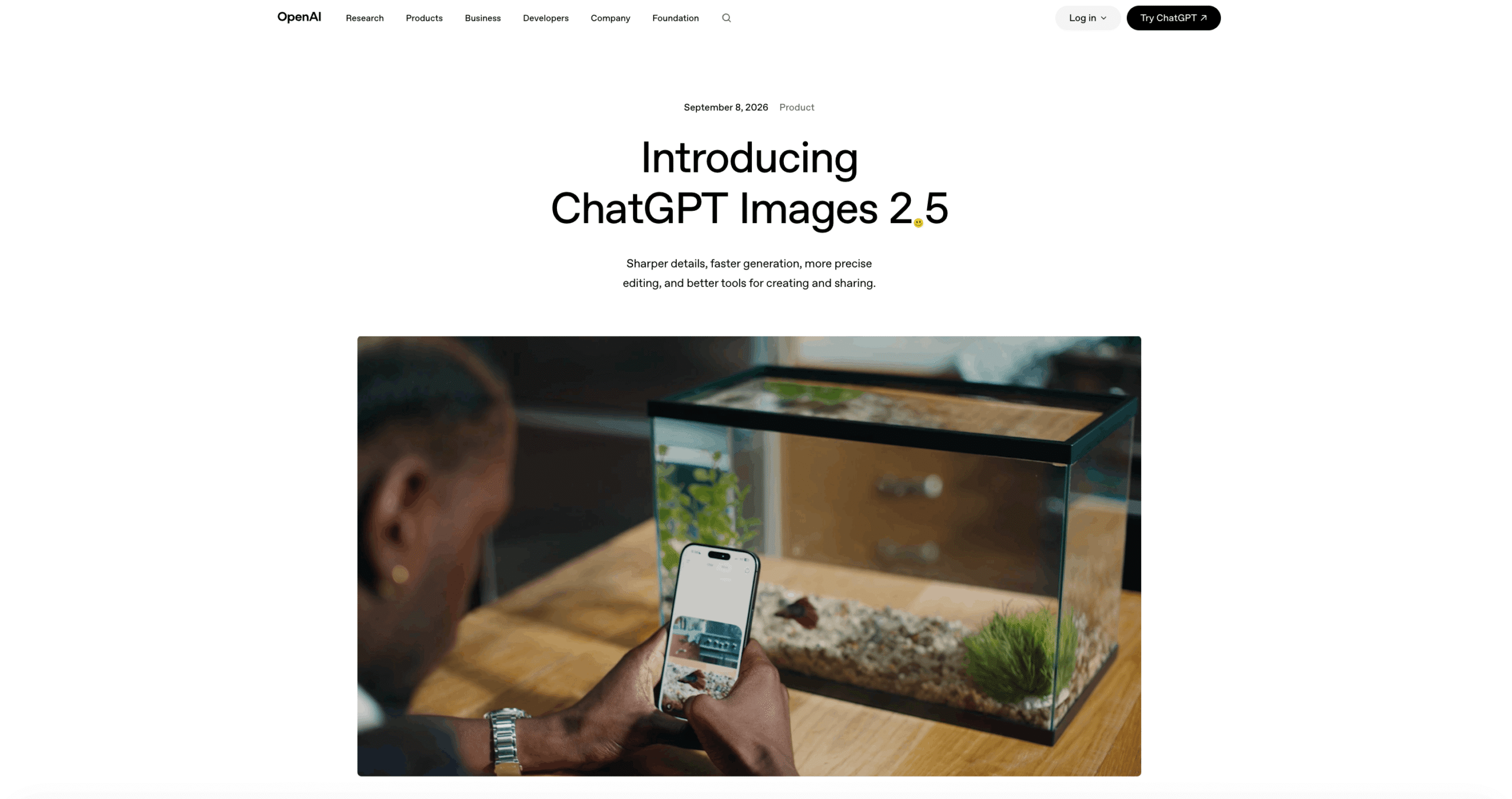
ChatGPT Images 2.5 is OpenAI’s latest image generation and editing system, released on September 8, 2026. It represents a major upgrade over ChatGPT Images 2.0, with improvements in image detail, generation speed, editing precision, reference-image consistency, lighting, textures, and instruction following. OpenAI reports that more than three billion images are now created each week across ChatGPT Images and GPT Image models used through the API.
Rather than functioning only as a text-to-image generator, ChatGPT Images 2.5 is designed as a conversational visual creation environment. Users can generate images from descriptions, upload existing images for modification, work through multiple rounds of edits, use sketches as visual references, start from templates, and place comments directly on images to communicate targeted changes.
This makes the technology relevant to marketers, designers, e-commerce businesses, content creators, developers, advertising teams, publishers, and other organizations that need scalable visual content production.
ChatGPT Images 2.5 at a Glance
| Capability | ChatGPT Images 2.5 |
|---|---|
| Primary Function | AI image generation and image editing |
| Release Date | September 8, 2026 |
| Input Types | Text prompts and reference images |
| Main API Models | GPT-Image-2.5 Flare and GPT-Image-2.5 Sunburst |
| Maximum Resolution | Up to 3840 × 2160 pixels |
| Quality Options | Auto, Low, Medium, High, XHigh and Max |
| Editing | Conversational and reference-image editing |
| Reference Images | Up to 16 images for supported editing workflows |
| Transparent Backgrounds | Supported |
| Output Formats | PNG, JPEG and WebP |
| Maximum Aspect Ratio Range | 1:3 to 3:1 |
| Main Strengths | Speed, detailed rendering, editing precision and consistency |
How Does ChatGPT Images 2.5 Work?
At a practical level, ChatGPT Images 2.5 combines natural-language instructions with image understanding and generation. A user describes an intended visual or supplies an existing image, and the system interprets the requested subjects, composition, style, lighting, text, objects and editing requirements before producing the result.
The important difference is that visual creation can continue conversationally. A user might first generate a product photograph, then request a different background, reposition an object, change the lighting and add promotional text. Images 2.5 is designed to preserve unrelated portions of the image more reliably while making the requested changes.
| Workflow Stage | What Happens | Practical Benefit |
|---|---|---|
| User Input | Text instructions and/or images are supplied | Supports generation and editing |
| Instruction Interpretation | The system analyzes visual requirements | Reduces dependence on complex prompting |
| Image Generation | The requested composition is rendered | Produces a new visual asset |
| Targeted Editing | Specific regions or elements can be modified | Reduces unnecessary regeneration |
| Multi-Turn Refinement | Additional instructions refine the existing result | Supports iterative creative workflows |
| Safety Processing | Prompts, inputs and generated outputs are evaluated | Helps restrict prohibited content |
| Provenance | Generated imagery receives provenance mechanisms | Helps identify AI-generated content |
GPT-Image-2.5 Flare vs GPT-Image-2.5 Sunburst
For developers, OpenAI divides GPT Image 2.5 into two API models rather than forcing every application into the same speed-versus-quality profile.
GPT-Image-2.5 Flare is positioned as the default option for most applications. OpenAI describes it as a fast, high-quality model suitable for creator content, social media, product experiences, visual search, rapid prototyping and high-volume generation. OpenAI states that Flare can deliver higher-quality images than GPT-Image-2 at approximately 50 percent lower latency.
GPT-Image-2.5 Sunburst is the more precision-oriented option. It is intended for workflows where careful editing, polished commercial imagery and stronger control across revisions are more important than generation speed. OpenAI specifically positions it for production-ready campaign creative and polished product imagery.
| Comparison Area | GPT-Image-2.5 Flare | GPT-Image-2.5 Sunburst |
|---|---|---|
| Primary Priority | Speed and quality balance | Maximum precision |
| Generation Speed | Faster | Slower |
| High-Volume Production | Excellent fit | Less optimized for volume |
| Social Content | Strong fit | Strong but potentially excessive |
| Rapid Prototyping | Excellent fit | Suitable |
| Detailed Editing | Strong | Preferred |
| Commercial Campaigns | Suitable | Excellent fit |
| Product Photography | Strong | Preferred for premium output |
| Best For | Everyday and scalable generation | Precision-sensitive creative work |
Faster Image Generation
Generation speed is one of the most significant improvements in Images 2.5. OpenAI states that image generation latency has been reduced by as much as 50 percent compared with Images 2.0.
The improvement matters particularly for production workflows. Faster generation means creative teams can test more concepts, produce variations more rapidly and spend less time waiting between iterations.
This makes AI image generation increasingly practical for applications that require frequent or high-volume visual creation rather than occasional experimentation.
More Precise Image Editing
One of the defining capabilities of ChatGPT Images 2.5 is targeted editing.
Earlier generative image workflows could struggle when users requested a small modification. Changing one element could unintentionally alter faces, backgrounds, colors, composition or other elements that were supposed to remain unchanged.
Images 2.5 improves its ability to understand both what should change and what should remain intact. OpenAI reports stronger preservation of subjects from reference photographs and more reliable editing instructions across multiple conversational turns.
For commercial teams, this can make the system considerably more useful for iterative production.
| Editing Request | Intended Images 2.5 Behavior |
|---|---|
| Change product color | Preserve product geometry and surrounding scene |
| Replace background | Preserve the primary subject |
| Modify clothing | Retain subject appearance and composition |
| Adjust lighting | Maintain objects while changing illumination |
| Add promotional text | Integrate text without redesigning the entire scene |
| Change image style | Transform aesthetics while retaining core content |
| Continue previous edit | Build upon the existing visual state |
Reference Image Consistency
Reference-image fidelity is particularly important for businesses producing repeated visuals around the same person, product or creative concept.
ChatGPT Images 2.5 is designed to preserve subjects from reference photographs more accurately when changing settings, compositions or other characteristics. Supported API editing workflows can accept up to 16 image inputs, allowing applications to provide substantially more visual context than a single reference photograph.
This capability can be valuable for product catalog generation, advertising variations, character development, fashion visualization and branded creative production.
Flexible Image Sizes and Quality Controls
GPT Image 2.5 provides developers with considerably more control over output dimensions and quality.
The models support arbitrary resolutions where width and height comply with specified technical constraints. Both dimensions must be divisible by 16, while aspect ratios can range between 1:3 and 3:1. Resolutions above 2560 × 1440 are considered experimental, with maximum supported resolution reaching 3840 × 2160.
| Technical Parameter | Supported Capability |
|---|---|
| Maximum Resolution | 3840 × 2160 |
| Experimental Resolution Range | Above 2560 × 1440 |
| Aspect Ratio Range | 1:3 through 3:1 |
| Dimension Requirement | Width and height divisible by 16 |
| Standard Sizes | 1024 × 1024, 1536 × 1024 and 1024 × 1536 |
| Quality Levels | Auto, Low, Medium, High, XHigh and Max |
| Transparent Background | Supported |
| Suitable Transparent Formats | PNG and WebP |
| Maximum Reference Inputs | Up to 16 for supported image editing |
Sketch-Based Image Creation
ChatGPT Images 2.5 also introduces Sketch as part of the ChatGPT creative workflow. Instead of communicating an idea entirely through words, users can draw a rough visual reference and describe what the finished image should become.
The sketch does not need to resemble professional artwork. Its purpose is to communicate spatial intent, such as where a person should stand, where an object should appear, how elements should be arranged or how the composition should be structured.
This can make AI image generation more accessible to people who understand the desired composition but find it difficult to describe spatial relationships through prompting alone.
Templates and Image Comments
Templates provide another route into image generation. Instead of beginning with an empty prompt, users can start from predefined visual formats, including common content such as flyers and product imagery, and then customize them.
Image comments provide more localized editing instructions. Users can indicate areas of an image and explain what should change, reducing the ambiguity associated with describing a specific region purely through text.
Together, sketches, templates and image comments move ChatGPT Images closer to an interactive creative workspace rather than a conventional prompt-and-output generator.
Major Use Cases for ChatGPT Images 2.5
The combination of image generation, reference preservation and iterative editing expands the potential applications of ChatGPT Images 2.5 considerably.
| Industry or Function | Example Use Cases | Recommended Model Direction |
|---|---|---|
| Digital Marketing | Ads, banners, campaign concepts | Flare or Sunburst |
| Social Media | Posts, thumbnails, promotional graphics | Flare |
| E-Commerce | Product scenes, backgrounds, catalog visuals | Sunburst |
| Advertising | Campaign creative and visual variations | Sunburst |
| Content Marketing | Blog graphics and editorial illustrations | Flare |
| Product Design | Concept visualization and rapid ideation | Flare |
| Brand Design | Branded imagery and campaign assets | Sunburst |
| Publishing | Covers, editorial visuals and illustrations | Flare |
| App Development | Dynamic AI-generated visual experiences | Flare |
| Visual Search | Generated and transformed visual content | Flare |
| Creative Agencies | Concept development and client campaigns | Sunburst |
| Photography Workflows | Background and composition modifications | Sunburst |
E-Commerce and Product Photography
One of the strongest commercial applications is product visualization.
Retailers can potentially take existing product photographs and create new settings, campaign concepts, seasonal scenes or promotional compositions without conducting a completely new photography session for every variation.
For example, the same product image could be adapted into studio photography, lifestyle imagery, holiday advertising, marketplace listings and social-media campaigns.
Sunburst is particularly relevant where maintaining the exact product appearance is more important than maximizing generation speed.
Advertising and Marketing Creative
Marketing teams frequently need dozens or hundreds of creative variations across campaigns.
ChatGPT Images 2.5 can support concept generation, advertising imagery, landing-page graphics, promotional banners and campaign variations. Flare provides a stronger fit for high-volume experimentation, while Sunburst can be reserved for final creative assets requiring more careful visual control.
A hybrid workflow can therefore be economically attractive: Flare for ideation and rapid variations, followed by Sunburst for precision-sensitive production work.
Social Media Content
Social-media operations benefit particularly from fast image generation.
Brands, agencies and creators can generate visual concepts for different campaigns, audiences, formats and content themes without manually designing every variation.
The lower latency of Flare makes it particularly suited to environments where production volume and iteration speed are major priorities.
Brand and Character Consistency
Maintaining a recognizable subject across AI-generated imagery has historically been difficult. Improved reference-image preservation makes Images 2.5 more useful for recurring characters, spokesperson imagery, branded products and consistent creative campaigns.
This does not eliminate the need for human review, particularly where exact brand identity or product representation is legally or commercially important. However, stronger consistency can substantially reduce the amount of regeneration required.
Safety and AI Image Provenance
More realistic AI-generated imagery also creates greater risks involving impersonation, deceptive content and manipulated images.
OpenAI states that Images 2.5 uses safeguards operating across prompts and images. Its safety architecture includes checks designed to identify problematic requests before generation, analysis of supplied images and instructions, and evaluation of generated results before they are shown to users.
OpenAI also continues to use C2PA metadata and invisible watermarking for images generated through its systems, providing mechanisms that can assist with identifying AI-generated content.
ChatGPT Images 2.5 vs Traditional AI Image Generation
The significance of ChatGPT Images 2.5 is not simply higher image quality. Its broader advantage is the movement toward conversational and iterative visual production.
| Traditional AI Image Workflow | ChatGPT Images 2.5 Approach |
|---|---|
| Prompt produces an image | Prompt begins an editable creative workflow |
| Regeneration often starts over | Existing image can be progressively refined |
| Limited spatial communication | Sketches can communicate composition |
| Text-only editing instructions | Image comments support targeted changes |
| Reference consistency can degrade | Improved subject preservation |
| One-shot creation | Multi-turn conversational editing |
| Fixed creative starting point | Templates provide structured starting points |
| Speed-quality compromise | Flare and Sunburst provide specialized options |
Why ChatGPT Images 2.5 Matters
ChatGPT Images 2.5 reflects a broader transition in generative AI from isolated image creation toward continuous visual production.
Its faster generation, improved subject preservation, higher editing precision, flexible resolutions, reference-image support, sketch input, templates and conversational editing make the technology increasingly relevant to professional creative workflows.
Flare provides the high-speed generation layer required for scalable content production, while Sunburst addresses workflows where visual precision and controlled editing carry greater value. This dual-model strategy allows developers and businesses to select image-generation resources according to the economics and quality requirements of each task.
For businesses, the most significant opportunity may therefore be less about replacing conventional design tools and more about dramatically accelerating visual ideation, variation, editing and asset production. As generative image systems become faster and more controllable, ChatGPT Images 2.5 demonstrates how AI-generated imagery is evolving from experimental content creation into a practical component of modern digital production workflows.
2. Consumer Controls, Interaction Paradigms, and Interface Workflows
ChatGPT Images 2.5 expands image generation beyond conventional text prompting by introducing a more interactive visual creation workflow. OpenAI has added Sketch, creative templates, image comments, prompt sharing, conversational editing, and reference-image workflows to help users communicate visual intent with greater precision.
These controls are designed to reduce one of the traditional limitations of generative image systems: users often know what they want visually but struggle to express composition, positioning, proportions, or localized changes entirely through text. ChatGPT Images 2.5 combines natural-language instructions with visual inputs and iterative editing so that users can progressively develop an image rather than repeatedly starting from a new prompt.
OpenAI states that Images 2.5 is available across ChatGPT, ChatGPT Work, and Codex, with support spanning desktop, mobile, and web environments. However, individual interface features can differ by platform and product mode.
Core ChatGPT Images 2.5 Interaction Tools
| Interaction Tool | Primary Function | Typical Application |
|---|---|---|
| Sketch | Provides a hand-drawn visual guide | Layouts, compositions, clothing and concepts |
| Templates | Provides a structured creative starting point | Posters, merchandise and common visual formats |
| Image Comments | Communicates targeted editing instructions | Object, text and localized visual changes |
| Conversational Editing | Refines images through follow-up instructions | Multi-stage creative development |
| Reference Images | Anchors generation to existing imagery | Products, people, styles and compositions |
| Prompt Sharing | Shares the concept behind an image | Collaboration and creative experimentation |
| Image Editor | Adds, removes or modifies image elements | Targeted image refinement |
Sketch: Turning Rough Drawings Into Finished Images
Sketch introduces drawing as another method of communicating with ChatGPT Images 2.5.
Instead of explaining every spatial relationship through a detailed prompt, users can draw a rough representation of the desired composition and accompany it with written instructions. ChatGPT then interprets the sketch as a visual guide when producing the completed image.
The drawing does not need to be professionally created. Its purpose is primarily to communicate concepts such as placement, shape, scale and overall composition.
For example, a user could sketch the approximate position of furniture within a room and then request a realistic interior visualization. A fashion designer could outline the silhouette of an outfit and describe the intended fabrics, colors and photographic style. A marketer could roughly position a product, headline and background elements before asking ChatGPT to create the finished advertising concept.
| Sketch Input | Additional Instructions | Potential Output |
|---|---|---|
| Rough room layout | Interior style, materials and lighting | Interior visualization |
| Clothing outline | Fabric, colors and photography style | Fashion concept |
| Product placement | Background and studio lighting | Product advertisement |
| Poster wireframe | Theme, imagery and visual hierarchy | Promotional poster |
| Character outline | Appearance, clothing and environment | Character illustration |
| Scene composition | Setting, mood and visual style | Completed scene |
On supported mobile interfaces, Sketch can be accessed from the message composer by selecting Sketch after entering the at symbol. The drawing can then be combined with written instructions before image generation begins.
Importantly, Sketch should be understood as a visual reference rather than an exact technical blueprint. ChatGPT interprets the drawing during generation rather than simply converting every line directly into a corresponding finished object.
Templates: Reducing the Blank-Canvas Problem
Templates provide another important interaction model within ChatGPT Images 2.5.
Rather than requiring users to construct every creative request from scratch, templates provide predefined starting points for commonly requested image formats. OpenAI highlights formats such as posters and merchandise, while its broader product materials also reference popular formats including flyers and product imagery.
Users can select a template and provide information such as the message to communicate, desired design elements and preferred visual style. ChatGPT may also ask follow-up questions to refine the request.
| Traditional Prompt Workflow | Template-Based Workflow |
|---|---|
| User begins with an empty prompt | User begins with a defined format |
| User determines prompt structure | Template provides creative direction |
| Important requirements may be omitted | ChatGPT can request additional details |
| Greater prompting knowledge is useful | Lower barrier for casual users |
| Format must be explained manually | Intended creative format is established |
| More experimentation may be required | Faster path toward a usable concept |
Templates therefore serve as more than visual presets. They provide structured entry points into conversational image generation, helping users translate an incomplete creative idea into a more clearly defined visual request.
OpenAI notes that templates are not currently available in ChatGPT Work, making feature availability an important consideration for organizations comparing consumer and workplace image workflows.
Image Comments and Focused Editing
Image comments introduce a more direct approach to communicating localized changes.
Instead of writing a broad instruction such as “change the object on the left side of the image,” users can open a generated image and add comments indicating what they want modified. This provides ChatGPT with additional visual context about the intended edit.
The capability complements one of the major technical improvements in Images 2.5: stronger preservation of image elements that users did not request to change.
| Editing Objective | Conventional Approach | Images 2.5 Workflow |
|---|---|---|
| Replace an object | Describe its location through text | Indicate the relevant area and request change |
| Modify visible copy | Explain which text should change | Target the relevant content |
| Remove an unwanted element | Describe object and location | Identify element and request removal |
| Change product detail | Regenerate or broadly edit image | Request a focused modification |
| Preserve composition | Often difficult across generations | Improved preservation during editing |
This distinction is particularly important for professional creative workflows. If a marketing team approves the model, product placement, background and lighting but needs one small element changed, regenerating the entire composition can introduce unwanted differences.
Images 2.5 is designed to make these targeted modifications more reliable.
Image Editor and Selection-Based Editing
ChatGPT also provides an image editor for adding, removing and updating parts of an image. Users can select an area and describe the desired modification.
However, selection should not be interpreted as pixel-perfect masking. OpenAI cautions that highlighted areas are not always precise and that generated modifications can extend beyond the selected region.
This means the editor is well suited to creative modifications but should not automatically be treated as a replacement for professional pixel-level image manipulation when exact boundaries are required.
Conversational Multi-Turn Editing
Another important interaction paradigm is the ability to treat image creation as an ongoing conversation.
After generating an image, users can continue requesting changes instead of reconstructing the original prompt. For example, a user could generate an advertising photograph and subsequently request brighter lighting, a different product color, removal of an object and a revised background.
Images 2.5 is specifically designed to maintain greater consistency across these successive modifications.
| Creative Stage | Example Instruction | Expected Workflow |
|---|---|---|
| Initial Generation | Create a premium product photograph | Establish base image |
| Refinement | Make the lighting warmer | Preserve composition |
| Product Edit | Change the packaging color | Modify selected characteristic |
| Background Edit | Replace background with studio setting | Preserve primary subject |
| Final Polish | Simplify distracting background elements | Refine existing asset |
This workflow shifts generative imagery away from a one-prompt, one-image interaction model and toward iterative visual development.
Reference Images as Creative Anchors
Users can also upload existing images and describe how they should be transformed.
Images 2.5 improves the preservation of subjects from reference photographs, including recognizable characteristics that need to survive changes in environment, style or composition.
Reference-driven workflows can therefore complement Sketch and conversational editing. A reference image communicates what something should look like, while a sketch can communicate where elements should appear and natural-language instructions can define how the final result should feel.
| Input Type | Information Communicated |
|---|---|
| Text Prompt | Intent, style, objects and creative direction |
| Reference Image | Subject appearance and visual characteristics |
| Sketch | Spatial arrangement and approximate composition |
| Image Comment | Location and purpose of a specific edit |
| Conversation History | Previous decisions and requested modifications |
Together, these input methods create a multimodal workflow in which visual requirements no longer need to be compressed into a single text prompt.
Prompt Sharing and Collaborative Creation
Prompt sharing extends ChatGPT Images 2.5 from personal creation into reusable creative workflows.
When sharing a generated image, users can choose to include the prompt that produced it. Other people can then use the underlying idea while introducing their own images, details and creative variations.
The important distinction is that prompt sharing is intended to make an idea reusable. It should not necessarily be interpreted as transferring every hidden generation state or providing an exact deterministic reproduction of the original image.
| Sharing Method | What Collaborators Receive | Primary Value |
|---|---|---|
| Image Only | Finished visual | Inspiration and presentation |
| Image with Prompt | Visual plus underlying creative instruction | Reuse and experimentation |
| Shared Prompt with New Inputs | Creative concept combined with new details | Personalized variations |
For agencies, marketing teams and creators, this could support reusable prompt concepts for campaigns, social trends, branded creative ideas and collaborative experimentation.
A More Visual Human-AI Interaction Model
The broader significance of these controls is the transition from prompt engineering toward multimodal creative direction.
Traditional AI image generation largely depended on how effectively users could describe their desired result. ChatGPT Images 2.5 reduces that dependence by providing several complementary methods for expressing intent.
| User Requirement | Most Suitable Interaction Method |
|---|---|
| Describe an original idea | Natural-language prompt |
| Communicate spatial arrangement | Sketch |
| Start with a familiar format | Template |
| Preserve an existing subject | Reference image |
| Modify a specific area | Image comment or editor |
| Develop an image progressively | Conversational editing |
| Let others reuse an idea | Prompt sharing |
This interaction model can make generative visual creation accessible to a broader range of users. Designers can communicate through sketches, marketers can begin from templates, photographers can work from reference images, and less technical users can refine results through ordinary conversation.
For businesses, the larger implication is that ChatGPT Images 2.5 is developing into an interactive visual production environment rather than functioning solely as an AI image generator. Sketches establish composition, references anchor visual identity, templates accelerate initial creation, comments direct localized modifications, and conversational editing allows the asset to evolve through successive iterations.
The result is a workflow increasingly centered on creative direction rather than prompt construction, potentially reducing the distance between an initial idea and a production-ready visual asset.
3. Quantitative Benchmarks, Arena Leaderboards, and Developer Telemetry
Early independent benchmarks suggest that GPT-Image-2.5 represents a meaningful improvement over GPT Image 2, particularly in image editing, reference preservation and generation speed. However, benchmark results should be interpreted carefully because the models were newly released in September 2026 and several leaderboard scores remain preliminary.
One of the strongest early signals comes from Arena, where users compare anonymous outputs generated from the same task and vote for the result they prefer. This blind-comparison methodology reduces direct brand bias and provides a useful measure of human visual preference.
GPT-Image-2.5 Performance on Arena
At the initial September 2026 leaderboard snapshot, GPT-Image-2.5 Sunburst and GPT-Image-2.5 Flare occupied the first and second positions in Arena’s single-image editing rankings.
Sunburst achieved an image-editing score of 1520, while Flare reached 1491. GPT Image 2 followed with 1461. The same general pattern appeared in text-to-image generation, where Sunburst scored 1421, Flare 1399 and GPT Image 2 scored 1381.
| Model | Image Edit Arena Score | Text-to-Image Arena Score | Relative Position |
|---|---|---|---|
| GPT-Image-2.5 Sunburst | 1520 ± 9 | 1421 ± 13 | Precision-focused leader |
| GPT-Image-2.5 Flare | 1491 ± 9 | 1399 ± 13 | Fast, high-quality alternative |
| GPT Image 2 Medium | 1461 ± 3 | 1381 ± 4 | Previous-generation baseline |
| Grok Imagine Image 2.0 Low | 1439 ± 8 | Varies by leaderboard | Strong competing editor |
| MAI-Image 2.6 | 1434 ± 8 | Varies by leaderboard | Competitive image model |
| Seedream 5.0 Pro | 1394 ± 4 | Varies by leaderboard | Alternative commercial model |
| Nano Banana Pro | 1390 ± 3 | Varies by leaderboard | Multimodal image competitor |
These results are particularly notable for image editing. Sunburst was approximately 59 Arena points ahead of GPT Image 2 in the initial single-image editing leaderboard, while Flare was approximately 30 points ahead.
Multi-Image Editing Performance
The advantage also appeared in multi-image editing, an increasingly important benchmark for commercial workflows that depend on several reference images.
| Model | Multi-Image Editing Score | Relative Position |
|---|---|---|
| GPT-Image-2.5 Sunburst | 1535 ± 9 | First |
| GPT-Image-2.5 Flare | 1501 ± 8 | Second |
| GPT Image 2 Medium | 1454 ± 4 | Third |
This category is especially relevant for applications involving product references, recurring characters, branded assets and compositions assembled from several visual sources.
Sunburst’s performance supports its positioning as the precision-oriented model for workflows where maintaining visual relationships across references and successive edits is more important than minimizing generation time.
Why Arena Scores Matter
Arena scores are based on human preference rather than a conventional automated computer-vision test.
Users are shown competing outputs without initially knowing which models produced them. They select the result they prefer, and aggregated comparisons contribute to model ratings and rankings.
| Benchmark Characteristic | Arena Approach |
|---|---|
| Evaluation Method | Human preference |
| Comparison Format | Blind side-by-side outputs |
| Model Identity During Voting | Hidden |
| Main Measurement | Relative user preference |
| Useful For | Visual quality and perceived instruction success |
| Major Limitation | Does not measure every production requirement |
| Score Stability | Improves as additional votes accumulate |
This approach can capture qualities that automated metrics sometimes struggle to evaluate, including composition, aesthetics, perceived realism and overall visual usefulness.
However, an Arena score should not be interpreted as a universal measurement of image intelligence.
Preliminary Results Require Caution
The initial GPT-Image-2.5 leaderboard positions were marked preliminary.
At one early snapshot, Sunburst’s single-image editing score was based on approximately 6,700 votes and Flare’s on approximately 5,700. GPT Image 2, by comparison, had accumulated more than 235,000 votes.
The difference in sample size is important.
| Model | Approximate Single-Image Edit Votes | Score Status |
|---|---|---|
| GPT-Image-2.5 Sunburst | 6,700 | Preliminary |
| GPT-Image-2.5 Flare | 5,700 | Preliminary |
| GPT Image 2 Medium | 235,000+ | Established |
Consequently, the exact scores and rankings may move substantially as more comparisons are collected.
The early results are better interpreted as evidence of a strong launch rather than proof that the leaderboard positions are permanently established.
Independent Benchmarks Tell a More Nuanced Story
Another useful benchmark comes from Artificial Analysis, which operates its own blind-vote Image Arena and therefore produces Elo scores that should not be confused with Arena’s ratings.
As of mid-September 2026, Artificial Analysis placed GPT Image 2.5 Flare Max at the top of its text-to-image leaderboard with an Elo of approximately 1187, followed closely by Sunburst Max at approximately 1179 and GPT Image 2 High at approximately 1171.
For image editing, however, Sunburst led.
| Artificial Analysis Category | Leading GPT Image 2.5 Model | Approximate Elo |
|---|---|---|
| Text-to-Image | GPT Image 2.5 Flare Max | 1187 |
| Image Editing | GPT Image 2.5 Sunburst Max | 1167 |
| Image Editing Runner-Up | GPT Image 2.5 Flare Max | 1145 |
The different results demonstrate why a single leaderboard should not determine model selection.
Different benchmark populations, prompts, quality settings and voting methodologies can produce different rankings. More importantly, the best model for generating an attractive image from scratch is not necessarily the best model for preserving a product or character across repeated edits.
Flare vs Sunburst: What the Benchmarks Suggest
The available results broadly support different operational roles for the two models.
| Evaluation Area | Flare | Sunburst |
|---|---|---|
| Text-to-Image Quality | Excellent | Excellent |
| Image Editing | Excellent | Strongest early results |
| Multi-Image Editing | Excellent | Strongest early results |
| Generation Speed | Priority | Secondary priority |
| Rapid Iteration | Preferred | Suitable |
| High-Volume Generation | Preferred | Less optimized |
| Complex Editing Chains | Strong | Preferred |
| Precision Production Work | Strong | Preferred |
The distinction is therefore less about one model being universally better and more about optimization priorities.
Flare is positioned toward speed and scalable generation. Sunburst places greater emphasis on precision and editing consistency.
Generation Latency Improvements
Speed may prove to be one of the most commercially significant improvements in GPT Image 2.5.
OpenAI states that Flare can produce higher-quality images than GPT Image 2 with up to approximately 50 percent lower latency. Independent developer observations suggest that improvements can be even more dramatic for particular workloads, although these reports should not be generalized into guaranteed API performance.
One developer working on an AI-powered user-interface design application reported generating approximately 50,000 images through GPT Image 2. The developer observed average generation times of roughly 104 seconds with the previous model, compared with approximately 35 to 40 seconds during early GPT Image 2.5 testing.
| Generation Environment | Reported Generation Time | Relative Observation |
|---|---|---|
| GPT Image 2 | Approximately 104 seconds | Developer’s historical baseline |
| GPT Image 2.5 | Approximately 35–40 seconds | Developer’s early testing |
| Difference | Approximately 64–69 seconds | Substantial workload improvement |
These figures represent one developer’s workload rather than an official service-level guarantee. Generation latency can change according to image dimensions, quality settings, prompt complexity, reference-image count, provider infrastructure and system demand.
Why Latency Matters for Production
Reducing generation time from around one or two minutes toward tens of seconds fundamentally changes how image generation can be integrated into applications.
| Workflow | Effect of Lower Latency |
|---|---|
| Creative Iteration | Designers can test more concepts per session |
| Social Content | Larger batches can be generated faster |
| E-Commerce | Product variations become easier to scale |
| Interactive Applications | Users spend less time waiting |
| Advertising | Creative variants can be produced rapidly |
| Development | Engineers can test prompts more efficiently |
| Agentic Workflows | Automated image pipelines complete sooner |
Latency becomes particularly important when generation is only one step in a larger automated workflow. An application generating hundreds or thousands of assets can accumulate substantial waiting time when every generation takes more than a minute.
Real-World Developer Quality Observations
The same developer who reported the latency improvement also tested GPT Image 2.5 within user-interface generation workflows.
Several qualitative improvements were observed.
Reference images appeared to be followed more reliably. In one interface test, GPT Image 2 had difficulty reproducing the intended appearance of a prominent blue button, while the newer model produced the desired result more accurately.
Pose modifications involving a recognizable person also reportedly maintained appearance more effectively.
Another reported improvement concerned skin rendering under challenging lighting conditions. Previous generations sometimes produced an excessively processed or visually damaged appearance, particularly in darker interface compositions. The developer reported that GPT Image 2.5 produced cleaner results in these scenarios.
| Tested Area | Observed GPT Image 2.5 Improvement |
|---|---|
| Reference Image Usage | Better adherence to supplied visual references |
| UI Elements | More accurate reproduction of important components |
| Character Appearance | Improved preservation during pose changes |
| Skin Rendering | Fewer harsh artifacts in tested scenes |
| Dark Compositions | Improved visual treatment |
| Iteration Speed | Significantly faster in reported testing |
Remaining Weaknesses
GPT Image 2.5 is not free from rendering problems.
The same developer testing identified weaker performance with extremely small interface details. Tiny decorative glyphs and fine accent lines occasionally appeared blurred or geometrically inconsistent.
This illustrates an important distinction between overall visual quality and pixel-level design precision.
| Visual Requirement | Current Assessment |
|---|---|
| Overall Composition | Very strong |
| Major UI Elements | Strong |
| Reference Preservation | Improved |
| Character Consistency | Improved |
| Lighting and Skin Rendering | Improved in reported tests |
| Small Decorative Elements | Can remain inconsistent |
| Microglyphs | Potential weakness |
| Pixel-Perfect UI Production | Human verification still advisable |
Benchmark Results vs Production Performance
Businesses evaluating GPT Image 2.5 should distinguish between benchmark leadership and production suitability.
Arena measures which output people prefer when comparing images. A production system must consider additional factors such as latency, consistency, cost, failure rates, reference fidelity and repeatability.
| Evaluation Dimension | Benchmark Importance | Production Importance |
|---|---|---|
| Visual Appeal | Very High | High |
| Prompt Adherence | High | Very High |
| Editing Accuracy | High | Very High |
| Reference Consistency | Moderate | Very High |
| Generation Latency | Usually Limited | Very High |
| API Reliability | Usually Not Measured | Very High |
| Cost Per Asset | Usually Not Measured | Very High |
| Reproducibility | Limited | High |
| Fine Detail Accuracy | Partially Captured | Very High |
For this reason, developers should benchmark Flare and Sunburst against their own production prompts rather than selecting a model solely because it occupies a higher public leaderboard position.
What the Early Data Indicates
The quantitative evidence available shortly after launch points toward three important conclusions.
First, both GPT-Image-2.5 variants launched with exceptionally strong human-preference results. Sunburst and Flare occupied the top positions in Arena’s early text-to-image, single-image editing and multi-image editing rankings.
Second, Sunburst appears particularly strong in editing. Its larger advantage over GPT Image 2 in editing benchmarks supports its role as the precision-oriented member of the GPT Image 2.5 family.
Third, Flare’s speed improvements may have greater practical significance than relatively small differences in leaderboard scores. For applications generating large quantities of images or providing interactive AI image creation, reducing waiting time can materially improve both operating efficiency and user experience.
The early benchmark picture therefore does not identify a single model for every task. Instead, it reinforces the two-tier strategy behind GPT Image 2.5: Flare for fast, scalable visual generation and Sunburst for workflows where editing precision, reference consistency and visual control justify additional computation.
4. API Economics, Token Pricing Structure, and Cost Calculations
Understanding the economics of ChatGPT Images 2.5 requires separating image generation inside ChatGPT from programmatic generation through the OpenAI API. The two environments use different commercial models.
Within ChatGPT, Images 2.5 is available across all tiers, although usage limits and access to advanced capabilities vary by plan. Users generally interact with image generation as part of their ChatGPT allowance rather than receiving a separate API-style invoice for every image they create.
Developers building applications, automated content pipelines, e-commerce systems or creative platforms instead use GPT-Image-2.5 Flare or GPT-Image-2.5 Sunburst through the API. API usage is metered according to the text and image tokens processed by each request.
Official GPT-Image-2.5 API Pricing
OpenAI currently lists the same token rates for Flare and Sunburst. The company also states that these rates match GPT Image 2 pricing.
| Token Billing Category | Standard Rate per 1M Tokens | Cached Rate per 1M Tokens | Cost Function |
|---|---|---|---|
| Text Input | $5.00 | $1.25 | Processes prompts and instructions |
| Image Input | $8.00 | $2.00 | Processes uploaded visual inputs |
| Image Output | $30.00 | Not applicable | Generates the resulting image |
| Text Output | Not billed | Not applicable | Models primarily return images |
This means there is currently no separate premium token rate simply for selecting Sunburst instead of Flare. Both models list text input at $5 per million tokens, cached text at $1.25, image input at $8, cached image input at $2 and generated image output at $30 per million tokens.
However, identical token rates do not necessarily mean identical final request costs. Total expenditure ultimately depends on how many tokens a particular generation consumes.
Flare vs Sunburst Economics
The two models are primarily differentiated by workload rather than headline token price.
Flare is OpenAI’s faster model for high-quality everyday image generation. Sunburst is positioned for workflows where editing precision and detailed creative control matter more, with OpenAI noting that Sunburst can require longer generation times.
| Economic Factor | GPT-Image-2.5 Flare | GPT-Image-2.5 Sunburst |
|---|---|---|
| Text Input Rate | $5.00 / 1M tokens | $5.00 / 1M tokens |
| Cached Text Rate | $1.25 / 1M tokens | $1.25 / 1M tokens |
| Image Input Rate | $8.00 / 1M tokens | $8.00 / 1M tokens |
| Cached Image Rate | $2.00 / 1M tokens | $2.00 / 1M tokens |
| Image Output Rate | $30.00 / 1M tokens | $30.00 / 1M tokens |
| Primary Optimization | Speed and volume | Precision and editing |
| Ideal Economic Use | Large-scale everyday generation | High-value final assets |
| Generation Time | Lower | Generally higher |
For many commercial pipelines, this encourages a tiered strategy. Flare can handle rapid ideation and bulk generation, while Sunburst can be reserved for assets requiring more demanding editing or precision.
How Image API Billing Works
API costs can be divided into three primary components: text input, image input and image output.
Text input includes the natural-language prompt and other textual instructions sent to the model.
Image input represents visual material supplied with the request, such as reference photographs or images being edited.
Image output represents the tokens required to construct the generated visual and is typically the largest component of generation cost.
A simplified request-cost model is:
Total Cost = Text Input Cost + Cached Text Input Cost + Image Input Cost + Cached Image Input Cost + Image Output Cost
Using OpenAI’s published rates, the general calculation becomes:
Total Cost = ((Uncached Text Tokens × $5) + (Cached Text Tokens × $1.25) + (Uncached Image Tokens × $8) + (Cached Image Tokens × $2) + (Image Output Tokens × $30)) ÷ 1,000,000
| Cost Component | Formula |
|---|---|
| Uncached Text | Tokens × $5 ÷ 1,000,000 |
| Cached Text | Tokens × $1.25 ÷ 1,000,000 |
| Uncached Image Input | Tokens × $8 ÷ 1,000,000 |
| Cached Image Input | Tokens × $2 ÷ 1,000,000 |
| Generated Image | Tokens × $30 ÷ 1,000,000 |
The Critical Limitation of Per-Image Cost Estimates
An important correction is necessary when calculating GPT-Image-2.5 costs.
Although OpenAI publishes the token rates, its current model documentation explicitly states that the existing GPT Image 2 calculator does not estimate GPT Image 2.5 token consumption.
Consequently, fixed tables claiming that a 1024 × 1024 High image always consumes exactly 1,756 output tokens, or that a 4K Max image always costs exactly $0.40026, should not currently be presented as official GPT-Image-2.5 pricing.
Those calculations may be useful as third-party estimates, but OpenAI has not documented them as guaranteed Images 2.5 output-token consumption figures.
| Pricing Information | Verification Status |
|---|---|
| $5 / 1M text input tokens | Official |
| $1.25 / 1M cached text tokens | Official |
| $8 / 1M image input tokens | Official |
| $2 / 1M cached image tokens | Official |
| $30 / 1M image output tokens | Official |
| Flare and Sunburst share rates | Official |
| Exact 2.5 tokens per resolution | Not currently documented |
| Exact 2.5 cost per resolution | Cannot be universally guaranteed |
| GPT Image 2 calculator applies to 2.5 | OpenAI explicitly says it does not |
This distinction is particularly important for developers conducting financial forecasting. Published token rates are reliable inputs, but exact per-image expenditure should be measured from real GPT-Image-2.5 API requests.
Quality Settings and Cost
Both Flare and Sunburst support six quality settings: Auto, Low, Medium, High, XHigh and Max.
Higher quality settings can increase the computational work and output tokens required for an image. Resolution, aspect ratio, image complexity and reference inputs can also affect overall consumption.
| Quality Setting | General Production Role | Relative Cost Expectation |
|---|---|---|
| Low | Drafts and inexpensive experiments | Lowest |
| Medium | Routine content production | Low to moderate |
| High | Finished marketing imagery | Higher |
| XHigh | Detail-sensitive production | High |
| Max | Maximum-detail output | Highest |
| Auto | Model-selected quality | Variable |
For cost-sensitive applications, generating every experimental image at Max quality is unlikely to be economically efficient.
A more practical production workflow can use Low or Medium for exploration, High for shortlisted concepts, and XHigh or Max only when the additional visual quality provides meaningful business value.
Why Input Images Also Affect Cost
Editing workflows can become more expensive than simple text-to-image generation because reference images themselves consume image input tokens.
This becomes increasingly relevant when an application supplies several references to preserve a person, product, style or composition.
| Workflow | Text Cost | Image Input Cost | Image Output Cost |
|---|---|---|---|
| Simple Text-to-Image | Yes | None | Yes |
| Single-Image Editing | Yes | Yes | Yes |
| Reference-Based Generation | Yes | Yes | Yes |
| Multi-Reference Editing | Yes | Potentially Higher | Yes |
| Repeated Cached Workflow | Yes | Potentially Reduced | Yes |
For high-volume systems, caching can therefore become economically significant. OpenAI prices cached text input at one-quarter of its normal rate and cached image input at one-quarter of its normal rate.
Cost per Accepted Asset
Raw generation cost is not necessarily the most useful metric for businesses.
A more meaningful measurement is effective cost per accepted asset because not every generated image will be suitable for publication.
For example, assume a hypothetical generation costs $0.06 and 80 percent of generated assets are accepted.
Cost per Accepted Asset = $0.06 ÷ 0.80
Cost per Accepted Asset = $0.075
| Acceptance Rate | $0.06 Generation Cost | Effective Cost per Accepted Asset |
|---|---|---|
| 100% | $0.060 | $0.060 |
| 90% | $0.060 | $0.067 |
| 80% | $0.060 | $0.075 |
| 70% | $0.060 | $0.086 |
| 50% | $0.060 | $0.120 |
| 25% | $0.060 | $0.240 |
This demonstrates why model quality can sometimes matter more than the nominal API price.
If a more capable model costs slightly more but substantially increases the acceptance rate, it can produce a lower effective cost per usable asset.
The Economics of Regeneration
Regeneration rate is another important production metric.
Consider two hypothetical image-generation systems. Model A costs $0.04 per attempt but requires an average of three attempts before producing an acceptable result. Model B costs $0.07 but usually succeeds on its first attempt.
| Economic Metric | Model A | Model B |
|---|---|---|
| Cost per Attempt | $0.04 | $0.07 |
| Average Attempts | 3 | 1 |
| Effective Asset Cost | $0.12 | $0.07 |
| Human Review Load | Higher | Lower |
| Production Efficiency | Lower | Higher |
For agencies and automated content operations, generation cost should therefore be evaluated alongside acceptance rate, regeneration frequency and human review time.
ChatGPT Usage vs API Usage
The economics are substantially different for individuals using ChatGPT directly.
OpenAI’s current documentation states that ChatGPT Images is available across all ChatGPT tiers. Advanced Images with thinking is currently available on Plus, Pro and Business, with Enterprise and Edu support planned.
| Access Method | Billing Model | Best Suited For |
|---|---|---|
| ChatGPT Free | Plan usage limits | Occasional personal generation |
| ChatGPT Paid Plans | Subscription and usage allowances | Regular interactive creation |
| ChatGPT Business | Business plan allowances | Team creative workflows |
| OpenAI API | Token-metered | Applications and automation |
| Developer Platforms | Provider-specific | Integrated AI workflows |
This distinction matters because a ChatGPT subscription should not be treated as an unlimited API-generation allowance. Developers building automated services need to budget according to API consumption or the commercial terms of their chosen platform.
Third-Party Platforms and Markups
GPT-Image-2.5 is also becoming available through third-party creative platforms and API providers.
These services can apply their own credit systems, subscriptions, markups, usage restrictions and additional features. Their economics therefore cannot be directly compared with OpenAI’s API token prices without understanding how many credits each GPT-Image-2.5 generation consumes.
Morphic provides one example of a subscription-based approach.
| Morphic Plan | Monthly Price | Included Monthly Credits | User Allocation |
|---|---|---|---|
| Free | $0 | Up to 20 credits | 1 user |
| Education | $4 | 610 credits | 1 user |
| Basic | $9 | 1,100 credits | 1 user |
| Standard | $24 | 3,625 credits | 1 user |
| Pro | $45 | 6,350 shared credits | 1 user, extras available |
| Pro Max | $170 | 24,650 shared credits | 1 user, extras available |
Morphic states that ChatGPT Images 2.5 itself is available through its paid plans rather than its free model allowance. Its Free plan can be used to explore the platform, but free downloads carry a watermark.
Credits Should Not Be Confused With Images
A common mistake when evaluating third-party platforms is dividing subscription price by total credits and assuming every credit represents one image.
Credits are internal accounting units.
Different AI models, video generators, resolutions and quality settings can consume different numbers of credits. Consequently, a plan offering 6,350 credits does not necessarily provide 6,350 GPT-Image-2.5 generations.
Developers should instead calculate:
Effective Image Cost = Monthly Subscription Price ÷ Actual Number of Required Images Produced
The same principle applies when comparing API gateways. A low advertised token or credit price can become less attractive after accounting for provider markups, minimum charges, reliability, queue times and unsuccessful generations.
Recommended Cost Optimization Strategy
A cost-efficient GPT-Image-2.5 pipeline should match model and quality selection to the economic value of each stage.
| Production Stage | Recommended Approach | Cost Objective |
|---|---|---|
| Initial Ideation | Flare at Low or Medium | Minimize exploration cost |
| Prompt Testing | Flare | Maximize iteration speed |
| Concept Variations | Flare | Produce inexpensive alternatives |
| Candidate Selection | Flare High | Improve visual quality |
| Precision Editing | Sunburst | Preserve approved elements |
| Premium Final Asset | Sunburst XHigh or Max | Maximize final quality |
| Repeated Inputs | Use caching where applicable | Reduce input expenditure |
| Production Monitoring | Track actual token usage | Establish real unit economics |
For large-scale image pipelines, the most important metrics are therefore not simply dollars per million tokens.
Businesses should monitor API cost per attempt, acceptance rate, regenerations per accepted image, latency, reference-image input cost, human review time and final cost per published asset.
The central economic advantage of GPT-Image-2.5 may ultimately come from productivity rather than the headline token rate. Faster Flare generations can reduce waiting and increase throughput, while Sunburst’s stronger editing precision can potentially reduce rejected generations and repeated editing cycles. When these factors are measured together, developers can determine whether the lowest-cost generation is actually the lowest-cost usable visual.
5. Safety Architecture, Risk Assessments, and Provenance Integration
As AI image generators become capable of producing increasingly realistic photographs, advertisements, illustrations and edited images, their potential for misuse also increases. Realistic synthetic media can potentially be used for deceptive impersonation, fabricated events, harmful depictions of real people and other forms of misleading content.
OpenAI identifies heightened realism as one of the principal new safety challenges associated with ChatGPT Images 2.5. The company specifically notes that increased realism could enable more convincing political, sexual and otherwise sensitive deepfakes if appropriate safeguards were absent.
To address these risks, GPT-Image-2.5 Sunburst and Flare operate within a multi-layered image safety architecture. Rather than relying on a single content filter, OpenAI evaluates prompts, supplied images and generated outputs at different stages of the generation process.
ChatGPT Images 2.5 Safety Architecture
The safety system combines preventive checks before generation with monitoring during and after the image-generation process.
| Safety Layer | Primary Function | Position in Workflow |
|---|---|---|
| LLM Policy Checks | Evaluates potentially prohibited requests | Before generation |
| Image Classifiers | Detect potentially problematic input images | Before final generation |
| Prompt and Image Analysis | Evaluates potentially malicious editing requests | Input processing |
| Safety Reasoning Model | Reasons about intent and policy compliance | Generation pipeline |
| Output Blocking | Evaluates generated images before presentation | Before user receives image |
| Online Monitoring | Detects patterns of misuse | Production operation |
| Offline Monitoring | Supports broader enforcement and investigation | Post-interaction analysis |
| Provenance Signals | Identifies supported AI-generated imagery | Generated asset |
OpenAI says these protections build on the safety architecture previously used for ChatGPT Images 2.0 while introducing additional safeguards for risks associated with the capabilities of Images 2.5.
Upstream Refusals
The first major protection occurs before the request reaches the image-generation model.
OpenAI uses LLM-based policy checks to analyze whether a request violates applicable image-generation policies. Requests classified as prohibited can therefore be refused without proceeding to image generation.
This upstream approach is particularly important because preventing an unsafe generation is preferable to generating the image and attempting to identify it afterward.
| Request Stage | Safety Action | Possible Outcome |
|---|---|---|
| User submits prompt | Policy system evaluates request | Request proceeds or refuses |
| User supplies image | Image safety systems inspect input | Image accepted or blocked |
| Editing request submitted | Prompt and image evaluated together | Edit accepted or blocked |
| Generation completes | Output undergoes safety evaluation | Image shown or blocked |
Downstream Safety Reasoning
The second major defensive layer operates after a request reaches the image-generation system.
OpenAI describes this component as a safety reasoning model: a multimodal model specifically trained to reason about prompts, images, intent and content policies.
The monitor performs two important functions.
Input blocking examines the text and images provided to the image-generation system. If supplied material violates policy, generation can be stopped.
Output blocking examines the final generated image before it reaches the user. If the generated result is determined to violate applicable policies, the image is withheld.
This creates a defense-in-depth architecture.
| Safety Scenario | Upstream Layer | Downstream Layer |
|---|---|---|
| Clearly prohibited prompt | Primary defense | Additional protection |
| Problematic uploaded image | Supporting protection | Input-image blocking |
| Malicious image edit | Prompt screening | Combined multimodal analysis |
| Unexpected unsafe generation | Limited visibility | Output blocking |
| Adversarial prompt | Initial refusal mechanism | Secondary safety defense |
Quantitative Safety Evaluations
OpenAI tested Sunburst and Flare against adversarial prompts specifically designed to generate policy-violating images.
The principal metric was Unsafe Generation Presented: an unsafe output that was neither converted into a safe generation nor detected and blocked by the moderation system.
Lower percentages therefore indicate stronger end-to-end prevention in this evaluation.
| Policy Category | Sunburst Unsafe Shown | Flare Unsafe Shown | Images 2.0 Baseline |
|---|---|---|---|
| Overall | 1.09% | 1.41% | 1.64% |
| Sexual Content | 0.52% | 1.04% | 2.07% |
| Hate | 0.36% | 0.36% | 0.36% |
| Violence / Gore | 0.64% | 1.93% | 1.93% |
| Extremism | 0.00% | 0.00% | 2.56% |
| Self-Harm | 1.13% | 1.13% | 1.51% |
| Political Content | 0.35% | 0.71% | 1.06% |
| Abuse | 1.69% | 2.54% | 2.54% |
| Nonviolent and Violent Wrongdoing | 2.86% | 3.27% | 2.45% |
| Other Protected Categories | 1.64% | 1.53% | 2.08% |
The overall unsafe-output rate fell from 1.64 percent with Images 2.0 to 1.09 percent with Sunburst and 1.41 percent with Flare in this evaluation.
How the Safety Results Should Be Interpreted
The figures should not be interpreted as the percentage of normal ChatGPT image requests that produce unsafe content.
OpenAI deliberately constructed the evaluation using challenging prompts intended to generate prohibited images. Consequently, the dataset is substantially more adversarial than ordinary production traffic.
There is another important statistical qualification. OpenAI reports that none of the differences in the Unsafe Generation Presented metric reached its stated significance threshold compared with Images 2.0.
| Interpretation | Appropriate Conclusion |
|---|---|
| Sunburst overall result | Lower observed unsafe rate in the evaluation |
| Flare overall result | Lower observed unsafe rate in the evaluation |
| Extremism result | No unsafe outputs presented in this test set |
| Production violation frequency | Cannot be inferred from this benchmark |
| Statistical certainty | Unsafe-shown improvements were not statistically significant |
| Future safety performance | Not guaranteed by a fixed evaluation |
OpenAI additionally cautions that automated policy labels can contain errors and that varying sample sizes affect statistical precision. The results apply specifically to the evaluated models, safeguards and fixed adversarial dataset.
Areas Where Images 2.5 Did Not Improve
The evaluation also reveals why individual category results matter more than simply quoting the overall average.
For nonviolent and violent wrongdoing, Sunburst recorded 2.86 percent unsafe generations presented and Flare 3.27 percent, compared with 2.45 percent for Images 2.0.
OpenAI states that minor regressions observed across the Images 2.5 series were not statistically significant.
The benchmark therefore does not demonstrate universal improvement across every policy category.
| Evaluation Pattern | Result |
|---|---|
| Overall Unsafe Shown | Improved numerically |
| Sexual Content | Improved numerically |
| Extremism | Major numerical improvement |
| Political Content | Improved numerically |
| Self-Harm | Improved numerically |
| Hate | Unchanged |
| Flare Violence / Gore | Unchanged |
| Wrongdoing | Numerically worse |
| Universal Improvement | Not demonstrated |
Preparedness Framework Evaluation
Beyond everyday content moderation, OpenAI evaluated GPT-Image-2.5 Sunburst and Flare under its Preparedness Framework.
The framework examines frontier capabilities that could potentially contribute to severe harm. For Images 2.5, OpenAI discusses Biological and Chemical capabilities, Cybersecurity and AI Self-Improvement.
Because these are image-generation models rather than systems capable of independently executing code, OpenAI reports no evidence that Sunburst or Flare pose meaningful AI Self-Improvement risk.
| Preparedness Risk Area | Images 2.5 Assessment |
|---|---|
| Biological / Chemical | Did not cross Bio High capability threshold |
| Cybersecurity | Did not cross Cyber High capability threshold |
| AI Self-Improvement | No evidence of meaningful risk |
| Biological Safeguards | High-capability mitigations applied precautionarily |
Biological and Chemical Risk Safeguards
Despite neither model crossing OpenAI’s Bio High threshold, the company takes a precautionary approach and applies mitigations appropriate for a model treated as High capability in the biological-risk domain.
This is important because image models can communicate information visually. Scientific diagrams, labels and structured visual explanations can potentially convey dangerous information even without returning conventional text responses.
OpenAI therefore applies an image-specific biological safety policy to Images 2.5 inputs and outputs using its safety reasoning model.
Live Biological Risk Blocking
Biological safeguards operate at both the input and output layers.
If the safety reasoning model identifies an image as violating the applicable biological safety policy, generation can be stopped. OpenAI reports that evaluations of this monitor showed recall and precision broadly comparable with its live text-based biological-risk mitigation systems.
| Biological Safety Layer | Purpose |
|---|---|
| Input Analysis | Detect prohibited biological visual requests |
| Editing Analysis | Evaluate potentially dangerous supplied images |
| Safety Reasoning | Determine policy implications |
| Output Inspection | Detect unsafe generated scientific imagery |
| Live Blocking | Prevent flagged output from reaching users |
| Offline Monitoring | Identify recurring misuse patterns |
Offline Monitoring and Enforcement
Safety controls extend beyond individual image requests.
OpenAI states that it uses advanced reasoning models together with human reviewers to identify biological misuse. Signals from the image safety reasoning system can contribute to detecting ongoing patterns of prohibited behavior.
In cases where continuing misuse is identified, OpenAI says offending accounts may be suspended.
This creates a broader safety architecture in which enforcement is not limited to whether one individual image request succeeds or fails.
Image Provenance and Content Authenticity
Content moderation addresses what the model can generate. Provenance addresses a different problem: helping people determine where an image came from.
ChatGPT Images 2.5 uses a multi-layered provenance strategy combining C2PA Content Credentials with Google DeepMind’s SynthID watermarking. Supported images produced through ChatGPT, Codex and the OpenAI API can contain both signals.
| Provenance Technology | C2PA Content Credentials | SynthID |
|---|---|---|
| Mechanism | Metadata | Embedded watermark |
| Location | Associated with image/file | Within generated media |
| Human Visibility | Generally not visually intrusive | Invisible |
| Provides Rich Provenance Data | Yes | More limited |
| Can Survive Metadata Removal | No guarantee | More resilient |
| Purpose | Origin and creation context | Durable AI-origin signal |
| Used for Images 2.5 | Yes | Yes |
C2PA Content Credentials
C2PA is an open technical standard for attaching provenance information to digital media.
The metadata can provide information about the tool or service that created a file, when it was created and other information about its origin or history. C2PA is broader than AI-generated media and is also being adopted by organizations including camera manufacturers and news organizations.
Its strength is the amount of contextual information that can accompany a digital asset.
Its weakness is durability. Metadata can potentially disappear when files are processed, copied through certain applications or otherwise transformed.
SynthID Invisible Watermarking
SynthID addresses part of this durability problem by embedding a signal directly into generated media rather than relying entirely on attached metadata.
OpenAI has incorporated Google DeepMind’s SynthID into supported generated images across ChatGPT, Codex and the OpenAI API.
The watermark is invisible during ordinary viewing. Because the signal is embedded into the content itself, it can remain detectable through some transformations where ordinary metadata would disappear.
OpenAI describes watermarking as potentially more durable through transformations such as screenshots. However, it does not claim that SynthID will survive every conceivable transformation or manipulation.
Why Two Provenance Technologies Are Used
C2PA and SynthID address complementary weaknesses.
| Scenario | C2PA | SynthID | Combined Benefit |
|---|---|---|---|
| Original Image File | Strong provenance context | Embedded signal | Strongest evidence |
| Metadata Removed | Signal may disappear | May remain detectable | Watermark provides redundancy |
| Screenshot | Metadata generally lost | May remain detectable | Greater resilience |
| File Transformation | Metadata may be affected | May survive some changes | Multiple detection paths |
| Provenance Investigation | Rich contextual information | Origin signal | Broader verification capability |
C2PA can communicate richer provenance information, while SynthID provides a more persistent embedded signal. OpenAI therefore describes the combination as more resilient than either approach by itself.
OpenAI Image Verification
OpenAI also provides a verification system capable of examining supported files for provenance signals.
The verifier checks uploaded images for supported C2PA information and SynthID watermarks associated with OpenAI-generated content. It is designed to identify supported content generated through ChatGPT, the OpenAI API and Codex.
| Verification Result | What It Can Indicate |
|---|---|
| C2PA Detected | Supported OpenAI provenance information exists |
| SynthID Detected | Supported OpenAI watermark signal exists |
| Both Detected | Multiple provenance signals are present |
| No Signal Detected | Supported signal was not found |
However, provenance verification has important limitations.
A detected signal does not prove that an image is factually accurate, unedited, legally owned or presented in its original context. It also does not reveal who created the content or why it was generated.
Provenance Is Not a Truth Detector
This distinction is critical as AI-generated imagery becomes increasingly realistic.
Provenance technology answers a question such as “Was this image generated using a supported OpenAI system?” It does not necessarily answer “Is everything shown in this image true?”
| Question | Provenance Can Help? |
|---|---|
| Was this generated by supported OpenAI tools? | Yes |
| Does it contain an OpenAI provenance signal? | Yes |
| Is everything depicted factually accurate? | No |
| Has the image never been edited? | Not guaranteed |
| Does the creator legally own depicted material? | No |
| Is the accompanying social-media claim true? | No |
| Who created the image? | Not necessarily |
| Why was the image created? | No |
This is why OpenAI describes provenance as an ecosystem problem rather than a single technological solution.
Safety Architecture in Perspective
ChatGPT Images 2.5 combines three complementary approaches to image safety: preventing prohibited generations, detecting unsafe outputs and providing provenance signals for generated media.
| Safety Objective | Primary Mechanism |
|---|---|
| Stop prohibited requests | Upstream policy checks |
| Detect unsafe supplied images | Image classifiers and safety reasoning |
| Prevent malicious edits | Combined prompt-image analysis |
| Catch unsafe generations | Downstream output blocking |
| Address biological risks | Specialized live safeguards |
| Detect recurring misuse | Online and offline monitoring |
| Identify AI origin | C2PA Content Credentials |
| Preserve durable provenance | SynthID |
| Verify supported media | Provenance verification tools |
The system is therefore better understood as defense in depth rather than a single moderation filter.
The safety evaluations indicate numerically lower overall unsafe-output rates for both GPT-Image-2.5 models compared with Images 2.0 on OpenAI’s adversarial benchmark, although OpenAI explicitly cautions against interpreting those differences as statistically established improvements in the unsafe-shown metric.
At the same time, C2PA and SynthID address a separate challenge created by increasingly convincing synthetic imagery: identifying its technological origin after generation.
Together, moderation, monitoring, Preparedness Framework assessments and layered provenance demonstrate how the safety challenge surrounding advanced AI image generation is shifting. As visual models become more realistic and controllable, effective deployment increasingly depends not only on what a model can create, but also on what it refuses, what its surrounding safety systems detect, and whether generated media can remain identifiable after leaving the original AI platform.
6. Industry Use Cases and Commercial Integration Ecosystem
ChatGPT Images 2.5 is positioned not only as a consumer image generator but also as a visual production engine for software platforms, creative teams, developers and automated content workflows.
OpenAI specifically identifies creator content, social media, product experiences, visual search, rapid image prototyping, high-volume generation, campaign creative and polished product imagery as major applications for the GPT-Image-2.5 model family.
Early integrations with Adobe Firefly, Manus, Runway and Higgsfield AI also demonstrate how the technology is moving into established creative production environments rather than operating exclusively inside ChatGPT.
Commercial Use Cases for GPT-Image-2.5
The combination of faster generation, stronger reference-image fidelity and improved multi-turn editing gives GPT-Image-2.5 applications across several industries.
| Industry | Primary Use Case | Relevant Capability | Model Fit |
|---|---|---|---|
| E-Commerce | Product imagery and catalog variations | Reference fidelity and targeted editing | Sunburst |
| Advertising | Campaign creative and ad variations | Precision editing and visual consistency | Sunburst |
| Social Media | High-volume visual content | Lower latency and rapid generation | Flare |
| Web Development | Website imagery and visual prototypes | Fast iteration and transparent backgrounds | Flare |
| Creative Agencies | Client campaigns and branded assets | Multi-turn editing | Flare / Sunburst |
| Presentation Design | Pitch-deck graphics and illustrations | Fast visual generation | Flare |
| Film and Video | Concept images and visual development | Character and composition preservation | Flare / Sunburst |
| Product Design | Concept visualization | Prompt and reference-image understanding | Flare |
| Visual Search | Generated and transformed imagery | High-throughput generation | Flare |
| Brand Marketing | Reusable campaign assets | Identity and composition preservation | Sunburst |
Frontend Development and Rapid Prototyping
One particularly promising application is visual prototyping.
ChatGPT Images 2.5 can work from text descriptions, reference images and sketches, making it useful during the early stages of interface and product design. A developer or designer can sketch a rough concept and use AI generation to transform that spatial idea into a more polished visualization.
The model’s improved handling of complex layouts, transparency and multi-turn instructions can also make it useful for producing supporting graphics for websites and applications. OpenAI specifically identifies rapid image prototyping as one of Flare’s intended API applications.
| Development Stage | GPT-Image-2.5 Application |
|---|---|
| Initial Ideation | Generate visual concepts from descriptions |
| Wireframing | Use sketches to communicate spatial intent |
| Visual Exploration | Test alternative styles and compositions |
| Asset Production | Generate supporting website imagery |
| Refinement | Modify individual elements conversationally |
| Transparent Assets | Produce graphics for layered interfaces |
| Presentation | Generate polished visuals for product demos |
However, GPT-Image-2.5 should not be confused with a deterministic frontend renderer. AI-generated interface images can still contain inaccurate text, spacing or small graphical details. Production interfaces should therefore continue to be implemented and validated using conventional design and development tools.
E-Commerce and Product Photography
E-commerce represents one of the clearest commercial applications for GPT-Image-2.5.
Sunburst is explicitly positioned by OpenAI for polished product imagery and other premium visual workflows requiring tighter control across edits.
A retailer could provide existing product imagery and generate alternative environments, advertising compositions or campaign concepts while attempting to preserve the original product’s appearance.
| E-Commerce Requirement | Potential GPT-Image-2.5 Workflow |
|---|---|
| Product Catalog | Generate complementary product visuals |
| Seasonal Campaign | Place products into themed environments |
| Social Advertising | Produce multiple creative variations |
| Background Replacement | Change environment while retaining subject |
| Lifestyle Photography | Visualize products in contextual scenes |
| International Campaign | Adapt visual concepts for different markets |
| Marketplace Creative | Produce alternative product compositions |
This can reduce dependence on repeated photography for every experimental creative concept, although businesses should still verify generated product imagery for accuracy before publication.
Multi-Reference Product Workflows
GPT-Image-2.5 supports multiple image inputs through its API editing workflows, creating opportunities for more sophisticated product and brand applications.
Instead of relying on one photograph, developers can provide several visual references. These could represent different angles of a product, packaging details or other elements that the model needs to understand.
The model can then use those references when producing a new composition.
| Reference Strategy | Potential Benefit |
|---|---|
| Multiple Product Angles | Better understanding of product appearance |
| Packaging References | Greater visual consistency |
| Brand Assets | Stronger connection to approved creative |
| Environment References | More controlled scene direction |
| Character References | Better subject preservation |
| Composition References | More predictable visual arrangement |
The technology does not guarantee exact reproduction of every logo, label or packaging detail. Commercial teams should therefore maintain human quality assurance for regulated packaging, trademarks and product representations.
Advertising and Creative Agencies
Advertising workflows benefit from another major Images 2.5 improvement: understanding what should not change during an edit.
This is important because agency production rarely consists of generating a completely new image every time feedback arrives.
A client might approve the subject and composition but request different lighting. Another stakeholder might request a background adjustment while requiring the product and typography to remain unchanged.
Images 2.5 is designed to preserve previously approved elements more reliably across these iterative changes. OpenAI identifies production-ready campaign creative as a major Sunburst application.
| Agency Workflow | Recommended Model Direction |
|---|---|
| Creative Brainstorming | Flare |
| Moodboard Development | Flare |
| Rapid Concept Variations | Flare |
| Social Ad Variations | Flare |
| Client-Requested Edits | Sunburst |
| Premium Campaign Imagery | Sunburst |
| Product Advertising | Sunburst |
| High-Volume Creative Production | Flare |
Adobe Firefly Integration
Adobe is one of the most significant confirmed launch integrations for GPT-Image-2.5.
Adobe confirmed through OpenAI’s launch announcement that the latest GPT-Image-2.5 models are available within Adobe Firefly, its multi-model creative AI environment.
The integration gives creators another model choice alongside Adobe’s broader creative ecosystem.
Adobe specifically highlighted faster generation and resolution consistency as benefits of GPT-Image-2.5, noting their usefulness for maintaining sharp, photorealistic imagery through repeated refinement.
| Adobe Firefly Benefit | GPT-Image-2.5 Contribution |
|---|---|
| Multi-Model Creation | Additional OpenAI model choice |
| Image Generation | Faster visual creation |
| Iterative Refinement | Improved resolution consistency |
| Photorealistic Work | Natural lighting and richer textures |
| Professional Workflows | Integration within established creative tools |
Manus Integration
Manus is another confirmed early adopter.
Its evaluation team reported that GPT-Image-2.5 Flare produced high-quality imagery approximately two to four times faster than GPT-Image-2 during its testing.
Manus highlighted three particularly relevant applications: brand assets, presentations and websites.
| Manus Application | Value of Flare |
|---|---|
| Brand Assets | Fast generation of creative material |
| Presentations | Rapid supporting imagery |
| Websites | Graphics and visual assets |
| Transparent Assets | Improved transparent-background generation |
| Creative Iteration | Faster alternative generation |
This is an important example of the economic value of Flare. For platforms producing many supporting visual assets, generation latency can be as important as incremental improvements in benchmark quality.
Runway Integration
Runway is also identified by OpenAI as an early GPT-Image-2.5 customer.
Runway’s Chief Creative Officer highlighted the combination of low latency and image quality, describing GPT-Image-2.5 as fitting into the way creators already work within Runway.
This provides evidence that GPT-Image-2.5 is being incorporated into professional creative environments associated with image and video production.
However, a distinction is necessary regarding the original claim that Runway specifically uses GPT-Image-2.5 to generate consistent character keyframes for downstream video generation.
OpenAI confirms Runway’s use of GPT-Image-2.5, but the available official launch material does not specifically confirm that exact keyframe workflow. It is therefore more accurate to describe character keyframes and image-to-video preparation as potential applications rather than documented details of Runway’s implementation.
Higgsfield AI and Advertising Workflows
Higgsfield AI provides another example of how GPT-Image-2.5 can support professional media production.
The company emphasized Flare’s ability to make meaningful modifications without unnecessarily changing character identity, composition or the visual identity of the original asset.
Higgsfield specifically connected this capability with workflows involving film, user-generated content and advertising.
| Production Requirement | Images 2.5 Advantage |
|---|---|
| Preserve Character | Improved reference fidelity |
| Maintain Composition | Better targeted editing |
| Modify One Element | Stronger preservation of unaffected content |
| Advertising Variations | Faster iterative production |
| Film Concepts | Consistent visual development |
| Creator Content | High-speed generation through Flare |
Image Generation for Video Production
AI video workflows represent a natural adjacent application.
High-quality image models can create concept frames, character references, environments, storyboards and starting images that subsequently become inputs for video-generation systems.
| Image-to-Video Stage | Potential Images 2.5 Role |
|---|---|
| Character Development | Generate reference character concepts |
| Storyboarding | Create scene visualizations |
| Environment Design | Generate locations and backgrounds |
| Keyframe Development | Produce candidate starting frames |
| Product Placement Concepts | Visualize branded scenes |
| Campaign Previsualization | Prototype shots before video generation |
Improved character and reference preservation is particularly valuable here because inconsistent appearance between frames can undermine downstream video workflows.
Nevertheless, maintaining temporal consistency across actual moving video remains a separate technical challenge handled primarily by video-generation systems rather than the still-image model itself.
Automated Content Production
Flare’s combination of lower latency and high-volume positioning makes it particularly relevant for automated publishing systems.
A content platform could programmatically generate article illustrations, social images, campaign variants, thumbnails, product graphics or supporting presentation assets.
| Automated Workflow | Appropriate Images 2.5 Role |
|---|---|
| Blog Publishing | Article illustrations |
| Social Scheduling | Platform-specific creative |
| E-Commerce Automation | Product campaign variations |
| Newsletter Production | Supporting editorial imagery |
| Presentation Generation | Slides and visual concepts |
| Marketing Automation | Campaign creative |
| Content Localization | Region-specific visual concepts |
| Creative Testing | Large batches of advertising variants |
For these systems, developers must evaluate more than image quality. Cost per accepted asset, generation latency, rejection rate, reference fidelity and human review requirements can determine whether automated image production is economically viable.
Flare and Sunburst in Commercial Production
The two-model architecture enables businesses to allocate computational resources according to the value of each creative stage.
| Production Requirement | Flare | Sunburst |
|---|---|---|
| Brainstorming | Excellent | Excessive for many tasks |
| Rapid Prototyping | Excellent | Good |
| Social Content | Excellent | Good |
| High-Volume Generation | Excellent | Less optimized |
| Website Graphics | Excellent | Excellent |
| Presentation Assets | Excellent | Excellent |
| Precision Editing | Very Good | Excellent |
| Product Imagery | Very Good | Excellent |
| Campaign Finalization | Very Good | Excellent |
| Complex Iterative Editing | Very Good | Preferred |
A commercially efficient pipeline therefore does not necessarily need to choose one model exclusively.
Flare can handle exploration, drafts, variations and bulk production. Selected assets can then move to Sunburst when greater editing precision or production-level refinement is justified.
From Image Generator to Creative Infrastructure
The commercial importance of ChatGPT Images 2.5 extends beyond improvements in visual quality.
OpenAI reports that users already create more than three billion images each week across ChatGPT Images and GPT-Image API models. The introduction of Flare and Sunburst gives developers more explicit choices between high-throughput generation and precision-oriented production.
The early ecosystem surrounding Adobe Firefly, Manus, Runway and Higgsfield AI illustrates several distinct adoption paths.
| Platform | Confirmed Images 2.5 Role | Commercial Context |
|---|---|---|
| Adobe Firefly | GPT-Image-2.5 models available in Firefly | Professional creative production |
| Manus | Flare used for creative work | Brands, presentations and websites |
| Runway | GPT-Image-2.5 integrated into creator workflows | Creative image and video ecosystem |
| Higgsfield AI | Flare incorporated into creative workflows | Film, creator content and advertising |
| OpenAI API | Flare and Sunburst available to developers | Custom applications and automation |
These integrations indicate a broader transition in generative imagery. AI image models are increasingly becoming components inside existing software products rather than destinations that users must visit separately.
For developers and businesses, this means GPT-Image-2.5 can function as infrastructure behind visual applications: generating assets, transforming reference images, producing creative variations and supporting iterative editing while the surrounding software manages workflow, collaboration, publishing and quality control.
The most important commercial shift is therefore not simply that AI can produce better-looking images. GPT-Image-2.5 demonstrates how image generation is becoming an embeddable production capability that can sit inside design software, advertising systems, e-commerce platforms, content pipelines and emerging multimodal applications.
7. Strategic Synthesis and Market Outlook
ChatGPT Images 2.5 reflects an important shift in generative image technology. The market is moving beyond simple text-to-image generation toward interactive visual systems capable of maintaining subjects, understanding reference images, performing targeted edits and supporting iterative creative workflows.
OpenAI’s September 2026 release places particular emphasis on this transition. Images 2.5 improves reference-photo preservation, natural lighting, textures and multi-turn editing while reducing generation latency by up to 50 percent compared with Images 2.0. OpenAI also reports that users now create more than three billion images every week across ChatGPT Images and GPT-Image API models, illustrating the increasingly industrial scale of AI-generated visual content.
From Image Generation to Visual Production
Earlier generations of AI image tools were frequently centered on a relatively simple workflow: write a prompt, generate several images and select the best result.
The emerging generation of models is substantially more interactive.
Users increasingly expect to preserve characters and products, modify specific objects, incorporate reference photographs, generate accurate text, maintain layouts and progressively refine an approved image instead of regenerating everything.
| Earlier AI Image Workflow | Emerging Visual Production Workflow |
|---|---|
| Prompt-to-image generation | Conversational creation and editing |
| Frequent complete regeneration | Targeted modifications |
| Weak reference consistency | Greater subject preservation |
| Primarily aesthetic output | Production-oriented visual assets |
| Limited spatial control | Sketch and localized editing controls |
| One-shot prompting | Multi-turn refinement |
| Standalone generators | Embedded creative infrastructure |
| Human experimentation | Human plus automated production pipelines |
ChatGPT Images 2.5 fits directly into this transition through Sketch, templates, image comments, prompt sharing and improved multi-turn editing.
The Competitive AI Image Market
The competitive landscape in 2026 increasingly consists of models optimized around different production priorities rather than a single universally dominant image generator.
Google’s Nano Banana 2, officially known as Gemini 3.1 Flash Image, emphasizes high-speed generation combined with Gemini’s reasoning and world knowledge. It can use real-time information and images from web search to improve the representation of specific subjects and is designed for rapid editing and iteration.
ByteDance’s Seedream 5.0 Pro takes a different direction. It emphasizes professional design, complex information visualization, text-rich imagery and native multilingual generation. ByteDance specifically positions the model for high-density infographics and professional layouts, with native support for more than ten widely used languages.
ChatGPT Images 2.5 emphasizes a broader combination of generation, editing, reference fidelity, speed and developer integration.
| Model Family | Strategic Strength | Particularly Relevant Workloads |
|---|---|---|
| GPT-Image-2.5 Flare | Speed plus editing control | High-volume content, prototypes and social creative |
| GPT-Image-2.5 Sunburst | Precision and controlled editing | Campaign creative and premium product imagery |
| Nano Banana 2 | Speed, world knowledge and web grounding | Rapid creation and information-aware imagery |
| Nano Banana 2 Lite | Cost-efficient high throughput | Large-scale generation workloads |
| Seedream 5.0 Pro | Design understanding and dense information | Infographics and professional layouts |
This specialization means model selection increasingly depends on workload rather than simply asking which image generator produces the most attractive picture.
ChatGPT Images 2.5 vs Nano Banana 2
Nano Banana 2 represents one of the clearest strategic competitors to GPT-Image-2.5.
Google combines Gemini Flash-level speed with real-time information and images from web search. This makes the model particularly interesting for visuals that benefit from current-world information, recognizable subjects, diagrams and information visualization. Google also emphasizes precise text rendering and localization.
ChatGPT Images 2.5 takes a somewhat different approach. OpenAI emphasizes controlled editing, reference fidelity and integration into an interactive creative workflow.
| Comparison Area | ChatGPT Images 2.5 | Nano Banana 2 |
|---|---|---|
| High-Speed Generation | Strong, particularly Flare | Major design priority |
| Reference Preservation | Major focus | Strong subject consistency |
| Multi-Turn Editing | Major focus | Advanced editing |
| Real-Time Web Grounding | Not primary positioning | Major differentiator |
| Text Rendering | Improved | Major capability |
| Visual Knowledge | Strong multimodal reasoning | Gemini world knowledge plus web search |
| High-Volume Option | Flare | Nano Banana 2 and 2 Lite |
| Precision Option | Sunburst | Broader Gemini image ecosystem |
| Consumer Ecosystem | ChatGPT | Gemini and Google products |
| Developer Ecosystem | OpenAI API | Gemini API and Vertex AI |
Google has additionally introduced Nano Banana 2 Lite as its fastest and most cost-efficient model in the family, further demonstrating how providers are segmenting image models according to cost, speed and quality requirements.
ChatGPT Images 2.5 vs Seedream 5.0 Pro
Seedream 5.0 Pro demonstrates another direction in the evolution of AI imagery.
ByteDance emphasizes that the model is designed to understand professional design requirements rather than simply generate aesthetically pleasing pictures. Improvements include structural coherence, image-text alignment, text rendering and complex information visualization.
Its ability to produce high-density infographics is particularly noteworthy. Seedream can organize substantial amounts of information into structured layouts containing diagrams, charts, annotations and other visual components.
| Comparison Area | ChatGPT Images 2.5 | Seedream 5.0 Pro |
|---|---|---|
| General Image Generation | Excellent | Excellent |
| Conversational Editing | Major strength | Strong creation capabilities |
| Reference Preservation | Major focus | Strong multimodal generation |
| Dense Infographics | Capable | Major specialization |
| Multilingual Generation | Supported through broader workflows | Major native specialization |
| Professional Layouts | Strong | Major specialization |
| High-Volume Generation | Flare optimized | Efficient production focus |
| Precision Editing | Sunburst optimized | Professional creation focus |
Seedream therefore represents particularly strong competition for design-heavy applications where typography, multilingual layouts and information density are central requirements.
Why the Flare and Sunburst Strategy Matters
One of OpenAI’s most important strategic decisions is separating GPT-Image-2.5 into two API variants.
Flare is the default model for most applications. OpenAI positions it for creator content, social media, product experiences, visual search, rapid prototyping and high-volume generation. The company states that it delivers higher-quality images than GPT Image 2 at approximately 50 percent lower latency.
Sunburst targets premium visual workflows requiring tighter control across edits, including production-ready campaign creative and polished product imagery.
| Production Requirement | Flare | Sunburst |
|---|---|---|
| Rapid Experimentation | Preferred | Suitable |
| High-Volume Generation | Preferred | Less optimized |
| Social Content | Preferred | Suitable |
| Website Assets | Preferred | Strong |
| Visual Prototyping | Preferred | Strong |
| Complex Editing | Strong | Preferred |
| Premium Advertising | Strong | Preferred |
| Product Imagery | Strong | Preferred |
| Precision Refinement | Strong | Preferred |
The architecture allows businesses to optimize different stages of the same production pipeline rather than paying the computational cost of maximum precision for every generation.
The Rise of Hybrid Model Workflows
The broader market is also moving toward multi-model production.
Creative platforms increasingly provide several image models because different tasks have different economic and technical requirements.
A production system might use a fast model to generate dozens of concepts, a specialized model for information-heavy graphics and a precision model for final campaign assets.
| Production Stage | Model Characteristic Required |
|---|---|
| Brainstorming | Low latency and inexpensive generation |
| Concept Exploration | High throughput |
| Infographic Creation | Typography and structural reasoning |
| Reference-Based Creation | Subject consistency |
| Campaign Refinement | Precision editing |
| Final Asset Generation | Maximum visual quality |
| Localization | Multilingual text and cultural understanding |
| Automated Publishing | Reliability, cost efficiency and API scalability |
Consequently, the future of commercial generative imagery may be less about selecting one permanent model and more about intelligent routing between specialized models.
AI Image Generation as Infrastructure
Another major market shift is the movement of image models into existing applications.
OpenAI reports that developers are already embedding its Images API into products serving creative, marketing, retail and media teams. Early GPT-Image-2.5 adopters highlighted by OpenAI include Adobe Firefly, Manus, Runway and Higgsfield AI.
Google is pursuing the same infrastructure strategy. Nano Banana 2 is available through developer and enterprise environments while also being incorporated across Gemini, Search and other Google products.
This creates an increasingly important distinction between the AI model and the application that surrounds it.
The underlying model generates or edits the image, while the application handles workflow, collaboration, brand controls, publishing, asset management and automation.
Enterprise Adoption Will Depend on More Than Image Quality
For enterprise buyers, benchmark leadership alone is unlikely to determine adoption.
Businesses deploying image generation at scale must evaluate operational characteristics alongside aesthetics.
| Enterprise Evaluation Area | Why It Matters |
|---|---|
| Image Quality | Determines creative usefulness |
| Prompt Adherence | Reduces regeneration |
| Editing Stability | Protects approved creative elements |
| Reference Fidelity | Supports brands, products and characters |
| Latency | Determines interactive usability |
| API Cost | Determines scalability |
| Acceptance Rate | Determines real cost per usable asset |
| Safety Controls | Reduces organizational risk |
| Provenance | Supports synthetic-content transparency |
| API Reliability | Determines production viability |
| Integration Options | Reduces workflow disruption |
GPT-Image-2.5’s competitive position therefore comes from combining several capabilities rather than dominating every individual category.
Likely Direction of the AI Image Market
The competitive trajectory suggests that several capabilities will increasingly become standard requirements rather than premium differentiators.
Reference consistency will improve because commercial users cannot tolerate products or characters changing unpredictably.
Generation latency will continue falling because interactive creative tools require near-real-time iteration.
Editing will become increasingly localized because professionals generally want to modify approved assets rather than regenerate them.
Typography and layout understanding will improve as AI image models expand into advertising, presentations, interfaces and infographics.
Provenance mechanisms will become increasingly important as synthetic imagery becomes harder to distinguish visually from photography.
Finally, model routing is likely to become increasingly common as applications automatically select different models according to quality, speed, cost and workload.
Strategic Position of ChatGPT Images 2.5
ChatGPT Images 2.5 does not need to be the fastest or most specialized model in every category to remain highly competitive.
Its strategic strength is breadth.
| Strategic Dimension | ChatGPT Images 2.5 Position |
|---|---|
| Generation Quality | Strong |
| Generation Speed | Strong, particularly Flare |
| Precision Editing | Major strength |
| Reference Fidelity | Major strength |
| Conversational Workflow | Major strength |
| High-Volume Production | Flare |
| Premium Production | Sunburst |
| Developer Integration | Strong |
| Consumer Distribution | Extensive through ChatGPT |
| Professional Integrations | Growing |
| Safety and Provenance | Integrated |
This combination makes GPT-Image-2.5 particularly relevant to developers and organizations that require more than isolated image generation.
Market Outlook
The strategic significance of ChatGPT Images 2.5 lies in how it reframes AI-generated imagery as an iterative production workflow.
Google is pushing image generation toward fast, knowledge-aware and web-grounded creation. ByteDance is emphasizing professional design intelligence, multilingual production and information-dense visual communication. OpenAI is emphasizing reference fidelity, controlled editing, conversational interaction and a dual-model API architecture that separates high-throughput generation from precision production.
These strategies point toward the same broader market direction: generative image models are evolving from novelty content generators into programmable visual infrastructure.
For developers, creative agencies and enterprise platforms, this changes the central question. Selecting an AI image system will increasingly depend not simply on which model produces the most impressive standalone image, but on which system can repeatedly produce, edit and preserve usable visual assets at the required quality, latency, cost and scale.
Within that emerging market, ChatGPT Images 2.5 represents OpenAI’s move toward a more controllable visual production layer: Flare provides the speed required for scalable generation, while Sunburst provides the precision required when an approved asset needs careful refinement. The combination positions the GPT-Image ecosystem for a future in which AI-generated imagery becomes an increasingly routine component of advertising, design, e-commerce, software development and automated content production.
Conclusion
ChatGPT Images 2.5 represents an important evolution in AI image generation, shifting the technology from one-shot prompt-based creation toward faster, more controllable and iterative visual production. Released by OpenAI in September 2026, the system delivers sharper details, more natural lighting and textures, stronger reference-image fidelity, more precise editing and generation latency improvements of up to 50% compared with Images 2.0.
A major advantage of ChatGPT Images 2.5 is its ability to preserve important visual elements while making targeted changes. Users can progressively refine people, products, backgrounds, text and compositions through multi-turn conversations, while tools such as Sketch, templates and direct image comments provide additional ways to communicate creative intent. These capabilities make the platform useful for e-commerce product imagery, digital advertising, social media content, website graphics, visual prototyping, presentations and other commercial creative workflows.
For developers and businesses, the introduction of GPT-Image-2.5 Flare and GPT-Image-2.5 Sunburst creates two distinct production paths. Flare prioritizes speed and high-volume generation, while Sunburst provides greater precision for demanding editing, campaign creative and polished product imagery. This allows organizations to balance quality, latency and production requirements according to individual workloads.
ChatGPT Images 2.5 should therefore be viewed as more than another AI image generator. It represents OpenAI’s broader move toward an interactive visual creation platform where generation, editing, reference preservation and creative collaboration increasingly operate within the same workflow. Combined with safeguards for prompts and images, as well as C2PA metadata and invisible watermarking for provenance, the system is designed to support increasingly sophisticated synthetic media applications while addressing some of the risks created by more realistic AI imagery.
As generative image technology continues to advance, the competitive advantage will increasingly depend not only on which model can create the most impressive first image, but also on how reliably that image can be edited, preserved, scaled and incorporated into real production workflows. ChatGPT Images 2.5 demonstrates this transition clearly, positioning AI image generation as a practical creative infrastructure for designers, marketers, developers, content creators and businesses building the next generation of visual experiences.
If you find this article useful, why not share it with your hiring manager and C-level suite friends and also leave a nice comment below?
We, at the 9cv9 Research Team, strive to bring the latest and most meaningful data, guides, and statistics to your doorstep.
To get access to top-quality guides, click over to 9cv9 Blog.
To hire top talents using our modern AI-powered recruitment agency, find out more at 9cv9 Modern AI-Powered Recruitment Agency.
People Also Ask
What is ChatGPT Images 2.5?
ChatGPT Images 2.5 is OpenAI’s AI image generation and editing system for creating, transforming, and refining visuals using text prompts, reference images, sketches, and conversational instructions.
How does ChatGPT Images 2.5 work?
ChatGPT Images 2.5 interprets text and visual inputs, generates or edits an image, and allows users to refine the result through additional conversational instructions.
What can ChatGPT Images 2.5 do?
ChatGPT Images 2.5 can generate original images, edit existing visuals, preserve reference subjects, modify specific elements, interpret sketches, create variations, and support multi-turn visual workflows.
What is GPT-Image-2.5 Flare?
GPT-Image-2.5 Flare is the speed-focused Images 2.5 model designed for rapid prototyping, social media, creator content, product experiences, visual search, and high-volume image generation.
What is GPT-Image-2.5 Sunburst?
GPT-Image-2.5 Sunburst is the precision-focused model designed for detailed editing, polished product imagery, advertising campaigns, and visual workflows requiring greater control.
What is the difference between Flare and Sunburst?
Flare prioritizes generation speed and scalability, while Sunburst focuses on precision and controlled editing. Flare suits high-volume workflows, whereas Sunburst is better suited to demanding final assets.
Is ChatGPT Images 2.5 better than GPT Image 2?
ChatGPT Images 2.5 improves on GPT Image 2 with faster generation, stronger reference-image preservation, more precise editing, improved visual detail, and better consistency across successive modifications.
How fast is ChatGPT Images 2.5?
OpenAI states that GPT-Image-2.5 Flare can deliver higher-quality images than GPT Image 2 with up to approximately 50% lower generation latency.
Can ChatGPT Images 2.5 edit existing images?
Yes. Users can upload images and request changes to subjects, objects, backgrounds, lighting, styles, text, and other visual elements while attempting to preserve unaffected parts.
Can ChatGPT Images 2.5 generate images from text?
Yes. Users can describe the subject, composition, lighting, environment, style, colors, camera perspective, and other requirements in natural language to generate new images.
Does ChatGPT Images 2.5 support reference images?
Yes. Reference images can guide subject appearance, products, compositions, styles, and other visual characteristics during supported generation and editing workflows.
How many reference images can GPT-Image-2.5 use?
Supported API editing workflows can accept up to 16 input images, enabling developers to provide multiple visual references for complex generation and editing tasks.
What is multi-turn image editing in ChatGPT Images 2.5?
Multi-turn editing lets users progressively modify an image through conversation. Each instruction can build on the existing visual instead of requiring users to regenerate the entire concept from scratch.
What is Sketch in ChatGPT Images 2.5?
Sketch lets users draw a rough visual concept that ChatGPT can interpret as a guide. It is useful for communicating approximate layouts, object placement, shapes, scenes, and compositions.
Does ChatGPT Images 2.5 offer image templates?
Yes. ChatGPT provides creative templates that give users structured starting points for common visual formats, reducing the need to develop every image concept from an empty prompt.
What are image comments in ChatGPT Images 2.5?
Image comments help users communicate localized editing requests by indicating particular areas of an image and describing the changes they want ChatGPT to make.
Can ChatGPT Images 2.5 create transparent images?
Yes. GPT-Image-2.5 supports transparent backgrounds for compatible output formats, making it useful for product graphics, website assets, design elements, and layered creative workflows.
What image formats does GPT-Image-2.5 support?
GPT-Image-2.5 supports commonly used output formats including PNG, JPEG, and WebP. PNG and WebP can be particularly useful when transparent backgrounds are required.
What is the maximum resolution of GPT-Image-2.5?
GPT-Image-2.5 supports resolutions reaching 3840 × 2160 pixels under documented API constraints, although OpenAI considers resolutions above 2560 × 1440 experimental.
What are the best ChatGPT Images 2.5 use cases?
Popular use cases include product imagery, digital advertising, social media graphics, website assets, visual prototyping, presentations, campaign creative, content marketing, and automated image production.
Can ChatGPT Images 2.5 be used for e-commerce?
Yes. E-commerce businesses can use it for product scenes, lifestyle concepts, background changes, advertising variations, seasonal campaigns, and other product-focused visual workflows.
Can ChatGPT Images 2.5 create marketing images?
Yes. Marketing teams can generate campaign concepts, social graphics, advertisements, website imagery, promotional assets, content illustrations, and multiple creative variations.
Can developers use ChatGPT Images 2.5 through an API?
Yes. Developers can integrate GPT-Image-2.5 models into applications and automated workflows through OpenAI’s image-generation and image-editing API infrastructure.
How much does the ChatGPT Images 2.5 API cost?
API costs depend on token consumption. Developers are billed for applicable text input, image input, cached input, and generated image output tokens according to OpenAI’s current API pricing.
Is ChatGPT Images 2.5 free?
ChatGPT Images is available across ChatGPT plans, but access, limits, and advanced capabilities vary by plan. Programmatic API generation is separately metered according to API usage.
Can ChatGPT Images 2.5 generate product photography?
Yes. It can create and edit product-focused visuals using prompts and reference images. Sunburst is particularly suited to polished product imagery requiring greater editing precision.
Can ChatGPT Images 2.5 maintain character consistency?
ChatGPT Images 2.5 improves reference-subject preservation, making it more suitable for maintaining recognizable people, characters, products, and visual elements across successive generations and edits.
Is ChatGPT Images 2.5 safe to use?
OpenAI applies multiple safety layers that evaluate prompts, input images, editing requests, and generated outputs to detect and restrict content that violates applicable policies.
Does ChatGPT Images 2.5 watermark AI-generated images?
OpenAI uses provenance technologies including C2PA Content Credentials and SynthID invisible watermarking for supported generated images, helping establish their AI-generated origin.
Can ChatGPT Images 2.5 be used commercially?
ChatGPT Images 2.5 can support commercial workflows such as advertising, product imagery, marketing, websites, and content production. Businesses should still review applicable OpenAI terms and intellectual property requirements.
Who should use ChatGPT Images 2.5?
ChatGPT Images 2.5 is suited to marketers, designers, developers, e-commerce teams, advertisers, agencies, publishers, content creators, and businesses that need scalable AI-assisted visual creation.
Sources
Morphic India Today OpenAI WaveSpeedAI OpenAI Deployment Safety Hub Hacker News OpenRouter OpenAI Developers Lifehacker eesel AI Ofox Fal.ai LaoZhang AI