Key Takeaways
- The best garage door software in 2026 combines scheduling, dispatching, CRM, estimating, invoicing, payments, inventory management, and field service automation.
- ServiceTitan, Housecall Pro, Jobber, Workiz, FieldPulse, and other leading platforms serve different needs across residential, commercial, and growing garage door businesses.
- Choosing the right garage door management software requires comparing pricing, team size, mobile capabilities, integrations, automation, job costing, scalability, and ease of use.
ServiceTitan leads the best garage door software in 2026 for businesses seeking an all-in-one platform for scheduling, dispatching, CRM, estimates, invoicing, payments, inventory, job costing, and field operations. The right garage door software ultimately depends on business size, service volume, commercial requirements, integrations, budget, and growth plans.
Running a modern garage door business requires much more than managing a calendar and sending invoices. Contractors must coordinate technicians, respond quickly to repair requests, prepare accurate estimates, manage parts and inventory, collect payments, maintain customer records, monitor job profitability, and deliver a consistent customer experience. The best garage door software in 2026 brings these workflows together within a centralized field service management platform.

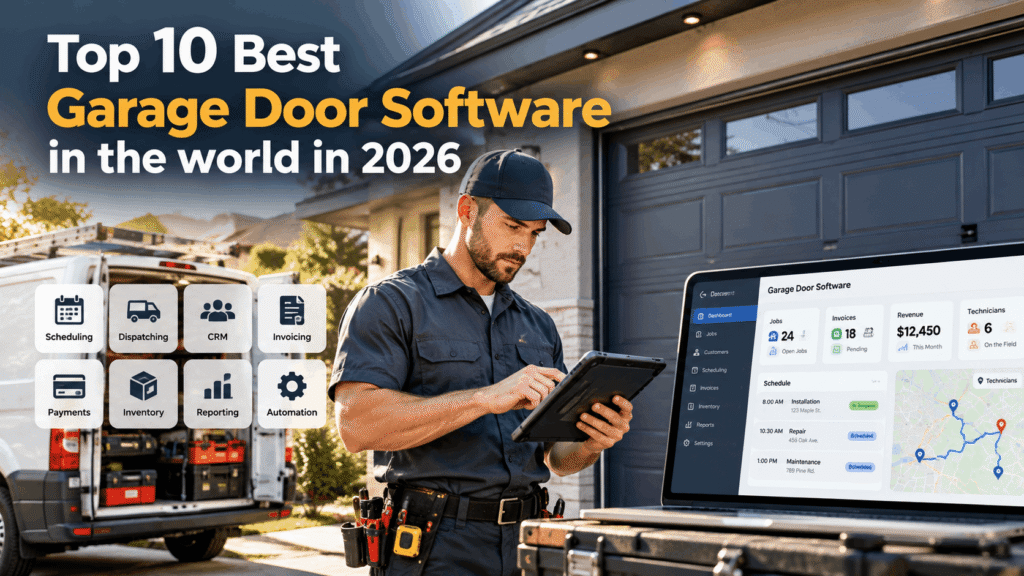
Garage door management software can help residential, commercial, and industrial contractors automate scheduling and dispatching, manage customer relationships, create estimates and invoices, track technicians, process payments, monitor inventory, calculate job costs, and analyze business performance. More advanced platforms also introduce AI-powered answering, automated communications, route optimization, asset management, preventative maintenance, and sophisticated project management.
However, the best garage door software varies considerably depending on the contractor. A small residential garage door repair company may prioritize affordability, mobile accessibility, simple scheduling, and fast invoicing. A growing multi-crew operation may require advanced dispatching, CRM, inventory management, workflow automation, and technician performance reporting. Commercial and industrial contractors may need deeper capabilities for project costing, equipment tracking, recurring maintenance contracts, procurement, and multi-stage installations.
This guide compares 10 of the best garage door software platforms in the world in 2026, including ServiceTitan, Housecall Pro, Jobber, Workiz, FieldPulse, Service Fusion, Kickserv, Smart Service, Simpro, and Explorer Evolution. Each platform is assessed according to its features, pricing structure, usability, integrations, scalability, field service capabilities, strengths, and potential limitations.
Whether the objective is to replace spreadsheets, improve technician productivity, accelerate payment collection, manage a growing fleet, or scale a garage door company across multiple locations, comparing the right software can help contractors build a more efficient and profitable operation.
Before we venture further into this article, we would like to share who we are and what we do.
About 9cv9
9cv9 is a business tech startup based in Singapore and Asia, with a strong presence all over the world.
With over ten years of startup and business experience, and being highly involved in connecting with thousands of companies and startups, the 9cv9 team has listed some of the top and best companies/tools in this review.
If you like to get your company listed in our top B2B software reviews, check out our world-class 9cv9 Media and PR service and pricing plans here.
Top 10 Best Garage Door Software To Know in 2026
- ServiceTitan
- Housecall Pro
- Jobber
- Workiz
- FieldPulse
- Service Fusion
- Kickserv
- Smart Service
- Simpro
- Explorer Evolution
1. ServiceTitan
ServiceTitan: Best Enterprise Garage Door Software for High-Volume Contractors
ServiceTitan is one of the most comprehensive garage door software platforms available in 2026 for established residential and commercial contractors. It combines scheduling, dispatching, CRM, estimating, invoicing, pricebooks, reporting, accounting integrations, marketing attribution, customer communications, and mobile field operations within a unified field service management ecosystem.
Its strongest fit is with growing, multi-crew garage door companies that need deeper operational visibility than basic scheduling and invoicing software can provide. ServiceTitan also offers dedicated garage door functionality and publishes customer success stories from major operators such as A1 Garage Door Service.
ServiceTitan Garage Door Software Overview
| Category | ServiceTitan Assessment |
|---|---|
| Best For | Growing, multi-crew and enterprise garage door contractors |
| Residential Service | Excellent |
| Commercial Service | Excellent |
| Scheduling and Dispatch | Advanced |
| CRM and Customer Management | Advanced |
| Mobile Estimates | Advanced |
| Pricebook Management | Advanced |
| Marketing Attribution | Advanced |
| Reporting and Analytics | Advanced |
| Inventory and Operations | Advanced |
| Mobile Field Management | Advanced |
| Pricing Model | Custom per-technician pricing |
| Scalability | Excellent |
Scheduling and Intelligent Dispatching
ServiceTitan provides a centralized dispatch board for coordinating technicians, appointments, workloads, and service territories. This is particularly valuable for garage door businesses handling a mixture of scheduled installations, maintenance visits, same-day repairs, and emergency calls.
Its advanced Dispatch Pro capabilities can further automate technician assignment using business rules and performance data. A1 Garage Door Service has reported using Dispatch Pro to increase operational efficiency while supporting substantially more technicians without proportionally increasing dispatcher headcount.
| Dispatch Requirement | Garage Door Application |
|---|---|
| Emergency Repair | Assign appropriate available technician |
| Door Installation | Coordinate installation crews |
| Technician Availability | Balance field workloads |
| Service Territories | Organize geographically dispersed jobs |
| Skill Matching | Direct suitable technicians toward appropriate calls |
| Route Visibility | Improve field coordination |
| Job Monitoring | Track appointment progress |
Multi-Option Estimates and Pricebooks
ServiceTitan supports mobile estimates and centralized pricebooks, giving garage door technicians a structured way to present repair and replacement options while on-site.
A contractor can create different service packages based on equipment quality, warranties, components, or additional services. This approach is particularly useful for garage door replacements, opener installations, spring systems, maintenance packages, and other jobs where customers may benefit from several choices.
| Proposal Option | Example Garage Door Offering |
|---|---|
| Good | Essential repair using standard components |
| Better | Upgraded components with additional benefits |
| Best | Premium equipment, accessories and enhanced service |
Structured estimates can also help standardize pricing across technicians rather than allowing every field employee to construct proposals differently.
Inventory, Purchasing and Operational Control
ServiceTitan provides inventory and purchasing capabilities for contractors that need greater control over materials, equipment, warehouses, and field operations.
Garage door businesses can use these capabilities to improve visibility into frequently used components such as springs, openers, rollers, cables, sensors, tracks, remotes, and installation hardware.
| Inventory Area | Business Application |
|---|---|
| Warehouse Inventory | Central parts visibility |
| Truck Inventory | Monitor technician stock |
| Purchase Orders | Organize procurement |
| Job Materials | Associate materials with work |
| Pricebook | Standardize services and equipment |
| Inventory Reporting | Monitor stock usage and availability |
This functionality becomes increasingly important as a contractor expands from a few service vehicles into a larger fleet with substantial inventory distributed across technicians and locations.
Marketing Attribution and Call Management
ServiceTitan extends beyond conventional field service management through its marketing and communications capabilities.
Marketing functionality can connect advertising activity with leads, booked jobs, and revenue, giving contractors greater visibility into which customer acquisition channels generate results. ServiceTitan also offers specialized Pro products that extend marketing, communications, dispatching, and other workflows.
| Marketing Metric | Management Value |
|---|---|
| Lead Source | Identifies where inquiries originate |
| Booking Rate | Measures conversion from inquiry to appointment |
| Campaign Performance | Compares marketing channels |
| Revenue Attribution | Connects marketing activity with revenue |
| Call Performance | Evaluates customer-service effectiveness |
| Cost Efficiency | Helps identify stronger acquisition channels |
For garage door companies investing heavily in paid search, local advertising, direct marketing, or other lead-generation channels, this attribution can provide valuable insight into marketing efficiency.
Business Performance and Garage Door Case Study
ServiceTitan publishes a particularly relevant case study involving A1 Garage Door Service, which reported 48 percent revenue growth after adopting the platform.
The case study emphasizes improved visibility into operational data and the ability to identify business problems that had previously remained hidden.
ServiceTitan has also published more recent examples showing how A1 uses advanced dispatch automation. The contractor reported increasing lead conversion from approximately 9 to 9.5 percent to roughly 11.5 to 12 percent after implementing Dispatch Pro while processing approximately 20,000 jobs per month.
These results are individual customer outcomes and should not be interpreted as guaranteed performance for every garage door contractor.
ServiceTitan Performance Indicators
| Metric | Reported Figure |
|---|---|
| A1 Garage Door Revenue Growth Case Study | 48% |
| A1 Pre-Dispatch Pro Lead Conversion | Approximately 9% to 9.5% |
| A1 Post-Dispatch Pro Lead Conversion | Approximately 11.5% to 12% |
| ServiceTitan Contractor Network | More than 100,000 contractors |
| Vendor-Reported Average Yearly Revenue Increase | 15% |
ServiceTitan reports that businesses using its platform average a 15 percent yearly revenue increase. This is a vendor-reported aggregate metric and should be treated as an indicator rather than a guaranteed return.
ServiceTitan Packages in 2026
ServiceTitan currently structures its core offering around Starter, Essentials, and The Works.
| Package | Core Positioning | Notable Capabilities |
|---|---|---|
| Starter | Core field service operations | Dispatching, scheduling, call booking, invoicing and pricebook |
| Essentials | Growing service organizations | Starter capabilities plus mobile estimates and payroll management |
| The Works | Advanced operations | Expanded reporting, commission tracking, payroll and memberships |
The Works provides the broadest standard feature set, while specialized Pro products can extend the platform further.
ServiceTitan Pricing and Total Cost of Ownership
ServiceTitan uses custom per-technician pricing and does not publicly disclose fixed dollar prices for Starter, Essentials, or The Works.
Consequently, widely circulated estimates of approximately $245 to $500 per technician per month should be treated as unofficial third-party estimates rather than confirmed ServiceTitan pricing.
The same caution applies to claims of $10,000 to $50,000 implementation costs or mandatory six-to-twelve-month onboarding periods. Implementation expenses and timelines can vary considerably according to company size, data migration, integrations, configuration, training, and operational complexity.
| Cost Component | 2026 Pricing Status |
|---|---|
| Starter | Custom quote |
| Essentials | Custom quote |
| The Works | Custom quote |
| Pricing Basis | Per technician |
| Pro Products | Additional quotation may apply |
| Implementation | Depends on deployment requirements |
| Data Migration | Depends on existing systems |
| Training | Depends on organizational requirements |
| Total Cost of Ownership | Requires company-specific assessment |
Businesses evaluating ServiceTitan should therefore obtain a complete quotation covering licenses, implementation, integrations, migration, training, and required Pro products before comparing its total cost against other garage door software.
Strengths and Potential Drawbacks
| Strengths | Potential Drawbacks |
|---|---|
| Comprehensive garage door management platform | Higher complexity than lightweight FSM software |
| Advanced scheduling and dispatching | Official dollar pricing is not publicly available |
| Structured mobile estimates | Per-technician pricing can become significant at scale |
| Powerful pricebook capabilities | Implementation requires organizational preparation |
| Extensive reporting and analytics | Training is important for successful adoption |
| Inventory and purchasing tools | Smaller businesses may not require its full capabilities |
| Marketing attribution | Pro products can increase total cost |
| Strong mobile field operations | Some users report challenging implementation experiences |
| Excellent scalability | May be excessive for solo contractors |
| Dedicated garage door functionality | Total ownership cost requires careful evaluation |
Best Fit for Garage Door Businesses
ServiceTitan is most compelling when a garage door company has reached sufficient scale to benefit from sophisticated dispatching, standardized sales processes, extensive reporting, marketing attribution, and centralized operational management.
| Garage Door Business Profile | ServiceTitan Suitability |
|---|---|
| Solo Garage Door Technician | Low |
| Small Contractor | Moderate |
| Growing Multi-Crew Contractor | Excellent |
| High-Volume Residential Company | Excellent |
| Commercial Garage Door Contractor | Excellent |
| Multi-Location Operation | Excellent |
| Large Regional Contractor | Excellent |
| Enterprise Service Organization | Excellent |
Overall Assessment
ServiceTitan deserves a leading position among the best garage door software in the world in 2026, particularly for established contractors seeking an enterprise-grade platform capable of supporting significant operational growth.
Its combination of scheduling, dispatching, call booking, CRM, mobile estimates, pricebooks, invoicing, reporting, marketing attribution, customer experience tools, and advanced Pro products provides considerably more depth than basic garage door scheduling software.
The A1 Garage Door Service case study also demonstrates how a large garage door contractor has used ServiceTitan to improve operational visibility, automate dispatching, and support business expansion.
The primary trade-offs are cost and complexity. Smaller garage door businesses may achieve better value from simpler field service platforms, while high-volume, multi-crew and multi-location contractors are more likely to benefit from ServiceTitan’s extensive operational infrastructure.
For garage door companies prioritizing scalability, data-driven management, technician productivity, structured sales processes, and centralized business operations, ServiceTitan remains one of the strongest enterprise garage door software options to consider in 2026.
2. Housecall Pro
Housecall Pro: Best Garage Door Software for Small and Mid-Sized Residential Contractors
Housecall Pro is an all-in-one field service management platform designed for home service businesses, including garage door repair and installation companies. In 2026, it combines scheduling, dispatching, CRM, estimates, invoicing, online booking, payments, pricebooks, review management, job costing, and customer communication within a relatively easy-to-use platform.
Its strongest fit is with small and mid-sized residential garage door contractors that need more automation than basic scheduling software but do not require the complexity of a large enterprise field service system.
Housecall Pro Garage Door Software Overview
| Category | Housecall Pro Assessment |
|---|---|
| Best For | Small to mid-sized residential garage door businesses |
| Garage Door-Specific Solution | Yes |
| Scheduling and Dispatch | Strong |
| Online Booking | Excellent |
| Estimates and Proposals | Strong |
| CRM and Customer History | Strong |
| Invoicing and Payments | Strong |
| Review Management | Strong |
| Job Costing | Available |
| QuickBooks Integration | Available |
| Route Optimization | MAX |
| Open API | MAX |
| Ease of Use | Excellent |
| Scalability | Very Good |
Garage Door Scheduling and Dispatch
Housecall Pro provides drag-and-drop scheduling and real-time dispatching that allows office teams to assign technicians, organize appointments, and monitor daily workloads.
For garage door contractors, this can simplify the coordination of emergency repairs, spring replacements, opener installations, preventative maintenance, and complete door replacements.
| Garage Door Workflow | Housecall Pro Application |
|---|---|
| Emergency Repair | Schedule and dispatch technicians |
| Spring Replacement | Create job and assign technician |
| Door Installation | Coordinate installation appointment |
| Opener Service | Track repair from booking to payment |
| Technician Routing | Organize daily field schedules |
| Customer Updates | Automate appointment communication |
| Job Completion | Generate invoice and collect payment |
Online Booking and Lead Capture
Online booking is included in Housecall Pro’s core offering. Customers can book services directly through a contractor’s website or Google presence, allowing garage door businesses to capture appointments outside traditional office hours.
This capability can be especially valuable for residential garage door businesses because customers experiencing broken springs, damaged doors, malfunctioning openers, or trapped vehicles often search for immediate assistance.
| Booking Capability | Business Benefit |
|---|---|
| Website Booking | Converts website visitors into appointments |
| Google Booking | Captures customers directly from search |
| 24/7 Availability | Accepts bookings outside office hours |
| Digital Scheduling | Reduces manual telephone administration |
| Customer Information | Captures job details before dispatch |
Estimates, Pricebooks and Sales Proposals
Housecall Pro provides estimating and pricebook functionality that can help garage door technicians create more consistent quotes.
Flat-rate pricing, labor costs, material costs, service descriptions, and images can be incorporated into estimates. Approved estimates can then be converted into scheduled jobs.
The Sales Proposal Tool goes further by allowing technicians to create visual proposals with customized images and side-by-side comparisons.
| Sales Capability | Garage Door Application |
|---|---|
| Digital Estimates | Quote repairs and installations |
| Pricebook | Standardize service pricing |
| Flat-Rate Pricing | Maintain consistent technician quotes |
| Service Images | Visually explain products and services |
| Multiple Options | Present alternative solutions |
| Digital Approval | Accelerate customer decisions |
| Sales Proposals | Present higher-value replacement options |
The Sales Proposal Tool is included with MAX. Basic and Essentials customers can currently add it for $40 per month.
Review Management and Customer Reputation
Review management is another important Housecall Pro capability for residential garage door contractors.
The platform provides tools for requesting and managing customer reviews after completed jobs. This can help contractors systematically build their online reputation rather than relying on technicians or office employees to manually request reviews from every satisfied customer.
For local garage door companies competing heavily through search engines and map results, a consistent review-generation process can support broader local marketing efforts.
Payments and Faster Cash Collection
Housecall Pro allows garage door businesses to generate invoices and collect payments in the field or online.
Customers can pay using supported payment methods, while automated invoice reminders can reduce the amount of manual follow-up required from office employees.
| Payment Workflow | Operational Benefit |
|---|---|
| Mobile Invoicing | Invoice customers immediately |
| Card Payments | Collect payment after service |
| Online Payments | Allow customers to pay remotely |
| Automated Reminders | Reduce manual collection work |
| Consumer Financing | Support higher-value purchases |
| Payment Tracking | Centralize transaction visibility |
Consumer financing can be particularly relevant for expensive garage door replacements or major equipment upgrades where customers prefer to spread payments over time.
QuickBooks and Business Integrations
Housecall Pro integrates with QuickBooks and a range of other business applications. QuickBooks functionality becomes particularly relevant on Essentials and higher tiers.
This allows growing garage door companies to connect field service operations with accounting workflows rather than manually transferring every customer, invoice, and transaction between disconnected systems.
Additional integrations support areas such as marketing, calendars, automation, communications, and payroll.
Housecall Pro Ratings in 2026
Housecall Pro maintains some of the strongest review scores among widely used field service management platforms.
| Review Platform | 2026 Rating | Review Volume |
|---|---|---|
| Capterra | 4.7 / 5 | 2,747 reviews |
| Capterra Ease of Use | 4.6 / 5 | Verified reviews |
| Capterra Customer Service | 4.7 / 5 | Verified reviews |
| G2 | 4.3 / 5 | 205 reviews |
Ease of use is one of Housecall Pro’s recurring strengths. Verified reviewers frequently highlight its intuitive scheduling, straightforward setup, invoicing, customer history, and centralized business management.
Housecall Pro Pricing in 2026
Housecall Pro offers Basic, Essentials, and MAX subscriptions. Pricing differs depending on whether customers pay monthly or annually.
| Housecall Pro Plan | Annual Billing | Monthly Billing | Included Users |
|---|---|---|---|
| Basic | $59/month | $79/month | 1 |
| Essentials | $149/month | $189/month | Up to 5 |
| MAX | $299/month | $329/month | Up to 8 |
A 14-day free trial is available without requiring a credit card.
This means the original monthly figures of $79, $189, and $329 remain relevant for month-to-month subscriptions, while annual billing can significantly reduce the effective monthly cost.
Housecall Pro Plan Comparison
| Capability | Basic | Essentials | MAX |
|---|---|---|---|
| Online Booking | Yes | Yes | Yes |
| Scheduling and Dispatch | Yes | Yes | Yes |
| Estimates and Invoicing | Yes | Yes | Yes |
| Payments | Yes | Yes | Yes |
| Pricebook | Yes | Yes | Yes |
| Job Costing | Yes | Yes | Yes |
| Review Management | Yes | Yes | Yes |
| QuickBooks Online Sync | No | Yes | Yes |
| Employee GPS Tracking | No | Yes | Yes |
| Flat-Rate Pricing | No | Yes | Yes |
| Sales Proposal Tool | Add-On | Add-On | Included |
| Route Optimization | No | No | Yes |
| Recurring Service Plans | No | No | Yes |
| Open API | No | No | Yes |
| Dedicated Onboarding | No | No | Yes |
The tier structure provides a relatively straightforward progression from a solo operator toward a larger field service organization.
Payment Processing Costs
Housecall Pro’s payment processing costs should also be considered when calculating total software expenditure.
Credit card processing rates can start as low as 2.59 percent, although actual transaction pricing can depend on the plan, payment type, and applicable terms.
For a garage door business processing substantial monthly revenue through the platform, transaction fees may ultimately represent a larger expense than the underlying software subscription.
Business Performance Indicators
Housecall Pro reports that its users generate an average of more than 35 percent additional monthly revenue after their first year using the platform. It also reports average time savings exceeding eight hours per week.
| Vendor-Reported Metric | Reported Result |
|---|---|
| Average Monthly Revenue Growth | 35%+ |
| Average Weekly Time Saved | 8+ hours |
| Home Service Professional Network | 200,000+ |
| Free Trial | 14 days |
These are vendor-reported averages rather than guaranteed results. Individual garage door contractors may experience substantially different outcomes depending on business size, implementation, pricing, marketing, staff adoption, and existing processes.
Strengths and Potential Drawbacks
| Strengths | Potential Drawbacks |
|---|---|
| Excellent ease of use | Inventory functionality is less sophisticated than enterprise platforms |
| Dedicated garage door solution | Advanced capabilities require higher plans |
| Online booking | Additional users increase costs |
| Strong scheduling and dispatch | Sales Proposal Tool costs extra below MAX |
| Digital estimates and pricebooks | Some users report customization limitations |
| Review management | Some reviewers report mobile limitations |
| Mobile invoicing and payments | Less suited to complex commercial projects |
| QuickBooks integration | Advanced integrations require higher tiers |
| Job costing | Payment processing adds transaction costs |
| 14-day free trial | Large teams may face higher total costs |
Best Fit for Garage Door Businesses
| Garage Door Business Profile | Housecall Pro Suitability |
|---|---|
| Solo Garage Door Technician | Excellent |
| Small Residential Contractor | Excellent |
| 2-5 Person Garage Door Company | Excellent |
| Growing Residential Business | Excellent |
| Multi-Crew Residential Contractor | Very Good |
| High-Volume Repair Company | Very Good |
| Commercial Garage Door Contractor | Good |
| Complex Industrial Contractor | Moderate |
| Large Multi-Branch Enterprise | Moderate |
Overall Assessment
Housecall Pro deserves a strong position among the best garage door software platforms in the world in 2026, particularly for residential contractors seeking a balance between functionality, usability, and scalability.
Its combination of online booking, scheduling, dispatching, CRM, estimating, pricebooks, invoicing, payments, job costing, review management, QuickBooks integration, and mobile field operations covers most of the daily requirements of a modern residential garage door business.
The platform is particularly compelling for smaller contractors that want to professionalize their operations without immediately adopting an enterprise-level system. Growing companies can move into Essentials or MAX as requirements expand into employee tracking, route optimization, recurring service plans, advanced proposals, and API connectivity.
Its limitations become more noticeable for contractors requiring sophisticated warehouse inventory, complex multi-stage commercial projects, or extensive enterprise customization. For small and mid-sized residential garage door businesses, however, Housecall Pro remains one of the most accessible and well-rounded garage door management software options in 2026.
3. Jobber
Jobber: Best Garage Door Software for Ease of Use and Customer Management
Jobber is a popular field service management platform designed for small and mid-sized home service businesses. For garage door contractors in 2026, it combines CRM, scheduling, dispatching, quoting, invoicing, online payments, routing, job costing, customer communications, automation, and AI-assisted tools within a relatively straightforward interface.
Its main competitive advantage is usability. Jobber is designed to reduce administrative complexity rather than introduce enterprise-level operational overhead, making it particularly suitable for garage door companies transitioning from spreadsheets, paper work orders, or disconnected scheduling and invoicing applications.
Jobber Garage Door Software Overview
| Category | Jobber Assessment |
|---|---|
| Best For | Small to mid-sized garage door contractors |
| Scheduling and Dispatch | Excellent |
| CRM | Strong |
| Client Self-Service | Excellent |
| Quotes and Estimates | Strong |
| Invoicing and Payments | Excellent |
| Route Optimization | Available |
| Job Costing | Grow and above |
| Two-Way SMS | Grow and above |
| QuickBooks Online | Connect and above |
| AI Receptionist | Available |
| Marketing Tools | Available |
| Ease of Use | Excellent |
| Scalability | Very Good |
Jobber is used by more than 250,000 home service professionals, giving it one of the larger established user communities within small-business field service management. Capterra
Scheduling and Garage Door Job Management
Jobber centralizes customer requests, jobs, appointments, technician schedules, and job details.
For garage door businesses, office teams can use the system to coordinate spring replacements, opener repairs, door installations, inspections, preventative maintenance, and emergency service calls.
| Garage Door Workflow | Jobber Application |
|---|---|
| Customer Request | Create request and customer record |
| Estimate | Prepare and send professional quote |
| Scheduling | Book service appointment |
| Dispatch | Assign technician or crew |
| Field Service | Access job information remotely |
| Job Completion | Record completed work |
| Invoice | Generate customer invoice |
| Payment | Collect online payment |
| Follow-Up | Automate reminders and communications |
This straightforward request-to-payment workflow is one reason Jobber remains particularly attractive to smaller service businesses.
Client Hub and Customer Self-Service
Jobber’s Client Hub provides customers with a dedicated online self-service environment.
Customers can approve quotes, check appointment details, view invoices, make payments, and interact with important service information without contacting the garage door company’s office for every routine request.
| Client Hub Function | Customer Benefit |
|---|---|
| Quote Approval | Approve garage door work online |
| Appointment Information | Review scheduled service |
| Invoice Access | Retrieve billing information |
| Online Payments | Pay without calling the office |
| Customer Records | Centralize service interactions |
For growing contractors, this can reduce repetitive administrative work while providing customers with a more professional digital experience. Jobber
Quotes and Garage Door Upselling
Jobber’s quoting capabilities become progressively more sophisticated on higher plans.
Grow allows contractors to enhance quotes with images, reviews, optional line items, and automated follow-ups. For garage door companies, optional line items can support structured upselling without forcing customers into a single package.
| Quote Component | Garage Door Example |
|---|---|
| Core Repair | Replace failed spring |
| Optional Upgrade | Install upgraded spring system |
| Additional Service | Replace worn rollers |
| Accessory | Add keypad or remote |
| Premium Option | Upgrade garage door opener |
| Visual Content | Show equipment or completed work |
| Follow-Up | Automatically contact undecided customers |
This can help technicians present alternatives more professionally while maintaining standardized pricing and proposal quality across the business.
Routing and Field Crew Management
Jobber includes routing functionality for businesses managing multiple appointments and technicians.
Its higher-level Plus offering can optimize daily or weekly routes and adjust schedules as plans change. Smart scheduling recommendations can also consider technician availability and travel time. Jobber
| Routing Capability | Operational Benefit |
|---|---|
| Daily Routing | Organizes technician appointments |
| Weekly Routing | Improves forward planning |
| Route Optimization | Reduces unnecessary travel |
| Availability Matching | Helps identify suitable appointment times |
| GPS Capabilities | Improves field-team visibility |
| Schedule Adjustments | Responds to changing daily workloads |
These capabilities can become particularly valuable for garage door companies operating several service vehicles across a large metropolitan area.
Automated Invoicing and Payment Collection
Jobber supports invoicing, online payments, automatic payment collection, and automated invoice follow-ups.
Completed work can move rapidly into the billing process rather than waiting for office employees to manually recreate technician paperwork. Connect and higher plans add automatic payment collection and automated quote and invoice follow-ups. Jobber
For garage door businesses completing numerous relatively short service calls, reducing the time between job completion and payment can significantly simplify accounts receivable administration.
Job Costing and Profitability
Grow introduces job costing, allowing contractors to compare tracked labor, materials, and expenses against job revenue.
| Job Costing Element | Garage Door Example |
|---|---|
| Labor | Technician working time |
| Materials | Springs, cables, rollers and hardware |
| Equipment | Door or opener |
| Other Expenses | Job-specific expenditure |
| Revenue | Customer invoice |
| Profitability | Revenue compared with recorded costs |
Plus extends this capability with automated job costing and profitability monitoring. Jobber
For growing garage door companies, this can help identify whether specific repair categories, installation packages, technicians, or customer segments generate acceptable margins.
Jobber AI and AI Receptionist
Artificial intelligence has become a more significant part of Jobber’s product ecosystem in 2026.
Jobber Receptionist provides AI-powered customer service through calls and text messages. It can respond to inquiries, collect customer information, and book work according to settings controlled by the business.
For a garage door company, this can help capture inquiries that arrive while technicians are working, office employees are unavailable, or customers call outside normal operating hours.
| AI Application | Garage Door Business Benefit |
|---|---|
| Call Answering | Reduces missed customer calls |
| Text Responses | Handles routine inquiries |
| Customer Requests | Captures service requirements |
| Appointment Booking | Converts inquiries into scheduled work |
| After-Hours Coverage | Extends customer availability |
| Lead Capture | Reduces opportunities lost to competitors |
Jobber currently lists Receptionist at $29 per month as an add-on, while it is included within Plus. This is significantly lower than the older $99 monthly figure in the original description. Jobber
Jobber Ratings in 2026
Jobber continues to receive strong ratings from major software review platforms.
| Review Platform | 2026 Rating | Review Volume |
|---|---|---|
| Capterra | 4.6 / 5 | 1,486 reviews |
| Capterra Ease of Use | 4.6 / 5 | Verified reviews |
| Capterra Customer Service | 4.6 / 5 | Verified reviews |
| G2 | 4.6 / 5 | 529 reviews |
The current Capterra review count has increased from the 1,483 figure in the original description. Capterra reviewers frequently highlight scheduling, quoting, invoicing, customer communications, and ease of use among Jobber’s advantages. Capterra
G2 independently gives Jobber 4.6 out of 5 based on 529 reviews. G2
Jobber Pricing in 2026
Jobber’s pricing structure has changed significantly, so the older Core, Connect, Grow, and Plus figures should not be used as current pricing.
Pricing now varies according to plan, team size, and billing commitment. Jobber offers month-to-month subscriptions, monthly billing with a one-year commitment, and prepaid annual subscriptions. Jobber
| Jobber Plan | Example Configuration | No Commitment | Annual Billing |
|---|---|---|---|
| Core | 1 user | $49/month | $29/month |
| Connect | 1 user | $139/month | $99/month |
| Connect | 5 users | $199/month | $149/month |
| Grow | 1 user | $199/month | $149/month |
| Grow | 5 users | $299/month | $229/month |
| Grow | 10 users | $399/month | $299/month |
| Plus | 5 users | $499/month | $399/month |
| Plus | 10 users | $599/month | $449/month |
| Plus | 15 users | $699/month | $529/month |
Annual prices represent monthly equivalents for subscriptions billed annually. Promotional discounts may temporarily reduce these amounts, so contractors should compare standard renewal pricing rather than relying exclusively on introductory offers. Jobber
Jobber Plan Comparison
| Capability | Core | Connect | Grow | Plus |
|---|---|---|---|---|
| CRM | Yes | Yes | Yes | Yes |
| Scheduling | Yes | Yes | Yes | Yes |
| Quotes | Yes | Yes | Yes | Yes |
| Invoicing | Yes | Yes | Yes | Yes |
| Online Payments | Yes | Yes | Yes | Yes |
| Automated Reminders | No | Yes | Yes | Yes |
| QuickBooks Online | No | Yes | Yes | Yes |
| Time and Expense Tracking | No | Yes | Yes | Yes |
| Quote Enhancements | Basic | Basic | Advanced | Advanced |
| Job Costing | No | No | Yes | Yes |
| Two-Way SMS | No | No | Yes | Yes |
| Workflow Automation | No | No | Yes | Yes |
| Automated Job Costing | No | No | No | Yes |
| Pipeline | Add-On | Add-On | Add-On | Included |
| Marketing Suite | Add-On | Add-On | Add-On | Included |
| AI Receptionist | Add-On | Add-On | Add-On | Included |
| Dedicated Onboarding | No | No | No | Yes |
Jobber’s current pricing structure makes team size an important part of total cost calculations rather than allowing buyers to compare plans solely by their headline monthly prices. Jobber
Add-On Costs
Jobber’s current add-on pricing also differs from the original figures.
| Jobber Add-On | Current Listed Price |
|---|---|
| Receptionist | $29/month |
| Pipeline | $49/month |
| Marketing Suite | $99/month |
Plus includes these capabilities within its broader package. Jobber
Strengths and Potential Drawbacks
| Strengths | Potential Drawbacks |
|---|---|
| Excellent ease of use | Costs increase as team size grows |
| Strong scheduling and CRM | Advanced capabilities require higher plans |
| Professional Client Hub | Job costing starts with Grow |
| Automated customer communication | Two-way SMS starts with Grow |
| Strong quoting capabilities | Plus represents a substantial price increase |
| Route optimization | Some reviewers criticize mapping functionality |
| QuickBooks Online integration | QuickBooks requires Connect or higher |
| AI Receptionist | Add-ons increase total ownership cost |
| Job costing | Reporting depth varies by plan |
| Strong mobile workflow | Complex enterprises may require deeper customization |
| Large user community | Inventory capabilities are less extensive than enterprise FSM systems |
Best Fit for Garage Door Businesses
| Garage Door Business Profile | Jobber Suitability |
|---|---|
| Solo Garage Door Technician | Excellent |
| Small Residential Contractor | Excellent |
| 2-5 Person Garage Door Company | Excellent |
| Growing Multi-Crew Contractor | Excellent |
| Residential Repair Business | Excellent |
| Installation Company | Very Good |
| Commercial Garage Door Contractor | Good |
| Complex Industrial Contractor | Moderate |
| Large Multi-Location Enterprise | Moderate |
Overall Assessment
Jobber earns a strong position among the best garage door software platforms in the world in 2026 because it combines comprehensive everyday field service functionality with an interface designed for relatively quick adoption.
Scheduling, CRM, quoting, Client Hub, invoicing, online payments, routing, automated reminders, QuickBooks connectivity, two-way SMS, job costing, workflow automation, marketing tools, and AI-powered customer reception provide a broad operational foundation for residential garage door contractors.
Its 4.6 ratings on both Capterra and G2 reinforce its reputation as a mature and well-regarded field service platform. G2
The principal trade-off is cost as requirements expand. Moving from basic scheduling into larger teams, job costing, advanced communication, marketing, and AI functionality can substantially increase the monthly subscription.
For solo operators and small garage door businesses, Core or Connect can provide a straightforward foundation. Growing contractors requiring profitability tracking and stronger sales tools may find Grow more appropriate, while larger teams seeking advanced operational control, marketing, lead management, and AI-powered customer handling can consider Plus.
Overall, Jobber remains one of the strongest garage door management software options in 2026 for contractors that prioritize ease of use, customer experience, administrative automation, and scalable field service management.
4. Workiz
Workiz: Best Garage Door Software for Call-Heavy and High-Volume Service Businesses
Workiz is a cloud-based, AI-enabled field service management platform particularly well suited to garage door contractors that depend heavily on inbound calls, rapid scheduling, dispatching, and technician coordination.
Unlike field service platforms focused mainly on scheduling and invoicing, Workiz places communications at the center of its operational ecosystem. Its combination of job management, integrated phone capabilities, two-way messaging, lead tracking, payments, online booking, automation, and AI-powered customer handling makes it especially relevant to garage door repair companies competing for urgent and same-day service calls.
Workiz Garage Door Software Overview
| Category | Workiz Assessment |
|---|---|
| Best For | Call-heavy garage door repair businesses |
| Garage Door-Specific Solution | Yes |
| Scheduling and Dispatch | Excellent |
| CRM and Job Management | Strong |
| Integrated Phone System | Excellent |
| Two-Way Texting | Excellent |
| AI Answering | Advanced |
| AI Scheduling | Advanced |
| Online Booking | Available |
| Estimates and Invoicing | Strong |
| Payments | Integrated |
| Checklists | Strong |
| Inventory Management | Available on advanced plans |
| QuickBooks Online | Integrated |
| Ease of Use | Strong |
| Scalability | Very Good |
Scheduling and Dispatch Management
Workiz provides centralized scheduling and dispatching for service businesses handling numerous daily appointments.
Garage door companies can manage emergency spring replacements, opener repairs, installations, maintenance calls, estimates, and follow-up visits from the same operational environment.
| Garage Door Workflow | Workiz Application |
|---|---|
| Emergency Call | Capture customer and job information |
| Job Booking | Add appointment to schedule |
| Dispatch | Assign appropriate technician |
| Technician Tracking | Monitor field activity |
| Customer Updates | Send messages and notifications |
| Job Completion | Record work and documentation |
| Invoice | Generate customer billing |
| Payment | Collect digitally |
| Follow-Up | Automate subsequent communication |
For businesses where response speed directly influences whether a lead becomes a booked job, integrating these steps can significantly reduce operational friction.
Integrated Phone and Communications System
Communications are one of Workiz’s strongest differentiators.
Its integrated phone functionality can connect calls, text messages, call flows, call recordings, advertising tracking, and customer information with field service operations.
| Communication Capability | Operational Benefit |
|---|---|
| Integrated Phone | Centralizes business calls |
| Call Recording | Maintains communication records |
| Two-Way Texting | Communicates directly with customers |
| Call Flows | Routes inquiries appropriately |
| Call Masking | Protects customer and technician numbers |
| Ad Tracking | Connects calls with acquisition sources |
| Smart Messaging | Supports automated communication |
| Lead Tracking | Helps identify unconverted opportunities |
For garage door businesses generating leads through search advertising, local listings, direct marketing, or multiple telephone numbers, connecting calls with lead sources can also improve marketing attribution.
Genius Answering and AI Automation
Workiz has expanded significantly into artificial intelligence through its Genius product ecosystem.
Genius Answering can respond to phone calls and incoming messages, collect customer information, answer configured questions, and transfer conversations to human employees when necessary. Genius Scheduling and Genius Leads further extend automation into booking and lead management.
| AI Capability | Garage Door Application |
|---|---|
| AI Call Answering | Respond to incoming repair calls |
| Inbox Handling | Manage messages from multiple channels |
| Lead Capture | Collect customer requirements |
| Smart Scheduling | Help convert inquiries into appointments |
| Live Transfer | Escalate calls to office employees |
| Automated Messaging | Reduce repetitive communications |
| 24/7 Availability | Capture opportunities outside office hours |
This is particularly valuable in garage door repair because customers with broken springs, stuck doors, damaged tracks, or inaccessible vehicles may contact several contractors and book whichever company responds first.
Garage Door AI Case Study
A 2026 Workiz case study involving ADM Garage Doors provides a useful example of how AI and automation can support a smaller contractor.
Workiz reports that smart scheduling helped the company increase bookings by 300 percent, while automated reminders reduced no-shows by 50 percent. The company also uses AI to handle customer interactions outside normal staffing limitations.
These figures represent an individual vendor-published customer case study rather than guaranteed performance for every Workiz customer.
Garage Door Industry Experience
Workiz specifically markets its platform to garage door contractors and publishes several garage-door-specific customer examples.
Garage Door Ninja reports that its company grew revenue threefold each year after beginning to use Workiz. Best Pro Services has also been featured in a Workiz case study describing its expansion to more than 30,000 customers.
| Garage Door Customer Example | Vendor-Reported Outcome |
|---|---|
| Garage Door Ninja | Revenue grew threefold annually |
| Best Pro Services | Expanded to more than 30,000 customers |
| ADM Garage Doors | Smart scheduling increased bookings by 300% |
| ADM Garage Doors | Automated reminders reduced no-shows by 50% |
These results demonstrate relevant real-world garage door use cases, but they should be treated as individual customer outcomes rather than typical or guaranteed returns.
Custom Checklists and Standardized Service
Workiz Checklists allows garage door businesses to build standardized workflows for different types of jobs.
Technicians can be required to complete specified steps, provide photographs or notes, and document completed work through the mobile application.
| Checklist Type | Garage Door Example |
|---|---|
| Safety Inspection | Confirm safety mechanisms were inspected |
| Spring Replacement | Document replacement procedure |
| New Installation | Verify installation steps |
| Opener Service | Record diagnostic and testing process |
| Maintenance Visit | Complete preventative inspection |
| Job Completion | Upload photographs and notes |
This functionality can help businesses improve consistency between technicians and reduce callbacks caused by missed steps.
It can also support upselling by incorporating recommended inspection points or optional services directly into the technician workflow.
Workiz Pay and Dispute Management
Workiz Pay provides a dedicated dispute-management dashboard for businesses processing customer payments through the platform.
When a customer disputes a transaction, businesses can review the dispute, its status, associated customer, job information, deadlines, and supporting details. Workiz also provides notifications when disputes are created, deadlines approach, or outcomes are determined.
| Dispute Capability | Business Application |
|---|---|
| Central Dashboard | View active disputes |
| Job Association | Connect dispute with relevant job |
| Status Tracking | Monitor dispute progress |
| Deadline Alerts | Reduce missed response deadlines |
| Evidence Submission | Respond through Workiz Pay |
| Automation | Create dispute-related workflows |
| Job Tagging | Identify disputed transactions |
The original claim that Workiz automatically assembles call recordings, GPS timestamps, signatures, and photographs into a complete chargeback defense package is broader than current documentation supports. It is more accurate to describe Workiz as providing dispute tracking, evidence submission, notifications, and dispute-related automation.
Workiz Ratings in 2026
Workiz continues to maintain strong ratings across major software review platforms.
| Review Platform | 2026 Rating | Review Volume |
|---|---|---|
| Capterra | 4.4 / 5 | 218 reviews |
| Capterra Ease of Use | 4.4 / 5 | Verified reviews |
| Capterra Customer Service | 4.3 / 5 | Verified reviews |
| Capterra Value for Money | 4.3 / 5 | Verified reviews |
| G2 | 4.5 / 5 | 244 reviews |
The original 4.5 Capterra rating is therefore slightly outdated. Current Capterra data gives Workiz 4.4 out of 5, while G2 maintains a 4.5 rating.
Verified users frequently praise Workiz for ease of use, centralized communications, scheduling, invoicing, job organization, and customer management. Common criticisms include reporting limitations, mobile functionality, occasional bugs, billing concerns, and pricing predictability.
Workiz Pricing in 2026
Workiz currently structures its offering across multiple service levels, but buyers should be cautious about relying on older fixed pricing figures.
The official pricing structure emphasizes plan capabilities and encourages businesses to select packages according to operational requirements. Advanced capabilities such as Genius Answering and Genius Marketing are sold separately.
| Pricing Component | 2026 Structure |
|---|---|
| Core FSM Subscription | Tiered plans |
| Genius Phone | Sold separately |
| Genius Answering | Sold separately |
| Genius Marketing | Sold separately |
| Additional Communications | May create usage-related costs |
| Workiz Pay | Payment processing considerations apply |
| Advanced Enterprise Features | Higher-tier availability |
| Total Cost of Ownership | Depends on selected modules and usage |
Consequently, older estimates such as $187 to $230 for Standard, $270 to $295 for Pro, or approximately $200 for AI answering should not be treated as universally applicable 2026 pricing without a current quotation.
Advanced Operational Capabilities
Workiz can extend beyond basic scheduling as garage door businesses become more sophisticated.
Depending on the selected plan, available functionality includes inventory management, purchase orders, equipment tracking, fleet tracking, team location tracking, custom reporting, subcontractor management, service plans, franchise management, Open API access, Zapier integration, and multi-day jobs.
| Advanced Requirement | Workiz Capability |
|---|---|
| Inventory | Inventory management |
| Procurement | Purchase orders |
| Equipment | Equipment tracking |
| Vehicles | Fleet tracking |
| Technicians | Team location tracking |
| Commercial Work | Multi-day jobs |
| Recurring Revenue | Service plans |
| Integrations | Open API and Zapier |
| Multi-Location Growth | Franchise management |
| Analytics | Custom reports |
This broader functionality makes Workiz capable of supporting companies that expand beyond straightforward residential repairs.
Strengths and Potential Drawbacks
| Strengths | Potential Drawbacks |
|---|---|
| Dedicated garage door solution | Advanced AI products cost extra |
| Excellent communications functionality | Total cost can expand with add-ons |
| Integrated phone system | Reporting receives mixed feedback |
| Two-way texting | Some users report mobile limitations |
| Strong scheduling and dispatching | Occasional software bugs reported |
| AI answering and scheduling | Advanced capabilities require higher tiers |
| Custom checklists | Pricing can be difficult to compare |
| Online booking | Communications may introduce usage costs |
| Integrated payments | Some reviewers report billing concerns |
| Lead and advertising tracking | Enterprise configuration can become complex |
| Garage-door-specific customer cases | AI results vary between businesses |
Best Fit for Garage Door Businesses
| Garage Door Business Profile | Workiz Suitability |
|---|---|
| Solo Garage Door Technician | Good |
| Small Residential Contractor | Excellent |
| Call-Heavy Repair Business | Excellent |
| Emergency Garage Door Service | Excellent |
| Multi-Technician Contractor | Excellent |
| High-Volume Residential Company | Excellent |
| Growing Regional Contractor | Very Good |
| Commercial Garage Door Company | Very Good |
| Large Industrial Contractor | Good |
| Complex Construction Enterprise | Moderate |
Overall Assessment
Workiz deserves a strong position among the best garage door software platforms in the world in 2026 because it addresses one of the most important realities of the garage door repair industry: many jobs begin with an urgent phone call or digital inquiry.
Its combination of scheduling, dispatching, integrated communications, call tracking, two-way texting, online booking, estimates, invoicing, payments, custom checklists, lead management, and AI-powered answering creates a particularly compelling ecosystem for call-heavy garage door businesses.
The platform’s garage-door-specific customer base strengthens this positioning. Garage Door Ninja, Best Pro Services, ADM Garage Doors, and other contractors provide examples of businesses using Workiz to organize and automate growing service operations.
Its primary trade-off is cost predictability. Businesses adopting Genius Answering, integrated communications, marketing automation, payments, and advanced operational features should evaluate the complete monthly cost rather than comparing only the core subscription.
For garage door companies where rapid response, call conversion, scheduling efficiency, customer communication, and technician coordination directly influence revenue, Workiz remains one of the strongest field service management platforms to consider in 2026.
5. FieldPulse
FieldPulse: Best Garage Door Software for Custom Workflows and Operational Flexibility
FieldPulse is an all-in-one field service management platform designed for growing contractors that want greater control over how their operational workflows are structured. In 2026, FieldPulse offers a dedicated garage door software solution covering scheduling, dispatching, CRM, project management, estimating, invoicing, payments, job costing, inventory, reporting, routing, and mobile field operations.
Its strongest differentiator is flexibility. Garage door businesses can configure workflows, job statuses, forms, pricebooks, dashboards, and operational processes around their existing business rather than relying entirely on rigid predefined workflows.
FieldPulse Garage Door Software Overview
| Category | FieldPulse Assessment |
|---|---|
| Best For | Growing garage door businesses requiring customization |
| Garage Door-Specific Solution | Yes |
| Scheduling and Dispatch | Excellent |
| CRM | Strong |
| Custom Workflows | Excellent |
| Estimates and Invoices | Strong |
| Flat-Rate Pricebook | Advanced |
| Project Management | Strong |
| Job Costing | Advanced |
| Inventory Management | Advanced |
| Reporting and Dashboards | Advanced |
| Mobile Field Operations | Strong |
| Pricing Model | Custom seat-based pricing |
| Scalability | Excellent |
Garage Door Scheduling and Dispatching
FieldPulse provides visual scheduling, drag-and-drop dispatching, GPS-enabled technician tracking, and mobile job management.
For garage door contractors, these capabilities can coordinate emergency repairs, spring replacements, opener services, installations, maintenance appointments, and larger projects from a centralized schedule.
| Garage Door Workflow | FieldPulse Application |
|---|---|
| Emergency Repair | Assign available technician |
| Spring Replacement | Schedule and track service call |
| Door Installation | Coordinate technicians and project stages |
| Opener Repair | Maintain job details and customer history |
| Technician Dispatch | Assign appropriate field employees |
| Route Management | Reduce unnecessary technician travel |
| Job Progress | Track status from office to field |
Custom Workflows and Automation
Custom workflows represent one of FieldPulse’s strongest capabilities.
Contractors can structure jobs around their own processes, establish custom statuses, automate actions, standardize work sequences, and create workflows that reflect how different types of garage door work are actually performed.
| Workflow Stage | Potential Garage Door Automation |
|---|---|
| Job Booked | Send customer confirmation |
| Technician Assigned | Update internal schedule |
| On the Way | Send customer arrival notification |
| Work Started | Update job status |
| Repair Completed | Trigger completion workflow |
| Invoice Created | Begin payment process |
| Job Closed | Schedule follow-up communication |
| Maintenance Due | Create recurring customer reminder |
This flexibility is particularly valuable for growing contractors with different processes for repairs, installations, warranty work, commercial projects, and preventative maintenance.
Flat-Rate Pricebook and Estimates
FieldPulse includes a built-in pricebook designed to standardize labor and material pricing.
Garage door companies can establish consistent pricing for common services and use those predefined items when technicians create estimates in the field.
| Pricebook Category | Garage Door Example |
|---|---|
| Spring Repair | Standard spring replacement |
| Door Opener | Opener installation or replacement |
| Rollers | Roller replacement package |
| Cables | Cable repair |
| Panel Work | Panel replacement |
| Maintenance | Door tune-up package |
| Labor | Standard technician labor |
| Upgrades | Premium parts or accessories |
Standardized pricebooks can reduce pricing inconsistencies between technicians while helping businesses maintain targeted margins.
Garage Door Project Management
FieldPulse goes beyond simple service-call management by providing project management capabilities.
Contractors can break larger garage door projects into stages, coordinate technicians and tasks, monitor timelines, and track materials and costs throughout the project.
| Project Requirement | FieldPulse Capability |
|---|---|
| Multi-Stage Installation | Project phases and timelines |
| Crew Coordination | Assign technicians to tasks |
| Material Tracking | Monitor project materials |
| Labor Tracking | Record technician costs |
| Budget Control | Compare costs against revenue |
| Timeline Monitoring | Track project progress |
This makes FieldPulse relevant not only to residential repair companies but also to contractors performing larger installations and commercial work.
Inventory and Purchase Order Management
Inventory management is another important FieldPulse capability.
The platform can manage inventory across multiple locations, including warehouses and technician vehicles. Purchase orders can also be created and managed within the operational workflow.
| Inventory Area | Garage Door Application |
|---|---|
| Warehouse Stock | Monitor central parts inventory |
| Vehicle Inventory | Track parts assigned to technicians |
| Springs | Monitor frequently used spring stock |
| Openers | Track available equipment |
| Rollers and Cables | Maintain repair inventory |
| Purchase Orders | Replenish required materials |
| Job Materials | Associate parts with specific jobs |
| Inventory Costs | Improve job-cost visibility |
Truck-level inventory can be especially useful for garage door companies because technicians often need the correct parts immediately to complete a repair without returning to the warehouse.
Real-Time Reporting and Dashboards
FieldPulse provides customizable dashboards and reporting designed to give management real-time visibility into operational performance.
Garage door businesses can create dashboards around revenue, job status, technician workloads, payments, expenses, and profitability.
| Performance Metric | Management Purpose |
|---|---|
| Revenue | Monitor overall sales |
| Job Status | Identify unfinished work |
| Technician Workload | Balance field capacity |
| Job Profitability | Identify stronger-margin services |
| Payments | Monitor outstanding customer balances |
| Expenses | Control operating costs |
| Labor | Evaluate job expenditure |
| Materials | Monitor parts consumption |
Its drag-and-drop dashboard functionality allows businesses to emphasize the metrics most relevant to their operation.
Job Costing and Profitability
FieldPulse can track labor, materials, expenses, and overhead against revenue to calculate job profitability.
For garage door companies, this helps management understand whether particular services are actually generating acceptable margins.
| Cost Component | Garage Door Example |
|---|---|
| Labor | Technician working hours |
| Materials | Springs, rollers, cables and hardware |
| Equipment | Garage door or opener |
| Expenses | Job-specific costs |
| Overhead | Allocated business costs |
| Revenue | Customer billing |
| Profitability | Revenue compared with total cost |
This can help contractors distinguish between services that generate high revenue and those that generate genuinely strong profit.
Garage Door CRM and Customer Management
FieldPulse centralizes customer contact details, job histories, communications, invoices, payments, notes, and related information within its CRM.
Automated follow-ups can also support maintenance reminders, customer communications, review requests, and repeat business.
This is particularly useful in the garage door industry because a customer who initially requests a spring repair may later require an opener replacement, preventative maintenance, or complete door replacement.
Mobile Field Operations
FieldPulse provides mobile applications that connect technicians with office operations.
Field employees can access schedules, customer information, job notes, estimates, notifications, and other operational information while working at customer locations.
Technicians can also prepare estimates, recommend additional services, and collect payments in the field.
FieldPulse Ratings in 2026
FieldPulse continues to receive strong ratings from major software review platforms.
| Review Platform | 2026 Rating | Review Volume |
|---|---|---|
| Capterra | 4.6 / 5 | Approximately 495-498 reviews |
| Capterra Ease of Use | 4.5 / 5 | Verified reviews |
| Capterra Customer Service | 4.7 / 5 | Verified reviews |
| G2 | 4.7 / 5 | 374 reviews |
Customer support remains one of FieldPulse’s most frequently praised attributes. Verified reviewers also highlight customization, scheduling, mobile accessibility, field-to-office visibility, invoicing, and workflow management.
FieldPulse Pricing in 2026
The original $29 to $49 entry-level pricing should no longer be presented as current FieldPulse pricing.
FieldPulse now uses customized seat-based pricing. Businesses purchase a specified number of seats for their contract term, with pricing determined by team size, configuration, and the functionality required by each seat.
| Pricing Component | 2026 Structure |
|---|---|
| Core Subscription | Custom quotation |
| Pricing Model | Seat-based |
| Team Size | Influences quotation |
| User Requirements | Influences seat pricing |
| Premium Products | Optional |
| Implementation | Customized to business requirements |
| Demo | Available |
| Public Fixed Starting Price | Not published |
FieldPulse also explicitly warns that pricing listed on third-party review sites may not reflect its current pricing structure.
Businesses should therefore request a current quotation rather than budgeting around historical $29 or $49 monthly figures.
Advanced Garage Door Capabilities
FieldPulse has expanded beyond conventional scheduling and invoicing into a broad contractor-management ecosystem.
| Advanced Capability | Garage Door Application |
|---|---|
| Custom Workflows | Standardize operational processes |
| Job Costing | Measure service profitability |
| Inventory | Manage warehouse and vehicle parts |
| Fleet Tracking | Monitor service vehicles |
| Asset Management | Maintain customer equipment records |
| Customer Portal | Improve self-service |
| Booking Portal | Capture appointments digitally |
| Maintenance Agreements | Manage recurring service |
| Custom Forms | Standardize inspections |
| VoIP Phone System | Centralize customer calls |
| AI Dispatching | Extend scheduling capabilities |
| Financing | Support higher-value purchases |
This broader feature set allows a garage door contractor to continue using FieldPulse as its operation becomes more sophisticated.
Vendor-Reported Business Impact
FieldPulse reports several aggregate performance indicators for customers using its platform.
| Vendor-Reported Metric | Reported Result |
|---|---|
| Average Customer Revenue Growth | 78% year-over-year |
| Average Time to Full ROI | 1 month |
| Average Weekly Time Saved | 10 hours |
These figures are vendor-reported averages and should not be interpreted as guaranteed results. Actual performance will vary according to business size, implementation quality, existing processes, market conditions, and employee adoption.
Strengths and Potential Drawbacks
| Strengths | Potential Drawbacks |
|---|---|
| Dedicated garage door solution | Public pricing unavailable |
| Highly customizable workflows | Initial configuration requires planning |
| Advanced scheduling and dispatch | Numerous features create a learning curve |
| Flat-rate pricebook | Seat-based costs increase with team size |
| Strong inventory management | Some users report QuickBooks synchronization issues |
| Vehicle-level inventory | Some reviewers report occasional software glitches |
| Custom dashboards | Advanced reporting may require configuration |
| Job costing | Interface complexity can increase with customization |
| Excellent customer-support reputation | May offer more functionality than very small teams need |
| Project management | Full value depends on proper implementation |
Best Fit for Garage Door Businesses
| Garage Door Business Profile | FieldPulse Suitability |
|---|---|
| Solo Garage Door Technician | Good |
| Small Residential Contractor | Very Good |
| Growing Multi-Crew Company | Excellent |
| Workflow-Heavy Service Business | Excellent |
| High-Volume Residential Contractor | Excellent |
| Garage Door Installation Company | Excellent |
| Commercial Garage Door Contractor | Excellent |
| Inventory-Heavy Operation | Excellent |
| Multi-Vehicle Contractor | Excellent |
| Growing Regional Business | Excellent |
Overall Assessment
FieldPulse earns a strong position among the best garage door software platforms in the world in 2026 because it combines extensive field service functionality with unusually flexible workflow customization.
Its dedicated garage door solution covers scheduling, dispatching, CRM, project management, pricebooks, estimates, invoicing, payments, inventory, job costing, reporting, routing, customer communication, and mobile field operations. More advanced capabilities extend into fleet tracking, asset management, maintenance agreements, VoIP communications, financing, and AI-assisted dispatching.
Its greatest advantage is adaptability. Garage door contractors can structure FieldPulse around their own repair, installation, maintenance, inventory, and customer-management processes instead of redesigning the entire business around rigid software workflows.
The trade-off is that flexibility requires configuration. Companies should expect to spend time establishing job statuses, pricebooks, dashboards, inventory structures, forms, and automation rules before extracting the greatest value from the platform.
For growing garage door companies that prioritize customization, operational visibility, inventory management, job profitability, and scalable field service automation, FieldPulse is one of the strongest garage door management software options to consider in 2026.
6. Service Fusion
Service Fusion: Best Garage Door Software for Unlimited Users and Growing Field Teams
Service Fusion is an all-in-one field service management platform designed for small and mid-sized trade contractors, including garage door businesses. Its combination of customer management, estimates, scheduling, dispatching, invoicing, payments, project management, reporting, QuickBooks integration, mobile field operations, inventory, job costing, and fleet tracking provides a broad operational foundation for service companies.
Its most distinctive advantage in 2026 is its unlimited-user pricing model. Every Service Fusion plan includes unlimited users, making the platform particularly attractive to garage door companies that expect technician, dispatcher, or office headcount to grow without wanting software costs to rise with every additional employee. Service Fusion
Service Fusion Garage Door Software Overview
| Category | Service Fusion Assessment |
|---|---|
| Best For | Growing garage door businesses with multiple users |
| Garage Door Industry Support | Yes |
| Scheduling and Dispatch | Strong |
| Customer Management | Strong |
| Estimates and Invoicing | Strong |
| Unlimited Users | All plans |
| QuickBooks Integration | Available |
| Job Costing | Plus and Pro |
| Inventory Management | Plus and Pro |
| Integrated Voice and Text | Plus and Pro |
| GPS Fleet Tracking | Add-on |
| ServiceCall.ai | Add-on |
| Mobile Technician App | Available |
| Pricing Model | Flat-rate subscription with unlimited users |
| Scalability | Excellent for expanding teams |
Service Fusion specifically identifies overhead and garage door companies among the industries it serves, alongside HVAC, plumbing, electrical, locksmith, and appliance repair businesses. Capterra
Unlimited Users as a Competitive Advantage
Unlike field service platforms that charge according to individual technician or employee seats, Service Fusion includes unlimited users across Starter, Plus, and Pro.
The company explicitly states that pricing remains the same whether a business has one technician and one dispatcher or 20 technicians with a larger office team. Service Fusion
| Team Structure | User Licensing Impact |
|---|---|
| Owner-Operator | Unlimited access included |
| Office Dispatcher | No additional user fee |
| Field Technician | No additional user fee |
| Sales Representative | No additional user fee |
| Operations Manager | No additional user fee |
| Growing Technician Fleet | No per-user price increase |
| Seasonal Employees | Can be accommodated without seat-based pricing |
This structure can become increasingly valuable as a garage door company expands because software licensing does not automatically increase every time another employee needs system access.
Scheduling and Garage Door Dispatching
Service Fusion provides drag-and-drop scheduling and dispatching that allows office employees to organize jobs, estimates, tasks, and technicians from a centralized interface.
Technicians can receive job and customer information in the field, while dispatchers maintain visibility into ongoing field activity. Service Fusion
| Garage Door Workflow | Service Fusion Application |
|---|---|
| Emergency Repair | Schedule available technician |
| Broken Spring | Create and assign service call |
| Door Installation | Coordinate technician schedule |
| Opener Repair | Maintain customer and job information |
| Maintenance Visit | Schedule recurring service |
| Technician Dispatch | Send job information to field |
| Job Completion | Generate invoice and payment request |
For garage door companies handling numerous daily service calls, centralized dispatching can reduce administrative coordination between technicians and office teams.
Estimates, Invoicing and Payments
Service Fusion supports the entire process from estimate creation through job completion and payment.
Technicians can create estimates in the field, convert approved estimates into active work orders, generate invoices, and accept payments. Invoices can automatically incorporate recorded materials, labor, taxes, and discounts. Service Fusion
| Financial Workflow | Garage Door Application |
|---|---|
| Estimate | Quote repair or installation |
| Estimate Options | Present alternative solutions |
| Work Order | Convert accepted estimate into job |
| Materials | Record parts consumed |
| Labor | Capture service costs |
| Invoice | Bill customer after completion |
| Payment | Collect online or on-site |
| Accounting Sync | Transfer relevant data to QuickBooks |
Service Fusion also supports up to five estimate options, which can help garage door contractors present customers with different repair, replacement, or upgrade alternatives. Service Fusion
Inventory and Job Costing
Inventory management and job costing are included with Plus and Pro, while Starter customers can add these capabilities separately. Service Fusion
Garage door businesses can use these functions to monitor parts and understand the true financial performance of individual jobs.
| Operational Area | Garage Door Example |
|---|---|
| Inventory | Springs, rollers, cables and openers |
| Material Usage | Parts consumed on individual jobs |
| Job Costing | Compare job costs with revenue |
| Labor | Track technician-related expenditure |
| Estimates | Forecast expected job value |
| Invoices | Record final customer billing |
| Reporting | Analyze business performance |
These capabilities become increasingly important for businesses managing several technicians because revenue alone does not indicate whether a particular repair or installation is profitable.
QuickBooks Integration
Service Fusion integrates with both QuickBooks Online and QuickBooks Desktop, allowing contractors to connect field service activity with their accounting workflows.
The platform can synchronize invoice information with QuickBooks, reducing duplicate administrative work and helping accounting records remain aligned with field operations. Service Fusion
For established garage door businesses already dependent on QuickBooks, support for both cloud and desktop editions provides greater flexibility than platforms that integrate exclusively with QuickBooks Online.
GPS Fleet Tracking
GPS Fleet Tracking is available as an optional Service Fusion product across its current plans. Service Fusion
The system can provide real-time vehicle locations and information including distance traveled, idle time, engine status, fuel level, and driving behavior such as rapid acceleration or sudden braking. Service Fusion
| Fleet Metric | Management Application |
|---|---|
| Vehicle Location | Monitor technician vehicles |
| Distance Driven | Analyze fleet utilization |
| Idle Time | Identify unnecessary vehicle usage |
| Fuel Level | Improve fleet visibility |
| Engine Status | Monitor vehicle operation |
| Driving Behavior | Identify potentially risky driving |
For garage door contractors operating numerous service vans, combining fleet information with scheduling and dispatching can improve operational visibility.
ServiceCall.ai and Integrated Communications
Service Fusion offers ServiceCall.ai as an optional product, while integrated voice and text functionality is included with Plus and Pro. Service Fusion
This communications layer can help service contractors manage customer interactions alongside operational data rather than maintaining entirely separate phone, messaging, and field service systems.
However, ServiceCall.ai should be treated as an additional product when calculating total ownership costs rather than assuming that AI functionality is included within the standard subscription.
Technician Mobile App
Service Fusion provides a mobile application that connects technicians with office operations.
Field employees can receive and manage jobs, review schedules and customer information, create and close work orders, generate invoices, and accept payments from smartphones. Service Fusion
| Mobile Capability | Field Benefit |
|---|---|
| Schedule Access | View upcoming appointments |
| Customer Information | Review service details |
| Work Orders | Manage jobs remotely |
| Job Updates | Communicate progress |
| Invoices | Generate billing from field |
| Payments | Collect customer payments |
| Notifications | Receive operational updates |
This can reduce paperwork and unnecessary office visits while accelerating the transition from completed work to invoicing.
Service Fusion Ratings in 2026
Service Fusion maintains generally positive ratings across major software review platforms.
| Review Platform | 2026 Rating | Review Volume |
|---|---|---|
| Capterra | 4.3 / 5 | 308 reviews |
| Capterra Ease of Use | 4.3 / 5 | Verified reviews |
| Capterra Customer Service | 4.3 / 5 | Verified reviews |
| Capterra Value for Money | 4.2 / 5 | Verified reviews |
| G2 | 4.1 / 5 | 120 reviews |
The original G2 figure of 124 reviews appears outdated; the current G2 listing shows a 4.1 rating based on 120 reviews. Capterra
Verified reviewers commonly praise ease of use, scheduling, customization, invoicing, customer management, and the ability to consolidate several business functions. Criticisms include mobile-app limitations, performance issues as databases grow, integration concerns, and occasional software glitches. G2
Service Fusion Pricing in 2026
The original claim that Service Fusion costs approximately $225 to $245 per month is incomplete because that range represents only the entry-level plan rather than the complete current pricing structure.
Service Fusion currently offers Starter, Plus, and Pro. All three plans include unlimited users. Service Fusion
| Service Fusion Plan | Annual Billing | Month-to-Month | Users |
|---|---|---|---|
| Starter | $208/month | $245/month | Unlimited |
| Plus | $325/month | $382/month | Unlimited |
| Pro | $533/month | $627/month | Unlimited |
Annual subscriptions receive a 15 percent discount, although the annual amount is charged as one payment at sign-up. Month-to-month subscriptions do not require a long-term contract. Service Fusion
Service Fusion Plan Comparison
| Capability | Starter | Plus | Pro |
|---|---|---|---|
| Unlimited Users | Yes | Yes | Yes |
| Customer Management | Yes | Yes | Yes |
| Scheduling and Dispatch | Yes | Yes | Yes |
| Estimates and Jobs | Yes | Yes | Yes |
| Invoicing | Yes | Yes | Yes |
| Integrated Payments | Yes | Yes | Yes |
| QuickBooks Integration | Yes | Yes | Yes |
| Project Management | Yes | Yes | Yes |
| Reporting | Yes | Yes | Yes |
| Inventory Management | Add-On | Yes | Yes |
| Job Costing | Add-On | Yes | Yes |
| Job Photo Uploads | Add-On | Yes | Yes |
| Integrated Voice and Text | No | Yes | Yes |
| Open API | No | No | Yes |
| Customer Web Portal | Add-On | Add-On | Yes |
| Progressive Billing | Add-On | Add-On | Yes |
| ServiceCall.ai | Add-On | Add-On | Add-On |
| GPS Fleet Tracking | Add-On | Add-On | Add-On |
This tier structure means businesses should compare functionality rather than evaluating Service Fusion solely on its unlimited-user proposition. Service Fusion
Cost Advantage for Growing Garage Door Teams
Unlimited-user pricing can create a meaningful cost advantage for businesses with numerous employees, but the original claim of more than $54,000 in guaranteed annual savings should not be presented as a general fact.
Actual savings depend entirely on the alternative software being compared, the number of users, required features, add-ons, and billing structure.
| Business Situation | Service Fusion Cost Impact |
|---|---|
| Adding Technician | No additional user license |
| Adding Dispatcher | No additional user license |
| Seasonal Expansion | No seat-based increase |
| Larger Office Team | No per-user charge |
| Moving to Plus | Higher flat subscription |
| Moving to Pro | Higher flat subscription |
| Adding GPS | Additional cost |
| Adding ServiceCall.ai | Additional cost |
The economic advantage therefore becomes strongest when a business has enough users that competing per-seat licensing would exceed Service Fusion’s flat subscription.
Vendor-Reported Operational Scale
Service Fusion reports substantial usage across its platform.
| Vendor-Reported Metric | Reported Figure |
|---|---|
| Customers | Approximately 6,500+ |
| Active Users | 40,000+ |
| Jobs Created Annually | 5 million+ |
| Customer Satisfaction | 95.7% |
| Reported Productivity Increase | 40% |
These are vendor-reported platform metrics and should not be interpreted as guaranteed performance improvements for an individual garage door contractor. Service Fusion
Strengths and Potential Drawbacks
| Strengths | Potential Drawbacks |
|---|---|
| Unlimited users on every plan | Advanced features require higher plans |
| Predictable team licensing costs | ServiceCall.ai costs extra |
| Strong scheduling and dispatching | GPS fleet tracking costs extra |
| QuickBooks Online and Desktop support | Mobile app receives mixed feedback |
| Estimates, invoices and payments | Some reviewers report performance slowdowns |
| Inventory and job costing | Inventory requires Plus, Pro or Starter add-on |
| Integrated voice and text | Some users report integration limitations |
| Technician mobile app | Interface may feel less modern than newer platforms |
| Fleet tracking available | Large datasets may affect performance for some users |
| No contract required for monthly plans | Annual discount requires upfront annual payment |
Best Fit for Garage Door Businesses
| Garage Door Business Profile | Service Fusion Suitability |
|---|---|
| Solo Garage Door Technician | Moderate |
| Small Residential Contractor | Good |
| 5-10 Technician Company | Excellent |
| 10-25 Technician Company | Excellent |
| Seasonal Garage Door Business | Excellent |
| High-Volume Residential Contractor | Excellent |
| Multi-Crew Service Company | Excellent |
| Commercial Garage Door Contractor | Very Good |
| Large Complex Enterprise | Good |
Overall Assessment
Service Fusion earns a place among the best garage door software platforms in the world in 2026 primarily because it combines broad field service functionality with an unusually attractive unlimited-user pricing structure.
Scheduling, dispatching, customer management, estimates, invoicing, payments, QuickBooks integration, project management, mobile technician tools, inventory, job costing, communications, and optional GPS fleet tracking provide most of the capabilities required by a growing garage door service company. Service Fusion
Its biggest competitive advantage becomes apparent as the workforce expands. Adding technicians, dispatchers, managers, or office employees does not create additional per-user subscription fees, making software expenditure more predictable for growing and seasonal operations.
The trade-off is that unlimited users do not mean unlimited functionality. Inventory, job costing, integrated communications, API connectivity, ServiceCall.ai, GPS tracking, and other advanced capabilities either require higher tiers or additional products.
For garage door businesses managing multiple technicians and prioritizing predictable software costs, straightforward dispatching, QuickBooks connectivity, and scalable workforce access, Service Fusion remains one of the most compelling value-oriented garage door management platforms in 2026.
7. Kickserv
Kickserv: Best Budget-Friendly Garage Door Software for Small Contractor Teams
Kickserv is an affordable field service management platform designed primarily for small and growing service businesses. For garage door contractors in 2026, it combines customer management, scheduling, dispatching, estimates, jobs, invoicing, payments, mobile field operations, automated reminders, reporting, and accounting integrations within a relatively straightforward system.
Its strongest appeal is simplicity and cost accessibility. Rather than competing directly with complex enterprise platforms, Kickserv focuses on helping smaller contractors replace paper work orders, spreadsheets, disconnected calendars, and manual invoicing with a centralized digital workflow.
Kickserv Garage Door Software Overview
| Category | Kickserv Assessment |
|---|---|
| Best For | Small and growing garage door contractors |
| Scheduling | Strong |
| Dispatching | Strong |
| Customer Management | Strong |
| Estimates | Strong |
| Invoicing | Strong |
| Online Payments | Available |
| Mobile Field Management | Strong |
| Digital Signatures | Available |
| Customer Self-Service | Available |
| QuickBooks Online | Integrated |
| QuickBooks Desktop | Available |
| GPS and Dispatch Mapping | Run and Scale |
| Custom Reporting | Run and Scale |
| Ease of Use | Excellent |
| Affordability | Excellent |
Kickserv positions itself primarily toward local service companies with roughly 1 to 25 employees, making it particularly relevant to independent garage door repair and installation businesses rather than large regional enterprises.
Scheduling and Garage Door Job Management
Kickserv’s scheduling tools allow office employees to organize technicians and jobs through a centralized planner. Field employees can then access assigned work through the mobile application.
For garage door contractors, this creates a straightforward workflow from initial customer inquiry through service completion and payment.
| Garage Door Workflow | Kickserv Application |
|---|---|
| Customer Inquiry | Create customer and opportunity |
| Estimate | Prepare and send quote |
| Approval | Capture customer authorization |
| Scheduling | Assign service appointment |
| Dispatch | Coordinate technician |
| Field Work | Record job information |
| Completion | Capture customer signature |
| Invoice | Generate customer billing |
| Payment | Collect digitally |
| Follow-Up | Maintain customer history |
This simplicity can be particularly valuable for smaller contractors that do not have dedicated operations or IT teams.
Customer Center and Self-Service
Kickserv provides a Customer Center that allows customers to interact with the contractor online.
Customers can request service, review estimates, approve work, view information, and make payments without relying entirely on telephone communication with the office.
| Customer Center Function | Garage Door Customer Benefit |
|---|---|
| Request Service | Submit repair requirements online |
| Review Estimate | Examine proposed garage door work |
| Approve Estimate | Authorize work digitally |
| Invoice Access | Review billing information |
| Online Payment | Pay remotely |
| Customer Notes | Communicate additional information |
For smaller garage door businesses, customer self-service can reduce administrative workload while creating a more professional customer experience.
Estimates, Signatures and Field Sales
Kickserv enables technicians to create and send estimates from the field. Customers can provide digital signature approval, allowing the contractor to move more quickly from quotation to scheduled or completed work.
| Estimate Capability | Garage Door Application |
|---|---|
| Mobile Estimates | Quote repairs at customer property |
| Text Delivery | Send estimates quickly |
| Digital Approval | Capture customer authorization |
| Customer Signature | Document approval |
| Customer Pipeline | Monitor opportunities |
| Attachments | Add supporting job information |
These capabilities work well for routine garage door repairs, opener replacements, maintenance, and straightforward installations.
However, businesses that depend heavily on sophisticated good-better-best proposals or highly visual sales presentations may find specialized enterprise sales platforms more comprehensive.
Mobile Garage Door Field Operations
Kickserv’s mobile functionality gives technicians access to operational information while working away from the office.
| Mobile Capability | Technician Benefit |
|---|---|
| Job Schedule | View assigned appointments |
| Customer Information | Access client details |
| Job Updates | Record field progress |
| GPS | Support technician tracking |
| Time Tracking | Record working time |
| Digital Signatures | Capture customer approval |
| Payments | Accept payment on-site |
| Photos and Notes | Document completed work |
For small garage door companies, this reduces reliance on paper work orders and helps office staff maintain better visibility into field activity.
QuickBooks Integration
One of Kickserv’s strongest capabilities is its accounting integration.
Kickserv provides two-way synchronization with QuickBooks rather than simply exporting information in one direction. Customer records, items, invoices, and payments can move between the systems, helping contractors reduce duplicate data entry.
| Accounting Capability | Operational Benefit |
|---|---|
| QuickBooks Online | Two-way synchronization |
| QuickBooks Desktop | Two-way synchronization |
| Customer Records | Maintain consistent information |
| Invoices | Synchronize billing data |
| Payments | Keep payment records aligned |
| Items | Maintain accounting and service information |
QuickBooks Online integration is included with Start. QuickBooks Desktop integration is available on Run and Scale but currently carries an additional charge of $50 per month or $480 annually.
This distinction should be considered when comparing Kickserv’s total cost with competing garage door software.
Automated Customer Communication
Kickserv includes automated email and text reminders beginning with its Start plan.
For garage door contractors, automation can reduce repetitive communication surrounding appointments and help keep customers informed without requiring office staff to manually contact every homeowner.
Automated “on my way” communication is also highlighted positively in verified customer reviews.
Reporting and Business Visibility
Kickserv includes more than 20 standard business reports with Start, while Run introduces custom reporting and custom data fields.
| Reporting Requirement | Availability |
|---|---|
| Standard Business Reports | Start and above |
| Time Tracking | Start and above |
| Expense Tracking | Start and above |
| Dispatch Mapping | Run and above |
| GPS Check-Ins | Run and above |
| Custom Data Fields | Run and above |
| Custom Reports | Run and above |
| Custom Templates | Scale |
The reporting system is sufficient for many smaller contractors, although verified reviewers sometimes identify reporting and filtering flexibility as an area that could be improved.
Kickserv Ratings in 2026
Kickserv maintains a solid reputation among verified software users.
| Review Metric | 2026 Rating |
|---|---|
| Capterra Overall | 4.4 / 5 |
| Capterra Review Count | 387 |
| Ease of Use | 4.4 / 5 |
| Customer Service | 4.4 / 5 |
| Value for Money | 4.4 / 5 |
| Features | 4.1 / 5 |
| Ease of Deployment | 4.6 / 5 |
The earlier claims of 5.0 ratings for customer database and billing should not be treated as broad current platform ratings. The current Capterra profile provides a more representative overall picture.
Verified reviewers frequently praise Kickserv’s affordability, customer service, ease of use, scheduling, and suitability for smaller businesses. Reporting limitations, occasional software performance problems, and workflow changes appear among recurring criticisms.
Kickserv Pricing in 2026
Kickserv currently offers Start, Run, and Scale plans.
The headline prices of $60, $119, and $199 per month represent annual-subscription pricing. Month-to-month subscriptions cost more.
| Kickserv Plan | Annual Billing | Monthly Billing | Included Users |
|---|---|---|---|
| Start | $60/month | $75/month | 5 |
| Run | $119/month | $149/month | 10 |
| Scale | $199/month | $249/month | 20 |
This distinction is important because businesses comparing month-to-month software costs should not assume that the $60 starting price applies without an annual commitment.
Kickserv also currently provides a 30-day free trial, meaning the original reference to a 14-day evaluation period is outdated.
Kickserv Plan Comparison
| Capability | Start | Run | Scale |
|---|---|---|---|
| Included Users | 5 | 10 | 20 |
| Automated Email and Text Reminders | Yes | Yes | Yes |
| Embeddable Contact Form | Yes | Yes | Yes |
| Standard Reports | Yes | Yes | Yes |
| Time Tracking | Yes | Yes | Yes |
| Expense Tracking | Yes | Yes | Yes |
| QuickBooks Online | Yes | Yes | Yes |
| Dispatch Mapping | No | Yes | Yes |
| GPS Check-Ins | No | Yes | Yes |
| Custom Data Fields | No | Yes | Yes |
| Custom Reports | No | Yes | Yes |
| QuickBooks Desktop | No | Add-On | Add-On |
| Custom Templates | No | No | Yes |
This progression makes Kickserv relatively easy to evaluate: small teams can begin with Start, growing field crews can move into Run, and established operations with up to 20 users can consider Scale.
Kickserv Kickback Discount
Kickserv also provides a payment-processing incentive called Kickback.
Customers that process specified minimum amounts through Kickserv’s online payments can receive a 5 percent subscription discount.
| Plan | Monthly Processing Requirement | Subscription Discount |
|---|---|---|
| Start | $1,000 | 5% |
| Run | $2,000 | 5% |
| Scale | $3,000 | 5% |
For garage door contractors already collecting substantial customer payments digitally, this can modestly reduce ongoing subscription expenditure.
Strengths and Potential Drawbacks
| Strengths | Potential Drawbacks |
|---|---|
| Affordable entry pricing | Less sophisticated than enterprise FSM platforms |
| Straightforward interface | Reporting receives mixed feedback |
| Strong scheduling capabilities | Advanced reporting requires Run or Scale |
| Customer self-service | Limited enterprise-level analytics |
| Digital estimates and signatures | QuickBooks Desktop costs extra |
| Two-way QuickBooks integration | No advanced native multi-option sales engine |
| Mobile technician tools | Some reviewers report software performance issues |
| Automated reminders | Large organizations may outgrow its capabilities |
| Online payments | Month-to-month pricing is higher than headline annual rates |
| 30-day free trial | Complex commercial workflows may require deeper tools |
Best Fit for Garage Door Businesses
| Garage Door Business Profile | Kickserv Suitability |
|---|---|
| Solo Garage Door Technician | Excellent |
| Small Residential Contractor | Excellent |
| 2-5 Person Team | Excellent |
| 6-10 Person Team | Excellent |
| Growing Residential Contractor | Very Good |
| Garage Door Installation Company | Very Good |
| Multi-Crew Regional Contractor | Good |
| Commercial Garage Door Contractor | Good |
| Complex Industrial Contractor | Moderate |
| Large Multi-Location Enterprise | Low |
Overall Assessment
Kickserv earns its place among the best garage door software platforms in the world in 2026 by focusing on the operational requirements that matter most to smaller service businesses without introducing unnecessary enterprise complexity.
Its combination of customer management, scheduling, dispatching, estimates, digital signatures, jobs, invoicing, payments, mobile field management, automated reminders, QuickBooks synchronization, GPS functionality, and reporting provides a practical foundation for residential garage door contractors.
Its strongest advantages are affordability, straightforward implementation, and accounting connectivity. The two-way QuickBooks integration is particularly valuable for contractors that already rely heavily on QuickBooks for financial management.
The main limitations appear as businesses become more complex. Advanced analytics, sophisticated proposal systems, extensive inventory management, and enterprise-level workflow customization are better developed in some higher-end competitors.
For owner-operators and small garage door companies seeking to replace spreadsheets and paper processes with an affordable, easy-to-manage field service platform, Kickserv remains one of the strongest value-oriented garage door software choices in 2026.
8. Smart Service
Smart Service: Best Garage Door Software for QuickBooks-Centric Contractors
Smart Service is a field service management platform designed for trade contractors that want scheduling, dispatching, work orders, customer management, equipment tracking, invoicing, payments, and mobile field operations closely connected with QuickBooks.
For garage door companies in 2026, Smart Service is particularly notable because it offers dedicated garage door functionality for same-day repairs, recurring maintenance, full-door installations, commercial routes, and equipment-level service histories.
The original description of Smart Service as purely a desktop QuickBooks add-on is now incomplete. Smart Service currently offers both Smart Service Desktop and a newer cloud-native platform, giving contractors greater deployment flexibility than earlier versions of the product.
Smart Service Garage Door Software Overview
| Category | Smart Service Assessment |
|---|---|
| Best For | QuickBooks-centric garage door contractors |
| Dedicated Garage Door Solution | Yes |
| Scheduling and Dispatch | Strong |
| Customer Management | Strong |
| QuickBooks Integration | Excellent |
| Mobile Field Operations | Strong |
| Equipment Tracking | Excellent |
| Route Management | Strong |
| Work Orders | Strong |
| Inventory Visibility | Available |
| Customer Portal | Available |
| Commercial Service Management | Strong |
| Cloud Deployment | Available |
| Desktop Deployment | Available |
| Pricing | Custom quotation |
Smart Service Desktop vs. Smart Service Cloud
Smart Service now provides two distinct deployment options. This is an important consideration for contractors evaluating the platform in 2026.
| Platform | Best Suited For | Architecture |
|---|---|---|
| Smart Service Desktop | Businesses heavily committed to QuickBooks Desktop | Installed QuickBooks-connected field service platform |
| Smart Service Cloud | Contractors wanting modern browser-based operations | Cloud-native field service platform |
| iFleet | Smart Service Desktop field technicians | Mobile companion application |
Smart Service Desktop remains especially relevant for contractors that do not want to abandon an established QuickBooks Desktop environment. Smart Service Cloud, meanwhile, addresses one of the traditional weaknesses of the product by providing browser-based field service management across devices.
Garage Door Scheduling and Dispatching
Smart Service provides scheduling and dispatch capabilities specifically adapted to the different job types handled by garage door companies.
A contractor can manage same-day broken-spring calls alongside scheduled tune-ups, commercial service routes, and multi-day door installations.
| Garage Door Job Type | Smart Service Application |
|---|---|
| Broken Spring Emergency | Insert urgent call into technician route |
| Cable Repair | Match job with technician and available parts |
| Opener Installation | Schedule equipment and technician |
| Full Door Installation | Manage multi-day installation workflow |
| Annual Tune-Up | Schedule recurring service |
| Commercial Door Service | Organize route-based appointments |
| Preventative Maintenance | Maintain recurring service history |
Dispatchers can consider technician location, route capacity, previous service history, and parts availability before assigning work.
Garage Door Equipment and Service History
Equipment tracking is one of Smart Service’s most useful capabilities for garage door contractors.
Rather than maintaining only a generic customer record, businesses can track individual doors, openers, and other equipment associated with a property.
| Equipment Record | Information That Can Be Maintained |
|---|---|
| Garage Door | Model, installation details and service history |
| Door Opener | Model, serial number and previous repairs |
| Springs | Specifications and replacement history |
| Commercial Door | Maintenance and inspection records |
| Gate Operator | Equipment and service information |
| Customer Property | Multiple installed equipment records |
This becomes particularly valuable for commercial customers, property managers, and homeowners with multiple garage doors because technicians can review previous work before arriving at the property.
QuickBooks-Centric Field Service Management
QuickBooks integration remains one of Smart Service’s primary differentiators.
Smart Service Desktop operates as a dedicated QuickBooks Desktop add-on rather than maintaining a completely separate field service database that requires conventional third-party synchronization.
Completed work can flow from technicians through Smart Service and into QuickBooks, reducing duplicate data entry.
| Workflow | Operational Benefit |
|---|---|
| Customer Information | Reduces duplicate customer records |
| Estimates | Connects field quoting with accounting |
| Parts and Services | Uses established accounting items |
| Completed Work Orders | Moves completed work toward billing |
| Invoices | Connects job completion with QuickBooks |
| Payments | Records field payments |
| Service History | Maintains operational customer records |
Smart Service Cloud also supports QuickBooks connectivity, including QuickBooks Online and QuickBooks Desktop environments.
iFleet Mobile Application
iFleet is the mobile companion to Smart Service Desktop. It extends office scheduling and QuickBooks-connected operations to technicians working in the field.
| iFleet Capability | Garage Door Technician Benefit |
|---|---|
| Mobile Work Orders | Access assigned jobs |
| Customer History | Review previous garage door repairs |
| Equipment Notes | Check equipment specifications |
| Job Notes | Record service findings |
| Photos | Document damaged or completed work |
| Digital Signatures | Capture customer approval |
| Mobile Quotes | Prepare estimates on-site |
| Parts and Services | Add items to work orders |
| Payments | Collect payment in the field |
| Offline Operation | Continue working with limited connectivity |
Completed information can return to Smart Service Desktop and QuickBooks without requiring office employees to manually recreate technician paperwork.
Garage Door Inventory and Truck-Stock Visibility
Smart Service also addresses a particularly important garage door operational problem: sending a technician to a property without the correct components.
Dispatchers can use parts and inventory information to improve technician assignment.
| Garage Door Inventory | Operational Importance |
|---|---|
| Torsion Springs | Match correct specifications to repair |
| Cables | Ensure appropriate replacement parts |
| Rollers | Maintain common service inventory |
| Openers | Track installation equipment |
| Drums | Confirm truck availability |
| Hardware | Reduce unnecessary warehouse returns |
For high-volume repair businesses, improving first-visit completion can reduce repeat trips, fuel consumption, technician downtime, and customer inconvenience.
Commercial Garage Door Management
Smart Service is not limited to residential repairs. Its garage door solution also supports commercial route work involving dock doors, rolling steel doors, fire-door inspections, gate operators, and multi-location customers.
| Commercial Requirement | Smart Service Capability |
|---|---|
| Multiple Properties | Centralized customer structure |
| Multiple Doors | Individual equipment records |
| Recurring Inspections | Scheduled service workflows |
| Commercial Routes | Geographic service planning |
| Billing Terms | Commercial billing workflows |
| Service History | Equipment-specific records |
| Multi-Day Installations | Project status and crew tracking |
This makes Smart Service more versatile for garage door companies serving both residential and commercial customers.
Customer Portal and Online Service
Smart Service also provides customer-facing capabilities that extend beyond traditional desktop field service management.
Customers can book services, access service histories, review invoices, and make payments through the customer portal.
These self-service capabilities help reduce routine office administration while providing garage door customers with more convenient digital access.
Smart Service Ratings in 2026
Smart Service continues to maintain a generally positive reputation among verified software users.
| Review Metric | 2026 Result |
|---|---|
| Capterra Overall Rating | 4.3 / 5 |
| Capterra Review Count | 269 |
| Capterra Ease of Use | 4.2 / 5 |
| Capterra Customer Service | 4.4 / 5 |
The original figure of 312 Capterra reviews is therefore no longer accurate for the current listing. Current verified reviews also show a mixture of experiences: many customers praise QuickBooks connectivity, scheduling, mobile access, billing accuracy, and customer support, while others report software glitches, performance concerns, and a learning curve.
Smart Service Pricing in 2026
The original estimate of approximately $300 per month should not be presented as current official pricing.
Smart Service no longer publishes a universal starting price. Pricing is customized according to the selected product, team size, billing arrangement, onboarding requirements, and data conversion needs.
| Pricing Factor | 2026 Structure |
|---|---|
| Smart Service Cloud | Custom quotation |
| Smart Service Desktop | Custom quotation |
| Standard Subscription | Available |
| Enterprise Subscription | Available for Cloud |
| Desktop Purchase Option | Available |
| Annual Subscription | 20% savings |
| Onboarding | Included in quotation |
| Data Conversion | Included in quotation |
| Custom Development | Available |
| Total Cost | Business-specific |
This customized structure makes direct price comparison more difficult, but it also means contractors can receive a quotation based on their actual operational requirements.
The older assumption that Smart Service is priced exclusively through concurrent-user licensing should therefore not be treated as universally applicable to its current 2026 product portfolio.
Route Planning and Technician Visibility
Smart Service combines technician scheduling with route and field visibility.
Dispatchers can monitor technicians, organize appointments geographically, and maintain visibility into work progress without repeatedly calling field employees.
For garage door businesses operating several service vehicles, this can help coordinate emergency calls while preserving existing scheduled appointments.
AI Capabilities in Smart Service Cloud
Smart Service Cloud also introduces AI-assisted operational functionality, further distinguishing the current platform from its older desktop-only positioning.
AI capabilities can assist with dispatch-board monitoring, route optimization, schedule openings, operational forecasting, reporting questions, and technician-written customer communications.
| AI Capability | Potential Business Application |
|---|---|
| Schedule Intelligence | Identify conflicts and openings |
| Route Optimization | Reduce unnecessary travel |
| Dispatch Assistance | Improve technician scheduling |
| Operational Forecasting | Anticipate workload |
| Reporting Assistant | Query business information |
| Writing Assistance | Improve technician notes for customers |
These features make Smart Service more relevant to contractors seeking modern automation without completely abandoning established QuickBooks workflows.
Strengths and Potential Drawbacks
| Strengths | Potential Drawbacks |
|---|---|
| Dedicated garage door software | Public pricing unavailable |
| Excellent QuickBooks positioning | Desktop edition remains dependent on desktop architecture |
| Cloud and desktop options | Some users report software glitches |
| Equipment-level service histories | Learning curve reported by some customers |
| Strong mobile field capabilities | Some workflows may require configuration |
| iFleet for QuickBooks Desktop users | Multi-day jobs receive mixed feedback from some users |
| Commercial and residential support | Smaller businesses may not need every capability |
| Route and technician visibility | Cost requires individual quotation |
| Customer portal | Desktop and cloud products require careful comparison |
| Inventory visibility | Modern functionality varies by chosen product |
| AI capabilities in Cloud | AI capabilities are primarily associated with Cloud |
Best Fit for Garage Door Businesses
| Garage Door Business Profile | Smart Service Suitability |
|---|---|
| Solo Contractor Using QuickBooks | Very Good |
| Small Residential Contractor | Very Good |
| QuickBooks Desktop-Dependent Business | Excellent |
| Multi-Technician Garage Door Company | Excellent |
| Residential and Commercial Contractor | Excellent |
| Equipment-Heavy Service Business | Excellent |
| Commercial Route Contractor | Excellent |
| Multi-Property Service Provider | Excellent |
| Cloud-First Growing Contractor | Very Good |
| Large Complex Enterprise | Good |
Overall Assessment
Smart Service deserves consideration among the best garage door software platforms in the world in 2026, particularly for contractors that rely heavily on QuickBooks and require detailed equipment histories.
Its strongest capabilities include scheduling, dispatching, mobile work orders, equipment tracking, garage-door-specific service records, quoting, invoicing, payments, commercial route management, inventory visibility, and QuickBooks-connected financial workflows.
Importantly, Smart Service should no longer be characterized solely as an older desktop field service application. Contractors can now choose between Smart Service Desktop for deeply QuickBooks Desktop-oriented operations and Smart Service Cloud for a more modern browser-based field service environment.
The main limitation is pricing transparency, since current costs require a customized quotation. Smart Service Desktop also remains less attractive to companies seeking to eliminate desktop infrastructure entirely.
For garage door contractors already invested in QuickBooks, particularly those managing numerous doors, openers, properties, recurring service records, and commercial accounts, Smart Service remains one of the most specialized and compelling QuickBooks-centric garage door management platforms available in 2026.
9. Simpro
Simpro: Best Garage Door Software for Commercial and Industrial Project Management
Simpro is an advanced field service and project management platform built for trade businesses managing service work, complex projects, recurring maintenance, assets, inventory, and large field teams. For garage door contractors in 2026, its strongest use case is commercial and industrial operations rather than straightforward residential repair.
The platform is particularly relevant to contractors managing commercial overhead doors, rolling doors, loading dock equipment, multi-site maintenance contracts, large installation projects, and equipment portfolios that require detailed service histories.
Simpro Garage Door Software Overview
| Category | Simpro Assessment |
|---|---|
| Best For | Commercial and industrial garage door contractors |
| Residential Service | Strong |
| Commercial Projects | Excellent |
| Multi-Stage Projects | Excellent |
| Job Costing | Advanced |
| Estimating and Quoting | Advanced |
| Asset Management | Advanced |
| Planned Maintenance | Excellent |
| Inventory Management | Advanced |
| Progress Billing | Advanced |
| Reporting | Advanced |
| Mobile Field Operations | Strong |
| Multi-Location Operations | Strong |
| Pricing Model | Quote-based |
| Scalability | Excellent |
Commercial Garage Door Project Management
Project management is one of Simpro’s strongest differentiators. Contractors can manage project phases, resources, materials, dependencies, costs, schedules, and billing from a centralized platform.
For commercial garage door contractors, this functionality is significantly more sophisticated than the workflows required for simple residential service calls.
| Commercial Project | Simpro Application |
|---|---|
| Industrial Door Installation | Multi-stage project management |
| Warehouse Door Upgrade | Materials, labor and project costing |
| Loading Dock Project | Equipment and subcontractor management |
| Rolling Door Installation | Task and resource coordination |
| Multi-Site Installation | Site and project visibility |
| Preventative Maintenance Contract | Recurring scheduling and asset management |
| Large Retrofit | Progress tracking and staged billing |
Gantt chart views can help managers track dependencies and project stages, while project dashboards provide visibility into active jobs, costs, tasks, and progress.
Advanced Job Costing and Estimating
Simpro provides detailed estimating and job-costing capabilities covering labor, materials, travel, equipment, contractors, overheads, contingencies, and other project expenditure.
| Cost Component | Garage Door Project Example |
|---|---|
| Labor | Installer and technician hours |
| Materials | Doors, tracks, springs and hardware |
| Equipment | Lifts and installation equipment |
| Subcontractors | Electrical or specialist work |
| Travel | Site-related transportation |
| Overheads | Allocated project expenses |
| Contingencies | Unexpected project costs |
| Revenue | Contract and variation billing |
This depth can help commercial garage door contractors evaluate project profitability throughout a job rather than discovering margin problems after completion.
Multi-Stage Project Management
Simpro supports single-stage and multi-phase projects, making it particularly relevant to larger installations.
Once a quote is approved, contractors can divide work into tasks and phases, allocate resources and materials, track dependencies, and separate costs between project stages.
| Project Stage | Example Garage Door Workflow |
|---|---|
| Site Assessment | Inspect property and requirements |
| Estimating | Calculate equipment and labor |
| Procurement | Order doors and components |
| Preparation | Coordinate site readiness |
| Installation | Deploy field crews |
| Testing | Complete safety and operational checks |
| Handover | Complete customer documentation |
| Maintenance | Transition assets into service schedule |
This structure is substantially more appropriate for commercial installations than basic field service software designed primarily around one technician completing one appointment.
Progress Billing and Retention
Simpro provides sophisticated project billing functionality, including deposits, progress claims, final claims, and retention claims.
This capability is particularly important for garage door contractors performing larger construction and industrial projects where the customer does not simply receive one invoice after completion.
| Billing Method | Commercial Application |
|---|---|
| Deposit Invoice | Secure initial project payment |
| Progress Claim | Invoice completed project stages |
| Stage Invoice | Bill after defined milestones |
| Final Claim | Invoice project completion |
| Retention Claim | Manage retained contract amounts |
| Payment Tracking | Monitor remaining balances |
This is one area where Simpro offers significantly greater depth than software primarily designed for residential repairs.
Commercial Asset Management
Simpro supports asset tracking, testing, site histories, planned maintenance, and recurring service.
For a commercial garage door contractor, each customer’s installed equipment can become part of an ongoing service record.
| Asset Type | Potential Tracking Application |
|---|---|
| Sectional Door | Service and maintenance history |
| Rolling Steel Door | Inspection and repair history |
| High-Speed Door | Maintenance schedule |
| Dock Leveler | Asset servicing |
| Gate Operator | Equipment history |
| Fire-Rated Door | Inspection documentation |
| Commercial Opener | Service and replacement records |
This capability is particularly useful when managing customers with dozens or hundreds of assets across warehouses, factories, distribution centers, retail locations, or other facilities.
Planned and Preventative Maintenance
Simpro supports recurring maintenance scheduling, asset histories, service-level agreements, notifications, and recurring invoicing.
This enables commercial garage door companies to move beyond reactive repairs and establish recurring maintenance revenue.
| Maintenance Requirement | Simpro Capability |
|---|---|
| Recurring Inspection | Automated future scheduling |
| Asset History | Centralized service records |
| Service Agreement | Contract workflow support |
| Recurring Invoice | Automated billing |
| Site Management | Multi-location visibility |
| Maintenance Forecasting | Future workload planning |
Inventory and Supplier Management
Simpro provides extensive inventory, purchasing, warehouse, and supplier-management capabilities.
Contractors can monitor stock locations, purchase materials, transfer inventory to jobs, and synchronize supplier catalogs to maintain current material costs.
| Inventory Capability | Garage Door Application |
|---|---|
| Stock Management | Track doors and components |
| Warehouse Management | Maintain regional inventory |
| Purchase Orders | Procure project materials |
| Supplier Catalogs | Access current supplier pricing |
| Stock Transfers | Move materials between locations |
| Job Allocation | Reserve materials for projects |
| Price Comparison | Compare supplier pricing |
| Inventory Reporting | Monitor stock and purchasing |
For commercial contractors purchasing large quantities of doors, motors, springs, tracks, controls, and installation materials, these procurement capabilities can provide significant operational value.
Mobile Field Operations
Simpro Mobile connects field employees with office operations.
Technicians can access schedules, site histories, job information, notes, attachments, assets, inventory, safety documentation, and other project information from mobile devices.
| Mobile Capability | Field Application |
|---|---|
| Job Information | Review project requirements |
| Site History | Access previous service records |
| Time Tracking | Record technician hours |
| Photos | Document installations and repairs |
| Assets | Update equipment information |
| Inventory | Review stock information |
| Safety Audits | Complete compliance documentation |
| Job Status | Provide real-time office updates |
This field-to-office synchronization becomes particularly important on complex projects involving several technicians, supervisors, and project managers.
Reporting and Business Intelligence
Simpro includes more than 70 reports covering financial performance, workforce productivity, inventory, projects, work in progress, cash flow, and other operational areas.
| Reporting Area | Management Insight |
|---|---|
| Work in Progress | Monitor unfinished projects |
| Project Budget | Compare actual and planned costs |
| Cost to Complete | Estimate remaining expenditure |
| Job Summary | Evaluate individual projects |
| Workforce Productivity | Measure labor performance |
| Inventory | Monitor materials |
| Cash Flow | Track financial position |
| Profitability | Identify profitable work |
Advanced BI Reporting can further support customized dashboards and business analysis.
Simpro Ratings in 2026
Simpro maintains respectable ratings, although its ease-of-use scores reflect the complexity of the platform.
| Review Metric | 2026 Result |
|---|---|
| Capterra Overall Rating | 4.0 / 5 |
| Capterra Reviews | 149 |
| Capterra Ease of Use | 3.7 / 5 |
| Capterra Customer Service | 3.8 / 5 |
| G2 Simpro Product Rating | Approximately 4.1 / 5 |
| G2 Simpro Product Reviews | Approximately 469 |
Verified reviews frequently praise Simpro’s ability to connect quoting, job management, scheduling, invoicing, and project tracking. Conversely, some reviewers highlight a significant learning curve, interface complexity, implementation difficulties, and limitations around reporting customization.
Simpro Pricing in 2026
Simpro does not publish a simple universal monthly price suitable for every contractor. Pricing depends on the business, product requirements, user configuration, and selected functionality.
| Pricing Component | 2026 Structure |
|---|---|
| Core Simpro Platform | Custom quotation |
| Project Management | Included according to configuration |
| Asset Management | Available |
| Inventory Management | Available |
| Mobile Field Operations | Available |
| Advanced Reporting | Available |
| Add-Ons | May increase total expenditure |
| Implementation | Structured onboarding |
| Total Cost of Ownership | Business-specific |
Commercial contractors should therefore request a detailed quotation covering licenses, implementation, training, integrations, add-ons, and migration before comparing Simpro against other garage door software.
The original claim that Simpro specifically targets projects worth $8,000 to $25,000 or more is not an official product requirement and should not be used as a qualification threshold. Project complexity, recurring maintenance requirements, asset volume, workforce size, and operational needs are more meaningful considerations than contract value alone.
Strengths and Potential Drawbacks
| Strengths | Potential Drawbacks |
|---|---|
| Excellent multi-stage project management | Significant learning curve |
| Advanced job costing | May be excessive for simple residential repairs |
| Progress and retention billing | Public pricing is limited |
| Strong commercial asset management | Implementation requires preparation |
| Planned maintenance workflows | Ease-of-use ratings trail simpler FSM platforms |
| Advanced inventory management | Some reviewers describe the interface as complex |
| Supplier catalog management | Reporting customization can require expertise |
| More than 70 reports | Smaller contractors may not use its full capabilities |
| Mobile field management | Configuration can require significant effort |
| Strong commercial scalability | Total ownership costs require individual assessment |
Best Fit for Garage Door Businesses
| Garage Door Business Profile | Simpro Suitability |
|---|---|
| Solo Residential Technician | Low |
| Small Residential Repair Company | Moderate |
| Growing Residential Contractor | Good |
| Commercial Garage Door Contractor | Excellent |
| Industrial Door Contractor | Excellent |
| Multi-Stage Installation Business | Excellent |
| Preventative Maintenance Provider | Excellent |
| Multi-Site Service Contractor | Excellent |
| Inventory-Heavy Contractor | Excellent |
| Large Regional Trade Business | Excellent |
Overall Assessment
Simpro deserves a strong position among the best garage door software platforms in the world in 2026 for commercial and industrial contractors requiring substantially more than basic scheduling and invoicing.
Its combination of advanced estimating, job costing, multi-stage project management, progress billing, retention management, asset tracking, recurring maintenance, inventory management, supplier catalogs, mobile field operations, and extensive reporting makes it particularly suitable for complex garage door installations and long-term commercial service contracts.
The platform’s main disadvantage is also a consequence of its greatest strength: depth. A small residential garage door contractor primarily completing spring replacements and opener repairs may find Simpro unnecessarily complicated compared with simpler field service platforms.
For commercial garage door companies managing industrial doors, loading dock equipment, multi-location customers, recurring maintenance contracts, complex installations, substantial inventories, and project-based billing, Simpro is one of the most capable field service and project management platforms to consider in 2026.
10. Explorer Evolution
Explorer Evolution: Best Garage Door Software for Integrated Field Service, Inventory and Accounting
Explorer Evolution is an all-in-one field service management platform from Explorer Software designed for service and trade contractors. In 2026, Evolution includes a dedicated garage door solution that connects dispatching, scheduling, CRM, mobile field operations, inventory, equipment management, service agreements, invoicing, payments, accounting, payroll, and reporting within one operational system.
An important distinction is that Evolution is Explorer Software’s field service product, while Eclipse is its construction ERP. Therefore, garage door contractors primarily seeking service management should evaluate Evolution rather than treating the two products as a single construction and field service platform. Explorer Software
Explorer Evolution Garage Door Software Overview
| Category | Explorer Evolution Assessment |
|---|---|
| Best For | Established garage door service and installation businesses |
| Dedicated Garage Door Solution | Yes |
| Scheduling and Dispatch | Advanced |
| Mobile Field Operations | Advanced |
| CRM | Integrated |
| On-Site Invoicing | Advanced |
| Payments | Integrated |
| Inventory Management | Advanced |
| Equipment Management | Advanced |
| Job Costing | Integrated |
| Service Agreements | Advanced |
| Accounting | Integrated |
| Payroll | Integrated |
| Reporting and Analytics | Advanced |
| Scalability | Excellent |
Evolution’s garage door product specifically addresses installations, service calls, inventory, recurring maintenance, equipment records, job costing, and field invoicing. Explorer Software
Garage Door Scheduling and Dispatch
Evolution provides a real-time Dispatch Board that allows office teams to schedule installations, repairs, maintenance visits, and urgent service calls.
Dispatchers can adjust schedules, assign technicians, monitor job progress, and coordinate changing workloads from a centralized system. Evolution’s broader dispatch functionality can also consider technician availability, location, and skill sets when coordinating field work. Explorer Software
| Garage Door Workflow | Evolution Application |
|---|---|
| Emergency Repair | Assign urgent service call |
| Spring Replacement | Schedule suitable technician |
| New Door Installation | Coordinate installation work |
| Opener Service | Manage technician appointment |
| Maintenance | Schedule recurring service |
| Commercial Service | Coordinate field technicians |
| Job Progress | Monitor work in real time |
This functionality is particularly valuable for growing garage door businesses where several technicians and installation teams may be operating simultaneously.
Mobile Garage Door Management
Evolution connects technicians with office operations through its mobile functionality.
Field employees can access job information and customer histories, receive notifications, update job progress, track parts, and generate invoices without returning to the office. Explorer Software
| Mobile Capability | Technician Benefit |
|---|---|
| Job Details | Review assigned work |
| Customer Information | Access customer records |
| Job Updates | Keep office employees informed |
| Parts Usage | Record materials consumed |
| Mobile Invoicing | Invoice immediately after completion |
| Payments | Process customer payments |
| Notifications | Receive operational updates |
For garage door businesses completing numerous jobs each day, eliminating unnecessary office trips can improve technician productivity and accelerate billing.
On-Site Invoicing and Faster Payments
On-site invoicing is one of Evolution’s prominent garage door capabilities.
Technicians can create invoices and process payments from the field once work is completed. Evolution supports different billing approaches, including time and materials, contracts, and flat-rate work. Explorer Software
| Billing Workflow | Garage Door Application |
|---|---|
| Repair Completed | Generate invoice immediately |
| Installation Completed | Bill customer from field |
| Time and Materials | Charge recorded labor and materials |
| Flat-Rate Service | Apply standardized pricing |
| Contract Work | Support contractual billing |
| Payment | Process payment after service |
Reducing the gap between completing a job and issuing an invoice can improve cash flow while decreasing back-office administration.
Garage Door Inventory Management
Inventory management is another major strength of Evolution’s garage door solution.
The system can track garage door panels, springs, openers, and other parts across trucks, warehouses, and jobsites. Inventory management also supports reordering and multi-location stock visibility. Explorer Software
| Inventory Category | Operational Application |
|---|---|
| Garage Door Panels | Monitor available installation stock |
| Springs | Maintain repair inventory |
| Openers | Track equipment availability |
| Rollers and Hardware | Monitor common repair parts |
| Service Trucks | Track technician inventory |
| Warehouses | Maintain centralized stock visibility |
| Jobsites | Track allocated materials |
| Reordering | Reduce stock shortages |
This functionality can help dispatchers determine whether technicians have the materials required to complete a repair on the first visit.
Equipment and Service History Management
Evolution includes customer equipment management, allowing contractors to maintain detailed records for installed equipment.
For garage door companies, records can include information such as opener models, installation dates, previous service activity, warranties, and future maintenance requirements. Explorer Software
| Equipment Information | Business Value |
|---|---|
| Opener Model | Identify installed equipment |
| Installation Date | Determine equipment age |
| Service History | Review previous repairs |
| Warranty Information | Support warranty decisions |
| Maintenance Requirements | Plan future service |
| Customer Equipment Records | Improve technician preparation |
Equipment-level history becomes especially useful for commercial customers operating multiple doors across warehouses, distribution centers, residential developments, or other facilities.
Service Agreements and Recurring Revenue
Evolution includes service agreement management for contractors offering recurring maintenance.
The system can automate maintenance scheduling, agreement renewals, recurring billing, and agreement tracking. Explorer Software
| Service Agreement Capability | Garage Door Application |
|---|---|
| Recurring Scheduling | Plan preventative maintenance |
| Automated Renewals | Maintain service relationships |
| Recurring Billing | Generate predictable revenue |
| Agreement Tracking | Monitor contract performance |
| Equipment History | Connect maintenance with installed assets |
This makes Evolution particularly relevant to garage door companies expanding beyond one-time residential repairs into recurring commercial maintenance.
Real-Time Job Costing and Profitability
Evolution combines operational and financial information to provide real-time job-cost visibility.
Management can monitor labor, materials, equipment costs, technician performance, and profitability while work is being completed. Custom dashboards and reports provide additional business-level visibility. Explorer Software
| Performance Area | Management Insight |
|---|---|
| Labor | Monitor technician expenditure |
| Materials | Track parts consumption |
| Equipment | Include equipment-related costs |
| Job Costs | Compare actual expenditure |
| Technician Performance | Evaluate field productivity |
| Profitability | Identify stronger-margin work |
| Material Usage | Detect unusual consumption |
| Job Progress | Monitor operational status |
Integrated Accounting and Payroll
Evolution differentiates itself from many field service platforms by including accounting and payroll functionality within the broader product ecosystem rather than positioning QuickBooks as the core financial system.
Its accounting capabilities include invoicing, job costing and related financial operations, while payroll functionality includes time tracking, tax calculations, and payroll processing. Explorer Software
| Integrated Function | Operational Advantage |
|---|---|
| Accounting | Connect financial and field operations |
| Job Costing | Maintain profitability visibility |
| Invoicing | Reduce disconnected billing workflows |
| Payroll | Connect workforce and compensation processes |
| Time Tracking | Capture employee working time |
| Reporting | Analyze financial and operational performance |
For contractors trying to reduce dependence on multiple disconnected systems, this integrated architecture can be a significant advantage.
Reporting and Analytics
Evolution provides real-time dashboards and customizable reporting covering job progress, technician performance, material usage, costs, and profitability. Explorer Software
| Reporting Area | Management Purpose |
|---|---|
| Technician Performance | Compare field productivity |
| Job Progress | Identify delays |
| Material Usage | Control inventory consumption |
| Job Costs | Monitor expenditure |
| Profitability | Evaluate margins |
| Operational KPIs | Track business performance |
| Custom Reports | Analyze company-specific metrics |
This level of visibility makes Evolution particularly relevant to larger garage door companies that have outgrown basic scheduling and invoicing applications.
Explorer Evolution Pricing in 2026
Explorer Software does not publicly display standardized Evolution subscription prices for garage door contractors. Businesses are directed to request a demonstration and discuss their requirements with the vendor. Explorer Software
| Pricing Component | 2026 Status |
|---|---|
| Public Starting Price | Not published |
| Garage Door Package | Contact vendor |
| User Licensing | Requires quotation |
| Implementation | Business-specific |
| Training | Requires assessment |
| Configuration | Depends on requirements |
| Total Cost of Ownership | Requires customized quotation |
Therefore, the original claim of a specific enterprise licensing structure should be treated cautiously unless confirmed in an individual proposal.
Likewise, the statement that Evolution provides both cloud-hosted and regional enterprise deployment should not be confused with Explorer Eclipse, for which Explorer explicitly documents cloud and self-hosted deployment options. Explorer Software
Evolution vs. Explorer Eclipse
Because the two Explorer products serve different operational requirements, garage door businesses should understand the distinction.
| Explorer Product | Primary Purpose | Best Fit |
|---|---|---|
| Evolution FSM | Field service management | Garage door service and installation businesses |
| Eclipse ERP | Construction ERP | Construction and specialty contractors managing complex projects |
| Evolution Strength | Dispatch, mobile, inventory, accounting and service agreements | Service-focused operations |
| Eclipse Strength | Projects, finance, procurement and construction job costing | Construction-focused operations |
For most garage door businesses featured in a garage door software comparison, Evolution is the more directly relevant platform. Explorer Software
Strengths and Potential Drawbacks
| Strengths | Potential Drawbacks |
|---|---|
| Dedicated garage door solution | Public pricing unavailable |
| Integrated scheduling and dispatch | Requires vendor consultation |
| Strong mobile field management | Broad functionality may require training |
| On-site invoicing and payments | May exceed requirements of solo contractors |
| Multi-location inventory management | Implementation effort depends on business complexity |
| Equipment service histories | Less transparent online pricing than SMB competitors |
| Real-time job costing | Buyers must distinguish Evolution from Eclipse |
| Integrated accounting | Full feature requirements should be confirmed during demo |
| Payroll functionality | Smaller businesses may prefer simpler FSM software |
| Service agreement management | Total ownership cost requires individual assessment |
| Custom reporting and dashboards | Configuration becomes more important as complexity grows |
Best Fit for Garage Door Businesses
| Garage Door Business Profile | Evolution Suitability |
|---|---|
| Solo Garage Door Technician | Moderate |
| Small Residential Contractor | Good |
| Growing Multi-Crew Contractor | Excellent |
| High-Volume Service Business | Excellent |
| Garage Door Installation Company | Excellent |
| Commercial Garage Door Contractor | Excellent |
| Inventory-Heavy Operation | Excellent |
| Recurring Maintenance Provider | Excellent |
| Regional Garage Door Company | Excellent |
| Expanding Multi-Region Business | Excellent |
Overall Assessment
Explorer Evolution earns a place among the best garage door software platforms in the world in 2026 because it provides a dedicated garage door field service solution rather than merely adapting generic project-management software to the industry.
Its combination of real-time dispatching, technician mobile access, on-site invoicing, payments, inventory management, equipment histories, service agreements, CRM, job costing, accounting, payroll, and customizable reporting creates an unusually comprehensive operational environment. Explorer Software
Its strongest appeal is likely to be among established garage door businesses that have outgrown basic scheduling applications and want tighter integration between field operations, inventory, financial management, recurring maintenance, and management reporting.
The principal disadvantages are pricing transparency and implementation complexity. Smaller owner-operators may find a lighter platform more economical, while larger service businesses are more likely to benefit from Evolution’s extensive functionality.
For growing regional garage door contractors managing multiple technicians, substantial parts inventories, recurring service agreements, installations, commercial customers, and increasingly complex financial operations, Explorer Evolution is one of the more comprehensive garage door field service management platforms to consider in 2026.
Conclusion
The best garage door software in 2026 can help contractors move beyond manual scheduling, spreadsheets, paper work orders, and disconnected business applications. Modern platforms increasingly combine scheduling, dispatching, CRM, estimating, invoicing, payments, inventory management, job costing, technician tracking, customer communications, reporting, and AI-powered automation within a unified system.
The ten leading garage door software solutions covered in this guide—ServiceTitan, Housecall Pro, Jobber, Workiz, FieldPulse, Service Fusion, Kickserv, Smart Service, Simpro, and Explorer Evolution—serve different segments of the garage door industry. There is no single platform that will be the best choice for every contractor.
ServiceTitan stands out for larger and enterprise-level operations requiring extensive field service management capabilities. Housecall Pro and Jobber are strong choices for small and mid-sized residential contractors prioritizing usability and automation, while Workiz is particularly attractive for call-heavy service businesses. FieldPulse offers extensive workflow customization, and Service Fusion provides an appealing unlimited-user model for growing teams.
For smaller contractors and startups, Kickserv delivers accessible field service management at a comparatively affordable price. Smart Service is particularly relevant to businesses with established QuickBooks workflows. Simpro provides sophisticated project, asset, inventory, and job-costing capabilities for commercial and industrial garage door contractors, while Explorer Evolution offers broad operational management for established businesses requiring integrated field and back-office functionality.
| Garage Door Business Requirement | Software to Consider |
|---|---|
| Enterprise Field Service Management | ServiceTitan |
| Small to Mid-Sized Residential Contractor | Housecall Pro |
| Ease of Use and Simple Operations | Jobber |
| High-Volume Calls and Dispatching | Workiz |
| Custom Workflows and Automation | FieldPulse |
| Growing Teams with Many Users | Service Fusion |
| Budget-Friendly Small Business FSM | Kickserv |
| QuickBooks-Centric Operations | Smart Service |
| Commercial and Industrial Projects | Simpro |
| Integrated Operations and Inventory | Explorer Evolution |
When selecting the best garage door software, contractors should look beyond subscription price alone. Team size, residential versus commercial work, technician count, inventory requirements, accounting integrations, mobile capabilities, customer communication, reporting, automation, implementation costs, and future expansion should all influence the decision.
For smaller garage door businesses, ease of adoption and affordability may deliver greater value than extensive enterprise functionality. Growing contractors should prioritize scalability, workflow automation, job costing, inventory visibility, and technician productivity. Commercial and industrial operators may require substantially deeper project management, asset tracking, procurement, progress billing, and profitability reporting.
Ultimately, the best garage door software in 2026 is the platform that reduces administrative work while helping technicians complete more profitable jobs and delivering a better customer experience. Contractors should shortlist several suitable platforms, compare their total cost of ownership, request demonstrations where available, and evaluate each system against real operational workflows before making a long-term commitment.
If you find this article useful, why not share it with your hiring manager and C-level suite friends and also leave a nice comment below?
We, at the 9cv9 Research Team, strive to bring the latest and most meaningful data, guides, and statistics to your doorstep.
To get access to top-quality guides, click over to 9cv9 Blog.
To hire top talents using our modern AI-powered recruitment agency, find out more at 9cv9 Modern AI-Powered Recruitment Agency.
People Also Ask
What is the best garage door software in 2026?
ServiceTitan is a leading option for large garage door businesses, while Housecall Pro, Jobber, Workiz, FieldPulse, Service Fusion, Kickserv, Smart Service, Simpro, and Explorer Evolution suit different business sizes and workflows.
What is garage door software?
Garage door software is a field service management solution that helps contractors manage scheduling, dispatching, customers, estimates, jobs, invoices, payments, technicians, inventory, and other daily operations.
Which garage door software is best for small businesses?
Housecall Pro, Jobber, and Kickserv are strong options for small garage door businesses because they combine essential field service tools with relatively straightforward interfaces and scalable plans.
Which garage door software is best for large companies?
ServiceTitan is a strong choice for large garage door companies requiring advanced dispatching, reporting, inventory, marketing, job costing, and multi-team operational management.
What is the best garage door software for commercial contractors?
Simpro is particularly suitable for commercial and industrial garage door contractors because it supports complex projects, asset management, job costing, inventory, preventative maintenance, and multi-stage workflows.
What is the best garage door software for residential contractors?
Housecall Pro and Jobber are strong choices for residential garage door contractors seeking scheduling, dispatching, estimates, invoicing, customer communication, payments, and mobile field management.
Can garage door software manage scheduling and dispatching?
Yes. Leading garage door software can schedule installations and repairs, assign technicians, update job statuses, organize calendars, optimize field operations, and help dispatchers respond to urgent service requests.
Can garage door software create estimates and invoices?
Yes. Most leading platforms allow technicians and office teams to create estimates, convert approved work into jobs, generate invoices, collect payments, and maintain customer transaction histories.
Does garage door software include CRM features?
Many garage door software platforms include CRM functionality for storing customer details, service histories, communications, estimates, invoices, equipment records, and future service opportunities.
Can garage door software track technicians in the field?
Yes. Depending on the platform and plan, garage door software may provide GPS tracking, technician locations, job statuses, dispatch maps, route planning, time tracking, and mobile workforce management.
Which garage door software is easiest to use?
Jobber, Housecall Pro, and Kickserv are particularly attractive to contractors prioritizing ease of use. They provide streamlined interfaces for common workflows such as scheduling, estimates, invoicing, and customer management.
What is the most affordable garage door software?
Kickserv is among the more accessible options for smaller contractors, while overall affordability depends on team size, required features, add-ons, payment processing, implementation, and billing terms.
Which garage door software offers unlimited users?
Service Fusion stands out because its primary plans include unlimited users, making it attractive to garage door companies that want to expand technician and office teams without purchasing individual licenses for every employee.
Which garage door software works with QuickBooks?
Several platforms integrate with QuickBooks. Smart Service is especially notable for its QuickBooks-centric architecture, while Service Fusion, Jobber, Housecall Pro, Kickserv, and other platforms provide accounting integrations.
What is the best garage door software for QuickBooks Desktop?
Smart Service is particularly suitable for established contractors using QuickBooks Desktop because its field service capabilities are designed to work closely with existing QuickBooks customer, accounting, inventory, and transaction data.
Can garage door software manage inventory?
Yes. Advanced platforms can track springs, rollers, cables, openers, panels, hardware, and other parts across warehouses, service vehicles, and jobs, although inventory functionality varies considerably between products.
Which garage door software is best for inventory management?
ServiceTitan, FieldPulse, Service Fusion, Simpro, and Explorer Evolution provide notable inventory capabilities. The best choice depends on whether a contractor needs basic parts tracking or sophisticated warehouse and procurement management.
Can garage door software improve customer communication?
Yes. Modern platforms can automate appointment confirmations, technician arrival notifications, reminders, estimates, invoice follow-ups, review requests, text messages, and other customer communications.
Does garage door software support online booking?
Many leading platforms support online booking or customer service requests. This allows homeowners to request garage door repairs, installations, estimates, or appointments outside normal office hours.
Can garage door software collect payments in the field?
Yes. Many platforms enable technicians to generate invoices and collect card, bank, or other supported payments from customers immediately after completing garage door repairs or installations.
What is the best garage door software for emergency repair businesses?
Workiz is particularly well suited to call-heavy and emergency service operations because it combines scheduling and dispatching with communications, lead management, phone functionality, and AI-assisted answering tools.
Which garage door software has AI features?
Several platforms are introducing AI capabilities. Jobber offers AI-powered tools including Receptionist, while Workiz provides Genius products for answering, leads, scheduling, communications, and other automated workflows.
Can garage door software automate customer reviews?
Some garage door software can automatically request reviews after completed jobs. This can help contractors build their online reputation while reducing the administrative work involved in manually contacting every customer.
What is the best garage door software for custom workflows?
FieldPulse is particularly strong for customizable workflows, allowing growing service businesses to configure operational processes, statuses, automations, reporting, communications, and field procedures around their requirements.
Can garage door software track job profitability?
Yes. Platforms with job-costing functionality can compare revenue against labor, materials, equipment, and other recorded costs, helping garage door contractors identify profitable services and control project margins.
What should garage door companies look for in field service software?
Contractors should evaluate scheduling, dispatching, mobile access, CRM, estimates, invoicing, payments, inventory, job costing, reporting, accounting integrations, automation, pricing, usability, customer support, and scalability.
Is garage door software suitable for commercial projects?
Yes, but contractors should choose software with project management, asset tracking, job costing, inventory, maintenance contracts, and advanced billing. Simpro is particularly strong for complex commercial and industrial operations.
Can garage door software manage preventative maintenance contracts?
Yes. Advanced platforms can schedule recurring inspections and maintenance, maintain equipment histories, manage service agreements, generate recurring billing, and track commercial assets across customer locations.
Is garage door software worth the cost?
Garage door software can be worthwhile when it reduces administrative work, improves technician utilization, accelerates invoicing, organizes customer information, improves scheduling, and provides better visibility into business performance.
How do I choose the best garage door software in 2026?
Compare platforms based on business size, residential or commercial focus, technician count, workflow complexity, integrations, inventory requirements, automation, pricing, implementation effort, mobile capabilities, and expected future growth.
Sources
Grand View ResearchIBISWorldPersistence Market ResearchMarket Research FutureMordor IntelligenceDatainteloMarket Reports WorldRedditServiceTitanWorkizServiceAgentFieldPulseCapterraTradeGardenFacilioG2FieldCampContractor ToolstackBuild With DaveJobberWorkyardCapterra AustraliaSoftware AdviceField Service SoftwareUS Tech AutomationsSoftwareWorldSmart ServiceExplorer SoftwareSelectHubFieldRoutes